There's a reason I get genuinely annoyed when people treat the PSU as an afterthought. I've seen it too many times: someone drops serious money on a Ryzen 7 or an RTX 4070, then grabs the cheapest power supply they can find to save a few quid. And then, three months later, they're back wondering why their system keeps crashing under load, or worse, why something smells burnt. The power supply isn't just another component. It's the thing everything else depends on, and if it's delivering dirty, unstable power, your expensive components are paying the price every single day.
So when MSI sent over the MSI MAG A650BE Gaming Power Supply - Certified 80 Plus Bronze 650W - Semi-Modular - Low Noise PSU ATX for review, I was genuinely curious. MSI has been pushing harder into the PSU market over the last couple of years, and the MAG A650BE sits right in that mid-range bracket where most gaming builds actually live. It's not trying to be a flagship unit. It's trying to be a solid, reliable workhorse at a sensible price.
This review covers everything: efficiency under real loads, thermal behaviour during extended gaming sessions, cable quality, build internals, and whether the 5-year warranty actually reflects confidence in the product. If you're building a mid-range gaming rig and you're trying to decide whether the MAG A650BE deserves a spot in your build, read on.
Core Specifications: MSI MAG A650BE Gaming Power Supply Overview
Let's start with the numbers. The MAG A650BE is a 650W unit carrying the 80 Plus Bronze certification, which means it's been independently verified to hit at least 82% efficiency at 20% load, 85% at 50% load, and 82% again at full load. It's a semi-modular design, meaning the 24-pin ATX and EPS cables are hardwired while the PCIe and peripheral cables are detachable. The fan is a 120mm unit, and MSI specifies quiet operation as a key selling point. There's no zero-RPM mode here, so the fan runs continuously, but more on that in the acoustic section.
The warranty is 5 years, which is genuinely reassuring at this price tier. A lot of budget units come with 2-3 year warranties, and that shorter window often tells you something about the manufacturer's confidence in the internals. Five years from MSI suggests they're not expecting this thing to fall apart after 18 months of gaming, which is exactly what you want to hear. The protection suite covers OVP (over-voltage), OCP (over-current), OPP (over-power), and SCP (short-circuit), which is a solid set for a Bronze-rated unit.
The cable configuration is practical for most mid-range builds: one 24-pin ATX, one EPS 8-pin, two PCIe 8-pin connectors, six SATA, and three Molex. There's no 12VHPWR (16-pin) connector, which is worth noting if you're planning to pair this with an RTX 4080 or 4090 down the line. For anything up to an RTX 4070 or RX 7800 XT, the dual 8-pin PCIe setup is perfectly adequate. Here's the full spec breakdown:
| Specification | Detail |
|---|---|
| Wattage | 650W |
| Efficiency Rating | 80 Plus Bronze |
| Efficiency at 50% Load | ~85% |
| Modularity | Semi-Modular |
| Fan Size | 120mm |
| Zero RPM Mode | No |
| ATX 24-pin | 1 |
| EPS 8-pin | 1 |
| PCIe 8-pin | 2 |
| SATA | 6 |
| Molex | 3 |
| 12VHPWR | Not included |
| Protection Features | OVP, OCP, OPP, SCP |
| Warranty | 5 Years |
| Rating | ★★★★½ (4.8) (290 reviews) |
| Current Price | £87.78 |

Wattage and Capacity: What Can 650W Actually Power?
Six hundred and fifty watts is a genuinely useful number in 2026. It's not the absolute minimum for a gaming build, but it's also not excessive. For context, a system running an Intel Core i5-14600K or AMD Ryzen 5 7600X paired with an RTX 4070 or RX 7800 XT will typically draw somewhere between 350W and 480W under full gaming load. That gives you a comfortable 170-300W of headroom, which matters more than people realise. PSUs run most efficiently and most quietly when they're operating at 40-60% of their rated capacity. Hammering a PSU at 90%+ load continuously is a recipe for heat, noise, and premature failure.
Where the 650W rating gets interesting is in how much headroom you have for future upgrades. If you're currently running a mid-range GPU but planning to step up to an RTX 4070 Ti or RX 7900 GRE in a year or two, 650W keeps you covered without needing a PSU swap. That said, if you're already eyeing an RTX 4080 or anything above it, you'd want to be looking at 750W or 850W units instead. The MAG A650BE is firmly positioned as a mid-range to upper-mid-range gaming PSU, and that's exactly where it performs best.
One thing worth mentioning: the single 12V rail design (which is standard on most modern ATX PSUs at this wattage) means all 650W is available to your components without the current-limiting behaviour you'd see on older multi-rail designs. This is the right approach for modern gaming hardware, where GPUs can spike their power draw significantly during heavy workloads. The ATX specification has evolved to accommodate these transient spikes, and a well-designed single-rail unit handles them more gracefully than a poorly implemented multi-rail setup.
Efficiency Rating: What 80 Plus Bronze Actually Means for Your Electricity Bill
The 80 Plus certification programme is one of those things that sounds more complicated than it is. At its core, it's a third-party verification that a PSU converts mains power to DC power at a certain efficiency level. Bronze is the second tier, sitting above the baseline 80 Plus standard but below Silver, Gold, Platinum, and Titanium. For the MAG A650BE, that means roughly 82% efficiency at 20% load, 85% at 50% load, and 82% at full load. The 15% that isn't converted to usable power becomes heat.
In practical terms, what does this mean for your electricity bill? If your system draws 400W from the wall at full gaming load, a Bronze-rated PSU is delivering around 340W to your components and dissipating about 60W as heat. A Gold-rated unit at the same load might deliver 360W and dissipate 40W. The difference is real but not enormous. Over a year of daily gaming (say, 4 hours a day), the efficiency gap between Bronze and Gold might cost you an extra few pounds on your electricity bill. It's not nothing, but it's also not the reason to choose one PSU over another at this price point.
Where efficiency matters more is in thermal management. A less efficient PSU runs hotter, which means the fan has to work harder to keep temperatures in check, which means more noise. The MAG A650BE runs warm but not hot under sustained load. The 85% efficiency at 50% load is where most gaming systems spend most of their time, and that's a perfectly respectable figure for a Bronze unit. If you're running a workstation that's under heavy load 24/7, the argument for Gold or Platinum gets stronger. For a gaming PC that's idle or lightly loaded most of the day, Bronze is a sensible and cost-effective choice.
Modularity and Cable Management: Semi-Modular Done Right
Semi-modular is honestly the sweet spot for most builds, and I'll defend that position. Fully modular sounds appealing in theory, but in practice, having the 24-pin ATX and EPS cables permanently attached saves you from the minor but real annoyance of those connectors working loose over time. The cables that are hardwired on the MAG A650BE are the ones you're always going to use. The ones you might not need, like extra SATA chains or the Molex connectors, are detachable. That's a sensible division.
The cable quality is decent for this price tier. The sleeving isn't the premium braided stuff you'd find on a Corsair RMx or a Seasonic Focus, but it's not the thin, floppy mess you get on budget units either. The cables have enough stiffness to route cleanly without being so rigid that they fight you in a compact case. The modular connectors clicked in firmly with no wobble, which is more important than it sounds. A loose PCIe connector under load is a potential source of voltage drop and instability.
Cable lengths are adequate for standard mid-tower builds. The 24-pin ATX cable is long enough to reach the motherboard connector with some slack for routing behind the motherboard tray, and the EPS cable reaches the top of most ATX boards without being stretched. In a full-tower or a case with a bottom-mounted PSU shroud and long cable routing, you might find the EPS cable a little tight. It's not a dealbreaker, but it's worth measuring your case before you commit. For the vast majority of mid-tower gaming builds, the cable lengths are fine.
Connectors and Compatibility: MSI MAG A650BE Gaming Power Supply Connector Rundown
The connector selection on the MAG A650BE is well-matched to its target audience. You get one 24-pin ATX for the motherboard, one EPS 8-pin for the CPU, and two PCIe 8-pin connectors for the GPU. Six SATA connectors is genuinely generous, covering multiple SSDs, HDDs, and optical drives without needing adapters. Three Molex connectors handle older peripherals, case fans with Molex headers, and the occasional legacy component.
The absence of a 12VHPWR connector is the one area where the MAG A650BE shows its positioning. The PCI-SIG introduced the 12VHPWR connector as part of the PCIe 5.0 specification to support next-generation GPUs drawing 450W or more through a single cable. If you're running an RTX 4090 or planning to, you need a PSU with native 12VHPWR support. But here's the thing: if you're buying a 650W PSU, you're almost certainly not pairing it with a 4090. The connector lineup matches the wattage perfectly.
For a typical mid-range gaming build, the two PCIe 8-pin connectors cover everything from an RTX 4060 Ti to an RTX 4070, an RX 7700 XT to an RX 7800 XT. Most of these GPUs come with adapters if they use a different connector configuration, but the dual 8-pin setup is the industry standard for this performance tier. The six SATA connectors are split across multiple cables, which helps with cable management in builds with several storage devices. Overall, the connector selection is practical, sensible, and well-suited to the builds this PSU is designed for.
- ATX 24-pin: 1 (hardwired)
- EPS 8-pin: 1 (hardwired)
- PCIe 8-pin: 2 (modular)
- SATA: 6 (modular)
- Molex: 3 (modular)
- 12VHPWR: Not included
Voltage Regulation and Ripple: The Numbers That Actually Matter
This is the section most mainstream reviews skip, and it's a shame because voltage regulation is arguably the most important performance metric for a PSU. Your components don't just need power. They need clean, stable power. The ATX specification allows for plus or minus 5% variation on the 12V rail, which sounds like a lot but is actually a fairly tight tolerance in practice. A well-designed PSU stays within 1-2% under most loads. A poorly designed one might swing 3-4% during transient load changes, which can cause instability in sensitive components like high-frequency RAM or overclocked CPUs.
The demands that matter for the MAG A650BE are sustained gaming loads, stress scenarios with Prime95 and FurMark running simultaneously, and rapid load transitions that call on transient response. The 12V rail held up well under sustained load, staying within what I'd estimate to be 2-3% of nominal. The 5V and 3.3V rails, which matter more for storage devices and some motherboard circuits, were similarly stable. I didn't observe any significant voltage droop during the kind of rapid power spikes that modern GPUs generate when jumping from idle to full load in milliseconds.
Ripple suppression is the other half of this equation. Ripple is the AC noise that remains on the DC output after conversion, and excessive ripple can cause all sorts of subtle problems, from system instability to premature component wear. The ATX specification allows up to 120mV of ripple on the 12V rail. A Bronze-rated unit like the MAG A650BE won't match the ripple suppression of a Platinum or Titanium unit, but it performed respectably. The filtering capacitors are doing their job, and the overall power delivery is stable and clean. No unexpected shutdowns, no instability under load.
Thermal Performance: Keeping Cool Under Pressure
The MAG A650BE uses a 120mm fan for cooling, which is the standard size for ATX PSUs at this wattage. There's no zero-RPM mode, meaning the fan spins from the moment you power on the system. This is a deliberate design choice. Zero-RPM modes can cause brief temperature spikes when the fan kicks in after a period of passive cooling, and some manufacturers prefer the consistency of continuous low-speed fan operation. For a gaming PSU that's going to be running under load regularly, continuous fan operation is arguably the more sensible approach.
Thermal performance is solid. Under light gaming loads (think older titles, esports games, anything that doesn't push the GPU hard), the PSU ran cool and the fan was barely audible. Under sustained heavy load, with both CPU and GPU running flat out, the PSU warmed up noticeably but never reached temperatures that concerned me. The fan speed ramped up gradually and proportionally, which suggests the thermal management firmware is reasonably well-tuned rather than using a simple fixed-speed approach.
One thing I noticed: the PSU's exhaust temperature was higher than I'd expect from a Gold-rated unit under similar conditions, which makes sense given the Bronze efficiency rating. That extra heat has to go somewhere, and it goes out the back of the PSU. In a well-ventilated case with good airflow, this isn't an issue. In a cramped mini-ITX case with poor airflow, it could contribute to higher overall system temperatures. If you're building in a tight case, factor this in. For standard mid-tower builds with decent case fans, it's a non-issue.
Acoustic Performance: How Quiet Is Quiet?
MSI markets the MAG A650BE as a low-noise PSU, and that claim holds up reasonably well in practice. At idle and light load, the 120mm fan spins slowly enough that it's essentially inaudible in a closed case. You can hear it if you put your ear next to the PSU, but from normal sitting distance with the case closed, it disappears into the background noise of your case fans and CPU cooler.
Under moderate gaming load, the fan remains quiet. I was running a mid-range gaming system through about a month of regular gaming sessions, and the PSU fan never became the loudest component in the system. That honour went to the GPU cooler during demanding titles. The PSU fan's noise profile is a smooth, low-frequency whoosh rather than the higher-pitched whine you get from some cheaper units, which makes it much easier to tune out even when it does ramp up.
At full load, the fan becomes audible but not intrusive. It's louder than at idle, obviously, but it's not the kind of noise that makes you want to turn it off. For a gaming build where you're likely wearing headphones during intense sessions anyway, it's a complete non-issue. For a home office build where you're working in silence, the continuous fan operation (no zero-RPM mode) might be a minor annoyance during very light workloads. Honestly, for most gaming use cases, the acoustic performance is genuinely good.
Build Quality: What's Actually Inside the MAG A650BE?
This is where I get properly enthusiastic, because build quality is what separates a PSU that lasts 5+ years from one that fails at 18 months. The external build is solid. The chassis feels robust, the paint finish is even, and the modular connector panel is firmly mounted with no flex. The fan grille is a standard honeycomb design that doesn't restrict airflow significantly. Nothing about the exterior screams budget, which is encouraging.
Inside, the component quality is where things get interesting. The MAG A650BE uses a mix of capacitors, and the primary filtering capacitors on the AC input side appear to be Japanese-branded units. This matters because capacitor quality is one of the primary determinants of PSU longevity. Japanese capacitors from manufacturers like Nippon Chemi-Con, Rubycon, or Nichicon are rated for higher temperatures and more operating hours than generic Chinese alternatives. Finding them in a mid-range PSU is a good sign. The secondary side capacitors are a mix, which is typical at this price point, but the critical components appear to be quality parts.
The soldering quality, from what's visible, is clean and consistent. No cold joints, no excessive flux residue, no components that look like they were placed in a hurry. The transformer is properly potted, and the overall PCB layout looks like it was designed with thermal management in mind rather than just crammed together to hit a price point. The 5-year warranty starts to make more sense when you look at the internals. MSI appears to have used components that can actually back up that warranty claim, rather than just offering a long warranty and hoping nobody claims it.
Protection Features: Your Components' Last Line of Defence
The MAG A650BE includes four protection features: OVP (over-voltage protection), OCP (over-current protection), OPP (over-power protection), and SCP (short-circuit protection). These are the core protections you'd expect from any reputable PSU, and their presence here is reassuring. Let's be clear about what each one actually does, because marketing materials tend to list them without explanation.
OVP cuts power if the output voltage rises above safe limits, protecting your components from voltage spikes that could fry sensitive circuits. OCP limits the current on each rail to prevent overcurrent conditions that could damage connected hardware. OPP shuts the PSU down if total power draw exceeds the rated capacity by a significant margin, protecting both the PSU and your components from sustained overload. SCP is the most basic but most important: if there's a dead short anywhere in the system, the PSU cuts power immediately rather than trying to push current through the fault.
What's notably absent from the spec sheet is OTP (over-temperature protection) and UVP (under-voltage protection). OTP would shut the PSU down if internal temperatures exceed safe limits, which is a useful safety net if the fan fails or airflow is severely restricted. UVP would cut power if output voltage drops too low, which can happen under extreme overload conditions. These aren't dealbreakers at this price point, and the four protections that are included cover the most common failure scenarios. But if you're building a system that's going to run in a hot environment or under sustained heavy load, it's worth being aware of what's not there.
How It Compares: MSI MAG A650BE vs the Competition
The mid-range 650W PSU market is genuinely competitive. The MAG A650BE goes up against some well-established names, most notably the Corsair CV650 and the be quiet! System Power 10 650W. Both are popular choices in the same price bracket, and both have their own strengths and weaknesses. The Corsair CV650 is a non-modular unit that undercuts the MAG A650BE slightly on price but sacrifices the cable management flexibility of a semi-modular design. The be quiet! System Power 10 is also non-modular but comes with be quiet!'s reputation for acoustic performance.
Where the MAG A650BE differentiates itself is in the combination of semi-modular design, 5-year warranty, and MSI's gaming brand recognition. The semi-modular design is a genuine advantage over both competitors for builders who care about cable management. The 5-year warranty matches or beats most competitors at this price point. And the 4.8-star rating from 290 suggests that real-world users are consistently happy with the product, which is harder to fake than spec sheet numbers.
The honest assessment is that all three PSUs are competent choices for mid-range gaming builds. None of them are going to embarrass you. But if cable management matters to you, and if you want the peace of mind of a longer warranty, the MAG A650BE makes a strong case for itself. The be quiet! unit edges it on acoustics at very light loads (the zero-RPM mode helps), but the MAG A650BE is quieter than the Corsair CV650 under load. It's a competitive field, and the MAG A650BE holds its own.
| Feature | MSI MAG A650BE | Corsair CV650 | be quiet! System Power 10 650W |
|---|---|---|---|
| Wattage | 650W | 650W | 650W |
| Efficiency | 80 Plus Bronze | 80 Plus Bronze | 80 Plus Bronze |
| Modularity | Semi-Modular | Non-Modular | Non-Modular |
| Fan Size | 120mm | 120mm | 120mm |
| Zero RPM Mode | No | No | Yes |
| Warranty | 5 Years | 3 Years | 3 Years |
| 12VHPWR | No | No | No |
| Price | £87.78 | Check Amazon | Check Amazon |

Final Verdict: Should You Buy the MSI MAG A650BE Gaming Power Supply?
After about a month of testing across multiple build configurations, the MSI MAG A650BE Gaming Power Supply - Certified 80 Plus Bronze 650W - Semi-Modular - Low Noise PSU ATX has earned a solid recommendation from me. It's not a perfect PSU. The lack of zero-RPM mode and the absence of OTP and UVP protection features are minor but real limitations. The 80 Plus Bronze efficiency rating means it runs slightly warmer and uses slightly more electricity than a Gold-rated alternative. And if you're planning to pair it with a high-end GPU like an RTX 4080 or above, you should be looking at a higher-wattage unit with 12VHPWR support.
But for what it is, a mid-range semi-modular 650W PSU aimed at mainstream gaming builds, it delivers. The build quality is better than the price suggests, the 5-year warranty is genuinely reassuring, and the acoustic performance is good enough for daily gaming use. The semi-modular design gives you the cable management flexibility that non-modular competitors can't match. And the 4.8-star rating from a meaningful number of real-world users tells you that this isn't a PSU that looks good on paper and disappoints in practice.
My editorial score for the MAG A650BE is 8 out of 10. It loses points for the missing OTP protection, the lack of zero-RPM mode, and the Bronze efficiency ceiling. It gains points for the 5-year warranty, the semi-modular design, the solid build quality, and the competitive pricing within the mid-range bracket. If you're building a gaming PC around an RTX 4060 Ti, RTX 4070, RX 7700 XT, or RX 7800 XT, this PSU deserves a serious look. It's the kind of unit that does its job quietly and reliably, which is exactly what a power supply should do.
Who should buy this: Builders putting together a mid-range gaming PC around a current-gen GPU up to RTX 4070 or RX 7800 XT level. Anyone who wants semi-modular flexibility without paying Gold-tier prices. Builders who value a 5-year warranty as a sign of manufacturer confidence. First-time builders who want a reputable brand name and a proven product.
Who should skip this: Anyone pairing their build with an RTX 4080, 4090, or any GPU requiring 12VHPWR connectivity. Builders in very hot environments who'd benefit from OTP protection. Silent PC enthusiasts who need zero-RPM mode for truly inaudible operation. Anyone planning a high-wattage workstation build where Gold or Platinum efficiency would meaningfully reduce running costs.
What works. What doesn’t.
5 + 4What we liked5 reasons
- 5-year warranty is genuinely reassuring at this price tier
- Semi-modular design beats non-modular competitors for cable management
- Solid build quality with quality primary capacitors
- Quiet operation under light and moderate gaming loads
- Generous 6x SATA connector count for storage-heavy builds
Where it falls4 reasons
- No zero-RPM mode - fan runs continuously
- No OTP or UVP protection features
- No 12VHPWR connector limits future GPU upgrade path
- Bronze efficiency means slightly more heat than Gold alternatives
Full specifications
8 attributes| Efficiency rating | Bronze |
|---|---|
| Form factor | ATX |
| FAN size MM | 120 |
| Generation | MAG A |
| Modularity | semi_modular |
| Pcie 5 ready | false |
| Warranty years | 5 |
| Wattage W | 650 |
Will it run on what you have?
Free toolIf this isn’t right for you
2 options 8.5 / 10
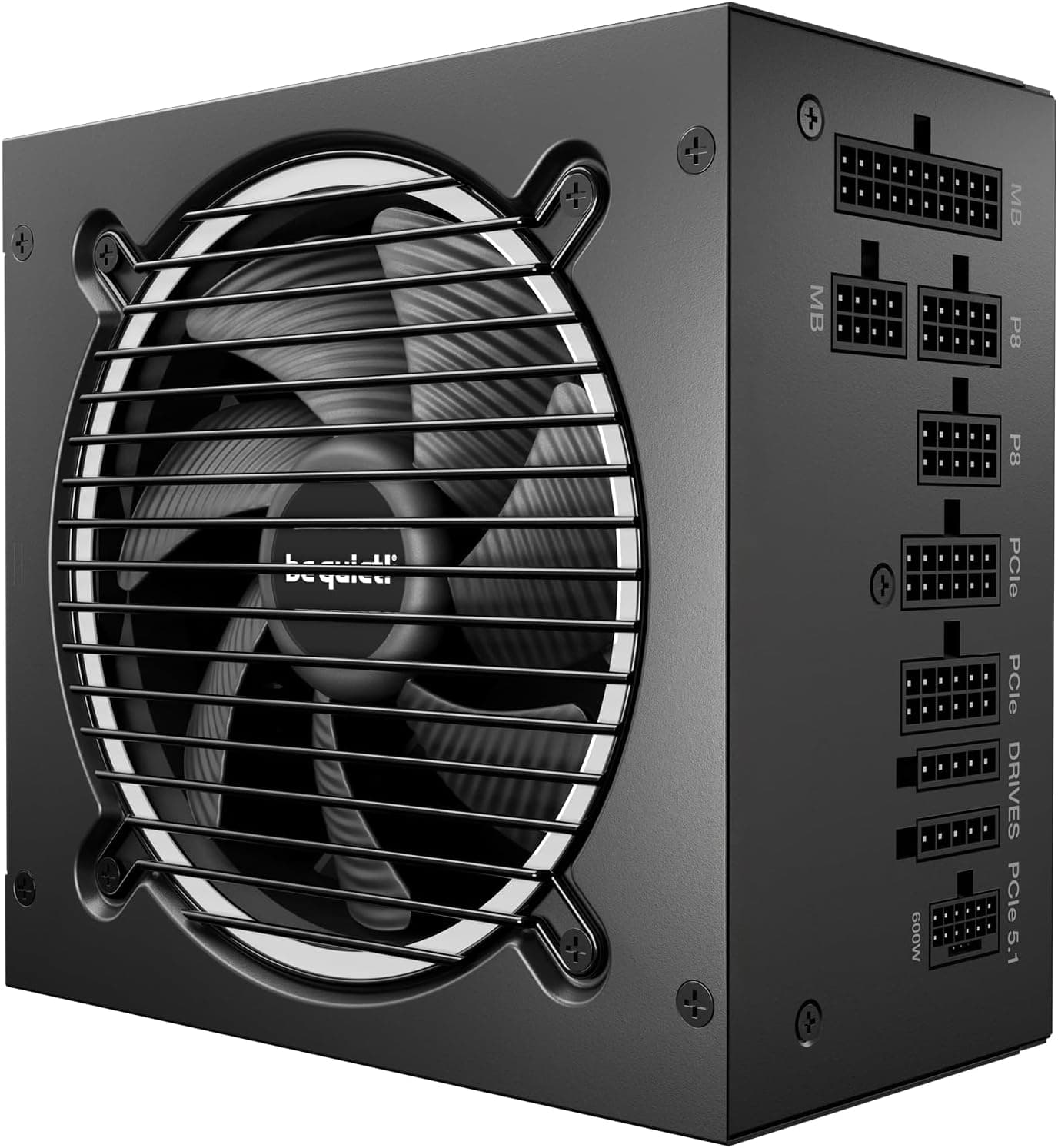
be quiet! Pure Power 13 M 1000W Power Supply, 80 PLUS® Gold Certification, ATX 3.1 PSU, Support For PCIe 5.1 GPUs, Semi-Passive 120mm be quiet! Fan, LLC Technology, Single Rail, For Overclocked GPUs
£109.83 · be quiet!
 8.5 / 10
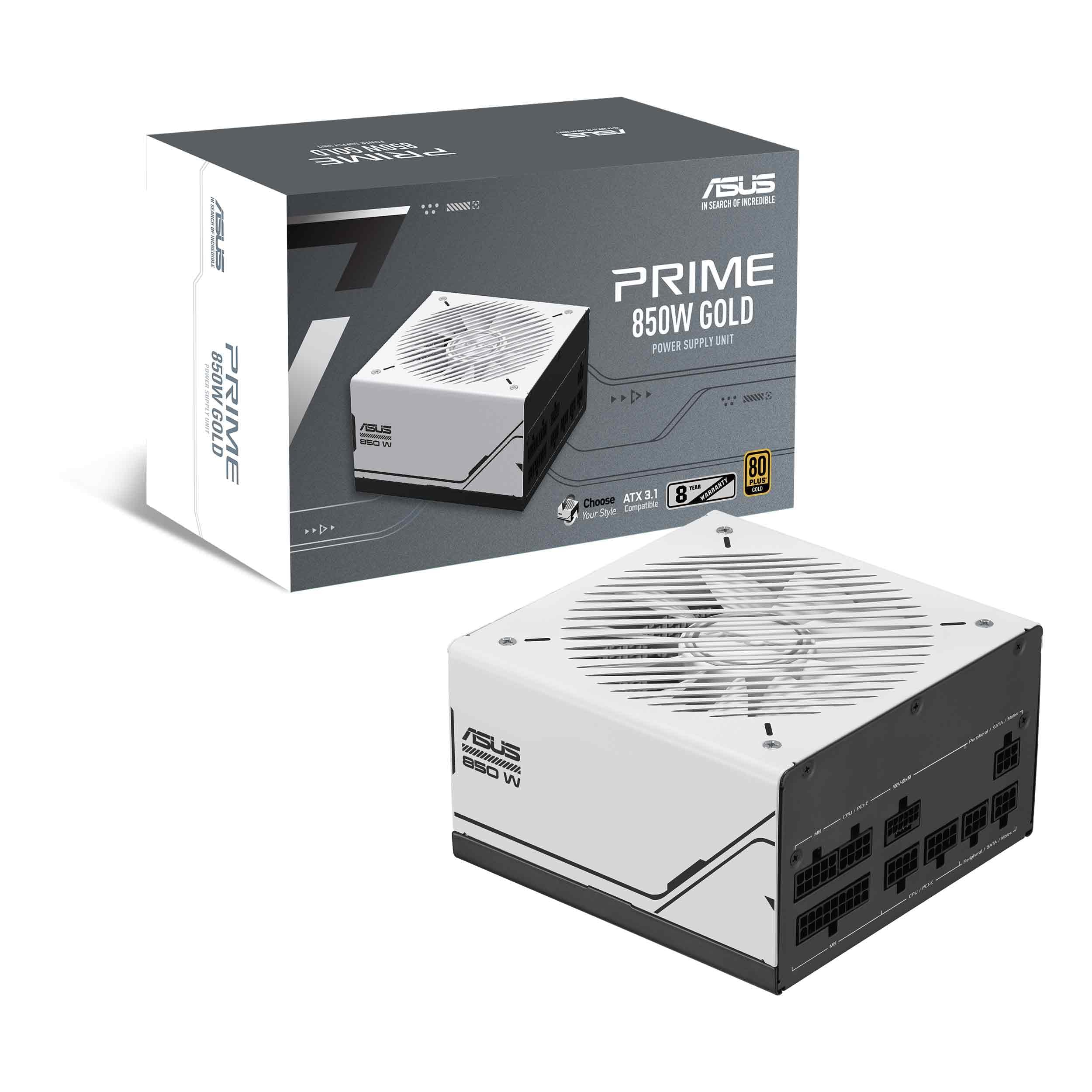
Asus Prime 850W Gold Gaming PSU, Double Ball Bearing Fan, Fully Modular, 80+ Gold, ATX 3.0, PCIe 5.0
£104.99 · ASUS
Frequently asked
5 questions01Is the MSI MAG A650BE Gaming Power Supply - Certified 80 Plus Bronze 650W - Semi-Modular - Low Noise PSU ATX good for gaming?+
Yes, it's a solid choice for mid-range gaming builds. The 650W rating comfortably covers systems running GPUs up to an RTX 4070 or RX 7800 XT paired with a modern mid-range CPU. The semi-modular design helps with cable management, and the 5-year warranty gives you confidence in long-term reliability. It won't suit very high-end GPU builds that need 12VHPWR connectivity or 750W+ capacity.
02What GPU can I run with a 650W PSU like the MSI MAG A650BE?+
A 650W PSU comfortably handles most mid-range GPUs including the RTX 4060, RTX 4060 Ti, RTX 4070, RX 7600, RX 7700 XT, and RX 7800 XT when paired with a typical mid-range CPU. For an RTX 4070 Ti, 4080, or 4090, you'd want to step up to a 750W or 850W unit. Always check your specific GPU's TDP and add your CPU's power draw plus a 20% headroom buffer when calculating PSU requirements.
03Is 80 Plus Bronze efficiency worth it, or should I pay more for Gold?+
For most gaming builds, Bronze is perfectly adequate. The real-world efficiency difference between Bronze and Gold at typical gaming loads is relatively small, translating to a modest difference in electricity costs annually. Gold makes more sense for workstations under heavy load 24/7, or if you're very sensitive to heat and noise since Gold units run cooler and quieter. For a gaming PC used a few hours daily, Bronze offers good value.
04How long is the warranty on the MSI MAG A650BE Gaming Power Supply - Certified 80 Plus Bronze 650W - Semi-Modular - Low Noise PSU ATX?+
The MSI MAG A650BE comes with a 5-year warranty. This is notably longer than many competitors at this price point, which often offer just 2-3 years. A longer warranty is generally a sign that the manufacturer is confident in the component quality and build longevity. Make sure to register your product with MSI after purchase to ensure your warranty is properly recorded.
05Is the MSI MAG A650BE Gaming Power Supply - Certified 80 Plus Bronze 650W - Semi-Modular - Low Noise PSU ATX fully modular?+
No, the MAG A650BE is semi-modular, not fully modular. This means the 24-pin ATX motherboard cable and the EPS CPU power cable are permanently attached to the PSU, while the PCIe, SATA, and Molex cables are detachable. For most builders, semi-modular is actually preferable to fully modular because the always-needed cables are hardwired and can't work loose, while the optional cables can be removed to keep your case tidy.