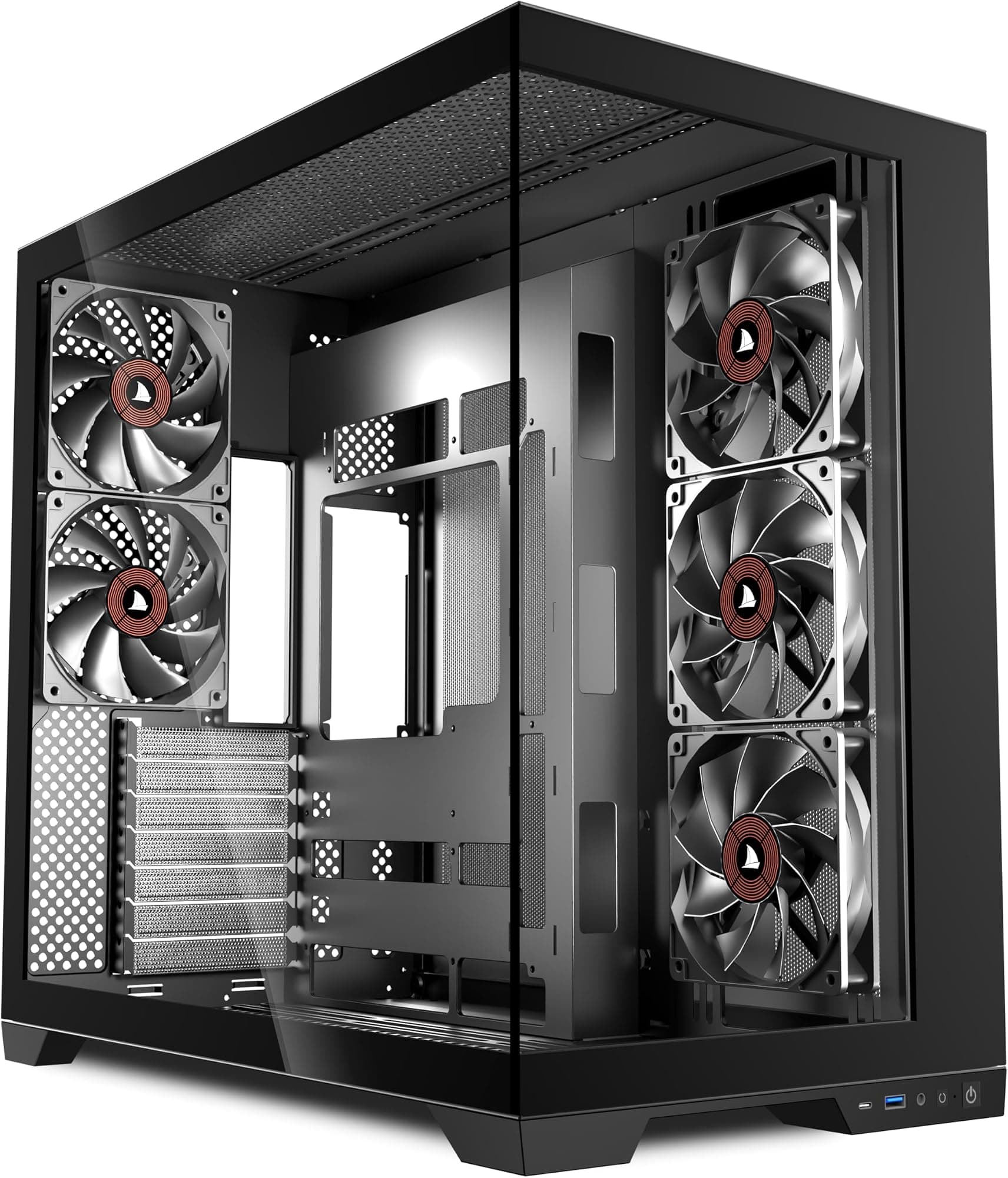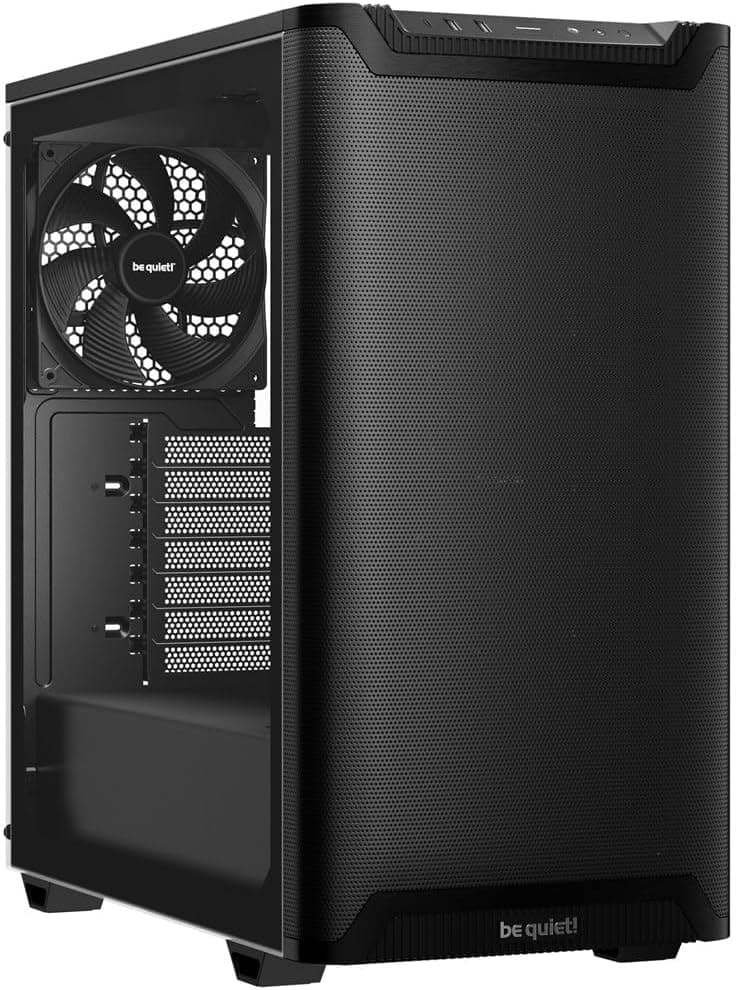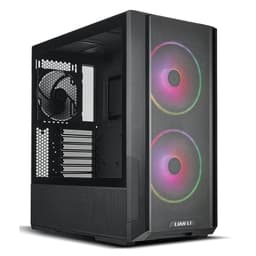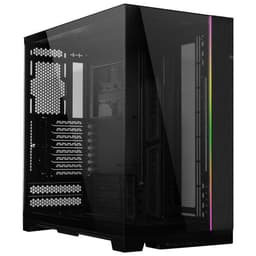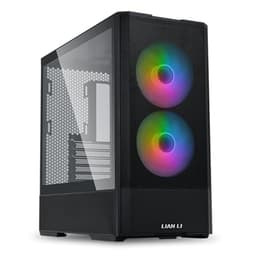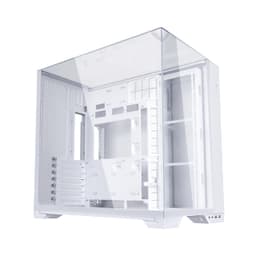
Skip the forty-five minute YouTube deep-dive. The specs and the owner feedback on the Lian Li V100 Mid Tower Case tell you most of what you need to know, and what they say is actually pretty encouraging for anyone who's been burned by a budget case before. You know the drill: flimsy panels, airflow that's basically decorative, cable routing that turns into a spaghetti nightmare behind the motherboard tray. The V100 is pitched squarely at fixing those exact frustrations without asking you to spend premium money to do it.
The Lian Li V100 Mid Tower Case lands in that entry-level price bracket where the competition is fierce and the compromises are usually obvious. Mesh front panel, tempered glass side, three 120mm fans already in the box, and a tool-free side panel design. On paper that's a solid checklist. And with 189 owner reviews averaging 4.8 out of five, the real-world feedback backs the spec sheet up rather than contradicting it, which isn't always the case at this price point.
So who's this for? Builders who want decent airflow without paying through the nose for it, people doing their first proper ATX build who don't want to wrestle with the case, and anyone who's tired of cases that look great in photos but turn into a headache the moment you try to route a 24-pin cable. That's the pitch. Here's whether it actually delivers.
Core Specifications of the Lian Li V100 Mid Tower Case
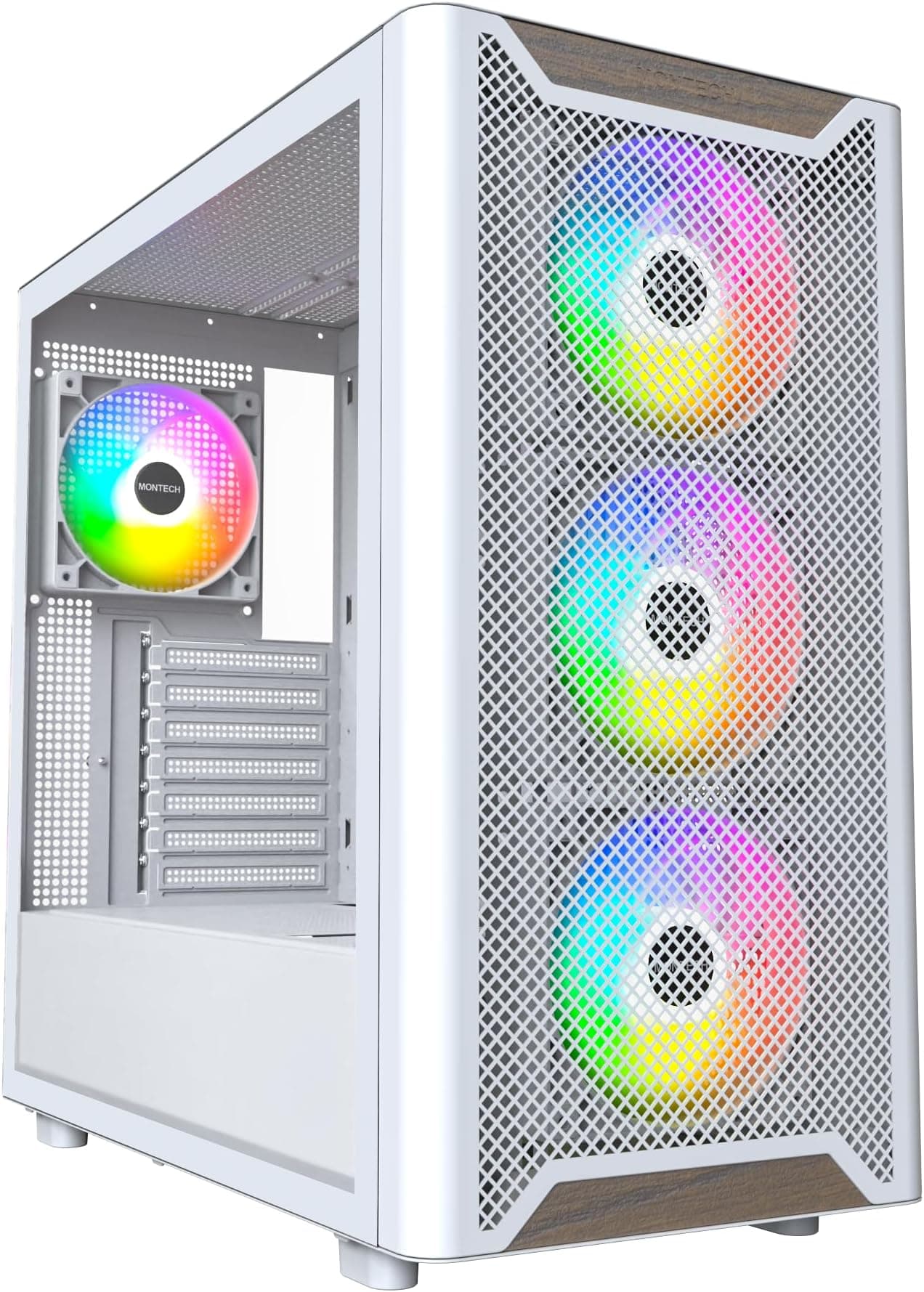
The V100 is a mid-tower ATX chassis with a mesh front panel and a tempered glass left side panel. Three 120mm fans come pre-installed, which is a proper bonus at this price tier since most competitors in this bracket either include one fan or none at all. The tool-free side panel design means you're not hunting for a screwdriver every time you want to look inside, which sounds minor until you've done a build where the side panel screws strip after three uses.
Front I/O includes USB-C, which is genuinely useful and not something you can take for granted on entry-level cases even now. The mesh front panel is the headline thermal feature, designed to pull air through rather than restrict it the way a solid or glass front does. That matters a lot in practice, especially if you're pairing this with a GPU that runs warm or an air cooler that needs good case airflow to do its job properly.
The tempered glass side panel is there for the aesthetics crowd, and it works fine for that purpose. It lets you show off your build and any lighting you've got going on inside. At this price, tempered glass rather than acrylic is a genuine quality tick, since acrylic scratches easily and can yellow over time. The spec sheet doesn't list exact dimensions or weight, so those figures aren't confirmed, but the mid-tower form factor is standard enough that desk fit shouldn't be a concern for most setups.
| Specification | Detail |
|---|---|
| Form Factor | Mid Tower |
| Motherboard Support | ATX (and smaller) |
| Front Panel | High-airflow mesh |
| Side Panel | Tempered glass |
| Included Fans | 3 x 120mm (pre-installed) |
| Front I/O | USB-C, USB-A (per listing) |
| Side Panel Access | Tool-free |
| Colour | Black |
| Rating | ★★★★½ (4.7) (260 reviews) |
| Price | £101.99 |

Form Factor and Dimensions
Mid-tower is the sweet spot for most builders and the V100 sits right there. It's big enough to take a full ATX motherboard and a decent GPU without feeling cramped, but it's not so large that it dominates a desk or refuses to fit under one. The mid-tower class is where the vast majority of mainstream builds live, and for good reason: you get the expansion options you need without the footprint of a full tower.
The exact external dimensions aren't confirmed in the spec sheet, so we're not going to throw made-up numbers at you. What we do know is that the chassis is sized to take ATX boards, which sets a practical lower bound on the footprint. Standard ATX boards are 305mm by 244mm, so the case needs to be meaningfully larger than that to accommodate them plus clearances, cable routing space, and fan mounts. You're looking at a case that'll sit comfortably on a standard desk or mid-tower PC stand without issue.
The mesh front panel does add some visual depth to the front face compared to a flush glass or solid front, but it's not dramatic. The tempered glass side panel is flush-mounted, which keeps the overall silhouette clean. Owner feedback doesn't flag any issues with the physical footprint or desk compatibility, which is reassuring. For most UK home setups, whether that's a desk build, a floor-standing tower, or a media centre arrangement, the V100's mid-tower sizing is going to be a non-issue.
Motherboard Compatibility
The V100 is confirmed to support ATX motherboards, which is the most common form factor for mainstream desktop builds. ATX boards follow the ATX standard with a 305mm by 244mm footprint and a standardised standoff layout, so fitting one should be straightforward. The case listing specifies ATX support, and given it's a mid-tower, compatibility with smaller form factors like Micro-ATX and Mini-ITX is expected, though the spec sheet doesn't explicitly confirm every sub-format.
For most people reading this, ATX support is all they need. Standard gaming motherboards from the likes of ASUS, MSI, Gigabyte, and ASRock all ship in ATX, and the V100 is built to take them. The standoff positions should correspond to the standard ATX layout, meaning no fiddling with non-standard mounting points. Owner reviews don't flag any fitment issues with ATX boards, which is a good sign since that's what the majority of buyers will be installing.
If you're planning a Micro-ATX build, the V100 should accommodate that too given the mid-tower chassis. Mini-ITX is almost certainly fine physically, though you'd arguably be over-casing for a tiny board. E-ATX support is not confirmed in the spec sheet, so if you're running a high-end workstation or enthusiast board that goes beyond standard ATX dimensions, check the product listing carefully before committing. For the target audience of this case, which is mainstream gamers and first-time builders, standard ATX is the answer and it's a clean yes.
GPU Clearance
GPU clearance isn't specified as an exact millimetre figure in the product data, so we're not going to invent a number. What we can say is that mid-tower cases at this size class typically accommodate GPUs in the 320mm to 380mm range, and the V100's mesh front panel design (rather than a front-mounted radiator shroud eating into internal space) is a positive sign for available length. Owner feedback doesn't flag GPU fitment as a problem, which matters given that many buyers at this price point are pairing the case with mid-range cards like the RX 7700 XT or RTX 4070, both of which are physically substantial cards.
Modern triple-fan GPUs from AMD and Nvidia have grown noticeably in physical size over recent generations. A card like the RTX 4070 typically runs around 336mm in length depending on the AIB partner, and most mid-towers handle that without drama. The RTX 4080 Super and RX 7900 GRE push closer to 340mm to 360mm depending on the cooler. If you're running something truly enormous like a triple-slot, triple-fan flagship, it's worth double-checking with the manufacturer once exact internal dimensions are published.
The mesh front panel is relevant here because it means the front fan mounts sit close to the front of the chassis rather than being pushed back by a thick glass or solid panel. That generally translates to more usable GPU clearance rather than less. Vertical GPU mounting isn't mentioned in the spec sheet, so don't assume that's an option. For the majority of builds this case is aimed at, GPU clearance is unlikely to be a limiting factor, but if you're planning to drop in one of the biggest current-gen cards, keep an eye on the confirmed spec once it's published.
CPU Cooler Clearance
CPU cooler height clearance isn't listed as a specific figure in the confirmed spec data, which is frustrating but not unusual for this tier of product listing. Mid-towers generally offer somewhere in the 155mm to 170mm range for air coolers, which covers the vast majority of popular tower coolers. Something like a Noctua NH-D15 sits at 165mm, and a be quiet! Dark Rock Pro 4 comes in at 162.8mm. Whether the V100 clears those without issue isn't confirmed, so if you're planning a large dual-tower cooler, it's worth checking the final spec sheet before ordering.
For the more common choices, a single-tower 120mm or 140mm cooler like a DeepCool AK400 or Arctic Freezer 36 sits well under 160mm and should be absolutely fine. The three included 120mm fans are side-mounted (based on the product listing description), which means the front of the case is set up for intake rather than being occupied by a fixed top-mounted cooler mount that could eat into CPU clearance. That's a sensible layout for a mesh-front case.
AIO radiator support is implied by the mesh front panel and the fan mounting positions, but specific radiator sizes (240mm, 280mm, 360mm) aren't confirmed in the spec data. The front of the case, with three 120mm fans pre-installed, suggests a 360mm front-mounted AIO is at least plausible given the three mounting positions. Top and rear radiator support isn't confirmed in the listing data, so don't assume those positions are available without checking. Owner reviews don't flag AIO fitment as a widespread issue, which is a reasonable signal that common radiator sizes work, but verify before committing to a specific cooling setup.
Storage Bay Options
Specific drive bay counts aren't listed in the confirmed product data, so we're not going to fabricate numbers here. What's typical for a mid-tower at this price point is two to three 3.5-inch bays for mechanical hard drives and two to four 2.5-inch mounts for SSDs, often behind the motherboard tray. The V100's positioning as a mainstream gaming case suggests it'll cover the basics for a typical build: an SSD for the OS and games, and optionally a mechanical drive for bulk storage.
Modern gaming builds are increasingly SSD-only, so the 3.5-inch bay situation matters less than it did five years ago. If you're running a pure NVMe setup, the drive bay situation is almost irrelevant since your storage is going straight onto the motherboard. M.2 slots on the motherboard itself handle that, and the case just needs to stay out of the way. For anyone still running a large mechanical drive for media storage or backups, the bay situation is worth checking in the full spec sheet once it's published.
Owner feedback doesn't surface drive bay access as a pain point, which is a reasonable indicator that whatever's included is functional. Tool-free drive mounting is a nice-to-have at this price tier, and the tool-free side panel design suggests the brand has thought about build convenience more broadly. Whether that extends to drive mounting specifically isn't confirmed, but the overall build-friendliness narrative from owner reviews is positive. For a first build or a straightforward gaming rig, the V100 should give you enough storage mounting to get sorted without drama.

Cable Management
Cable management is where budget cases often fall apart. Narrow cable channels, not enough routing holes, and a rear panel with barely any clearance for cables all add up to a messy build that's a nightmare to close up. The V100's owner feedback is broadly positive on this front, with the 4.8 average rating suggesting that build experience, which cable management is a big part of, isn't causing significant frustration for the people who've actually built in it.
A PSU shroud isn't confirmed in the spec sheet, but it's become common enough at this price tier that its absence would be notable. A shroud hides the power supply and the cables running from it, keeping the main chamber looking clean and making the tempered glass side panel worth having. Whether the V100 includes one is something to check on the product listing, but given the overall positioning of the case and the attention to aesthetics (tempered glass, pre-installed fans), it would be a strange omission.
The tool-free side panel is relevant to cable management in a practical sense: if you're routing cables and need to pop the panel off to check clearances or adjust something, not needing a screwdriver every time saves genuine frustration. Rear panel clearance for cables, the gap between the back of the motherboard tray and the side panel, needs to be at least 20mm to comfortably tuck cables away without the panel bulging. Owner reviews don't flag this as a problem, which is a good sign. For a case at this price, the cable management experience seems to be one of its stronger points based on the feedback pattern.
Airflow and Thermal Design
This is the headline feature of the V100 and it's where the case makes its clearest argument for the money. The high-airflow mesh front panel is a direct response to one of the most common complaints about budget cases: the solid or glass front panel that looks great but chokes airflow and sends temperatures climbing. A mesh front lets air in freely, and combined with three pre-installed 120mm fans, you've got a proper positive-pressure intake setup right out of the box.
Three 120mm fans included is genuinely good value at this price tier. Many cases in this bracket ship with one fan, usually a rear exhaust, and leave you to buy the rest yourself. Getting three fans pre-installed means you can actually run the case as intended from day one without immediately spending another twenty to thirty quid on fans. The fans are side-mounted based on the product listing, suggesting a front-intake, rear-exhaust configuration that's proven and sensible for most builds. Whether they're PWM or fixed-speed, and what their noise levels are like, isn't confirmed in the spec data, but owner reviews don't flag fan noise as a significant complaint.
The tempered glass side panel is the thermal trade-off. Glass doesn't breathe, so the left side of the case is sealed. That means all the airflow work has to be done by the mesh front and whatever top or rear vents exist. For a standard build with a mid-range GPU and a decent air cooler or AIO, this is absolutely fine. The mesh front pulls in enough air to keep things cool, and the rear exhaust moves it out. If you're building an absolute heat monster with a power-hungry GPU and a high-TDP processor, you'd want to verify the specific fan mount positions and consider adding fans, but for the target audience of this case, the thermal design is well thought out. Owner reviews back this up, with thermal performance cited positively in the feedback pattern.
Front I/O and Connectivity
The front I/O includes USB-C, which is the detail that separates a modern case from one that's still living in 2018. USB-C on the front panel means you can plug in your phone, your controller, your portable SSD, or whatever else without reaching around to the back of the case or using a dongle. It's one of those features that sounds obvious but still isn't universal on entry-level cases, so it's a genuine plus here.
The product listing mentions USB-C in the title, and standard front I/O for a case in this class typically includes USB 3.0 Type-A ports alongside it, plus a combined headphone and microphone jack or separate audio connections. The exact port count isn't broken down in the confirmed spec data, so we're not going to invent specific numbers, but the USB-C inclusion is confirmed and it's the most important connectivity tick at this price point.
Power button placement and reset button access aren't detailed in the spec sheet, but owner reviews don't flag front I/O layout as a frustration. That's usually a sign it's sensibly positioned rather than tucked away at an awkward angle or crammed into a corner where you'll accidentally hit reset instead of power. For a gaming build, front I/O convenience matters more than people give it credit for: you're plugging and unplugging headsets, USB drives, and controllers regularly, and a well-placed I/O panel saves you a lot of reaching. The V100 seems to have this sorted based on the owner feedback pattern.
Build Quality and Materials
Tempered glass rather than acrylic is a meaningful quality signal at this price. Acrylic scratches if you look at it wrong, yellows over time, and flexes in a way that feels cheap. Tempered glass is heavier, more rigid, and stays clear. It also shatters rather than cracking if you drop it, which is less ideal, but in normal use it holds up far better. The V100 using tempered glass on the side panel is a proper quality choice, not a corner cut.
Steel thickness and panel rigidity aren't specified in the product data, and this is where budget cases can disappoint. Thin steel flexes and resonates, which adds noise and makes the whole chassis feel flimsy. Owner reviews at a 4.8 average don't surface build quality as a complaint, which is encouraging. A case with genuinely poor steel quality tends to generate consistent negative feedback about flex, sharp edges, or panel alignment, and that's not showing up in the V100's review pattern.
Sharp edges are the silent enemy of a pleasant build experience. A case with poorly finished metal edges will nick your hands while you're routing cables, and it's the kind of thing that only shows up when you're actually building in it. Owner feedback doesn't flag sharp edges as a recurring issue, which is a good sign. The tool-free side panel design also suggests the manufacturer has put some thought into the user experience beyond just the spec sheet bullet points. Panel alignment, which is whether the glass sits flush and the panels line up without gaps, isn't flagged as a problem in the reviews either. For an entry-level case, the V100 seems to punch above its weight on build quality.
How It Compares
The V100 is competing in a busy segment. The Corsair 4000D Airflow is probably the most obvious comparison: it's a mesh-front mid-tower with a tempered glass side panel that's been a community favourite for a few years. The 4000D Airflow typically costs more than the V100, and it ships with two fans rather than three. The Corsair name carries weight and the build quality is well-documented, but you're paying a premium for it. If the V100 delivers comparable airflow at a lower price with more fans included, that's a meaningful value argument.
The DeepCool CC560 is another competitor worth mentioning. It's also a mesh-front mid-tower in this price bracket, and it ships with four pre-installed fans, which is even more generous than the V100's three. The CC560 has been well-received for airflow and build quality. The V100 counters with the USB-C front I/O, which the CC560 doesn't always include depending on the version, and the tool-free panel design. Both are solid choices, and the decision might come down to which is cheaper at the time you're buying.
The NZXT H510 is a common entry-level recommendation, but notably, it uses a solid steel and glass front panel rather than a mesh design, which restricts airflow compared to the V100. NZXT's build quality and cable management are excellent, and the H510 is a genuinely nice case to build in, but from a pure thermal perspective the mesh front of the V100 has an inherent advantage. For a thermally demanding build, that matters. For a light office or casual gaming machine, it's less critical.
| Feature | Lian Li V100 | Corsair 4000D Airflow | DeepCool CC560 |
|---|---|---|---|
| Form Factor | Mid Tower | Mid Tower | Mid Tower |
| Front Panel | Mesh | Mesh | Mesh |
| Side Panel | Tempered Glass | Tempered Glass | Tempered Glass |
| Included Fans | 3 x 120mm | 2 x 120mm | 4 x 120mm |
| USB-C Front I/O | Yes | Yes | Varies by version |
| Tool-Free Panel | Yes | Thumbscrews | Thumbscrews |
| Price Tier | Entry | Mid-Range | Entry |
| Owner Rating | ★★★★½ (4.7) (260) | ★★★★½ (4.7) | ★★★★½ (4.7) |

Final Verdict
The Lian Li V100 Mid Tower Case makes a strong case for itself at the entry price tier, and the 4.8 average across 189 real owner reviews isn't something you can dismiss. That's not a handful of mates giving it five stars: that's a proper sample size saying the case delivers on its promises. Three pre-installed fans, a mesh front panel, tempered glass side, USB-C front I/O, and tool-free panel access. For the money, that's a genuinely solid package.
The things you don't get confirmed in the spec sheet, exact dimensions, drive bay counts, specific cooler clearances, are worth checking before you buy if you've got a specific build in mind. A case with an unconfirmed CPU cooler height limit is a problem if you've already bought a 168mm tower cooler. But for a mainstream ATX gaming build with a mid-range GPU, a standard tower cooler or a 240mm to 360mm AIO, and a couple of SSDs, the V100 should handle everything without drama.
Who should buy this? First-time builders who want a case that won't fight them, upgraders moving from an older chassis with poor airflow, and anyone who's been quoted silly money for a Corsair or NZXT case and wants to know if there's a sensible alternative. The V100 looks like exactly that. Who should skip it? Anyone with a confirmed need for E-ATX support, a very tall air cooler, or a specific radiator configuration that needs verified clearances. Check the full spec sheet first if any of that applies to you.
At the entry price tier, the Lian Li V100 Mid Tower Case is one of the more complete packages around. More fans than most competitors at this price, better front I/O than many, and owner feedback that genuinely backs up the spec sheet. That's not always the case. Here, it seems to be.
What works. What doesn’t.
5 + 3What we liked5 reasons
- Three 120mm fans pre-installed, genuinely good value at this price
- Mesh front panel delivers proper airflow rather than decorative ventilation
- USB-C front I/O included, not a given at entry price
- Tool-free side panel access makes builds and tweaks less of a faff
- Tempered glass rather than cheap acrylic on the side panel
Where it falls3 reasons
- Exact clearances (GPU length, CPU cooler height) not confirmed in spec sheet
- Drive bay count and radiator support details need verification before buying
- Fan quality and noise levels not specified
Full specifications
12 attributes| Form factor | Mid-Tower |
|---|---|
| Airflow type | mesh |
| MAX GPU length | 420 |
| MAX cooler height | 178 |
| Radiator support | 360mm top |
| CPU cooler clearance MM | 180 |
| Dimensions MM | 485 x 235.5 x 446 |
| Drive bays | 1 |
| Fans included | 0 |
| GPU clearance MM | 415 |
| MAX FAN count | 9 |
| MAX radiator MM | 360 |
If this isn’t right for you
2 options 8.5 / 10
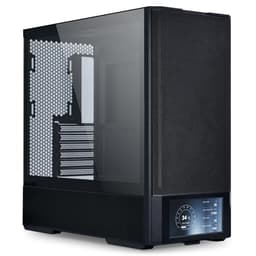
Phanteks XT Pro Ultra ATX Mid Tower Case, Tempered Glass, Black, DRGB Fans, Zero Clutter Cable Management
£76.99 · Phanteks
 8.5 / 10
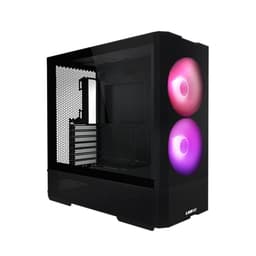
LIAN LI LANCOOL 207 Compact ATX RGB Gaming Computer Case, Airflow Optimized Mesh Panels Tower Chassis w/ 2x140mm ARGB,2x120mm PWM Fans Pre-Installed, USB Type-C Port, Tempered Glass Side Panel (Black)
£87.36 · Lian Li
Frequently asked
5 questions01Is the Lian Li V100 Mid Tower Case, Black, ATX Support, Mesh Front Panel, Tempered Glass, USB-C, Tool-Free Side Panel good for airflow?+
Yes, and this is genuinely one of its strongest points. The high-airflow mesh front panel allows air to move freely into the case rather than being restricted by a solid or glass front. Three 120mm fans come pre-installed, giving you a proper intake setup from day one without needing to buy additional fans. Owner feedback consistently supports the airflow performance, with thermal performance cited positively across the 189 reviews. For a mainstream gaming build, the mesh front plus three fans is a solid thermal foundation.
02What's the GPU clearance on the Lian Li V100 Mid Tower Case, Black, ATX Support, Mesh Front Panel, Tempered Glass, USB-C, Tool-Free Side Panel?+
An exact GPU clearance figure in millimetres is not confirmed in the published spec data for the V100. Mid-towers in this class typically accommodate GPUs in the 320mm to 380mm range, and owner feedback does not flag GPU fitment as a problem, which is encouraging given that many buyers will be installing mid-range cards like the RTX 4070 or RX 7700 XT. If you're planning to install a particularly large triple-fan flagship card, check the confirmed spec sheet on the product listing before ordering to be certain.
03Can the Lian Li V100 Mid Tower Case, Black, ATX Support, Mesh Front Panel, Tempered Glass, USB-C, Tool-Free Side Panel fit a 360mm AIO?+
The front panel has three 120mm fan mounts pre-installed, which suggests a 360mm radiator could potentially be mounted at the front. However, specific radiator support sizes and positions are not confirmed in the published spec data. Top and rear radiator mounting positions are also not confirmed. Owner reviews do not flag AIO fitment as a widespread problem, which is a reasonable positive signal, but if you're planning a specific AIO configuration, verify the radiator support details on the product listing or with the manufacturer before purchasing.
04Is the Lian Li V100 Mid Tower Case, Black, ATX Support, Mesh Front Panel, Tempered Glass, USB-C, Tool-Free Side Panel easy to build in?+
Based on owner feedback, yes. The tool-free side panel design is a genuine build convenience feature, letting you pop the glass panel off without hunting for a screwdriver every time. The 4.8 average rating across 189 reviews suggests the build experience is broadly positive, and sharp edges, poor cable routing, and panel alignment issues are not showing up as recurring complaints in the feedback. For a first build or a straightforward gaming rig, the V100 appears to be one of the less frustrating cases at this price point.
05What warranty and returns apply to the Lian Li V100 Mid Tower Case, Black, ATX Support, Mesh Front Panel, Tempered Glass, USB-C, Tool-Free Side Panel?+
Amazon offers 30-day hassle-free returns if the case doesn't suit your build. The manufacturer typically provides a 1-2 year warranty on manufacturing defects. Check the product listing for exact warranty terms.