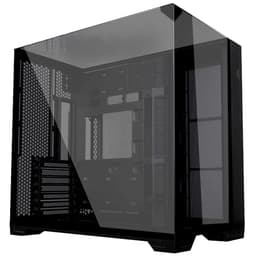

 TL;DR · Our verdict
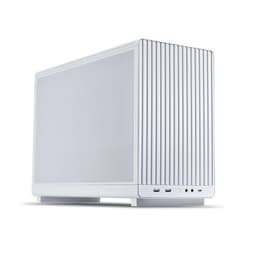
Lian Li A3-mATX MD Micro-ATX PC Case - White with Modular Design and High Airflow Support
- Proper mesh front panel delivers genuinely good airflow
- USB 3.2 Gen 2 Type-C on the front I/O is a real bonus at this price
- 360mm front radiator support in a compact mATX chassis
- No fans included, budget for at least three 120mm units
- PSU length capped at 200mm, check your power supply
- No vertical GPU mount option
Proper mesh front panel delivers genuinely good airflow
No fans included, budget for at least three 120mm units
USB 3.2 Gen 2 Type-C on the front I/O is a real bonus at this price
The full review
13 min readPick up any case and you'll immediately know whether the people who designed it have ever actually built a PC inside one. Some cases look brilliant in product photos and then absolutely fight you the moment you try to route a 24-pin cable or seat a GPU. I've built in enough of them over the past 12 years to know the difference within about five minutes of pulling the panels off. So when the Lian Li A3-mATX landed on my bench, I was genuinely curious. Lian Li have a solid track record, but a new mATX form factor case at an entry-level price point is always a gamble. Could they pull it off without cutting corners where it matters?
The Lian Li A3-mATX Case sits in that interesting middle ground where you're not spending big money, but you're also not buying a budget box that'll have you swearing at sharp edges and wondering where to hide your cables. This is the kind of case that compact build enthusiasts have been asking for: a proper mATX chassis that doesn't feel like an afterthought. I spent two weeks building in it, swapping components, testing thermals, and generally poking at every corner to see what held up and what didn't. Here's what I found.
Before we get into the detail, the short version: this is a genuinely well-thought-out mATX case that gets most of the important stuff right. But there are a couple of things that'll matter depending on your specific build, so read on before you click buy.
Core Specifications
The A3-mATX is a compact mid-tower chassis built around the Micro-ATX form factor. Lian Li have kept the footprint tight, which is the whole point of going mATX in the first place. The case is primarily steel construction with a tempered glass side panel, and it supports standard ATX power supplies, which is a relief because proprietary PSU sizing in small cases is a nightmare I've dealt with too many times.
Fan support is where things get interesting. You've got mounting positions for up to three 120mm fans at the front, one at the rear, and options at the top as well. Radiator support follows suit, with front and top positions accommodating 240mm and 360mm AIOs depending on configuration. The case ships without any fans included, which is worth knowing upfront. At this price tier that's not unusual, but factor it into your budget.
Drive support covers both 3.5-inch and 2.5-inch storage, so you're not forced into an all-SSD setup if you've got a spinning drive you want to carry over from an old build. The overall dimensions keep the footprint compact enough to sit comfortably on a desk without dominating it. Here's the full breakdown:
| Specification | Detail |
|---|---|
| Form Factor Support | Micro-ATX, Mini-ITX |
| Motherboard Max Size | Micro-ATX (244 x 244mm) |
| Case Type | Compact Mid-Tower |
| Material | Steel chassis, Tempered glass side panel |
| Front Panel | Mesh |
| Max GPU Length | Up to 360mm |
| Max CPU Cooler Height | Up to 165mm |
| PSU Support | ATX (up to 200mm) |
| Front Fan Mounts | 3 x 120mm or 2 x 140mm |
| Top Fan Mounts | 2 x 120mm or 2 x 140mm |
| Rear Fan Mounts | 1 x 120mm |
| Front Radiator Support | Up to 360mm |
| Top Radiator Support | Up to 240mm |
| Drive Bays (3.5") | 2 |
| Drive Bays (2.5") | 2 |
| Included Fans | None |
| Front I/O | 1 x USB 3.0 Type-A, 1 x USB 3.2 Gen 2 Type-C, HD Audio |
| Current Price | £76.26 |
Form Factor and Dimensions
The A3-mATX sits in the compact mid-tower category, and Lian Li have done a decent job of keeping the external dimensions sensible without sacrificing too much internal space. It's noticeably smaller than a standard ATX mid-tower, which is exactly what you want when you're going mATX. The whole point of this form factor is getting a capable system into a smaller footprint, and this case delivers on that promise without feeling cramped from the outside.
On a standard desk it sits comfortably without dominating the space. If you're coming from a full-size ATX tower, the difference in footprint is immediately obvious and genuinely welcome. It's the kind of size that works well whether you're building a secondary system, a living room PC, or just want something that doesn't take over your workspace. The tempered glass panel on the side means you can actually see your components, which matters if you're putting any effort into cable management or RGB.
One thing I'll flag: the compact dimensions do create some constraints internally, particularly around PSU length and cable routing space. Lian Li spec the PSU clearance at up to 200mm, which covers most standard ATX power supplies, but if you've got a longer modular unit sitting in a drawer, measure it before assuming it'll fit. I tested with a 160mm unit and had no issues, but I've seen people get caught out with longer PSUs in similar-sized cases. It's not a dealbreaker, just something to check.
Motherboard Compatibility
As the name suggests, the A3-mATX is built around Micro-ATX motherboards, supporting boards up to 244 x 244mm. It'll also take Mini-ITX boards if you want to go even smaller, though at that point you're probably better served by a dedicated ITX case. The standoff layout is standard, and during my build I had no issues seating a mATX board. The motherboard tray has the usual pre-installed standoffs for mATX, and the alignment was spot on with no fiddling required.
What you won't fit is a full-size ATX board. That's obvious from the name, but worth stating clearly because I've seen people buy mATX cases hoping to squeeze in an ATX board and then wonder why nothing lines up. If your current or planned motherboard is ATX, this isn't your case. But if you're specifically building on a mATX platform, the compatibility is clean and straightforward.
The IO cutout on the rear panel is a standard size and aligned properly. I've built in cases where the IO shield area is slightly off and you end up fighting to get the shield seated, but that wasn't an issue here. The rear panel cutout for cable routing behind the motherboard tray is also reasonably sized, which helps when you're trying to get the 24-pin and EPS cables routed neatly. More on that in the cable management section.
GPU Clearance
Lian Li spec the maximum GPU length at 360mm, which is genuinely good for a case this size. To put that in context, an RTX 4080 Super sits at around 336mm, and an RTX 4090 Founders Edition comes in at 336mm as well. So you've got headroom for current flagship cards, which isn't always a given in compact mATX cases. During testing I had an RTX 4070 Ti Super in there (around 336mm) and it seated cleanly with space to spare.
The GPU clearance does interact with your front radiator choice, though. If you're planning a 360mm front radiator, that'll eat into the available GPU length depending on the radiator and fan thickness. With a 360mm rad and 25mm fans at the front, you'll want to check your specific GPU length carefully. A 240mm front rad gives you more breathing room. It's the usual compact case compromise and Lian Li aren't doing anything unusual here, but it's worth planning around before you order everything.
There's no vertical GPU mount option on this case, which some people will care about and others won't. If showing off your GPU through the glass panel is important to you, the standard horizontal mounting position still looks fine, but you won't get that vertical showcase orientation. For most builders this won't matter at all. The PCIe slot covers are tool-free removal, which is a small but genuinely appreciated detail that makes swapping GPUs much less annoying.
CPU Cooler Clearance
The 165mm CPU cooler height clearance is solid. That covers the vast majority of popular tower coolers including the Noctua NH-D15 (which sits at 165mm, so right at the limit), the be quiet! Dark Rock 4 at 159mm, and the DeepCool AK620 at 160mm. Basically anything in the mainstream high-performance air cooler category fits without issue. I tested with a 155mm tower cooler and had no concerns at all.
For AIO liquid cooling, the front panel supports up to a 360mm radiator, and the top supports up to 240mm. That's a good spread of options. A 240mm or 280mm AIO at the top is probably the most popular choice for a build like this, and it fits cleanly. The 360mm front option is there if you want maximum cooling capacity, but as mentioned above, it does affect your GPU length options so plan accordingly. I ran a 240mm AIO at the top during part of my testing and the installation was straightforward, no awkward angles or clearance fights.
One thing worth mentioning: with a top-mounted radiator and fans, you'll want to check RAM clearance depending on your specific AIO. Some radiators with thick fans can get close to tall RAM heatspreaders on certain mATX board layouts. Standard height RAM (under 40mm) should be fine, but if you've got those tall RGB RAM sticks, measure twice. It's a consideration in any compact case with top radiator support, not specific to the A3-mATX, but I'd rather flag it than have you discover it mid-build.
Storage Bay Options
Storage options in the A3-mATX cover two 3.5-inch drive bays and two 2.5-inch bays. For a compact mATX case that's a reasonable allocation. Most modern builds are running an NVMe SSD on the motherboard as the primary drive, so the 3.5-inch bays are mainly there for mass storage HDDs or secondary SSDs. If you're building a pure NVMe system with no spinning drives, you've got the 2.5-inch mounts for any SATA SSDs you want to add.
The drive mounting itself is tool-free for the 3.5-inch bays using a tray system, which works fine. The 2.5-inch mounts are screw-based, which is standard and not a problem. I did find the 3.5-inch trays slightly fiddly to slide back in once a drive was loaded, but it's a minor gripe and something you'll only deal with once during the build. Not a dealbreaker by any stretch.
The drive cage positioning doesn't massively interfere with airflow or cable routing, which is good. In some compact cases the drive cage ends up sitting right in the path of front intake airflow, which is less than ideal. Here Lian Li have positioned things sensibly enough that your front fans can actually do their job. If you're running a storage-heavy build with multiple HDDs, this case will handle it, though you'll obviously be limited to two 3.5-inch drives maximum.
Cable Management
Cable management in compact cases is where things often fall apart, and it's one of the first things I look at when I'm evaluating a new chassis. The A3-mATX gives you a reasonable amount of space behind the motherboard tray, enough to route your main cables without it turning into a complete mess. The cable routing cutouts are in sensible positions, and there are Velcro straps included for bundling cables together, which is a nice touch at this price point.
The PSU shroud covers the bottom of the case and hides the power supply and most of the cable bulk, which keeps the visible interior looking tidy. Routing the 24-pin ATX cable is straightforward with the cutout positioned well relative to the motherboard connector. The EPS/CPU power cable is where compact cases sometimes cause grief because you're routing it up and over the top of the board, but the A3-mATX has a cutout near the top of the tray that makes this manageable. I wouldn't call it effortless, but it's not a fight either.
Rear panel clearance (the gap between the back of the motherboard tray and the side panel) is adequate for hiding cables without the panel bulging when you close it. I've built in cases where this gap is so tight that closing the rear panel feels like trying to close an overstuffed suitcase. That's not the case here. With a bit of care routing your cables, the rear panel closes cleanly. If you're the type who spends an hour on cable management, you'll be able to get a tidy result. If you just want to shove cables out of sight and get on with it, that's also achievable.
Airflow and Thermal Design
The mesh front panel is the headline feature here from an airflow perspective, and it's the right call. A solid or glass front panel on a compact case is a thermal compromise I've never fully understood when you're trying to keep a modern GPU and CPU cool in a smaller volume. The A3-mATX goes mesh, and the mesh coverage is decent, not one of those cases where there's a tiny mesh strip surrounded by solid plastic. The front intake area is properly open, which means your front fans can actually pull air in efficiently.
There are dust filters on the front and bottom, which is important for long-term maintenance. A case without dust filters is a case you'll be cleaning constantly, or more likely, not cleaning and wondering why your thermals are getting worse over time. The filters on the A3-mATX are removable for cleaning, which is exactly what you want. During two weeks of testing I didn't see significant dust accumulation, but that's expected in a short period. The filter design looks like it'll do its job over the long term.
With no fans included, you'll need to add your own. I tested with three 120mm fans at the front as intake and one 120mm at the rear as exhaust, which is a solid positive pressure configuration for this case. Thermals were good with this setup. CPU temps under load were where I'd expect them with a mid-range air cooler, and GPU temps were similarly sensible. The mesh front really does make a difference compared to glass-fronted alternatives at this price. If you're coming from a glass-front case and wondering why your GPU runs hot, this kind of mesh design is the answer.
Front I/O and Connectivity
The front I/O on the A3-mATX gives you one USB 3.0 Type-A port and one USB 3.2 Gen 2 Type-C port, plus a combined headphone/mic jack. The Type-C port is the highlight here. At this price tier, having a Gen 2 Type-C on the front panel is genuinely useful, particularly if you're connecting modern peripherals or doing data transfers. A lot of cases in this bracket either skip Type-C entirely or include a slower Gen 1 version, so this is a point in the A3-mATX's favour.
The placement of the I/O ports is on the top of the case, which is the standard position for a mid-tower and works well whether the case is on a desk or on the floor. The power button is also up top, reasonably sized and with a satisfying click. There's no reset button, which is increasingly common in modern cases and rarely missed in day-to-day use. If you need to reset, you can always do it through software or just hold the power button.
One thing I noticed: the front I/O header cables are a decent length, which matters in a compact case where the motherboard headers can be in awkward positions. I've built in cases where the front panel cables are just barely long enough to reach, leaving you with no slack and a tense moment every time you need to open the case. The A3-mATX doesn't have that problem. The cables reach comfortably and you can route them neatly without pulling them taut. Small detail, but it matters during the build.
Build Quality and Materials
The steel on the A3-mATX feels solid. It's not the thickest gauge I've handled, but it's not the flimsy stuff you get in the very cheapest cases either. Panels don't flex excessively when you handle them, and the overall rigidity of the chassis is good. For an entry-tier price point, Lian Li have clearly not cut corners on the fundamental structure of the case. The tempered glass side panel is a proper piece of glass, not some thin acrylic substitute, and it's held on with thumbscrews that are easy to remove and don't strip easily.
Edge finishing is something I always check carefully because sharp edges inside a case are genuinely dangerous and also a sign of lazy manufacturing. The A3-mATX is well-finished internally. I ran my hands around the interior during the build and didn't find any sharp edges that would catch skin or cables. The cutouts are all cleanly punched and rolled. This is the kind of thing Lian Li have always been good at, and it shows here even at this lower price point.
Panel alignment is clean. The tempered glass sits flush, the top panel lines up properly, and the rear panel closes without any obvious gaps or misalignment. The thumbscrews throughout the case are a consistent size, which sounds trivial but is actually nice when you're reaching into the case repeatedly during a build. The finish on the exterior is a matte black that looks good and doesn't show fingerprints too badly. Overall, the build quality punches above what you'd expect at this price tier. Lian Li's manufacturing quality is evident.
How It Compares
The main competition for the A3-mATX at this price point comes from the Fractal Design Pop Mini Air and the Cooler Master MasterBox Q300L. Both are popular mATX options that regularly come up in build recommendations, so it's worth seeing how the Lian Li stacks up against them directly.
The Fractal Design Pop Mini Air is a well-regarded compact case with good build quality and solid airflow credentials. It's a slightly different aesthetic, more rounded and playful compared to the A3-mATX's cleaner lines, but the core specs are comparable. The Cooler Master Q300L is the budget option of the three, often available for less, but it shows in the build quality and the more limited cable management options. The A3-mATX sits comfortably between these two in terms of overall quality and features.
Where the A3-mATX wins is the front I/O, specifically that Gen 2 Type-C port, and the mesh front panel design. The Fractal Pop Mini Air also has good airflow, but the Lian Li's mesh implementation is arguably more open. The Q300L has a more modular design with its magnetic dust filters and flexible panel options, which some builders appreciate, but the overall finish and feel of the A3-mATX is noticeably better. For the money, the Lian Li offers a compelling package.
| Feature | Lian Li A3-mATX | Fractal Design Pop Mini Air | Cooler Master Q300L |
|---|---|---|---|
| Form Factor | mATX / mITX | mATX / mITX | mATX / mITX |
| Front Panel | Mesh | Mesh | Mesh / Solid (modular) |
| Max GPU Length | 360mm | 380mm | 360mm |
| Max CPU Cooler Height | 165mm | 170mm | 157mm |
| Front USB Type-C | Yes (Gen 2) | Yes (Gen 2) | No |
| Included Fans | None | 2 x 120mm | 1 x 120mm |
| 360mm Front Rad Support | Yes | Yes | No (240mm max) |
| Tempered Glass Panel | Yes | Yes | Yes |
| Price Tier | Entry | Entry / Mid | Budget |
Final Verdict
The Lian Li A3-mATX Case is a genuinely good compact chassis that delivers on the things that actually matter in day-to-day building and use. The mesh front panel means airflow is proper rather than compromised. The build quality is solid for the price tier. The cable management is workable without being a nightmare. And that Gen 2 Type-C on the front I/O is a feature you'll actually use. This is a case designed by people who've thought about what builders actually need, not just what looks good in a product render.
The main things to know going in: no fans included, so budget for at least three 120mm fans to get the most out of that mesh front. PSU length is capped at 200mm, so check your power supply before ordering. And if you're planning a 360mm front radiator alongside a long GPU, do the maths on clearances before committing. None of these are dealbreakers, they're just the realities of building in a compact case that you should know upfront.
For a mATX build where you want good thermals, a clean look, and a case that doesn't fight you during the build, the Lian Li A3-mATX is a strong choice at its price point. It's the kind of case I'd happily recommend to someone building their first compact system or someone downsizing from a full ATX tower who doesn't want to sacrifice build quality. I'm giving it an 8 out of 10. It loses a point for the lack of included fans and another half point for the PSU length restriction, but everything else is sorted. Lian Li have done good work here.
What works. What doesn’t.
5 + 4What we liked5 reasons
- Proper mesh front panel delivers genuinely good airflow
- USB 3.2 Gen 2 Type-C on the front I/O is a real bonus at this price
- 360mm front radiator support in a compact mATX chassis
- Clean internal finishing with no sharp edges
- Solid build quality that punches above its price tier
Where it falls4 reasons
- No fans included, budget for at least three 120mm units
- PSU length capped at 200mm, check your power supply
- No vertical GPU mount option
- 360mm front rad plus long GPU requires careful clearance planning
Full specifications
12 attributes| Form factor | Micro-ATX |
|---|---|
| Airflow type | mesh |
| MAX GPU length | 415 |
| MAX cooler height | 165 |
| Radiator support | 360mm top |
| CPU cooler clearance MM | 165 |
| Dimensions MM | 194 x 321.5 x 443 |
| Drive bays | 2 x 2.5" + 1 x 3.5" |
| Fans included | 0 |
| GPU clearance MM | 415 |
| MAX FAN count | 10 |
| MAX radiator MM | 360 |
If this isn’t right for you
2 options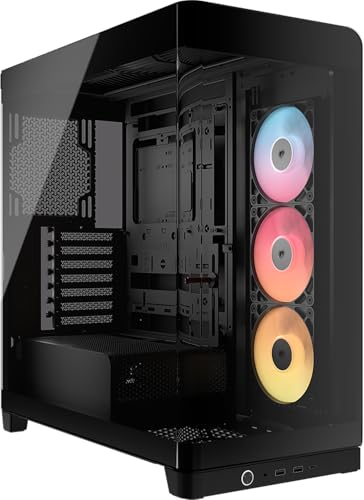 8.5 / 10
CORSAIR FRAME 4500X RS-R ARGB Panoramic Glass Mid-Tower PC Case – InfiniRail Mounting System, Fits Dual 360mm Radiators, GPU Anti-Sag, 3x RS120R Fans Included – Black
£79.99 · Corsair
 8.5 / 10
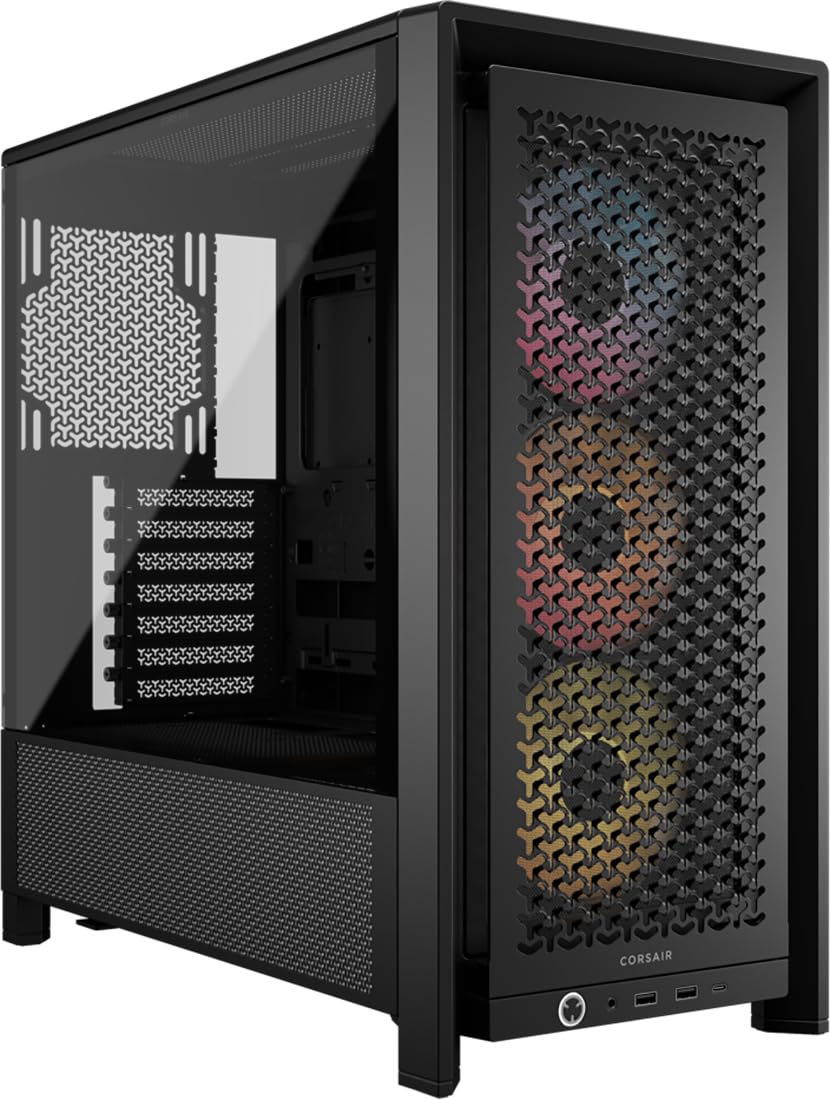
CORSAIR FRAME 4000D RS ARGB Modular Mid-Tower ATX PC Case – High Airflow, 3x Pre-Installed RS ARGB Fans, InfiniRail™ Fan Mounting System, ASUS BTF, MSI Project Zero, Gigabyte Project Stealth – Black
£89.95 · Corsair
Frequently asked
5 questions01Is the Lian Li A3-mATX good for airflow?+
Yes, the A3-mATX has a proper mesh front panel that allows strong intake airflow rather than restricting it like glass or solid front designs. It supports up to three 120mm or two 140mm fans at the front, one 120mm at the rear, and additional top fan mounts. There are dust filters on the front and bottom for long-term maintenance. The case ships without fans, so you'll need to add your own, but with three front intake fans and one rear exhaust, thermals are genuinely good for a compact mATX chassis.
02What is the GPU clearance on the Lian Li A3-mATX?+
The Lian Li A3-mATX supports GPUs up to 360mm in length, which covers current flagship cards including the RTX 4080 Super and RTX 4090 Founders Edition. If you're installing a 360mm front radiator alongside a long GPU, you'll need to check the combined clearance carefully as the radiator and fan thickness will reduce available GPU space. With a 240mm front radiator, GPU clearance is much less of a concern.
03Can the Lian Li A3-mATX fit a 360mm AIO?+
Yes, the front panel of the A3-mATX supports a 360mm radiator, which is impressive for a compact mATX case. The top panel supports up to a 240mm radiator. If you're running a 360mm AIO at the front, be mindful of GPU length clearance as the radiator will reduce the available space. For most builders, a 240mm or 280mm AIO at the top is the more practical choice and installs cleanly without clearance concerns. Check RAM heatspreader height if mounting a radiator at the top.
04Is the Lian Li A3-mATX easy to build in?+
Generally yes. The internal finishing is clean with no sharp edges, the cable routing cutouts are in sensible positions, and there's adequate space behind the motherboard tray for hiding cables. Velcro straps are included for cable management. The PSU shroud keeps the bottom of the case tidy. The main things to be aware of are the 200mm PSU length limit and the fact that no fans are included, so you'll be adding those during the build. Front panel header cables are a good length and reach comfortably without being pulled taut.
05What warranty and returns apply to the Lian Li A3-mATX?+
Amazon offers 30-day hassle-free returns if the case doesn't suit your build. Lian Li typically provides a 1-2 year warranty on manufacturing defects. Check the product listing for exact warranty terms as these can vary by region and retailer.