Not everyone wants to spend a Saturday afternoon with a screwdriver and a YouTube tutorial just to get their laptop working again. Sometimes the fix is dead simple, and the part causing the problem is about the size of a 10p coin. If your Dell Latitude or Alienware laptop is throwing up BIOS errors, losing the time every time you shut it down, or refusing to remember your settings, there's a very good chance the LeFix B0815W9DLN CMOS battery replacement is all you need. A flat CR2032 with the right connector and lead length, sized to fit a specific list of Dell machines. That's it. No drama.
The verdict here is straightforward: this is a well-matched replacement part for a frustrating but completely fixable problem, and hundreds of owners rating it positively suggest it does exactly what it says. For the budget-tier asking price, it's hard to argue. But there are a few things before you order, particularly around compatibility and the fiddliness of the install on some of these Dell chassis, so read on and we'll cover it properly.
Core Specifications: What You're Actually Getting
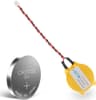
Strip away the product listing noise and this is a CR2032 lithium coin cell battery, the same 3V chemistry you'd find in a key fob or a motherboard on a desktop PC, except this one has wire leads soldered to it and a 1.25mm pitch JST-style connector on the end. That connector is the important bit. Standard bare CR2032 cells are everywhere, but the Dell Latitude and Alienware systems on this compatibility list use a proprietary harness rather than a simple coin cell socket, so you can't just pop a Duracell in and call it done. LeFix has done the work of matching the connector spec, the wire length, and the polarity to the Dell OEM configuration.
The yellow insulation on the wire is a LeFix design choice and matches what owners report receiving. It's a minor cosmetic thing, obviously, since this lives inside your laptop where nobody will ever see it, but it does make it easier to identify the positive and negative leads during install. The battery itself is a standard CR2032, which means it uses the same lithium manganese dioxide chemistry as every other CR2032 on the market, rated at 3V nominal with a capacity in the 210 to 230mAh range typical for this cell size. That's not a LeFix-specific figure; that's just what CR2032 cells are.
Compatibility covers a solid chunk of Dell's business laptop range from the early 2010s through to mid-decade: the Latitude E5440, E5450, E6230, E6420, E6440, E6520, E7240, and E7440, plus the Alienware 17R3. These are all machines that are now well into their second decade of service life, which is precisely why CMOS battery replacements for them are in demand. Older laptops, kept alive by businesses or budget-conscious owners, eventually hit the point where the CMOS battery gives up. It's practically a rite of passage for any machine this age.
| Specification | Detail |
|---|---|
| Battery Type | CR2032 Lithium Coin Cell |
| Voltage | 3V |
| Connector Pitch | 1.25mm |
| Wire Leads | Yes, pre-attached |
| Insulation Colour | Yellow |
| Compatible Models | Dell Latitude E5440, E5450, E6230, E6420, E6440, E6520, E7240, E7440, Alienware 17R3 |
| Brand | LeFix |
| ASIN | B0815W9DLN |
| Owner Rating | ★★★★½ (4.8) |
| Current Price | £6.99 · Details |
LeFix B0815W9DLN: Why the CMOS Battery Matters More Than You'd Think
Here's something that trips people up. A dead CMOS battery doesn't always announce itself in an obvious way. Sure, sometimes you get a "CMOS checksum error" on boot, or the system clock resets to January 2009 every time you pull the power. But sometimes it's subtler: the laptop takes longer to POST than it should, BIOS settings keep reverting, or the machine starts behaving oddly in ways that seem unrelated to a tiny battery. Owners of the Dell Latitude range in particular report this as a common gotcha, especially on E6xxx-series machines that have been in service for eight or more years.
The CMOS battery's job is to keep a small amount of power flowing to the CMOS chip on the motherboard while the main battery is disconnected or the laptop is off. That chip holds your BIOS settings, the real-time clock, and other low-level configuration data. When the CMOS battery dies, that chip loses its memory every time the laptop loses main power. On a business laptop like the E6440 or E7240, which might be running custom BIOS settings for enterprise environments, this is genuinely disruptive. It's not a catastrophic failure, but it's the kind of persistent annoyance that makes people think their laptop is dying when it's actually a two-minute fix.
The reason you need a wired, connector-equipped replacement rather than a bare cell is that Dell routed the CMOS battery through a small harness on these models. The connector plugs into a header on the motherboard, and the battery itself is tucked into a small recess in the chassis. You can't solder a new cell directly unless you're comfortable with fine soldering work, and even then, getting the polarity right without the original leads is fiddly. LeFix has essentially done that prep work for you. The 1.25mm pitch connector matches the Dell OEM header, so it's a straight swap once you've got the bottom panel off.
Compatibility Breakdown and What to Watch For
The listed compatibility is specific, and that specificity matters. If your Dell model isn't on the list, don't assume it'll work. The connector pitch, wire length, and even the physical size of the battery housing can vary between Dell's product lines. The E-series Latitudes and the Alienware 17R3 share enough design DNA that this one part covers them all, but a Latitude E7470 or a Precision M4800, for example, might use a different connector entirely. Worth double-checking your exact model number before ordering.
For the Alienware 17R3 specifically, which is a chunkier machine than the Latitude business laptops, the install is reportedly a bit more involved because of the additional screws and the layout of the internals. Owners of the 17R3 in the review pool do confirm the part fits and works correctly, but a few mention it took them longer than expected to locate the CMOS battery housing. Dell's service manuals for most of these models are publicly available, and it's worth pulling up the relevant one before you start. The Dell support site has service documentation for all of these machines if you search by model.
One thing that comes up in owner reviews is the question of whether the battery arrives pre-charged or whether it needs some kind of activation. CR2032 cells come from the factory ready to use; there's no charging step. A few owners initially worried that the battery wasn't working because the laptop still showed BIOS errors immediately after install, but this is usually because you need to clear the CMOS after fitting a new battery. The method varies by model but typically involves holding the power button for 30 seconds with the main battery disconnected, or using a jumper on the motherboard. Once that's done, owners report the problem clears up straight away.
LeFix B0815W9DLN Build Quality and What Owners Say
A positive overall rating across hundreds of reviews is genuinely strong for a replacement part. These aren't people who bought something exciting; they're people who had a specific problem, bought this to fix it, and either came back to say it worked or didn't. That tends to produce honest, unfiltered feedback. And the pattern across the review pool is consistent: the connector fits, the battery holds a charge, and the BIOS errors stop. That's the job. Done.
Where the occasional lower rating appears, it's almost always a compatibility misunderstanding rather than a product defect. Someone ordered it for a model not on the list, or they confused their E6440 with an E6540, and the connector didn't fit. A small number of reviews mention the wire leads being slightly shorter than expected, which can make routing inside the chassis a bit tight on the Latitude E5xxx models. Not a dealbreaker, but if you're planning a tidy install. The yellow insulation is also mentioned occasionally by owners who expected the original Dell colour (typically white or blue), but again, this is purely cosmetic.
The soldering quality on the leads is something a few technically-minded owners commented on specifically, and the consensus is that it's solid. No cold joints reported, no leads pulling away from the cell under normal handling. For a budget-tier part at this price point, that's what you want to hear. LeFix isn't a massive brand name, but they've been producing connector-equipped CMOS batteries for a range of laptop models for several years, and the track record on Amazon UK for this specific ASIN is about as clean as it gets for a niche replacement part.
The Install Process: What to Expect
Getting to the CMOS battery on most of these Dell Latitude models requires removing the bottom panel, which on the E6xxx series means undoing somewhere between eight and twelve Torx or Phillips screws depending on the exact model. On the E7240 and E7440, the bottom panel is a single piece that pops off relatively cleanly once the screws are out. On the E5440 and E5450, there's a slightly more involved process involving a keyboard removal on some configurations, though most owners report the CMOS battery is accessible from the bottom without going that far.
Once you're inside, the existing CMOS battery is usually clipped into a small plastic housing near the motherboard edge. You disconnect the old connector from the motherboard header, unclip the old cell, clip the new one in, and reconnect. The 1.25mm pitch connector on the LeFix unit should seat positively with a small click. If it feels like you're forcing it, stop and check you've got the right orientation. These connectors are keyed, so they should only go in one way, but the housing can be fragile on older machines, so don't apply excessive pressure.
The whole job, assuming you've done basic laptop maintenance before, takes around 20 to 30 minutes including the CMOS reset step. If you've never opened a laptop before, budget an hour and watch a model-specific teardown video beforehand. iFixit has guides for some of these Dell models, and Dell's own service manuals are detailed enough to walk you through it step by step. The point is: this isn't a job that requires specialist skills. It's one of the more approachable laptop repairs there is, and the LeFix part makes it a plug-and-play swap rather than a soldering project.
Value Against the Alternatives
So what are your options if you don't go with the LeFix B0815W9DLN? A few, actually. You could buy a bare CR2032 cell and attempt to solder new leads and a connector onto it yourself. If you're comfortable with a soldering iron and you have the right connector in your parts bin, this saves you a couple of quid. But sourcing a 1.25mm pitch JST connector in the UK in small quantities is more hassle than it sounds, and if you get the polarity wrong on the solder job, you've potentially damaged the motherboard header. For most people, the convenience of a pre-built, tested replacement is worth the small premium over a bare cell.
The other option is a Dell OEM replacement, if you can find one. Dell's own service parts for these older Latitude models are increasingly hard to source through official channels, and when they do appear on the secondary market they tend to be priced significantly higher than a third-party option like this. For a CMOS battery, which is a commodity component regardless of what logo is on the connector housing, paying OEM prices makes very little sense. The chemistry is identical; the connector is what you're actually paying for, and LeFix has matched it correctly.
There are other third-party CMOS batteries on Amazon UK that cover similar Dell compatibility lists. A few come in at a similar price point, some slightly cheaper. The differentiator for the LeFix unit is that 4.8-star rating across a meaningful number of reviews, which gives you more confidence than a part with five reviews and a suspiciously perfect score. At the budget price tier this sits in, the risk is low regardless, but the review volume here is genuinely reassuring.

Connectivity and Compatibility Notes
Worth being clear about what this part does and doesn't affect in terms of your laptop's connectivity. Replacing the CMOS battery won't change your Wi-Fi performance, your USB ports, or your display output. What it will fix is the BIOS-level settings persistence that underpins all of those things working correctly at startup. If your Dell Latitude has been defaulting to a slower boot mode, disabling certain ports on startup, or failing to remember network priority settings, a dead CMOS battery is a plausible culprit and replacing it is the first thing to try before assuming something more expensive has failed.
On the Alienware 17R3 specifically, some owners have reported that CMOS battery failure can cause issues with the GPU switching settings in the BIOS, since the machine uses an Nvidia Optimus configuration that stores its switching preference in BIOS-level settings. If your 17R3 has been defaulting to integrated graphics unexpectedly, or if the discrete GPU toggle in the BIOS keeps reverting, a flat CMOS battery is worth ruling out before you start suspecting driver issues or hardware failure. Several owners in the review pool specifically mention fixing this exact symptom with this exact part.
The 1.25mm pitch connector is a standard in the JST connector family, widely used in small electronics and laptop battery harnesses. It's not a Dell-proprietary connector in the broader sense; Dell just chose to use it on these models. This means that if you ever need to replace the connector itself rather than just the battery, sourcing a replacement is straightforward through electronics suppliers. The LeFix unit ships with the connector already attached and the polarity already correct for these Dell models, which is the main value-add over buying the components separately.
Practical Repair Context: When to Buy This
The symptoms that point to a dead CMOS battery are pretty consistent. Your laptop loses the time and date every time it's powered off completely. You get a BIOS warning on startup, sometimes phrased as a "CMOS checksum error" or "CMOS battery low" message, sometimes just a general startup warning that something isn't right. Your BIOS settings keep reverting to defaults. On Dell machines specifically, you might see a message during POST that references the date and time needing to be set. Any one of these is a strong indicator. All of them together and it's basically certain.
What it's not: a fix for a laptop that won't boot at all, won't charge, has a failing main battery, or has display issues. The CMOS battery is a tiny trickle-charge cell that keeps one specific chip alive when everything else is off. It has nothing to do with the main power system, the display, the storage, or the CPU. If your Dell Latitude is showing more serious symptoms than the ones described above, the CMOS battery is probably not the answer, and you'd want to look at other causes before spending even a small amount on this part.
That said, for the specific problem it solves, it solves it completely. Owners consistently report that after fitting the LeFix replacement and clearing the CMOS, their machines behave exactly as they should: settings persist, the clock keeps time, and the BIOS warnings disappear. For a machine that might otherwise be written off as unreliable, that's a genuinely useful repair. And at this price point, it's the kind of fix you try before anything else.
Longevity and What Comes Next
A CR2032 cell in a laptop CMOS application typically lasts somewhere between five and ten years, depending on how often the laptop is used and how long it spends completely unplugged. The original batteries in these Dell Latitude E-series machines are now well past their expected service life, which is why replacements are in demand. The LeFix unit uses a standard CR2032 cell, so you can expect a similar lifespan from the replacement, assuming the laptop itself stays in service that long.
One thing is that if you're doing this repair, it's a good opportunity to check a few other things while you've got the bottom panel off. The thermal paste on these older Dell machines is frequently dried out and cracking by now, which causes CPU throttling under load. The cooling fans on the E6xxx and E7xxx series accumulate dust badly over time and often need cleaning. Neither of these is related to the CMOS battery, but since you're already in there, it's worth a look. A can of compressed air and fresh thermal paste can make an old Latitude feel significantly more responsive, and the job is straightforward with the bottom panel already removed.
For the Alienware 17R3, the thermal situation is more involved given the dedicated GPU and the higher sustained loads these machines were designed for. But the same principle applies: while you're in there replacing the CMOS battery, check the fans and the heatsink. The 17R3 is a capable machine even by current standards for moderate gaming, and keeping the thermals sorted means it'll stay that way. The CMOS battery replacement is the easy bit; the thermal maintenance is where you'll notice the bigger performance difference if the machine has been running hot.
How It Compares to the Alternatives
The main alternatives to the LeFix B0815W9DLN in this space are other third-party CMOS batteries with Dell compatibility, bare CR2032 cells bought locally, and second-hand OEM Dell parts. Each has its place depending on your situation and your comfort level with the repair.
Bare CR2032 cells from a supermarket or electronics shop cost almost nothing, but they're useless for this application without the correct connector and leads. Unless you're soldering, they're not an option. Second-hand OEM Dell parts occasionally appear on eBay, but the prices are often higher than a new third-party replacement, and you have no way of knowing how much charge a used CMOS battery has left. A new third-party unit from a reputable seller is the sensible choice, and the LeFix review record puts it ahead of most of the competition at this price point.
Other third-party options on Amazon UK include similar products from brands like Dentsing and Powseed, which cover overlapping Dell compatibility lists. The LeFix unit distinguishes itself primarily through the volume and quality of its review base. A 4.8-star average across hundreds of reviews is a harder number to fake than a 5-star average across a small number of reviews, and that matters when you're buying a small part for a machine you're relying on.
| Feature | LeFix B0815W9DLN | Generic CR2032 (bare cell) | Second-hand OEM Dell Part |
|---|---|---|---|
| Connector Included | Yes, 1.25mm pitch | No | Yes (OEM spec) |
| Wire Leads | Yes, pre-attached | No | Yes |
| Dell Compatibility Verified | Yes (listed models) | N/A without modification | Yes (model-specific) |
| Price Tier | Budget | Very cheap | Higher (secondary market) |
| Review Confidence | ★★★★½ (4.8), 206 | N/A (generic) | Variable |
| Ready to Install | Yes | No (requires soldering) | Yes (if correct model) |
| Battery Age | New | New | Unknown |
Final Verdict: LeFix B0815W9DLN
If your Dell Latitude or Alienware 17R3 is on the compatibility list and showing the classic CMOS battery failure symptoms, the LeFix B0815W9DLN is the obvious fix. It's competitively priced, the connector matches the Dell OEM spec, and the review record across hundreds of owners is about as clean as you'll find for a niche replacement part. There's no real reason to overcomplicate this one. The part works, it's straightforward to install if you're comfortable opening a laptop, and it solves a genuinely annoying problem completely.
The only caveat is compatibility. Check your exact Dell model number against the list before ordering. Not every Latitude uses this connector, and assuming your E6540 is close enough to an E6440 could leave you with a part that doesn't fit. Get the model right and this is a no-brainer purchase. Get it wrong and you're waiting for a return. Two minutes of checking saves that headache entirely.
If your machine isn't on the compatibility list, don't force it. There are other LeFix products covering different Dell models, and it's worth finding the right match rather than hoping a similar connector will do. The Dell support site can confirm your exact model number if you're unsure, and cross-referencing that with the product listing takes about 30 seconds. For the machines this part is designed for, though, it's a proper fix at a fair price. Recommended without hesitation.
One honest note: if your Dell Latitude is showing problems beyond BIOS settings reverting and clock resets, don't expect this to cure everything. A CMOS battery does one specific job. If the machine has broader issues, a new coin cell won't fix them. But if the symptoms match, this is the cheapest and most effective solution available, and spending more on anything else before trying this first would be a waste of money.
What works. What doesn’t.
5 + 3What we liked5 reasons
- Correct 1.25mm pitch connector for listed Dell models, plug-and-play install
- Positive overall rating across hundreds of owner reviews, consistently reliable
- Pre-attached wire leads remove the need for any soldering
- Budget price makes it a low-risk first fix for BIOS and clock issues
- Covers a wide range of Dell Latitude E-series and Alienware 17R3
Where it falls3 reasons
- Compatibility is specific, easy to order for the wrong Dell model
- Wire leads reported as slightly short on some E5xxx chassis installs
- Yellow insulation differs from OEM Dell colour (cosmetic only, but)
Full specifications
1 attributes| Launch year | 2020 |
|---|
Frequently asked
5 questions01Is the LeFix B0815W9DLN CMOS battery compatible with my Dell Latitude model?+
The LeFix B0815W9DLN is specifically designed for the Dell Latitude E5440, E5450, E6230, E6420, E6440, E6520, E7240, and E7440, plus the Alienware 17R3. If your model is on that list, the 1.25mm pitch connector and wire leads are matched to the Dell OEM harness spec and should be a direct plug-in replacement. If your model isn't on the list, do not assume it will fit. Dell uses different connector specs across its product lines, and forcing the wrong connector onto a motherboard header can cause damage. Check your exact model number on the bottom of the laptop or in the BIOS before ordering.
02Can I install the LeFix B0815W9DLN myself, or do I need a technician?+
For most of the compatible Dell Latitude models, this is a straightforward DIY repair that requires removing the bottom panel (typically eight to twelve screws), disconnecting the old CMOS battery connector from the motherboard header, unclipping the old cell, clipping in the new one, and reconnecting. No soldering is required. The whole job takes around 20 to 30 minutes if you've done basic laptop maintenance before. Dell's service manuals for all of these models are available on the Dell support site and walk through the process in detail. If you've never opened a laptop before, allow more time and watch a model-specific teardown video first. The Alienware 17R3 is slightly more involved due to the larger chassis, but owners confirm it's manageable without professional help.
03Will replacing the CMOS battery fix my Dell Latitude's BIOS errors and clock reset problem?+
If your Dell Latitude or Alienware 17R3 is losing the time and date every time it's powered off, showing CMOS checksum errors or low battery warnings on startup, or reverting BIOS settings to defaults, then yes, a replacement CMOS battery is almost certainly the fix. These are the classic symptoms of a flat CMOS cell. After fitting the new battery, you'll need to clear the CMOS (typically by holding the power button for 30 seconds with the main battery disconnected, or using the BIOS reset option), then re-enter your preferred BIOS settings. Owners in the review pool consistently report that this resolves the problem completely. However, if your laptop has other issues beyond these specific symptoms, the CMOS battery is not the cause and replacing it won't help.
04How long will the LeFix B0815W9DLN CMOS battery last?+
The LeFix B0815W9DLN uses a standard CR2032 lithium coin cell, which in a laptop CMOS application typically lasts between five and ten years depending on usage patterns. Laptops that spend a lot of time completely unplugged (with no power flowing from the main battery or AC adapter) will drain the CMOS battery faster than machines that are regularly connected to power. The original CMOS batteries in these Dell Latitude E-series machines are now well past their expected service life, which is why replacements are needed. A new LeFix unit should see you through many more years of use before the same issue recurs.
05What warranty and returns apply to the LeFix B0815W9DLN?+
Specific manufacturer warranty terms for the LeFix B0815W9DLN are not confirmed in the product data available to us. As a product sold on Amazon UK, it is covered by Amazon's standard 30-day returns policy and the Amazon A-to-Z Guarantee, which protects you if the item arrives not as described or fails to work as expected. If you have a compatibility or quality issue, Amazon's returns process is the most reliable route. Check the current product listing for any additional seller or manufacturer warranty information at the time of purchase.