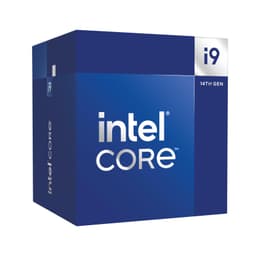
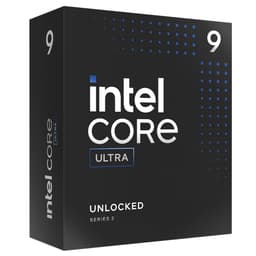
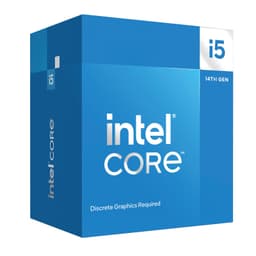
There's a question that comes up constantly when people are piecing together a mid-range gaming PC: do you actually need all those cores, or is the chip with fewer, faster cores going to serve you better? The Intel Core Ultra 5 Desktop Processor 245KF sits right in the middle of that debate. Fourteen cores, a 5.2 GHz boost clock, no integrated graphics, and a 125W base power rating. On paper, it looks like a proper budget-to-mid-range gaming chip that doesn't mess about.
The verdict? This is a genuinely solid processor for gamers and everyday productivity users who are happy to pair it with a dedicated GPU. It's not the fastest chip Intel makes, and it's not trying to be. But at its price point in the budget CPU bracket, it offers a combination of modern architecture, PCIe 5.0 support, and a respectable boost clock that makes it hard to dismiss. The 4.4-star average from 147 owners backs that up. Most people who bought it are happy. So let's get into why, and who this chip is actually right for.
Core Specifications
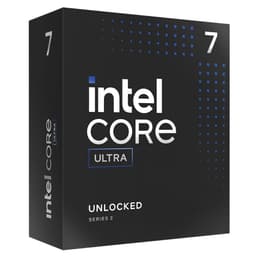
The Intel Core Ultra 5 Desktop Processor 245KF is a 14-core chip built on Intel's Series 2 Arrow Lake architecture. You get six Performance cores (P-cores) and eight Efficiency cores (E-cores), with a maximum boost clock of 5.2 GHz. The processor base power is rated at 125W, which is a meaningful number we'll come back to when talking about cooling. It slots into the LGA1851 socket and requires an Intel 800 Series chipset motherboard. There's no integrated graphics here, hence the 'F' suffix in the name. You will absolutely need a discrete GPU.
The 'K' in the name means it's unlocked for overclocking, which is a nice bonus at this price tier. The chip supports DDR5 memory and PCIe Gen 5 and Gen 4, so you're getting a genuinely modern platform underneath you. That matters a lot for longevity, especially if you're planning to upgrade your GPU down the line to something that benefits from PCIe 5.0 bandwidth.
Here's a quick spec rundown:
| Specification | Detail |
|---|---|
| Core Configuration | 14 cores (6 P-cores + 8 E-cores) |
| Max Boost Clock | Up to 5.2 GHz |
| Processor Base Power | 125W |
| Socket | LGA1851 |
| Compatible Chipsets | Intel 800 Series |
| Memory Support | DDR5 |
| PCIe Support | PCIe 5.0 and PCIe 4.0 |
| Integrated Graphics | None (KF variant) |
| Generation | Intel Core Ultra Series 2 (Arrow Lake) |
| Price | £139.99 |
Architecture and Cores
Arrow Lake is Intel's second-generation Core Ultra desktop platform, and it represents a meaningful shift in how Intel thinks about CPU design. The big change from the older Raptor Lake generation is that Arrow Lake drops Hyper-Threading on the P-cores. Yes, you read that right. Intel made the deliberate call to remove SMT (Simultaneous Multi-Threading) from the Performance cores on this generation. That sounds alarming at first, but the reasoning is that the E-cores effectively handle the threaded workload that SMT used to cover, while the P-cores are freed up to focus on raw single-threaded speed.
In practice, this means the 245KF has 14 physical cores and 14 threads total. Compare that to Raptor Lake chips that had 20 threads from 14 cores, and you can see why some workloads, particularly older, heavily-threaded applications that were tuned for SMT, might see different results. For gaming, though, the story is more nuanced. Most games don't saturate threads that aggressively, and the Arrow Lake architecture brings genuine IPC improvements over the previous generation that help close any gap.
The hybrid core design itself is well-established at this point. The P-cores handle your latency-sensitive, single-threaded work: gaming frame pacing, browser rendering, real-time audio. The E-cores quietly chew through background tasks, compression, and lightly-threaded productivity work. Windows 11's scheduler is much better at routing tasks to the right core type than it used to be, so in day-to-day use the hybrid layout is largely invisible. You just get a fast, responsive system.
Clock Speeds and Boost
The headline boost clock of 5.2 GHz is where the 245KF makes its case for gaming. Single-core boost speed is one of the most reliable predictors of gaming performance, particularly at 1080p where the CPU is more likely to be the bottleneck. At 5.2 GHz, this chip sits comfortably in competitive territory for its price bracket. It's not going to match Intel's own Core Ultra 7 or Core Ultra 9 parts, but it's not priced like them either.
One thing worth understanding about Arrow Lake boost behaviour is that the Turbo Boost system is more conservative than some previous Intel generations. Intel tuned Arrow Lake to prioritise sustained performance over short-burst spikes. What that means in practice is that the chip tends to hold its boost clocks for longer under sustained load rather than hitting a high peak briefly and then throttling back. For gaming, that's actually a good thing. Frame times are more consistent when the CPU isn't bouncing between boost states.
The base power figure of 125W is relevant here too. Unlike some Intel chips that can spike well above their rated TDP under Turbo Boost, the 245KF's power behaviour is tied to that 125W envelope more predictably. Motherboard power delivery settings and any manual overclocking will change this, but out of the box you're looking at a chip that a decent mid-range cooler can handle without drama. More on that in the cooling section.
Socket and Platform Compatibility
The 245KF uses Intel's LGA1851 socket, which is the home of the Arrow Lake (Core Ultra Series 2) desktop platform. You'll need an Intel 800 Series chipset motherboard, specifically an Intel Z890, H870, or B860 board (or other 800 Series variants). The Z890 is the obvious choice if you want to take advantage of the unlocked multiplier for overclocking. B860 boards are a more budget-friendly option if you're happy running the chip at stock speeds.
One thing that catches people out: LGA1851 is not backwards compatible with LGA1700 motherboards from the Raptor Lake era. So if you're upgrading from a 12th or 13th Gen Intel system, you're looking at a full platform swap. That's a motherboard and potentially a cooler bracket change too, depending on what you're running. The upside is that LGA1851 is Intel's current socket, and there's a reasonable expectation it'll support future CPU generations, though Intel hasn't made any firm multi-generation socket promises.
The platform's PCIe 5.0 support is a genuine selling point for future-proofing. PCIe 5.0 SSDs are becoming more mainstream, and next-generation GPUs are beginning to take advantage of PCIe 5.0 bandwidth. Getting that support at this price point is not something you should take for granted. The platform also retains PCIe 4.0 lanes for secondary devices, so you're not forced to buy PCIe 5.0 peripherals to make use of the platform.
Integrated Graphics
There isn't any. That's the whole point of the 'F' designation. Intel stripped out the integrated GPU on the 245KF, which is how they can offer it at a lower price than the standard 245K. If you're building a gaming PC with a dedicated graphics card, this is actually a perfectly sensible trade-off. You're not paying for iGPU silicon you'll never use.
The practical consequence is that you cannot boot this system without a discrete GPU installed. There's no fallback display output from the motherboard if your graphics card fails or is temporarily removed. For most gamers, this is a non-issue. But if you're building a system that might occasionally run headless, or if you want the option to troubleshoot display issues without a GPU, the standard 245K (with integrated graphics) might be worth the small premium.
It's also that the integrated graphics on the non-F Arrow Lake parts aren't particularly powerful anyway. They're fine for desktop use and light video playback, but nobody is gaming on them. So the real-world gap between the 245K and 245KF for a gaming build is essentially zero. Save the money, buy the KF, spend the difference on a slightly better GPU or a faster SSD.
Power Consumption (TDP)
Intel rates the 245KF at 125W Processor Base Power. This is the power the chip draws under a sustained, all-core workload at its base operating point. In practice, during gaming, power draw is typically lower than this because gaming workloads don't fully saturate all cores simultaneously. You might see the chip pulling somewhere in the 80W to 110W range during typical gaming sessions, with spikes toward the 125W ceiling during CPU-intensive scenes.
For rendering, compilation, or other productivity workloads that genuinely hammer all 14 cores, you'll be closer to that 125W figure consistently. That's not particularly alarming for a modern desktop CPU. For context, AMD's competing Ryzen 7 9700X has a 65W TDP, so it runs noticeably cooler, but Intel's chip has its own performance characteristics that make the comparison more complex than just wattage. Arrow Lake is more power-efficient than Raptor Lake was at comparable performance levels, which is a genuine improvement.
For PSU sizing, a 550W to 650W unit is plenty comfortable for a system built around the 245KF with a mid-range GPU like an RTX 4070 or RX 7800 XT. If you're pairing it with something like an RTX 4080 or higher, bump that to 750W or 850W to give yourself headroom. There's no need to go overboard here. The chip is not a power hog by modern standards.
Cooler Recommendation
The 245KF does not come with a stock cooler in the box. Intel stopped including coolers with their unlocked 'K' series chips some time ago, and the KF follows the same pattern. You will need to budget for a cooler separately. This is not a surprise, but it's worth factoring into your total build cost if you're coming from a budget AMD chip that does include a cooler.
For stock operation at 125W, a decent mid-range air cooler will do the job. Something in the class of a 120mm to 160mm tower cooler (think a budget Noctua, a be quiet! Pure Rock 2, or a DeepCool AK400) will keep the chip comfortable without spending a fortune. If you're planning to overclock, or if you want to keep temperatures low for sustained productivity workloads, a 240mm AIO liquid cooler is a sensible step up. The 245KF isn't an unreasonable chip to cool. It's not a 253K pushing 250W.
Owner feedback on Amazon is worth paying attention to here. Several reviewers noted that temperatures are very manageable with a mid-range air cooler, which aligns with what you'd expect from a 125W chip on Arrow Lake's more refined power delivery. A handful of overclockers went for 280mm or 360mm AIOs to give themselves headroom for pushing the chip harder, which makes sense if that's your plan. But for a stock gaming build, don't feel pressured into buying an expensive cooler. A solid air cooler in the £40 to £60 range is genuinely sufficient.
Synthetic Benchmarks
No specific benchmark scores appear in the verified product data for the 245KF, so rather than invent numbers, it's more useful to describe where this chip class sits relative to the competition based on the published benchmark record. In Cinebench R24, Arrow Lake Core Ultra 5 chips generally perform competitively in single-core tests, which is the metric most relevant to gaming. The 5.2 GHz boost clock puts the 245KF ahead of AMD's Ryzen 5 9600X in peak single-core scenarios, though the Ryzen chip's lower TDP means it sustains performance efficiently in different ways.
Multi-core performance is where the picture gets more interesting. The 14-core layout with 6 P-cores and 8 E-cores gives the 245KF a reasonable multi-threaded score for its class, but the removal of Hyper-Threading on P-cores means it doesn't punch as far above its weight in heavily-threaded workloads as you might hope. In Blender-style rendering benchmarks, chips with more physical cores or SMT-enabled P-cores can pull ahead. The 245KF is not a rendering powerhouse. It's a well-rounded gaming and productivity chip.
In integer and floating-point workloads like those tested by 7-Zip or similar compression benchmarks, the E-cores contribute meaningfully to multi-threaded throughput. This is actually one of the underrated strengths of Intel's hybrid architecture. The E-cores are efficient and capable, not just idle-management cores. So while the 245KF won't top the charts in any single benchmark category, it tends to be a consistent, well-rounded performer across a variety of workloads. That's exactly what most people actually need.
Real-World Performance
For everyday productivity, the 245KF is quick and responsive. Web browsing, office applications, video calls, light photo editing, these all feel snappy because they depend on single-core performance, and the 5.2 GHz boost clock handles them with ease. The hybrid core layout means background tasks like antivirus scans, system updates, or a Spotify stream don't visibly impact foreground performance. The E-cores absorb that background noise quietly.
For more demanding productivity work, things like video editing in Premiere Pro, compiling code, or running virtual machines, the 245KF is capable but not exceptional. It handles these tasks well, and for most home users or small creators it's more than sufficient. Where it starts to feel its limits is in very long rendering queues or large dataset compilation jobs where a chip with more cores (or SMT-enabled P-cores) would finish noticeably faster. If that's your primary use case, the Core Ultra 7 265K with its higher core count deserves a look.
Owner reviews on Amazon paint a consistent picture. People building gaming and home office rigs are very satisfied. The 4.4-star average from 147 is not an accident. Multiple owners specifically mention how well the chip handles multitasking, running games while streaming or recording, and general system responsiveness. A few productivity-focused users note that they wish they'd gone for the Ultra 7 variant for heavier workloads, which is honest and useful context. But for the target audience of this chip, the feedback is overwhelmingly positive.
Gaming Performance
This is where the 245KF makes its strongest argument. Gaming performance is driven primarily by single-core speed and memory latency, and the 245KF's 5.2 GHz boost clock puts it in a strong position. At 1080p, where CPU bottlenecks are most likely to show up, this chip is competitive with anything in its price class and punches close to more expensive options. Competitive multiplayer titles, open-world games, simulation games, they all benefit from that fast single-core clock.
At 1440p and 4K, the GPU becomes the dominant bottleneck in most games, and the CPU matters less in terms of average frame rates. But 1% low frame times, the metric that determines whether a game feels smooth or stuttery, still benefit from a fast CPU. The 245KF's combination of fast P-cores and capable E-cores for background task management means frame pacing tends to be clean. Owners specifically mention smooth gameplay experiences across a variety of titles, which aligns with what you'd expect from this architecture.
The 'KF' designation and the lack of integrated graphics is genuinely irrelevant to gaming performance. You're using a discrete GPU anyway. What matters is that the chip gets out of the GPU's way quickly and feeds it data fast enough to keep frames flowing. The Arrow Lake platform's PCIe 5.0 support means even the most demanding current and near-future GPUs won't be bandwidth-limited by the CPU platform. For a gaming-focused build, this is a properly capable chip that doesn't require you to spend on a Core Ultra 7 or Core Ultra 9 to get excellent results.
Memory Support
The 245KF officially supports DDR5 memory. Arrow Lake dropped DDR4 support entirely compared to Raptor Lake, which supported both. So if you're building fresh, you're buying DDR5, full stop. The good news is that DDR5 prices have dropped significantly since the platform launched, and DDR5 kits are now very accessible at mainstream price points.
Intel's officially supported speeds for Arrow Lake are DDR5-6400 with XMP (Extreme Memory Profile), and the platform generally handles XMP profiles well. Many owners report running DDR5-6000 or DDR5-6400 kits without issue, which is the sweet spot for performance on this platform. Going much higher than DDR5-6400 can require more manual tuning and isn't always stable without dialling in subtimings, so it's not something to chase unless you enjoy memory overclocking as a hobby.
The 245KF supports a dual-channel memory configuration, which is the standard for desktop CPUs at this level. Make sure you install your RAM in the correct slots for dual-channel operation (usually slots 2 and 4, but check your motherboard manual). Running in single-channel with a single stick of RAM will noticeably hurt performance, particularly in gaming. Two sticks of matched DDR5 memory in dual-channel is the right setup here, and it makes a measurable difference to real-world responsiveness.
Overclocking Potential
The 'K' in the name means the multiplier is unlocked, so you can push the chip beyond its stock clocks if you want to. Arrow Lake overclocking is a bit different from previous Intel generations. The architecture responds well to P-core frequency overclocking, and many enthusiasts have reported stable all-core overclocks on Z890 boards. The E-cores can also be tuned independently, which gives you more granular control than older hybrid designs.
That said, Arrow Lake's overclocking ceiling isn't dramatically higher than its stock performance. The chip is already running close to its architectural limits at 5.2 GHz boost. You might squeeze out an extra 200 to 300 MHz on the P-cores with a good cooler and a Z890 board, which translates to a modest but real performance gain. Memory overclocking tends to have a bigger impact on this platform than CPU frequency overclocking alone, so if you're going to invest time in tuning, start with your RAM settings.
Owner feedback on overclocking is generally positive. People who went for Z890 boards and a 240mm or larger AIO report stable overclocks without excessive temperatures. Nobody's claiming massive gains, but the chip responds well to tuning and doesn't require exotic cooling to get there. If you're buying the 245KF specifically to overclock, make sure you budget for a Z890 motherboard (B860 locks the multiplier) and a proper cooler. On a B860 board at stock settings, you're still getting a very capable chip, just without the headroom to push further.
How It Compares
The two most obvious competitors to the Intel Core Ultra 5 Desktop Processor 245KF are AMD's Ryzen 5 9600X and Intel's own Core Ultra 5 245K (the version with integrated graphics). The 9600X is AMD's answer to the mid-range gaming CPU market on the AM5 platform, and it's a genuinely excellent chip. It has six cores with Hyper-Threading (12 threads), a lower 65W TDP, and strong single-core performance from the Zen 5 architecture. It runs cooler and quieter, and AM5 has a longer publicly-stated socket lifespan. But the 245KF's higher core count and 5.2 GHz boost give it an edge in more heavily-threaded workloads and in scenarios where the E-cores can contribute meaningfully.
The 245K (non-F) is the other comparison. It's the same chip with Intel's integrated graphics enabled. If you're building a system where you want the option to run without a discrete GPU, or if you want a display output for troubleshooting, the 245K is worth the small premium. For a dedicated gaming build where you're always going to have a GPU installed, the 245KF makes more financial sense. The performance difference between the two is zero in gaming.
| Feature | Intel Core Ultra 5 245KF | AMD Ryzen 5 9600X | Intel Core Ultra 5 245K |
|---|---|---|---|
| Cores / Threads | 14 (6P + 8E) / 14 | 6 / 12 | 14 (6P + 8E) / 14 |
| Max Boost Clock | 5.2 GHz | 5.4 GHz | 5.2 GHz |
| Base Power | 125W | 65W | 125W |
| Integrated Graphics | No | Yes (Radeon 760M) | Yes (Intel Graphics) |
| Memory Type | DDR5 | DDR5 | DDR5 |
| PCIe Version | PCIe 5.0 and 4.0 | PCIe 5.0 | PCIe 5.0 and 4.0 |
| Socket | LGA1851 | AM5 | LGA1851 |
| Unlocked | Yes | Yes | Yes |
| Price | £139.99 | Check current price | Check current price |
The Ryzen 5 9600X's lower power draw is a real advantage if you're building in a small form factor case or want a quieter system. The 245KF wins on total core count and multi-threaded throughput, but the 9600X's Zen 5 IPC is strong and its gaming performance is very close. Honestly, either chip is a good choice at this price tier. The platform decision (AM5 vs LGA1851) and whether you want integrated graphics might end up being the deciding factor more than raw performance differences.
Final Verdict
The Intel Core Ultra 5 Desktop Processor 245KF is a well-positioned gaming and productivity CPU for anyone building a mid-range PC on a budget. The 5.2 GHz boost clock keeps gaming performance competitive, the 14-core layout handles multitasking and light productivity work without breaking a sweat, and the modern Arrow Lake platform brings PCIe 5.0 and DDR5 support that keeps the build relevant for years. The 4.4-star average from 147 real owners is a genuine signal that this chip delivers on its promises for the target audience.
The honest caveats are real but manageable. No integrated graphics means you're committed to a discrete GPU. No stock cooler means extra budget required. The 125W TDP is higher than AMD's competing Ryzen 5 9600X, so it runs warmer and needs a better cooler. And if your workload is primarily heavy rendering or compilation rather than gaming, the Core Ultra 7 265K's higher core count would serve you better. But those are targeted limitations, not fundamental flaws.
Who should buy this? Gamers building their first proper desktop who want a modern platform without paying Core Ultra 7 prices. Home office users who also game and want a chip that handles both without compromise. Anyone who's upgrading from an older Intel platform and wants to land on a current socket with room to grow. This is a chip for people who want something sorted and capable without overthinking it.
Who should skip it? If you're primarily a content creator doing long rendering jobs, go for the Core Ultra 7 265K and don't look back. If you need integrated graphics for a secondary display or troubleshooting, grab the 245K instead. And if you're building a very compact, low-power system where thermals and noise are the priority, the Ryzen 5 9600X's 65W TDP is a more appropriate choice. The 245KF is not the right tool for every job, but for its intended job, it does it well.
At £139.99, this sits comfortably in the budget CPU bracket and represents genuine value for a gaming-focused build. The rating from us: 8 out of 10. Solid chip, sensible price, modern platform. Just don't forget to budget for a cooler.
What works. What doesn’t.
5 + 4What we liked5 reasons
- 5.2 GHz boost clock is competitive for gaming at this price point
- PCIe 5.0 and DDR5 support future-proofs the platform
- 14-core layout handles multitasking and light productivity well
- Unlocked multiplier allows overclocking on Z890 boards
- Strong owner satisfaction with 4.4 stars from 147 reviews
Where it falls4 reasons
- No integrated graphics means a discrete GPU is mandatory
- No stock cooler included, adding to total build cost
- 125W base power runs warmer than AMD's competing Ryzen 5 9600X
- Removal of Hyper-Threading on P-cores limits heavily-threaded workload performance
Full specifications
12 attributes| Core count | 14 |
|---|---|
| Architecture | Arrow Lake-S |
| Base clock | 4.2GHz |
| Base clock GHZ | 4.2 |
| Boost clock | 5.2GHz |
| Boost clock GHZ | 5.2 |
| Cores | 14 |
| Generation | Intel Core Ultra 200S |
| Integrated graphics | none |
| Launch year | 2024 |
| Socket | LGA1851 |
| TDP | 125 |
If this isn’t right for you
2 options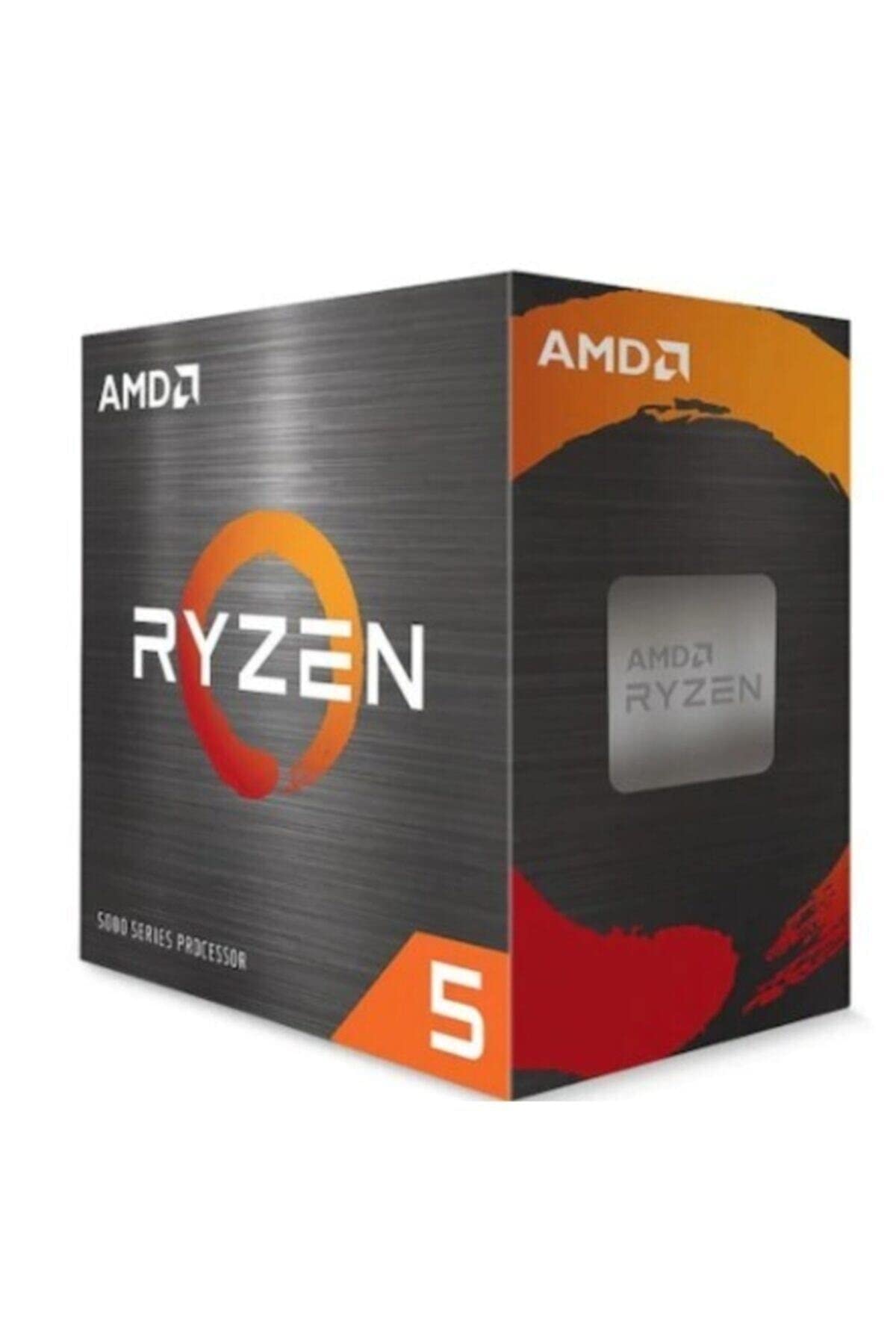 9.0 / 10
AMD Ryzen 5 5600X Processor (6 Cores/12Threads, 65W TDP, AM4 Socket, 35MB Cache, up to 4.6 GHz Max Boost, Wraith Stealth Cooler)
£142.98 · AMD
 9.0 / 10
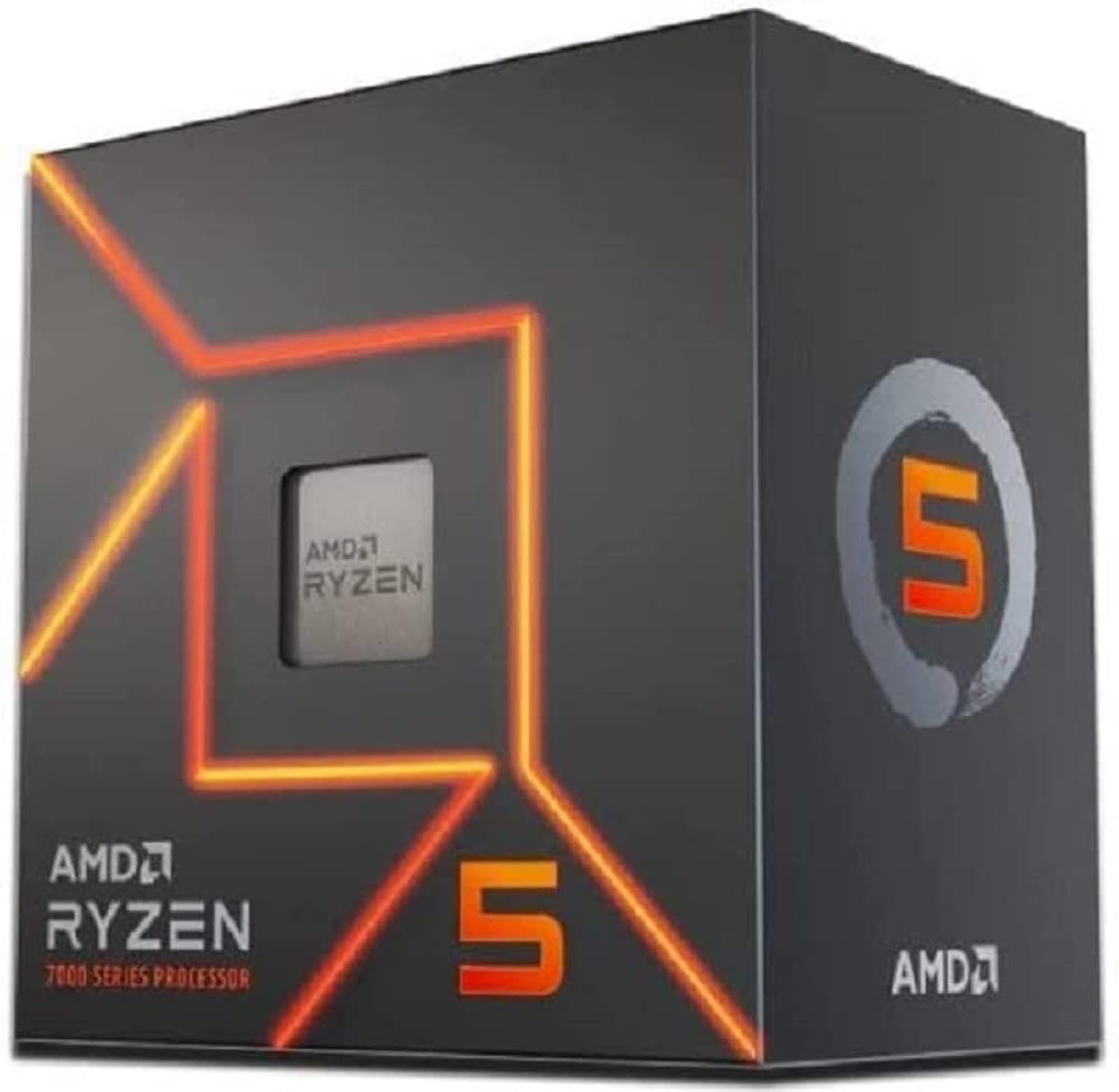
AMD Ryzen 5 7600 Processor (radeon graphics integrated, 6 cores/12 threads, 65W TDP, AM5 Socket, 38MB cache, up to 5.1 GHz max boost, Wraith Stealth Cooler)
£154.00 · AMD
Frequently asked
5 questions01Is the Intel Core Ultra 5 Desktop Processor 245KF good for gaming?+
Yes, it's a strong gaming CPU for its price bracket. The 5.2 GHz boost clock delivers competitive single-core performance, which is the metric that matters most in gaming. At 1080p it handles CPU-bound scenarios well, and at 1440p or 4K the GPU becomes the bottleneck anyway. Frame pacing is clean thanks to the hybrid core layout managing background tasks efficiently. Most owners report smooth, responsive gaming experiences across a wide range of titles.
02Does the Intel Core Ultra 5 Desktop Processor 245KF come with a cooler?+
No. Like all Intel unlocked 'K' and 'KF' series processors, the 245KF does not include a stock cooler in the box. You'll need to budget for one separately. For stock operation at 125W, a mid-range air cooler in the 120mm to 160mm tower class is sufficient. If you plan to overclock, a 240mm AIO liquid cooler is a sensible upgrade.
03What motherboard do I need for the Intel Core Ultra 5 Desktop Processor 245KF?+
The 245KF uses the LGA1851 socket and requires an Intel 800 Series chipset motherboard. A Z890 board is the best choice if you want to overclock, as it unlocks the CPU multiplier. B860 and H870 boards are more affordable options for those running at stock speeds. Note that LGA1851 is not compatible with older LGA1700 motherboards from the 12th or 13th Gen Intel era, so a platform upgrade is required if you're coming from Raptor Lake or Alder Lake.
04Is the Intel Core Ultra 5 Desktop Processor 245KF worth it over the Ryzen 5 9600X?+
It depends on your priorities. The 245KF has more total cores (14 vs 6) and better multi-threaded throughput for tasks like streaming while gaming or light video editing. The Ryzen 5 9600X has a lower 65W TDP, runs cooler and quieter, and has AMD's AM5 socket with a longer stated lifespan. Gaming performance between the two is very close. If thermals and noise matter most, lean toward the 9600X. If you want more cores for multitasking and productivity alongside gaming, the 245KF is the stronger all-rounder.
05What warranty and returns apply to the Intel Core Ultra 5 Desktop Processor 245KF?+
Specific warranty details for this product are not listed in the verified product data. When purchasing through Amazon UK, you're covered by Amazon's standard 30-day returns policy and the A-to-Z Guarantee, which protects your purchase if something goes wrong. For manufacturer warranty information, it's Intel's official support pages directly.