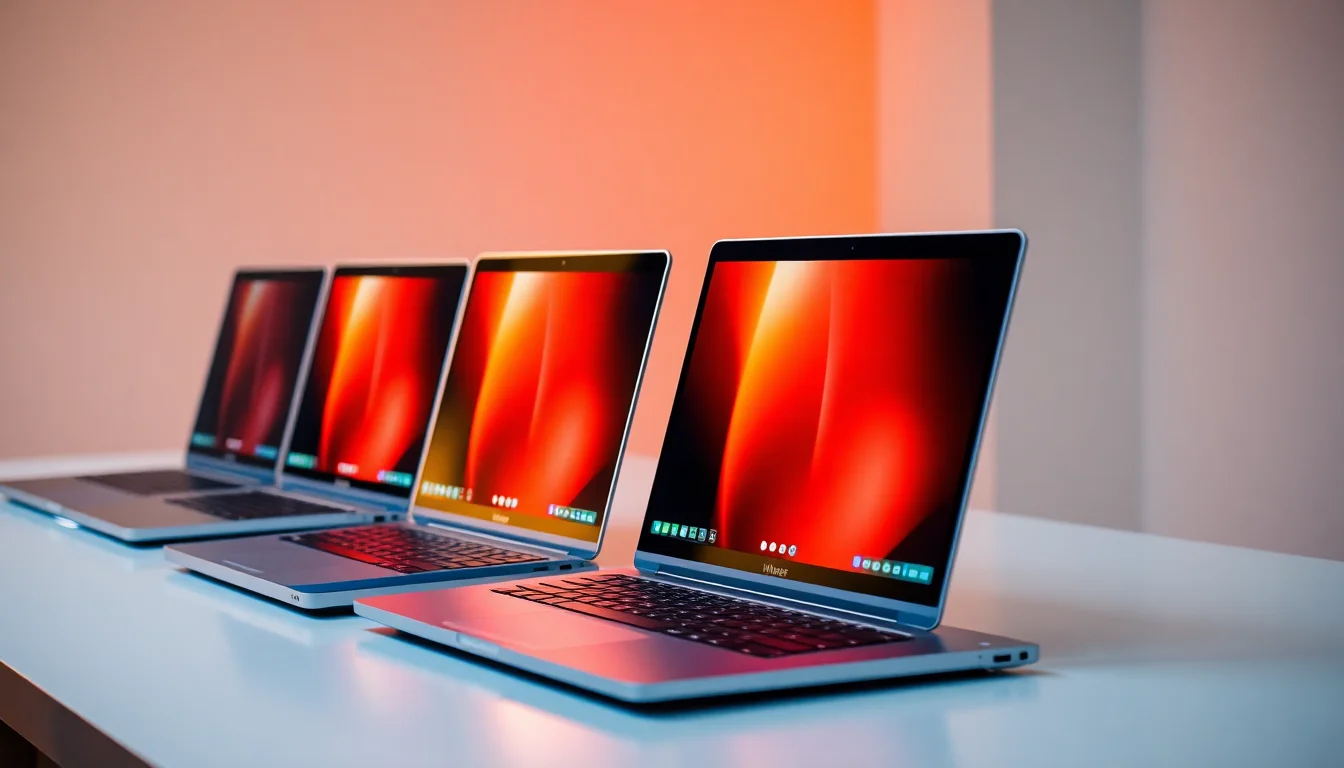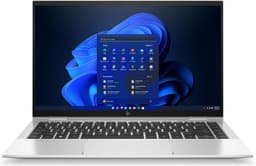

HP Chromebook 14" | Intel N100 Processor | 8 GB RAM | 128 GB Flash Storage | Intel UHD Graphics | FHD Display | Up to 12.25 Hours Battery | Chrome OS | Dual Speakers | Glacier Silver | 14a-nf0003sa
The HP Chromebook 14" (14a-nf0002sa) is a solid, no-nonsense budget Chromebook that does exactly what it promises. At £159.99, it delivers reliable everyday performance, genuinely good battery life, and a comfortable enough keyboard for a machine at this price. Just don't expect it to handle anything beyond light multitasking.
- Excellent battery life, genuinely all-day capable
- Intel N100 is a solid performer for Chrome OS tasks
- WiFi 6 included at this price point
- HD display is noticeably soft, no 1080p option on this model
- 4GB RAM limits heavy multitasking
- No backlit keyboard
Excellent battery life, genuinely all-day capable
HD display is noticeably soft, no 1080p option on this model
Intel N100 is a solid performer for Chrome OS tasks
The full review
5 min readYou know how it goes. You see a laptop listed online, the specs look decent for the price, and you think "yeah, that could work." Then it arrives and it's either a pleasant surprise or a reminder that specs on a product page don't always tell the whole story. I've been through that cycle more times than I care to count over the past decade. So when the HP Chromebook 14" (14a-nf0002sa) landed on my desk, I wanted to find out which side of that line it falls on.
This is a budget Chromebook aimed squarely at people who mostly live in a browser. Students, parents buying something for the kids, maybe someone who just wants a lightweight machine for emails and Netflix. Chrome OS keeps things simple, and the Intel N100 processor is a step up from the older Celeron chips that used to populate this price bracket. But does it actually hold up in daily use? I spent several weeks finding out.
Performance: What the N100 Actually Feels Like Day to Day
Right, so the Intel N100. On paper it looks like a modest chip, and in practice that's pretty much what it is. But here's the thing: for Chrome OS, it's actually a decent match. Chrome OS is lean. It's not dragging around the overhead of Windows, so the N100 has a much easier job than it would on a full Windows machine.
Day to day, browsing feels fine. Google Docs, Sheets, Gmail, YouTube, video calls on Google Meet. All of that works without any real complaints. I had around 10-12 tabs open at once during a typical working session and it kept up reasonably well. Push it to 20+ tabs and you'll start to notice some hesitation, particularly if a few of those tabs are doing something active like playing video or running a web app.
Android apps work too, since this runs Chrome OS. I tried a few from the Play Store and most ran without issue. Nothing demanding, but lighter apps and games were fine. Don't expect miracles though. The 4GB of RAM is the real limiting factor here, not the processor. Chrome OS manages memory pretty aggressively, but 4GB is tight in 2026 and you'll feel it if you push things.
For the target audience though? Students writing essays, parents checking emails, kids doing homework. It's more than capable. It just isn't a machine for power users.
Display Analysis
The HD display is the most obvious budget compromise on this machine. Text is a bit soft compared to a 1080p screen, and you'll notice it if you're used to a sharper panel. That said, for watching YouTube, writing documents, and video calls it does the job. Colour accuracy is nothing special, so don't plan on doing any photo work on this. Indoors with the blinds drawn it's perfectly usable. Take it outside on a sunny day and you'll be squinting.
Build Quality and Design
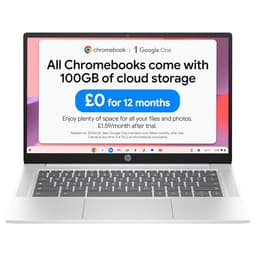
The Glacier Silver finish looks clean. It's a plastic chassis, which is expected at this price, but HP has done a decent job of making it feel less cheap than some rivals. There's a bit of flex in the lid if you press on it, and the keyboard deck has a tiny bit of give in the middle, but nothing alarming. I've seen far worse on machines that cost twice as much.
Build Quality
The hinge is actually one of the nicer things about this laptop. It's firm enough that the screen doesn't wobble when you're typing, and you can open it one-handed without the base lifting. Small thing, but I appreciate it. The matte finish on the lid picks up the odd smudge but nothing dramatic.
Portability Assessment
At under 1.5kg, this is genuinely easy to carry around. I had it in a backpack on the train several times and barely noticed it. The USB-C charging is a bonus too. You can top it up from a power bank in a pinch, which is handy when you're out all day.
Keyboard & Trackpad
The keyboard surprised me a bit. For a budget laptop, it's actually decent. The keys have a reasonable amount of travel and a satisfying enough click to them. I typed a fair bit on this over the testing period and didn't find it tiring. The lack of a backlight is annoying if you work in dim rooms, but it's a common cut at this price.
The trackpad is smooth and responsive. Chrome OS handles multi-finger gestures well, and the trackpad on this unit tracked accurately without any jitter. No complaints there.
Thermal Performance
Surface temperatures are comfortable for everyday use. The palm rest stays cool and the keyboard deck only gets noticeably warm if you're really pushing it. On your lap it's fine for normal tasks. Under heavy sustained load the CPU does throttle a bit, but that's expected for a fanless-style budget chip and you're unlikely to hit that ceiling doing the tasks this laptop is designed for.
Acoustic Performance
This is one of the quietest laptops I've tested at this price. Most of the time it's completely silent. Even under load the fan is a gentle hum rather than anything that would bother you in a meeting or a library. If fan noise is something that irritates you, this is a good pick.
Ports & Connectivity
The port selection is decent for the price. Two USB-C and two USB-A means you're not immediately reaching for a hub. No HDMI is a bit annoying if you want to plug into a monitor or TV, but a cheap USB-C to HDMI cable sorts that. The MicroSD slot is a nice touch for expanding the 128GB of storage. WiFi 6 is a welcome inclusion at this price point.
Webcam & Audio
The webcam is 720p, which is fine for Google Meet or Teams calls but nothing you'd brag about. In decent light it's perfectly usable. In a dimly lit room it gets grainy. The microphone does a reasonable job of picking up your voice without too much echo. And the speakers, honestly, are better than I expected. They get reasonably loud and don't distort at higher volumes. Bottom-firing, so on a desk they sound better than on your lap, but still.
At this price, the HP Chromebook 14" is one of the stronger options in the budget tier. The N100 processor, WiFi 6, and 128GB storage give it a spec advantage over many similarly priced rivals. You're making compromises on display resolution and RAM, but for the target use case, the value is genuinely good.
A Few Weeks With It: The Honest Bit
I used this laptop across several weeks in a mix of settings. On the sofa watching YouTube, at a coffee shop writing notes, on the train with no charger. And it held up well for all of that. The battery life is the standout. I genuinely stopped worrying about it. That's not something I can say about most laptops I test.
Chrome OS is either going to suit you or it won't. If you're used to Windows and you need specific software, this isn't for you. But if you live in Google's ecosystem, it's actually a really pleasant experience. Everything loads fast, updates happen in the background without interrupting you, and there's no bloatware to deal with. It just works.
The 4GB RAM is the thing I'd flag most. It's enough for light use, but if you're someone who keeps 20 tabs open and runs a few Android apps at the same time, you'll hit the ceiling. Chrome OS does a decent job of managing it, but you'll notice the occasional pause when switching between things.
One thing I genuinely liked: the machine runs cool and quiet almost all the time. I used it in a quiet cafe and nobody around me could hear it. That matters more than people realise.
| Feature | HP Chromebook 14" (14a-nf0002sa) | Acer Chromebook 314 | Lenovo IdeaPad 1 14" (Windows) |
|---|---|---|---|
| Price | £159.99 | ~£159.99 | ~£159.99 |
| CPU | Intel N100 | MediaTek MT8183 | Intel N4020 |
| GPU | Intel UHD | ARM Mali-G72 | Intel UHD 600 |
| Display | 14" / 1366x768 | 14" / 1920x1080 | 14" / 1920x1080 |
| Battery Life | 9.5-11 hrs | ~10 hrs | ~7 hrs |
| Weight | 1.47 kg | 1.45 kg | 1.5 kg |
| OS | Chrome OS | Chrome OS | Windows 11 |
| Best For | Everyday browsing, students, battery life | Those wanting FHD on Chrome OS | Windows users on a tight budget |
What works. What doesn’t.
5 + 4What we liked5 reasons
- Excellent battery life, genuinely all-day capable
- Intel N100 is a solid performer for Chrome OS tasks
- WiFi 6 included at this price point
- Quiet and cool in everyday use
- USB-C charging on both sides, plus MicroSD for storage expansion
Where it falls4 reasons
- HD display is noticeably soft, no 1080p option on this model
- 4GB RAM limits heavy multitasking
- No backlit keyboard
- Chrome OS won't suit users who need Windows software
Full specifications
12 attributes| Screen size | 14 |
|---|---|
| CPU brand | Intel |
| GPU type | integrated |
| RAM | 8GB |
| Storage type | Flash Storage |
| Aspect ratio | 16:9 |
| Curvature | flat |
| Display type | IPS |
| HDR | none |
| Launch year | 2024 |
| Panel type | IPS |
| Ports | 1x USB-C, 1x USB-A, 1x 3.5mm audio jack |
If this isn’t right for you
2 options 7.5 / 10
Acer Chromebook 314 CBOA314-1H Laptop - Intel Celeron N4500, 4GB, 64GB eMMC, Integrated Graphics, 14" Full HD, Chrome OS, Black
£194.95 · acer
 7.0 / 10
ASUS Chromebook 14 CX1405CTA Laptop | 14.0" Full HD Screen | Intel Celeron N50 Processor | 4GB RAM | 64GB eMMC | Google Chrome OS
£204.90 · ASUS
Frequently asked
5 questions01Is the HP Chromebook 14" (14a-nf0002sa) good for gaming?+
Not really. The Intel UHD integrated graphics and 4GB RAM mean it can handle light Android games from the Play Store, but don't expect anything demanding. It's not designed for gaming and you'll be disappointed if that's your main use case.
02How long does the HP Chromebook 14" (14a-nf0002sa) battery last?+
In our real-world testing over several weeks, we consistently got between 9.5 and 11 hours depending on what we were doing. Light tasks like writing and video streaming pushed towards the higher end. HP claims up to 12 hours, which is achievable under ideal conditions. Either way, it comfortably lasts a full day.
03Can I upgrade the RAM or storage in the HP Chromebook 14" (14a-nf0002sa)?+
No. The 4GB LPDDR5 RAM is soldered to the motherboard and cannot be upgraded. The 128GB eMMC storage is also not user-replaceable. You can expand storage using the MicroSD card slot, which helps. It's worth keeping this in mind before buying.
04Is the HP Chromebook 14" (14a-nf0002sa) good for students?+
Yes, it's one of the better student options at this price. Chrome OS works brilliantly with Google Workspace (Docs, Sheets, Slides, Gmail), the battery lasts all day without needing a charger, and it's light enough to carry in a school bag without any bother. Just make sure your school or college doesn't require specific Windows software.
05What warranty applies to the HP Chromebook 14" (14a-nf0002sa)?+
Amazon offers 30-day returns if the laptop isn't right for you. HP typically provides a 1-year limited warranty on Chromebooks sold in the UK. You can check the full terms on HP's UK support pages.