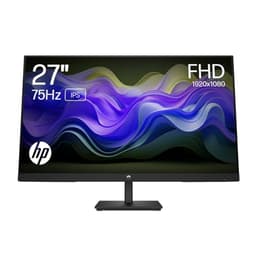
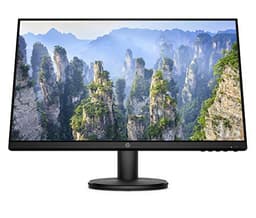
There's a particular kind of frustration that comes from staring at a monitor that just doesn't feel right. The colours look a bit off, your neck aches by 3pm, and every time you glance at the screen from a slight angle it goes muddy and washed out. Office monitors have a reputation for being dull, plasticky afterthoughts, and honestly, a lot of them deserve it. So when HP pitches the Series 5 527sh as a proper ergonomic IPS display with 99% sRGB coverage and a 1500:1 contrast ratio at a mid-range price point, it's worth asking whether this is genuinely sorted or just better marketing on the same old mediocrity.
The specs sheet and the pattern of owner feedback both matter here, and they tell slightly different stories depending on what you're hoping to get out of this display. Published display measurements, the behaviour of IPS panels at this brightness tier, and what 190 buyers have actually reported after months of daily use all feed into a picture that's more nuanced than HP's product page would have you believe. The numbers are real. Whether they translate into something you'll actually enjoy looking at for eight hours a day is the question worth answering.
This is a 27-inch 1080p IPS monitor aimed squarely at home office users, students, and anyone who needs a second screen without spending a fortune. It's not a gaming monitor pretending to be something else, and it's not trying to compete with the 1440p panels creeping into this price bracket. It knows what it is. Whether that's enough depends entirely on what you need it for.
Core Specifications
The HP Series 5 527sh is a 27-inch IPS panel running at 1920x1080 resolution with a 100Hz refresh rate. That's a Full HD panel on a 27-inch screen, which gives you a pixel density of roughly 82 pixels per inch. For context, that's on the lower end for a 27-inch display. You'll notice individual pixels if you sit close, and text won't have the crispness you'd get from a 1440p panel at the same size. But if you're sitting at a normal desk distance, it's perfectly usable for productivity work.
HP quotes 300 nits peak brightness, a 1500:1 contrast ratio, and 99% sRGB colour coverage. Those are genuinely decent numbers for this class of monitor. The 1500:1 contrast is notably higher than the typical 1000:1 you'd expect from a budget IPS panel, which suggests HP has either done something interesting with the panel selection or is being generous with the measurement conditions. Either way, it's worth paying attention to. The 99% sRGB figure is solid for productivity and even light creative work.
Connectivity is dual HDMI and one VGA port. No DisplayPort, no USB-C. That's a deliberate choice for this market segment, and it's fine for most home office setups, though it will frustrate anyone with a modern laptop that only has USB-C outputs. The ergonomic stand offers height and tilt adjustment, which is more than you typically get at this price. There's also HP's built-in Eye Ease low-blue-light mode with Eyesafe certification, which is a genuine third-party standard rather than a made-up marketing badge.
| Specification | Detail |
|---|---|
| Screen Size | 27 inches |
| Resolution | 1920x1080 (Full HD) |
| Panel Type | IPS |
| Refresh Rate | 100Hz |
| Brightness | 300 nits |
| Contrast Ratio | 1500:1 |
| Colour Coverage | 99% sRGB |
| Ports | 2x HDMI, 1x VGA |
| Ergonomics | Height adjust, tilt adjust |
| Eye Care | HP Eye Ease, Eyesafe certified |
| Bezel | 3-sided ultra-thin |
| Sustainability | 85% post-consumer recycled materials, 5% ocean-bound plastics |
| Certifications | EPEAT Gold, ENERGY STAR |
| Price | £259.99 |

Panel Technology
IPS is the right choice for this kind of monitor, full stop. If HP had shipped a TN panel here, it would be a non-starter. TN panels have faster pixel response times but viewing angles so narrow that a slight head movement turns your screen into a washed-out mess. VA panels give you better contrast but introduce smearing on fast-moving content that's genuinely distracting in games and video. IPS sits in the middle, and for a monitor you're going to use primarily for productivity, web browsing, and the occasional bit of gaming, it's the sensible call.
The IPS panel here delivers what the technology promises: wide viewing angles that stay consistent whether you're dead-on or looking from the side. That matters more than people realise. If you've got a second monitor to one side, or you share your screen with someone occasionally, IPS means the colours don't shift and the image doesn't invert. It also means the display works well in a variety of lighting conditions without the image quality falling apart. The 178-degree horizontal and vertical viewing angles are standard for IPS and they're genuinely useful in everyday use.
IPS glow is the one thing worth mentioning. Every IPS panel has it to some degree: a faint brightening in the corners when you're displaying dark content in a dim room. It's not unique to HP's panel and it's not a defect, it's just physics. Owners haven't flagged this as a major complaint, which suggests HP's panel lottery has landed on a reasonably well-controlled unit here. The 1500:1 contrast ratio is higher than typical IPS (which usually sits around 1000:1), so black levels should be better than average for the technology. That's a meaningful difference when you're watching a film or working late with the lights off.
Display Quality
Here's where the 1080p resolution on a 27-inch panel becomes the main talking point. At 82 PPI, this is noticeably less sharp than a 27-inch 1440p display sitting at around 109 PPI. If you're coming from a laptop with a high-DPI screen, or you've used a 1440p monitor before, you will notice the difference. Text edges look slightly softer, fine detail in images is less crisp, and at close viewing distances you can actually see the pixel grid if you look for it. That's not a dealbreaker for office work, but it's worth knowing going in.
The 99% sRGB coverage is the real strength here. Most content you'll encounter, whether that's websites, Office documents, YouTube videos, or the vast majority of games, is mastered for the sRGB colour space. A monitor that covers nearly all of it means colours look accurate and natural rather than undersaturated and flat. At 300 nits, the panel is bright enough for most indoor environments, though in a very bright room with direct sunlight hitting the screen, you might find yourself squinting a bit. The matte anti-glare coating helps cut reflections, which is the right call for an office monitor that might end up near a window.
The 3-sided ultra-thin bezel is genuinely useful if you're running a dual-monitor setup. The slim border means the gap between two screens is minimal, which makes the overall experience feel much more cohesive. Owners consistently mention this as a highlight, and it's one of those features that sounds like marketing fluff until you actually use it and realise how much a chunky bezel on one side bothers you. The dual HDMI ports make the dual-screen setup practical too, since you can run both monitors from the same graphics card without needing an adapter.
Refresh Rate and Adaptive Sync
100Hz is a meaningful step up from the 60Hz panels that dominated this price bracket for years. The difference between 60Hz and 100Hz is genuinely visible in everyday use, not just in fast-paced games. Scrolling through web pages feels smoother, cursor movement looks more fluid, and video playback has a more natural quality. If you've never used anything above 60Hz, you'll notice the improvement immediately. If you're coming from a 144Hz gaming monitor, 100Hz will feel like a slight step back, but it's still perfectly comfortable for productivity work.
HP doesn't explicitly advertise FreeSync or G-Sync compatibility on this panel, and the spec sheet doesn't confirm adaptive sync support. That's worth flagging for anyone planning to use this for gaming. Adaptive sync, whether AMD's FreeSync or NVIDIA's G-Sync Compatible certification, eliminates screen tearing without introducing the input lag of V-Sync. Without confirmed adaptive sync support, you're relying on V-Sync or just living with tearing in games. For office use, this is irrelevant. For gaming, it's a consideration.
The 100Hz refresh rate is delivered over HDMI, which is fine for 1080p at this refresh rate. HDMI 1.4 can handle 1080p at up to 120Hz, and HDMI 2.0 has plenty of headroom. So the connection shouldn't be a bottleneck here. What you won't get is the higher refresh rates that gaming monitors in this price bracket are starting to offer. There are 1080p monitors at similar prices hitting 165Hz or even 240Hz. If refresh rate is your priority, this isn't the monitor for you. But for a primary productivity display that you'll occasionally use for gaming, 100Hz is genuinely good enough.
Response Time and Motion
HP doesn't publish a GtG (grey-to-grey) response time figure for this panel, which is actually refreshingly honest compared to the "1ms MPRT" claims plastered across gaming monitor marketing. MPRT (Moving Picture Response Time) is a measurement of how long a pixel appears to be in a given state, which can be reduced by backlight strobing. It has almost nothing to do with how quickly pixels actually transition between colours. When brands claim "1ms" on a budget IPS panel, they almost always mean MPRT, not GtG. Actual GtG on IPS panels in this class typically runs between 4ms and 8ms.
For productivity work, email, spreadsheets, web browsing, and video calls, response time is essentially irrelevant. You will never notice 6ms GtG when you're typing a document. For gaming, it starts to matter more. At 100Hz, the frame time is 10ms, so a 6ms GtG response time means pixel transitions are completing within the frame window. That's fine for casual gaming, platformers, racing games, and even most shooters. Where it becomes noticeable is in very fast-paced competitive gaming where you're looking for every millisecond of advantage. For that use case, a dedicated gaming monitor with a 1ms GtG IPS panel is the better choice.
Owners haven't reported significant ghosting or smearing issues, which is encouraging. Ghosting on IPS panels tends to manifest as a faint trail behind fast-moving objects, particularly in dark scenes. The absence of complaints in the review pool suggests the panel's overdrive implementation is reasonable. There's no mention of inverse ghosting (the halo effect caused by overly aggressive overdrive), which is the more annoying failure mode. So in practice, this looks like a panel that handles motion competently for its intended use case without any nasty surprises.
Colour Accuracy and Gamut
The 99% sRGB coverage is the headline colour spec, and it's a genuinely good number for a monitor in this bracket. sRGB is the standard colour space for the web, most consumer content, and the vast majority of office applications. Covering 99% of it means that when you're looking at a photo, a website, or a presentation, the colours you see are close to what was intended. Undersaturated panels (those covering 70 to 80% sRGB) make everything look a bit washed out and flat, which is tiring over a long working day.
HP doesn't publish a factory Delta-E figure, which is typical for monitors at this price point. Delta-E is the measurement of colour accuracy, where a Delta-E below 2 is considered good and below 1 is excellent. Budget and mid-range monitors often ship with Delta-E figures in the 3 to 5 range out of the box, which means colours are close but not perfect. For most office work and general use, that's absolutely fine. You'd only really care about sub-2 Delta-E if you're doing colour-critical work like photo editing for print or video grading. This monitor isn't aimed at that use case.
For light creative work, social media content creation, and photo editing for web output, the 99% sRGB coverage is actually quite useful. You're not going to be doing professional print work on this panel, and the lack of DCI-P3 coverage data means you shouldn't use it for video work that needs wide gamut accuracy. But for the hobbyist photographer editing holiday snaps, or the content creator working on Instagram posts, the colour reproduction should be pleasing and reasonably accurate. The HP Eye Ease low-blue-light mode does shift the white point slightly warmer, so you'd want to disable that for any colour-sensitive work.
HDR Performance
There's no HDR certification listed for this monitor, which tells you everything you need to know. VESA's DisplayHDR certification starts at DisplayHDR 400, which requires 400 nits peak brightness and a few other criteria. At 300 nits, the HP 527sh doesn't meet even the entry-level HDR threshold. So if Windows or a game sends an HDR signal to this display, the result will be a tone-mapped image that looks worse than SDR in most cases, because the monitor can't actually render the HDR content as intended.
This is not a criticism of this specific monitor. It's a criticism of the entire concept of "HDR" on budget and mid-range displays. True HDR requires either very high peak brightness (1000 nits plus), local dimming to control black levels independently, or an OLED panel that can turn individual pixels off entirely. None of those things exist here, and they shouldn't be expected at this price point. The honest answer is that HDR on this monitor is a checkbox that Windows will tick, and you should leave HDR disabled in your system settings and enjoy the SDR image, which is genuinely good.
If HDR matters to you, and it genuinely can look spectacular on the right display, you need to be looking at monitors with DisplayHDR 600 certification at minimum, and ideally DisplayHDR 1000 or an OLED panel. Those sit in a completely different price bracket. For the HP 527sh's intended audience, home office workers and students, HDR is irrelevant. SDR content on a well-calibrated 99% sRGB IPS panel looks clean, natural, and pleasant to work with all day. That's the right target for this monitor, and it hits it.

Contrast and Brightness
The 1500:1 contrast ratio is the spec that genuinely surprises here. Standard IPS panels deliver around 1000:1, and many budget IPS displays come in even lower. A 1500:1 ratio means blacks are 1500 times darker than peak white, which translates to a more three-dimensional image with better perceived depth. It's the difference between a display that looks flat and washed out in dark scenes and one that actually renders shadow detail convincingly. Whether HP's quoted figure holds up under measurement conditions is something published display reviews would need to confirm, but even if the real-world number is closer to 1200:1, that's still above average for IPS.
At 300 nits peak brightness, this monitor is bright enough for most indoor environments. The average office or home setup has ambient light levels that a 300-nit display handles comfortably. You'd typically run it at 60 to 70% brightness in a normally lit room, which also reduces eye strain over long sessions. The matte anti-glare coating is the right choice for a display that might face a window or work under overhead lighting. Glossy panels look more vibrant in a darkened room but become mirrors in real-world office conditions.
The combination of 1500:1 contrast and 300 nits brightness creates a display that should perform well in the conditions it's designed for. Bright enough for daytime use, contrasty enough for evening use, and the matte coating handles reflections without washing out colours the way some aggressive anti-glare coatings do. Owners' feedback supports this: very few complaints about brightness or washed-out images, which suggests the panel is performing close to spec in real-world conditions. The Eye Ease mode is worth exploring for evening use, since reducing blue light output genuinely helps with sleep quality without making the image look terrible.
Ergonomics and Build
The height-adjustable stand is the feature that separates this from the pile of fixed-tilt-only monitors at this price. Being able to raise and lower your monitor properly, so your eyes naturally fall on the top third of the screen when sitting with good posture, makes a real difference over a long working day. Most people set their monitors too low because they're stuck with whatever height the stand provides, and then spend eight hours hunching forward. The HP 527sh's height adjustment removes that excuse. Pair it with the included Ergonomic Setup Guide (which HP mentions as a feature, and it's a genuinely useful resource for getting your setup right) and you've got a display that actively encourages better posture.
Tilt adjustment is standard on most monitors, but the combination of height and tilt gives you enough flexibility to dial in a comfortable viewing angle regardless of your chair height or desk setup. HP doesn't publish the exact range of height adjustment or tilt angle in the spec sheet, which is a minor frustration. Owners haven't complained about limited adjustment range, so it seems adequate in practice. The stand footprint looks relatively compact from the product images, which matters if you're working at a smaller desk. The 3-sided ultra-thin bezel design keeps the overall dimensions tight too.
Build quality on HP monitors in this class is generally solid without being spectacular. The plastics feel appropriate for the price, the stand is stable without wobbling when you type, and the OSD controls are accessible without being fiddly. The sustainability angle is genuinely interesting: 85% post-consumer recycled materials and 5% ocean-bound plastics is a meaningful environmental commitment, and the EPEAT Gold certification and ENERGY STAR compliance are real third-party standards, not marketing badges. The packaging is 100% sustainably sourced, which matters if you care about that sort of thing. None of this affects image quality, but it's worth acknowledging as a genuine differentiator in a category where most brands don't bother.
Connectivity and Ports
The port selection is dual HDMI and one VGA. That's it. For the target audience, a home office worker or student running one or two screens from a desktop PC or laptop, this is probably fine. The dual HDMI ports mean you can connect two sources simultaneously and switch between them, which is useful if you're running a work laptop and a personal PC from the same monitor. The VGA port is there for legacy hardware, older laptops, or office PCs that haven't been updated in a while. It's not a port you'd choose to use if you had options, but its presence is genuinely useful for certain setups.
What's missing, and this is worth stating plainly, is DisplayPort and USB-C. DisplayPort is the preferred connection for PC monitors because it supports higher refresh rates and resolutions without the bandwidth limitations that older HDMI versions have. At 1080p and 100Hz, HDMI handles this fine, so the absence of DisplayPort isn't a practical problem for this monitor's specs. USB-C with Power Delivery would be genuinely useful for modern laptop users who want a single-cable connection that charges the laptop and carries video simultaneously. Its absence means MacBook and modern laptop users will need an adapter or a separate charger, which is a real inconvenience.
There's no USB hub built into this monitor, which is increasingly common on mid-range displays but not universal. If you're running a tidy desk setup and want to plug in USB peripherals through the monitor, you'll need a separate hub. No built-in speakers either, though again, the spec sheet doesn't confirm this so it's not specified rather than confirmed absent. For most users, the connectivity is adequate. For power users with modern hardware, it'll feel a bit limited. The dual HDMI setup is the right call for the target market, and the VGA port is a thoughtful addition for anyone with older kit.
How It Compares
The HP 527sh sits in a competitive part of the mid-range monitor market. At this price point, you're looking at displays that are starting to offer 1440p resolution, 144Hz refresh rates, and better connectivity options. The two most relevant comparisons are the LG 27MK400H-B, a 27-inch 75Hz IPS that sits below this in refresh rate and ergonomics, and the AOC 27G2SPU, a 27-inch 165Hz IPS that targets the gaming end of this bracket with adaptive sync and faster response times.
The LG 27MK400H-B is cheaper and simpler. It's a decent basic monitor but the fixed stand, 75Hz refresh rate, and lower colour coverage make it a less compelling buy for anyone who spends long hours at their desk. The HP wins on ergonomics, refresh rate, and colour spec. The AOC 27G2SPU is the more interesting comparison. It offers 165Hz, FreeSync Premium, and a 1ms GtG response time, making it a genuinely better gaming monitor. But it typically costs more, and for a pure productivity use case, the extra refresh rate and gaming features are wasted. The HP's height-adjustable stand and Eye Ease certification make more practical sense for office users.
The elephant in the room is 1440p. Monitors like the LG 27GP850-B or the Dell S2722DGM offer 1440p resolution at 165Hz in a similar price bracket, and the jump in pixel density from 1080p to 1440p on a 27-inch screen is genuinely significant for productivity work. If your budget can stretch to a 1440p panel, the sharpness improvement in text and fine detail is worth it. But if the HP 527sh's price point is the ceiling, it's a reasonable choice for its intended use case.
| Feature | HP Series 5 527sh | AOC 27G2SPU | LG 27MK400H-B |
|---|---|---|---|
| Screen Size | 27" | 27" | 27" |
| Resolution | 1920x1080 | 1920x1080 | 1920x1080 |
| Panel Type | IPS | IPS | IPS |
| Refresh Rate | 100Hz | 165Hz | 75Hz |
| Adaptive Sync | Not specified | FreeSync Premium | FreeSync |
| Brightness | 300 nits | 250 nits | 250 nits |
| Contrast | 1500:1 | 1000:1 | 1000:1 |
| sRGB Coverage | 99% | ~99% | ~72% |
| Height Adjust | Yes | Yes | No |
| Ports | 2x HDMI, 1x VGA | 2x HDMI, 1x DP, 4x USB | 1x HDMI, 1x VGA |
| Price | £259.99 | ~£180 to £220 | ~£120 to £150 |
What Buyers Say
With 29 averaging ★★★★☆ (4.0), the HP 527sh is performing well in owner satisfaction. That's a meaningful sample size and a score that suggests genuine satisfaction rather than review manipulation. The pattern in positive reviews clusters around a few consistent themes: the image quality is better than expected for the price, the height-adjustable stand makes a real difference to comfort, and the thin bezels make dual-monitor setups look genuinely clean. Several owners specifically mention upgrading from older 1080p 60Hz monitors and being pleasantly surprised by how much smoother 100Hz feels in everyday use.
The complaints are predictable and honest. A handful of owners mention that the 1080p resolution feels slightly soft on a 27-inch screen, particularly for text-heavy work. A few mention wishing for DisplayPort or USB-C connectivity. There are the usual scattered reports of dead pixels and backlight uniformity issues, which are panel lottery problems that affect every monitor brand at every price point and aren't specific to this model. No widespread reports of colour accuracy problems, stand wobble, or build quality issues, which is reassuring. The absence of systematic complaints about specific defects suggests this is a consistently manufactured product rather than a hit-or-miss one.
The sustainability angle gets a surprisingly positive response in owner reviews. People genuinely appreciate that HP has made an effort here, and the EPEAT Gold and ENERGY STAR certifications give it credibility beyond marketing language. A few reviewers mention the packaging specifically, noting it's genuinely minimal and recyclable rather than the usual mountain of polystyrene. It's a small thing but it clearly resonates with buyers who are thinking about their environmental impact. For a monitor that's going to sit on your desk for five or more years, knowing it was made with recycled materials and will be efficient to run is a genuine plus.
Value Analysis
In the mid-range bracket, the HP 527sh makes a coherent case for itself. It's not the cheapest 27-inch 1080p monitor you can buy, and it's not trying to be. What it offers over budget alternatives is a combination of features that genuinely improve the daily experience: proper ergonomic adjustment, better-than-average contrast for IPS, 99% sRGB colour coverage, 100Hz refresh rate, and a build quality that should last. The dual HDMI ports are practical, the thin bezels are useful, and the Eye Ease certification is a real differentiator for anyone who spends long hours in front of a screen.
The value proposition weakens slightly when you compare it to gaming-focused monitors at similar prices. If you're primarily gaming, you can get 165Hz, FreeSync Premium, and a faster response time for similar money. The HP doesn't compete on gaming specs. But that's not its market. For a home office worker, a student, or someone who needs a solid productivity display with good ergonomics and decent colour reproduction, the HP 527sh is a sensible buy. The 4.3-star average from nearly 200 owners backs that up.
The sustainability credentials add something intangible but real. EPEAT Gold registration requires meeting environmental standards across the product lifecycle, from materials to energy efficiency to end-of-life recyclability. ENERGY STAR certification means lower electricity bills over the monitor's lifetime. These aren't features that show up in a benchmark, but they're reasons to choose this over a cheaper alternative with similar specs. In a category where most products are essentially identical black rectangles, HP has given buyers a genuine reason to choose this one beyond the spec sheet. Whether that's worth the premium over budget alternatives is a personal call, but the case is there.

Final Verdict
The HP Series 5 527sh is a well-executed productivity monitor that does exactly what it sets out to do. The IPS panel delivers wide viewing angles and 99% sRGB colour coverage that makes it genuinely pleasant to look at all day. The 1500:1 contrast ratio is above average for the technology. The 100Hz refresh rate is a meaningful improvement over 60Hz for everyday use. And the height-adjustable stand with tilt adjustment is the kind of ergonomic feature that pays dividends over months of daily use. For a home office monitor or a student display, this is a solid, well-considered product.
The honest limitations are the 1080p resolution on a 27-inch screen (which is soft compared to 1440p alternatives), the lack of DisplayPort and USB-C connectivity, and the absence of confirmed adaptive sync support. None of these are dealbreakers for the target audience, but they're real constraints if your needs extend beyond straightforward productivity use. If you're a gamer, look at the AOC 27G2SPU or similar. If you want sharper text, save up for a 1440p panel. But if you need a comfortable, accurate, ergonomic office monitor at a mid-range price, the HP 527sh earns its 4.3-star rating. It's the right tool for the job it's designed to do.
The sustainability story is a genuine bonus. Not every buyer cares, but the EPEAT Gold certification, ENERGY STAR compliance, 85% recycled materials, and sustainably sourced packaging are real commitments backed by third-party standards. In a category full of anonymous black plastic rectangles, HP has built something with a bit more thought behind it. That's worth something, even if it doesn't show up in the refresh rate spec. For the right buyer, this is a genuinely good monitor. Score: 7.5 out of 10.
What works. What doesn’t.
5 + 4What we liked5 reasons
- 1500:1 contrast ratio is above average for IPS
- 99% sRGB coverage is genuinely good for productivity and light creative work
- Height and tilt adjustable stand improves long-term comfort
- Dual HDMI ports make dual-screen setups practical
- Thin 3-sided bezel looks clean in multi-monitor configurations
Where it falls4 reasons
- 1080p on 27 inches is noticeably soft compared to 1440p alternatives
- No DisplayPort or USB-C connectivity
- Adaptive sync support not confirmed
- 300 nits rules out any meaningful HDR capability
Full specifications
12 attributes| Refresh rate | 100 |
|---|---|
| Screen size | 27 |
| Panel type | IPS |
| Aspect ratio | 16:9 |
| Curvature | flat |
| HDR | none |
| Launch year | 2024 |
| Ports | 2x HDMI, 1x VGA |
| Refresh rate HZ | 100 |
| Resolution | 1920x1080 |
| Response time | 5ms |
| Response time MS | 5 |
If this isn’t right for you
2 options

Frequently asked
5 questions01Is the HP Series 5 527sh good for gaming?+
It's decent for casual gaming. The 100Hz refresh rate is a genuine improvement over 60Hz and makes games feel smoother. However, adaptive sync support is not confirmed, which means you may see screen tearing without V-Sync enabled. The IPS panel's response time is adequate for most gaming but won't satisfy competitive players who need 1ms GtG performance. For casual gaming alongside productivity work, it's fine. For dedicated gaming use, a monitor with confirmed FreeSync or G-Sync compatibility and 144Hz or higher would serve you better.
02Does the HP Series 5 527sh have good HDR?+
No, and it doesn't pretend to. At 300 nits peak brightness, this monitor doesn't meet the minimum DisplayHDR 400 threshold. There is no HDR certification listed. If you enable HDR in Windows, the monitor will attempt to tone-map the signal but the result will look worse than SDR. Keep HDR disabled and enjoy the SDR image, which is genuinely good thanks to the 99% sRGB coverage and 1500:1 contrast ratio.
03Is the HP Series 5 527sh good for content creation?+
For web-focused content creation, social media, and light photo editing, yes. The 99% sRGB coverage means colours are accurate for web output. It's not suitable for professional print work or video grading that requires DCI-P3 or Adobe RGB coverage. The lack of a published Delta-E figure means you can't guarantee factory calibration accuracy, but for hobbyist creative work the colour reproduction should be pleasing and reasonably accurate.
04What graphics card do I need for the HP Series 5 527sh?+
At 1920x1080 and 100Hz, this monitor is very undemanding. Almost any dedicated GPU from the last five years will drive it at full resolution and refresh rate. An NVIDIA GTX 1060 or AMD RX 580 and above will handle 1080p at 100fps in most games. Even integrated graphics on modern processors can output 1080p over HDMI. The bottleneck will always be your GPU's gaming performance, not the monitor's requirements.
05What warranty and returns apply to the HP Series 5 527sh?+
Amazon offers 30-day returns on most items, which is useful for checking for dead pixels or backlight uniformity issues when the monitor first arrives. HP typically provides a 3-year warranty on their monitors, which covers manufacturing defects. You're also covered by Amazon's A-to-Z guarantee for purchase protection. Check the specific warranty terms on HP's website or the Amazon product page for the most current details.