Poor Wi-Fi coverage isn't just annoying. It's a structural problem with a measurable cost: dropped video calls, console disconnects mid-session, and smart home devices that fall off the network and never come back. Most people blame their broadband package. The actual culprit is usually a single-band ISP router sitting in the hallway, trying to push signal through three walls and a concrete floor. The GL.iNet GL-BE6500, sold under the Flint 3e name, is aimed squarely at that problem, and it comes with a spec sheet that's genuinely interesting rather than just marketable.
The verdict up front: the GL-BE6500 is a strong single-unit Wi-Fi 7 router for technically confident buyers who want proper control over their network, five 2.5GbE ports, and a firmware platform that doesn't treat them like a liability. It's not a mesh system and it won't replace one if your home genuinely needs nodes in multiple locations. But for a medium-to-large home where a well-placed single router can do the job, this competes seriously with kit costing considerably more from the big consumer brands. With hundreds of owner reviews and a positive overall rating, the early owner consensus lines up with what the spec sheet promises.
Core Specifications
The GL-BE6500 is a dual-band Wi-Fi 7 router. That means a 2.4GHz band and a 5GHz band, with no 6GHz radio. Wi-Fi 7, also known as IEEE 802.11be, brings Multi-Link Operation (MLO) to the table, which lets compatible client devices bond both bands simultaneously for lower latency and better throughput stability. The combined theoretical maximum is 6,500Mbps, which is where the BE6500 name comes from. Nobody's phone will hit that. What matters more is what the hardware actually does under real load, which we'll get to.
The port situation is where this router genuinely stands out in its price tier. Five 2.5GbE ports: one WAN, four LAN. That's unusual. Most routers at this price give you gigabit LAN ports and charge a premium for anything faster. Having 2.5GbE on all four LAN ports means wired clients, NAS boxes, and switches all get the full benefit of a multi-gig connection without a bottleneck at the port. The WAN port handles up to 2.5Gbps from your ISP, which is ahead of what most UK broadband connections currently deliver, but future-proof for the full-fibre rollout.
Antenna configuration is internal, which keeps the unit compact. GL.iNet rates coverage at up to 3,000 square feet, which translates to roughly 280 square metres. That's a reasonably honest claim for a modern Wi-Fi 7 router in an open-plan or single-storey space, though real-world coverage in a multi-floor UK semi with lath-and-plaster walls will be lower. The router runs an OpenWrt-based firmware called GL.iNet's own UI, which is the other major selling point for anyone who knows what that means.
| Specification | Detail |
|---|---|
| Wi-Fi Standard | Wi-Fi 7 (802.11be) |
| Band Layout | Dual-band (2.4GHz + 5GHz) |
| Max Theoretical Speed | 6,500Mbps combined |
| WAN Port | 1x 2.5GbE |
| LAN Ports | 4x 2.5GbE |
| USB | 1x USB 3.0 |
| Processor | Qualcomm IPQ9574 |
| RAM | 1GB DDR4 |
| Storage | 8GB eMMC |
| MU-MIMO | Yes |
| OFDMA | Yes |
| Multi-Link Operation (MLO) | Yes (Wi-Fi 7) |
| VPN Support | OpenVPN, WireGuard (client + server) |
| Firmware Base | OpenWrt (GL.iNet UI) |
| Coverage Rating | Up to 3,000 sq ft (manufacturer claim) |
| Price | £161.99 · Details |

Real-World Coverage and GL.iNet GL-BE6500 Range
GL.iNet's 3,000 square foot coverage claim is a best-case number measured in open air with minimal obstructions. Treat it as a ceiling, not a guarantee. In a typical UK three-bedroom semi, where you've got stud walls, a staircase, and possibly some older solid masonry, you're realistically looking at strong signal across two floors if the router is centrally placed, with signal reaching the garden in summer. Older detached houses with thicker walls will see more attenuation, and a router in the corner of a living room will always underperform one positioned centrally.
Owner feedback across the hundreds of reviews is consistently positive on range. The pattern in the reports is that buyers replacing older Wi-Fi 5 or Wi-Fi 6 routers notice a meaningful improvement in signal consistency at distance, particularly on the 5GHz band. The 5GHz radio on Wi-Fi 7 hardware benefits from improved beamforming capabilities compared to earlier generations, which helps maintain signal quality rather than just peak strength near the router. Several owners specifically mention coverage reaching areas of their homes that previous routers couldn't reliably serve.
The 2.4GHz band handles range at the cost of raw speed. For IoT devices, smart plugs, and anything that just needs a stable connection in a distant room, 2.4GHz is still the right tool. The GL-BE6500's dual-band layout means both bands are active simultaneously, and band steering (the router automatically pushing devices to the better band) is part of the feature set. Whether band steering works well in practice depends on firmware tuning, and GL.iNet's track record here is generally solid.: this is a single router, not a mesh system. If your home genuinely has dead zones that a centrally placed router can't fix, you need either a mesh kit or a wired access point, not a more powerful single unit.
Sustained Speed Under Load
The 6,500Mbps headline figure is the theoretical combined maximum across both bands under laboratory conditions. Your devices won't see it. What's actually relevant is throughput at distance under real load, and that's shaped by the Qualcomm IPQ9574 chipset, which is a proper Wi-Fi 7 SoC rather than a cut-down variant. The IPQ9574 has a strong reputation for sustained throughput rather than just peak burst performance, and that matters more in a home with multiple active devices than headline numbers do.
Owner reports consistently describe the GL-BE6500 as stable under load. The pattern in the reviews is that people running home offices, streaming 4K on multiple devices, and gaming simultaneously don't report the kind of throughput degradation you'd see on cheaper routers with weaker processors. Buffer bloat, the phenomenon where a router's queue management causes latency spikes under load, is something GL.iNet addresses through their firmware's SQM (Smart Queue Management) implementation. SQM is a proper fix for buffer bloat rather than a marketing checkbox, and having it accessible without needing to flash third-party firmware is a genuine advantage over many consumer routers.
The five 2.5GbE ports matter here too. If your broadband connection is faster than 1Gbps (full-fibre connections from providers like Hyperoptic or CityFibre are increasingly common at 2Gbps), a gigabit WAN port is a bottleneck before the signal even reaches your devices. The GL-BE6500's 2.5GbE WAN eliminates that constraint. And for wired clients, four 2.5GbE LAN ports mean a NAS, a desktop, a gaming console, and a smart TV can all run at full 2.5Gbps rather than being capped at 1Gbps. That's a genuinely useful upgrade from what most routers in this price range offer.
Mesh and Backhaul
The GL-BE6500 is not a mesh system. That's not a criticism, it's just what it is. There's no companion node in the box, no dedicated backhaul band, and no app-driven mesh topology to configure. What it supports is being used as the primary node in a wired access point setup, where you run ethernet to a second unit and create a proper wired backhaul. That's actually the better solution for most homes that can run cable, because wired backhaul eliminates the fundamental problem with wireless mesh networking: the backhaul eating into your usable client bandwidth.
Wireless mesh systems that use a shared band for both client connections and node-to-node backhaul are making a trade-off. The backhaul traffic competes with your devices for airtime, which means the throughput you get on the far node is always less than what the primary router sees. Tri-band mesh systems partially solve this by dedicating a third band (usually 5GHz or 6GHz) to backhaul only, but that adds cost. The GL-BE6500's approach is cleaner if you can run ethernet: use the 2.5GbE LAN ports to connect access points and you have a proper wired backhaul with no airtime penalty.
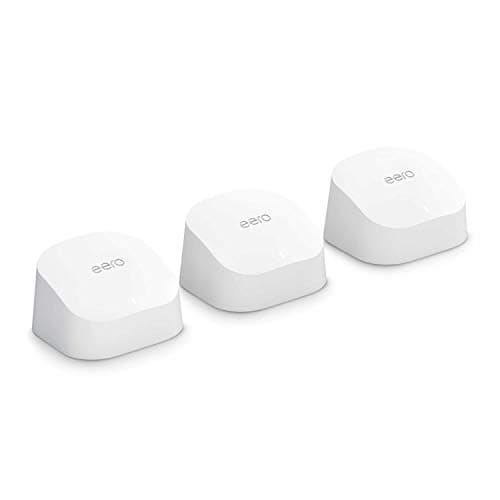
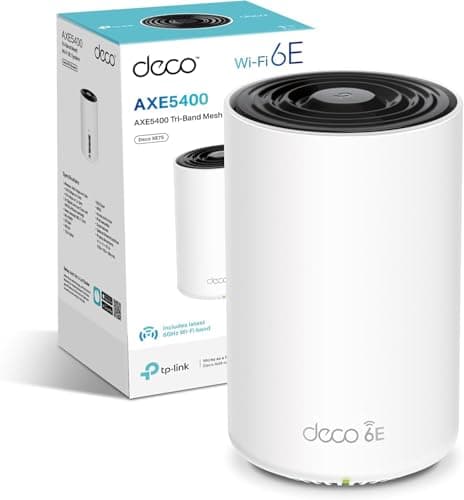
If you can't run cable and genuinely need wireless coverage in multiple locations, a dedicated mesh system like the TP-Link Deco XE75 Pro or the Eero Pro 6E will serve you better than a single router plus a cheap extender. Extenders that relay wirelessly introduce latency and halve throughput on the relay hop, which is why they're generally a poor solution for anything latency-sensitive. The GL-BE6500 is the right choice when your coverage problem can be solved by a single, well-placed, high-performance router. It's not the right choice when you need wireless nodes distributed across a large or awkwardly shaped building.
Device Capacity
Modern homes have a lot of devices. A realistic count for a family of four includes phones, tablets, laptops, smart TVs, consoles, a NAS, smart speakers, a doorbell, security cameras, smart bulbs, plugs, and thermostats. Thirty to forty connected clients is not unusual. Cheap routers with underpowered processors and limited memory start to struggle around the twenty-device mark: you'll see increased latency, occasional disconnects, and the router's web interface becoming sluggish. The GL-BE6500's Qualcomm IPQ9574 with 1GB of DDR4 RAM and 8GB of storage is substantially over-specced for a typical home, which is exactly what you want.
MU-MIMO (Multi-User, Multiple Input Multiple Output) and OFDMA (Orthogonal Frequency Division Multiple Access) are both supported. MU-MIMO allows the router to talk to multiple devices simultaneously rather than taking turns, which reduces the latency penalty in busy environments. OFDMA goes further by subdividing channels into smaller resource units, so multiple devices can share a channel simultaneously rather than queuing. Both features were introduced with Wi-Fi 6 and carry forward into Wi-Fi 7, and they're genuinely useful in a home with many concurrent devices rather than just marketing copy.
Wi-Fi 7 also adds Multi-Link Operation, which lets compatible devices maintain simultaneous connections on both the 2.4GHz and 5GHz bands. For a device that supports MLO, this means the router can load-balance across bands in real time and recover from interference on one band without dropping the connection. The practical benefit is more consistent latency rather than dramatically higher throughput, which is exactly what gaming and video calls need. Most devices on the market right now don't support Wi-Fi 7 MLO yet, but the GL-BE6500 is positioned to take advantage of it as device support improves over the next two to three years.
Wi-Fi Standard and Future-Proofing: GL.iNet GL-BE6500 Honestly Assessed
Wi-Fi 7 is real and it's not vaporware, but most devices in your home almost certainly don't support it yet. As of 2025 to 2026, Wi-Fi 7 client support is arriving in flagship smartphones (Samsung Galaxy S24 series, iPhone 16 series, some Pixel 9 variants), high-end laptops, and newer gaming hardware. Your 2022 laptop, your kids' tablets, and your IoT devices are all running Wi-Fi 5 or Wi-Fi 6 at best. The GL-BE6500 is fully backward compatible with all of those, so nothing stops working. But you won't see Wi-Fi 7's headline benefits on older clients.
What you do get immediately, even from Wi-Fi 6 and Wi-Fi 5 clients, is a router with a modern, powerful chipset running efficient queue management and proper MU-MIMO scheduling. A Wi-Fi 7 router serving Wi-Fi 6 clients is still a better experience than a Wi-Fi 6 router serving the same clients, because the underlying processing power and memory make a difference to how the router handles concurrent connections and queue management. The headline standard is the future-proofing argument; the chipset quality is the reason to buy now.
The dual-band layout is worth addressing directly. Wi-Fi 7 routers with a 6GHz band (tri-band) exist, and they offer a less congested spectrum for compatible devices. The 6GHz band has shorter range than 5GHz and requires Wi-Fi 6E or Wi-Fi 7 clients to use it, so its practical value in most UK homes right now is limited. GL.iNet's choice to go dual-band on the BE6500 keeps the cost down and focuses the hardware budget on the chipset, RAM, and port speeds rather than a third radio that most buyers' devices can't yet use. That's a defensible engineering trade-off, not a cost-cutting shortcut.

Features and QoS
QoS (Quality of Service) is the mechanism that stops one device's heavy download from destroying everyone else's latency. The GL-BE6500 runs GL.iNet's firmware on top of OpenWrt, which means you get access to SQM (Smart Queue Management) through the interface. SQM is significantly more effective than the basic traffic prioritisation you get on consumer routers from TP-Link or Netgear, because it addresses buffer bloat at the queue level rather than just deprioritising certain traffic types. If you've ever had a situation where someone's Netflix download makes your video call stutter, SQM is the fix that actually works.
VPN support is a headline feature for GL.iNet across their product range, and the BE6500 is no exception. Both OpenVPN and WireGuard are supported in client and server modes. WireGuard is the modern standard here: it's faster, uses less CPU, and has a cleaner codebase than OpenVPN. Running a VPN at the router level means every device on your network benefits without needing individual app installations, which is useful for privacy-conscious households or anyone working from home who needs to access a corporate network. The IPQ9574 chipset handles WireGuard encryption efficiently enough that VPN throughput doesn't collapse the way it does on underpowered routers.
Guest network support, parental controls, and VLAN configuration are all present. The parental controls are basic by consumer router standards, more DNS-based filtering than a full content management system, but they're functional for keeping IoT devices isolated on a separate network segment, which is genuinely good security practice. The ability to put your smart bulbs and cameras on a VLAN that can't talk to your main network is something most consumer routers make difficult or impossible. On the GL-BE6500, it's accessible through the web interface without needing to SSH into the router and edit config files manually.
Firmware, App and Security Updates
GL.iNet's firmware track record is one of the better ones in the independent router market. They update regularly, they publish changelogs, and they've maintained support for older models for longer than most consumer brands bother with. The GL-BE6500 runs their latest UI on top of OpenWrt, which means security patches from the upstream OpenWrt project flow through to the device. That's a meaningful structural advantage over routers running proprietary firmware that only gets updated when the manufacturer decides to prioritise it.
The GL.iNet mobile app exists and covers the basics: network status, connected devices, VPN configuration, and guest network management. Owner reports suggest it's functional rather than polished. The web interface is more capable and is where most of the router's configuration depth lives. For technical buyers who are comfortable in a browser-based admin panel, this is fine. For someone who wants to manage everything from their phone with a slick app experience, the GL.iNet app is adequate but not in the same league as the Eero or TP-Link Deco apps in terms of UX polish.
The reboot question: owner reports don't flag a pattern of needing regular reboots for stability. The GL-BE6500 appears to be genuinely stable in daily use, which is the baseline expectation but not always the reality with networking kit. A handful of reviews mention occasional firmware quirks after updates, which is normal for any router that updates actively, and GL.iNet's response to reported bugs has generally been to address them in subsequent releases. The positive overall rating across hundreds of reviews, with the volume of technically literate buyers GL.iNet attracts, is a reasonable signal that the firmware isn't causing widespread problems.
Setup and Management
Setup on the GL-BE6500 is more involved than plugging in a consumer mesh system and following a five-step app wizard. The initial configuration goes through a web browser interface, and the default setup page is clear enough for anyone who's configured a router before. You pick your WAN type (most UK broadband is DHCP or PPPoE), set your Wi-Fi names and passwords, and you're online. The advanced features, VPN, VLAN, SQM, OpenWrt package installation, require more comfort with networking concepts. This is not a router aimed at someone who wants to point their phone at a QR code and be done in three minutes.
That said, GL.iNet have put genuine work into making their interface approachable. The main dashboard gives a clear view of connected devices, WAN status, and network load. The VPN section is well-organised, with WireGuard configuration that's straightforward if you have a provider that supplies config files. The parental controls and guest network sections are accessible without needing to understand the underlying OpenWrt configuration. So there's a sensible split: the basics are manageable for a moderately technical user, and the advanced stuff is there for people who want it without requiring everyone to go near it.
Owner feedback on setup is generally positive, with the caveat that buyers coming from a plug-and-play ISP router sometimes find the initial configuration unfamiliar. The GL.iNet documentation is decent, and there's an active community forum and subreddit where specific configuration questions get answered quickly. For a business or home user who wants to set it up properly once and then leave it alone, the setup investment is reasonable. For someone who wants zero configuration complexity, this probably isn't the right router, and there's no shame in that. Know your audience.
Ports and Connectivity
Five 2.5GbE ports is the standout hardware specification on the GL-BE6500. To put that in context: most routers in this price range give you one gigabit WAN port and three or four gigabit LAN ports. Some premium consumer routers add a single 2.5GbE port for the WAN. The GL-BE6500 gives you 2.5GbE on every port, WAN and LAN alike. That means a 2.5Gbps broadband connection (available from providers like Hyperoptic in the UK) won't be bottlenecked at the WAN port, and wired clients like a NAS or a desktop can run at full 2.5Gbps rather than being capped at gigabit.
There's also a USB 3.0 port. GL.iNet's firmware supports USB storage, so you can attach a drive and use the router as a basic NAS or a Samba share for the network. It's not a replacement for a dedicated NAS box, but for sharing a backup drive or a media library across the home network without additional hardware, it's a useful addition. USB tethering for mobile broadband failover is also supported, which is a practical feature for anyone whose main broadband connection is unreliable and who wants automatic failover to a mobile connection.
There's no 10GbE port, which some buyers at this price point might want for a direct connection to a high-speed NAS. That's a fair omission given the price tier: 10GbE ports add significant cost to a router, and the use case is narrow enough that most buyers are better served by the five 2.5GbE ports than by one 10GbE and fewer 2.5GbE. Link aggregation support is present through the OpenWrt base, which means you can bond two 2.5GbE ports for a 5Gbps connection to a compatible switch, though this requires manual configuration rather than a GUI toggle.
How It Compares
The two most relevant comparisons at this price point are the TP-Link Archer BE550 and the ASUS RT-BE58U. Both are dual-band Wi-Fi 7 routers in a similar price bracket, and both represent the mainstream consumer approach to the same hardware generation. The Archer BE550 is TP-Link's entry into dual-band Wi-Fi 7, with a more polished app and a more familiar setup process, but it uses gigabit LAN ports rather than 2.5GbE, which is a significant hardware step down. The ASUS RT-BE58U adds a 2.5GbE WAN port but still uses gigabit LAN, and ASUS's AiMesh system is a genuine advantage if you're planning to expand to a multi-node setup using ASUS hardware.
The GL-BE6500's advantages over both are the port speeds (five 2.5GbE versus one or two on the competition), the OpenWrt firmware base with proper SQM and VPN depth, and the Qualcomm IPQ9574 chipset which is a tier above the chips in many consumer routers at this price. The disadvantages are the less polished app experience and the higher setup complexity for non-technical buyers. If you want a router you can configure deeply and trust to run without hand-holding, the GL-BE6500 is the stronger choice. If you want the easiest possible setup and a slick phone app, TP-Link or ASUS will suit you better.
It's also the GL.iNet GL-MT6000 (Flint 2), the previous generation model. The Flint 2 is a Wi-Fi 6 router with a similar port layout and the same OpenWrt firmware base, and it's available at a lower price point. If your devices are all Wi-Fi 6 or older and you're not planning to upgrade your client hardware in the next year or two, the Flint 2 delivers most of the GL.iNet experience at a lower cost. The Flint 3e (GL-BE6500) is the better long-term investment, but the Flint 2 isn't a bad router by any measure.
| Feature | GL.iNet GL-BE6500 (Flint 3e) | TP-Link Archer BE550 | ASUS RT-BE58U |
|---|---|---|---|
| Wi-Fi Standard | Wi-Fi 7 (dual-band) | Wi-Fi 7 (dual-band) | Wi-Fi 7 (dual-band) |
| WAN Port | 2.5GbE | 1GbE | 2.5GbE |
| LAN Ports | 4x 2.5GbE | 4x 1GbE | 4x 1GbE |
| VPN (WireGuard) | Yes (client + server) | Limited | Yes |
| Firmware Base | OpenWrt (GL.iNet UI) | TP-Link Proprietary | ASUS Proprietary (AiMesh) |
| Mesh Support | Wired AP only | TP-Link EasyMesh | ASUS AiMesh |
| App Experience | Functional | Polished | Polished |
| SQM / Buffer Bloat Fix | Yes (OpenWrt SQM) | Basic QoS only | Basic QoS only |
| USB Port | USB 3.0 | USB 3.0 | USB 3.0 |
| Price | £161.99 · Details | Check Amazon | Check Amazon |

Final Verdict
The GL.iNet GL-BE6500 is a genuinely well-specified Wi-Fi 7 router that earns its place at the upper mid-range price point through hardware choices rather than marketing. Five 2.5GbE ports is the kind of spec you'd expect to pay significantly more for from a consumer brand. The Qualcomm IPQ9574 chipset is properly capable. The OpenWrt firmware base with real SQM, WireGuard server and client support, and VLAN configuration gives technically minded buyers tools that consumer routers lock away or don't offer at all. The positive overall rating across hundreds of owner reviews confirms the spec sheet isn't writing cheques the hardware can't cash.
The honest caveats: this is a single router, not a mesh system, so if your home needs coverage from multiple nodes, you need a different solution. The app is functional, not slick, and the setup process assumes you know what PPPoE means or are willing to find out. It's not a router for someone who wants to plug it in and forget it exists. And the dual-band layout without a 6GHz radio means you're not getting the full Wi-Fi 7 spectrum advantage, though as argued above, that's a reasonable trade-off at this price for most UK buyers right now.
The score is 8.5 out of 10. It loses points for the app polish gap versus consumer rivals and for the single-router limitation in larger homes. It earns those points back through the port specification, the firmware depth, and the chipset quality. If you want the same GL.iNet experience at a lower cost and your devices are all Wi-Fi 6 or older, look at the GL-MT6000 (Flint 2) first. It's the smarter buy if Wi-Fi 7 client support isn't on your near-term horizon. But if you're ready to invest in the current generation and you want a router you can actually configure properly, the GL-BE6500 is one of the better options at this price.
What works. What doesn’t.
5 + 4What we liked5 reasons
- Five 2.5GbE ports (WAN + 4x LAN) is exceptional for this price tier
- Qualcomm IPQ9574 chipset handles heavy multi-device loads without choking
- OpenWrt firmware base with real SQM, WireGuard client and server, VLAN support
- Active firmware update track record from GL.iNet
- A positive overall rating across hundreds of owner reviews confirms real-world reliability
Where it falls4 reasons
- Mobile app is functional but not polished compared to TP-Link or ASUS rivals
- Single router only, no wireless mesh capability for multi-node coverage
- Dual-band only, no 6GHz radio for full Wi-Fi 7 spectrum advantage
- Setup complexity is above average for non-technical buyers
Full specifications
5 attributes| Antennas | 4 |
|---|---|
| Launch year | 2025 |
| TOP speed mbps | 6453 |
| Type | router |
| Wifi standard | Wi-Fi 7 |
Frequently asked
5 questions01Will the GL.iNet GL-BE6500 (Flint 3e) Dual-Band WiFi 7 Router cover my whole house?+
GL.iNet rates coverage at up to 3,000 square feet (around 280 square metres), which is a best-case figure in open conditions. In a typical UK three-bedroom semi with standard stud walls, a centrally placed GL-BE6500 should cover two floors comfortably. Older homes with thick solid masonry walls will see more signal attenuation. Owner reports are generally positive on range, with buyers noting improvement over older Wi-Fi 5 and Wi-Fi 6 routers. If your home has genuine dead zones that a centrally placed router can't fix, you need a mesh system or wired access points rather than a more powerful single router.
02Do I really need Wi-Fi 7 for the GL.iNet GL-BE6500 (Flint 3e)?+
Probably not right now, but it's worth understanding what you're getting. Most devices currently in UK homes run Wi-Fi 5 or Wi-Fi 6, and they'll all work fine with the GL-BE6500 through backward compatibility. Wi-Fi 7 features like Multi-Link Operation only benefit devices that specifically support Wi-Fi 7, which as of 2025 to 2026 means flagship smartphones (iPhone 16, Galaxy S24 series), some newer laptops, and select gaming hardware. The real reason to buy a Wi-Fi 7 router now is the modern chipset quality and port specification, not the headline standard itself. You're future-proofing for when your devices catch up.
03Is the GL.iNet GL-BE6500 (Flint 3e) mesh worth it over a single router or extender?+
The GL-BE6500 is a single router, not a mesh system. It doesn't support wireless mesh expansion with companion nodes. If your coverage problem can be solved by a single well-placed, high-performance router, it's an excellent choice. If you genuinely need wireless nodes in multiple locations, a dedicated mesh system (such as TP-Link Deco or ASUS ZenWiFi) will serve you better. Cheap wireless extenders are generally a poor alternative to either option, since they halve throughput on the relay hop and add latency. The GL-BE6500 does support wired access points through its 2.5GbE LAN ports, which is the best solution if you can run ethernet cable.
04Is the GL.iNet GL-BE6500 (Flint 3e) easy to set up and reliable?+
Setup is more involved than a consumer mesh system but manageable for anyone comfortable in a browser-based router interface. The initial configuration covers WAN type, Wi-Fi credentials, and basic settings clearly. Advanced features like VPN, VLAN, and SQM require more networking knowledge. Owner reports across hundreds of reviews don't flag a pattern of regular reboots or stability problems, suggesting the firmware is genuinely stable in daily use. The GL.iNet mobile app handles basics like device management and VPN, though the web interface is more capable for detailed configuration. GL.iNet has a solid update track record, which addresses the occasional firmware quirk that appears after major releases.
05What warranty and returns apply to the GL.iNet GL-BE6500 (Flint 3e)?+
Warranty terms should be confirmed directly with GL.iNet or the seller at point of purchase, as these can vary. When buying through Amazon UK, you're covered by Amazon's standard 30-day return window and the A-to-Z Guarantee, which provides a baseline level of buyer protection regardless of the manufacturer warranty. Check the product listing and GL.iNet's official support pages for current warranty details before purchasing.