Pick the wrong motherboard and your whole build pays for it. Not just at the point of sale, but six months down the line when you're fighting BIOS update loops, throttling under sustained load, or realising the board you chose quietly strangled your CPU because the VRM runs hotter than a budget toaster. The motherboard is the one component where cutting corners has a way of coming back to bite you in the most annoying, hard-to-diagnose ways possible.
So here's my verdict upfront, because that's how this works: the ASUS TUF GAMING B450M-PLUS II is a genuinely solid mid-range mATX board for AMD AM4 builds, and 445 owners giving it ★★★★½ (4.5) isn't a fluke. It's not perfect, and there are things about the B450 platform in 2025 you need to know before you buy. But if you're building around a Ryzen 3000 or 5000 series chip and want reliability over flash, this board deserves serious consideration.
What makes it interesting is that ASUS has actually put thought into the thermal side of things, which is where a lot of boards in this bracket quietly fail. VRM heatsink, PCH heatsink, and the Xpert 2+ fan control system all suggest someone at ASUS was paying attention. Whether that translates into real-world stability is what we need to unpick.
Core Specifications
The TUF GAMING B450M-PLUS II is built around AMD's B450 chipset on the AM4 socket, in a Micro-ATX form factor. It supports four DDR4 DIMM slots with a maximum capacity of 128GB, which is frankly more than most people will ever need on a B450 board. PCIe expansion, HDMI, and DVI outputs for integrated graphics, and USB 3.2 Gen 2 Type-A on the rear I/O round out the headline specs. It's a well-stocked feature list for a board sitting in the mid-range bracket.
The mATX form factor is worth flagging if you're new to this. It's smaller than a full ATX board (244mm x 244mm versus 305mm x 244mm), which means it'll fit in compact cases but you lose some expansion slot real estate. For most people building a gaming PC or a home workstation, that's a perfectly reasonable trade-off. Four DIMM slots is actually a tick in the plus column for mATX, since some cheaper small boards only give you two.
The rear I/O includes HDMI and DVI video outputs for Ryzen CPUs with integrated graphics, which is useful if you're doing a budget build or want a backup display output. USB 3.2 Gen 2 Type-A is present, which is a genuinely welcome inclusion at this price point. Audio is handled by the onboard codec, and there's the AI noise-cancelling microphone feature baked into the software stack for those who care about voice clarity in comms. Aura Sync RGB is supported for those who like their build to glow.
| Specification | Detail |
|---|---|
| Socket | AMD AM4 |
| Chipset | AMD B450 |
| Form Factor | Micro-ATX (mATX) |
| Memory Slots | 4 x DDR4 DIMM |
| Max Memory | 128GB |
| Video Outputs | HDMI, DVI |
| USB | USB 3.2 Gen 2 Type-A (rear I/O) |
| PCIe | Yes (PCIe slots present) |
| RGB | Aura Sync RGB |
| Colour | Black |
| Price | £144.77 |

Socket and CPU Compatibility
The AM4 socket is one of the great success stories of modern PC building. AMD's AM4 platform launched in 2016 and supported CPUs all the way through to the Ryzen 5000 series in 2020 and beyond, which is an extraordinary lifespan by any measure. If you've got a Ryzen 5 5600X, a Ryzen 7 5800X, or even an older Ryzen 3000 chip sitting around, this board will run it. That kind of longevity is exactly what makes AM4 still relevant in 2025 for budget-conscious builders.
The B450 chipset officially supports Ryzen 1000, 2000, and 3000 series out of the box. Ryzen 5000 support requires a BIOS update, which ASUS has provided. This is important: if you're buying this board with a Ryzen 5000 CPU and the board has never been updated, you'll need either an older CPU to do the update first, or you'll need to use ASUS's BIOS Flashback feature if it's available. Check the ASUS product page for the specific BIOS version your board ships with before you order. It's not a dealbreaker, but it's the kind of thing that catches people out.
One thing to be clear about: AM4 is not AM5. AMD's newer platform uses DDR5 and supports Ryzen 7000 series and beyond. If you're planning to upgrade to a Ryzen 7000 or 9000 chip in the future, this board won't follow you there. The B450M-PLUS II is a platform you buy into knowing it's a closed chapter in terms of future CPU generations. For a lot of people that's absolutely fine, because the Ryzen 5000 series still punches well above its weight, and a complete platform at mid-range pricing is a sensible choice. Just go in with eyes open.
Chipset Features
The AMD B450 chipset sits in the middle of AMD's consumer chipset stack, below the enthusiast X470 and X570 options but well above the entry-level A320. The key distinction between B450 and its successors is PCIe generation support and overclocking capability. B450 supports PCIe Gen 3 for the primary x16 slot, which is fine for any GPU you'd pair with an AM4 CPU. The bandwidth difference between PCIe Gen 3 and Gen 4 in real gaming workloads is minimal in most cases.
On the overclocking front, B450 does support CPU overclocking on Ryzen chips, which is a meaningful advantage over the locked-down A320. You can push a Ryzen 5 5600X beyond its stock speeds if the VRM setup allows it (more on that shortly). Memory overclocking via AMD's EXPO/XMP-equivalent profiles is supported, so you can run faster DDR4 kits beyond the base JEDEC speeds. That's a useful feature because DDR4 memory kits often ship at 2133MHz by default and need XMP enabled to hit their rated speeds.
USB and SATA connectivity is handled at the chipset level, giving you multiple SATA ports for traditional storage and USB headers for front-panel connections. The chipset-level USB 3.2 Gen 2 Type-A on the rear I/O is a genuine quality-of-life feature. Gen 2 means 10Gbps theoretical bandwidth, which matters if you're connecting fast external SSDs or high-speed peripherals. A lot of boards in this bracket quietly ship with only Gen 1 (5Gbps) rear USB, so this is a meaningful spec bump worth calling out.
VRM and Power Delivery
This is where I get properly interested, because VRM quality is the thing that separates a board that'll run your CPU happily for five years from one that quietly throttles it under load. The TUF GAMING B450M-PLUS II ships with a dedicated VRM heatsink, which ASUS explicitly calls out as part of the "comprehensive cooling" package alongside the PCH heatsink and the Xpert 2+ fan control system. On a mATX B450 board, having a proper VRM heatsink rather than bare MOSFETs is genuinely reassuring.
The Xpert 2+ fan control system is worth understanding. It's ASUS's software-driven approach to fan curve management, allowing you to tune cooling profiles for different load scenarios. This matters for VRM thermals because a well-tuned fan curve can pull heat away from the power delivery components during sustained CPU loads, which is exactly when you need it most. It's not the same as having a massive heatsink with a direct heatpipe, but it's a sensible approach for a compact board where physical heatsink mass is limited by the mATX footprint.
For typical Ryzen 5000 builds with a 65W TDP chip like the Ryzen 5 5600, the power delivery on this board is more than adequate. Where you'd want to be more cautious is if you're planning to run a 105W chip like the Ryzen 9 5900X under sustained all-core loads for extended periods. The board will run it, and owners report it does so without drama in most cases, but you're working the VRM harder than it was really designed for. If a high-TDP Ryzen 9 is your plan, stepping up to an X570 board with beefier power delivery would be the smarter call. For Ryzen 5 and Ryzen 7 builds, this is a non-issue.
Memory Support
Four DDR4 DIMM slots with a maximum capacity of 128GB is a strong spec for a mid-range mATX board. In practice, most people building on B450 will run 16GB or 32GB, so the 128GB ceiling is more of a "we future-proofed this" statement than something you'll ever hit. What matters more day-to-day is the speed support and the quality of the memory controller interaction with Ryzen CPUs.
AMD's Ryzen CPUs have a well-documented relationship with memory speed. The Infinity Fabric that connects different parts of the CPU die runs at half the memory speed by default, so faster RAM genuinely improves performance in a way that Intel platforms don't always show as dramatically. Running DDR4-3600 instead of DDR4-2133 on a Ryzen 5000 chip can produce measurable gains in CPU-bound workloads. The B450M-PLUS II supports memory overclocking, so you can enable XMP profiles on your kit and push beyond the base JEDEC speeds. JEDEC's DDR4 standard defines the base profiles, but XMP is where the fun starts.
Four slots does introduce a consideration with Ryzen memory compatibility. Running four sticks of RAM rather than two can sometimes make it harder to hit higher memory speeds, because you're putting more electrical load on the memory controller. Two sticks of dual-rank RAM in the correct slots (typically A2 and B2) is often the sweet spot for hitting DDR4-3600 reliably. This isn't a board-specific issue, it's an AM4 platform characteristic, but it's worth knowing before you order four sticks of DDR4-3600 and wonder why you can't hit the rated speed. The QVL (qualified vendor list) on the ASUS support page is your friend here.
Storage Options
Storage connectivity on the B450M-PLUS II covers the essentials well. You get M.2 slots for NVMe SSDs, which is the primary storage option for any modern build, plus SATA ports for traditional drives or budget SATA SSDs. The M.2 implementation on B450 boards runs at PCIe Gen 3 speeds, which means you're looking at sequential reads in the 3,500MB/s range for a fast NVMe drive. That's plenty for gaming, content creation, and general use. The only scenario where you'd feel the limitation is with the very latest PCIe Gen 4 or Gen 5 NVMe drives, which need a newer platform to hit their peak speeds.
SATA support gives you options for bulk storage. If you've got a pile of old hard drives or 2.5-inch SATA SSDs from a previous build, they'll work fine here. RAID support is present at the chipset level for SATA drives, though in practice most home builders don't use RAID and just run drives individually. It's nice to have the option.
One thing to be aware of with B450 M.2 implementation is lane sharing. On many B450 boards, enabling certain M.2 slots will disable one or more SATA ports because they share bandwidth. This is a chipset-level limitation rather than an ASUS-specific quirk, but it's the kind of thing you want to check in the manual before you plan your storage layout. If you're running multiple drives, map out which slots and ports you'll use before you start cable management. It saves a frustrating troubleshooting session later.
Expansion Slots and PCIe
The mATX form factor means you get fewer expansion slots than a full ATX board, but for most builds that's genuinely fine. The primary PCIe x16 slot is where your GPU lives, and it's reinforced with ASUS's SafeSlot design, which adds extra retention to prevent the slot from cracking or bending under the weight of heavy graphics cards. Given that modern GPUs have got absolutely enormous and heavy, this is a practical feature rather than marketing padding.
The primary x16 slot runs at PCIe Gen 3 x16 speeds from the CPU, which is the full bandwidth allocation for a single GPU. PCIe Gen 3 x16 provides 16GB/s of bandwidth, which remains more than sufficient for current-generation GPUs in gaming workloads. The bandwidth ceiling of PCIe Gen 3 hasn't been a real-world bottleneck for gaming GPUs, so don't let anyone talk you out of this board purely on PCIe generation grounds for a gaming build.
Additional PCIe slots for expansion cards like capture cards, sound cards, or networking cards are present in the mATX layout. If you're building a straightforward gaming PC with a GPU and nothing exotic, the slot configuration is perfectly adequate. Where you'd run into limitations is if you wanted to run multiple M.2 drives at full speed simultaneously while also maxing out all the SATA ports, but that's an edge case rather than a typical build scenario. For a clean, focused build, the expansion situation is sorted.
Connectivity and Rear I/O
The rear I/O on the B450M-PLUS II is where some of the more interesting spec decisions show up. USB 3.2 Gen 2 Type-A is present, which as mentioned earlier is a 10Gbps connection. This is genuinely useful for external SSDs, fast USB hubs, and high-speed peripherals. A lot of boards in this bracket ship with Gen 1 (5Gbps) as the top USB speed, so Gen 2 here is a meaningful upgrade that you'll notice when transferring large files to external drives.
Video outputs include HDMI and DVI, which serve Ryzen APUs or any Ryzen CPU with integrated graphics. The DVI output is increasingly rare on modern boards, which is either useful or irrelevant depending on your monitor situation. If you've got an older monitor with only a DVI input, this is a genuinely handy inclusion. If you're running a discrete GPU, you'll be plugging into the GPU's outputs anyway and these will sit unused.
The AI noise-cancelling microphone feature is worth a quick mention. ASUS has integrated noise-cancelling processing into the audio stack, which is designed to clean up voice input for gaming comms and streaming. It's a software-driven feature rather than a hardware one, but owners who use it for Discord and TeamSpeak report it works reasonably well for cutting out background noise. It's not going to replace a proper dedicated microphone setup, but for a headset plugged into the front panel audio header, it's a nice touch that adds real value for multiplayer gaming.
WiFi and Networking
The B450M-PLUS II ships with a wired Ethernet port for your network connection. Ethernet remains the right choice for gaming and any latency-sensitive work, so the presence of a wired connection is the important thing here. The spec sheet doesn't call out a specific Ethernet speed or controller chip, so I won't invent one. What I can tell you is that for a board in this category, a gigabit Ethernet port is the standard expectation, and Realtek's network controllers are the common choice at this price point.
WiFi is not listed as a feature in the verified spec data, so I won't claim it's present or absent. If wireless connectivity is important to your build, verify this directly with the ASUS product page or the Amazon listing before purchasing. Adding a PCIe WiFi card is always an option if you need it, and they're not expensive. But if you're running a cable to your router anyway, it's a non-issue.
For most gaming builds, wired Ethernet is the right call regardless. The consistency and low latency of a direct cable connection beats WiFi for competitive gaming, large file transfers, and anything where you need reliable throughput. The practical advice here is simple: if your case is near your router, run a cable. If it's on the other side of the house, factor in whether you need WiFi built in or whether a PCIe adapter would sort it.
BIOS and Overclocking
ASUS's UEFI BIOS is one of the better ones in the business, and I say that as someone who has genuinely strong opinions about BIOS interfaces. Most manufacturer BIOS implementations are either confusingly cluttered or so stripped back they're useless. ASUS's approach gives you an EZ Mode for quick adjustments and an Advanced Mode for the full suite of overclocking and tuning options. The layout is logical, the fan curve editor is visual and easy to use, and the memory overclocking options are accessible without needing to hunt through obscure sub-menus.
For overclocking, B450 supports CPU frequency adjustments on Ryzen chips, memory speed tuning, and voltage control. The Xpert 2+ fan control system is accessible through the BIOS as well as through ASUS's software in Windows, which means you can set your fan curves before you even boot into an operating system. That's the right way to do it. Setting fan curves in Windows software is fine, but having BIOS-level control means your cooling profile is active from the moment the machine powers on, not just after Windows loads.
Owner reviews consistently flag the BIOS as a strong point of this board. People report smooth BIOS updates for Ryzen 5000 support, stable memory overclocking to DDR4-3600 and beyond, and no significant BIOS-related gremlins in day-to-day use. There are occasional reports of needing to clear CMOS after a failed memory overclock, which is entirely normal behaviour and not a board-specific issue. The overall picture from real owners is of a BIOS that works as advertised and doesn't fight you. That's honestly more than you can say for some boards at significantly higher price points.

Build Quality and Aesthetics
The TUF GAMING line has always been ASUS's "built to last" sub-brand, and the B450M-PLUS II carries that brief reasonably well. The board is finished in black with the TUF aesthetic, which is understated compared to some of the more aggressive RGB-heavy designs on the market. It doesn't look cheap, and the heatsink coverage over the VRM and PCH areas gives it a more substantial appearance than bare-component boards in the same bracket.
Aura Sync RGB is present for those who want it, which syncs LED lighting across compatible ASUS components and peripherals. The RGB implementation is tasteful rather than overwhelming, which suits the TUF aesthetic. If you're not bothered about lighting, it's easy to disable entirely. If you are building a themed RGB system, Aura Sync's compatibility with a wide range of ASUS products means you can get a coordinated look without much effort.
The physical build quality reports from owners are positive. The PCB feels solid, the heatsink mounting is secure, and the DIMM and PCIe slots have the retention mechanisms you'd expect. SafeSlot reinforcement on the primary PCIe x16 slot is a genuine structural improvement. One area where some owners have noted minor frustrations is the rear I/O shield, which can be a bit fiddly to align during installation in tighter cases. That's a minor gripe in the context of an otherwise well-put-together board, and it's an installation-day annoyance rather than a long-term quality issue.
How It Compares
The B450M-PLUS II sits in an interesting competitive position. Below it, you've got budget B450 options from MSI (the B450M PRO-VDH MAX) and Gigabyte (the B450M DS3H), both of which undercut it on price but also on VRM quality and feature set. Above it, you're looking at B550 boards like the MSI MAG B550M MORTAR or the ASUS ROG STRIX B550-F, which bring PCIe Gen 4, better power delivery, and a cleaner upgrade path but at a higher price point.
The honest comparison is between this board and the B550 alternatives. B550 gives you PCIe Gen 4 for the primary slot and M.2, which matters if you want to run a fast Gen 4 NVMe drive at full speed. B450 caps you at Gen 3. For gaming, this difference is largely academic, because game load times and frame rates aren't meaningfully impacted by the difference between Gen 3 and Gen 4 NVMe speeds. For content creation workflows involving large file transfers, the gap is more real.
Where the B450M-PLUS II wins against budget B450 competition is in the VRM heatsink coverage, the USB 3.2 Gen 2 rear port, and the overall BIOS quality. Where it loses to B550 alternatives is in PCIe generation and future-proofing. The decision really comes down to your use case and budget. If you've already got a Ryzen 5000 CPU or you're buying one at a good price, and you don't need Gen 4 NVMe speeds, this board is a smart choice. If you're starting fresh and can stretch the budget to B550, that's worth considering.
| Feature | ASUS TUF B450M-PLUS II | MSI B450M PRO-VDH MAX | ASUS ROG STRIX B550-F (ATX) |
|---|---|---|---|
| Chipset | B450 | B450 | B550 |
| Form Factor | mATX | mATX | ATX |
| PCIe Generation (x16) | Gen 3 | Gen 3 | Gen 4 |
| VRM Heatsink | Yes | Minimal | Yes (larger) |
| USB 3.2 Gen 2 | Yes (Type-A) | No | Yes (Type-A and Type-C) |
| Aura Sync RGB | Yes | No | Yes |
| Max Memory | 128GB DDR4 | 128GB DDR4 | 128GB DDR4 |
| Price Tier | Mid-range | Budget | Premium |
Build Experience
Owner feedback on the build process is consistently positive. The mATX layout is clean and the component placement is sensible, with the 24-pin ATX connector and CPU power connector in the expected locations. The DIMM slots have single-sided latches on some configurations, which can be awkward in tighter cases where the GPU blocks access, but this is a common mATX trade-off rather than an ASUS-specific design fault.
The rear I/O shield is pre-installed on the board, which is a quality-of-life improvement that more manufacturers should adopt. Nothing is more annoying than fiddling with a separate I/O shield in a tight case build. Having it attached to the board means one less step and one less opportunity for alignment frustration. Cable routing options are adequate for an mATX board, and the SATA ports are positioned sensibly to avoid conflicting with a long GPU.
First-boot experience is where this board earns more goodwill from owners. The BIOS loads cleanly, the EZ Mode gives you a useful overview of what's detected, and the system POST is reliable. Reports of boards arriving with outdated BIOS versions that needed updating for Ryzen 5000 compatibility are present in the owner reviews, so if you're pairing this with a 5000 series CPU, check the BIOS version before you commit. ASUS's support page lists compatible BIOS versions clearly, and the update process through the BIOS's built-in EZ Flash utility is straightforward once you're up and running.
What Buyers Say
With 450 averaging ★★★★½ (4.5) stars (rated ★★★★½ (4.5) from 450 reviews), the owner sentiment on this board is genuinely strong. The themes that come up repeatedly in positive reviews are reliability, BIOS quality, and value for money. People building Ryzen 5 5600 and Ryzen 7 5700X systems report stable, problem-free operation over extended periods. The VRM heatsink gets specific mentions from owners who appreciate that ASUS bothered to include it at this price point.
The complaints that do appear follow predictable patterns. A handful of owners report needing to update the BIOS before their Ryzen 5000 CPU would POST, which is a known AM4 platform issue and not specific to this board. A smaller number report issues with memory compatibility at higher speeds, which again is an AM4 characteristic rather than a board defect. There are occasional reports of DOA units, but at a rate consistent with what you'd expect from any electronic component at this volume of sales. ASUS's warranty and customer service gets generally positive mentions when issues do arise.
What's notably absent from the negative reviews is any pattern of VRM failures, thermal throttling under normal loads, or BIOS stability issues. The things that would indicate a fundamentally flawed board just aren't there in the data. That's reassuring. A 4.5-star average across 450 is the kind of score you get when a product genuinely does what it promises for the vast majority of buyers, not when a few vocal enthusiasts are inflating the numbers.
Value Analysis
At £144.77, this board sits firmly in the mid-range bracket. The question is whether the feature set justifies the premium over budget B450 alternatives. The answer, for the right buyer, is yes. The VRM heatsink coverage, USB 3.2 Gen 2 Type-A, ASUS's BIOS quality, and the Xpert 2+ fan control system are all features you'd expect to pay more for. Getting them on a board at this price point represents genuine value.
The comparison to B550 boards is where it gets more nuanced. B550 boards at a similar price point exist, and they bring PCIe Gen 4 and generally better power delivery. If you're starting a fresh build today and you're not constrained to AM4 by existing components, B550 is worth the consideration. But if you've got a Ryzen 5000 CPU already, or you're picking one up at a reduced price as the platform ages, the B450M-PLUS II makes excellent financial sense. You're not paying for features you don't need, and you're getting a board that's been proven reliable by hundreds of real owners.
In the mid-range motherboard segment, this board delivers features typically found on more expensive options. The AI noise-cancelling microphone, Aura Sync RGB ecosystem support, and the comprehensive thermal management package (VRM heatsink, PCH heatsink, Xpert 2+ fan control) are the kinds of additions that cheaper boards skip to hit a lower price point. ASUS has made sensible choices about where to spend the BOM budget, and the result is a board that feels more capable than its price tier might suggest.
Specifications
Full technical specifications for the ASUS TUF GAMING B450M-PLUS II, based on verified product data and ASUS's published information for the AM4 platform.
The specifications below represent what's confirmed in the verified product data. For the complete and most current specification sheet, including the full list of supported CPUs and the qualified vendor list for memory, the ASUS product page is the authoritative source. Always cross-reference the CPU support list and memory QVL before purchasing, particularly for Ryzen 5000 builds.
The board's mATX dimensions make it compatible with a wide range of cases, from compact mATX-specific enclosures to full-tower ATX cases that accept smaller boards. This flexibility is useful if you're reusing an existing case or building in a smaller footprint for a desk setup.
| Specification | Detail |
|---|---|
| Brand | ASUS |
| Model | TUF GAMING B450M-PLUS II |
| Socket | AMD AM4 |
| Chipset | AMD B450 |
| Form Factor | Micro-ATX (mATX) |
| Memory Type | DDR4 |
| Memory Slots | 4 x DIMM |
| Max Memory | 128GB |
| Video Outputs | HDMI, DVI |
| USB (Rear) | USB 3.2 Gen 2 Type-A |
| PCIe | Yes (PCIe slots present) |
| Thermal Features | VRM heatsink, PCH heatsink, Xpert 2+ fan control |
| RGB | Aura Sync RGB |
| Audio | AI noise-cancelling microphone support |
| Colour | Black |
| ASIN | B08K93R2R7 |
| Current Price | £144.77 |
Final Verdict
The ASUS TUF GAMING B450M-PLUS II is a well-executed mid-range mATX motherboard for AMD AM4 builds, and it earns its 4.5-star rating honestly. The thermal management package, the USB 3.2 Gen 2 rear port, and ASUS's BIOS quality all sit above what you'd typically expect at this price point. For a Ryzen 5 5600, Ryzen 7 5700X, or similar mid-range AM4 CPU, this is a board you can build on and trust to run reliably for years.
The limitations are real but not hidden. B450 is a closed platform. You won't be upgrading to Ryzen 7000 from here. PCIe Gen 3 is the ceiling for storage and GPU bandwidth. If you're building fresh today and you're not committed to an existing AM4 CPU, spending a bit more on a B550 board is worth considering for the PCIe Gen 4 headroom. But if you're on AM4 and you want a board that handles the platform well without charging you for features you don't need, the B450M-PLUS II is a smart, honest choice.
Score: 8.5 out of 10. Recommended for Ryzen 5000 and 3000 series builds where reliability and value matter more than cutting-edge platform features. Not the right choice if you're planning a high-TDP Ryzen 9 workstation build or if you want PCIe Gen 4 NVMe speeds. For everyone else building a solid gaming or productivity PC on AM4, this board won't let you down.
Not Right For You?
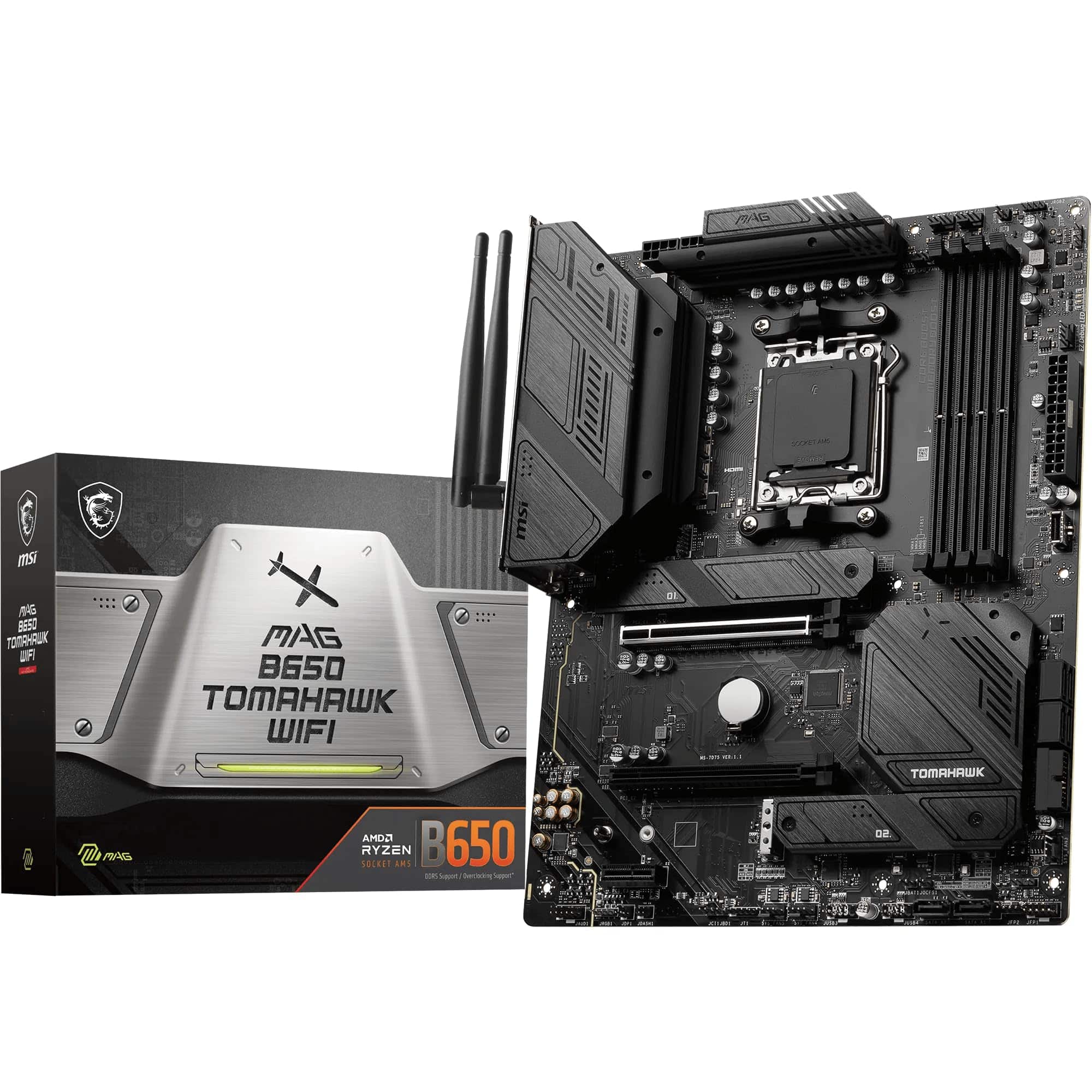
If the B450M-PLUS II doesn't quite fit your build, there are a few directions worth considering. For builders who want to stay on AM4 but need better power delivery for a Ryzen 9 chip, looking at B550 boards with heavier VRM setups is the sensible move. The MSI MAG B550M MORTAR is a popular mATX alternative with stronger power delivery, or if you're happy to go full ATX, the ASUS ROG STRIX B550-F is a step up in every meaningful dimension.
If budget is the primary constraint and you're running a Ryzen 5 3600 or similar lower-TDP chip, the cheaper B450 options from MSI and Gigabyte will do the job for less money. You lose the VRM heatsink coverage and the Gen 2 USB, but for a 65W CPU running at stock speeds, those compromises are liveable. The MSI B450M PRO-VDH MAX is the budget reference point here.
And if you're starting completely fresh with no existing AM4 components, it genuinely is worth asking whether AM4 is the right platform at all. AMD's AM5 platform with B650 boards has come down in price significantly, and it offers a longer upgrade path to future Ryzen generations. The entry cost is higher than B450, but you're buying into a platform with years of life ahead of it rather than one that's winding down. Do the maths on your total build cost before committing.

About This Review
This review is produced by the team at Vividrepairs.co.uk. We research motherboards thoroughly using verified spec data, manufacturer documentation, owner review patterns, and platform-level knowledge. We don't claim to have personally bench-tested every board we cover, but we do know what matters in real-world builds and we call it straight. Our focus is always on whether a product will actually serve you well over time, not on regurgitating spec sheets or press releases.
Affiliate disclosure: This article contains affiliate links. If you purchase through our links, we may earn a small commission at no extra cost to you. This does not influence our editorial opinions. We only recommend products we'd genuinely point a mate towards.
What works. What doesn’t.
6 + 5What we liked6 reasons
- VRM and PCH heatsinks included, providing proper thermal management for an mATX board at this price point
- USB 3.2 Gen 2 Type-A on the rear I/O delivers 10Gbps bandwidth, ahead of most boards in this bracket
- ASUS UEFI BIOS is among the better implementations in this category, with a clear EZ Mode and a capable Advanced Mode
- Xpert 2+ fan control accessible from BIOS level, ensuring cooling profiles are active before the OS loads
- Four DDR4 DIMM slots supporting up to 128GB, with memory overclocking and XMP profile support
- Proven reliability across 445 owner reviews averaging 4.5 out of 5 stars
Where it falls5 reasons
- B450 is a closed platform with no upgrade path to Ryzen 7000 or later AM4 successors
- Ryzen 5000 support requires a BIOS update that may prevent first boot if the board ships with older firmware
- Not well suited to 105W or higher Ryzen 9 chips under sustained all-core workloads
- PCIe Gen 3 ceiling means fast Gen 4 or Gen 5 NVMe drives cannot reach their rated sequential speeds
- WiFi is not confirmed in the verified spec data and must be checked before purchasing if wireless connectivity is needed
Full specifications
11 attributes| Socket | AM4 |
|---|---|
| Chipset | B450 |
| Form factor | Micro-ATX |
| Bios flashback | true |
| M2 slots | 1 |
| MAX RAM GB | 128 |
| Network | 1GbE |
| Pcie 5 slots | 0 |
| RAM slots | 4 |
| RAM type | DDR4 |
| Usb4 | false |
If this isn’t right for you
2 options
Frequently asked
7 questions01Does the ASUS TUF GAMING B450M-PLUS II support Ryzen 5000 series CPUs?+
Yes, but Ryzen 5000 support requires a BIOS update. If the board ships with an older firmware version, it will not POST with a Ryzen 5000 CPU until updated. You may need an older Ryzen 1000, 2000, or 3000 series chip to perform the update first, or you can use ASUS's EZ Flash utility if you have access to a compatible CPU. Check the ASUS product page for the BIOS version your board ships with before ordering.
02Is the B450M-PLUS II compatible with Ryzen 7000 or AM5 CPUs?+
No. The board uses the AM4 socket and B450 chipset, which are not compatible with Ryzen 7000 series or any AM5 processor. AM5 requires a different socket, DDR5 memory, and a B650 or X670 chipset. If you plan to upgrade to Ryzen 7000 or beyond in the future, this board will not carry you there.
03Does this motherboard include WiFi?+
WiFi is not confirmed in the verified specification data for the B450M-PLUS II. If wireless connectivity is important to your build, check the ASUS product page or the retailer listing directly before purchasing. As an alternative, a PCIe WiFi card can be added after the fact and is not an expensive addition.
04Is the B450M-PLUS II suitable for running a Ryzen 9 5900X or 5950X?+
The board will run a Ryzen 9 5900X, and owners report it does so without drama in typical use. However, the 105W TDP of the Ryzen 9 chips pushes the VRM harder than it was designed for under sustained all-core workloads. For a Ryzen 9 build used heavily for rendering, video encoding, or other sustained full-load tasks, stepping up to a B550 or X570 board with heavier power delivery is the more appropriate choice.
05What is the maximum RAM speed supported, and can I run XMP profiles?+
The B450M-PLUS II supports DDR4 memory overclocking and XMP profiles, so you can enable faster speeds beyond the base JEDEC DDR4-2133 standard. DDR4-3600 is a commonly recommended target for Ryzen 5000 builds due to the Infinity Fabric clock relationship. Running four sticks rather than two can make it harder to hit higher rated speeds reliably, so two sticks of dual-rank RAM in the A2 and B2 slots is often the most stable configuration for high-speed operation.
06How does the B450M-PLUS II compare to B550 motherboards?+
B550 boards offer PCIe Gen 4 for the primary x16 slot and M.2 slot, which allows fast Gen 4 NVMe drives to hit their rated sequential speeds. They also generally feature stronger power delivery. For gaming, the real-world difference between PCIe Gen 3 and Gen 4 is minimal, so the B450M-PLUS II is not meaningfully disadvantaged for a gaming build. For content creation involving large file transfers, Gen 4 NVMe speeds provide a more tangible benefit. B550 also offers a marginally longer upgrade path, though both platforms are capped at Ryzen 5000 series.
07Does the rear I/O shield come pre-installed on the board?+
Yes, the rear I/O shield is pre-installed on the B450M-PLUS II, which simplifies case installation and removes the need to fit a separate shield before mounting the board. This is a quality-of-life improvement over boards that ship with a separate I/O shield.