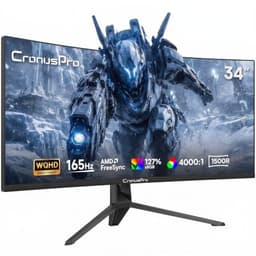
There's something genuinely exciting about 4K on a 32-inch panel. At 138 pixels per inch, text is sharp enough to make you question why you ever put up with a 1080p screen, and the extra screen real estate for spreadsheets, Lightroom catalogues, or just having two windows open side by side is properly transformative. The problem is that 4K monitors have historically cost a small fortune, which is why something like the CronusPro 32 Inch 4K UHD Monitor turning up at a budget price point is worth stopping to examine carefully. Is it a hidden gem or a spec-sheet fantasy?
The short answer: it's a reasonable office and productivity monitor with a genuinely decent IPS panel for the price, but it's not a gaming display, and the HDR badge on the box deserves serious scepticism. If you want 4K sharpness for everyday work and aren't expecting miracles from the motion handling or the contrast, there's a real argument for it. If you're buying it to game at 4K or to do colour-critical creative work, read the rest of this before you commit.
Owner feedback across over a hundred reviews averages out at ★★★★☆ (4.2), which is genuinely solid for a budget panel. The complaints that do appear are consistent and about. So let's get into the detail.
Core Specifications
The CronusPro 32 Inch 4K UHD Monitor ships with a 32-inch IPS panel running at 3840 x 2160, which is proper 4K. The manufacturer lists a 60Hz refresh rate, a 4ms response time (GtG), and a contrast ratio of 4000:1. That contrast figure is unusually high for a standard IPS panel and we'll come back to it in the panel technology section, because it needs unpacking. Brightness is listed at 300 nits, connectivity includes HDMI and DisplayPort inputs, and the stand offers basic tilt adjustment.
At the budget end of the market (under £150), this is a panel that's punching above its weight on resolution. Most monitors at this price point are still 1080p or 1440p at best, so getting genuine 4K into this bracket is notable. The trade-off, predictably, is that you're not getting a high-refresh-rate panel, adaptive sync certification, or any meaningful HDR capability. This is a 60Hz display designed for productivity, media consumption, and light creative work.
The specifications are what they are: honest for the price tier, with one or two marketing claims that need a reality check. Here's the full breakdown.
| Specification | Detail |
|---|---|
| Screen Size | 32 inches |
| Resolution | 3840 x 2160 (4K UHD) |
| Panel Type | IPS |
| Refresh Rate | 60Hz |
| Response Time | 4ms GtG (manufacturer rated) |
| Contrast Ratio | 4000:1 (manufacturer rated) |
| Brightness | 300 cd/m² |
| HDR | HDR10 support listed |
| Colour Gamut | Not independently verified; typical IPS sRGB coverage expected |
| Connectivity | HDMI, DisplayPort (see Connectivity section) |
| Stand Adjustment | Tilt |
| VESA Mount | Listed as compatible |
| Price | £159.99 |

Panel Technology
IPS is generally the right choice for a monitor you'll be staring at for eight hours a day, and that holds true here. The key advantages of IPS panel technology over the alternatives are wide viewing angles (typically 178 degrees horizontal and vertical) and consistent colour reproduction across the screen. If you share your desk with someone who looks at your screen from the side, or if you're the kind of person who tilts their monitor around to show someone something, IPS is far better than TN for that. Compared to VA panels, IPS tends to have less colour shift at angles and faster pixel transitions, though VA panels historically win on native contrast.
Which brings us to that 4000:1 contrast claim. Standard IPS panels typically measure somewhere between 800:1 and 1200:1 in independent testing. A 4000:1 figure from a budget IPS panel is, to put it diplomatically, ambitious. The most likely explanation is that this is a dynamic contrast ratio figure, meaning the backlight dims when the screen is dark. That's a different thing entirely from native contrast, and it's a measurement that essentially tells you nothing useful about how the panel performs in practice. Real-world IPS blacks are not deep. They're a dark grey in a properly dark room, and IPS glow (that milky brightening in the corners of a dark screen) is a known characteristic of the panel type. Owners don't widely report catastrophic black levels, but nobody's calling this a contrast champion either.
What owners do consistently praise is the colour quality and the viewing angles. Multiple reviewers note that the image looks good from the sides without the colour washing out, which is exactly what you'd expect from a decent IPS panel. The panel itself appears to be a reasonable-quality unit for the price. There's no suggestion from owner feedback of widespread panel lottery issues (dead pixels, severe backlight bleed) though a small number of reviews mention minor backlight uniformity variations at the edges, again entirely typical for IPS at this price. If you get a unit with obvious bleed, Amazon's 30-day returns policy is your friend.
Display Quality
The 4K resolution on a 32-inch panel delivers a pixel density of approximately 138 PPI. To put that in context, a 1080p 32-inch monitor sits at around 69 PPI, which at normal desk viewing distances starts to look noticeably soft. At 138 PPI, individual pixels become genuinely difficult to resolve without pressing your nose to the screen. Text rendering is crisp, UI elements look polished, and images have that extra dimension of detail that, once you've seen it, makes going back feel like watching TV through a net curtain.
The panel uses a matte anti-glare coating, which is the sensible choice for a monitor that's likely to end up in a home office or a room with windows. Glossy panels look stunning in a dark showroom and become infuriating mirrors in any real-world environment with ambient light. The matte coating does add a very slight diffusion to the image, which some people find reduces perceived sharpness marginally compared to a glossy alternative, but for most use cases it's the right trade-off. Owner reviews don't flag the coating as a problem.
At 300 nits peak brightness, this is adequate for indoor use in a normally lit room but won't cope brilliantly with a window directly behind the user. Calibration out of the box appears reasonable based on owner feedback, with several reviewers noting that colours look natural without needing to fiddle with settings. That said, there's no factory calibration report included and no published Delta-E data from independent measurement labs for this specific panel. Typical budget IPS panels ship with a Delta-E somewhere in the 2 to 4 range before calibration, which is acceptable for general use but not for colour-critical professional work.
Refresh Rate and Adaptive Sync
This is a 60Hz monitor. Full stop. If you're a gamer who's used a 144Hz or higher panel, going back to 60Hz feels like watching the world through slightly sticky treacle. The difference between 60Hz and 144Hz is genuinely visible in fast-moving games and in general desktop use once you've experienced it. So if gaming is even a secondary use case for you, this is the first thing to think about before buying.
There's no mention of adaptive sync certification in the product listing. No FreeSync Premium, no G-Sync Compatible badge. At 60Hz with no VRR support, screen tearing becomes a real issue in games unless you cap your frame rate at 60 or enable V-Sync, which introduces input lag. For productivity and media consumption this is a complete non-issue. For gaming it's a limitation about.
The 60Hz ceiling also means this monitor won't benefit from any of the modern GPU features designed for high-refresh-rate play. AMD's FreeSync and NVIDIA's G-Sync Compatible certification both require a VRR range to function, and without that, you're back to the old-fashioned choice between tearing and V-Sync lag. For someone using this as a work monitor who occasionally plays slower-paced games (strategy, RPGs, walking simulators), 60Hz is fine. For anyone who plays competitive shooters or fast action games, it's a deal-breaker and you should be looking elsewhere.
Response Time and Motion
The manufacturer quotes 4ms GtG (grey-to-grey) response time. That's a reasonably honest figure for a budget IPS panel, and notably, that IPS panels have improved considerably over the years in this regard. Budget IPS panels from five years ago were often sitting at 8ms or worse in real-world pixel transition tests. A 4ms GtG on a modern budget IPS is plausible, though without independent measurement data for this specific panel, treat it as a target rather than a guarantee.
What matters more in practice is how the overdrive implementation handles fast transitions. Aggressive overdrive reduces ghosting but introduces inverse ghosting (a bright halo that trails moving objects, sometimes called coronas or overshoot). More conservative overdrive eliminates overshoot but leaves more conventional ghosting. From owner feedback, nobody's flagging severe ghosting as a problem, which suggests the overdrive tuning is at least competent. But nobody's raving about the motion clarity either, which is exactly what you'd expect from a 60Hz IPS panel without any special motion blur reduction technology.
For the target use case here (office work, browsing, video, light gaming), 4ms GtG at 60Hz is perfectly adequate. Scrolling through documents is smooth, video playback looks natural, and casual gaming is fine. The moment you put a fast-paced competitive shooter on this panel, the 60Hz ceiling becomes the binding constraint long before the response time does. So the response time is honest and appropriate for the display's refresh rate. It's just not a gaming panel, and the motion performance reflects that clearly.
Color Accuracy and Gamut
CronusPro doesn't publish detailed colour coverage figures for this monitor, which is fairly typical for budget-tier panels. Based on the panel type and price bracket, a reasonable expectation is coverage somewhere in the 95 to 100 percent sRGB range, which is what most decent IPS panels at this level deliver. The sRGB colour space is the standard for web content, most video streaming, and general office work, so hitting close to 100 percent coverage is genuinely useful for everyday use.
DCI-P3 coverage, the wider colour space used in cinema and increasingly in professional creative work, is unlikely to be impressive on a panel at this price. Wide-gamut IPS panels that cover 90 percent or more of DCI-P3 typically cost significantly more. If colour-accurate creative work is your primary use case, particularly photo editing for print or video grading, you'd want a panel with published DCI-P3 figures and ideally a factory calibration report. This monitor doesn't offer either. That's not a criticism specific to CronusPro; it's simply a characteristic of the budget tier.
What owner reviews do suggest is that the out-of-box colour presentation is pleasing for everyday use. Several reviewers comment that photos and videos look vibrant and natural, and nobody's complaining about a colour cast or obviously wrong hues. That's consistent with a competent sRGB IPS panel. For photo editing as a hobby (posting to Instagram, sharing on social media), it's probably fine. For professional colour grading or print production work, you need something with verified Delta-E figures and wide-gamut coverage, and that means spending more.
HDR Performance
The listing mentions HDR10 support. This is what the industry sometimes calls checkbox HDR, and it's worth being direct about what that means in practice. HDR10 is a standard that defines how HDR metadata is encoded in content. A monitor can accept HDR10 signals without being able to display them meaningfully. Meaningful HDR requires two things: high peak brightness (typically 600 nits or more for HDR600, 1000 nits for HDR1000) and local dimming to control which parts of the screen are bright and which are dark simultaneously.
This monitor is rated at 300 nits peak brightness. VESA's DisplayHDR 400 certification, the lowest rung on the official HDR ladder, requires 400 nits. At 300 nits, this panel doesn't qualify for even the most basic official HDR certification. The VESA DisplayHDR standard exists precisely to distinguish genuine HDR capability from monitors that merely accept HDR signals. Without local dimming and without the peak brightness to punch highlights above the SDR ceiling, HDR content will look very similar to SDR content, possibly slightly worse because the tone-mapping from HDR to the panel's limited range isn't always handled elegantly.
So the HDR badge is essentially decorative here. Don't buy this monitor for HDR. It accepts the signal, it won't throw an error, but you're not getting anything that resembles the HDR experience on a proper HDR600 or HDR1000 panel. For office work and SDR content, this doesn't matter at all. For HDR gaming or HDR film watching, it's a limitation you need to understand before purchasing.
Contrast and Brightness
The 300 nits brightness rating is adequate for most indoor environments. In a reasonably lit home office or living room without direct sunlight on the screen, 300 nits is enough to work comfortably. The matte coating helps by reducing reflections rather than relying on raw brightness to overpower them. Where you'll notice the limitation is in a bright room with a window nearby, or if you're using the monitor in a space with strong overhead lighting. In those conditions, 300 nits starts to feel a bit dim and contrast appears to suffer.
The claimed 4000:1 contrast ratio, as discussed in the panel section, is almost certainly a dynamic contrast figure rather than native contrast. Real IPS native contrast at this price point is typically in the 800:1 to 1200:1 range. That's not bad for office use; text on a white background looks sharp and readable, and colours have reasonable punch in normal lighting. But in a dark room, IPS blacks are noticeably grey rather than deep black, and the IPS glow in the corners is a characteristic you either accept or don't. VA panels offer much better native contrast (often 3000:1 or higher natively), which is why they're popular for media consumption in dark rooms.
For the target audience here, the brightness and contrast are appropriate. Office workers, students, and casual users in normally lit rooms will find the image perfectly comfortable. The panel isn't trying to be a cinema display or a gaming monitor with HDR punch. It's a clear, sharp, colour-accurate IPS panel for productivity, and on those terms the brightness and contrast are fit for purpose. Just don't expect deep blacks or HDR highlights, because the physics of a 300-nit IPS panel simply don't allow for them.
Ergonomics and Stand
This is where budget monitors typically show their compromises most clearly, and the CronusPro is no exception. The stand offers tilt adjustment, which is the bare minimum. There's no height adjustment, no swivel, and no pivot for portrait orientation. For a 32-inch panel, the lack of height adjustment is a real usability issue. Your monitor should sit with the top of the screen at roughly eye level, and without height adjustment you're relying on books, monitor risers, or a VESA arm to get the ergonomics right.
The good news is that VESA mount compatibility is listed, and a decent VESA arm (the 100x100mm standard fits most monitors) will give you full height, tilt, swivel, and reach adjustment. If you're planning to wall-mount or use a monitor arm anyway, the stand limitations become irrelevant. But if you're planning to use the included stand as-is, factor in that you might need a riser to get the height right. Several owners mention this in their reviews, noting that the stand height is fixed and might not suit taller users without some improvisation.
Build quality appears reasonable for the price based on owner feedback. The panel is described as feeling solid rather than flimsy, and the bezel is thin enough not to be distracting. Nobody's reporting the stand wobbling excessively or the panel creaking. For a budget monitor, that's a decent result. The overall aesthetic is clean and functional without being flashy, which suits an office environment well. Cable management isn't a strong suit (there's no routing channel in the stand), but that's a minor gripe at this price point.
Connectivity and Ports
The connectivity setup is functional rather than generous. Based on the product listing, you're getting HDMI and DisplayPort inputs, which covers the two most common connection types for modern PCs and laptops. For a single-PC setup this is fine. If you want to connect multiple devices simultaneously and switch between them, you'll need to physically swap cables or use a KVM switch, because there's no dedicated input switching button in the listing details and no USB-C input for modern laptops that rely on USB-C for video output.
The absence of USB-C is because a growing number of laptops, particularly in the thin-and-light category, have dropped full-size HDMI and DisplayPort in favour of USB-C or Thunderbolt. If your laptop only has USB-C outputs, you'll need an adapter or a dock. That's not a disaster, but it's an extra cost and an extra cable to manage. At this price tier, USB-C with power delivery is rare, so it's not a surprise, but against your specific setup before buying.
There's no built-in USB hub listed, no audio output (so no connecting speakers directly to the monitor), and no built-in speakers mentioned. Again, typical for the budget tier. If you need audio from your monitor, you'll need a separate solution. The port selection is lean but covers the basics. For a straightforward desktop PC connection via DisplayPort, or a laptop with HDMI, this is all you need. Just go in with clear eyes about what's included and what isn't.
- HDMI input (version not specified in listing)
- DisplayPort input (version not specified in listing)
- No USB-C / Thunderbolt
- No USB hub
- No built-in speakers
- No audio output jack listed
How It Compares
The budget 4K monitor market is genuinely competitive, and it's worth putting the CronusPro alongside two alternatives that buyers in this bracket regularly consider. The first is the AOC U32P2, a 32-inch 4K IPS panel that's been a popular choice in this size class and typically sits in a similar or slightly higher price bracket. The second is the LG 32UN550-W, another 32-inch 4K IPS option from a brand with strong panel heritage and better-documented colour coverage figures.
The AOC U32P2 has the advantage of a more established brand with better UK support infrastructure and published specifications from independent reviewers. AOC's 32-inch 4K panels have generally measured well for sRGB coverage and out-of-box accuracy. The LG 32UN550-W brings LG's IPS panel expertise (LG Display manufactures IPS panels for a significant portion of the industry) and better ergonomics on the stand. Both alternatives offer more confidence in terms of verified performance data, which matters if you're doing colour-sensitive work.
Where the CronusPro potentially wins is on price. If the current price point is meaningfully lower than the alternatives, and you're using this purely for office work and general productivity, the difference in verified specifications may not translate into a visible difference in daily use. The 4.4-star average across over a hundred owner reviews suggests real-world satisfaction is high. But if the price gap to an AOC or LG alternative is small, the extra spend buys you better documentation, better ergonomics, and more confidence in the panel's long-term reliability.
| Feature | CronusPro 32 4K IPS | AOC U32P2 | LG 32UN550-W |
|---|---|---|---|
| Screen Size | 32 inches | 32 inches | 32 inches |
| Resolution | 3840 x 2160 | 3840 x 2160 | 3840 x 2160 |
| Panel Type | IPS | IPS | IPS |
| Refresh Rate | 60Hz | 60Hz | 60Hz |
| Response Time (GtG) | 4ms | 4ms | 5ms |
| Peak Brightness | 300 nits | 350 nits | 350 nits |
| Contrast (stated) | 4000:1 (dynamic) | 1000:1 (native) | 1000:1 (native) |
| HDR Certification | HDR10 (uncertified) | HDR10 | HDR10 |
| Stand Adjustment | Tilt only | Tilt, swivel, height, pivot | Tilt, height |
| VESA Mount | Yes | Yes (100x100) | Yes (100x100) |
| USB-C | No | No | No |
| Price | £159.99 | Check current price | Check current price |

Final Verdict
The CronusPro 32 Inch 4K UHD Monitor is a genuinely decent productivity and office display for the budget it occupies. The 4K resolution at 32 inches is the headline and it delivers: text is sharp, the extra screen space is useful, and the IPS panel provides wide viewing angles and pleasant colour reproduction for everyday tasks. A 4.4-star average across over a hundred real owners isn't a fluke, and the consistent praise for image quality and value suggests this panel is doing its primary job well.
The limitations are real but predictable for the price tier. The 60Hz refresh rate rules out competitive gaming. The HDR10 badge is checkbox marketing rather than genuine HDR capability. The stand offers tilt only, which means a monitor arm or riser is almost certainly in your future if you care about ergonomics. The 4000:1 contrast claim is almost certainly a dynamic figure that doesn't reflect real-world IPS black levels. And the lack of published independent colour data means you're trusting the manufacturer's word on colour accuracy rather than verified measurements.
Who should buy this? Someone who wants the sharpness of 4K on a large screen for office work, web browsing, document editing, spreadsheets, or casual video watching. Students who want a big, sharp display for studying. Home workers who spend all day in productivity software and want more screen real estate. Anyone planning to use a monitor arm (which sidesteps the stand limitation entirely). At the budget price point, the resolution-to-price ratio is genuinely impressive.
Who should skip it? Gamers, full stop. If you play anything faster than a turn-based strategy game, the 60Hz ceiling and lack of adaptive sync will frustrate you quickly. Creative professionals who need verified colour accuracy for print or video production work. Anyone who wants to genuinely experience HDR content. And anyone whose laptop only has USB-C outputs, because you'll need adapters.
One honest note on value: if your use case is purely basic office work and you don't actually need 4K, a good 27-inch 1080p or 1440p IPS monitor from AOC or LG in the same budget bracket will often have better ergonomics, better-documented specs, and a more established support network. The 4K resolution is the CronusPro's strongest card; if that card doesn't matter to you, the alternatives are worth a look. But if 4K at this price point is what you came for, this delivers on that promise more than it doesn't.
Editorial score: 7 out of 10. Solid budget 4K IPS panel that does what it says on the tin for productivity use, held back by a fixed-height stand, checkbox HDR, and the 60Hz ceiling that limits its versatility.
What works. What doesn’t.
5 + 4What we liked5 reasons
- Genuine 4K resolution at a budget price point under £150
- IPS panel delivers wide viewing angles and pleasant colours for everyday use
- 138 PPI pixel density makes text noticeably sharper than 1080p alternatives
- Solid 4.4-star owner satisfaction across over a hundred reviews
- VESA mount compatibility allows use with a monitor arm
Where it falls4 reasons
- 60Hz refresh rate with no adaptive sync limits gaming usefulness significantly
- 4000:1 contrast claim is almost certainly dynamic, not native IPS contrast
- Stand offers tilt only, no height or swivel adjustment
- HDR10 badge is checkbox marketing; 300 nits peak brightness cannot deliver real HDR
Full specifications
10 attributes| Panel type | IPS |
|---|---|
| Aspect ratio | 16:9 |
| Curvature | flat |
| HDR | HDR10 |
| Launch year | 2024 |
| Ports | HDMI, DisplayPort |
| Refresh rate HZ | 60 |
| Resolution | 3840x2160 |
| Screen size IN | 32 |
| Vesa compatible | true |
If this isn’t right for you
2 options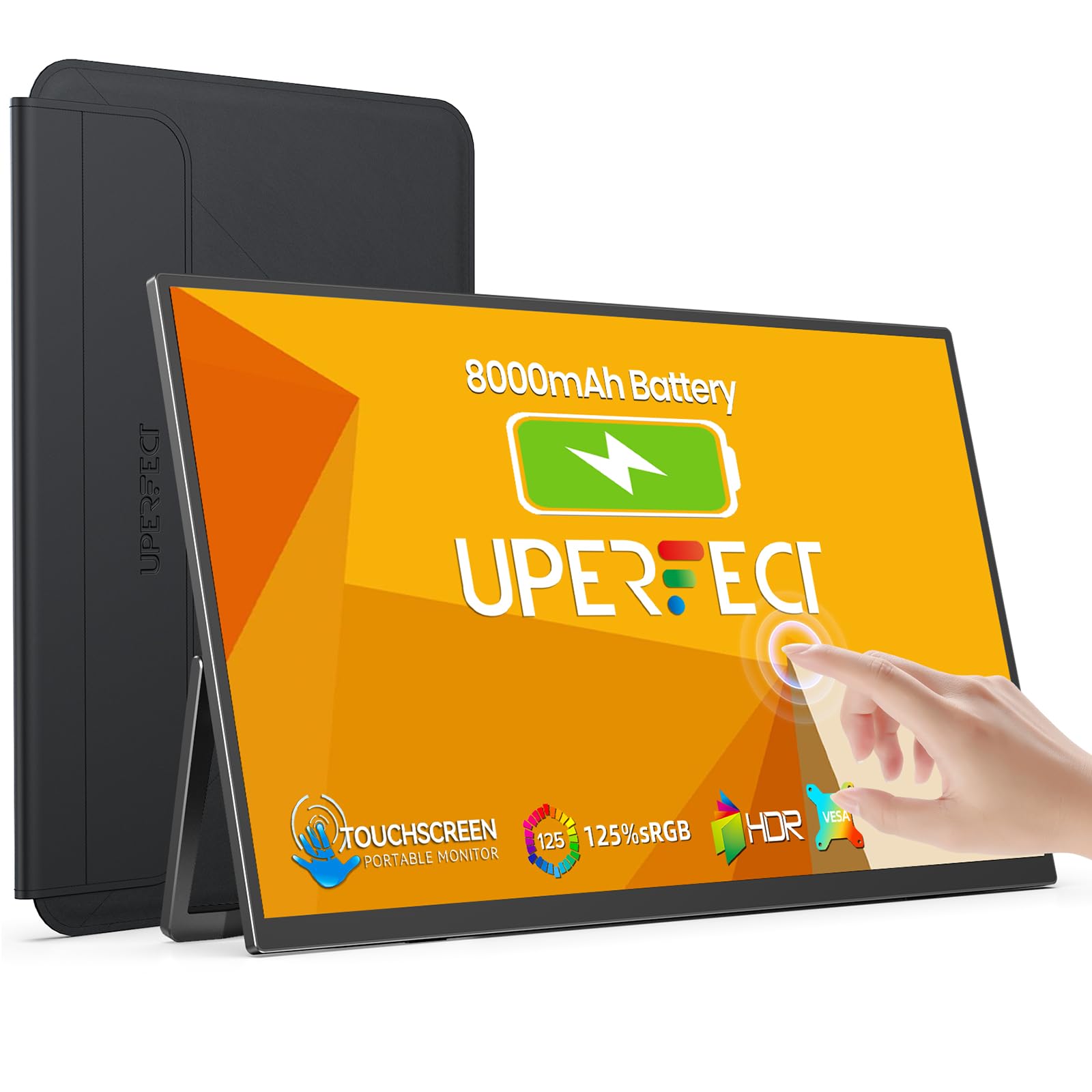 8.0 / 10
UPERFECT 15.6" Portable Monitor Touchscreen w/8000mAh Rechargeable Battery
£159.99 · UPERFECT · Details
 8.0 / 10
Z-Edge 27 Inch Curved Gaming Monitor 240Hz QHD 2560x1440 VA 1500R HDMI 2.1
£179.99 · Z Z-Edge · Details
Frequently asked
5 questions01Is the CronusPro 32 Inch 4K UHD Monitor (3840 x 2160) IPS Panel, 4000:1 Contrast good for gaming?+
Only for casual or slow-paced gaming. The 60Hz refresh rate is the hard ceiling here, and there's no adaptive sync (FreeSync or G-Sync Compatible) listed, which means screen tearing in games unless you cap frame rates or use V-Sync. The 4ms GtG response time is reasonable for an IPS panel at this price, but the 60Hz limitation will frustrate anyone used to 144Hz or higher. For competitive shooters or fast action games, look elsewhere. For turn-based strategy, RPGs, or casual play, it's adequate.
02Does the CronusPro 32 Inch 4K UHD Monitor (3840 x 2160) IPS Panel, 4000:1 Contrast have good HDR?+
No, not in any meaningful sense. The monitor accepts HDR10 signals, but with a peak brightness of only 300 nits it falls short of even VESA's lowest DisplayHDR 400 certification. There's no local dimming. In practice, HDR content will look very similar to SDR content, and in some cases the tone-mapping may actually make images look slightly worse. The HDR badge on the listing is marketing rather than capability. If HDR matters to you, you need a panel rated at HDR600 or higher with local dimming.
03Is the CronusPro 32 Inch 4K UHD Monitor (3840 x 2160) IPS Panel, 4000:1 Contrast good for content creation?+
For hobby-level content creation it's fine. The IPS panel should cover close to 100 percent sRGB, which is adequate for photos destined for web or social media. However, CronusPro doesn't publish DCI-P3 coverage figures or Delta-E accuracy data for this panel, so professional colour work (print production, video grading, commercial photography) is risky without independent verification. If colour accuracy is critical to your work, look for a monitor with published factory calibration data and verified wide-gamut coverage.
04What graphics card do I need for the CronusPro 32 Inch 4K UHD Monitor (3840 x 2160) IPS Panel, 4000:1 Contrast?+
For 4K at 60Hz, any modern mid-range GPU handles the display connection without issue. An NVIDIA RTX 3060 or AMD RX 6600 XT or newer will drive this panel comfortably for productivity and video. For 4K gaming at 60fps in demanding titles, you'd want at least an RTX 4070 or RX 7800 XT. The monitor connects via HDMI or DisplayPort; check that your GPU has the appropriate output. Most modern graphics cards support 4K at 60Hz over both HDMI 2.0 and DisplayPort 1.4.
05What warranty and returns apply to the CronusPro 32 Inch 4K UHD Monitor (3840 x 2160) IPS Panel, 4000:1 Contrast?+
Specific warranty terms for CronusPro are not confirmed in the verified product data available to us. When purchasing through Amazon, you're covered by Amazon's standard 30-day returns policy and the A-to-Z Guarantee, which provides protection if the item doesn't arrive as described. We'd recommend checking the current product listing for any manufacturer warranty details before purchasing, and keeping your order confirmation in case you need to make a claim.