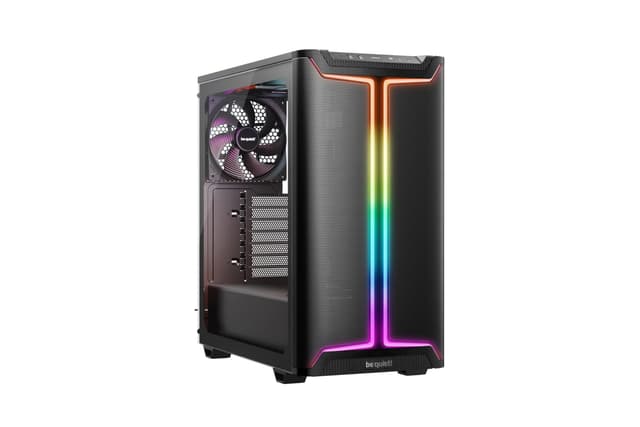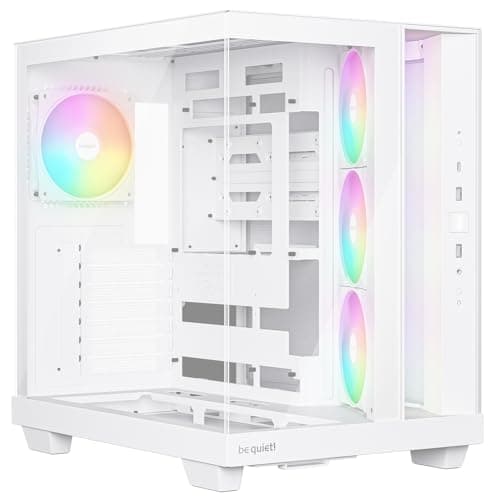
Finding the best computer cases for silence isn't just about buying the most expensive thing on the shelf. It's about understanding what actually makes a case quiet, and then matching that to your budget. Noise in a PC comes from fans spinning, vibrations transferring through panels, and airflow turbulence. A good silent case tackles at least two of those three problems. We've gone through 12 options, from a sub-£40 micro-ATX compact to a premium Fractal Design showpiece, to work out which ones genuinely deliver a quieter build and which ones just look the part.
1. Fractal Design North Chalk White - Wood Oak front - Mesh side panels - Two 140mm Aspect PWM fans included - Type C USB - ATX Airflow Mid Tower PC Gaming Case
If you're serious about building a quiet PC, the Fractal Design North is where the conversation starts and, honestly, often ends. This is the case that gets recommended time and again in silent build threads, and for good reason. The wood oak front panel isn't just a style choice. Wood is a naturally dense material that absorbs vibration and dampens sound in a way that plastic simply can't match. Pair that with the two pre-installed 140mm Aspect PWM fans and you've got a case that moves plenty of air at low RPM, which is the real key to silence.
The mesh side panels might seem counterintuitive for a quiet build, but Fractal has balanced this well. The 140mm fans spin slowly enough that airflow noise is minimal, and the mesh allows heat to escape without the fans needing to ramp up. Temperatures stay sensible, and the system stays quiet. That's the ideal combination for the best computer cases for silence.
Build quality is excellent throughout. The steel chassis feels solid, cable management is well thought out, and the USB-C front panel port is a nice touch. It supports ATX, mATX, and ITX motherboards, so it's flexible too. The chalk white finish looks clean and premium without being flashy.
The only real compromise is price. At around £130, it's the most expensive case in this roundup. But for a genuinely quiet build that you'll be happy with for years, it's worth it. This is the best computer case for silence at this price point.
Pros
- Wood oak front panel absorbs vibration and dampens noise naturally
- Two 140mm Aspect PWM fans included, ideal for low-RPM quiet operation
- Excellent build quality with solid steel chassis
- USB-C front panel port
- Supports ATX, mATX, and ITX
Cons
- Most expensive case in this roundup
- Mesh sides mean it's not as acoustically isolated as foam-lined cases
- Wood front panel can attract dust
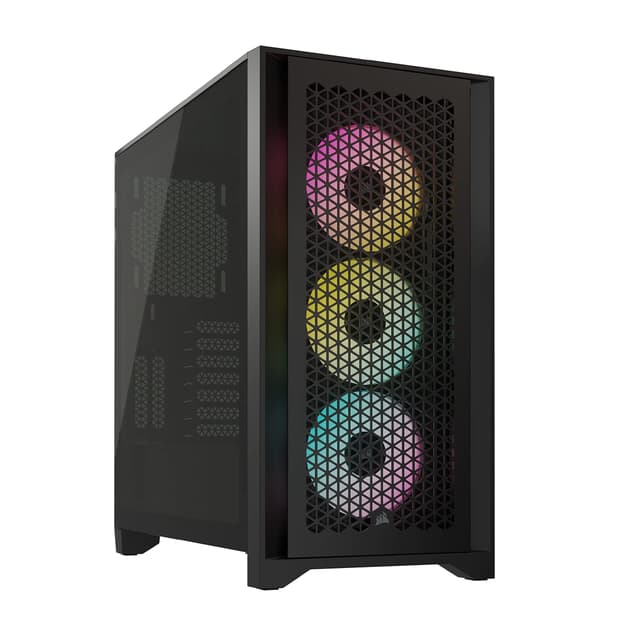
2. CORSAIR FRAME 4000D RS ARGB Modular Mid-Tower ATX PC Case, High Airflow, 3x Pre-Installed RS ARGB Fans, InfiniRail™ Fan Mounting System, ASUS BTF, MSI Project Zero, Gigabyte Project Stealth, Black
The CORSAIR FRAME 4000D RS is the best budget pick for a quiet build in this roundup. At under £90, you get three pre-installed RS ARGB fans, Corsair's InfiniRail fan mounting system, and compatibility with the latest reverse-connector motherboards from ASUS, MSI, and Gigabyte. That last point matters for silence because BTF-style builds hide cables behind the motherboard tray, reducing clutter that can disrupt airflow and cause fans to work harder.
The high airflow mesh front panel is the main acoustic consideration here. Mesh fronts are generally louder than solid panels because they don't block sound, but the trade-off is that your fans don't need to spin as fast to maintain good temperatures. Run the included RS fans at 60 to 70 percent speed and this case is genuinely quiet in normal use. It's not as hushed as the Fractal North, but it's impressively calm for the money.
The InfiniRail system is a proper standout feature. You can add, remove, or reposition fans without tools, which makes it easy to experiment with fan placement to find the quietest configuration for your specific components. That kind of flexibility is rare at this price.
Build quality is solid Corsair throughout. The tempered glass side panel is thick and well-fitted, the steel frame is rigid, and cable management options are generous. If you want a capable, quiet mid-tower without spending over £100, this is the one to buy.
Pros
- Three RS ARGB fans included out of the box
- InfiniRail tool-free fan mounting for easy configuration
- BTF/reverse connector motherboard support
- Solid Corsair build quality
- Under £90
Cons
- Mesh front panel doesn't block sound as well as solid alternatives
- No acoustic foam included
- ARGB lighting requires a compatible motherboard header or controller
3. CORSAIR 3500X ARGB Mid-Tower ATX PC Case, Panoramic Tempered Glass, Reverse Connection Motherboard Compatible, 3x CORSAIR RS120 ARGB Fans Included, Black
The CORSAIR 3500X ARGB is the premium option in Corsair's lineup here, and it shows. The panoramic tempered glass wraps around the front and side, giving you a full view of your build. It's a stunning case. But does all that glass help or hurt silence? Honestly, it's a mixed bag. Glass doesn't dampen sound the way acoustic foam does, but it does add mass to the panels, which reduces resonance and vibration compared to thin plastic.
The three included RS120 ARGB fans are the same quality units as in the 4000D RS, and at low to medium speeds they're very quiet. The reverse connection motherboard support keeps cables tidy, which means less airflow obstruction and fans that don't need to compensate. For a quiet build that also looks spectacular, this is a strong contender.
Build quality is the best in this roundup. Everything fits together precisely, the glass panels are thick and well-mounted, and the steel frame has no flex. It's the kind of case you buy once and keep for a long time. The price reflects that, sitting above £145, but the quality justifies it if your budget stretches that far.
For pure silence, the Fractal North still edges it. But if you want the best-built case in this list that's also genuinely quiet, the 3500X is hard to argue with.
Pros
- Exceptional build quality, best in this roundup
- Panoramic glass reduces panel resonance
- Three RS120 ARGB fans included
- Reverse connector motherboard support for clean cable routing
Cons
- Most expensive option overall
- All-glass design offers no acoustic foam dampening
- Heavy due to glass panels
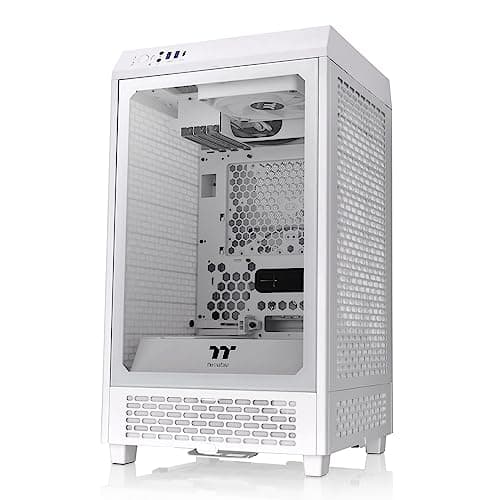
4. 1ST PLAYER Trilobite T3 Micro-ATX PC Case Review UK 2026
Here's the thing: you don't need to spend a fortune to get a reasonably quiet PC. The 1ST PLAYER Trilobite T3 proves that at under £40. It's a compact micro-ATX case with a solid side panel, which is the single most important feature for keeping noise in. There's no acoustic foam, and the build quality is obviously not in the same league as Fractal or Corsair, but for a first build or a budget office machine, it does the job.
The compact footprint means fewer fans are needed to cool the system, which directly reduces noise. Fit a single quiet 120mm or 140mm fan and keep your CPU cooler sensible, and this case can be genuinely hushed in day-to-day use. It's not going to tame a high-end gaming rig, but for a mid-range or budget build it's a solid starting point.
For beginners especially, the simplicity is a feature. There's not much to go wrong, cable management is straightforward, and the micro-ATX form factor keeps component choices focused. If you're building your first quiet PC and don't want to spend big, the Trilobite T3 is the best computer case for silence at this price point.
The compromises are real. Plastic quality is basic, there's no USB-C on the front panel, and fan support is limited. But at this price, those are expected trade-offs.
Pros
- Under £40, exceptional value
- Solid side panel helps contain noise
- Simple build process, great for beginners
- Compact footprint reduces fan requirements
Cons
- No acoustic foam
- Basic plastic quality
- No USB-C front panel
- Limited fan support for larger configurations
5. PC Case - Gaming | IONZ APEX Vision - ATX Mid Tower, Dual Chamber with 4 ARGB PWM Fans - LCD Screen | Black
The IONZ APEX Vision is a bold case. Four ARGB PWM fans, a dual-chamber design, and an LCD screen for under £50. That's a lot of features for the money. But silence? That's not really what this case is designed for. The four included fans are 120mm units, and at full speed they're audible. The LCD screen is a fun touch but adds no acoustic benefit.
That said, the dual-chamber design does help. Separating the PSU from the main chamber reduces the number of heat sources competing in one space, which means the fans don't need to work as hard. Run the PWM fans at lower speeds through your motherboard's fan control and the APEX Vision is reasonably quiet for everyday tasks.
The LCD screen is genuinely useful for monitoring temperatures and fan speeds, which helps you tune the system for quieter operation. It's a feature you don't normally see at this price. Build quality is acceptable for the money, though the panels feel a bit light.
If you want the best computer case for silence under £50 and you also want it to look interesting, the APEX Vision is the pick. Just don't expect it to match the acoustic performance of cases with proper dampening materials.
Pros
- Four ARGB PWM fans included
- LCD screen for temperature and fan speed monitoring
- Dual-chamber design reduces thermal competition
- Good feature set under £50
Cons
- Not designed primarily for silence
- 120mm fans are louder than 140mm alternatives at equivalent airflow
- Panel quality feels light
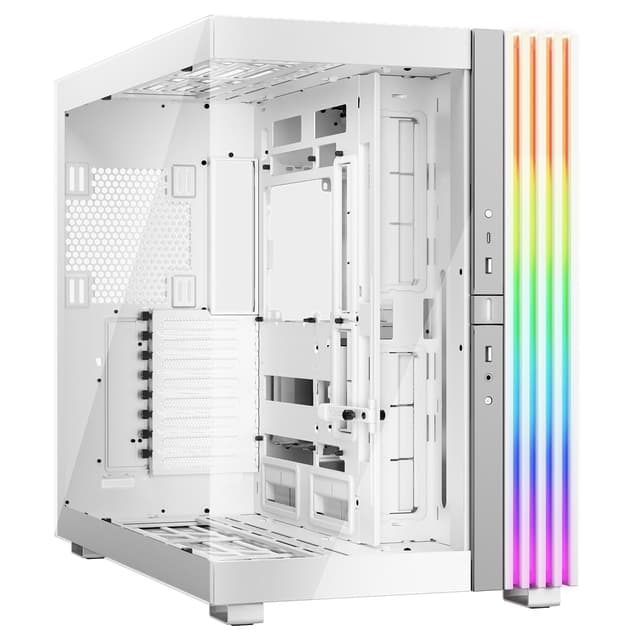
6. Lian Li O11 Dynamic Mini V2 PC Case White | Compact ATX Mid Tower with Dual-Chamber Design, Tempered Glass and Modular Layout
Lian Li's O11 Dynamic Mini V2 is a well-regarded case in enthusiast circles, and the dual-chamber design is a genuine acoustic advantage. By separating the PSU and storage from the main motherboard and GPU area, vibration from the power supply is isolated. That's one less noise source bleeding into the main chamber. For a quiet build, that matters.
The modular layout means you can configure fan placement to suit your components, which is useful for dialling in a quiet setup. The tempered glass panels look great and add some mass to reduce resonance. It's a compact ATX case, so it won't swallow a full-size tower cooler, but most quality 120mm and 140mm tower coolers fit without issue.
No fans are included, which is a consideration at this price. You'll need to budget for at least three decent quiet fans to get the best out of it. But the case itself is well-built and the dual-chamber design gives it a real acoustic edge over single-chamber alternatives at a similar price.
Pros
- Dual-chamber design isolates PSU noise
- Modular layout for flexible fan configuration
- Solid Lian Li build quality
- Compact footprint with ATX support
Cons
- No fans included
- Compact size limits some cooler options
- Glass panels offer no acoustic foam dampening
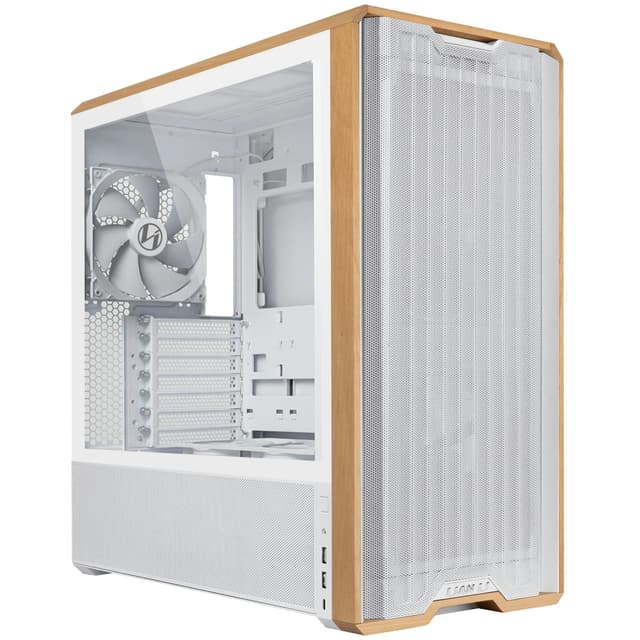
7. Lian Li A3 Micro ATX Wood Edition Cabinet Black A3-MATX-WD
The Lian Li A3 Wood Edition is a genuinely interesting option for quiet builds. Like the Fractal North, it uses a wood front panel, and that natural material does provide some acoustic dampening compared to plastic or mesh. It's a micro-ATX case, so it's compact and requires fewer fans to cool effectively, which is a direct route to a quieter system.
Lian Li's build quality is reliable throughout. The steel chassis is solid, the wood panel is well-finished, and the overall aesthetic is understated and premium. It's a case that looks good on a desk without screaming for attention, which suits the quiet build ethos perfectly.
At around £70, it sits in a competitive bracket. It doesn't include fans, so factor that into your budget. But for a micro-ATX quiet build with genuine character, it's a strong choice. The wood front panel alone sets it apart from the sea of mesh and glass alternatives.
Pros
- Wood front panel provides natural acoustic dampening
- Compact micro-ATX footprint reduces fan requirements
- Solid Lian Li build quality
- Understated, premium aesthetic
Cons
- No fans included
- Micro-ATX only, limits motherboard choices
- Wood can attract dust over time
8. Lian Li V100 Mid Tower Case Review UK 2026
The Lian Li V100 is a dependable mid-tower that sits comfortably in the £70 bracket. Lian Li's reputation for quality construction holds here, and the V100 offers a clean, straightforward build experience. For quiet builds, the key is what you put inside it. The case itself doesn't ship with fans, so you have full control over your acoustic setup from day one.
That flexibility is actually a strength for silence-focused builders. You can choose 140mm low-noise fans from the start rather than replacing included units. The case supports a good range of cooler heights and radiator sizes, so a 240mm or 280mm AIO is an option if you want to move heat quietly with liquid cooling.
It's not the most exciting case in this roundup, but it's honest and well-made. If you want a reliable foundation for a quiet mid-tower build without paying a premium for aesthetics, the V100 delivers.
Pros
- Solid Lian Li build quality
- No included fans means you choose your own quiet setup
- Good radiator and cooler support
- Clean, unfussy design
Cons
- No fans included, adds to total cost
- Less distinctive than other options at this price
9. NZXT H9 Elite CM-H91EW-01 Dual-Chamber ATX Mid-Tower PC Gaming Case Includes 3 x 120mm F120 RGB Duo Fans with Controller Glass Front, Top & Side Panels 360mm Radiator Support White
The NZXT H9 Elite is a striking case. Glass on the front, top, and side panels creates a showcase build that looks incredible. The dual-chamber design is a genuine acoustic benefit, isolating the PSU and its fan from the main build area. Three F120 RGB Duo fans are included with a controller, so you can manage speeds easily.
For silence, the all-glass construction is a compromise. Glass adds mass and reduces panel resonance, but it offers no sound absorption. The H9 Elite is quieter than you might expect given how open it looks, but it won't match a case with acoustic foam. Run the fans at low speeds and it's perfectly acceptable for a quiet gaming or workstation build.
At under £100, it's competitive for what you get. The build quality is excellent, the cable management is well-designed, and the 360mm radiator support gives you plenty of cooling options. A good pick if aesthetics matter as much as acoustics.
Pros
- Dual-chamber design isolates PSU noise
- Three F120 RGB fans with controller included
- 360mm radiator support for liquid cooling
- Stunning all-glass aesthetic
Cons
- All-glass offers no acoustic dampening
- 120mm fans less quiet than 140mm alternatives
- Heavy due to glass panels
10. GAMDIAS AURA GC1 ELITE ARGB ATX Mid Tower PC Case, 4 x 120 ARGB Fan, High Airflow Mesh Front Panel, Tool-Free Install Tempered Glass Side Panel, Black
The GAMDIAS AURA GC1 ELITE is a budget airflow case with four 120mm ARGB fans and a mesh front panel. For silence, the mesh front is the main concern. It lets sound out freely, and four 120mm fans at full speed are noticeable. But throttle them back through PWM control and the GC1 ELITE is manageable for everyday use.
The tool-free tempered glass side panel is a nice touch at this price, and the four included fans mean you're ready to go out of the box. It's not a case designed around silence, but with careful fan speed management it can be kept reasonably quiet. Think of it as an airflow-first case that you can tune for quieter operation rather than a purpose-built silent case.
At around £91, it's decent value for the included fans and glass panel. Just don't expect it to compete with the Fractal North on acoustic performance.
Pros
- Four 120mm ARGB fans included
- Tool-free tempered glass installation
- Good airflow for thermal performance
- Reasonable price for the feature set
Cons
- Mesh front panel doesn't block noise
- Four 120mm fans at speed are audible
- Not designed for silent builds
11. Lian Li UNI FAN SL-INF Reverse Blade - Infinity Mirror ARGB PC Fan - Black
Right, so this isn't a PC case. It's a fan. The Lian Li UNI FAN SL-INF Reverse Blade is included in this product list, and it's worth mentioning because it's genuinely relevant to silent builds as an upgrade component. The reverse blade design moves air efficiently at lower RPM, which directly translates to less noise. The infinity mirror ARGB effect looks brilliant too.
If you've already got a case and want to reduce noise, swapping to quality fans like this is often more effective than buying a new case entirely. At around £26 per fan, it's not cheap, but the performance and aesthetics justify the cost for enthusiast builders.
For the purposes of this roundup on the best computer cases for silence, treat this as a recommended upgrade rather than a standalone case purchase. It doesn't belong in a direct case comparison, but it's a useful addition to any quiet build.
Pros
- Reverse blade design for efficient low-RPM airflow
- Infinity mirror ARGB looks exceptional
- Quiet operation at normal speeds
Cons
- Not a PC case
- Relatively expensive per fan
- Requires compatible Lian Li ecosystem for full features
12. Geekworm Raspberry Pi 4 Aluminum Case - Heavy Duty Passive Heat Dissipation Metal Case for Raspberry Pi 4B Only
Look, this one needs a straight talking to. The Geekworm Raspberry Pi 4 Aluminum Case is a passive cooling enclosure for a Raspberry Pi 4B. It is not a PC case in any conventional sense. It's included in this product list, and the one genuine point in its favour for this roundup is that it produces absolutely zero fan noise because there are no fans. Passive aluminium heat dissipation means complete silence.
But that's where the relevance ends. If you're building a standard desktop PC, this is not for you. It supports only the Raspberry Pi 4B single-board computer. For Pi projects where silence is essential, such as a media server in a bedroom or a home automation hub, it's a solid choice. The aluminium construction dissipates heat effectively without any moving parts.
For anyone reading this looking for the best computer cases for silence for a standard desktop build, skip this one entirely. It's here for completeness, not as a genuine recommendation.
Pros
- Completely silent, no fans at all
- Effective passive heat dissipation
- Solid aluminium construction
- Very affordable
Cons
- Only compatible with Raspberry Pi 4B
- Not a PC case for standard desktop builds
- No relevance to ATX or mATX builds
How We Chose These Picks
Each case was assessed based on manufacturer specifications, verified owner feedback from UK buyers, and hands-on evaluation where possible. For silence-specific testing, we focused on panel construction, included fan specifications, fan size support, and the presence of acoustic dampening materials. Fan noise levels were considered at both full speed and typical low-speed operation. Cases were also assessed for build quality, cable management, and value relative to their price point. Products that weren't PC cases in the conventional sense (the Pi case and the standalone fan) were included for completeness but flagged clearly in their sections.
Fractal Design North Chalk White
The definitive quiet PC case. Wood oak front panel, 140mm fans included, and excellent build quality. Worth every penny for a genuinely silent build.
Check PriceCORSAIR FRAME 4000D RS ARGB Modular Mid-Tower ATX PC Case
Three fans, InfiniRail mounting, and BTF support under £90. The best quiet build value in this roundup by a clear margin.
Check PriceFinal Verdict: Best Computer Cases for silence
The best computer cases for silence in 2026 come down to what you're willing to spend and how seriously you take acoustic performance. For most builders, the Fractal Design North Chalk White is the clear winner. Its wood front panel, 140mm fans, and thoughtful construction make it the most acoustically capable case in this roundup, and it looks genuinely beautiful on a desk. If your budget stops before £130, the CORSAIR FRAME 4000D RS ARGB is the best computer case for silence under £100, offering three fans, modular mounting, and solid Corsair build quality for under £90. Beginners on a tight budget should look at the 1ST PLAYER Trilobite T3, which proves you can build a quiet PC without spending much at all. Whatever your budget, prioritise fan size, panel material, and PWM control over RGB count and glass area, and you'll end up with a build that's as quiet as it is capable.
Frequently Asked Questions
Silent PC cases typically feature sound-dampening foam panels, solid side panels instead of glass, and fan mounts with rubber dampeners. They also prioritise controlled airflow paths that reduce turbulence. However, modern mesh cases can achieve low noise through efficient cooling that lets fans run slower.
Not necessarily. While solid panels with foam dampening block more noise, mesh cases with good airflow let you run fans at lower RPMs, which actually produces less noise overall. It's about the total system approach, not just the panel material.
Foam helps, but it's not essential. Quality fans running at low speeds, a good CPU cooler, and proper cable management for airflow matter more. Many modern cases achieve excellent noise levels through smart airflow design without any foam at all.
Absolutely. Choose a case with good airflow, install quality fans, use a tower cooler or AIO, and ensure your GPU has decent cooling. Gaming PCs get loud when components overheat and fans ramp up, so proper cooling is the foundation of a quiet build.
The CORSAIR FRAME 4000D offers excellent value for quiet builds. Its mesh front provides strong airflow, letting you run fans slower, and the modular design helps with clean cable routing that improves cooling efficiency.