Working from home has changed what people need from a monitor. A screen that once lived in a corporate open-plan office now has to handle video calls, spreadsheets, document editing, and the occasional evening film, all from the same desk. Since last year, ultrawide IPS panels have dropped noticeably in price, QD-OLED technology has become more accessible, and smart monitor features have started appearing at the premium end of the market. Whether you are a freelancer who needs accurate colours, a remote office worker juggling multiple windows, or someone on a tight budget who simply wants a reliable second screen, there is more choice than ever. This comparison focuses on monitors that genuinely suit a home office environment: good ergonomics, sensible connectivity, comfortable brightness levels for all-day use, and enough screen real estate to keep productivity high. We have selected five picks from across the price spectrum to help you find the right fit.
Quick Verdict
Best Overall: LG UltraWide Monitor 34BA75QE. Its IPS panel, built-in speakers, USB-C with RJ45 networking, and generous 34-inch ultrawide canvas make it the most complete home office monitor in this round-up. Best Value: Acer SB242Y H1bi. At under £100, it delivers a clean IPS Full HD image and a slim profile that suits anyone setting up a first home office without breaking the bank.
Spec Comparison
The LG 34BA75QE is the monitor that home office workers have been waiting for at this price point. Replacing a dual-monitor setup with a single 34-inch ultrawide is one of the most effective productivity upgrades you can make, and this IPS panel does it with a connectivity suite that genuinely caters to the modern remote worker. The inclusion of USB-C, an RJ45 Ethernet port, a full USB hub, DisplayPort 1.4, HDMI, and built-in speakers means you can connect a laptop with a single cable and still have a wired network connection, which is invaluable for those on video calls all day.
The 3440x1440 UWQHD resolution across 34 inches gives you a pixel density that is comfortable for reading documents and spreadsheets without scaling, while still leaving room to snap two full-size application windows side by side. The IPS panel technology is the right choice for a home office: wide viewing angles mean colours stay consistent whether you are sitting directly in front of the screen or slightly off to one side, and IPS panels tend to handle ambient light from windows more gracefully than VA alternatives. The 60 Hz refresh rate is entirely adequate for productivity work, and the 5ms response time will not cause any issues with everyday tasks or video playback.
HDR10 support adds a degree of extra depth when watching content during a lunch break, and the built-in speakers, while not audiophile quality, are perfectly usable for calls and background music without needing a separate speaker on the desk. The 34-inch footprint does require a reasonably deep desk, and anyone working in a small flat with limited desk space may find the width a stretch. That said, the productivity gains from having this much horizontal screen real estate are difficult to overstate once you have used one.
For freelancers, writers, developers, finance professionals, or anyone who spends the majority of their working day in front of a screen, the 34BA75QE represents exceptional value. It is the monitor that does not ask you to compromise between connectivity, image quality, and screen size.
Verdict: The most well-rounded home office monitor in this round-up, combining a productive ultrawide canvas with a connectivity suite that simplifies any desk setup.
Pros
- USB-C with RJ45 Ethernet enables single-cable laptop docking with wired networking
- IPS panel delivers wide viewing angles and accurate colours for all-day productivity use
- Built-in speakers and USB hub reduce desk clutter
Cons
- 60 Hz refresh rate is adequate for work but limits gaming and fast-scrolling use
- 34-inch width requires a deep desk and may feel overwhelming in a small workspace
The Alienware AW2725DM is a 27-inch QHD monitor that brings together a Fast IPS panel, a 180 Hz refresh rate, and the Alienware build quality that has made the brand a trusted name among demanding users. For home office workers who also game regularly, or who work in roles that involve video editing, colour grading, or any visual creative work, this monitor offers a well-balanced combination of image accuracy and responsiveness.
The 2560x1440 QHD resolution at 27 inches is widely regarded as the sweet spot for productivity: sharp enough to display fine detail in design work and readable enough for long documents without requiring aggressive scaling. The Fast IPS panel technology delivers wide viewing angles and accurate colour reproduction, with the added benefit of faster pixel response times than standard IPS, which reduces ghosting on moving content. The 1ms response time specification and 180 Hz refresh rate mean this monitor handles fast-paced gaming without any visual compromises.
Connectivity includes two HDMI ports, one DisplayPort, and three USB ports, giving you enough inputs to connect a desktop PC, a laptop, and a peripheral or two without needing a separate hub. The Alienware design language is more restrained than some gaming monitors, with a relatively clean aesthetic that does not look out of place in a home office environment, though the branding and angular stand will not suit everyone's taste.
At, the AW2725DM represents reasonable value for a branded QHD Fast IPS monitor with this level of specification. It is not the cheapest option in this round-up, but it is considerably more affordable than the Samsung or the MSI QD-OLED, and it delivers a more capable image than the budget picks. For home workers who want a single monitor that handles both professional tasks and evening gaming without compromise, this is a strong contender.
Verdict: A reliable, well-specified QHD Fast IPS monitor that suits home workers who need accurate colours during the day and responsive gaming performance in the evening.
Pros
- Fast IPS panel combines wide viewing angles with accurate colour reproduction for creative work
- Three USB ports reduce the need for a separate hub on a home office desk
- 180 Hz refresh rate and 1ms response time make this a capable dual-purpose work and gaming display
Cons
- Alienware branding and angular stand design may not suit minimalist home office aesthetics
- No USB-C connectivity limits single-cable laptop docking options
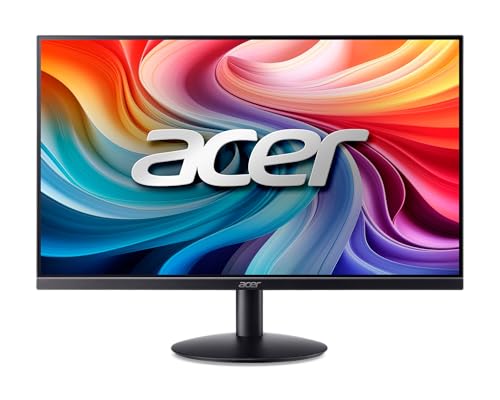
The Acer SB242Y H1bi is the budget pick in this round-up, and it is a genuinely sensible choice for anyone setting up a first home office, adding a second monitor to an existing setup, or working within a tight budget. At under £100, it delivers an IPS Full HD panel in a slim, professional-looking chassis that is entirely appropriate for a home desk environment.
The 23.8-inch Full HD IPS panel is the key selling point at this price. IPS technology at the budget end of the market is not always guaranteed, and many monitors in this price bracket use TN or VA panels with narrower viewing angles and less accurate colour reproduction. The SB242Y H1bi's IPS panel means colours remain consistent across a wide range of viewing angles, which is important for anyone who shares their screen during video calls or who works with colour-sensitive content such as presentations or marketing materials.
The slim profile and clean aesthetic make this monitor easy to fit into a small home office or a shared living space where the monitor needs to blend into the background. The stand is basic but functional, offering tilt adjustment, though there is no height adjustment or pivot capability. VESA mount compatibility means you can attach it to a monitor arm if you want more flexibility in positioning.
Connectivity is minimal: one HDMI 1.4 port and one VGA port. For most home office users connecting a single laptop or desktop, this is sufficient, but anyone needing to switch between multiple sources or connect via DisplayPort will need to look elsewhere. The absence of USB ports means you cannot use this monitor as a hub, and the HDMI 1.4 specification limits the maximum refresh rate, though for everyday productivity tasks this is not a meaningful limitation.
For students, remote workers on a budget, or anyone who needs a clean, reliable second monitor without spending a great deal, the Acer SB242Y H1bi is difficult to fault at its price point. It does exactly what it promises without unnecessary frills.
Verdict: The best budget home office monitor in this selection, delivering an IPS panel and a professional appearance at a price that is accessible to almost any budget.
Pros
- IPS panel at under £100 provides wide viewing angles and accurate colours uncommon at this price
- Slim, clean aesthetic suits home office and shared living spaces
Cons
- Only HDMI 1.4 and VGA ports, with no DisplayPort or USB-C for modern laptop connectivity
- No height adjustment on the stand limits ergonomic flexibility for longer working sessions
Buying Guide
Screen Size and Resolution
For a home office, screen size and resolution are closely linked. A 24-inch Full HD monitor is a reasonable starting point for a secondary display or a budget setup, but if you spend most of your day reading documents, working in spreadsheets, or managing multiple applications, you will quickly feel the limitations of 1920x1080 on a single screen. Stepping up to 27 inches with QHD (2560x1440) is a meaningful upgrade that provides noticeably sharper text and more room for application windows without requiring you to scale the interface.
Ultrawide monitors at 34 inches with UWQHD resolution (3440x1440) are increasingly popular for home office use because they effectively replace a dual-monitor setup with a single, seamless screen. There are no bezels splitting your view, and most operating systems handle ultrawide resolutions well with snap-to-side window management. The trade-off is that ultrawides require a deeper desk and can feel overwhelming in a small room.
Panel Technology
IPS panels are the standard recommendation for home office use. They offer wide viewing angles, accurate colour reproduction, and comfortable brightness levels for all-day work. VA panels provide deeper blacks and higher contrast ratios, which can be appealing for watching content, but they tend to exhibit colour shift when viewed from off-axis and can suffer from smearing on fast-moving content. QD-OLED delivers the best image quality of any technology currently available, with true blacks and exceptional colour volume, but carries a risk of image retention with static content such as taskbars and document borders, which is a real consideration for productivity use.
Connectivity
Connectivity is one of the most important factors for a home office monitor and one that is frequently overlooked. If you use a laptop as your primary work machine, USB-C connectivity with power delivery allows you to connect the monitor with a single cable that also charges the laptop. An RJ45 Ethernet port on the monitor, as found on the LG 34BA75QE, takes this further by providing a wired network connection through the same single cable, which is invaluable for video calls. USB hub functionality allows you to connect a keyboard, mouse, and other peripherals to the monitor rather than directly to the laptop, making it easy to disconnect and take the laptop away without unplugging multiple cables.
Ergonomics
A monitor that cannot be positioned correctly for your body will cause discomfort over a full working day. Look for stands that offer height adjustment, tilt, and ideally swivel. VESA mount compatibility is important if you plan to use a monitor arm, which provides the most flexibility in positioning and also frees up desk space. Eye-level positioning is generally recommended to reduce neck strain, and the ability to adjust the monitor's height is more important for home office use than it is for gaming.
Brightness and Flicker
For all-day use, a monitor with a maximum brightness of at least 250 nits is recommended, and flicker-free backlighting reduces eye fatigue over long sessions. Low blue light modes or hardware-level blue light filters are a useful addition for evening work, though most operating systems now include software-based equivalents.
The LG UltraWide Monitor 34BA75QE is the overall winner for home office use. Its combination of a 34-inch IPS ultrawide panel, USB-C with RJ45 Ethernet for single-cable laptop docking, built-in speakers, and a full USB hub addresses almost every practical need of a remote worker in a single package. The 60 Hz refresh rate and 5ms response time are entirely adequate for productivity, and the UWQHD resolution provides a genuinely spacious working environment that makes managing multiple applications significantly more comfortable. For those with a larger budget who also want the best possible image quality for creative work or evening entertainment, the MSI MAG 272QP QD-OLED X50 is the premium alternative. And for anyone setting up a home office on a tight budget, the Acer SB242Y H1bi delivers a clean IPS panel at a price that leaves room for the rest of the setup.