Remote working has matured from a temporary fix into a permanent fixture for millions of people across the UK, and the laptop market has responded with a wave of machines purpose-built for productivity away from the office. Whether you spend your days on video calls, juggling spreadsheets, or editing documents from a coffee shop, the demands on your hardware are specific: you need a sharp display that looks good on camera, reliable battery life that outlasts your longest meeting marathon, and enough processing power to keep browser tabs, communication apps, and cloud tools running without complaint. This year's standout shift is the arrival of Qualcomm Snapdragon X Plus-powered machines offering genuinely impressive all-day battery life, alongside Intel's Core Ultra generation bringing AI-accelerated features to Windows 11. Budget remote workers also have more choice than ever, with capable Chromebooks sitting well below the £300 mark. The picks below span every budget and working style, from a £205 Chromebook for light duties to a premium 2-in-1 convertible for those who need the full Windows experience on the road.
Quick Verdict
Best Overall: Dell XPS 13 9345 (Copilot+ AI PC), a supremely portable, well-built machine with outstanding battery life and a clean Windows 11 Pro experience, ideal for remote workers who travel frequently.
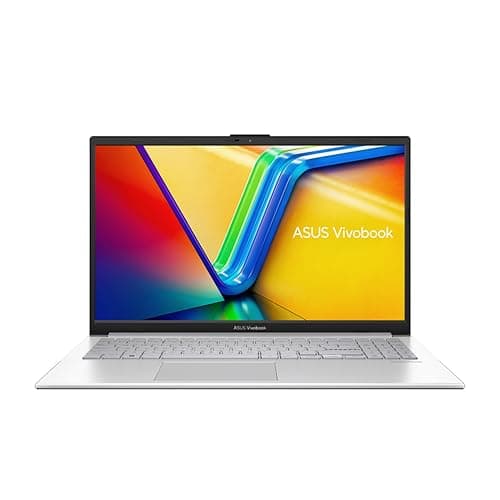
Best Value: ASUS Vivobook S 14 S3407QA, the Snapdragon X Plus platform delivers exceptional battery life and a stunning 2.8K display at a price that undercuts most rivals by a significant margin.
The Dell XPS 13 9345 is, by almost every measure, the remote worker's ideal companion. It is compact enough to slip into a slim bag, light enough that you will not notice it on a long commute, and the Snapdragon X Plus processor delivers the kind of battery endurance that makes a charger feel optional for most working days. Dell has long been associated with premium build quality, and this generation of the XPS 13 continues that tradition with a machined aluminium chassis that feels genuinely robust without adding unnecessary weight.
The 13.4-inch FHD+ display runs at 120Hz, which makes scrolling through documents and web pages noticeably smoother than the standard 60Hz panels found on many rivals at this price point. The IPS panel produces accurate colours and good brightness, making it comfortable to use in a variety of lighting conditions, from a bright home office to a dimly lit hotel room. The Snapdragon X Plus chip is a Copilot+ certified processor, meaning it supports Microsoft's AI-accelerated features in Windows 11 Pro, including live captions, Cocreator in Paint, and the suite of productivity tools that Microsoft continues to expand.
Storage is a 512GB PCIe 4 NVMe SSD, which is fast and sufficient for most remote workers who rely on cloud storage for their primary data. RAM sits at 16GB, which is the sweet spot for running a browser with many tabs open alongside communication tools such as Teams or Slack, a PDF viewer, and a spreadsheet application simultaneously. The integrated Qualcomm Adreno GPU handles everyday tasks and even light video editing without complaint, though it is not suited to GPU-intensive creative work.
The port selection is lean, as is typical for a machine this slim, but the essentials are covered. Windows 11 Pro is a meaningful inclusion over Home, giving remote workers access to BitLocker encryption, Remote Desktop hosting, and domain join capabilities that are relevant in managed corporate environments. The XPS 13 9345 is priced at a premium, but it justifies that cost with a combination of portability, performance, and longevity that few rivals can match.
Verdict: The best all-round laptop for remote workers who prioritise portability, battery life, and a premium build. The Snapdragon X Plus platform is genuinely transformative for battery endurance, and Windows 11 Pro adds real value for professional users.
Pros
- Exceptional battery life from the Snapdragon X Plus platform, comfortably lasting a full working day
- Compact, lightweight aluminium chassis that is easy to carry between locations
- Windows 11 Pro included, with BitLocker encryption and Remote Desktop support
- 120Hz IPS display makes everyday use noticeably smoother than 60Hz rivals
Cons
- Premium price point places it out of reach for budget-conscious remote workers
- 512GB storage may feel limiting for those who work heavily with large local files
The ASUS Vivobook S 14 S3407QA makes a compelling case for being the smartest purchase a remote worker can make in 2025. It pairs the Qualcomm Snapdragon X Plus processor with a genuinely impressive 2.8K (2560x1600) IPS display, 16GB of RAM, and a full 1TB of PCIe Gen4 SSD storage, all at a price that sits well below many less-capable alternatives. For remote workers who want a machine that handles everything from video calls and document editing to light creative work, this is a remarkably well-rounded package.
The 14-inch 2.8K screen is one of the highlights. At 2560x1600 resolution, text is crisp and sharp, which matters enormously when you are reading through lengthy documents or reviewing design assets on screen. Colours are well-reproduced for an IPS panel, and the slightly taller 16:10 aspect ratio gives you more vertical screen real estate than a standard 16:9 display, reducing the need to scroll constantly through documents and web pages. This is a detail that sounds minor but makes a meaningful difference over the course of a working day.
The Snapdragon X Plus chip is a Copilot+ certified processor, and ASUS has done a good job of optimising the Vivobook S 14 for the platform. Battery life is one of the strongest arguments for choosing this machine: real-world endurance figures for Snapdragon X Plus laptops consistently outperform Intel and AMD equivalents at the same price point, and the Vivobook S 14 is no exception. Remote workers who spend time in locations without easy access to a power socket will appreciate this significantly.
Port provision is generous for a 14-inch laptop: two USB 4 Type-C ports, two USB 3.2 Type-A ports, HDMI 2.1, and a 3.5mm audio jack cover the vast majority of remote working scenarios without requiring a hub. The 1TB SSD is a practical advantage over rivals that ship with 512GB at the same price, giving you room to store project files, offline backups, and software without immediately running out of space. Windows 11 Home is the operating system, which is adequate for most remote workers, though those needing BitLocker or Remote Desktop hosting will need to upgrade to Pro.
Verdict: Outstanding value for money. The combination of a 2.8K display, 1TB SSD, Snapdragon X Plus battery life, and generous port selection at this price is difficult to beat. The best value laptop for remote workers in 2025.
Pros
- 2.8K 2560x1600 IPS display with 16:10 aspect ratio is excellent for document-heavy work
- 1TB PCIe Gen4 SSD offers double the storage of most rivals at this price
- Snapdragon X Plus delivers class-leading battery endurance for all-day remote working
- Generous port selection including two USB 4-C and two USB-A eliminates the need for a hub
Cons
- Windows 11 Home lacks BitLocker encryption and Remote Desktop hosting found in Pro
- Qualcomm Snapdragon platform has limited compatibility with some legacy x86 software
The Samsung Galaxy Book4 Pro 360 occupies a distinct niche in the remote working laptop market: it is a premium 2-in-1 convertible that combines a spectacular Dynamic AMOLED 2X display with the flexibility of a touchscreen and stylus-compatible design. For remote workers who regularly present to clients, annotate documents, or simply want the option to use their laptop in tablet mode during a commute, it offers capabilities that no standard clamshell laptop can match.
The 16-inch Dynamic AMOLED 2X panel running at 2880x1800 resolution is genuinely stunning. AMOLED technology delivers perfect blacks, vibrant colours, and exceptional contrast that makes everything from video calls to creative work look dramatically better than on a comparable IPS display. If you regularly share your screen during presentations or use your laptop for video content creation, the display quality here is a meaningful professional advantage. The 16:10 aspect ratio also adds useful vertical space for productivity tasks.
Under the hood, the Intel Core Ultra 7 155H processor handles multitasking with ease. Running Teams, a browser with multiple tabs, Excel, and a PDF editor simultaneously produces no perceptible slowdown. Intel Arc Graphics handles the GPU duties, which is sufficient for light video editing and graphic design work but not suited to GPU-intensive rendering. RAM is 16GB, which is adequate for the target audience, and the 512GB SSD is fast if not especially generous in capacity.
Port selection is strong for a slim 2-in-1: two Thunderbolt 4 ports, one HDMI, one USB-A, microSD, and a 3.5mm jack provide genuine versatility. Thunderbolt 4 supports external displays, fast data transfer, and charging, which is particularly useful for remote workers who dock at different locations. The 360-degree hinge is well-engineered and holds its position firmly in every mode. The S Pen stylus adds annotation and note-taking capability that is genuinely useful in meetings.
The price is the main barrier. At over £1,600, it is a significant investment, and remote workers who do not specifically need the 2-in-1 form factor or AMOLED display will find better value elsewhere. For those who do, however, it is an exceptional machine.
Verdict: The finest 2-in-1 convertible for remote workers who need a premium display and stylus support. The Dynamic AMOLED 2X screen alone justifies serious consideration, but the price demands a clear use case.
Pros
- 16-inch Dynamic AMOLED 2X display at 2880x1800 is among the best screens on any laptop
- 360-degree hinge with S Pen support adds genuine flexibility for presentations and note-taking
- Two Thunderbolt 4 ports enable fast docking, external displays, and high-speed data transfer
Cons
- Price exceeds £1,600, making it difficult to justify unless the 2-in-1 form factor is essential
- 512GB SSD is modest given the premium positioning and price of the machine
- 16GB RAM is adequate but not generous for a laptop at this price point
Buying Guide
Battery Life
Battery life is arguably the single most important specification for a remote working laptop. A machine that cannot last a full working day untethered forces you to plan your day around power sockets, which undermines the flexibility that remote working is supposed to provide. Laptops powered by Qualcomm Snapdragon X Plus processors, such as the Dell XPS 13 9345 and ASUS Vivobook S 14, consistently deliver the longest real-world battery life in the current market, often exceeding 12 hours of mixed productivity use. Intel Core Ultra machines offer good but typically shorter endurance, while gaming-oriented laptops with discrete GPUs consume power rapidly under any load. When comparing battery life claims, look for real-world figures from independent reviewers rather than manufacturer specifications, which are typically measured under ideal conditions.
Display Quality
Remote workers spend the majority of their working day looking at their screen, making display quality a high-priority consideration. Resolution matters: a 2.8K or higher resolution display renders text noticeably more crisply than a 1080p panel, reducing eye strain over long sessions. Panel technology also matters: AMOLED displays offer superior contrast and colour vibrancy compared to IPS, while IPS panels offer better colour accuracy and brightness consistency than TN alternatives. Aspect ratio is worth considering: 16:10 panels provide more vertical space than 16:9, which is beneficial for document and spreadsheet work. Brightness is important for working in varied lighting conditions, and a minimum of 300 nits is recommended for comfortable indoor use.
Processing Power and RAM
For most remote working tasks, a modern mid-range processor with 16GB of RAM is more than sufficient. The combination of a browser with many tabs, a video conferencing application, a productivity suite, and a PDF viewer represents a typical heavy remote working load, and any laptop with 16GB RAM and a current-generation processor handles this without difficulty. Power users who work with large datasets, video editing, or 3D modelling should look at higher-specification machines. Budget Chromebooks with 4GB RAM are adequate for focused, single-application use but show their limitations under heavier multitasking.
Ports and Connectivity
Consider which peripherals you regularly connect: an external monitor, a wired keyboard, a mouse, a USB drive, and a wired network connection are common remote working requirements. A laptop with two USB-C ports, at least one USB-A, and HDMI covers most scenarios without a hub. Thunderbolt 4 or Thunderbolt 5 ports add the ability to connect a single-cable docking station, which is valuable for workers who split time between a home office and other locations. If you work in locations with unreliable Wi-Fi, an RJ45 ethernet port is a meaningful practical advantage.
Operating System
Windows 11 Pro is the preferred choice for remote workers in managed corporate environments, offering BitLocker disk encryption, Remote Desktop hosting, and domain join capabilities. Windows 11 Home covers the majority of individual remote working needs at a lower cost. ChromeOS is an excellent choice for cloud-first workflows, offering inherent security, minimal maintenance, and fast boot times, but it has limited compatibility with Windows-only professional software. Consider your organisation's IT policies and software requirements before committing to a platform.
Weight and Portability
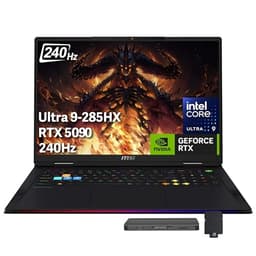
If you regularly carry your laptop between locations, weight and chassis size matter significantly. A 13 or 14-inch laptop typically weighs between 1.2kg and 1.6kg, which is comfortable in a bag for extended periods. Larger 15 and 16-inch machines offer more screen real estate but add weight and bulk. An 18-inch machine such as the MSI Raider is effectively a desktop replacement and is best suited to a fixed remote location rather than frequent travel.
For the majority of remote workers, the Dell XPS 13 9345 is the best laptop available in 2025. It combines genuine all-day battery life from the Snapdragon X Plus platform, a compact and premium aluminium build, a smooth 120Hz display, and Windows 11 Pro in a package that is easy to carry anywhere. The price is a barrier, but the combination of performance, endurance, and professional OS features justifies the investment for anyone who relies on their laptop as their primary work tool.
Those looking for the best value should look no further than the ASUS Vivobook S 14 S3407QA. Its 2.8K display, 1TB SSD, Snapdragon X Plus battery life, and generous port selection at a mid-range price make it the most compelling overall package for remote workers who want to spend wisely without compromising on the specifications that matter most. It is the pick we would recommend to the broadest range of remote workers in 2025.