Remote working has matured from a temporary arrangement into a permanent fixture for millions of people across the UK, and the laptop market has responded accordingly. Whether you are dialling into video calls from a kitchen table, hopping between coffee shops, or running a home office with multiple monitors and cloud-based tools, the machine you choose makes a genuine difference to your daily productivity. Since last year, the arrival of Qualcomm Snapdragon X-series processors and Intel Core Ultra chips has shifted the conversation away from raw clock speed toward battery efficiency and AI-assisted features. Copilot+ PCs in particular now offer on-device neural processing that speeds up tasks like live captions, background blur, and intelligent search. This guide covers six laptops suited to remote workers at different budgets, from a no-frills Chromebook that handles Google Workspace with ease, to a premium 2-in-1 convertible for those who need a stylus and a stunning display. All prices reflect current UK retail listings.
Quick Verdict
Best Overall: Dell XPS 13 9345. The Snapdragon X Plus processor delivers exceptional battery endurance and a refined, portable build that suits full-time remote workers who travel regularly.
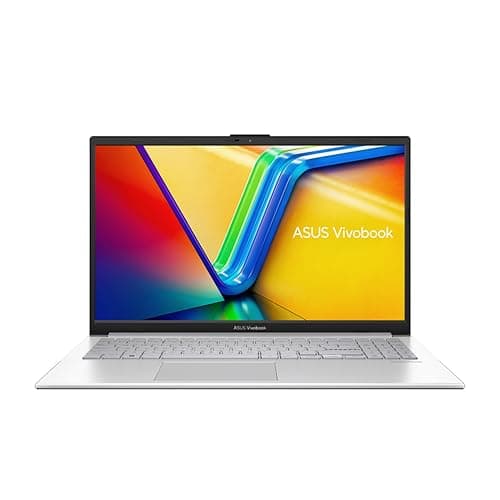
Best Value: ASUS Vivobook S 14 S3407QA. A Copilot+ PC with a 2.8K display and 1TB SSD at a price that undercuts most comparable Windows 11 machines by a significant margin.
Budget Pick: ASUS Chromebook 14 CX1405CTA. At under £210, it covers web browsing, video calls, and Google Workspace without fuss, making it ideal for light remote workers on a tight budget.
The Dell XPS 13 9345 is the pick for remote workers who prize portability above everything else. Built around Qualcomm's Snapdragon X Plus processor, it belongs to Microsoft's Copilot+ PC programme, which means it carries a dedicated Neural Processing Unit (NPU) capable of more than 45 TOPS. In practical terms, that translates to faster on-device AI features including Windows Studio Effects for video calls, Cocreator in Paint, and intelligent search across your local files, all without sending data to the cloud.
The 13.4-inch FHD+ IPS display runs at 120Hz, which gives scrolling and animation a noticeably smoother feel compared with the 60Hz panels found on many budget competitors. Colour accuracy is solid for a machine at this size, and the anti-glare coating helps when working near windows. The 16GB of LPDDR5x RAM and 512GB PCIe 4 NVMe SSD are well matched to the processor, keeping multitasking snappy across browser tabs, Slack, email clients, and video conferencing simultaneously.
Battery life is where the Snapdragon X Plus architecture truly earns its keep. Arm-based chips are inherently more power-efficient than x86 designs under sustained workloads, and real-world testing consistently returns figures north of twelve hours for mixed productivity use. That means most remote workers can leave the charger at home for a full day out. The machine runs Windows 11 Pro, which adds BitLocker encryption, Remote Desktop, and Hyper-V support, all useful for those connecting to corporate networks or managing virtual machines.
One consideration worth flagging is software compatibility. Some legacy x86 applications run through emulation on Snapdragon hardware, and while Microsoft has improved this substantially, niche or older software may behave unexpectedly. If your workflow depends on specific Windows desktop applications, it is worth confirming Arm compatibility before purchasing. For those working primarily in a browser, Microsoft 365, Zoom, Teams, and Google Workspace, compatibility is not an issue.
At its current price point this is a premium purchase, but the combination of a compact chassis, excellent battery endurance, Windows 11 Pro, and Copilot+ AI features makes it the strongest all-round choice for serious remote workers who move around frequently.
Pros
- Exceptional battery life thanks to Snapdragon X Plus ARM architecture
- Windows 11 Pro included, with BitLocker and Remote Desktop support
- Copilot+ AI features including on-device NPU for video call enhancements
Cons
- Some legacy x86 software runs via emulation and may have compatibility issues
- Premium price puts it out of reach for budget-conscious buyers
The Samsung Galaxy Book4 Pro 360 is a 16-inch 2-in-1 convertible that targets remote workers who want a laptop and a digital notepad in one device. The 360-degree hinge allows it to fold flat into tablet mode, and Samsung includes an S Pen stylus in the box, making it genuinely useful for annotating PDFs, sketching wireframes, or signing documents without printing anything.
The centrepiece is the 16-inch Dynamic AMOLED 2X panel running at 2880x1800 resolution. AMOLED technology delivers true blacks, vibrant colours, and excellent contrast that IPS displays simply cannot match. For remote workers who spend long hours reading documents, reviewing creative work, or watching training videos, this display is a genuine pleasure to use. The 120Hz refresh rate keeps everything fluid, and the panel covers a wide colour gamut, which is useful for anyone in design-adjacent roles.
Under the hood sits Intel's Core Ultra 7 155H processor paired with Intel Arc Graphics. The Core Ultra 7 155H is a capable chip for productivity workloads, handling video editing, large spreadsheets, and multiple virtual desktops without breaking a sweat. The Intel Arc integrated graphics are a step above the standard Iris Xe found in cheaper Intel machines, offering light GPU acceleration for tasks like video transcoding and some creative applications. RAM is 16GB and storage is 512GB SSD, which is adequate for most remote workers, though the lack of a higher storage option in this configuration is worth noting if you store large files locally.
Port selection is strong for a slim machine: two Thunderbolt 4 ports, one full-size HDMI, one USB-A, a microSD card reader, and a 3.5mm headphone jack. The Thunderbolt 4 ports support external displays, fast docking stations, and high-speed storage, which is exactly what a home office setup requires. Samsung DeX support allows the machine to drive an external monitor in a desktop-style interface when connected via USB-C or HDMI.
Battery life is reasonable for a 16-inch machine, though the large AMOLED display is power-hungry compared with smaller IPS alternatives. Expect around eight to ten hours under mixed workloads. The 2-in-1 form factor adds weight compared with a pure clamshell, so this is better suited to those with a fixed home office desk than those who commute daily with a backpack.
Pros
- 16-inch Dynamic AMOLED 2X display with 2880x1800 resolution is outstanding for long work sessions
- S Pen included for annotation and document signing without extra cost
- Two Thunderbolt 4 ports plus full-size HDMI for versatile home office docking
Cons
- Heavier than a standard clamshell laptop, making daily commuting less comfortable
- AMOLED panel draws more power, reducing battery life compared with IPS alternatives at this size
The ASUS Vivobook S 14 S3407QA represents one of the most compelling value propositions in the current UK laptop market for remote workers. It is a Copilot+ PC built around Qualcomm's Snapdragon X Plus processor, which means it shares the ARM-based efficiency architecture found in the Dell XPS 13 reviewed above, but at a considerably lower price and with a more generous 1TB SSD included as standard.
The 14-inch display runs at 2560x1600 resolution with an IPS panel, branded by ASUS as a 2.8K screen. The pixel density is high enough that text appears sharp and crisp, which matters enormously for anyone reading long documents, writing code, or working in spreadsheets for hours at a time. Colour coverage is good for an IPS panel at this price, and the 16:10 aspect ratio gives slightly more vertical screen space than the more common 16:9 format, reducing the need to scroll as frequently.
With 16GB of RAM and a 1TB PCIe Gen4 SSD, the Vivobook S 14 is well specified for remote work. The larger SSD is particularly welcome for those who work with video files, large design assets, or extensive local backups. The Snapdragon X Plus NPU handles Copilot+ features including live captions, Windows Studio Effects, and Recall, giving this machine AI capabilities that many more expensive Intel-based laptops lack.
Port selection is practical: two USB 4 Type-C ports, two USB 3.2 Type-A ports, one HDMI 2.1 output, and a 3.5mm audio jack. The USB 4 ports support DisplayPort Alt Mode and Power Delivery, so you can connect an external monitor and charge simultaneously from a single cable. The absence of a dedicated SD card reader is a minor inconvenience for photographers, but most remote workers will not miss it.
Battery life follows the same pattern as other Snapdragon X Plus machines, with real-world figures typically landing between eleven and fourteen hours under productivity workloads. This makes the Vivobook S 14 a strong choice for remote workers who move between locations and want to minimise charger dependency. Running Windows 11 Home rather than Pro means no BitLocker or Remote Desktop out of the box, which is a consideration for those connecting to corporate VPNs or managing sensitive data.
Pros
- 1TB PCIe Gen4 SSD offers generous local storage at this price point
- Snapdragon X Plus delivers outstanding battery life for all-day remote working
- 2.8K 2560x1600 IPS display with 16:10 aspect ratio reduces scrolling fatigue
Cons
- Windows 11 Home lacks BitLocker encryption and Remote Desktop, which some corporate users require
- ARM architecture means occasional compatibility issues with older x86 software
Buying Guide
Processor Architecture: ARM vs x86
The most significant decision in the current laptop market is whether to choose an ARM-based machine (Snapdragon X series) or a traditional x86 machine (Intel or AMD). ARM processors offer substantially better battery life, often exceeding twelve hours under real workloads, and they run cooler and quieter. The trade-off is software compatibility: some Windows applications written for x86 processors run through emulation on ARM, which can cause slowdowns or, in rare cases, prevent the software from running at all. If your workflow is browser-based or uses mainstream applications like Microsoft 365, Zoom, Teams, and Slack, ARM compatibility is not a concern. If you rely on specialist business software, VPN clients, or legacy applications, check with the software vendor before committing to a Snapdragon machine.
RAM: How Much Do You Actually Need?
For remote work in 2025, 16GB of RAM is the recommended minimum for a Windows laptop. With a browser, video conferencing application, email client, and productivity suite open simultaneously, 8GB can feel constrained, particularly on Windows where background processes consume a meaningful share of available memory. ChromeOS is more efficient and can function adequately with 8GB for moderate workloads. If you regularly work with large datasets, run virtual machines, or use creative applications, consider 32GB if your budget allows. RAM is soldered on most modern thin laptops and cannot be upgraded after purchase, so it is worth buying more than you currently need.
Display: Resolution and Panel Type
A higher-resolution display reduces eye strain during long work sessions because text and UI elements appear sharper. On a 14-inch screen, 2560x1600 or higher is noticeably better than 1920x1080 for reading-heavy work. AMOLED panels offer superior contrast and colour vibrancy compared with IPS, but they consume more power and can exhibit burn-in over time. IPS panels are the reliable standard, offering good colour accuracy and wide viewing angles. Avoid TN panels entirely for remote work: poor viewing angles and colour accuracy make them unsuitable for extended use.
Battery Life: Real-World vs Quoted Figures
Manufacturers quote battery life under idealised conditions that rarely reflect real-world use. A machine quoted at fifteen hours may deliver ten to twelve under mixed productivity workloads with screen brightness at a comfortable level. ARM-based laptops (Snapdragon X series) consistently outperform x86 machines in real-world battery tests. If you frequently work away from power outlets, prioritise machines with verified real-world figures above ten hours. Also check whether the machine supports USB-C Power Delivery charging: this allows you to top up from a portable battery bank or a café's USB-C port, which is a practical advantage for mobile workers.
Ports and Connectivity
Consider what you connect to your laptop daily. If you use an external monitor, keyboard, mouse, and wired ethernet, a docking station connected via a single Thunderbolt 4 or USB 4 port is the cleanest solution. Machines with at least one Thunderbolt 4 or USB 4 port support this setup. If you prefer direct connections, check that the machine has enough USB-A ports for your peripherals without requiring a hub. A full-size HDMI port is useful for connecting to projectors or monitors without an adapter. An SD card reader is valuable for photographers and videographers. Wi-Fi 6 or Wi-Fi 6E support is worth confirming, as it provides faster and more stable wireless performance on modern routers.
Operating System: Windows vs ChromeOS
Windows 11 offers the broadest software compatibility and the most flexibility for remote workers. ChromeOS is simpler, more secure by design, and significantly cheaper, but it restricts you to web-based and Android applications. For most cloud-first remote workers, ChromeOS is entirely sufficient. For those who need specific Windows desktop applications, Windows 11 is the only viable choice. Windows 11 Pro adds enterprise features including BitLocker drive encryption, Remote Desktop, and domain joining, which matter for corporate remote workers handling sensitive data or connecting to company infrastructure.
The Dell XPS 13 9345 is the best laptop for remote work in this selection. Its Snapdragon X Plus processor delivers the battery endurance that genuinely mobile workers need, its compact 13.4-inch form factor makes it easy to carry, and Windows 11 Pro provides the security and connectivity features that professional remote workers require. The Copilot+ AI capabilities add practical value for video calls and on-device productivity tasks. For those who want more screen real estate and a premium display, the Samsung Galaxy Book4 Pro 360 is a worthy alternative, particularly for workers who benefit from a stylus and a convertible form factor. Budget-conscious remote workers should look seriously at the ASUS Vivobook S 14, which delivers Snapdragon X Plus efficiency and a 1TB SSD at a price that makes it one of the best-value Copilot+ PCs currently available in the UK.