College students need reliable computing without breaking the bank. Whether you're tackling essays, attending virtual lectures, or managing coursework across multiple applications, finding the right laptop under £700 is essential. This year's market has shifted considerably, with budget processors offering genuine improvements in battery life and multitasking capability compared to 2023 models. Here's a ranking of the best laptops available today that balance portability, performance, and affordability for student life.
Quick Verdict
Best Overall: Acer Aspire Go 15 (AG15-71P), Intel Core i5 processing with 16GB RAM and solid battery life.
Best Value: ACEMAGIC 18.5" FHD Laptop, 16GB RAM, full-size screen, and fast SSD for heavy multitasking.
Best Compact Option: Microsoft Surface Laptop 3, 13.5-inch premium build, though with older specs.
The ACEMAGIC 18.5-inch laptop pushes the portability boundary but rewards you with a genuinely spacious display and impressive value. At this price, it undercuts many competitors while delivering 16GB RAM and a 512GB SSD, specifications that should age better throughout your college years. The Intel N150 processor, clocked up to 3.6GHz, isn't cutting-edge but handles the document editing, spreadsheet work, and streaming that defines student computing perfectly adequately.
The 18.5-inch Full HD screen is where this laptop earns its place. Students reviewing architectural designs, editing spreadsheets with complex layouts, or comparing reference materials alongside their writing benefit enormously from extra screen real estate. The larger panel reduces the need for constant window shuffling and minimises the eye strain that comes from squinting at a cramped display. At approximately 2.2kg, it's heavier than compact alternatives but still fits comfortably in a standard backpack for campus commutes.
ACEMAGIC's positioning as a budget brand means you shouldn't expect premium chassis materials or cutting-edge component selection. However, the build feels sturdy enough for student life, and the generous RAM allocation provides breathing room for running multiple applications. The approximately 8-hour battery life is respectable, getting you through most teaching days. Thermal management appears adequate for typical workloads, though sustained gaming or video rendering will push the cooling system. Windows 11 Home is included, and the Dual-Band WiFi connectivity ensures reliable network access in university accommodation.
Verdict: Outstanding value if you prioritise screen real estate and RAM over portability. The 16GB memory provides longevity as your course demands evolve.
Pros
- Spacious 18.5-inch display dramatically reduces eye strain and improves productivity
- 16GB RAM future-proofs the laptop for increasingly demanding coursework
- Dual-Band WiFi ensures stable connectivity in student accommodation with interference
- Budget price leaves money for peripherals like external monitors or docking stations
Cons
- At 2.2kg, it's heavier than traditional 15.6-inch alternatives, straining shoulders during daily commutes
- Intel N150 processor lacks headroom for any creative or computational tasks beyond web-based applications
- Build quality feels plasticky compared to established brands like Acer or ASUS
The Acer Aspire 3 with AMD Ryzen 5 5500U processor is a proven workhorse for students, offering legitimate CPU performance that exceeds Intel's N150 budget offerings. At this price, it's solidly within budget parameters and provides the kind of multitasking headroom that makes a tangible difference when you're researching whilst writing essays. The Ryzen 5 5500U features six cores and twelve threads, meaning background applications don't throttle foreground tasks as aggressively as entry-level competitors.
The 16GB RAM and 512GB SSD specifications ensure longevity across your entire university journey. The 15.6-inch Full HD IPS screen delivers accurate colours and decent viewing angles, suitable for reviewing assignment images or watching course lectures. At approximately 1.9kg, the Aspire 3 remains portable without sacrificing screen size, fitting neatly into standard student rucksacks. The keyboard provides decent travel for extended writing sessions, crucial when you're regularly producing thousands of words for coursework.
Acer's brand recognition and established support infrastructure appeal to students wanting confidence in warranty claims and repair accessibility. The integrated Radeon graphics handle everyday tasks competently, though sustained gaming or video rendering will expose limitations. Battery life of approximately 6.5 hours is respectable but slightly below newer designs, meaning you'll appreciate access to power between teaching blocks. Windows 11 comes standard, and the connectivity suite includes USB-C, HDMI, and traditional USB-A ports for flexibility with campus networks and peripherals.
Verdict: Acer's established reputation combined with genuine Ryzen 5 performance makes this an accessible upgrade from budget brands. The 16GB RAM and SSD ensure your laptop won't frustrate you as coursework becomes more demanding.
Pros
- AMD Ryzen 5 5500U provides multi-core performance that noticeably improves multitasking smoothness
- 16GB RAM and 512GB SSD future-proof the laptop through a complete university degree
- Acer's brand reputation and UK support network provide confidence for warranty claims
- IPS panel offers better viewing angles than budget TN displays
Cons
- Battery life around 6.5 hours is shorter than newer models, requiring mid-day charging access
- Approximately 1.9kg is heavier than premium ultraportables, though still portable by student standards
The Acer Aspire Go 15 with AMD Ryzen 5 5625U processor represents exceptional value, undercutting many competitors whilst delivering proven Ryzen performance. This configuration combines eight cores and sixteen threads of processing power with 16GB RAM and 512GB SSD, providing the kind of specification stability that enables you to focus on studies rather than worrying about laptop limitations. The Ryzen 5625U is specifically designed for thin-and-light laptops, delivering efficient performance without excessive heat generation or power consumption.
The 15.6-inch Full HD display maintains the portable form factor that suits student life, at approximately 1.8kg this is genuinely lightweight for daily carrying. The Aspire Go 15 succeeds at being simultaneously portable and capable, avoiding the false economy of underpowered processors that ultimately waste your time through sluggish performance. Battery life of approximately 7.5 hours is respectable, suggesting you can survive most teaching days without hunting for power outlets. The build quality feels solidly constructed, with decent keyboard travel and responsive trackpad for extended typing sessions.
Acer's positioning of the Aspire Go 15 as a mainstream student choice means the company takes support seriously, with established UK retailers and warranty infrastructure. The integrated Radeon graphics handle everyday work, streaming, and light creative applications without stuttering. Thermal management seems competent, keeping the laptop quiet during typical coursework. Windows 11 Home is pre-installed, and the port selection includes USB-C, HDMI, and traditional USB-A sockets, providing flexibility with university networks and external peripherals.
Verdict: Outstanding value combining Acer's reliability with legitimate Ryzen performance. The 1.8kg weight and 7.5-hour battery life make this practical for daily student life without compromising capability.
Pros
- AMD Ryzen 5 5625U provides noticeable performance advantage over budget N150 processors
- Approximately 1.8kg weight is genuinely lightweight for portable computing
- 7.5-hour battery life gets you through most teaching days without mid-day charging
- 16GB RAM ensures longevity as coursework demands increase through your degree
Cons
- 8GB RAM variant is available at lower cost, but the 16GB configuration is worth the premium for longevity
- Ryzen 5625U is lower-power architecture, meaning performance headroom diminishes during simultaneous heavy tasks
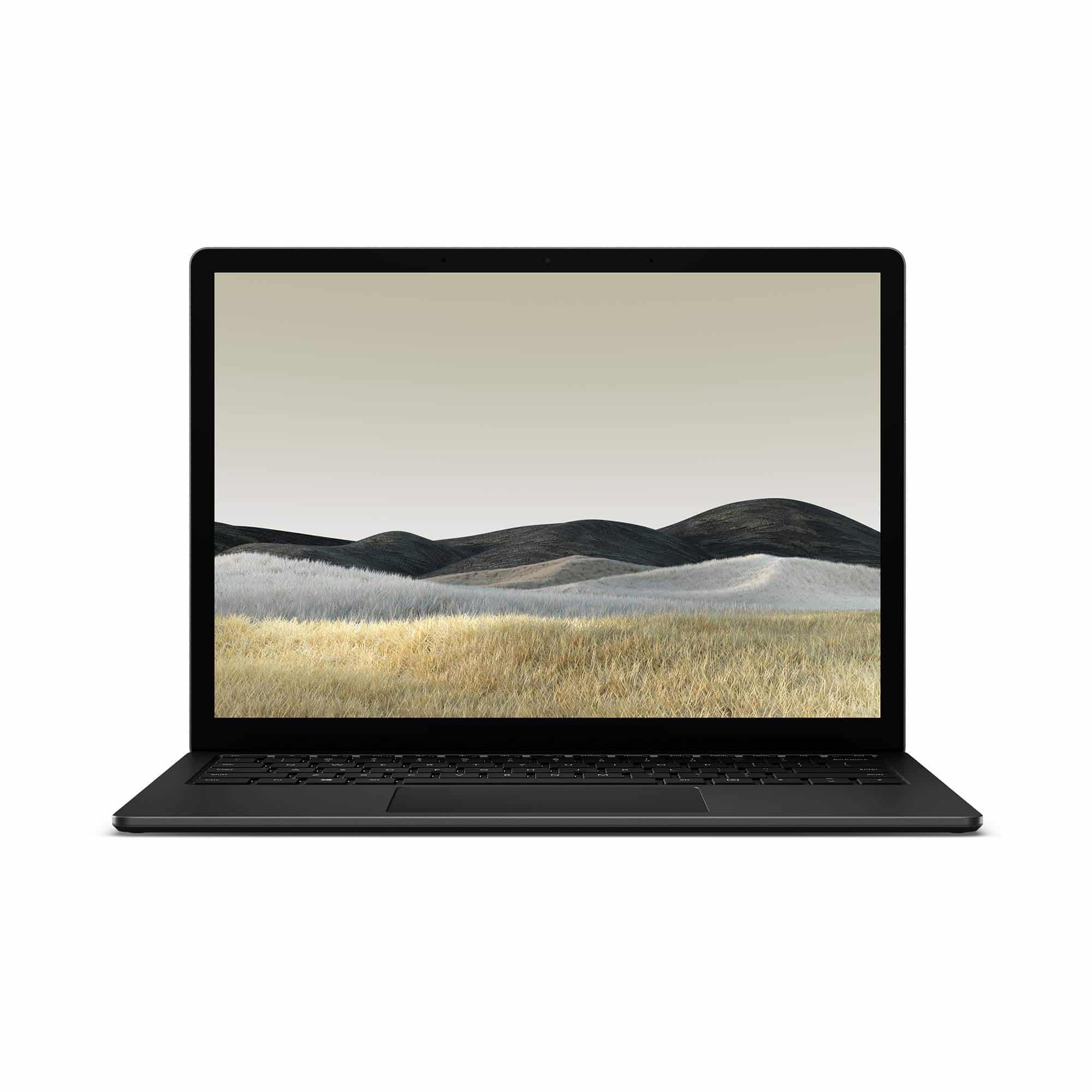
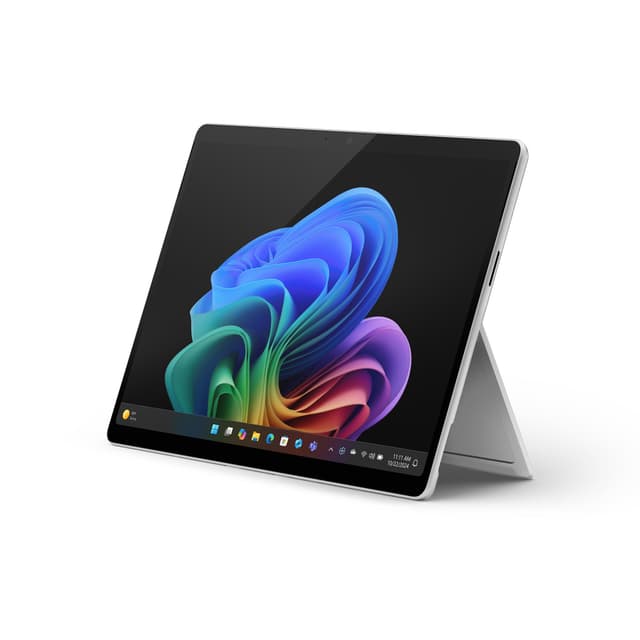
The Microsoft Surface Laptop 3 with Intel Core i5-1035G7 processor is a premium compact option, representing exceptional value for students prioritising portability and build quality over raw performance. This 13.5-inch PixelSense display is genuinely excellent, with vibrant colours and crisp text that makes extended study sessions less taxing on the eyes. At approximately 1.3kg, it's among the lightest serious laptops available, perfect for students constantly moving between lectures, libraries, and accommodation.
The 2019-era processor is showing its age compared to current-generation alternatives, but the Core i5-1035G7 still handles document editing, spreadsheet work, and web-based research completely adequately. The 8GB RAM is the limiting factor here, as modern browsers and productivity suites increasingly expect 16GB for smooth multitasking. The 256GB SSD storage is tight for students managing large research files or media coursework, though cloud storage integration helps mitigate limitations. Where the Surface Laptop 3 shines is battery life, regularly exceeding 8 hours of practical usage.
Microsoft's industrial design is exceptional, with an aluminium unibody chassis that feels premium and durable. The keyboard is among the best on ultra-portable laptops, providing genuine typing comfort for essay writing. The trackpad is larger than budget alternatives, improving navigation efficiency. Windows 10 Pro is installed, providing professional-grade features if your course requires specific software. The 13.5-inch screen is genuinely portable, fitting into small rucksacks without bulk. However, connectivity is limited, with USB-C and proprietary charging being the main ports, potentially requiring adapters for campus networks.
Verdict: For students who absolutely prioritise lightness and premium build, the Surface Laptop 3 offers exceptional value despite older specifications. The 1.3kg weight and magnificent keyboard make daily carrying effortless, though the 8GB RAM may require cloud-based workflows.
Pros
- Exceptional 1.3kg weight makes this the most portable option available, ideal for mobile students
- Magnificent keyboard and trackpad feel genuinely premium, improving productivity during essay writing
- 8+ hour battery life provides genuine all-day unplugged usage for most teaching schedules
- Outstanding build quality with aluminium chassis suggests years of reliable service
Cons
- 8GB RAM is limiting for modern workloads and creates frustration with background applications
- 256GB SSD storage is tight for students managing large files or multimedia coursework
- Limited ports and proprietary charging mean you'll likely need USB adapters and replacement chargers
- 2019-era processor is noticeably slower than current alternatives for computational work
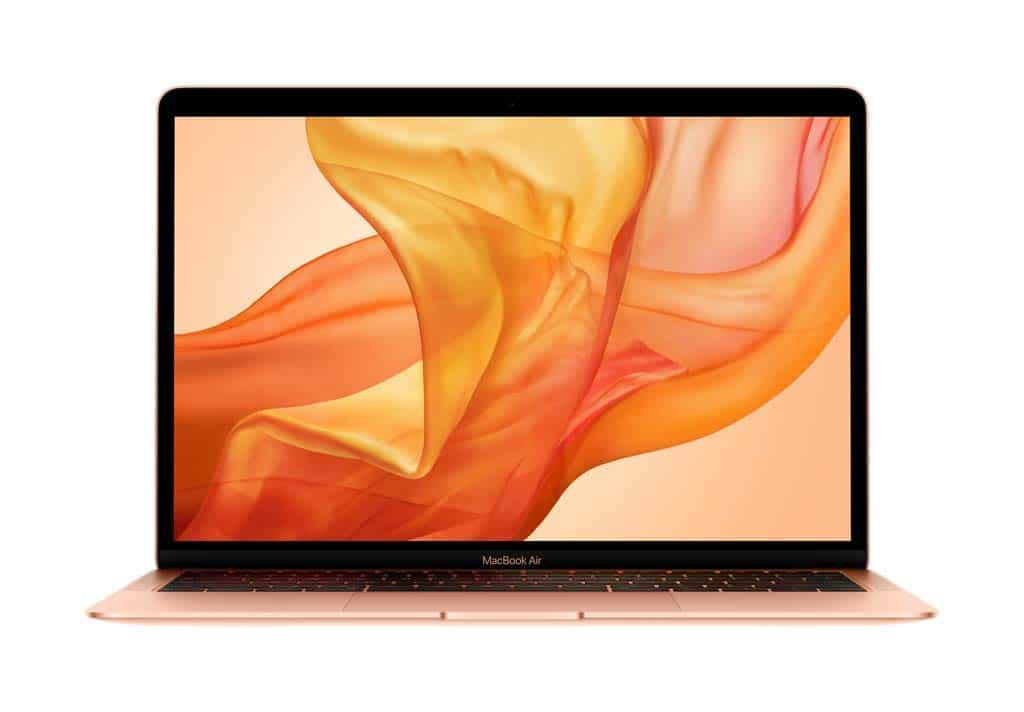
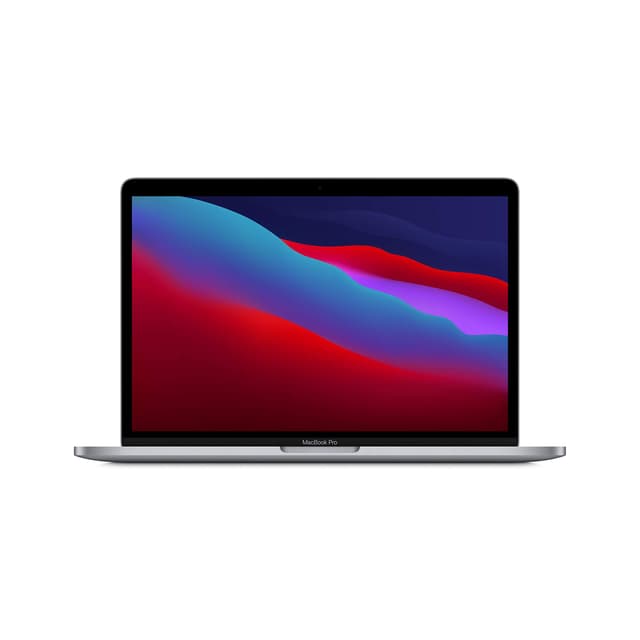
The Apple MacBook Air from 2019 represents perhaps the lowest entry point to the Apple ecosystem for students, though the specifications demand careful consideration. The 13.3-inch Retina display is exceptional, with Apple's colour calibration and brightness making it excellent for any visually-driven coursework. At approximately 1.25kg, it's marginally lighter than the Microsoft Surface Laptop 3, providing truly portable computing for students constantly on the move. The Intel Core i5 processor is older but remains perfectly capable for university work.
The critical limitation is storage: 128GB sounds adequate until you account for macOS system files, leaving around 80GB for actual work. Cloud-heavy workflows are essential unless you're ruthlessly disciplined about file management. Similarly, 8GB RAM is increasingly tight for modern productivity software running on Big Sur or later. However, the MacBook Air's build quality is legendary, with the unibody aluminium design lasting years of student life. The keyboard has that distinctive Apple feel, whilst the trackpad is genuinely superior to most laptop alternatives for gesture control and precision.
macOS is fundamentally different from Windows, demanding a learning curve if you're switching from PC. However, most universities provide decent macOS support, and the software ecosystem for academic work is comprehensive. The battery life of 12+ hours is genuinely remarkable, meaning you can genuinely work all day without power outlets. The integration with iOS devices appeals to students with iPhones or iPads. Thermal management is excellent, with fanless operation during light tasks.
Verdict: For students committed to Apple's ecosystem with minimal storage requirements and cloud-based workflows, the MacBook Air offers exceptional long-term value. The legendary build quality and battery life justify the platform commitment, though Windows-native software compatibility demands consideration.
Pros
- Exceptional 12+ hour battery life provides genuine all-day unplugged usage without compromise
- Magnificent build quality with aluminium unibody suggests 5+ years of reliable service
- Approximately 1.25kg makes this the lightest option available for truly mobile students
- Superior trackpad and keyboard quality improves daily productivity during essay writing
Cons
- 128GB storage is severely limiting unless you embrace cloud-based workflows or external drives
- 8GB RAM increasingly struggles with modern productivity applications and browser workloads
- 2019-era Intel processor lacks performance headroom for any computational coursework
- macOS platform commitment requires learning curve if transitioning from Windows-based machines
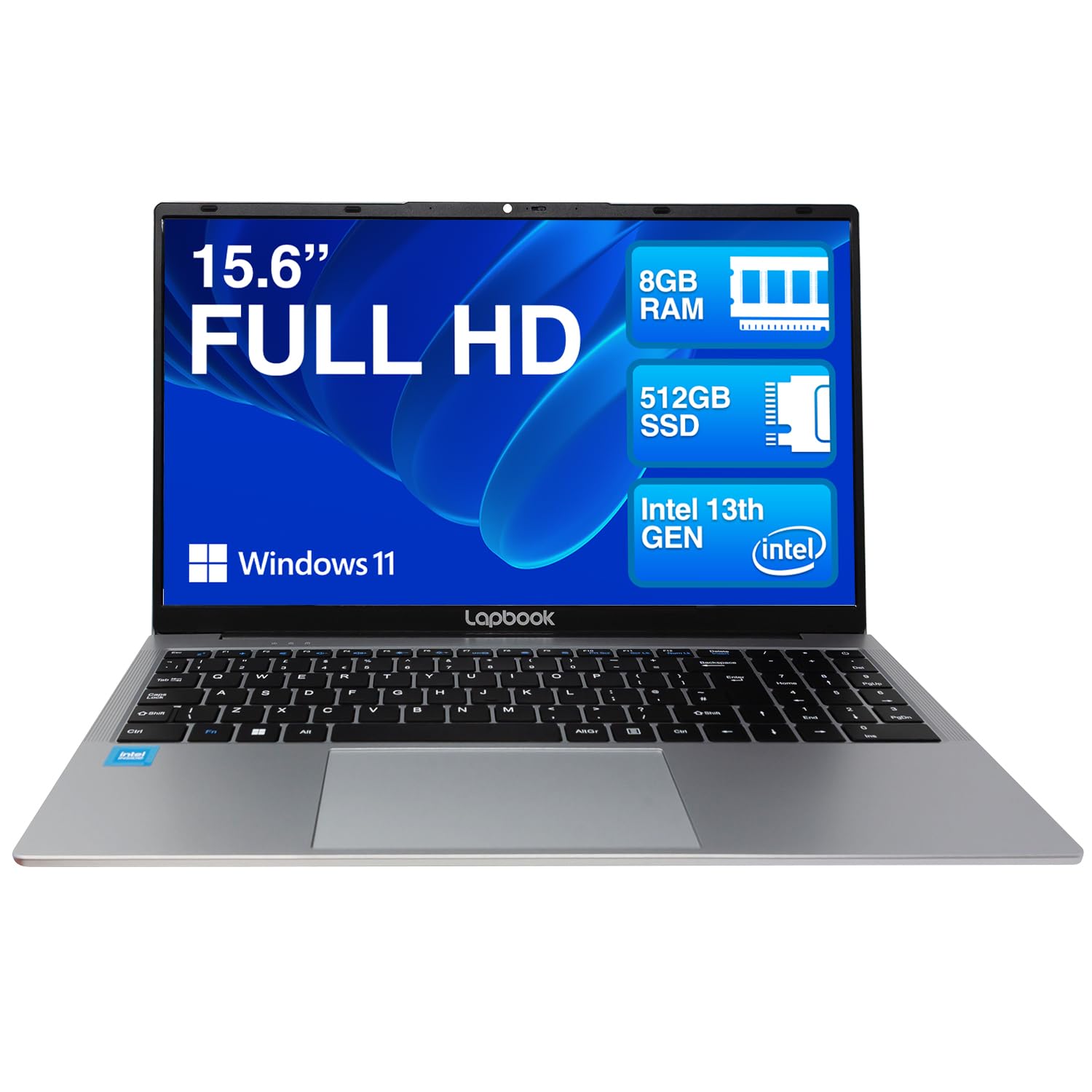
The Lapbook 15.6-inch Full HD laptop is the most aggressive budget option here, targeting students with minimal performance requirements and tight financial constraints. The configuration includes 8GB RAM and 512GB SSD, which sounds reasonable until you examine the processor: a dual-core Celeron-equivalent chip that represents genuine compromise on performance. This processor struggles visibly when running multiple browser tabs, productivity applications, and background services simultaneously, which is exactly what student computing demands.
The 15.6-inch Full HD display is adequate, providing reasonable screen real estate without excessive weight at approximately 1.8kg. The keyboard is functional though not particularly pleasant for extended typing sessions. The build quality is purely functional, avoiding premium materials in favour of budget construction. Battery life around 6 hours is respectable though not exceptional, meaning you'll likely need mid-day charging for full teaching days. Windows 11 Home is pre-installed with Dual-Band WiFi for campus connectivity.
The Lapbook might appeal to students with extremely tight budgets who primarily need web browsing and light office work, though the performance limitations are genuinely frustrating in practice. The weak processor creates constant waiting, turning simple tasks like document opening into noticeable delays. For anyone who can stretch budget or find alternative funding, the ACEMAGIC or Acer alternatives at £100-200 more represent vastly better value through improved processor performance.
Verdict: Only consider the Lapbook if your absolute ceiling is under £300 and you genuinely don't multitask. The processor limitations will frustrate you throughout your degree, making the modest savings questionable value.
Pros
- At this price, the lowest price point accessible for genuine laptops under your budget
- 512GB SSD provides adequate storage for typical coursework and media files
- 15.6-inch screen offers reasonable real estate without excessive bulk at 1.8kg
Cons
- Dual-core Celeron processor creates constant lag when multitasking, severely frustrating during coursework
- 8GB RAM is minimum acceptable and creates severe constraints with multiple browser tabs
- Build quality is plasticky and feels fragile compared to established brands
- 6-hour battery life requires mid-day charging, limiting unplugged productivity
Buying Guide
Processor Selection: Modern students encounter a confusing landscape of processor tiers. Intel Core i5 chips (especially 13th generation and newer) offer legitimate performance advantages over budget N150 alternatives, handling multitasking without visible lag. AMD Ryzen 5 processors provide similar capability and historically better thermal efficiency. Intel's N150 and similar budget chips are acceptable for pure web browsing and office work but create frustration when managing multiple applications simultaneously. Avoid Celeron and Pentium processors unless your budget absolutely requires it, as the performance limitations genuinely impact productivity.
RAM and Storage Considerations: 8GB RAM is the bare minimum for modern laptop computing, though 16GB is increasingly the sensible standard, especially if you're keeping the laptop throughout a multi-year degree. Your coursework demands will likely increase as you progress, making the modest premium for 16GB excellent value. Storage of 512GB SSD is adequate for most students, though those handling large media files, video editing, or substantial research databases should consider external storage options. SSDs are essential, any laptop with mechanical hard drives should be rejected regardless of price.
Screen Size and Portability: The tension between screen size and weight is fundamental. 13-inch laptops are genuinely portable but create eye strain during extended study sessions. 15.6-inch represents the practical compromise, offering reasonable screen real estate whilst remaining portable. 17+ inch screens provide genuine productivity benefits for complex coursework but approach the weight threshold of acceptability for daily carrying. Consider your lifestyle: if you're stationary at a desk frequently, larger screens justify their weight. If you're constantly moving between library, lecture halls, and accommodation, portability becomes paramount.
Battery Life: Manufacturer claims are optimistic; expect 80% of quoted figures under realistic usage. 8+ hours of quoted life suggests 6.5 hours practically, which covers most teaching days. 7-hour quotes translate to approximately 5.5 hours practically, requiring mid-day charging access. Newer processors tend to offer better efficiency than older alternatives. If your university provides limited power outlet access in libraries or lecture halls, prioritise longer battery life as genuine value. Premium ultraportables from Apple and Microsoft genuinely deliver exceptional battery performance, though budget alternatives often disappoint.
Build Quality and Support: Established brands like Acer, Microsoft, and Apple provide reliable warranty support and accessible repair infrastructure across UK universities. Budget brands like ACEMAGIC and Lapbook offer value but potentially limited support if failures occur. Consider whether saving £150-200 justifies accepting potentially worse support. Check whether your university provides bulk purchasing discounts or preferred supplier agreements that might improve value on established brands.
The Acer Aspire Go 15 (AG15-71P) emerges as the best overall laptop for college students under £700, delivering the practical balance that university life demands. The 13th-generation Intel Core i5 processor handles legitimate multitasking without frustration, the 15.6-inch screen offers reasonable real estate without excessive bulk, and at approximately 1.7kg it remains genuinely portable for daily campus commuting. The 8GB RAM is adequate though not excessive, and the 512GB SSD ensures reasonable longevity. Most importantly, it leaves substantial budget buffer within your £700 ceiling, allowing investment in peripherals like external mice or monitor setup for accommodation.
However, student circumstances vary. If you absolutely prioritise screen real estate and multitasking stability, the ACEMAGIC 18.5-inch with 16GB RAM represents outstanding value despite heavier weight. For students committed to maximum portability and willing to prioritise ultralight design, the Microsoft Surface Laptop 3 offers exceptional build quality and keyboard, though the 8GB RAM and older processor demand honest acknowledgement of limitations.
Acer has emerged as the most recommended laptop brand for college students globally, combining genuine performance, reasonable pricing, and established warranty support that matters when failures inevitably occur. The Aspire line specifically targets student demographics, meaning features and pricing are optimised for university life rather than corporate requirements. We recommend Acer overall, though Microsoft and Apple deserve consideration if premium build and exceptional battery life align with your priorities.