Best Overall Value
The thing that puts this on top is the screen shape. A 16-inch WUXGA panel at 16:10 gives you more vertical pixels than the 15.6-inch 16:9 screens that make up most of this list, and vertical is exactly what a spreadsheet wants. More rows on screen means less scrolling through a ledger, fewer lost reference points during reconciliation. For anyone who lives in Excel, that extra height earns its keep every single day.
Under the lid is the 10-core Intel Core 5-120U paired with 16GB of RAM and a 512GB PCIe SSD. That is enough to keep a fat workbook, a browser full of HMRC and client-portal tabs, and your accounting software open together without the machine gasping. Owners rate it 4.4 stars from 199 ratings, one of the larger and healthier review counts here, and our own research put it at 8 out of 10. The ASUS Vivobook range has a reputation for cramming decent specs under budget prices, and this one holds to that.
Where does it fall down for accountants? Two places. There is no keyboard backlight, so early starts and dim client offices mean hunting for the numpad by feel. And brightness sits in the 250 to 300 nit budget bracket, so it is a desk and indoor machine rather than something you take to a sunny window seat. If you spend most of your day at a fixed desk, neither matters much.
Against the Dell Inspiron 16 5645 lower down, this ASUS gives up the Ryzen 7 chip and the 1TB drive, but it costs a good deal less and still gives you the same 16:10 screen height that makes both of them better for ledger work than any 15.6-inch rival here. For the money, it is the most complete accounting all-rounder on the page. See our full ASUS Vivobook 16 X1605VA review for the deeper breakdown.
Pros
- 16:10 aspect ratio shows more spreadsheet rows than 16:9 rivals here
- 16GB RAM and 512GB PCIe SSD as standard, no immediate upgrade needed
- 4.4 stars from 199 owners, one of the strongest review counts on this list
- Wi-Fi 6E on the spec sheet for less congested office networks
Cons
- No keyboard backlight, awkward for numpad work in low light
- Screen too dim for reliable outdoor or bright-window use
- Plastic chassis rather than aluminium
Check availabilityRead full review
Best for Data Entry
Start with the keyboard, because for an accountant that is where this one wins. A full-size layout with a dedicated numeric keypad is a genuine advantage for data entry, our research called it out specifically for accountancy workflows. If your day is invoices, payroll runs and reconciliations, punching numbers on a proper numpad beats reaching for the number row a hundred times an hour.
The Intel Core i5-13420H is an H-series chip, which means sustained performance headroom rather than the throttled U-series parts you find in thinner machines. Paired with 16GB of RAM, it handles heavy office multitasking without a memory bottleneck. The port selection matters too: RJ45 ethernet and HDMI are both on board, so a wired office connection and a meeting-room projector need no dongles. Owners give it 4.3 stars from 192 ratings, and we scored it 7.5 out of 10.
The honest limits are battery and camera. Realistic endurance is about half a working day under mixed use, so a charger travels with you. The webcam is 720p, below the 1080p that video calls increasingly expect, and there is no keyboard backlight. It also charges over a proprietary barrel plug, not USB-C.
Compared with the Lenovo IdeaPad Slim 3 just below, the V15 adds the numpad and ethernet the Slim 3 lacks, but gives up that model's USB-C charging. If your work is desk-bound office accounting, the V15's numpad and wired networking make it the smarter pick. We covered the detail in our Lenovo V15 Gen 4 review.
Pros
- Full numpad plus RJ45 ethernet, ideal for a fixed office desk
- User-accessible M.2 slot for a straightforward SSD upgrade later
- H-series chip gives sustained performance most budget rivals lack
- Quiet fan during light work, unobtrusive in meetings
Cons
- Barrel-plug charging only, no USB-C power delivery
- 720p webcam trails the 1080p video-call standard
- Lid flexes under pressure, plastic build
Buy on Amazon£628.50Read full review
Best for USB-C Charging
The one feature that separates this from most of the Windows pack: it charges over USB-C as well as the barrel connector. For an accountant hopping between a home desk, a client site and a coffee shop, that means one power bank or a borrowed cable can top it up. No hunting for the exact Lenovo brick. That flexibility is rarer than it should be at this price.
The i5-12450H is another H-series chip, so it delivers genuine multi-core performance for the money, and the 16GB RAM is the right amount for 2026 multitasking. Storage is a 512GB NVMe drive with strong sequential speeds, so large workbooks and accounting databases load quickly. Owners rate it 4.4 stars from 147 ratings, and our research scored it 7.5 out of 10.
The weak points are the 720p webcam, which looks dated for video calls, and a roughly 250-nit display that struggles in bright rooms. There is also thermal throttling under sustained heavy CPU loads, though ordinary spreadsheet work will not trigger it.
Set against the Lenovo V15 above, the Slim 3 loses the numpad and RJ45 but adds USB-C charging, so the choice comes down to whether you value data-entry ergonomics or charging flexibility more. Full detail sits in our Lenovo IdeaPad Slim 3 review.
Pros
- USB-C charging plus barrel connector, rare flexibility at this price
- H-series i5 with real multi-core headroom for the tier
- Fast NVMe SSD for quick workbook and database loads
Cons
- No numeric keypad, a drawback for heavy data entry
- 720p webcam and roughly 250-nit screen
- Throttles under sustained heavy CPU load
Check availabilityRead full review
Best Under £550
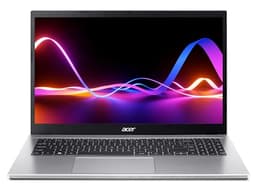
For lighter accounting workloads on a tighter budget, this Acer covers the basics without asking much of your wallet. It ships with 16GB of RAM as standard, which future-proofs everyday spreadsheet and browser use, and a 512GB SSD for your files. The IPS panel gives good colour and wide viewing angles, better than the TN screens some rivals here use, so numbers stay readable off-axis when a colleague leans in.
It has a USB-C port that supports charging and 4K external display output, handy if you dock to a bigger monitor at the desk. Port selection covers 2x USB-A 3.2, HDMI and a headphone jack. Owners rate it 4.3 stars from 121 ratings, and we scored it 7.5 out of 10.
The catch is the processor. The Ryzen 5 5500U is an older Zen 3 part, so it works fine for documents, video calls and spreadsheets but trails newer chips on efficiency and battery. Build is plastic with some lid flex.
Against the Dell Inspiron 15 3535, the Acer's real advantage is 16GB of RAM against the Dell's 8GB, which matters far more over a laptop's life than a slightly newer CPU generation. If you want headroom on a budget, this is the one. See our Acer Aspire 3 review.
Pros
- 16GB RAM as standard, twice the Dell 3535's memory
- USB-C handles charging and 4K external output for desk docking
- IPS panel with wider viewing angles than TN rivals
Cons
- Older Zen 3 CPU, less efficient than newer parts
- Battery decent but not all-day
- Plastic build with lid flex
Buy on Amazon£629.00Read full review
Best Anti-Glare Screen
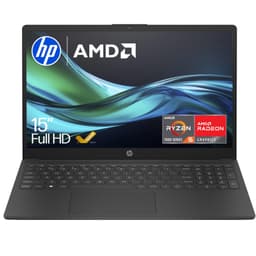
The anti-glare panel is the reason this one earns its badge. Overhead office strip-lighting and windows behind you both throw reflections onto a glossy screen, and that gets tiring when you are staring at columns of figures all day. A matte anti-glare finish cuts that down, which makes it a comfortable spreadsheet machine for a bright office.
The spec is a sensible accounting base: AMD Ryzen 5, 16GB of RAM and a 512GB SSD, so multitasking across workbooks and portals has room to breathe. Owners rate it 4.4 stars from 186 ratings, a strong count. We do not have a published review score for this exact model, so the assessment here rests on its specification and owner ratings rather than our own scoring.
Against the ASUS Vivobook 15 lower down, the HP's anti-glare panel is the more relaxing screen for long sessions under office lighting, where the ASUS uses a reflective TN panel. Both carry the same 16GB and 512GB core, so the screen is the deciding factor.
Pros
- Anti-glare panel reduces reflections in bright offices
- 16GB RAM and 512GB SSD for comfortable multitasking
- 4.4 stars from 186 owners
Cons
- No published review score from us for this exact model
- No numeric keypad confirmed in the model name
Buy on Amazon£514.79
Best Build Durability
The standout here is the chassis. This Vivobook 15 passed MIL-STD-810H durability testing, so it shrugs off the knocks of a daily commute better than most plastic budget laptops. For an accountant who carries a machine between office and clients, that resilience is real value.
The Intel i5-1235U, 16GB of RAM and a 512GB NVMe SSD form a capable base for spreadsheets and everyday office work, and our research noted it handles those tasks without thermal throttling. The keyboard has a satisfying 1.4mm of travel. Owners rate it 4.4 stars from 212 ratings, and we scored it 7 out of 10.
The compromises are the screen and battery. It is a 250-nit TN panel with poor viewing angles and limited colour, fine straight on at a desk, weaker if you tilt it. Real battery came in around 5.9 hours mixed use against a 9-hour claim, there is no keyboard backlight, and the USB-C port lacks power delivery.
Next to the HP 15-fc0004sa above, the ASUS is the tougher travel machine but gives up the HP's anti-glare finish for a reflective TN panel. Pick this if durability outranks screen comfort. Our ASUS Vivobook 15 X1504ZA review has more.
Pros
- MIL-STD-810H tested chassis, tougher than most budget rivals
- 4.4 stars from 212 Amazon UK ratings
- Keyboard with 1.4mm travel for comfortable long typing
Cons
- 250-nit TN panel with weak viewing angles
- Battery about 5.9 hours, short of the 9-hour claim
- USB-C lacks charging support
Buy on Amazon£599.00Read full review
Best Budget
The lowest price on this list, and it earns the budget badge on more than that. Owners consistently rate the keyboard, which is comfortable, well-spaced and includes a full-size numpad, exactly the layout an accountant wants for data entry. Build quality is solid for a plastic chassis with no widespread reports of hinge failures, the fan stays quiet, and Dell's after-sales support carries weight for buyers wanting long-term peace of mind. Real battery runs a decent 6 to 8 hours mixed use. It rates 4.4 stars from 167 ratings, and we scored it 7 out of 10.
The honest catch is the memory. 8GB of RAM, soldered, cannot be upgraded, which is a real long-term constraint as accounting software and browser tabs pile up. The Ryzen 5 7520U is Zen 2 under a 7000-series name, and it uses Wi-Fi 5 rather than Wi-Fi 6. Against the Acer Aspire 3, this Dell has the better keyboard and support but half the RAM, so it suits lighter, price-first buyers rather than heavy multitaskers. See our Dell Inspiron 15 3535 review.
Pros
- Comfortable full numpad keyboard owners rate highly
- 6 to 8 hours real battery, quiet fan
- Reputable Dell after-sales support
Cons
- 8GB RAM soldered, no upgrade path
- Zen 2 CPU and Wi-Fi 5 at this price
Buy on Amazon£499.00Read full review
Best Display Smoothness
The 120Hz panel is unusual at this price and makes scrolling through long ledgers noticeably smoother. Add 16GB of RAM and a backlit numpad, so early-morning data entry does not mean squinting for keys, and this Dell covers the accounting basics well. It rates 4.3 stars from 132 ratings, and we scored it 7 out of 10. Battery is 5 to 7 hours, the webcam is 720p, and the chassis warms under sustained load. Against the Inspiron 3535, this one adds 16GB RAM and the backlit numpad the cheaper Dell lacks. Our Dell Inspiron 15 3520 review covers it.
Pros
- 120Hz screen, rare at the price
- Backlit numpad for low-light data entry
- 16GB RAM as standard
Cons
- HDMI 1.4 caps 4K external output at 30Hz
- 720p webcam, no Windows Hello
Check availabilityRead full review
Best Battery Life
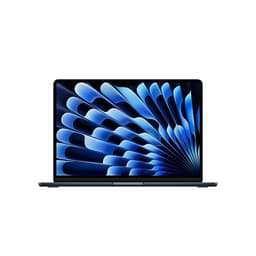
The reason it sits here despite the price: 12 to 14 hours of real battery, a genuinely bright 500-nit Liquid Retina display, and a fanless design with zero throttling. For an accountant who works away from a plug, nothing else here comes close. Owners rate it 4.7 stars from 806 ratings, the highest on this list, and we scored it 9 out of 10. The catches for this crowd are specific: no numpad, only 256GB of base storage that fills fast, and macOS, so confirm your desktop accounting or payroll software runs natively before buying. Detail in our MacBook Air M4 review.
Pros
- 12 to 14 hours battery, best here by a distance
- 500-nit screen readable in bright rooms and outdoors
- Best-in-class trackpad and 1.24kg weight
Cons
- No numpad, awkward for heavy data entry
- 256GB base storage, not upgradeable later
- macOS may not run Windows-only accounting software
Buy on AmazonRead full review
Best for Power Users
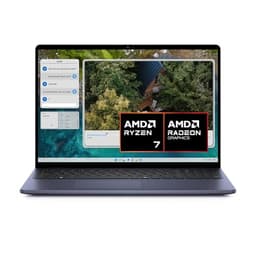
The most capable Windows machine here, and priced to match. The Ryzen 7 8840U delivers strong sustained performance, its Radeon 780M graphics outrun Intel Iris Xe, and the 1TB SSD is double the storage of most rivals. The 16-inch 16:10 screen gives the same spreadsheet-friendly extra height as the top pick, plus a backlit keyboard and fingerprint reader. It rates 4.4 stars from 137 ratings, and we scored it 7.5 out of 10. The 54Whr battery is modest for a 16-inch machine at 6 to 8 hours, and the RAM is soldered. Against the ASUS Vivobook 16, it adds power, storage and backlighting for a good deal more money. Our Dell Inspiron 16 5645 review has the full picture.
Pros
- Ryzen 7 8840U with strong sustained performance
- 1TB SSD, double most rivals here
- Backlit keyboard, fingerprint reader, Wi-Fi 6E
Cons
- 54Whr battery modest for a 16-inch laptop
- 16GB RAM soldered, no upgrade later
Buy on Amazon£1099.00Read full review