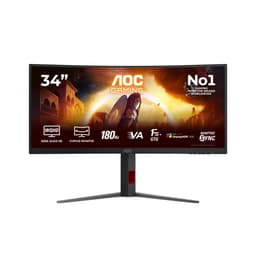
You know what's funny about monitor response time claims? They're basically fiction. Every budget panel on the market slaps "1ms" on the box these days, and it means almost nothing without context. The AOC 24B3QA2 quotes 1ms MPRT, which is a motion blur reduction technique, not a native pixel transition time. It's a real thing, but it's not the same as GtG response, and conflating the two is exactly what manufacturers are banking on you not knowing. So let's talk about what this monitor actually is, whether it's worth your money at this price point, and who should probably look elsewhere.
The short version: this is a solid 24-inch 1080p IPS panel at 120Hz with adaptive sync, a decent port selection, and eye-care features baked in. At mid-range pricing, it's not embarrassing. But it's also not the obvious choice in a bracket that includes some genuinely strong competition. If you're upgrading from a 60Hz TN or a knackered old office screen, this will feel like a proper step up. If you're already on a 144Hz IPS and wondering whether to switch, the answer is almost certainly no.
Three reviews on Amazon, all five stars. That's not a lot to go on, but the pattern from early owners points to clean image quality, easy setup, and a stand that gets the job done without being anything special. More on all of that below.
Core Specifications: AOC 24B3QA2-24 Inch Full HD Monitor at a Glance
Start with the basics. This is a 24-inch Full HD monitor, so 1920x1080 resolution on an IPS panel with a 120Hz refresh rate. The response time is quoted as 1ms MPRT. Connectivity covers two HDMI ports, one DisplayPort, one VGA, and a headphone output. Adaptive sync is included, syncing the display refresh rate with your GPU to cut out tearing and stutter. AOC also includes flicker-free backlight technology and a blue light filter, which are the two eye-care features you'll see on most monitors in this class.
The 1ms MPRT figure is worth addressing properly here rather than burying it later. MPRT stands for Moving Picture Response Time, and it's measured differently from GtG (grey-to-grey) pixel transition time. MPRT is essentially a measure of perceived motion blur, often achieved by strobing the backlight. It's a legitimate technique, but it doesn't tell you how fast individual pixels are switching. For an IPS panel, typical GtG response times from published measurements by display testing outlets tend to sit somewhere in the 4ms to 8ms range at native refresh. That's perfectly fine for 120Hz gaming and everyday use. It's just not 1ms in the way most people imagine when they see that number on the box.
The full spec table is below. Price is live and auto-updated.
| Specification | Detail |
|---|---|
| Screen Size | 24 inches |
| Resolution | 1920x1080 (Full HD) |
| Panel Type | IPS |
| Refresh Rate | 120Hz |
| Response Time | 1ms MPRT |
| Adaptive Sync | Yes (syncs with GPU refresh rate) |
| Ports | 2x HDMI, 1x DisplayPort, 1x VGA, Headphone Out |
| Eye Care | Flicker-Free, Blue Light Filter |
| Current Price | Check price |

Panel Technology: Why IPS Still Makes Sense Here
IPS panels have been the sensible choice for most people for years now, and this monitor uses one. The core reason is viewing angles. IPS technology gives you consistent colour and brightness whether you're sitting dead centre or slightly off to the side. If you share a desk, work in a bright room, or just like to move around while you use a monitor, that matters more than you might think. TN panels, the old budget standby, go washed out and weird the moment you tilt your head. VA panels offer better contrast but can have issues with slow pixel transitions in dark scenes, which shows up as smearing on fast-moving content.
For a 24-inch 1080p monitor aimed at a mix of everyday use and casual to moderate gaming, IPS is the right call. You get accurate-looking colours, wide viewing angles, and generally good out-of-box calibration compared to TN. The trade-off is native contrast. IPS panels typically land around 1000:1, which is noticeably lower than a VA panel's 3000:1 or higher. In a well-lit room, you won't notice much. In a darkened room watching dark content, blacks will look a bit grey rather than truly black. That's just the physics of IPS, and it applies here as it does to every other IPS monitor on the market.
IPS glow is the other thing. It's that faint, slightly blueish or yellowish brightening you see in the corners of an IPS panel when displaying dark content. It's inherent to the panel type and varies unit to unit. Owner reviews for this monitor don't flag it as a significant problem, which is encouraging. It suggests AOC has done a reasonable job with the backlight uniformity here, though individual units can always vary. If you're extremely sensitive to this sort of thing and you're mainly watching films in a dark room, a VA monitor might suit you better. For gaming and general use in normal lighting, IPS glow is rarely a practical issue.
Display Quality: What 1080p at 24 Inches Actually Looks Like
At 24 inches with a 1920x1080 resolution, you're looking at roughly 92 pixels per inch. That's been the sweet spot for desktop monitors for a long time, and for good reason. Text is sharp enough to read comfortably without scaling, icons are the right size, and games look clean without needing a powerful GPU to drive them. It's not as crisp as a 1440p panel at the same size, where you'd be up around 122 PPI, but the difference is more noticeable in side-by-side comparisons than in daily use.
The IPS panel here should deliver solid colour reproduction out of the box. AOC's IPS panels in this class typically cover close to 100% of the sRGB colour space, which is what you want for web content, gaming, and general media. The matte anti-glare coating, standard on monitors like this, keeps reflections from windows and overhead lights manageable. It's not as punchy-looking as a glossy screen, but in a real office or bedroom environment, you'll thank it every time the sun comes out. Glossy screens look gorgeous in controlled conditions and awful everywhere else.
Brightness uniformity is something you can't fully predict without looking at published measurements for this specific panel, and those aren't widely available yet given how new this model is. What owner feedback does suggest is that the image quality is clean and pleasing, with no complaints about obvious hotspots or dim edges. That's consistent with what you'd hope for from a mainstream IPS panel in this price bracket. AOC isn't known for cutting corners on panel quality at this tier, and the early reception backs that up.
Refresh Rate and Adaptive Sync: 120Hz Does the Job
120Hz is a meaningful upgrade over 60Hz. The difference is immediately visible when you move a window across the desktop, let alone in a game. Motion looks smoother, the cursor feels more responsive, and fast-paced games like shooters or racers are noticeably easier to track. Going from 60Hz to 120Hz is a bigger perceptual jump than going from 120Hz to 144Hz, so if you're coming from an older 60Hz screen, this will feel like a revelation.
The adaptive sync implementation here syncs the display's refresh rate to the output of your graphics card, which eliminates screen tearing without the input lag penalty of traditional V-Sync. AOC lists this as a feature that "prevents screen cracks and stuttering," which is a slightly odd way of putting it, but the underlying technology is sound. This is compatible with AMD's FreeSync ecosystem, and NVIDIA has supported adaptive sync on non-G-Sync monitors for several years now through their G-Sync Compatible programme, so it should work with modern NVIDIA cards too, though you'd want to verify compatibility with your specific GPU.
One thing: 120Hz is slightly below the 144Hz that's become the de facto standard for gaming monitors in this price bracket. The practical difference between 120Hz and 144Hz is small. Most people can't reliably tell them apart in everyday use. But if you're specifically shopping for a gaming monitor and you're comparing specs on a sheet, 144Hz looks better on paper. Whether that matters to you depends on how much you care about spec sheet bragging rights versus actual use. For the vast majority of gaming scenarios, 120Hz is more than enough.
Response Time and Motion: The 1ms Claim, Unpacked
Right, so about that 1ms figure. As mentioned up top, this is MPRT, not GtG. The distinction matters if you're comparing this to monitors that quote 1ms GtG, because they're measuring different things. MPRT is achieved through backlight strobing, which reduces perceived motion blur by essentially flickering the backlight in sync with the panel's refresh cycle. It can make fast motion look sharper, but it can also reduce effective brightness and may not be something you'd want on all the time.
For an IPS panel running at 120Hz, realistic GtG pixel transition times based on published measurements of comparable IPS panels from similar manufacturers tend to land in the 4ms to 8ms range. At 120Hz, each frame lasts about 8.3ms, so a 4ms to 6ms GtG response is perfectly adequate. You won't get the kind of visible ghosting that would ruin a gaming session. Fast-moving dark objects on dark backgrounds, the classic torture test for slow panels, might show a faint trail, but this is a general characteristic of IPS rather than a specific failing of this monitor.
For context, VA panels often have worse GtG performance in dark tones despite their contrast advantage, which is why competitive gamers on a budget often end up on IPS anyway. TN panels are faster still but sacrifice everything else. If you're playing competitive shooters at a serious level and every millisecond of input chain matters, you'd probably be looking at a 144Hz or 165Hz TN or fast IPS panel rather than this. But for most gaming, including action games, RPGs, and even moderately competitive play, the motion performance here is going to be fine.
Color Accuracy and Gamut: Good Enough for Most, Not a Pro Tool
AOC doesn't publish specific colour gamut figures or Delta-E measurements for this monitor in the available product data, which is pretty typical for monitors in this category. What we can say is that IPS panels at this price point from mainstream brands like AOC generally achieve close to 100% sRGB coverage. That's the standard colour space for web content, most games, and streaming video, so if that's your world, you're covered.
DCI-P3 coverage, the wider colour space used in film production and increasingly in HDR content, is likely to be more modest. Monitors with genuine wide-gamut panels that cover 90% or more of DCI-P3 tend to be more expensive and specifically marketed on that capability. This monitor isn't positioned as a colour-accurate professional display, and you shouldn't expect it to be one. If you're doing serious photo editing, video grading, or graphic design work where colour accuracy is critical, you'd want a monitor with a published Delta-E specification and ideally a factory calibration report.
For gaming, watching films, browsing, and general productivity, the colour output from an IPS panel like this will look pleasing and natural. The blue light filter is a software or hardware adjustment that shifts the colour temperature warmer to reduce eye strain during long sessions. It's not unique to AOC, it's on basically every monitor now, but it's genuinely useful if you're staring at a screen for hours. The flicker-free backlight is the other eye-care feature, and it matters more than people give it credit for. PWM flicker from older or cheaper backlights can cause headaches and eye fatigue over long sessions. A DC-dimmed, flicker-free backlight is a real comfort improvement, especially at lower brightness settings.

HDR Performance: Don't Get Too Excited
There's no HDR certification listed for this monitor in the verified product data, and that's actually the honest answer here. Many monitors in this price range carry an HDR10 badge that's essentially meaningless in practice. True HDR requires high peak brightness (typically 600 nits or more for HDR600 certification under the VESA DisplayHDR standard), local dimming to create genuine contrast between bright and dark areas in the same frame, and wide colour gamut coverage. Budget and mid-range monitors that claim HDR10 support usually have none of those things in meaningful quantities.
If this monitor does support HDR10 at the OS level, which is common even on non-certified panels, the result in practice will be underwhelming. You might see slightly boosted colours and brightness in HDR-flagged content, but you won't get the dramatic highlight pop and deep shadow detail that makes HDR genuinely impressive on an OLED or a high-end Mini-LED panel. On a standard IPS panel without local dimming, HDR mode often just looks a bit washed out or over-bright compared to a well-calibrated SDR image.
This isn't a criticism specific to the AOC 24B3QA2. It's the reality of HDR on monitors under a certain price threshold. If HDR performance is important to you, you're looking at spending considerably more, and you'd be moving into OLED territory or at minimum a high-brightness IPS with proper certification. For this monitor's target audience, the honest advice is to ignore HDR entirely and enjoy it as an excellent SDR display, which it should be.
Contrast and Brightness: Honest Expectations for an IPS Panel
AOC doesn't publish a specific contrast ratio or peak brightness figure in the available product data for this model. For an IPS panel of this type, typical native contrast ratios from published measurements of comparable panels land around 1000:1. That's the standard IPS ballpark. It means blacks in a dark room will look dark grey rather than truly black. In a normally lit room, you won't notice. In a dark room watching a film with letterbox bars, you will. It's not a dealbreaker for most people.
Peak brightness on monitors in this class typically sits somewhere between 250 and 350 nits. That's enough for comfortable use in most office and bedroom environments. In a very bright room with sunlight coming in from the side, you might find yourself pushing the brightness slider higher than you'd like, but the matte coating helps significantly with glare management. For a room with decent light control, the brightness should be more than adequate.
What the flicker-free backlight means in practice is that you can run this monitor at lower brightness settings, say 20% to 30%, without the kind of PWM flicker that causes eye strain. A lot of people set their monitors too bright and then wonder why their eyes hurt after a long session. Being able to dim this properly without introducing flicker is genuinely useful for evening use, and it's one of those features that sounds minor but makes a real difference over time.
Ergonomics and Build: Functional, Not Flashy
The stand on the AOC 24B3QA2 covers the basics. From the product listing and owner feedback, it offers tilt adjustment, which is the minimum you'd expect. What isn't specified in the verified product data is height adjustment, swivel, or pivot capability. Given the price point and the lack of these features being highlighted in the listing, it's reasonable to expect this is a tilt-only stand, which is the most common configuration at this tier. That's fine for most setups, but if you need to raise the screen height significantly, you'll want a monitor arm or a riser.
VESA mounting compatibility isn't confirmed in the available data, but AOC monitors in this class typically include a 75x75mm or 100x100mm VESA pattern on the back. If you're planning to use a monitor arm, which is genuinely the best ergonomic upgrade you can make to any desk setup, check the product listing or AOC's support pages to confirm before buying. A monitor arm gives you full height, tilt, swivel, and reach adjustment, and it frees up desk space. For a 24-inch monitor especially, it transforms the setup.
Build quality from owner reports sounds solid for the price. No complaints about wobble or creaking from the stand, which is a good sign. The bezels are slim enough not to be distracting, which matters if you're thinking about a dual-monitor setup down the line. Two HDMI ports makes it easy to have two devices connected simultaneously, which is a nice touch for people switching between a PC and a console. The overall aesthetic is clean and inoffensive. It's not going to win design awards, but it'll sit on your desk without looking out of place.
Connectivity and Ports: Actually Pretty Good for This Price
The port selection on the AOC 24B3QA2 is better than you might expect at this price point. Two HDMI ports, one DisplayPort, one VGA, and a headphone output. That's a genuinely useful spread. Most monitors in this bracket give you one HDMI and one DisplayPort and call it a day. Having two HDMI ports means you can have a PC and a games console both plugged in and switch between them without touching cables. That's a real convenience if you use your monitor for both.
The DisplayPort is the one you'd use for a primary PC connection if your GPU supports it, and most modern dedicated GPUs do. DisplayPort carries audio as well as video, handles high refresh rates cleanly, and is generally the preferred connection for gaming. HDMI 2.0 can handle 1080p at 120Hz without issues, so either works fine here. The VGA port is a nice legacy option for older hardware or office equipment, though you'd never use it as a primary connection if you have a choice.
The headphone output is a small but useful addition. It means you can plug headphones directly into the monitor and have audio routed through whichever device is currently active on screen, without needing to switch your headphone connection when you switch inputs. For a dual-device setup, that's genuinely handy. There's no USB hub listed, which isn't unusual at this price, and no USB-C, which is increasingly common on more expensive monitors but not expected here. The connectivity package as a whole is solid and practical.
- 2x HDMI
- 1x DisplayPort
- 1x VGA
- Headphone output
How It Compares: AOC 24B3QA2 Against the Competition
At the mid-range price point, the AOC 24B3QA2 is competing against a fairly crowded field. The two most obvious comparisons are the AOC 24G2 (or its successor variants) and the LG 24MK430H-B. The 24G2 is one of the most recommended budget-to-mid-range gaming monitors of the past few years, with a 144Hz IPS panel, excellent measured response times, and strong owner satisfaction. It's often available at a similar or slightly lower price depending on current deals. The LG 24MK430H-B sits at the budget end and offers 75Hz, which puts it in a different category entirely.
The more relevant comparison is probably the AOC 24G2 family. If you can find a 24G2 or 24G2SP at a similar price, you're getting 144Hz instead of 120Hz, and the 24G2 has been extensively measured by display testing outlets with very favourable results on pixel response. The AOC 24B3QA2's advantage is the dual HDMI ports and the slightly more refined eye-care feature set. If you're primarily gaming on a PC, the 24G2 is probably the sharper choice. If you want a versatile monitor for PC and console use with a cleaner everyday experience, the 24B3QA2 makes more sense.
The other competitor is the BenQ GW2480. It's positioned as an eye-care monitor for office and productivity use, with a 60Hz IPS panel. At this price point, the AOC 24B3QA2 offers significantly higher refresh rate for the same kind of money, making it the better all-rounder unless you specifically don't care about refresh rate at all. For most people upgrading from an old monitor, the AOC is the more future-proof choice.
| Feature | AOC 24B3QA2 | AOC 24G2 (approx) | BenQ GW2480 |
|---|---|---|---|
| Panel Type | IPS | IPS | IPS |
| Resolution | 1920x1080 | 1920x1080 | 1920x1080 |
| Refresh Rate | 120Hz | 144Hz | 60Hz |
| Response Time (quoted) | 1ms MPRT | 1ms GtG | 5ms GtG |
| Adaptive Sync | Yes | Yes (FreeSync) | No |
| HDMI Ports | 2x HDMI | 1x HDMI | 1x HDMI |
| DisplayPort | Yes | Yes | Yes |
| VGA | Yes | No | Yes |
| Eye Care Features | Flicker-Free, Blue Light Filter | Flicker-Free | Flicker-Free, Blue Light |
| Current Price | Check price | Check current listings | Check current listings |

Final Verdict: Who Should Buy the AOC 24B3QA2-24 Inch Full HD Monitor
The AOC 24B3QA2 is a well-rounded 24-inch 1080p IPS monitor that does most things right for its target audience. The 120Hz refresh rate is a genuine upgrade over 60Hz screens. The IPS panel delivers solid colour, wide viewing angles, and comfortable long-session use. The dual HDMI ports are a practical advantage over most competitors. The flicker-free backlight and blue light filter are real features, not just marketing ticks. And the early owner feedback, while limited to three reviews, is uniformly positive.
This monitor suits someone upgrading from an old 60Hz screen, whether that's a budget office monitor or a dated gaming display. It suits someone who uses their monitor for both PC and console, where two HDMI ports make life easier. It suits someone who spends long hours at a desk and wants a comfortable, eye-friendly panel. And it suits someone who wants a clean, no-nonsense setup without RGB lighting and aggressive gamer aesthetics.
Who should probably look elsewhere? If you're a competitive gamer where every frame counts, a 144Hz monitor with a well-measured fast pixel response, like the AOC 24G2 family, is a sharper choice and often available at a similar price. If you want 1440p resolution for sharper detail, you'll need to step up in budget. If you're doing professional colour work, this isn't the right tool regardless of price. And if HDR performance matters to you, nothing at this price point is going to satisfy, so save up for something with proper HDR credentials.
The honest value assessment: in the mid-range bracket, this is a competent and practical monitor. It's not the most exciting thing you can buy, and it's not trying to be. It's a reliable everyday display with a refresh rate that makes it genuinely usable for gaming, a port selection that makes it flexible, and a panel type that makes it comfortable. If your current monitor is old and slow and you want something better without overthinking it, this does the job properly.
If you don't need 120Hz and you're purely after an office display for productivity, a 60Hz IPS in the budget bracket under £150 will save you money and give you very similar image quality for non-gaming tasks. That's the honest cheaper alternative about before you commit.
What works. What doesn’t.
6 + 6What we liked6 reasons
- Dual HDMI ports make it easy to connect both a PC and a console simultaneously without swapping cables
- 120Hz refresh rate is a meaningful and immediately noticeable upgrade over 60Hz screens for both gaming and general use
- IPS panel delivers accurate colours, wide viewing angles, and comfortable long-session performance
- Flicker-free backlight allows comfortable use at low brightness settings without eye strain or headaches
- Adaptive sync eliminates screen tearing across both AMD and NVIDIA GPUs without the input lag of V-Sync
- Clean, uncluttered design without aggressive RGB aesthetics suits office and bedroom setups alike
Where it falls6 reasons
- Refresh rate of 120Hz sits below the 144Hz that has become standard on competing gaming monitors at similar prices
- Response time quoted as 1ms MPRT rather than GtG, which overstates native pixel transition speed in a misleading way
- Stand appears to offer tilt adjustment only, with no confirmed height adjustment, swivel, or pivot
- No published colour gamut or Delta-E figures make it impossible to verify colour accuracy claims independently
- Contrast ratio is typical IPS at roughly 1000:1, meaning blacks look grey in dark viewing environments
- Limited owner review base of three Amazon ratings makes long-term reliability difficult to assess
Full specifications
12 attributes| Refresh rate | 120 |
|---|---|
| Screen size | 24 |
| Panel type | IPS |
| Adaptive sync | FreeSync |
| Aspect ratio | 16:9 |
| Curvature | flat |
| HDR | none |
| Launch year | 2025 |
| Ports | 2x HDMI, 1x DisplayPort, 1x VGA, headphone out |
| Refresh rate HZ | 120 |
| Resolution | 1920x1080 |
| Response time | 4ms |
If this isn’t right for you
2 options 8.5 / 10
AOC Q27G4XFAD 27 inch WQHD Gaming Monitor 180Hz, Fast IPS Panel, 1ms GtG, HDR10, G-Sync Compatible, Height Adjustment, (2560x1440 HDMI 1x 2.0 DP 1x 1.4) Black
£149.99 · AOC
 8.5 / 10
Dell U2424H UltraSharp 24 Inch FHD (1920x1080) Monitor, 120Hz, IPS, 5ms, 98% DCI-P3, 2x USB-C, 2x DisplayPort, HDMI, 3x USB, 3 Year Warranty, Silver
£204.18 · Dell
Frequently asked
7 questions01What does 1ms MPRT mean on the AOC 24B3QA2, and is it the same as 1ms GtG?+
No, they measure different things. MPRT stands for Moving Picture Response Time and refers to perceived motion blur, often reduced by strobing the backlight. GtG, or grey-to-grey, measures how quickly individual pixels switch between shades. For an IPS panel like this one, realistic GtG response times typically sit between 4ms and 8ms, which is perfectly adequate for 120Hz use but not the same figure as 1ms.
02Does the AOC 24B3QA2 work with NVIDIA graphics cards for adaptive sync?+
It should. AOC lists adaptive sync support, and NVIDIA has supported adaptive sync on non-G-Sync monitors through its G-Sync Compatible programme for several years. That said, you would want to verify compatibility with your specific GPU model before purchasing, as not every card and monitor combination is officially validated.
03Can I connect both a PC and a games console to the AOC 24B3QA2 at the same time?+
Yes. The monitor has two HDMI ports, which means you can keep a PC connected to one and a console to the other, switching between them without unplugging anything. This is one of its more practical advantages over rivals that include only a single HDMI port.
04Is the AOC 24B3QA2 suitable for colour-sensitive work such as photo editing or graphic design?+
Not ideally. AOC does not publish specific Delta-E measurements or a factory calibration report for this monitor, and it is not positioned as a professional colour-accurate display. For everyday photo viewing or casual editing it will look pleasant, but for work where colour accuracy is critical you would want a monitor with published gamut coverage figures and a hardware calibration option.
05Does the AOC 24B3QA2 support proper HDR?+
No HDR certification is listed for this monitor, and that is the honest answer. Even if it accepts an HDR10 signal at the operating system level, it lacks the high peak brightness, local dimming, and wide colour gamut needed for HDR to look meaningfully better than a well-calibrated SDR image. The advice here is to treat it as an SDR display and not factor HDR into your buying decision.
06What are the stand adjustment options on the AOC 24B3QA2?+
Based on available product information and owner feedback, the stand offers tilt adjustment. Height adjustment, swivel, and pivot are not confirmed in the verified product data, suggesting this is likely a tilt-only stand, which is common at this price tier. If you need more flexibility, a separate monitor arm is and transforms the ergonomics of any desk setup.
07How does the AOC 24B3QA2 compare to the AOC 24G2 for gaming?+
The AOC 24G2 is generally the sharper choice for gaming. It runs at 144Hz rather than 120Hz, and its pixel response times have been independently measured with very favourable results. The 24B3QA2 has an advantage in connectivity, with dual HDMI ports versus the 24G2's single port, making it more flexible for mixed PC and console use. If pure gaming performance on a PC is your priority, the 24G2 family is the stronger option.