Best Under £100
Rating: ★★★★½ (4.6)
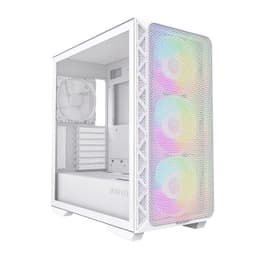
The Montech AIR 903 MAX is the best budget ATX case available right now. Full stop. If you want a proper full-size ATX mid-tower that won't throttle your components through poor airflow, this is where to start. Montech has built a reputation for punching well above its price bracket, and the AIR 903 MAX is the clearest example of that.
The mesh front and top panels mean air moves freely through the case. Three pre-installed fans come in the box, which saves you money straight away. The interior layout is well thought out, with a dedicated PSU shroud, decent cable routing channels, and enough clearance for most GPU lengths you'd pair with an ATX build. It supports radiators up to 360mm at the front, which is useful if you're planning to add an AIO cooler later.
Build quality is solid for the price. The steel feels a bit thin in places, and the plastic front trim isn't going to win any awards, but nothing rattles and nothing feels like it's about to snap. For an ATX build where you want to keep costs down without compromising on thermals, this is the sensible choice.
It's not the prettiest case here. But if you care more about your CPU temperatures than Instagram photos of your build, the AIR 903 MAX is sorted.
Pros
- Outstanding airflow for the price
- Three fans included out of the box
- Full ATX support with 360mm radiator clearance
- Good cable management layout
Cons
- Steel feels thin in places
- Aesthetics are functional rather than exciting
- Plastic trim quality is average
Check availability
Best Under £50
Rating: ★★★★☆ (4.1)
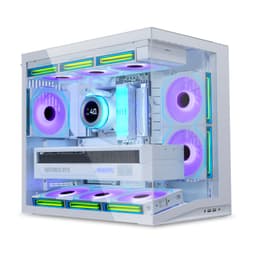
The IONZ APEX Vision is a genuinely interesting case at this price. A dual-chamber layout and a built-in LCD screen for under £50? That's a lot of features for the money. And for a first ATX build where you want something that looks the part without spending big, it delivers.
The dual-chamber design separates your PSU and storage from the main motherboard area, which keeps things tidier and improves airflow around your GPU. Four ARGB PWM fans come pre-installed, which is a solid bundle at this price. The LCD screen is a fun touch and can display system stats or custom images, though the software to configure it is basic.
Here's where honesty matters though. Build quality is the obvious compromise. The panels feel lighter than you'd want, and the fit and finish isn't as tight as cases costing £20 to £30 more. The IONZ brand is relatively new, so long-term reliability is less proven than established names like Lian Li or Fractal. For a first build or a secondary PC, that's probably fine. For a high-end system you're planning to keep for five years, maybe look elsewhere.
But as a full ATX mid-tower with a dual-chamber layout, four ARGB fans, and an LCD screen under £50? It's hard to be too critical.
Pros
- Dual-chamber layout at a budget price
- Four ARGB fans included
- LCD screen is a fun differentiator
- Full ATX support
Cons
- Build quality reflects the price
- IONZ is a newer brand with less track record
- LCD configuration software is basic
Buy on Amazon
Best for Beginners
Price: £71.07 | Rating: ★★★★☆ (4.4)
The GAMDIAS AURA GC1 ELITE is aimed squarely at first-time builders, and it shows in the right ways. Tool-free tempered glass installation is a genuine quality-of-life feature when you're new to building PCs and don't want to fumble with screws while holding a glass panel. Four ARGB fans come pre-installed, so you get a lit-up, colourful build straight away without buying extra fans.
The mesh front panel is a good sign for airflow in an ATX build. It won't match the Montech AIR 903 MAX for raw thermal performance, but it's considerably better than a solid glass front. The interior layout is straightforward, with clear mounting points and enough space for standard ATX components without feeling cramped.
GAMDIAS is a budget-oriented brand, and the build quality is honest about that. The steel is thin, and some of the plastic clips feel a bit flimsy. But for a beginner who wants a complete, working ATX case with fans included and an easy build experience, it does the job. At around £90, it's not the cheapest option here, but the tool-free glass and fan bundle justify the price over cheaper alternatives that include nothing.
Pros
- Tool-free tempered glass is great for beginners
- Four ARGB fans included
- Mesh front panel aids airflow
- Clear, beginner-friendly interior layout
Cons
- Thin steel construction
- Some plastic clips feel fragile
- GAMDIAS brand has mixed long-term reviews
Check availability
Best Build Quality
Rating: ★★★★½ (4.7)
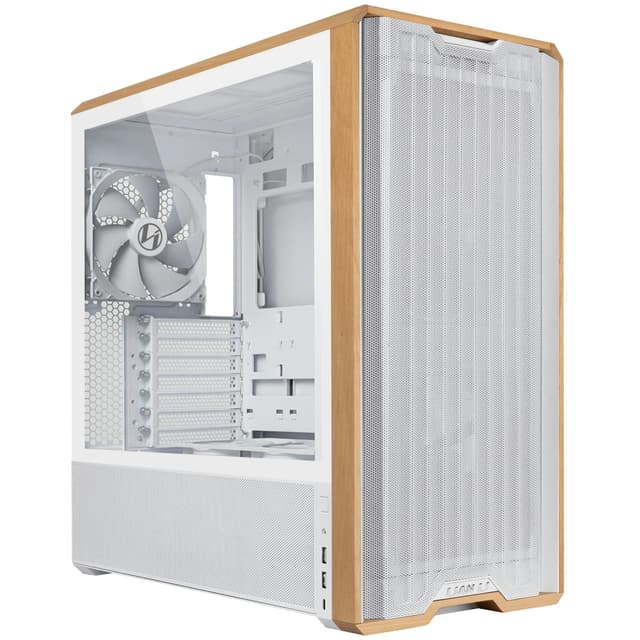
The Fractal Design North is the best-looking case in this entire roundup. And not in a flashy, RGB-everywhere kind of way. It's genuinely elegant. The wood oak front panel is a proper design statement, and the chalk white finish is clean and understated. If you want an ATX build that looks like it belongs in a living room rather than a gaming den, this is it.
But it's not just about looks. The mesh side panels deliver excellent airflow for an ATX build, and the two included 140mm Aspect PWM fans are noticeably quieter and more capable than the 120mm fans bundled with cheaper cases. USB-C on the front panel is a welcome touch that cheaper cases often skip. The interior build quality is the best in this roundup, with thick steel, tight panel fitment, and cable management that actually works.
At around £130, it's the most expensive case here that we'd genuinely recommend for a value-focused ATX build. You're paying for quality that you'll appreciate every time you open the side panel. Fractal Design's reputation for longevity is well earned, and this case should last through multiple builds. Fractal Design's official site has full compatibility specs if you want to check clearances before buying.
Pros
- Stunning wood oak front panel design
- Excellent build quality, best in the roundup
- Two 140mm PWM fans included
- USB-C front panel
- Mesh side panels for great airflow
Cons
- Most expensive case in the value-focused section
- No ARGB lighting if that's important to you
- Wood front panel can show fingerprints
Buy on Amazon
Best Aesthetics
Price: £226.99 | Rating: ★★★★½ (4.7)
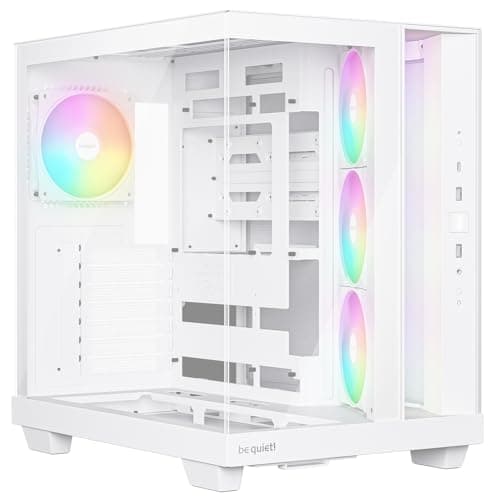
The NZXT H9 Elite is the case you buy when you want your ATX build to look absolutely stunning. Glass on the front, top, and side means you can see your components from almost every angle. Three RGB Duo fans come included with a controller, and the dual-chamber layout keeps the PSU and cables hidden behind a solid back panel. The result is one of the cleanest-looking builds you can put together.
The 360mm radiator support at the top is a genuine bonus for ATX builds with high-end CPUs that need serious cooling. NZXT's build quality is consistently good, and the white finish is crisp and well executed.
The honest trade-off is airflow. All that glass looks incredible, but it restricts air movement compared to mesh-fronted cases. If you're running a power-hungry GPU in a warm room, you'll want to monitor temperatures carefully. It's a case that prioritises looks over thermals, which is a valid choice, but go in with your eyes open. At just under £100, it's also at the top end of what we'd call a budget ATX case.
Pros
- Stunning panoramic glass design
- Dual-chamber layout for clean builds
- Three RGB fans with controller included
- 360mm radiator support
Cons
- Glass panels restrict airflow significantly
- Near the top of the budget bracket
- Heavier than mesh alternatives
Buy on Amazon
Best Clean Design
Price: £99.99 | Rating: ★★★★½ (4.7)
Lian Li makes some of the most consistently well-built cases on the market, and the V100 is a solid mid-range ATX option that doesn't try too hard. The design is clean and understated, with a tempered glass side panel and a straightforward layout that makes ATX builds genuinely easy to put together.
At around £70, it sits in a competitive bracket. You're getting Lian Li's quality control and reputation, which counts for something. The interior is well organised, cable management is above average for the price, and the overall fit and finish is noticeably better than budget alternatives from less established brands.
It doesn't come with fans included, which is a real consideration at this price. You'll need to budget for at least two or three 120mm fans to get decent airflow through an ATX build. But if you already have fans from a previous build, or you're happy to pick up a fan pack separately, the V100 is a very capable home for a mid-range ATX system.
Pros
- Lian Li build quality at a mid-range price
- Clean, understated design
- Good cable management
- Solid ATX compatibility
Cons
- No fans included
- Fairly plain aesthetics
- Competitive bracket has strong alternatives
Buy on Amazon
Best for Watercooling
Price: £75.95 | Rating: ★★★★½ (4.7)
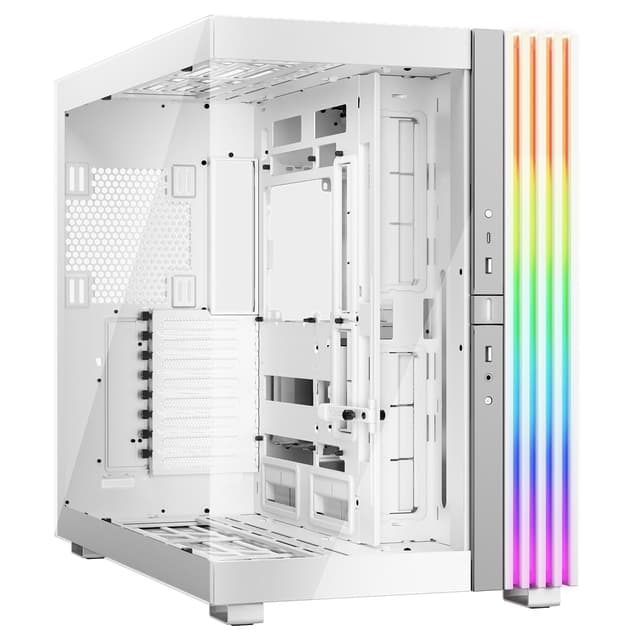
The O11 Dynamic is one of the most popular case designs in PC building, and the Mini V2 brings that dual-chamber layout to a more compact ATX form factor. If you're planning a watercooled ATX build, this is the case to seriously consider. The modular interior gives you flexibility to mount radiators in multiple positions, and the dual-chamber design keeps your PSU and cables completely separate from the main build area.
The tempered glass side panel shows off your build well, and Lian Li's build quality is, as always, excellent. The white finish is clean and consistent. At around £76, it's fair value for what you get, especially given the brand pedigree and the flexibility the modular layout provides.
The trade-off is that the O11 Dynamic Mini V2 is optimised for watercooling. Air-cooled builds can work, but you'll need to think carefully about fan placement to get good results. It's also worth noting that the compact ATX sizing means some very long GPUs may be tight. Check your GPU length before buying.
Pros
- Excellent for watercooled ATX builds
- Dual-chamber design keeps cables hidden
- Modular layout for flexible radiator placement
- Lian Li build quality
Cons
- Less ideal for air-cooled builds
- Long GPUs may be tight
- No fans included
Buy on Amazon
Best Showpiece Build
Price: £198.41 | Rating: ★★★★½ (4.7)
The CORSAIR 3500X ARGB is the case to buy if you're building a showpiece ATX system and you want it to look like it cost twice as much. Panoramic tempered glass wraps around the front and side, giving a full view of your components. Three RS120 ARGB fans come included, and the build quality is exactly what you'd expect from Corsair at this price point.
The reverse-connection motherboard compatibility is a forward-thinking feature. If you're building with an ASUS BTF, MSI Project Zero, or similar board that hides cables behind the motherboard, the 3500X ARGB is designed to work with that layout. The result is a build with virtually no visible cables, which looks extraordinary through the panoramic glass.
At around £145, it's the most expensive case in this roundup. And like the NZXT H9 Elite, all that glass comes at a thermal cost. Airflow is restricted compared to mesh-fronted alternatives. But if your ATX build is as much about aesthetics as performance, and you're pairing it with a reverse-connector motherboard, the 3500X ARGB is the premium choice.
Pros
- Stunning panoramic tempered glass design
- Reverse-connector motherboard support
- Three CORSAIR RS120 ARGB fans included
- Premium Corsair build quality
Cons
- Most expensive case in the roundup
- Glass panels restrict airflow
- Reverse-connector benefit only applies to specific motherboards
Buy on Amazon£198.41
Best Modular Case
Price: £89.99 | Rating: ★★★★½ (4.7)
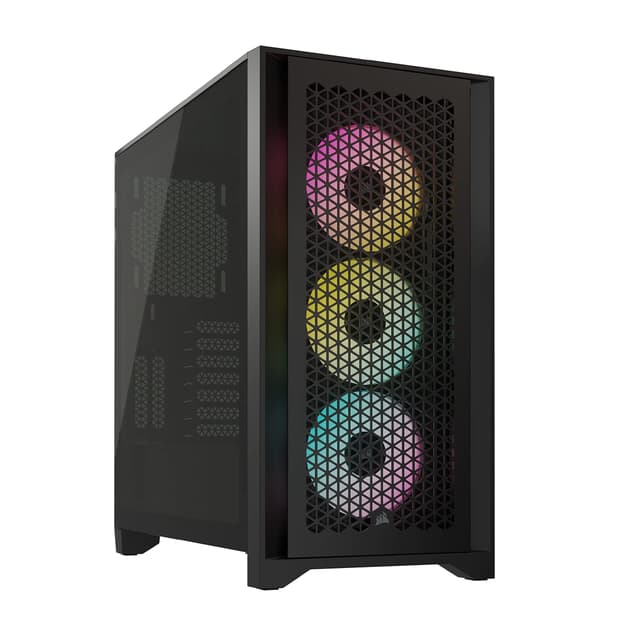
The CORSAIR FRAME 4000D RS ARGB takes a different approach to the 3500X. Where the 3500X prioritises looks, the 4000D RS prioritises flexibility and airflow. The InfiniRail fan mounting system lets you position fans anywhere along a continuous rail rather than being locked to fixed mount points. For an ATX build where you're experimenting with airflow configurations, that's genuinely useful.
Three RS ARGB fans come pre-installed, and the high-airflow mesh front panel means thermals are much better than the glass-fronted Corsair option. It also supports ASUS BTF, MSI Project Zero, and Gigabyte Project Stealth reverse-connector boards, so it's future-proofed for the next generation of clean-build motherboards.
At around £83, it's well priced for a Corsair case with this feature set. The build quality is excellent, and the modular approach means you can reconfigure the interior as your build evolves. For a serious ATX build that you plan to upgrade over time, this is the smarter long-term investment compared to the more rigid layouts of cheaper cases. Tom's Hardware's PC case coverage consistently rates Corsair's 4000-series highly for this reason.
Pros
- InfiniRail modular fan mounting is genuinely flexible
- High-airflow mesh front panel
- Reverse-connector motherboard support
- Three ARGB fans included
- Excellent Corsair build quality
Cons
- InfiniRail system adds complexity for beginners
- Less visually dramatic than glass-fronted alternatives
Buy on Amazon