Ultrawide monitors, those running the 21:9 aspect ratio at 3440x1440 resolution across a 34-inch curved panel, have become genuinely affordable in 2025. Where you once needed to spend £500 or more for a decent UWQHD screen, there are now credible options starting below £200. This guide is aimed at gamers who want more peripheral vision without the GPU cost of 4K, and at home workers who want two windows open side by side without a dual-monitor setup. Since last year, refresh rates on budget ultrawides have climbed from 100Hz to 165-180Hz at the same price points, and IPS-quality VA panels have improved noticeably for colour accuracy. Alongside the three genuine 34-inch ultrawide picks, two strong QHD gaming monitors are included as alternatives for buyers who are still deciding between formats, giving a fuller picture of what your budget can buy.
Quick Verdict
Best Overall Ultrawide: AOC Gaming CU34G2XPD, which delivers 3440x1440 at 180Hz with a full USB hub for under £190. Best Value Ultrawide: LXZ 34-inch Curved Monitor, the most affordable 3440x1440 165Hz option in the pool. Best Premium Ultrawide: LG UltraWide 34BA75QE, the productivity-focused pick with USB-C, RJ45 and built-in speakers. Best QHD Alternative: Alienware AW2725DM for those who want 180Hz Fast IPS at a similar price to the AOC ultrawide.
The AOC CU34G2XPD is the standout choice for anyone who wants a genuine ultrawide gaming monitor without spending close to the £400 ceiling. At just under £190, it punches well above its price bracket, offering a 34-inch curved VA panel at 3440x1440 resolution with a 180Hz refresh rate and a quoted 1ms response time. For context, 180Hz at UWQHD resolution was a premium feature costing £350 or more just two years ago, so finding it here is a significant shift in the market.
The panel uses a 1500R curve, which wraps the image around your field of view at a moderate but noticeable degree. This suits gaming most, particularly racing titles, flight simulators and open-world games where peripheral vision adds genuine immersion. The VA panel technology means contrast ratios are high, typically around 3000:1, which translates to deep blacks that IPS panels at this price cannot match. Colours are vivid and the HDR implementation, while not a premium HDR400 or HDR600 tier, adds some pop to compatible content.
FreeSync Premium support means variable refresh rate works smoothly with AMD GPUs, and the monitor is also G-Sync Compatible, so Nvidia users are not left out. The connectivity package is unusually generous for this price: two HDMI 2.0 ports, two DisplayPort 1.4 inputs, a USB-B upstream port, four USB-A downstream ports and a 3.5mm audio output. Having four USB-A ports on the monitor itself effectively turns it into a USB hub, which is genuinely useful for desk tidiness and pairs well with other gaming peripherals.
The main caveats are those common to VA panels at this price. Ghosting on fast-moving dark scenes can be visible if you push response time settings too aggressively, and the viewing angles are narrower than IPS. Brightness is adequate for indoor use but will struggle in a very bright room. The stand offers tilt adjustment but not height adjustment or pivot, which may frustrate ergonomics-conscious buyers.
Verdict: The best all-round ultrawide under £400, and arguably the best under £200. The combination of 180Hz, 3440x1440, a full USB hub and FreeSync Premium at this price is difficult to argue against.
Pros
- 180Hz at 3440x1440 for under £190 is exceptional value
- Four USB-A downstream ports make it a practical desk hub
- High VA contrast ratio delivers deep blacks for gaming and film
Cons
- No height adjustment on the stand, only tilt
- VA ghosting can appear in very fast dark scenes at aggressive response settings
The LXZ 34-inch is the most affordable route into 3440x1440 ultrawide gaming in this roundup, sitting and offering 165Hz on a 1500R curved VA panel. For buyers who are new to ultrawide and want to try the format without a large financial commitment, this is the logical starting point. The LXZ brand is less established than AOC or LG, but the specifications on paper are competitive and the panel source is a standard 34-inch VA unit used by several manufacturers at this price tier.
The 165Hz refresh rate is a step below the AOC's 180Hz, but in practical gaming the difference between 165Hz and 180Hz is not perceptible to most players. What matters more is that both are a substantial improvement over the 144Hz that was the ceiling for budget ultrawides a year ago. FreeSync support is included, which keeps frame pacing smooth when your GPU cannot maintain the full refresh rate, and this is particularly relevant at 3440x1440 where even a mid-range GPU like an RX 6700 XT or RTX 4060 will dip below the peak refresh in demanding titles.
Connectivity is more limited than the AOC: two HDMI ports and one DisplayPort cover the basics, but there is no USB hub. For a single-PC setup this is perfectly adequate, but if you want to switch between a gaming PC and a console, you will use both HDMI ports and have no DisplayPort spare for a laptop. The 1500R curve is identical to the AOC and provides the same degree of wraparound immersion.
The VA panel delivers strong contrast and good colour saturation for gaming. HDR support is present, though at this price the peak brightness will not enable a truly HDR-grade experience. The monitor is better thought of as an SDR panel with HDR metadata support rather than a true HDR display. Build quality feels appropriately budget: the stand is plastic and offers tilt only, and the bezel is slightly thicker than on premium panels, but neither of these affects the image quality you actually see.
Where the LXZ earns its place is in the cost-per-inch calculation. At this price for a 34-inch 3440x1440 165Hz curved monitor, it offers the ultrawide experience at a price that removes most of the financial risk from trying the format for the first time.
Verdict: The entry point for ultrawide gaming. Not as fully featured as the AOC, but the core ultrawide experience, wide screen, high refresh rate and 3440x1440 resolution, is all present at a price that is hard to fault.
Pros
- Lowest price for a 3440x1440 165Hz ultrawide in this roundup
- 1500R curve and VA panel deliver strong contrast and immersion for gaming
- FreeSync support keeps frame pacing smooth on AMD and compatible Nvidia GPUs
Cons
- Only three ports total, with no USB hub functionality
- Stand offers tilt only, with no height or swivel adjustment
- Less established brand means longer-term support is less certain
The LG UltraWide 34BA75QE occupies a different niche from the two gaming-focused ultrawides above. At this price, it is the most expensive ultrawide in this roundup, but the specification is built around productivity and professional use rather than high-refresh gaming. The panel is a 34-inch IPS unit running at 3440x1440, but the refresh rate is 60Hz, which immediately tells you this is not a monitor designed for competitive gaming. What it offers instead is a connectivity package that is genuinely impressive at any price.
The port selection includes USB-C with power delivery, an RJ45 Ethernet port, HDMI, DisplayPort 1.4, a USB hub and built-in speakers. The USB-C input is particularly significant for laptop users: a single cable carries video, data and power to your laptop simultaneously, eliminating the need for a separate dock. The RJ45 port means you can connect your laptop to a wired network through the monitor, which is a feature that costs extra on most docking stations. For a home office worker who wants to unplug and go with one cable pull, this monitor is the most convenient option in the roundup.
The IPS panel technology means viewing angles are wide and consistent, which matters if you share your screen during video calls or work in a bright room where you might not be sitting perfectly centred. Colour accuracy is strong out of the box, and the IPS panel avoids the ghosting issues that can affect VA panels in fast-moving content. HDR10 support is present, and the panel is rated for it, though peak brightness is not at the level of a true HDR display.
The built-in speakers are a genuine bonus for a monitor at this price. They will not replace a dedicated audio setup, but for video calls, background music and occasional YouTube viewing, having audio without a separate speaker or headphone amp is convenient. The 5ms response time is fine for productivity and casual gaming, but competitive gamers should look at the AOC or LXZ instead.
The 60Hz refresh rate is the significant limitation here. For productivity, spreadsheets, coding and writing, 60Hz is entirely adequate. For gaming, even casual gaming, 60Hz feels noticeably less smooth than 165Hz or 180Hz, and this monitor should not be chosen by anyone who plays games regularly.
Verdict: The best ultrawide for home office and productivity use. The USB-C, RJ45 and built-in speakers create a one-cable laptop solution that justifies the higher price for professionals, but gamers should choose the AOC instead.
Pros
- USB-C with power delivery and RJ45 Ethernet enable a true one-cable laptop setup
- IPS panel provides wide viewing angles and accurate colours for professional work
- Built-in speakers and USB hub reduce desk clutter without extra cost
Cons
- 60Hz refresh rate makes it unsuitable for gaming beyond very casual use
- Most expensive ultrawide in the roundup, close to the £400 ceiling
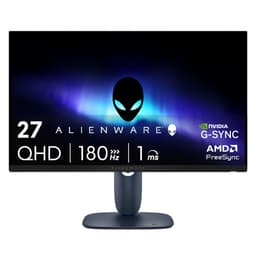
The Alienware AW2725DM is not an ultrawide monitor. It runs a standard 16:9 27-inch panel at 2560x1440 with a 180Hz Fast IPS panel. It is included here as a direct comparison for buyers who are weighing up whether to go ultrawide or stick with a high-quality standard-format gaming monitor at a similar price. At this price, it sits between the AOC and LXZ ultrawides in terms of cost, and the question of which to choose is one that many buyers in this category will genuinely face.
The case for the Alienware over an ultrawide at this price comes down to three things: panel quality, brand reliability and GPU demand. The Fast IPS panel delivers better motion clarity than a VA ultrawide, with accurate colours, wide viewing angles and minimal ghosting even at 180Hz. Alienware's build quality and after-sales support are significantly more established than budget ultrawide brands, and the 2560x1440 resolution is considerably easier to run at high frame rates than 3440x1440, meaning your GPU will deliver higher and more consistent frame rates.
The Fast IPS technology specifically targets the traditional weakness of IPS panels in gaming: response time. Where standard IPS panels can exhibit some overshoot or smearing at high refresh rates, Fast IPS panels use a revised pixel transition process that brings response times closer to TN panel levels while retaining the colour and viewing angle advantages of IPS. At 180Hz, the AW2725DM is genuinely competitive with VA panels for motion clarity.
Connectivity covers two HDMI ports, one DisplayPort and three USB ports, which is adequate for most setups. The stand is adjustable for height, tilt, swivel and pivot, which is a significant ergonomic advantage over most budget monitors in this roundup. The Alienware branding adds a premium feel that is either appealing or irrelevant depending on your aesthetic preferences.
The limitation is the format itself. If you have decided you want the wider field of view and the extra horizontal screen space of a 34-inch ultrawide, the Alienware cannot provide that. But if you are still deciding, the AW2725DM makes a strong argument for the standard 16:9 format at this price.
Verdict: The best standard-format gaming monitor under £200 in this roundup. Choose it over the ultrawide options if GPU headroom is limited or if you prioritise panel quality and ergonomics over screen width.
Pros
- Fast IPS panel delivers accurate colours and wide viewing angles at 180Hz
- Fully adjustable stand with height, tilt, swivel and pivot
- 2560x1440 is significantly easier to run at high frame rates than 3440x1440
Cons
- Standard 16:9 format cannot replicate the immersive width of an ultrawide
- No USB hub or audio output listed in the port specification
The MSI MAG 272QPW QD-OLED sits right at the £400 ceiling of this roundup, and it is the most technically advanced panel here by a considerable margin. It is also not an ultrawide: it is a 27-inch 2560x1440 QD-OLED monitor running at 280Hz. It is included because it represents the most compelling argument for choosing a premium standard-format panel over a budget ultrawide, and because buyers searching for the best monitor under £400 deserve to know what QD-OLED technology offers at this price.
QD-OLED combines the self-emissive pixel technology of OLED, where each pixel produces its own light and can switch off completely for true blacks, with a quantum dot colour filter that extends the colour gamut beyond what standard OLED can achieve. The result is a panel with contrast ratios that no LCD technology can match, colours that are vivid without being oversaturated, and motion clarity at 280Hz that is simply not achievable on any VA or IPS panel at any price. If you play competitive games where motion clarity and response time are the primary metrics, this monitor is in a different class from everything else in this roundup.
The 280Hz refresh rate is the headline figure, and it is genuinely useful for competitive gaming in titles like Valorant, CS2 or Apex Legends where frame rates regularly exceed 200fps on mid-to-high-end hardware. The QD-OLED panel achieves this without the motion blur or ghosting that limits LCD panels at high refresh rates. The result is an image that looks almost unnaturally sharp in motion.
Connectivity includes two HDMI 2.1 ports, one DisplayPort 1.4a and one USB-C with 15W power delivery. HDMI 2.1 is a notable inclusion at this price, enabling full 4K 120Hz from a PlayStation 5 or Xbox Series X if you ever use the monitor with a console, though the panel itself runs at 2560x1440.
The limitations are the format and the OLED caveats. At 27 inches and 16:9, it cannot provide the immersive width of a 34-inch ultrawide. OLED panels also carry a small risk of burn-in with static elements, though modern OLED monitors include pixel refresh cycles and screen savers to mitigate this. At this price, it uses almost the entire budget, leaving nothing for accessories.
Verdict: The most technically impressive panel in the roundup. If competitive gaming performance matters more than screen width, the QD-OLED technology here is worth every penny of the premium over the budget ultrawides.
Pros
- QD-OLED panel delivers true blacks and infinite contrast that no LCD can match
- 280Hz refresh rate with OLED response times sets the standard for motion clarity
- HDMI 2.1 ports enable full-bandwidth console connectivity
Cons
- Standard 16:9 format offers none of the immersive width of a 34-inch ultrawide
- OLED burn-in risk requires careful use with static screen elements over long periods
- At this price, leaves no budget headroom for accessories or peripherals
Buying Guide
Is it worth getting an ultrawide monitor?
For most people who work at a desk for extended periods or who play immersive single-player games, the answer is yes, though exploring best pc accessories and monitors options can help inform your decision. A 34-inch 3440x1440 ultrawide gives you approximately 33% more horizontal screen space than a standard 27-inch 2560x1440 monitor. In practice, this means you can have two full-width windows open side by side without either feeling cramped, which is genuinely transformative for productivity. In games, the wider field of view means you can see more of the environment without turning your character, which adds immersion in open-world, racing and simulation titles. The caveat is that not all games support 21:9 natively, and some competitive multiplayer titles either do not support it or actively restrict it to prevent players gaining a field-of-view advantage.
Is ultrawide harder to run than 4K?
3440x1440 contains approximately 4.95 million pixels, compared to 3840x2160 (4K) which contains approximately 8.29 million pixels. This means 3440x1440 is significantly easier to run at high frame rates than 4K: roughly 40% fewer pixels for your GPU to process per frame. A mid-range GPU like an RTX 4060 or RX 7600 can sustain 100fps or above at 3440x1440 in many titles at high settings, whereas 4K at the same settings would typically require an RTX 4070 or above. For gaming, ultrawide at 3440x1440 is a more practical choice than 4K for buyers with mid-range hardware.
Is 3440x1440 considered 2K or 4K?
3440x1440 is neither 2K nor 4K in the strict sense. The term UWQHD (Ultra-Wide Quad HD) is the most accurate descriptor. It shares the 1440p vertical resolution of standard QHD (2560x1440), which is sometimes loosely called 2K, but the wider horizontal resolution makes it a distinct format. It is not 4K, which requires a minimum of 3840 pixels horizontally. Marketing materials sometimes use the term loosely, so checking the actual pixel count is always worthwhile when comparing monitors.
Is there a downside to curved monitors?
Curved monitors are designed primarily for single-viewer use at a specific viewing distance. If multiple people regularly view your screen from different angles, the curve can distort the image for anyone not sitting directly in front of it. For photography and graphic design work where geometric accuracy matters, a curve can introduce subtle distortion at the edges that affects how straight lines appear. For gaming and general productivity at a standard desk distance of 60-80cm, the 1500R curve used by most 34-inch monitors in this roundup is mild enough that most users find it comfortable rather than distracting. The curve becomes more pronounced and potentially more divisive at tighter radii like 1000R.
Does ultrawide reduce FPS?
Yes, running at 3440x1440 rather than 2560x1440 will reduce your frame rate in GPU-limited scenarios. The approximately 33% increase in pixel count translates to a roughly 20-30% reduction in frame rate in most games, depending on whether the bottleneck is the GPU, CPU or VRAM. In practice, this means a GPU that delivers 120fps at 2560x1440 might deliver 85-100fps at 3440x1440 in the same game at the same settings. This is why the 180Hz refresh rates on the AOC and LXZ ultrawides in this roundup are aspirational figures for most mid-range GPUs: you will need a high-end GPU to consistently reach them in demanding titles, though less demanding or well-optimised games will get there on mid-range hardware.
What refresh rate do I need on an ultrawide?
For productivity and casual gaming, 60Hz is functional but noticeably less smooth than higher rates, as demonstrated by the LG 34BA75QE in this roundup. For gaming, 144Hz is the practical minimum that feels smooth, and 165Hz or 180Hz is the current sweet spot for budget ultrawides. The jump from 60Hz to 165Hz is dramatic and immediately perceptible. The jump from 165Hz to 180Hz is small but measurable. Beyond 180Hz, the returns diminish rapidly, and the GPU cost of maintaining very high frame rates at 3440x1440 makes 240Hz or above largely theoretical for most mid-range systems. For competitive gaming at ultrawide, 165Hz or 180Hz is the target; for productivity and creative work, 60Hz is adequate.
VA versus IPS on ultrawide monitors
Most budget ultrawide monitors use VA panels because VA technology delivers higher native contrast ratios, typically 2500:1 to 3500:1, compared to IPS at around 1000:1. This makes VA panels better for dark scenes in games and films. However, VA panels have slower pixel response times than IPS, which can cause ghosting or smearing on fast-moving content, particularly in dark areas of the image. IPS panels, as used in the LG 34BA75QE in this roundup, offer wider viewing angles, better colour consistency and faster response times, but at the cost of contrast. For gaming in a dark room, VA is often preferable. For productivity in a bright room with multiple viewers, IPS is the better choice.
The AOC Gaming CU34G2XPD is the overall winner of this roundup. At under £190, it delivers 3440x1440 at 180Hz with a full USB hub, FreeSync Premium and a 1500R curved VA panel. There is no other monitor in this roundup that offers as much genuine ultrawide gaming capability for the money. The LXZ 34-inch is the right choice for buyers who want to spend even less and are comfortable with a more limited port selection. The LG 34BA75QE earns its higher price for home office users who need USB-C, Ethernet and built-in speakers in a single cable solution. The Alienware AW2725DM is the recommendation for buyers who prioritise panel quality and ergonomics over screen width, and the MSI MAG 272QPW QD-OLED is the choice for competitive gamers who want the best possible motion clarity and can accept the standard 16:9 format. For the majority of buyers reading this, the AOC CU34G2XPD is the monitor to buy.