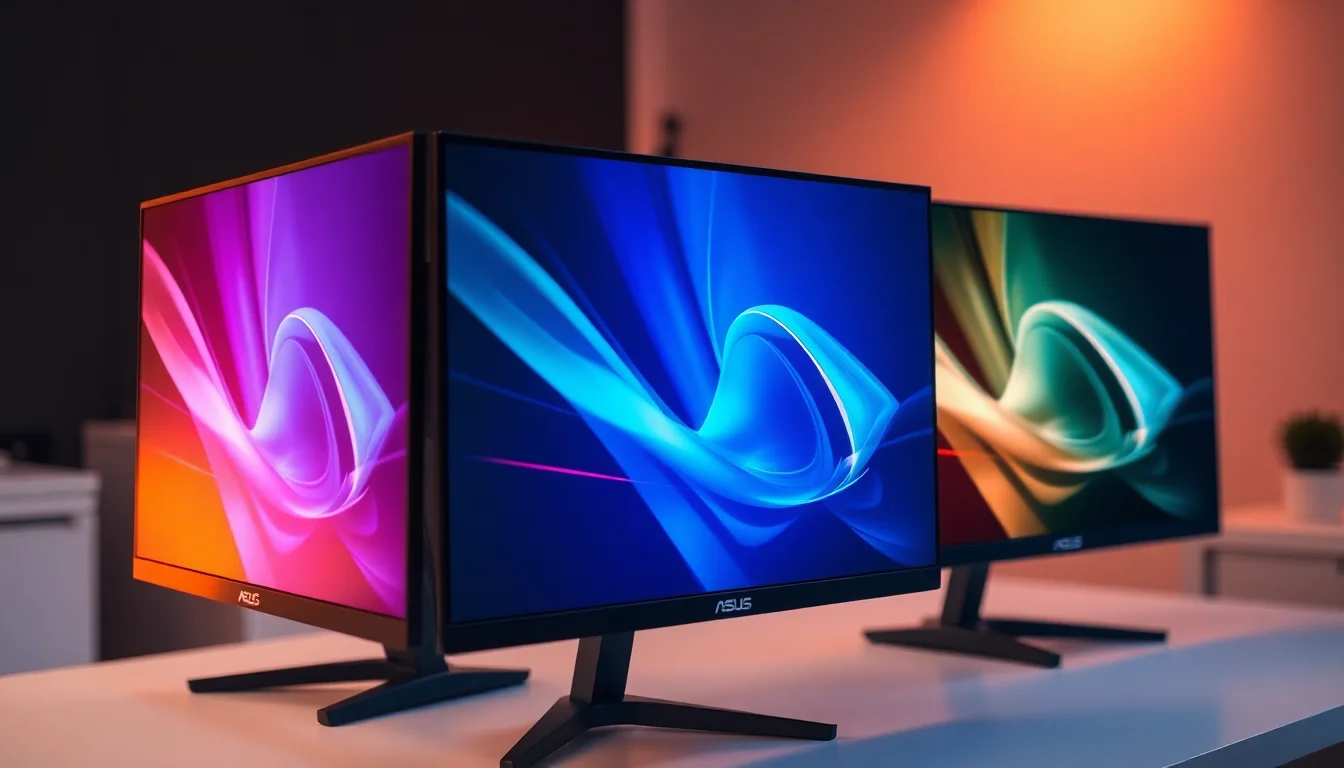
Budget curved gaming monitors are a minefield. For every decent panel that ships with acceptable uniformity and honest motion handling, there are three that arrive with backlight bleed pooling in the corners, overshoot that turns fast-moving objects into ghostly smears, and "1ms" claims that exist purely to look good on a spec sheet. The ASUS TUF Gaming VG27VH1B sits in an interesting spot: a 27-inch curved VA panel at 165Hz with FreeSync Premium, priced in a bracket where the competition is genuinely fierce. Thousands of owners have rated it positively on average, which is a meaningful signal. But averages hide things, and VA panels at this price have specific, well-documented trade-offs worth understanding before you commit.
The verdict up front: for competitive gaming at 1080p on a curved screen, this monitor does most things right. The VA panel delivers contrast ratios that IPS panels in this bracket simply cannot match, the 165Hz refresh rate is real and useful, and FreeSync Premium with a wide VRR range keeps tearing off the table. But the "1ms" MPRT response time is a marketing figure, not a measured grey-to-grey result, and VA panels carry inherent dark-scene smearing that matters if you play a lot of horror, stealth, or any game with significant shadow detail. At the current price point, you're getting solid gaming performance, but there are sharper alternatives at 1440p for not much more money. Whether this is the right buy depends almost entirely on what you're actually doing with it.
Core Specifications
The VG27VH1B is a 27-inch curved panel with a 1500R curvature radius, running at 1920x1080 (Full HD) with a native 165Hz refresh rate. The panel type is VA (Vertical Alignment), which is the defining technical choice here and shapes almost everything about how this monitor performs in practice. ASUS rates the response time at 1ms MPRT, which is a motion-blur-reduction figure achieved by strobing the backlight, not a grey-to-grey pixel transition measurement. The native GtG response time is a different, higher number that ASUS doesn't prominently advertise. Keep that distinction in mind throughout.
Connectivity is minimal but functional for the target audience. You get two HDMI ports and one VGA (D-Sub) input. No DisplayPort. That's a notable omission at this price tier, and it matters if you're pairing this with a desktop GPU that you want running at the full 165Hz over a digital connection. HDMI 1.4 caps out at 144Hz at 1080p, while HDMI 2.0 supports 165Hz at 1080p cleanly. ASUS hasn't been transparent about which HDMI version is fitted, and owner reports suggest some users have needed to manually set 165Hz in their display settings after connecting. Worth double-checking once you're set up.
The panel covers 90% of the DCI-P3 colour gamut according to ASUS's own specification, which is genuinely good for a budget to mid-range VA panel and better than most IPS alternatives in this bracket. Peak brightness is rated at 250 nits in SDR, which is on the lower side for a room with any ambient light. There's HDR10 support, but with no local dimming and a 250-nit peak, it's checkbox HDR rather than anything that will change how games look. The monitor ships with a fixed-height stand with tilt adjustment only, no height or swivel adjustment, which is a real ergonomic limitation we'll come back to.
| Specification | Detail |
|---|---|
| Screen Size | 27 inches |
| Panel Type | VA (Vertical Alignment) |
| Resolution | 1920 x 1080 (Full HD) |
| Refresh Rate | 165Hz native (144Hz also supported) |
| Curvature | 1500R |
| Response Time (MPRT) | 1ms (MPRT, backlight strobing) |
| Adaptive Sync | FreeSync Premium (Adaptive-Sync) |
| HDR | HDR10 |
| Peak Brightness | 250 nits |
| Colour Gamut | 90% DCI-P3 |
| Connectivity | 2x HDMI, 1x VGA (D-Sub) |
| VESA Mount | 100 x 100mm |
| Stand Adjustments | Tilt only (-5 to +20 degrees) |
| Eye Care | Flicker-free, Low Blue Light filter |
| Current Price | £232.91 · Details |

Panel Technology
VA panels occupy a genuinely interesting middle ground in the display market. They're not as colour-accurate out of the box as a well-tuned IPS, and they don't match OLED for response time, but they offer native contrast ratios that IPS panels simply cannot touch. A typical IPS panel delivers somewhere in the region of 1000:1 to 1200:1 native contrast. A decent VA panel like the one in the VG27VH1B typically measures in the 3000:1 to 4000:1 range. That's a meaningful difference in how deep blacks look in dark rooms, and it's the main reason someone might choose this over a same-priced IPS alternative. If you're playing games in a darkened room, or watching films with a lot of shadow detail, the VA panel's contrast advantage is genuinely visible.
The 1500R curvature is relatively aggressive for a 27-inch screen. For context, curved display curvature is expressed as the radius of the circle the screen would form if extended fully, so a lower number means a tighter curve. At 1500R on a 27-inch panel, you're getting a curve that's noticeable from normal viewing distances. Whether you find this immersive or slightly disorienting is genuinely personal. Most owners report adapting quickly, and at a single-monitor desk setup at normal gaming distances, 1500R on 27 inches works well. It would be more of a concern if you were trying to use this for precision photo editing, where straight lines need to look straight.
Viewing angles are where VA panels traditionally take a hit compared to IPS. The horizontal viewing angle is fine for a single user sitting directly in front of the screen, but colour shift becomes visible at wider angles. On a 27-inch curved panel at a desk, this rarely matters in practice since you're typically centred. What does matter for some users is VA's tendency toward "black crush," where very dark shadow detail in games and video gets compressed into indistinguishable near-black tones. This is a known characteristic of VA technology rather than a defect specific to this monitor, but it's about if you play a lot of games where shadow detail matters. Dark corridor shooters, horror games, and stealth titles can all suffer from this to varying degrees depending on the panel's gamma curve.
Display Quality
At 27 inches with a 1920x1080 resolution, the pixel density works out to approximately 82 pixels per inch. That's noticeably lower than what you'd get from a 1440p panel at the same size, which would deliver around 109 PPI. In practical terms, individual pixels become visible at normal desktop viewing distances if you're doing anything text-heavy, like reading articles, writing documents, or browsing. For gaming, the lower PPI is less of an issue because you're generally not scrutinising static fine detail, but it's a real consideration if this monitor is going to double as a productivity display. The 1080p resolution at 27 inches is better suited to dedicated gaming use than mixed-use setups.
The anti-glare coating on the VG27VH1B is a standard matte finish, which handles reflections well in rooms with windows or overhead lighting. Owner feedback consistently mentions that the screen is comfortable to use in varied lighting conditions without the harsh reflections you'd get from a glossy panel. The trade-off with matte coatings is a slight reduction in perceived sharpness and vibrancy compared to glossy alternatives, but for a gaming monitor in a typical UK living room or bedroom setup, the matte finish is the right call. Glossy panels look stunning in a darkened room and miserable in daylight.
Backlight uniformity is one of the areas where budget and mid-range monitors most frequently disappoint, and VA panels are not immune to this. Owner reviews for the VG27VH1B are largely positive on uniformity, with the good overall rating and the pattern of feedback suggesting that most units ship without severe backlight bleed. Some owners do report minor glow in corners at very low brightness settings, which is typical for any LCD panel. The more common complaint in the review pool relates to the fixed stand height rather than the panel quality itself, which is actually a good sign. When owners are complaining about the stand rather than the image, the panel is usually doing its job.
Refresh Rate and Adaptive Sync
The 165Hz native refresh rate is the headline gaming spec here, and it's a genuine upgrade over 144Hz panels even if the difference is subtle. More importantly, FreeSync Premium certification means this monitor has been validated by AMD to meet specific requirements: a minimum 120Hz LFC (Low Framerate Compensation) trigger point, which means VRR stays active and functional even when your frame rate drops below the panel's minimum VRR range. Standard FreeSync without the Premium certification can drop out of VRR range at low frame rates and leave you with tearing or stuttering. FreeSync Premium's LFC requirement addresses this directly.
The VRR range on the VG27VH1B is 48Hz to 165Hz, which is a reasonably wide window. LFC kicks in below 48Hz to keep adaptive sync working even when frame rates drop into the 30s. For competitive gaming where you're typically running well above 60fps, this monitor's VRR implementation is clean and effective. The VESA Adaptive-Sync standard underpins the FreeSync Premium certification, and ASUS's implementation here has been reported by owners as smooth, with no flickering or instability at the VRR range boundaries that some cheaper monitors exhibit.
G-Sync compatibility is worth addressing because many buyers will be running Nvidia GPUs. The VG27VH1B is not officially G-Sync Compatible certified by Nvidia, which means Nvidia hasn't validated it on their test bench. In practice, most FreeSync monitors work with G-Sync enabled through Nvidia's control panel, and owner reports for this monitor suggest it works adequately with Nvidia cards in this mode. But "works adequately" is different from "officially validated," and some users report needing to enable G-Sync manually through the Nvidia Control Panel rather than it being detected automatically. If you're on an AMD GPU, this is a non-issue. If you're on Nvidia, it's worth being aware of.
Response Time and Motion
The "1ms" figure on the box is MPRT, which stands for Moving Picture Response Time. This is a measurement of how long a pixel appears to be on screen during motion, achieved by strobing the backlight (essentially flickering it rapidly to create a strobe effect that reduces perceived motion blur). It is not a measurement of how quickly pixels actually transition between colours, which is the grey-to-grey (GtG) figure. The GtG response time of VA panels in this class typically measures somewhere between 4ms and 8ms in independent testing, depending on the overdrive setting used. ASUS includes an overdrive control in the OSD, and the relationship between overdrive settings and actual pixel transition speed is important.
VA panels have a specific motion characteristic that's worth understanding: they tend to perform well on bright-to-dark transitions but struggle more on dark-to-dark transitions. This means that in dark scenes, motion can appear slightly smeared or blurry in a way that's distinct from the kind of ghosting you'd see on an IPS panel. It's not always visible in fast-paced competitive games where bright, high-contrast elements dominate the screen, but in darker game environments it can be noticeable. Pushing the overdrive setting too high on a VA panel introduces inverse ghosting, where a bright halo or trail appears ahead of moving objects. Owner feedback on the VG27VH1B suggests the medium overdrive setting hits the best balance, avoiding the worst of the inverse ghosting while keeping pixel transitions reasonably fast.
The ELMB (Extreme Low Motion Blur) feature is ASUS's implementation of backlight strobing, and it cannot be used simultaneously with FreeSync. This is a hardware limitation, not an ASUS-specific design choice. You pick one or the other: adaptive sync for tear-free variable frame rate gaming, or ELMB for maximum motion clarity at a fixed refresh rate. For most gaming scenarios, FreeSync Premium is the better choice. ELMB becomes relevant if you're playing at a locked, consistently high frame rate and want the absolute minimum motion blur. Competitive FPS players who can consistently hit 165fps might find ELMB worth experimenting with, but for the majority of gaming situations, FreeSync Premium wins.
Color Accuracy and Gamut
ASUS rates the VG27VH1B at 90% DCI-P3 colour gamut coverage. For context, DCI-P3 is a wide colour space used in digital cinema, and 90% coverage puts this monitor ahead of many IPS panels in the same price bracket, which often land around 95% sRGB (roughly equivalent to 67% DCI-P3). The VA panel's wider colour gamut is one of its genuine strengths for gaming, where saturated, vivid colours in game environments look noticeably richer than on a standard sRGB IPS. The trade-off is that without proper colour management, content mastered in sRGB can appear oversaturated on a wide-gamut panel.
Factory calibration on monitors at this price tier is rarely precise, and the VG27VH1B is no exception. ASUS doesn't ship calibration reports with this monitor, and out-of-box Delta-E values (the measure of colour accuracy, where lower is better, with Delta-E below 2 considered accurate) are unlikely to be impressive without some manual adjustment. For gaming, this matters less than it would for photo or video work, where colour accuracy is critical. The OSD includes colour temperature presets and a sRGB mode, which can help rein in the gamut for content creation use. But if accurate colour is a primary requirement, this monitor isn't the right tool regardless of price.
The sRGB mode, when engaged, restricts the colour output to the sRGB colour space and reduces the oversaturation that wide-gamut panels can introduce on standard content. Owner reports suggest the sRGB mode works as expected, though some users note it also reduces peak brightness slightly. For day-to-day desktop use and web browsing, the sRGB mode is worth enabling if you find the default colour output looks a bit much. For gaming, the wide gamut mode is generally more enjoyable, with game environments looking vivid and punchy. Neither setting is going to satisfy a professional colour workflow, but for gaming and general use, the options are adequate.

HDR Performance
HDR10 support is listed in the spec sheet, but this is the category where the VG27VH1B's limitations are most honest. Real HDR requires two things that this monitor doesn't have in adequate measure: a high peak brightness (typically 600 nits or above for HDR600, 1000 nits for HDR1000) and local dimming to control which parts of the screen are bright and which are dark simultaneously. The VG27VH1B peaks at 250 nits and has no local dimming. It meets the minimum threshold for VESA DisplayHDR 400 certification, which is the entry-level HDR tier and is widely regarded in the display community as insufficient to deliver a meaningful HDR experience.
What this means in practice is that enabling HDR mode on this monitor will typically make the image look worse rather than better for most content. HDR-enabled games and videos are mastered with the expectation of significantly higher peak brightness and better black levels than this panel can deliver. At 250 nits peak, highlights that should be dazzling look flat, and the lack of local dimming means dark areas of the frame can't get darker while bright areas get brighter. The VA panel's native contrast ratio does help somewhat compared to IPS in HDR mode, but it's not enough to overcome the fundamental brightness limitation.
The honest recommendation here is to leave HDR disabled and enjoy the monitor's SDR performance, which is genuinely good for the price. The VA panel's contrast ratio in SDR mode delivers better perceived depth and black levels than most IPS alternatives in this bracket, and the wide colour gamut makes games look vivid without the washed-out look that HDR mode produces on underpowered panels. HDR on this monitor is a checkbox feature, not a selling point. Don't buy it expecting a cinematic HDR experience. Buy it for 165Hz VA gaming in SDR, and you'll be much happier with what you get.
Contrast and Brightness
The native contrast ratio of VA panels is one of the technology's strongest arguments. While ASUS rates the VG27VH1B at 3000:1 native contrast, independent measurements of similar VA panels in this class typically confirm figures in the 2500:1 to 4000:1 range, which is dramatically better than the 1000:1 to 1200:1 you'd expect from an IPS panel at the same price. In practical terms, this means blacks look genuinely dark rather than the dark grey you get on IPS panels in a dim room. For gaming at night with the lights off, the VA contrast advantage is one of the most immediately noticeable quality differences between panel technologies.
The 250-nit peak brightness is the main brightness limitation of this monitor. In a well-lit room with windows or overhead lighting, 250 nits can feel a bit dim, and the matte anti-glare coating helps manage reflections but doesn't add brightness. For a gaming setup in a bedroom or a room where you can control the ambient light, 250 nits is perfectly adequate. In a brightly lit office or a room with direct sunlight, it can struggle. Owner reviews don't frequently flag brightness as a major complaint, which suggests most buyers are using this in appropriate lighting conditions, but it's the ceiling is relatively low compared to higher-end monitors that hit 400 nits or above in SDR.
The flicker-free backlight and low blue light filter are part of ASUS's Eye Care package. Flicker-free is a meaningful feature for long gaming sessions, as PWM (pulse-width modulation) flickering at lower brightness levels can contribute to eye strain in some users. The VG27VH1B uses DC dimming rather than PWM to control brightness, which eliminates the flickering that PWM-based backlights produce. This is genuinely useful for anyone who spends extended periods in front of the screen. The low blue light filter is less essential since most operating systems now include night mode features that achieve the same result, but having it in hardware is a nice option to have.
Ergonomics and Stand
The stand is the most consistent complaint in the owner review pool, and it's a legitimate one. The VG27VH1B ships with a stand that offers tilt adjustment only, ranging from -5 to +20 degrees. There's no height adjustment, no swivel, and no pivot. For a monitor in this price bracket, that's a meaningful ergonomic limitation. Getting the screen at the right height often means stacking the monitor on books or a riser, which is a bit rubbish when you're spending a reasonable amount of money on a display. The good news is that the VESA 100x100mm mount is present, so swapping to a third-party arm or wall mount is straightforward if you want proper adjustability.
The stand itself is reported by owners as stable, without the wobble that plagues some budget monitor stands. The base footprint is fairly typical for a 27-inch curved monitor, taking up a moderate amount of desk space. The overall build quality is described in owner reviews as solid for the price, with the plastic chassis feeling adequately substantial rather than cheap. The bezels are reasonably slim on three sides, with a slightly thicker bottom bezel that houses the ASUS TUF branding. It's not a borderless design, but it's not offensively thick either.
Cable management through the stand is basic. The stand has a cable routing slot that keeps things tidier than a completely open stand, but it's not going to win any awards for elegance. The OSD (on-screen display) controls are physical buttons on the back-right of the monitor, which is the standard placement for this type of monitor. They're not the most intuitive to navigate blind, but the OSD itself is logically structured once you're familiar with it. Owner feedback on the OSD is generally positive, with the menu structure described as clear and the available adjustments covering the key settings including brightness, contrast, colour temperature, and overdrive.
Connectivity and Ports
The port selection on the VG27VH1B is functional but limited. Two HDMI ports and one VGA (D-Sub) input cover the basics, but the absence of DisplayPort is a genuine omission at this price tier. DisplayPort supports higher bandwidth than HDMI 1.4, and for connecting a modern gaming PC at 165Hz, DisplayPort would be the preferred option. With HDMI, the version fitted determines whether 165Hz is achievable at 1080p. HDMI 2.0 supports 1080p at up to 240Hz, while HDMI 1.4 caps at 144Hz at 1080p. Owner reports suggest that 165Hz is achievable over HDMI on this monitor, which implies HDMI 2.0 connectivity, but ASUS's product documentation isn't as clear on this point as it should be.
- 2x HDMI (version unspecified by ASUS, owner reports suggest HDMI 2.0)
- 1x VGA (D-Sub) for legacy device compatibility
- 3.5mm headphone output
- No DisplayPort
- No USB hub
- No USB-C
There's no USB hub built into the monitor, which is increasingly common on mid-range displays but absent here. There's also no USB-C connectivity, which matters more for laptop users who might want a single-cable connection. The 3.5mm headphone output is present and useful for connecting headphones or speakers directly, though the monitor has no built-in speakers. For a gaming monitor, the lack of built-in speakers is entirely reasonable since most serious gamers use headsets or dedicated speakers anyway. The VGA input is there for legacy compatibility, perhaps connecting an older secondary PC or a work laptop, and its presence doesn't add cost in any meaningful way.
The two HDMI ports are the most practically useful feature of the connectivity setup for the target audience. Console gamers can connect a PlayStation or Xbox alongside a PC without needing to unplug anything, which is a genuinely convenient setup for a bedroom gaming station. The monitor's input switching is handled through the OSD, and owner reports suggest input switching is responsive without noticeable delay. For a straightforward gaming monitor that's going to live on a desk with a PC and possibly a console, the connectivity is adequate. For anyone who needs DisplayPort, or who wants to run multiple peripherals through the monitor, it falls short.
How It Compares
The VG27VH1B's most direct competition comes from two directions: other 1080p 165Hz curved monitors at a lower price point, and 1440p alternatives that are available for not significantly more money. The honest comparison that matters most is against the AOC C27G2ZU, a 27-inch curved IPS monitor at 240Hz that often undercuts the ASUS on price, and the MSI Optix MAG274QRF-QD, a 27-inch 1440p IPS panel at 165Hz that represents the next step up in image quality. Neither is a perfect alternative, but both illustrate where the VG27VH1B sits in the market.
Against the AOC C27G2ZU, the ASUS wins on contrast (VA versus IPS is a significant gap) but loses on response time. The AOC's IPS panel at 240Hz has faster pixel transitions and better dark-scene motion handling. The AOC also typically comes in at a lower price point. Against the MSI 1440p option, the resolution difference is significant enough that if you're primarily doing desktop work or playing games where visual detail matters, the 1440p panel is a better long-term investment. The ASUS's advantage is its VA contrast ratio and the wide colour gamut, which make it a better pure gaming panel in a dark room than most IPS alternatives at the same price.
| Feature | ASUS TUF VG27VH1B | AOC C27G2ZU | MSI MAG274QRF-QD |
|---|---|---|---|
| Panel Type | VA | IPS | IPS (Quantum Dot) |
| Resolution | 1080p | 1080p | 1440p |
| Refresh Rate | 165Hz | 240Hz | 165Hz |
| Native Contrast | ~3000:1 | ~1000:1 | ~1000:1 |
| Colour Gamut | 90% DCI-P3 | ~99% sRGB | ~95% DCI-P3 |
| Adaptive Sync | FreeSync Premium | FreeSync Premium | FreeSync Premium Pro |
| Stand Adjustability | Tilt only | Tilt, height, swivel | Tilt, height, swivel |
| DisplayPort | No | Yes | Yes |
| Price | £232.91 · Details | Check current price | Check current price |
The stand adjustability comparison in that table is worth dwelling on. Both the AOC and MSI offer height adjustment and swivel, while the ASUS is tilt-only. If you're going to be sitting at this monitor for long sessions, that ergonomic gap is real. The AOC's 240Hz refresh rate is also a meaningful advantage for competitive FPS players who can push frame rates above 165fps. The ASUS's strongest argument is its contrast ratio and colour gamut, which make it the best of the three for immersive single-player gaming and any content that benefits from deeper blacks and richer colours.

Final Verdict
The ASUS TUF Gaming VG27VH1B is a competent 165Hz curved gaming monitor with a VA panel that genuinely outperforms same-priced IPS alternatives on contrast and colour richness. The positive overall rating across thousands of owner reviews is not an accident. Most people who buy this for its intended purpose, which is 1080p gaming in a controlled lighting environment with FreeSync, come away satisfied. The motion handling is adequate for most gaming scenarios when the overdrive is set correctly, the FreeSync Premium implementation is solid, and the wide colour gamut makes games look vivid and engaging.
The weaknesses are real and worth stating plainly. The 1080p resolution at 27 inches produces a noticeably soft image for desktop use, the stand is ergonomically limited to tilt-only adjustment, there's no DisplayPort, and the HDR implementation is checkbox-level rather than genuinely useful. The "1ms" marketing claim refers to MPRT, not GtG, and VA panels inherently carry some dark-scene motion smearing that faster IPS panels avoid. None of these are deal-breakers for a dedicated gaming monitor used in appropriate conditions, but they're all things to weigh against the price.
Who should buy this: PC and console gamers who want a curved 165Hz display with strong contrast for dark-room gaming, are primarily playing at 1080p, and are on AMD GPUs or comfortable enabling G-Sync manually on Nvidia. The FreeSync Premium implementation and VA contrast ratio are the two things this monitor does better than most competitors at the price.
Who should skip it: Anyone who does significant desktop work alongside gaming, where the 1080p pixel density will frustrate. Anyone who needs DisplayPort. Anyone who wants proper ergonomic adjustability without buying a separate monitor arm. And anyone seriously considering this at the current upper mid-range price point should look hard at 1440p IPS alternatives first, because the resolution and stand adjustability jump at 1440p is significant enough to justify the price difference for most users. If your budget is tighter and 1080p gaming is genuinely all you need, there are curved 144Hz VA panels available at lower price points that give up very little compared to this 165Hz version in real-world use. The 21Hz gap between 144Hz and 165Hz is real but subtle, and saving money to put toward a 1440p upgrade later is a smarter long-term play for many buyers.
What works. What doesn’t.
6 + 6What we liked6 reasons
- VA panel delivers native contrast ratios around 3000:1, producing genuinely dark blacks that IPS alternatives in this price bracket cannot match
- 165Hz native refresh rate with FreeSync Premium certification, including Low Framerate Compensation below 48Hz for stable adaptive sync across a wide frame rate range
- 90% DCI-P3 colour gamut makes game environments look vivid and richly saturated without the washed-out look of many sRGB IPS panels at this price
- Flicker-free DC dimming backlight reduces eye strain during long gaming sessions compared to PWM-based alternatives
- Dual HDMI inputs allow a PC and console to remain connected simultaneously, which is convenient for a bedroom gaming setup
- Owner reviews consistently report good panel uniformity on most units, with complaints centred on the stand rather than the image quality
Where it falls6 reasons
- Stand offers tilt adjustment only, with no height, swivel, or pivot options, which is a meaningful ergonomic limitation for long sessions
- No DisplayPort input, leaving buyers reliant on HDMI and making it harder to confirm full 165Hz connectivity with some GPU configurations
- 1080p resolution at 27 inches yields approximately 82 pixels per inch, which produces a noticeably soft image for text-heavy desktop and productivity use
- HDR10 support is checkbox-level only: 250-nit peak brightness and no local dimming mean HDR mode typically degrades rather than improves image quality
- The advertised 1ms response time refers to MPRT backlight strobing, not grey-to-grey pixel transitions, which are slower and contribute to some dark-scene motion smearing typical of VA panels
- Not officially G-Sync Compatible certified by Nvidia, requiring manual configuration for Nvidia GPU users and carrying no guarantee of validated performance
Full specifications
11 attributes| Panel type | VA |
|---|---|
| Aspect ratio | 16:9 |
| Curvature | 1500R |
| HDR | none |
| Launch year | 2020 |
| Ports | 1x HDMI 2.0, 1x D-Sub, 1x 3.5mm audio in, 1x 3.5mm audio out |
| Refresh rate HZ | 165 |
| Resolution | 1920x1080 |
| Response time MS | 1 |
| Screen size IN | 27 |
| Vesa compatible | true |
If this isn’t right for you
2 options

Frequently asked
7 questions01Does the ASUS TUF Gaming VG27VH1B support 165Hz over HDMI?+
Owner reports suggest 165Hz is achievable over HDMI, implying the monitor is fitted with HDMI 2.0 rather than HDMI 1.4. However, ASUS does not clearly specify the HDMI version in its official documentation. After connecting, it is worth manually checking your display settings to confirm 165Hz is selected, as some users have reported needing to set this themselves rather than having it detected automatically.
02What is the difference between the 1ms MPRT and the actual grey-to-grey response time?+
MPRT, or Moving Picture Response Time, is a figure achieved by strobing the backlight rapidly, which reduces the perceived duration of each frame during motion. It does not measure how quickly individual pixels transition between colours. The grey-to-grey response time of VA panels in this class typically falls between 4ms and 8ms depending on the overdrive setting, which is meaningfully slower than the 1ms headline figure suggests. For most gaming scenarios this is acceptable, but it is a distinction worth understanding before purchase.
03Can I use this monitor with an Nvidia GPU and G-Sync?+
The VG27VH1B is not officially G-Sync Compatible certified by Nvidia. In practice, most FreeSync monitors function with G-Sync enabled through the Nvidia Control Panel, and owner reports for this monitor suggest it works adequately in this configuration. However, you may need to enable G-Sync manually rather than having it detected automatically, and performance is not guaranteed to the same standard as an officially validated G-Sync Compatible display.
04Is the HDR on the VG27VH1B worth using?+
In most cases, no. The monitor peaks at 250 nits and has no local dimming, which means it cannot deliver the contrast or brightness that HDR content is mastered to expect. Enabling HDR mode typically produces a flatter, less impressive image than leaving it disabled and using the monitor in SDR. The VA panel's native contrast ratio in SDR mode provides better perceived depth and richer blacks than the HDR mode achieves. Treat HDR as a checkbox specification rather than a usable feature.
05What overdrive setting produces the best motion performance?+
Based on owner feedback and the general behaviour of VA panels with overdrive, the medium overdrive setting tends to offer the best balance for this monitor. The highest overdrive setting introduces visible inverse ghosting, where a bright halo or trail appears ahead of moving objects. The medium setting keeps pixel transitions reasonably fast while avoiding the worst of this artefact. Dark-scene smearing is a characteristic of VA panel technology rather than a defect correctable by overdrive adjustments.
06Can the stand be replaced with a VESA monitor arm?+
Yes. The VG27VH1B includes a standard 100x100mm VESA mounting pattern, so swapping the included tilt-only stand for a third-party monitor arm or wall mount is straightforward. Given that the fixed-height stand is the most common complaint in owner reviews, fitting a monitor arm is a practical upgrade that resolves the ergonomic limitation without requiring a different monitor.
07How does the VG27VH1B compare to IPS monitors at a similar price?+
The main advantage over same-priced IPS alternatives is the VA panel's native contrast ratio, which typically measures around 3000:1 compared to the 1000:1 to 1200:1 of IPS panels. This produces noticeably deeper blacks in dark rooms and richer shadow detail in games. The trade-offs are slower dark-to-dark pixel transitions, some tendency toward black crush in very dark scenes, and narrower viewing angles. IPS alternatives at similar prices generally offer better response times, faster and more consistent motion handling, and in some cases better stand adjustability and DisplayPort connectivity.