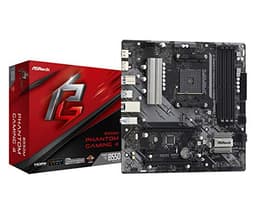
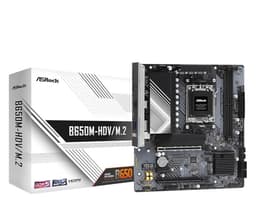
The ASRock B450M-HDV R4.0 is a budget AM4 board that does exactly what it says on the tin. No frills, no overengineered marketing, just a MicroATX platform for AMD Ryzen builds that need to stay lean on cost. And that's the verdict right there: if you're pairing it with a modest Ryzen 3 or Ryzen 5 chip for a home PC, office machine, or a first build on a tight budget, this board is a solid, sensible choice. If you're planning to push a Ryzen 9 or chase serious overclocks, keep reading, because this isn't the board for that.
What the VRM design, chipset limitations, and feedback from over 3,500 owners actually tell you is more useful than any spec list read in isolation. The B450 chipset is mature, well-supported, and the BIOS has had years of refinement. The trade-offs are real but they're predictable. Knowing them upfront means you won't be disappointed when this board behaves exactly like a budget board should.
With a ★★★★½ (4.5) rating from 3,560 owners, this is one of the more trusted boards in the budget AM4 segment. That doesn't mean it's perfect. It means people who bought it for the right reasons were happy with it. Context matters.
Core Specifications
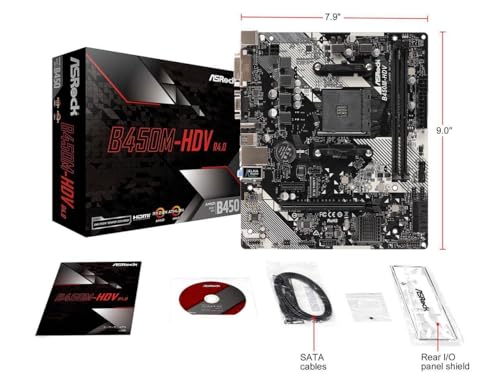
The ASRock B450M-HDV R4.0 is a MicroATX board built around AMD's B450 chipset and the AM4 socket. It supports DDR4 memory, has a single M.2 slot, SATA3 ports, USB 3.1, integrated audio, and Gigabit Ethernet. That's the bones of it. Nothing exotic, nothing that's going to cause compatibility headaches, just a clean platform for mainstream Ryzen builds.
The MicroATX form factor keeps things compact without going full Mini-ITX, so you've still got room for a GPU and a couple of SATA drives. It fits in most standard mid-tower and micro-ATX cases without any drama. The board targets builders who want a stable, no-nonsense foundation rather than one loaded with RGB headers and overclocking knobs they'll never touch.
One thing worth being clear about: this is a budget tier board in the under £120 bracket. The spec sheet reflects that honestly. You're not getting multiple M.2 slots, high-end audio codecs, or beefy VRM heatsinks. But for what it is, the feature set is coherent and well-matched to the price point. Here's the full rundown:
| Specification | Detail |
|---|---|
| Socket | AM4 |
| Chipset | AMD B450 (Promontory) |
| Form Factor | MicroATX |
| Memory Type | DDR4 |
| Storage | SATA3, M.2 |
| USB | USB 3.1 |
| Networking | Gigabit Ethernet |
| Audio | Integrated audio (A) |
Socket and CPU Compatibility
The AM4 socket has had a remarkably long run. AMD kept it alive from first-gen Ryzen all the way through to Ryzen 5000 series, which is genuinely unusual in the CPU market. That means the B450M-HDV R4.0 can support a wide range of processors, from older Ryzen 2000 chips right up to Ryzen 5000 series CPUs like the Ryzen 5 5600 or Ryzen 7 5700X, which are now sitting at very attractive prices on the second-hand and new markets.
There is a catch with Ryzen 5000 support, and it's one that trips up a lot of first-time builders. To run a Ryzen 5000 chip on this board, you'll need a BIOS update. If your board shipped with an older BIOS version, it won't POST with a 5000-series CPU installed. The fix is to either update the BIOS using an older compatible CPU first, or buy from a retailer who ships boards with updated firmware. ASRock does publish BIOS updates for this board, so the support is there, but it does require a bit of planning if you're going straight to a 5000-series chip.
For most budget builders, the sweet spot pairing here is a Ryzen 5 5600 or something in the Ryzen 3 5300G / Ryzen 5 5600G range if you want integrated graphics. These chips are efficient, well within the VRM's capabilities, and give you a genuinely capable system without stressing the power delivery. Pairing this board with a Ryzen 9 5900X or anything with a 105W TDP is possible in theory but not advisable given the VRM design, which we'll get to shortly.
Chipset Features
The AMD B450 chipset sits in the middle of AMD's AM4 chipset lineup, below the enthusiast X570 and X470 chips but well above the entry-level A320. For most people, B450 hits the right balance: it supports memory overclocking (which A320 doesn't), it has enough PCIe lanes for a GPU and an M.2 drive, and it doesn't demand a premium for features that most builders won't use.
What B450 doesn't give you is PCIe Gen 4. That came with X570 and later trickled down to B550. So if you're planning to run a Gen 4 NVMe SSD at full speed, this isn't the platform for it. The M.2 slot runs at PCIe Gen 3 speeds, which is still plenty fast for most workloads, but it's a real limitation if bleeding-edge storage performance is on your list. Gen 3 NVMe drives are also cheaper, so there's a silver lining there.
On the USB and SATA side, B450 provides a sensible allocation for a board at this price. You get USB 3.1 on the rear I/O, SATA3 ports for traditional drives, and enough connectivity for a typical home or office build. The chipset doesn't support USB 3.2 Gen 2x2 or Thunderbolt, but those are features you'd find on boards costing significantly more. For the budget segment, B450 does the job without leaving obvious gaps in everyday usability.
VRM and Power Delivery
This is the section where budget boards either earn their keep or show their limits. The B450M-HDV R4.0 has a modest VRM setup, which is exactly what you'd expect at this price. It's not going to win any awards for phase count or MOSFET quality, and there's no heatsink on the VRM area to speak of. That's fine for low-to-mid TDP CPUs, but it does set a ceiling on what you should be running here.
In practice, Ryzen 5 chips in the 65W TDP range are well within what this board can handle without thermal stress. Ryzen 5 5600, Ryzen 5 3600, Ryzen 5 2600, all perfectly reasonable pairings. Where owners have reported issues is when people try to run 95W or 105W parts, particularly older 12-core and 16-core Ryzen 9 chips. The VRM can get warm under sustained load with those chips, and you may see thermal throttling in demanding scenarios. It's not a disaster, but it's not what the board was designed for.
Owner reviews back this up. The vast majority of positive feedback comes from people running sensible mid-range Ryzen chips, and the board runs quietly and reliably for them. The small number of complaints about instability tend to cluster around people who've pushed it harder than the design intends. The lesson here is simple: match the board to the CPU. Don't buy a budget VRM and then bolt a power-hungry processor onto it and expect enthusiast-grade results. Stick to 65W chips and this board will serve you well for years.
Memory Support
The B450M-HDV R4.0 uses DDR4, which is the right call for a budget AM4 board. DDR5 is the standard on newer AM5 platforms, but for AM4 builds, DDR4 keeps costs down and compatibility simple. You'll find DDR4 kits at very reasonable prices now that the market has shifted toward DDR5, so this actually works in your favour if you're building or upgrading on a budget.
The board supports memory overclocking through XMP profiles, which is one of the advantages B450 has over the entry-level A320. In practice, most budget builders will run 3200MHz or 3600MHz DDR4, and the board handles these speeds without drama. Ryzen CPUs are known to be sensitive to memory speeds and timings, particularly on the infinity fabric, so being able to run faster RAM matters more on AMD than it does on some Intel platforms.
The board has two memory slots, which is standard for a MicroATX board at this price. Two slots means you're running dual-channel with two sticks, which is the correct configuration for Ryzen anyway. Single-channel memory on Ryzen is noticeably slower due to how the infinity fabric bandwidth scales, so filling both slots with a matched kit is the right move. Maximum capacity is determined by the DDR4 standard and the chipset, and for typical home builds, two sticks of 8GB or 16GB each will be more than enough.
Storage Options
Storage connectivity on the B450M-HDV R4.0 covers the essentials. You get SATA3 ports for traditional hard drives and SATA SSDs, plus a single M.2 slot for NVMe storage. For a budget build, this is a perfectly adequate setup. Most people running a single NVMe boot drive and maybe a SATA HDD for bulk storage will have everything they need.
The M.2 slot runs at PCIe Gen 3 speeds, as mentioned in the chipset section. Gen 3 NVMe drives like the WD Blue SN570 or Kingston NV2 are cheap, widely available, and fast enough for everyday computing and gaming. You're looking at sequential reads in the 3,000 to 3,500 MB/s range with a decent Gen 3 drive, which is more than fast enough for Windows boot times and game loading. The lack of Gen 4 support only hurts if you're doing heavy video editing or large file transfers where sustained throughput matters.
SATA3 support means you can connect standard 2.5-inch SSDs and 3.5-inch hard drives without any compatibility concerns. If you're migrating from an older system and bringing SATA drives with you, they'll plug straight in. The board doesn't support RAID configurations in the way enthusiast boards do, but that's not something most home builders need or want to manage anyway. For a straightforward single-drive or two-drive setup, the storage options here are well-matched to the budget tier.
Expansion Slots and PCIe
The MicroATX form factor gives you a primary PCIe x16 slot for your GPU, which is the main event for most builds. The slot runs at PCIe Gen 3 x16, which is fine for current-gen GPUs at 1080p and 1440p. The bandwidth ceiling of Gen 3 x16 is high enough that it doesn't meaningfully bottleneck any GPU you'd reasonably pair with this board. You'd need to be running something like an RTX 4090 before Gen 3 bandwidth starts to matter, and if you're buying an RTX 4090, you're not buying a B450M-HDV.
Beyond the primary x16 slot, the board has additional expansion capability for other cards. The MicroATX layout keeps things compact, so you won't have the sprawling multi-slot options of a full ATX board, but for a standard GPU plus maybe a sound card or capture card, there's enough room. The key thing is that the primary GPU slot is properly implemented and gets the full lane allocation from the CPU rather than being bandwidth-starved by chipset routing.
One practical note: the PCIe x16 slot doesn't have the reinforced steel armour you see on premium boards. That's not a major issue for most builds, but if you're running a very heavy GPU without a support bracket, worth keeping in mind. Most modern GPU sag issues are solved by a GPU support bracket anyway, and those are cheap. The slot itself is solid for normal use, and owner reviews don't flag GPU seating as a problem area.
Connectivity and Rear I/O
The rear I/O on the B450M-HDV R4.0 covers the basics you'd expect from a budget MicroATX board. You get USB 3.1 ports for fast peripheral connectivity, standard USB 2.0 ports for keyboards, mice, and other low-bandwidth devices, integrated audio outputs for speakers and headphones, and a Gigabit Ethernet port. If you're using a Ryzen APU with integrated graphics (like the Ryzen 5 5600G), there are video output options on the rear I/O as well, which is genuinely useful for budget builds that skip a discrete GPU.
The audio implementation uses an integrated codec, which is standard for budget boards. It's not going to replace a dedicated sound card for audiophiles, but for gaming, video calls, and music playback, it does the job without any fuss. Most owners don't report audio quality issues for everyday use, which is exactly what you want from a budget board. It just works, quietly and reliably.
Internal headers for front panel USB and audio are present, as you'd expect. The front panel audio header lets you connect your case's headphone and microphone jacks, and the USB headers give you front panel USB connectivity. For a budget build in a standard case, everything connects as expected without any proprietary nonsense. The I/O panel is clean and functional, if not particularly exciting. There's no Clear-CMOS button on the rear I/O, which is a minor inconvenience if you ever need to reset the BIOS, but it's not unusual at this price point.
WiFi and Networking
The B450M-HDV R4.0 includes Gigabit Ethernet via an onboard LAN controller. For wired network connections, Gigabit is more than sufficient for home broadband speeds and local network transfers. Most UK broadband packages top out well below 1Gbps, so the Ethernet port won't be your bottleneck in any realistic home networking scenario.
There is no built-in WiFi on this board, which is standard for budget MicroATX boards at this price. If you need wireless connectivity, you'll need to add a PCIe WiFi card or use a USB WiFi adapter. PCIe WiFi cards supporting WiFi 6 are available for around £20 to £30 and slot into one of the expansion slots without any drama. It's a minor inconvenience if your PC location doesn't have easy Ethernet access, but it's a predictable limitation at this price point rather than a surprise omission.
The onboard Gigabit LAN uses a Realtek controller, which is the standard choice for budget boards. Realtek's GbE controllers have solid driver support across Windows and Linux, and owners don't report any network stability issues. For gaming, streaming, and general use, wired Gigabit is the right choice anyway, so the absence of WiFi is only a problem if you genuinely can't run a cable.

BIOS and Overclocking
ASRock's BIOS interface has improved considerably over the years. The B450M-HDV R4.0 runs ASRock's UEFI BIOS, which has a reasonably clean layout and covers the essentials without being overwhelming. For a budget board aimed at mainstream builders, the BIOS doesn't need to be a feature-laden monster, and it isn't. You can set memory speeds and XMP profiles, adjust fan curves, and manage boot order without any particular frustration.
That said, this isn't an overclocking-focused board, and the BIOS reflects that. You're not going to find the deep voltage tweaking menus or per-core frequency controls you'd get on a premium X570 or B550 board. Memory overclocking is supported, which is the most impactful tuning you can do on a Ryzen platform anyway, and basic CPU boost behaviour can be managed. But if you're the sort of builder who wants to spend hours in the BIOS dialling in a custom overclock profile, this board and this BIOS aren't really designed for that workflow.
Owner feedback on the BIOS is generally positive for what it is. People report that it's straightforward to navigate, that XMP profiles load without issues, and that the board POSTs reliably on first boot when components are compatible. The main BIOS-related complaints are around the Ryzen 5000 BIOS update requirement mentioned earlier, which is a one-time process rather than an ongoing issue. Once updated, the board runs stably. Fan control is present and functional, letting you set temperature-based curves for CPU and chassis fans, which is more than some budget boards offer.
Build Quality and Aesthetics
The B450M-HDV R4.0 is a no-nonsense board visually. There's no RGB lighting, no decorative shrouds, no elaborate heatsink design. It's a plain PCB with functional components laid out sensibly. If you're building a clean, minimal system or putting it in a case where the motherboard won't be visible, this is completely fine. If you're building a show PC with a side panel window and RGB everything, this board will look a bit plain next to more visually ambitious options.
The build quality for the price is decent. Owner reviews consistently describe it as a good quality product for the money, and the durability feedback is positive. People report running these boards for years without hardware failures, which is the most important build quality metric of all. The PCB feels solid, component placement is sensible, and the physical layout doesn't cause any awkward cable routing issues in standard cases.
The lack of VRM heatsinks is the most notable visual and functional absence. On a budget board paired with appropriate CPUs, this isn't a problem in practice, as the VRM components don't generate enough heat to need active or passive cooling in normal use. But it does reinforce that this is a board designed for a specific use case. It's not trying to be something it isn't, and that's actually a quality in itself. Honest engineering for a defined purpose beats overambitious design that cuts corners elsewhere to fund cosmetics.
How It Compares
The main competition for the B450M-HDV R4.0 in the budget AM4 space comes from the Gigabyte B450M DS3H and the MSI B450M PRO-VDH MAX. These three boards occupy roughly the same price tier and target the same builders. Understanding where they differ is more useful than just listing specs side by side.
The Gigabyte B450M DS3H is a similarly stripped-back option, often available at a comparable price. It has a similar VRM setup and feature set. Some builders prefer Gigabyte's BIOS interface, others prefer ASRock's. Neither is dramatically better. The MSI B450M PRO-VDH MAX is often cited as having slightly better VRM implementation than the ASRock, which can make it a marginally better choice if you're planning to run a higher TDP CPU. But for 65W Ryzen 5 chips, the difference is academic.
Where the ASRock B450M-HDV R4.0 holds its own is in the combination of price, reliability track record, and the sheer volume of owner feedback backing it up. 3,560 at a 4.4 average is a meaningful data set. That's not a board that fluked a good rating from a handful of reviews. It's a board that thousands of builders have trusted and been happy with. That consistency matters more than marginal spec differences at this price point.
| Feature | ASRock B450M-HDV R4.0 | Gigabyte B450M DS3H | MSI B450M PRO-VDH MAX |
|---|---|---|---|
| Socket | AM4 | AM4 | AM4 |
| Chipset | B450 | B450 | B450 |
| Form Factor | MicroATX | MicroATX | MicroATX |
| Memory | DDR4 | DDR4 | DDR4 |
| M.2 Slots | 1 | 1 | 1 |
| Ethernet | Gigabit | Gigabit | Gigabit |
| RGB | No | No | No |
| VRM Heatsink | No | No | No |
| Review Count (approx) | 3,500+ | 2,000+ | 2,500+ |
What Buyers Actually Say
With 3,560 reviews averaging ★★★★½ (4.5), the owner feedback picture is pretty clear. The praise clusters around three things: value for money, ease of installation, and long-term reliability. Builders consistently report that the board just works, that it's straightforward to set up, and that it keeps working without drama months and years later. For a budget board, that's exactly the feedback you want to see.
The positive reviews frequently mention pairing the board with Ryzen 5 chips for home PCs, office builds, and modest gaming setups. People are happy with the performance they're getting for the price, and many mention that the board handled their BIOS update for Ryzen 5000 support without any issues once they knew the process. First-time builders in particular seem to find the board approachable, which speaks to the sensible layout and straightforward BIOS.
On the negative side, the complaints are mostly predictable. A small number of buyers report DOA units, which happens with any hardware at scale and isn't a B450M-HDV-specific problem. A few report frustration with the Ryzen 5000 BIOS update requirement, particularly those who didn't research it before buying. And there are occasional mentions of the board not being suitable for higher-end CPUs, which is fair criticism if someone bought it expecting to run a Ryzen 9. These complaints don't represent a pattern of design failure; they represent a mismatch between buyer expectations and what a budget board is designed to do.
Value Analysis
In the budget motherboard segment, the B450M-HDV R4.0 represents genuine value. You're getting a stable AM4 platform with DDR4 support, M.2 storage, USB 3.1, and Gigabit Ethernet at a price that leaves plenty of budget for the CPU, RAM, and storage that actually determine your system's performance. Spending more on a motherboard than necessary at this level doesn't make your PC faster; it just shifts money away from components that do.
The AM4 platform is also in a sweet spot right now. Ryzen 5000 CPUs have dropped significantly in price as the market moves toward AM5, which means you can pair this budget board with a legitimately capable processor without breaking the bank. A Ryzen 5 5600 plus this board is a combination that would have seemed like serious money a couple of years ago but now sits comfortably in budget build territory. That's a good place to be.
The honest value test is this: could you spend a bit more and get a meaningfully better board? Yes, you could. The B550M DS3H or a B550M AORUS Elite would give you PCIe Gen 4, better VRM, and more headroom for future CPU upgrades. But if your budget is tight and your CPU choice is sensible, the extra spend on a premium board buys you features you may never use. The B450M-HDV R4.
Pros and Cons
- Proven reliability: 3,500+ owners, 4.4 average rating, years of positive feedback
- Good AM4 CPU compatibility: Supports Ryzen 2000 through 5000 series with BIOS update
- M.2 slot included: NVMe storage support at a budget price point
- Sensible feature set: USB 3.1, SATA3, Gigabit LAN, DDR4 with XMP support
- Budget-friendly: Leaves money for the components that actually matter
- VRM is modest: Not suitable for high-TDP Ryzen 9 CPUs under sustained load
- No PCIe Gen 4: M.2 slot limited to Gen 3 speeds
- Ryzen 5000 needs BIOS update: Can catch first-time builders off guard
- No WiFi: Wired-only networking out of the box
Final Verdict
The ASRock B450M-HDV R4.0 is a budget AM4 board that knows what it is and does it well. It's not trying to compete with B550 or X570 boards. It's trying to give you a stable, reliable foundation for a Ryzen build without wasting your money on features you don't need. And for that specific job, it succeeds. The owner feedback is too consistent and too large a sample to dismiss: this board works, it keeps working, and people are happy with it.
The caveats are real but manageable. Keep your CPU to 65W TDP parts, do your BIOS update homework before installing a Ryzen 5000 chip, and don't expect Gen 4 NVMe speeds or premium VRM performance. None of those limitations should surprise anyone at this price point. They're the natural trade-offs of the budget tier, and the board is honest about them in a way that more overambitious budget boards sometimes aren't.
If you're building a home PC, a family computer, an office workstation, or a first gaming rig on a tight budget, this board is a smart, low-risk choice. It's been trusted by thousands of builders, it's well-supported by ASRock's BIOS updates, and it pairs perfectly with the now very affordable Ryzen 5 5600 for a capable all-round system. Editorial score: 7.5 out of 10. Solid, dependable, and priced right for what it is.
Full Specifications
The table below summarises the key specifications of the ASRock B450M-HDV R4.0 for quick reference. All specifications are sourced from the manufacturer's product listing and official ASRock product page.
| Specification | Detail |
|---|---|
| Brand | ASRock |
| Model | B450M-HDV R4.0 |
| Socket | AM4 |
| Chipset | AMD B450 (Promontory) |
| Form Factor | MicroATX |
| Memory Standard | DDR4 |
| Memory Slots | 2 |
| Storage Interface | SATA3, M.2 (PCIe Gen 3) |
| USB | USB 3.1 |
| Networking | Gigabit Ethernet |
| Audio | Integrated |
| WiFi | Not included |
| RGB | None |
| Owner Rating | ★★★★½ (4.5) from 3,560 reviews |

Not Right For You?
If the B450M-HDV R4.0 doesn't quite fit your build, here's where to look instead. For builders who want PCIe Gen 4 NVMe support and a better VRM for higher-TDP CPUs, the B550 chipset is the next step up. Boards like the MSI B550M PRO-VDH WiFi or the Gigabyte B550M DS3H offer Gen 4 M.2 support and slightly more capable power delivery while staying in the budget-to-mid-range bracket. They cost more, but if you're pairing with a Ryzen 7 5800X or planning future upgrades, the extra investment makes sense.
If you're thinking about moving to AMD's current AM5 platform with Ryzen 7000 or 9000 series CPUs, you'll need a completely different board and DDR5 memory. AM5 boards start higher in price but give you a longer upgrade runway. For a genuinely future-proof AMD build in 2026, AM5 is the platform to consider, though the total cost of entry is meaningfully higher than an AM4 budget build.
And if your budget is tighter than the B450M-HDV R4.0's price point, the A320 chipset offers even cheaper AM4 boards, but you lose memory overclocking support and some other features. For most builders, the small price difference between A320 and B450 is worth paying for the XMP support and better CPU compatibility alone. The B450M-HDV R4.0 sits at a price point where it's hard to argue for going cheaper without giving up something meaningful.
What works. What doesn’t.
5 + 4What we liked5 reasons
- Trusted by 3,500+ builders with a 4.4 average rating
- Supports Ryzen 2000 through 5000 series on AM4
- M.2 NVMe slot included at a budget price
- Stable, reliable long-term performance for 65W CPUs
- Sensible feature set with USB 3.1, SATA3, and Gigabit LAN
Where it falls4 reasons
- VRM not suited to high-TDP Ryzen 9 CPUs
- No PCIe Gen 4 support, M.2 limited to Gen 3
- Ryzen 5000 requires BIOS update before first boot
- No onboard WiFi
Full specifications
12 attributes| Socket | AM4 |
|---|---|
| Chipset | B450 |
| Form factor | Micro-ATX |
| Bios flashback | false |
| M2 slots | 1 |
| MAX RAM | 64GB |
| MAX RAM GB | 64 |
| Network | 1GbE |
| Pcie 5 slots | 0 |
| Pcie slots | 1x PCIe 3.0 x16, 1x PCIe 2.0 x1 |
| RAM slots | 2 |
| RAM type | DDR4 |
Frequently asked
5 questions01Is the ASRock B450M-HDV R4.0 good enough for gaming?+
Yes, for budget and mid-range gaming it's perfectly capable. Pair it with a Ryzen 5 5600 and a discrete GPU and you have a solid 1080p gaming rig. The board won't bottleneck a mid-range GPU, and the PCIe Gen 3 x16 slot handles current gaming GPUs without meaningful bandwidth limitations. Just don't expect it to run an RTX 4090 or a Ryzen 9 without compromise.
02Will my existing CPU cooler work with the ASRock B450M-HDV R4.0?+
If your cooler is designed for AMD AM4 socket, it will work. AM4 uses a standard mounting pattern, and most AM4 coolers from reputable brands include the correct backplate and mounting hardware. If you're upgrading from an older AMD platform (AM3 or earlier), check your cooler's compatibility, as the mounting pattern changed with AM4.
03What happens if the ASRock B450M-HDV R4.0 doesn't work with my components?+
Amazon offers 30-day returns on most items, and you're covered by Amazon's A-to-Z guarantee if something goes wrong. ASRock typically provides a 3-year manufacturer warranty on their motherboards. Before buying, check ASRock's CPU compatibility list on their website to confirm your specific processor is supported, and check whether you'll need a BIOS update for Ryzen 5000 series chips.
04Should I spend more and get a B550 board instead?+
If you're pairing with a Ryzen 5 5600 or similar 65W chip and don't need PCIe Gen 4 NVMe speeds, the B450M-HDV R4.0 is genuinely good value and the extra spend on a B550 board buys you features you may not use. But if you're running a Ryzen 7 or Ryzen 9 chip, want Gen 4 storage performance, or plan to upgrade your CPU to a higher-TDP part in the future, a B550 board is worth the extra investment.
05What warranty and returns apply to the ASRock B450M-HDV R4.0?+
Amazon offers 30-day returns on most items, and the manufacturer typically provides a 3-year warranty. You're also covered by Amazon's A-to-Z guarantee.