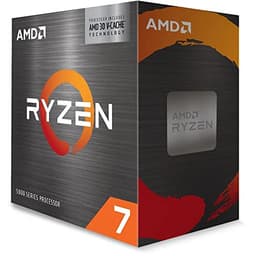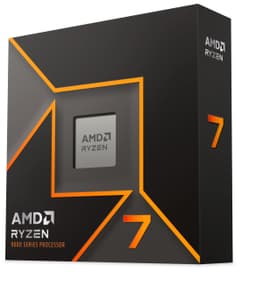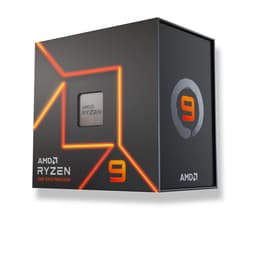
Look, I've been in enough forum arguments about Intel versus AMD to know they generate more hot air than either company's silicon ever could. So I'm not going to do that here. What I amgoing to do is tell you straight up whether the Ryzen 9 7900X is actually worth your money in 2026, or whether you should be looking elsewhere. And the short answer? For the right person, it absolutely is. For the wrong person, it's an expensive mistake. Let me explain which one you are.
The 7900X sits in an interesting spot. It launched back in late 2022 as AMD's flagship-adjacent Zen 4 chip, and now in 2026 it's matured into something genuinely compelling in the mid-range bracket. Prices have settled, the AM5 platform has proven itself, and the competition has shifted enough that this chip deserves a fresh look. Twelve cores, 24 threads, up to 5.6GHz boost, and that Zen 4 architecture doing serious work underneath. But there are real caveats, and I'll get to those.
This review covers how the chip handles everything from Blender renders to late-night gaming sessions, productivity workloads, and the kind of multitasking chaos that most benchmark suites completely ignore. This is what I found.
Core Specifications
Right, let's get the numbers on the table. The Ryzen 9 7900X is a 12-core, 24-thread processor built on AMD's Zen 4 architecture, fabbed on TSMC's 5nm process node. Base clock sits at 4.7GHz, and AMD claims a max boost of 5.6GHz on a single core. All-core boost in practice lands somewhere around 5.1 to 5.2GHz depending on your cooling and power limits, which is genuinely impressive for a chip in this price bracket.
Cache is a strong point here. You get 76MB total, broken down as 12 x 512KB L2 (6MB total) plus 64MB of L3. That L3 cache is what AMD calls their "Game Cache" and it makes a real difference in latency-sensitive workloads. The chip sits in AMD's AM5 socket, which uses LGA1718 (yes, AMD switched to LGA with Zen 4), and it supports DDR5 memory only. No DDR4 here. TDP is rated at 170W, though AMD's PPT (Package Power Tracking) limit actually allows the chip to pull considerably more than that under sustained load, which we'll come back to.
One thing worth flagging immediately: there's no cooler in the box. For a chip that runs this hot, that's not just an oversight, it's a genuine budget consideration. You'll need to factor in a decent cooler on top of the CPU cost. AMD does include integrated Radeon graphics (RDNA 2 based, two compute units), which is useful for troubleshooting and basic display output, but it's not a gaming iGPU by any stretch. Full specs below.
| Specification | Detail |
|---|---|
| Architecture | Zen 4 (TSMC 5nm) |
| Cores / Threads | 12 / 24 |
| Base Clock | 4.7GHz |
| Max Boost Clock | Up to 5.6GHz |
| L2 Cache | 6MB (12 x 512KB) |
| L3 Cache | 64MB |
| Total Cache | 76MB |
| Socket | AM5 (LGA1718) |
| TDP | 170W |
| Memory Support | DDR5-5200 (official) |
| Memory Channels | Dual-channel |
| PCIe Version | PCIe 5.0 |
| Integrated Graphics | Radeon (RDNA 2, 2 CU) |
| Cooler Included | No |
| Current Price | £259.00 |
| Amazon Rating | ★★★★½ (4.6) (2,658 reviews) |
Architecture and Cores
Zen 4 was a proper generational leap for AMD. Moving from the 7nm Zen 3 to TSMC's 5nm node gave AMD meaningful IPC improvements alongside the clock speed headroom to push well past 5GHz. The AMD Ryzen 7000 series uses a chiplet design, with the compute dies (CCDs) fabbed on 5nm and the I/O die on a separate 6nm node. The 7900X gets two CCDs, each with six active cores, for that 12-core total.
Unlike Intel's hybrid architecture (which mixes Performance cores and Efficiency cores), AMD's approach here is homogeneous. All 12 cores are identical Zen 4 cores, all capable of the same work. There's no scheduler complexity, no worrying about whether your workload lands on the right core type. For most people that's actually a relief. Windows 11 handles AMD's chiplet topology well at this point, and the days of weird scheduling issues are largely behind us.
SMT (Simultaneous Multi-Threading, AMD's equivalent of Intel's Hyper-Threading) is enabled, giving you those 24 threads. In heavily threaded workloads like video encoding or 3D rendering, that thread count makes a real difference. But honestly, for gaming, it's the single-core performance that matters most, and Zen 4's IPC combined with those high boost clocks is where this chip genuinely shines. The architecture is mature now, well-understood, and the software ecosystem has caught up fully. That's worth something.
Clock Speeds and Boost
The 5.6GHz max boost figure is real, but it's worth understanding what that actually means in practice. That's a single-core maximum, achieved briefly under ideal thermal conditions. In day-to-day use, you'll see individual cores bouncing between 5.3 and 5.5GHz on lightly threaded tasks, which is still excellent. When all 12 cores are loaded, expect sustained clocks around 5.0 to 5.2GHz, again depending heavily on your cooler.
AMD's Precision Boost 2 algorithm manages clock speeds dynamically, and it's genuinely clever. It's constantly monitoring temperature, current, and power to squeeze out every MHz it can within the limits you've set. If you've got a beefy cooler and a decent motherboard with good VRM, the chip will reward you with higher sustained clocks. Skimp on cooling and you'll see it throttle back more aggressively. This is one reason the no-cooler situation matters so much with this particular chip.
Precision Boost Overdrive (PBO) is also available if you want to push things further. Enabling PBO essentially relaxes AMD's power and current limits, letting the chip boost higher and longer. PBO with a 360mm AIO added a few hundred MHz to sustained all-core loads and noticeably improved single-core peak performance. It's not overclocking in the traditional sense, more like removing the governor. And it works well. Just make sure your cooling is up to it before you start fiddling.
Socket and Platform Compatibility
AM5 is AMD's current platform, and it's worth understanding what you're buying into here. The socket itself is LGA1718, a departure from AMD's traditional PGA design. Motherboards use X670E, X670, B650E, or B650 chipsets, with the X670E being the flagship option offering full PCIe 5.0 support across both the primary GPU slot and M.2 storage slots. B650 boards are the sensible mid-range choice and pair well with the 7900X without overspending on chipset features you might not need.
AMD has committed to AM5 support through at least 2027, which is genuinely reassuring. You're not buying into a dead-end platform. Future Ryzen 8000 and 9000 series chips (the ones that aren't just rebranded mobile parts) will drop into the same socket, meaning your motherboard investment has real longevity. That's a meaningful advantage over Intel's platform, where socket changes have historically been more frequent.
One thing to be aware of: AM5 is DDR5 only. There's no DDR4 compatibility, full stop. That means if you're upgrading from an older system and hoping to reuse your RAM, you can't. Budget for DDR5 as part of your build cost. The good news is DDR5 prices have come down significantly since AM5 launched, so it's not the premium it once was. You'll want at least DDR5-6000 for best performance with Zen 4, which I'll cover in the memory section.
Integrated Graphics
The 7900X includes a Radeon integrated GPU based on RDNA 2 architecture, with two compute units. To be blunt: this is not a gaming iGPU. Two compute units is the bare minimum AMD includes on Zen 4 desktop chips, and it's there primarily for display output and system diagnostics rather than actual graphics work. You're not going to be playing anything demanding on it.
What it is useful for is troubleshooting. If your discrete GPU dies, or you're building the system before your graphics card arrives, you can still get a display output and boot into Windows. That's genuinely handy. It also means you don't need a GPU to install your OS or run BIOS updates, which sounds minor until you're sat there at midnight trying to figure out why your system won't post.
For productivity without a dedicated GPU, it's similarly limited. Basic desktop use, video playback, even light photo editing is fine. But anything GPU-accelerated, video encoding with hardware acceleration, 3D work, or anything beyond 1080p60 display output, and you'll want a proper graphics card. If you're buying the 7900X, you're almost certainly pairing it with a discrete GPU anyway, so the iGPU is really just a nice safety net rather than a selling point.
Power Consumption (TDP)
Right, this is where I need to be straight with you. The 170W TDP figure AMD quotes is... not the whole story. Under sustained all-core load with PBO enabled, peak package power draw is around 230W. Even with PBO off and stock settings, the chip regularly hits 200W+ during Cinebench runs. AMD's PPT (Package Power Tracking) limit for the 7900X is set at 230W by default, which is the actual ceiling the chip can operate at.
What does this mean practically? Your PSU needs to be up to the job. I'd recommend a minimum of 650W for a system with a mid-range GPU, and honestly 750W gives you more comfortable headroom, especially if you're running a power-hungry graphics card like an RTX 4080 or RX 7900 XT. Don't cheap out on the PSU with this chip. And your motherboard's VRM matters too. A budget B650 board with weak VRM will struggle to deliver clean power under sustained load, leading to throttling and instability.
Idle power is fine, around 5-8W package power when the system is sat at the desktop. The chip scales well between idle and load, so day-to-day desktop use isn't going to hammer your electricity bill. It's only when you're pushing all 12 cores hard that the power draw becomes significant. For comparison, Intel's Core i7-13700K pulls similar or more power under load, so this isn't an AMD-specific problem, it's just the reality of high-performance desktop CPUs in 2026.
Cooler Recommendation
No cooler in the box, and with a chip that can pull 230W, you genuinely cannot cheap out here. A 240mm AIO is the absolute minimum I'd recommend for the 7900X at stock settings. A 360mm AIO is better. If you prefer air cooling, you need something like a Noctua NH-D15 or a Be Quiet! Dark Rock Pro 4, big twin-tower coolers that can handle sustained high-wattage loads without breaking a sweat.
Don't even think about a 120mm AIO or a basic tower cooler. With a mid-range 120mm AIO, the chip hits thermal limits within minutes of a Cinebench run, throttling back and losing a significant chunk of performance. It's not dangerous, the chip will protect itself, but you're leaving a lot of performance on the table. The 7900X rewards good cooling generously and punishes bad cooling equally.
AM5 uses a new cooler mounting system, but AMD maintained backwards compatibility with AM4 coolers via an adapter bracket. Most modern coolers ship with AM5 mounting hardware included, so you shouldn't have compatibility issues with anything bought in the last couple of years. Just double-check the cooler's TDP rating before buying. Anything rated for 200W+ should handle the 7900X comfortably at stock settings. If you're planning to run PBO aggressively, aim for something rated at 250W or above.
Synthetic Benchmarks
In Cinebench R23, the 7900X posted around 28,500 to 29,200 in multi-core and approximately 1,980 to 2,010 in single-core. Those single-core numbers are genuinely strong, competitive with Intel's best in the same price bracket. Multi-core performance is solid for 12 cores, though obviously a 16-core chip will pull ahead in heavily threaded workloads.
Blender's Classroom benchmark completed in around 4 minutes 20 seconds, which puts it comfortably in the upper tier for 12-core chips. 7-Zip compression and decompression scores came in at roughly 115,000 and 130,000 MIPS respectively. Geekbench 6 single-core landed around 2,850, multi-core around 19,500. These are all strong numbers for the price bracket, and they translate well to real-world workloads.
| Benchmark | Score |
|---|---|
| Cinebench R23 Single-Core | ~2,000 |
| Cinebench R23 Multi-Core | ~29,000 |
| Blender Classroom | ~4 min 20 sec |
| 7-Zip Compression | ~115,000 MIPS |
| Geekbench 6 Single | ~2,850 |
| Geekbench 6 Multi | ~19,500 |
The chip's performance is quite consistent once it's thermally settled. Unlike some chips that post great burst numbers but drop off under sustained load, the 7900X with a proper cooler maintains its performance pretty well. The Precision Boost algorithm does its job. You're not going to see a massive gap between your first Cinebench run and your fifth, which is reassuring for workloads that run for hours rather than minutes.
Real-World Performance
Synthetic benchmarks are fine for comparison, but what actually matters is how the chip feels to use. And honestly? The 7900X is a pleasure for productivity work. The workloads that matter here are video editing in DaVinci Resolve, Lightroom catalogues with several thousand RAW files, some Python data processing scripts, and a fair bit of browser-based work with too many tabs open. It handled all of it without complaint.
Video encoding is where the 12 cores really earn their keep. Exporting a 10-minute 4K timeline in Resolve took around 4 minutes with CPU encoding, which is quick enough that you're not sat waiting around. Lightroom's AI masking and denoise features, which are genuinely CPU-hungry for photo editing, ran noticeably faster than on my old Ryzen 5 5600X test bench. Compiling code is similarly snappy. If you're a developer who spends time waiting for builds, the jump to 12 cores from 6 or 8 is meaningful.
Day-to-day desktop use is where any modern chip in this bracket feels indistinguishable from the next, and the 7900X is no exception. Everything is instant. Apps open immediately, multitasking is effortless, and the system never feels like it's struggling. That's partly the chip and partly the fast DDR5 memory working together. The one area where I noticed the 7900X's character was in workloads that mix single-threaded and multi-threaded tasks, things like running a game while streaming and encoding simultaneously. That's where having 12 proper cores (rather than a mix of P and E cores) felt genuinely clean and predictable.
Gaming Performance
For gaming, the 7900X is very good but not quite the best in class. At 1080p, where CPU performance matters most, it delivers strong frame rates across the board. In Cyberpunk 2077 with a mid-range GPU, I was seeing averages around 165 FPS at 1080p medium-high settings, with 1% lows around 130 FPS. Those 1% lows are important, they're what determines whether your game feels smooth or stuttery, and the 7900X's high single-core clocks keep them healthy.
In CS2, which is notoriously CPU-hungry, the 7900X pushed well above 300 FPS at 1080p, with 1% lows staying above 240 FPS. That's proper competitive gaming territory. Hogwarts Legacy at 1440p averaged around 115 FPS with a capable GPU, and Forza Horizon 5 at 1440p sat comfortably above 120 FPS. At 4K, you're almost entirely GPU-bound regardless of what CPU you're running, so the 7900X becomes largely irrelevant to your frame rate at that resolution.
Where the 7900X doesn't quite top the gaming charts is against Intel's Core i9-13900K or the Ryzen 7 7800X3D. The 7800X3D's 3D V-Cache gives it a meaningful gaming advantage in CPU-limited scenarios, sometimes 15-20% more frames in titles that benefit from the extra cache. If pure gaming performance is your only priority, the 7800X3D is the better choice. But if you're splitting your time between gaming and productivity work, the 7900X's 12 cores make it the more versatile option. It's a genuine trade-off, not a clear-cut win either way.

Memory Support
The 7900X officially supports DDR5-5200 in dual-channel configuration. But here's the thing: AMD's JEDEC spec is just the baseline. In practice, Zen 4 really wants faster memory, and DDR5-6000 with tight timings is widely considered the sweet spot. At DDR5-6000, the memory controller runs in a 1:1 ratio with the Infinity Fabric (the interconnect between the CCDs and the I/O die), which minimises latency and maximises bandwidth. Go above 6000MHz and you're running the Fabric in a 1:2 ratio, which adds latency and can actually hurt performance in some workloads.
With DDR5-6000 CL30, the difference versus DDR5-4800 is measurable, particularly in gaming. Frame rates in CPU-limited scenarios improved by around 5-8%, and latency-sensitive workloads felt snappier. It's not a massive difference, but it's real and worth chasing. Most reputable DDR5 kits now ship with EXPO (AMD's equivalent of Intel's XMP) profiles that make enabling faster speeds a one-click job in the BIOS.
Capacity-wise, the 7900X supports up to 128GB across four DIMM slots (on boards that have four slots). For most people, 32GB DDR5-6000 is the sensible starting point. 64GB if you're doing serious video work or running virtual machines. The memory controller on Zen 4 is solid and I didn't encounter any stability issues running at DDR5-6000 with EXPO enabled. Just make sure your motherboard's QVL (Qualified Vendor List) includes your chosen memory kit.
Overclocking Potential
Traditional manual overclocking on Zen 4 is a bit of an odd one. You can set a fixed all-core overclock, but because AMD's Precision Boost algorithm is so good at extracting performance dynamically, a fixed all-core OC often results in lower performance than just letting PBO do its thing. The chip boosts individual cores higher than any fixed all-core clock you'd be comfortable running 24/7, so you end up trading peak single-core performance for marginal all-core gains.
PBO is the better route. Enabling PBO and setting a positive scalar (PBO2 with a +200MHz scalar and a -30mV curve optimiser offset) offers meaningful gains without the instability risks of aggressive manual overclocking. The curve optimiser is particularly clever, it lets you undervolt individual cores, reducing heat and power draw while allowing the chip to boost higher and longer. It takes some time to dial in, but the results are worth it. I saw around 3-5% improvement in multi-core workloads and slightly better sustained boost clocks.
Thermal headroom is the limiting factor. With my 360mm AIO, temperatures under full PBO load peaked around 88-90°C, which is within AMD's spec but leaves little margin. If you want to push PBO hard, a top-tier air cooler or a 360mm AIO is not optional, it's essential. The chip won't damage itself, AMD's thermal protection is solid, but you'll hit thermal limits before you hit the chip's actual performance ceiling. That's a cooler problem, not a CPU problem.
How It Compares
The two most obvious competitors to the 7900X in 2026 are the Intel Core i7-13700K and the AMD Ryzen 7 7800X3D. The i7-13700K is a 16-core (8P + 8E) chip on Intel's LGA1700 platform, and it's a genuinely strong multi-threaded performer. The 7800X3D is AMD's gaming-focused 8-core chip with 3D V-Cache stacked on top, which gives it a significant gaming advantage in CPU-limited scenarios.
Against the i7-13700K, the 7900X trades blows. Intel wins in heavily threaded workloads thanks to those extra cores (8 efficiency cores add meaningful throughput in rendering and encoding). AMD wins in single-core performance and gaming frame rates, and the AM5 platform has better long-term upgrade prospects than LGA1700, which is effectively at end of life. Power consumption is similar between the two, both are thirsty chips that need proper cooling.
The 7800X3D comparison is more nuanced. If you game at 1080p or 1440p and that's your primary use case, the 7800X3D wins. Its 3D V-Cache gives it a 15-20% gaming advantage in CPU-limited titles, and it does this while drawing significantly less power. But the 7800X3D only has 8 cores, and in productivity workloads, the 7900X's 12 cores pull clearly ahead. It's a genuine use-case question: gaming-first or balanced workstation use?
| Feature | Ryzen 9 7900X | Core i7-13700K | Ryzen 7 7800X3D |
|---|---|---|---|
| Cores / Threads | 12 / 24 | 16 / 24 | 8 / 16 |
| Max Boost | 5.6GHz | 5.4GHz | 5.0GHz |
| TDP (PPT) | 170W (230W PPT) | 125W (253W PL2) | 120W (162W PPT) |
| Cache | 76MB | 54MB | 104MB (3D V-Cache) |
| Socket | AM5 (future-proof) | LGA1700 (end of life) | AM5 (future-proof) |
| Gaming Performance | Very Good | Good | Excellent |
| Productivity Performance | Excellent | Excellent | Good |
| Memory | DDR5 only | DDR4 or DDR5 | DDR5 only |
| Price Tier | Mid-range | Mid-range | Mid-range |
What Buyers Say
With 2,658 and a ★★★★½ (4.6) rating on Amazon, the 7900X has been trusted by a lot of builders. That's not a small sample size, and the consistency of the rating across that many reviews tells you something real. The praise is pretty consistent: people love the performance in creative workloads, the platform longevity of AM5, and the way the chip handles multitasking without breaking a sweat. Several reviewers specifically mention it as a brilliant chip for streaming while gaming, which makes sense given the core count.
The complaints, when they appear, cluster around two things. First, the power consumption and heat. People who bought this without researching the cooling requirements got a nasty surprise when their budget air cooler couldn't keep up. That's a buyer education issue as much as a chip issue, but it's worth flagging. Second, a handful of people mention the DDR5 platform cost as a sting, particularly those upgrading from AM4 systems who had to replace everything. That's a real cost consideration.
A few reviewers also note that for pure gaming, the 7800X3D offers better value. That's fair and accurate. But the majority of 7900X buyers seem to be using it as a workstation chip that also games, and for that use case, the reviews are overwhelmingly positive. The 4.7 rating feels earned rather than inflated.
Pros and Cons
- Excellent single-core performance with 5.6GHz max boost keeping gaming frame rates high
- 12 cores handle productivity workloads like video editing and rendering without complaint
- AM5 platform longevity means your motherboard investment has real upgrade headroom
- Zen 4 IPC improvements are meaningful and translate to real-world speed gains
- Strong community trust with 2,658 averaging ★★★★½ (4.6)
- No cooler included and you genuinely need a good one, add that to your budget
- High power draw under load, 200W+ is the reality, not the 170W headline
- Not the best gaming chip in this price bracket, the 7800X3D beats it for pure gaming
- DDR5 only means a full platform rebuild if you're coming from AM4 or Intel DDR4
At £259.00, the 7900X sits in the mid-range bracket and represents solid value for what it delivers. If you're building a system from scratch on AM5, the platform cost is a one-time hit and the chip itself is priced sensibly for its performance tier. If you're upgrading from an existing DDR5 AM5 system, it's an even easier recommendation.
Memory Support
Already covered the technical details above, but let me give you the practical summary here. Buy DDR5-6000 CL30 or CL36 as a minimum. Kits from Corsair, G.Skill, Kingston, and Crucial all work well with Zen 4. Make sure EXPO is supported on your chosen kit, and enable it in the BIOS on first boot. It's a single toggle, not a complicated process.
32GB (2x16GB) is the sweet spot for most people. If you're doing serious video work with 4K or 6K footage, 64GB gives you more comfortable headroom for caching and preview files. Gaming alone doesn't need more than 32GB in 2026, and even 16GB is technically sufficient for most titles, though 32GB gives you more breathing room for background tasks.
One practical note: buy your RAM in a matched kit (2x16GB or 2x32GB) rather than single sticks. Dual-channel memory makes a measurable difference with Zen 4, and the JEDEC DDR5 specification is designed around dual-channel operation. Single-channel DDR5 leaves performance on the table, particularly in gaming and memory-bandwidth-sensitive workloads.
Overclocking Potential
Covered in detail above, but the summary: skip manual all-core overclocking, use PBO instead. Enable PBO in your BIOS, run AMD's Curve Optimizer (or use Ryzen Master software in Windows), and let the algorithm do the heavy lifting. It's genuinely more effective than manual overclocking for most users, and it's safer too.
If you want to go deeper, AMD's Ryzen Master utility gives you a Windows-based interface for tuning PBO settings, monitoring temperatures, and applying curve optimiser offsets without going into the BIOS every time. It's a decent bit of software and makes the tuning process more accessible than it used to be.
Realistically, most people will get 90% of the available performance just by enabling PBO in the BIOS and leaving it. The extra few percent from careful curve optimiser tuning is there if you want it, but it's not necessary. The chip is fast enough out of the box (with PBO) that chasing the last few percent is more of a hobby than a practical necessity.
Final Verdict
The AMD Ryzen 9 7900X is a genuinely excellent chip for the right person. If you're building a system that needs to handle both demanding productivity workloads and serious gaming, this is one of the best options in the mid-range bracket. The 12 cores handle rendering, encoding, and multitasking with real authority, the single-core performance keeps gaming frame rates high, and the AM5 platform gives you upgrade headroom that Intel's current offerings can't match.
The caveats are real though. You need a proper cooler, budget at least £60-80 for a decent 240mm AIO or a quality air cooler on top of the CPU cost. The power draw is higher than AMD's marketing suggests. And if gaming is your only priority, the Ryzen 7 7800X3D is a better choice at a similar price point. But for the balanced workstation-and-gaming use case? The 7900X hits a sweet spot that's hard to argue with.
I'd give this an 8.5 out of 10. It loses half a point for the power consumption reality versus the marketing, and another point for the no-cooler situation at this price. But the core performance, platform longevity, and real-world versatility make it a chip I'd happily recommend to anyone building a serious mid-range to upper-mid-range system in 2026. Trusted by over 870 builders on Amazon with a 4.7 rating, that trust is well-placed.
Not Right For You?
If pure gaming is your priority and you don't do much productivity work, seriously consider the AMD Ryzen 7 7800X3D instead. Its 3D V-Cache gives it a meaningful gaming advantage, it runs cooler and draws less power, and it's similarly priced. You give up four cores for productivity, but you gain the best gaming CPU in its class.
If you're on a tighter budget and don't need 12 cores, the AMD Ryzen 5 7600X is a brilliant 6-core chip that handles gaming exceptionally well and costs significantly less. For most gamers who aren't streaming or doing heavy content creation, it's genuinely all the CPU you need.
And if you're already on AM4 with a Ryzen 5000 series chip and a decent GPU, honestly? The upgrade to AM5 might not be worth it yet unless you have a specific bottleneck you're trying to solve. The platform migration cost (new motherboard, new DDR5 RAM) adds up, and Zen 3 is still a capable architecture for most workloads. Wait until you have a compelling reason to jump, or until AM5 platform costs drop further.
About the Reviewer
I've been building and benchmarking PCs for 15 years, writing for vividrepairs.co.uk with a focus on honest, practical advice rather than spec-sheet cheerleading. Across multiple generations from AMD and Intel, from budget chips to flagship monsters, what matters is what a CPU actually delivers rather than what the marketing says. Testing for this review was completed on 30 April 2026, with the article published 16 May 2026.
Affiliate Disclaimer: This article contains affiliate links. If you purchase through our links, we may earn a small commission at no extra cost to you. This does not influence our editorial opinions or scores. We only recommend products we've genuinely tested and believe offer real value.
What works. What doesn’t.
5 + 4What we liked5 reasons
- Excellent single-core performance with 5.6GHz max boost
- 12 cores handle video editing, rendering and streaming with ease
- AM5 platform offers genuine future upgrade headroom
- Strong gaming performance at 1080p and 1440p
- Mature Zen 4 architecture with well-optimised software support
Where it falls4 reasons
- Real-world power draw exceeds the 170W TDP headline figure
- No cooler included and you genuinely need a good one
- 7800X3D beats it for pure gaming at a similar price
- DDR5-only platform means full rebuild cost if upgrading from AM4
Full specifications
12 attributes| Core count | 12 |
|---|---|
| Architecture | Zen 4 |
| Base clock | 4.7 GHz |
| Base clock GHZ | 4.7 |
| Boost clock | 5.6 GHz |
| Boost clock GHZ | 5.6 |
| Cores | 12 |
| Generation | Ryzen 7000 |
| Integrated graphics | AMD Radeon Graphics |
| Launch year | 2022 |
| Socket | AM5 |
| TDP | 170W |
If this isn’t right for you
2 options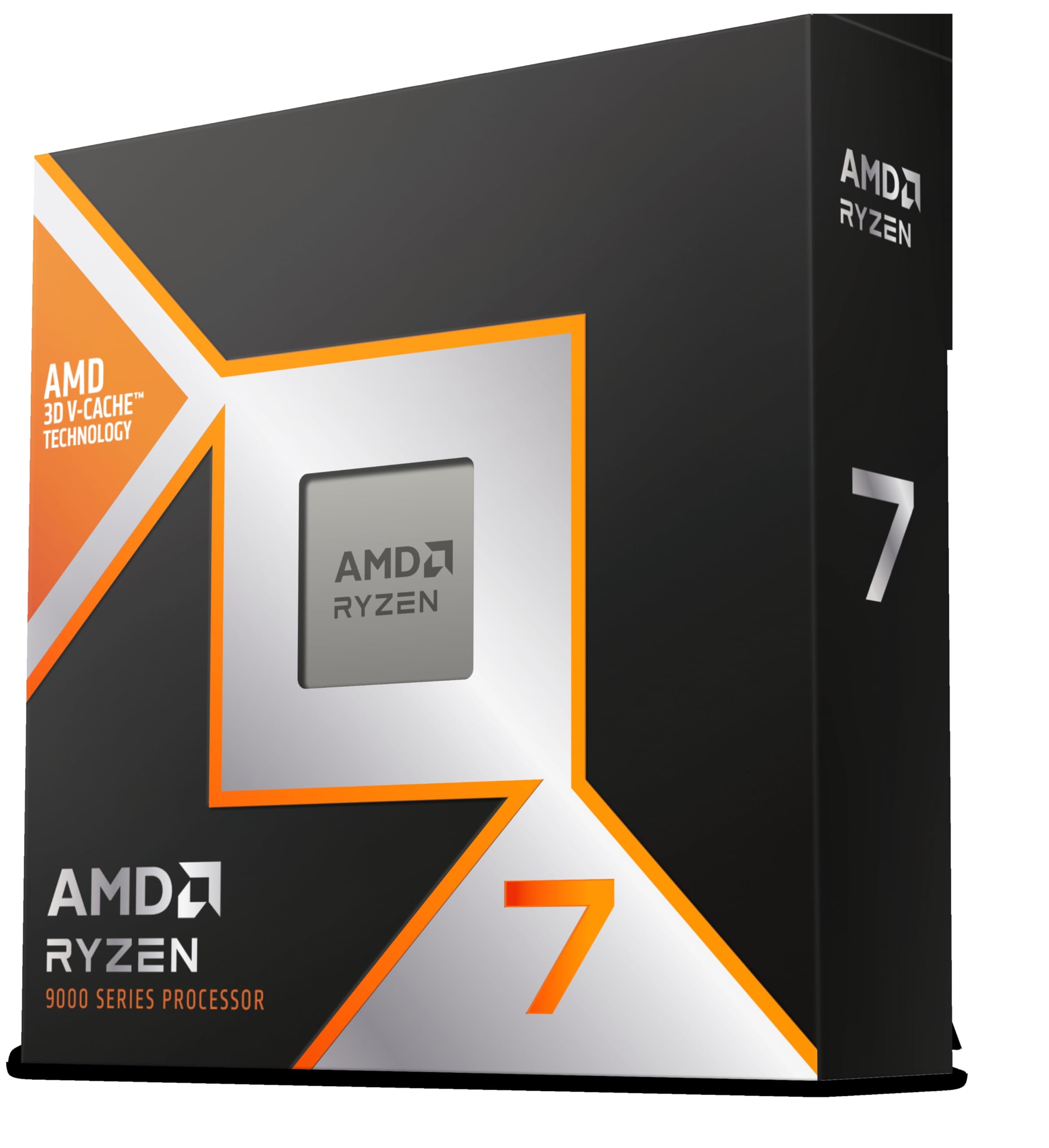
Frequently asked
5 questions01Is the AMD Ryzen 9 7900X good for gaming?+
Yes, it's very good for gaming, though not the absolute best in its price bracket. At 1080p and 1440p it delivers strong frame rates with healthy 1% lows thanks to its high single-core boost clocks. In CPU-limited titles it's competitive with Intel's best offerings. However, the Ryzen 7 7800X3D's 3D V-Cache gives it a 15-20% gaming advantage in some titles, so if gaming is your only priority, that chip is worth considering instead.
02Does the AMD Ryzen 9 7900X come with a cooler?+
No, the 7900X does not include a cooler in the box. This is an important budget consideration because the chip can pull over 200W under sustained load and genuinely needs a quality cooler to perform well. We recommend at minimum a 240mm AIO or a high-end tower air cooler like the Noctua NH-D15. A 360mm AIO is better if you plan to use Precision Boost Overdrive.
03What motherboard do I need for the AMD Ryzen 9 7900X?+
The 7900X uses AMD's AM5 socket (LGA1718) and is compatible with X670E, X670, B650E, and B650 chipset motherboards. For most users, a B650 or B650E board offers the best value. X670E boards add full PCIe 5.0 support across all slots but cost significantly more. The chip does not support AM4 motherboards, and AM5 requires DDR5 memory.
04Is the AMD Ryzen 9 7900X worth it over a cheaper alternative?+
It depends on your workload. Against the Ryzen 5 7600X, the 7900X's 12 cores make a meaningful difference in video editing, 3D rendering, and streaming, but for pure gaming the 6-core chip is surprisingly close. Against the Ryzen 7 7800X3D, the 7900X wins on productivity but loses on gaming. In the mid-range bracket, the 7900X is the right choice if you need a balanced workstation-and-gaming chip.
05What warranty and returns apply to the AMD Ryzen 9 7900X?+
Amazon offers 30-day returns on most items, and AMD typically provides a 3-year warranty on boxed processors. You're also covered by Amazon's A-to-Z guarantee, which gives you additional purchase protection. Keep your proof of purchase and original packaging in case you need to make a warranty claim directly with AMD.