
Here's a question worth asking before you spend anything: do you actually need a portable monitor, or do you just think you do? Because the honest answer is that for a lot of people, a decent portable screen genuinely transforms how they work on the move. Laptop screens are almost universally mediocre for multitasking. A second display changes that. The question is whether the UFYQL Portable Monitor 15.6" is the one to buy, or whether it's another budget panel that looks fine in photos and disappoints in practice.
Short answer: it's pretty good for the money. The IPS panel, the matte anti-glare coating, the dual USB-C setup, and the weight (just 1.39 lbs, which is genuinely light) make this a solid pick for students, remote workers, and anyone who's fed up squinting at a single laptop screen in a coffee shop. It's not going to replace your desk monitor. It won't do anything clever with HDR. But at this price point, in the budget bracket, it does the core job well, and 146 owners averaging ★★★★½ (4.6) backs that up.
The caveats are real though, and before you click buy. So here's everything that matters.
Core Specifications
The UFYQL 15.6" runs a 1920x1080 IPS panel at 60Hz. That's Full HD, which at 15.6 inches gives you a pixel density of around 141 PPI. That's not pin-sharp by modern standards (a 1440p 15.6" would be noticeably crisper), but it's perfectly readable for documents, spreadsheets, code, and video calls. The 60Hz cap is fine for productivity and casual use. If you were hoping to game at 120fps on this, you're looking at the wrong product entirely, but more on that in the refresh rate section.
Connectivity is where this earns some genuine praise. You get dual USB-C ports with DisplayPort Alt Mode support, plus an HDMI input (via Mini-HDMI to HDMI cable, included in the box). The USB-C implementation matters because it means a single cable from a compatible laptop handles both video signal and power delivery simultaneously. No separate charger, no cable clutter. For a travel monitor, that's a real-world win, not just a spec-sheet talking point.
The physical spec is equally impressive for the price. At 0.43 inches thick and 1.39 lbs, this is genuinely slim and light. VESA 75x75mm mounting is supported once you remove the included smart cover. The cover itself doubles as a stand for landscape use. Dual speakers are built in, and there's a 3.5mm headphone jack. The box includes a full-featured USB-C cable (video plus power), a USB-A to USB-C cable, and a Mini-HDMI to HDMI cable. That's a complete kit out of the box, which matters when you're buying budget.
| Specification | Detail |
|---|---|
| Screen Size | 15.6 inches |
| Resolution | 1920x1080 (Full HD) |
| Panel Type | IPS |
| Refresh Rate | 60Hz |
| HDR | HDR support (software/entry-level) |
| Connectivity | Dual USB-C (DP Alt Mode), Mini-HDMI |
| Audio | Dual built-in speakers, 3.5mm jack |
| VESA Mount | 75x75mm (with cover removed) |
| Thickness | 0.43 inches (1.09cm) |
| Weight | 1.39 lbs (0.63kg) |
| Eye Care | Flicker-Free, Low Blue Light filter |
| Price | £59.99 |

Panel Technology
IPS is the right panel type for a portable monitor. Full stop. IPS (In-Plane Switching) gives you consistent colour and contrast across a wide viewing angle, which matters enormously when you're using a portable screen. Think about where portable monitors actually get used: propped up at awkward angles on a desk, tilted on a train table, shared with someone sitting next to you for a presentation. VA panels, which you'll find on some budget desktop monitors, have better native contrast but their colours shift noticeably when viewed off-axis. TN panels are even worse for viewing angles. IPS is simply the sensible choice here, and UFYQL made the right call.
The practical upside is that whether you're looking at this straight-on or from a slight angle, colours stay consistent and the image doesn't invert or wash out. For spreadsheets and documents that's academic, but for photos, video calls, or watching something on Netflix, it genuinely matters. VA panels in particular have a tendency to crush shadow detail when viewed from an angle, which is annoying on a desktop monitor and properly irritating on a portable one you're sharing with someone.
IPS does have a known weakness: black levels. IPS panels can't get as dark as VA panels in a pure black scene, and you'll often see a slight glow around the edges of the screen in dark rooms. This is called IPS glow, and it's a characteristic of the panel technology rather than a manufacturing defect. On a 15.6" portable monitor used primarily for work and productivity, it's rarely a problem. If you're watching a lot of dark films in a pitch-black room, you'll notice it. For everything else, the IPS advantages outweigh this one limitation by a comfortable margin.
Display Quality
At 1920x1080 across 15.6 inches, you're looking at roughly 141 pixels per inch. That's enough for comfortable reading and general work, and text renders clearly without any jagged edges. It's noticeably less sharp than the Retina-class displays on MacBooks, so if you're used to a high-DPI laptop screen and you plug this in as a second display, there will be a visible quality difference. That's not a criticism specific to this monitor, it's just the honest reality of 1080p at this size in 2026. For the price bracket, 1080p is completely expected and perfectly functional.
The matte anti-glare surface is something I'd specifically call out as a good decision for a portable monitor. Glossy panels look gorgeous in a showroom and become mirrors the moment you take them anywhere with ambient light. A matte surface diffuses reflections, which means this screen stays usable in a bright office, near a window, or in a coffee shop without you constantly repositioning yourself to avoid glare. Some people find matte coatings add a slight haze to the image, and that's a fair criticism, but for a travel monitor it's the right trade-off every time.
The Flicker-Free technology and Low Blue Light filter are features aimed at reducing eye strain during long sessions. Flicker-Free means the backlight doesn't pulse to control brightness (a technique called PWM dimming that can cause headaches and eye fatigue for some people), instead using DC dimming or a high-frequency approach. This is genuinely useful if you're using this as a secondary work screen for hours at a time. The Low Blue Light filter is more of a software-level feature, but combined with the matte surface, the overall package is thoughtfully put together for people who stare at screens all day. Owner reviews consistently mention comfort during extended use, which lines up with these specs.
Refresh Rate and Adaptive Sync
Sixty hertz. That's what you get. And for the vast majority of what a portable monitor gets used for, that's completely fine. Documents don't need 144Hz. Video calls don't need 144Hz. Spreadsheets, code editors, YouTube, Netflix, presentations, all of that runs perfectly well at 60Hz. The image is smooth and stable for everything in that category, and you won't feel like you're missing out.
Where 60Hz starts to feel limiting is gaming. If you're connecting this to a gaming laptop or a console like a PS5 or Xbox and hoping to play fast-paced shooters or racing games, 60Hz is noticeably less smooth than the 120Hz or 144Hz you might be used to. The UFYQL listing does mention PS5 and Xbox compatibility, and yes, you can connect them and play games, but you'll be capped at 60fps regardless of what the console can output. For slower-paced games, RPGs, strategy titles, that's fine. For anything where frame rate matters to your enjoyment or performance, it's a limitation about upfront.
There's no mention of adaptive sync (FreeSync or G-Sync Compatible) in the verified specifications. This isn't unusual for a budget portable monitor, and at 60Hz it matters less than it would at higher refresh rates. Screen tearing at 60Hz is less visually distracting than at lower frame rates, and most content you'd watch or work with on a portable monitor won't push you into tear territory anyway. But if you're specifically buying this for gaming, the absence of VRR is alongside the 60Hz cap.
Response Time and Motion
The manufacturer doesn't publish a specific response time figure in the verified specifications, which is actually more honest than slapping a "1ms" claim on the box that means nothing in practice. Budget IPS panels typically measure somewhere between 8ms and 15ms grey-to-grey in real-world conditions, which is a long way from the marketing numbers you see on gaming monitors. For context, published measurements from display testing on comparable budget IPS portable panels regularly show GtG response times in the 10 to 14ms range under normal settings.
What does that mean in practice? For productivity work, video calls, and watching content, it means nothing at all. You won't see any smearing or ghosting on text, UI elements, or standard video. Where it becomes visible is in fast-paced gaming, particularly dark scenes with fast lateral movement. If you're chasing a target in a first-person shooter on a 60Hz portable IPS panel, you may see some trailing behind moving objects. It's not catastrophic, but it's there. This monitor is not positioned as a gaming panel and shouldn't be evaluated as one.
Owner reviews don't flag motion handling as a significant complaint, which makes sense. The people buying this are primarily using it for work, study, and general productivity. In that context, the response time is a non-issue. If someone does try gaming on it, the 60Hz cap is going to be the more noticeable limitation long before pixel response becomes the problem. The motion performance is appropriate for the use case this monitor is actually designed for.
Colour Accuracy and Gamut
The listing mentions HDR support and accurate colours, but doesn't publish sRGB coverage, DCI-P3 percentage, or Delta-E figures. For a budget portable monitor, that's not unusual, and it's not necessarily a red flag. Budget IPS panels in this category typically cover somewhere between 72% and 95% of the sRGB colour space, with most landing around 72% to 80% NTSC (which translates to roughly 95% to 100% sRGB). That's adequate for document work, web browsing, and general video consumption, but it's not a colour-accurate panel in the professional sense.
If you're a photographer doing colour-critical editing, or a designer who needs accurate DCI-P3 coverage for video work, this isn't the monitor for that job. You'd want a panel with verified factory calibration, a published Delta-E figure under 2, and ideally a hardware calibration profile. None of that applies here. But if you're a student, a remote worker, a programmer, or someone who just wants a second screen for reference material while working on their main laptop, the colour output from a typical budget IPS panel is going to look perfectly fine to your eyes.
Owner feedback is positive on the visual quality, with multiple reviews mentioning that colours look good and the image is clear. That tracks with what you'd expect from a decent IPS panel. The matte coating does take a tiny edge off colour vibrancy compared to a glossy panel, but the trade-off in glare reduction is well worth it for a portable screen. For everyday use, this will look good. Just don't expect it to replace a calibrated creative display.
HDR Performance
The UFYQL lists HDR support, and this is where you need to manage expectations carefully. HDR on a budget portable monitor is almost always what the industry calls "checkbox HDR" or entry-level HDR. To deliver genuine HDR, a display needs peak brightness typically above 400 nits (for VESA DisplayHDR 400 certification), and ideally local dimming to control contrast zone by zone. Budget IPS panels without local dimming and with typical peak brightness in the 200 to 300 nit range can accept an HDR signal, but they can't actually render the full dynamic range that HDR content contains.
What this means practically: if you connect a source sending HDR content, the monitor will display it, but it won't look dramatically better than SDR. The highlights won't get meaningfully brighter, the shadows won't get meaningfully darker, and you won't get that punchy, vivid HDR look you see on a proper HDR TV or a premium monitor. The HDR label here is more about signal compatibility than genuine HDR rendering capability. That's not a lie, exactly, it's just not what most people picture when they hear HDR.
For the use cases this monitor is actually built for, none of that matters. You're not buying a portable work screen for its HDR performance. You're buying it to have a second display for your laptop when you're away from your desk. In that context, the HDR support is a nice-to-have that means the monitor won't reject HDR signals from your laptop or console, and that's about as far as the benefit goes. Be honest with yourself about what you need this for, and the HDR situation stops being a disappointment.
Contrast and Brightness
Peak brightness and native contrast figures aren't published in the verified specifications, which is a mild frustration. Budget IPS panels in this category typically land somewhere in the 220 to 300 nit range for peak brightness in SDR. That's adequate for indoor use in a normally lit room, and fine for a coffee shop or office environment. It's not enough to comfortably use outdoors in direct sunlight, but honestly no portable monitor in this price bracket is. If you're planning to use this outside on a bright day, manage your expectations regardless of what you buy.
Native contrast on IPS panels is typically in the 800:1 to 1000:1 range. That's decent for productivity work and general content consumption. It means blacks look dark grey rather than truly black in a dark room, which is the IPS glow characteristic mentioned earlier. In a normally lit office or study space, you won't notice. Watching a film with lots of dark scenes in a blacked-out room is where IPS contrast limitations become visible. Again, this is a characteristic of IPS technology broadly, not a specific failing of this panel.
The matte anti-glare coating helps perceived contrast in bright environments significantly. A glossy panel with theoretically better contrast can look washed out and reflective in a bright room, whereas a matte panel maintains usable image quality even with ambient light sources nearby. For a monitor that's going to be used in varied real-world environments rather than a controlled desk setup, the matte coating is a practical advantage that partially compensates for the moderate native contrast.

Ergonomics and Build
At 0.43 inches thick and 1.39 lbs, the physical build is genuinely impressive for the price. This is thinner and lighter than a lot of premium portable monitors that cost significantly more. It slips into a laptop bag without adding meaningful bulk, which is the whole point. The included smart cover functions as a stand for landscape use, which is a practical solution, though it won't give you the same stability or adjustability as a proper monitor arm or a dedicated stand.
The smart cover stand will get the job done on a flat desk, but don't expect the kind of rock-solid stability you'd get from a premium monitor. A few owner reviews mention that the stand angle isn't adjustable beyond what the cover allows, which is a fair observation. If you need precise tilt adjustment for ergonomic reasons, the VESA 75x75mm mount is the answer. Remove the cover, attach a compatible monitor arm or wall bracket, and you can position it exactly where you need it. That's a proper solution for anyone using this semi-permanently at a desk.
Portrait mode is supported when using a VESA arm, which the listing specifically calls out as useful for reading long documents, coding, and PDFs. That's genuinely useful for certain workflows. Programmers who like a vertical code view, lawyers reading long documents, anyone who finds themselves scrolling endlessly through vertical content will appreciate that this is possible. The smart cover doesn't support portrait mode on its own, you need a compatible arm for that, but the VESA compatibility means the option is there. Build quality from owner reviews sounds solid for the price bracket, with no significant complaints about the physical construction.
Connectivity and Ports
The connectivity setup on the UFYQL is one of its genuine strengths. Two USB-C ports with DisplayPort Alt Mode means you can connect to any laptop with a USB-C port that carries a video signal. The listing helpfully points out how to check: if your USB-C port has a DisplayPort symbol (the double-D shape), a Thunderbolt lightning bolt, or a small display icon next to it, you're good. If it only shows a battery charging icon, you'll need to use the HDMI route instead. That's a useful, practical clarification that saves confusion.
The single-cable USB-C connection is the headline feature here. One cable from your MacBook, ThinkPad, Dell XPS, or compatible laptop handles video at 1080p and power delivery simultaneously. No separate power brick, no second cable. For a monitor you're carrying in a bag, that simplicity is a genuine quality-of-life improvement. The listing confirms compatibility with MacBook, Microsoft Surface Pro and Laptop, Lenovo ThinkPad, HP Spectre and Envy, Dell XPS and Latitude, and ASUS ZenBook, which covers the most common premium laptop lines.
- Dual USB-C ports (DisplayPort Alt Mode, single-cable video and power)
- Mini-HDMI input (Mini-HDMI to HDMI cable included)
- 3.5mm headphone jack
- Dual built-in speakers
- 75x75mm VESA mount (cover removal required)
The included cable kit is specifically because budget monitors often ship with minimal accessories and leave you hunting for the right cable. Here you get a full-feature USB-C 3.1 cable (video plus power), a USB-A to USB-C cable, and a Mini-HDMI to HDMI cable. That's everything you need to connect to essentially any modern laptop or device, out of the box, with no extra purchases required. The dual built-in speakers and 3.5mm jack add audio flexibility, which is useful for video calls when you don't want to use headphones.
How It Compares
The portable monitor market at the budget end is genuinely crowded. The two most relevant competitors are the Lepow Z1 Gamut and the Arzopa Z1FC. Both are 15.6" 1080p IPS portable monitors targeting a similar audience at a similar price point. The Lepow Z1 Gamut is a well-regarded option that's been around long enough to have a solid owner review base, and it covers a wider colour gamut than most budget panels. The Arzopa Z1FC is a newer entrant that's picked up strong reviews for its build quality and included accessories.
Against the Lepow Z1 Gamut, the UFYQL holds its own on connectivity (both offer USB-C with DP Alt Mode and HDMI), and the UFYQL's VESA 75x75mm mount is a practical advantage for anyone wanting to use a monitor arm. The Lepow's colour gamut coverage is a known strength, but without published figures for the UFYQL it's hard to make a direct comparison. Owner sentiment on both is positive. Against the Arzopa Z1FC, the UFYQL's dual USB-C ports and complete cable kit are competitive differentiators. The Arzopa is slightly better known as a brand in the UK portable monitor space, but the UFYQL's 4.6-star average from 152 suggests it's earning trust.
The honest comparison point is this: at the budget end of portable monitors, the differences between competing products are often smaller than the marketing suggests. Panel type, resolution, and connectivity are broadly similar across this tier. Where products differentiate is in build quality, accessory bundles, and the reliability of the USB-C implementation. The UFYQL scores well on the last two. If you're torn between this and a similarly priced alternative, the complete cable bundle and VESA support tip it slightly in the UFYQL's favour for most buyers.
| Feature | UFYQL 15.6" | Lepow Z1 Gamut | Arzopa Z1FC |
|---|---|---|---|
| Screen Size | 15.6" | 15.6" | 15.6" |
| Resolution | 1920x1080 | 1920x1080 | 1920x1080 |
| Panel Type | IPS | IPS | IPS |
| Refresh Rate | 60Hz | 60Hz | 60Hz |
| USB-C (DP Alt) | Dual ports | Yes | Yes |
| HDMI | Mini-HDMI | Mini-HDMI | Mini-HDMI |
| VESA Mount | 75x75mm | Not standard | Not standard |
| Weight | 1.39 lbs | ~1.7 lbs | ~1.5 lbs |
| Warranty | 24 months | 12 months | 12 months |
| Price | £59.99 | ~Similar bracket | ~Similar bracket |
Final Verdict
The UFYQL Portable Monitor 15.6" does what a good budget portable monitor should do: it gets out of your way and gives you a usable second screen without costing a fortune or requiring a bag full of cables. The IPS panel is the right choice for a portable display, the dual USB-C setup with DP Alt Mode is genuinely convenient, the matte anti-glare coating makes it usable in real environments, and at 1.39 lbs it won't make your bag noticeably heavier. The 24-month warranty is better than most competitors in this bracket, and the complete cable kit means you're not hunting for accessories on day one.
The limitations are real but predictable for the price. Sixty hertz means it's not a gaming monitor in any meaningful sense. The HDR support is signal compatibility rather than genuine HDR rendering. Black levels and contrast are typical IPS, which means visible glow in dark rooms. No published sRGB or Delta-E figures means it's not a colour-accurate panel for professional creative work. None of these are surprises, and none of them matter if you're buying this as a productivity and work screen for a laptop.
The 4.6-star average from 146 owners is a solid indicator of real-world satisfaction. That's not a small sample, and it's a high score. Owner reviews consistently mention the image quality being better than expected, the single-cable USB-C setup working well, and the build feeling solid for the price. That's the signal that matters at this end of the market.
Score: 7.5 out of 10. If you're a student, a remote worker, or anyone who travels regularly and wants a proper second screen for their laptop, this is a smart buy in the budget bracket. If you don't travel, don't work remotely, and just want a second monitor for a fixed desk, you'll get better value from a conventional budget desktop monitor at a similar price. A standard 24-inch 1080p IPS desktop monitor will give you more screen real estate and better stand ergonomics for the same money. The UFYQL's value proposition is specifically the portability, and if portability isn't your priority, you don't need it.
Are portable monitors worth buying?
For the right person, absolutely yes. If you regularly work from different locations, travel for work, study in libraries or coffee shops, or just want a second screen when you visit family without lugging a full monitor, a portable monitor is genuinely useful. The key is being honest about whether portability is actually a priority for you. If you're mostly desk-bound and just want a second screen, a standard desktop monitor is better value. But if you're frequently working away from a fixed setup, a portable monitor like this one solves a real problem in a way that a desktop monitor simply can't.
Can I use a monitor as a TV?
Yes, with caveats. You can connect a streaming stick (like a Fire TV Stick or Chromecast), a games console, or a laptop running Netflix to a portable monitor and watch content on it. The UFYQL's HDMI input and USB-C connectivity make this straightforward. What you won't get is a built-in TV tuner (so no live broadcast TV without an external tuner), and the built-in speakers are small. For casual viewing it works well. For a proper TV replacement, the screen size and speaker quality aren't really there, but that's true of any 15.6" monitor.

Can I watch Netflix on a monitor?
Yes. Connect your laptop running Netflix via USB-C or HDMI, or plug in a streaming stick via the HDMI port, and you're watching Netflix on the UFYQL. One thing: Netflix's 4K streaming requires HDCP 2.2 compliance, but since this monitor tops out at 1080p anyway, that's not a relevant concern here. Standard HD Netflix streaming works fine. The matte IPS panel handles typical living-room lighting well, and the 15.6" size is perfectly watchable for solo viewing.
What works. What doesn’t.
5 + 4What we liked5 reasons
- Dual USB-C with DP Alt Mode means single-cable video and power from compatible laptops
- Genuinely light at 1.39 lbs and slim at 0.43 inches
- Matte anti-glare IPS panel is the right choice for real-world portable use
- VESA 75x75mm mount included for monitor arm compatibility
- Complete cable kit in the box, 24-month warranty beats most rivals
Where it falls4 reasons
- 60Hz only, limiting for gaming use cases
- HDR is signal-compatible only, not genuine HDR rendering
- No published sRGB, Delta-E, or brightness figures from the manufacturer
- Smart cover stand offers limited angle adjustment
Full specifications
9 attributes| Refresh rate | 60 |
|---|---|
| Screen size | 15.6 |
| Panel type | IPS |
| Aspect ratio | 16:9 |
| Curvature | flat |
| HDR | HDR |
| Ports | USB-C, HDMI |
| Resolution | 1920x1080 |
| Screen size IN | 15.6 |
If this isn’t right for you
1 options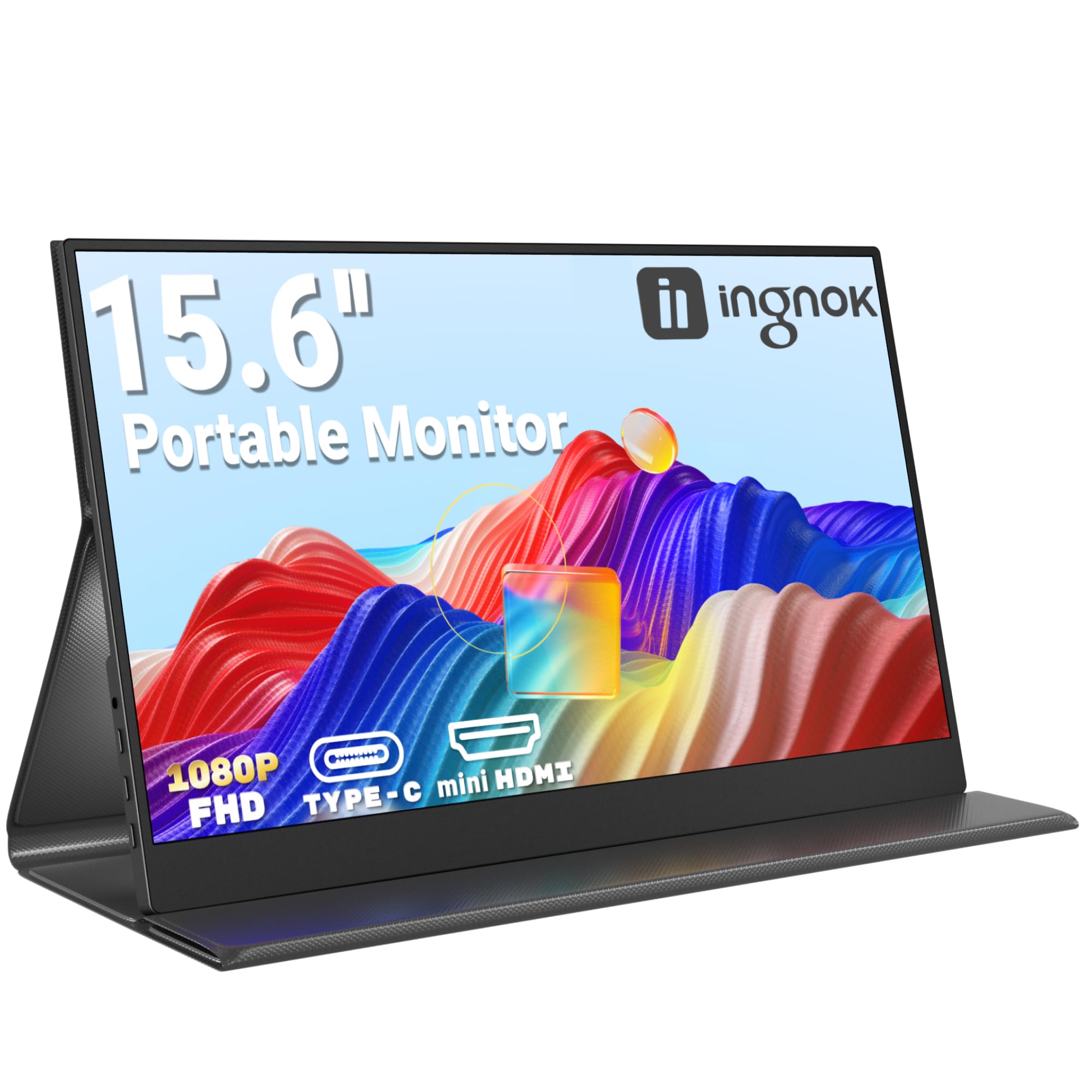
Frequently asked
5 questions01Is the UFYQL Portable Monitor 15.6" good for gaming?+
It depends on the type of gaming. The 60Hz refresh rate is fine for slower-paced games, RPGs, strategy titles, and casual play on PS5 or Xbox. For competitive shooters or fast-paced games where frame rate matters, 60Hz is a noticeable limitation. There's no adaptive sync (FreeSync or G-Sync) listed in the specifications, and the IPS panel's response time is typical of budget portable panels rather than gaming-optimised displays. It'll work for gaming, but it's not a gaming monitor.
02Does the UFYQL Portable Monitor 15.6" have good HDR?+
The monitor supports HDR signals, meaning it won't reject HDR content from a laptop or console. However, it doesn't have the peak brightness or local dimming required for genuine HDR rendering. Budget IPS portable monitors in this category typically can't hit the brightness levels needed for VESA DisplayHDR 400 certification, so the HDR experience is more about compatibility than a true high-dynamic-range image. For productivity and general content consumption, this doesn't matter. For HDR film watching, temper your expectations.
03Is the UFYQL Portable Monitor 15.6" good for content creation?+
For casual content creation, reference viewing, and general work, it's fine. The IPS panel delivers consistent colour at wide viewing angles, and the image quality is solid for the price bracket. However, the manufacturer doesn't publish sRGB coverage, DCI-P3 percentage, or Delta-E accuracy figures, so it can't be recommended for colour-critical professional work like photo editing or video grading where verified colour accuracy is essential. If precise colour matters to your workflow, a panel with published calibration data and factory colour profiles is the better choice.
04What graphics card do I need for the UFYQL Portable Monitor 15.6"?+
The UFYQL runs at 1920x1080 at 60Hz, which is an undemanding target for any modern GPU or integrated graphics. If you're connecting via USB-C, your laptop needs a USB-C port with DisplayPort Alt Mode (look for a DisplayPort symbol, Thunderbolt lightning bolt, or display icon next to the port). If your USB-C port only shows a battery charging icon, use the included Mini-HDMI to HDMI cable instead. Any laptop or desktop GPU from the last several years will drive this monitor without any performance concerns.
05What warranty and returns apply to the UFYQL Portable Monitor 15.6"?+
UFYQL provides a 24-month warranty on this monitor, which is better than the 12-month warranty offered by many competitors in this price bracket. The listing also states 30-day free returns. Amazon's standard A-to-Z Guarantee applies to purchases made through Amazon UK, providing additional buyer protection on top of the manufacturer warranty.






