Quick spec check, purchase, job done. That's how most people buy a USB Ethernet adapter. And honestly, for a device this simple, that approach mostly works. But there's a version of this purchase that goes wrong: you buy the cheapest option, it installs a mystery driver, Windows flags it as unsigned, and six months later it stops working after an OS update because the manufacturer vanished. The spec sheet looked identical. The price was lower. The outcome was not.
The TP-Link UE306 USB Ethernet Adapter sits in a crowded budget category where the difference between a good buy and a frustrating one often comes down to driver quality, chipset reliability, and whether the brand actually maintains software support. TP-Link is one of the few budget networking brands with a genuine track record of doing all three. With over 15,000 owner reviews averaging 4.5 stars, this is not an unknown quantity. So the real question is not "does it work?" but "does it work well enough, for long enough, to be worth picking over the alternatives?"
This is a USB 3.0 to Gigabit Ethernet adapter. It adds a wired network port to any laptop, ultrabook, or Nintendo Switch dock that lacks one. It does not do Wi-Fi. It does not do anything clever. What it does is give you a stable, fast wired connection from a device that was never designed to have one. For a lot of people, that single capability is exactly what they need.
Core Specifications: TP-Link UE306 USB Ethernet Adapter Review UK 2025
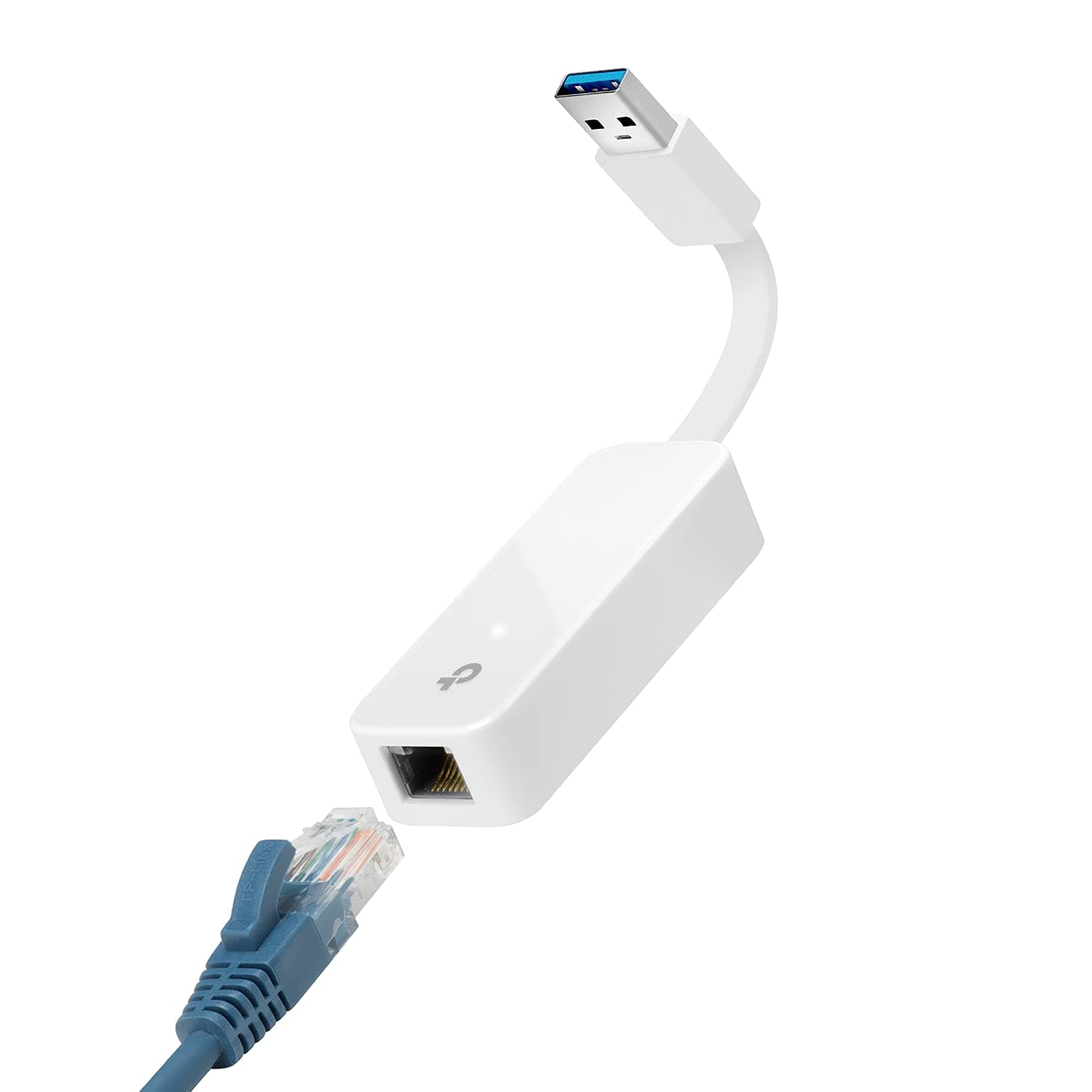
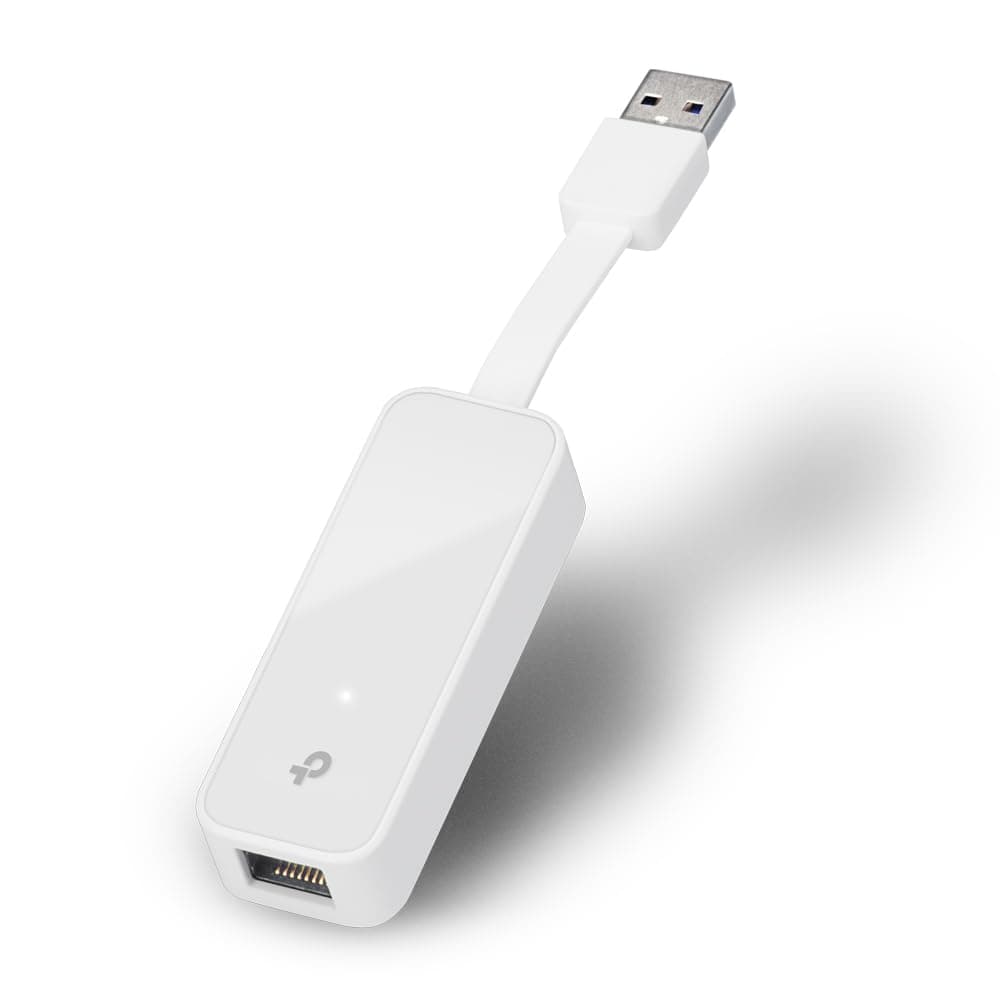
Strip away the marketing and the UE306 is a straightforward piece of hardware. One USB 3.0 Type-A connector on one end, one RJ45 Gigabit Ethernet port on the other. That USB 3.0 connection is important: USB 3.0 has a theoretical bandwidth ceiling of 5Gbps, which is more than enough headroom for a Gigabit Ethernet connection running at up to 1000 Mbps. You are not going to bottleneck the wired connection through the USB interface. Some cheaper adapters use USB 2.0, which tops out at 480 Mbps and will cap your speeds well below Gigabit. The UE306 does not have that problem.
The physical design is genuinely compact. At 71 x 26 x 16.2mm and just 20g, it is lighter than most USB sticks. TP-Link has built in a fold-flat design so the USB plug tucks against the body when not in use, which means it survives being thrown in a bag without snapping the connector. That is not a trivial design decision for something that lives in a laptop bag. Plenty of adapters in this category have a rigid plug that you will eventually break if you carry it around daily.
Compatibility is broad. Plug and Play support covers Windows 10, Windows 8.1, and Linux without needing to manually hunt for drivers. Nintendo Switch compatibility is explicitly called out, which matters for anyone using the Switch dock and wanting a wired connection for online gaming or faster downloads. macOS compatibility is widely reported by owners, though it is worth checking TP-Link's support page for your specific macOS version before buying. The two-year manufacturer warranty is above average for this category, where plenty of no-name alternatives offer nothing at all.
| Specification | Detail |
|---|---|
| USB Interface | USB 3.0 (Type-A) |
| Network Port | 1x RJ45 Gigabit Ethernet (10/100/1000 Mbps) |
| Max Network Speed | Up to 1000 Mbps |
| Dimensions | 71 x 26 x 16.2mm (2.8 x 1.0 x 0.6 in) |
| Weight | 20g (0.71 oz) |
| OS Support | Windows 10 / 8.1, Linux, Nintendo Switch (Plug and Play) |
| Design | Foldable plug, portable |
| Warranty | 2 years manufacturer |
| Price | £8.99 |

Real-World Coverage: What a Wired Adapter Actually Solves
Coverage is not really the right word for a wired Ethernet adapter. There is no radio signal to measure, no dead zones to worry about, no signal degradation through walls. What the UE306 gives you is something more valuable in certain situations: a connection that does not depend on coverage at all. If you have ever tried to run a video call from a room where the Wi-Fi signal is marginal, or downloaded a large file while someone else is streaming, you already know that even a decent Wi-Fi signal can behave unpredictably under load. Wired removes that variable entirely.
The practical constraint with any USB Ethernet adapter is cable length and port availability. You need to be within reach of an Ethernet socket, which in many modern homes means running a cable from a router or switch. That is a real limitation, and it is worth being honest about it. The UE306 does not solve a dead zone problem the way a mesh node or range extender might. What it solves is the reliability problem: the jitter, the dropped packets, the variable latency that wireless connections introduce even when signal strength looks fine. For gaming, video conferencing, or anything where consistency matters more than mobility, wired beats wireless at every price point.
Owner feedback across those 15,000-plus reviews consistently highlights exactly this use case. People buying the UE306 are not trying to extend coverage around a house. They are plugging a modern ultrabook or a Nintendo Switch into a wired network because their device lacks a built-in Ethernet port and they want the stability that comes with a physical connection. The reviews that mention specific use cases skew heavily toward home office setups, gaming on the Switch, and travel use where hotel Wi-Fi is unreliable but a wired port is available. That is the actual coverage story here: not range, but reliability.
Sustained Speed Under Load
The headline figure is up to 1000 Mbps, which is standard Gigabit Ethernet. That is the theoretical maximum of the wired standard, and unlike Wi-Fi marketing numbers, it is achievable in practice on a real network. Whether you actually see speeds close to that depends on your broadband connection, your router, your switch, and the quality of your Ethernet cable. The UE306 itself is not the bottleneck. The USB 3.0 interface provides more than enough bandwidth headroom, and Gigabit Ethernet over a decent Cat5e or Cat6 cable will consistently deliver speeds well above what most UK broadband connections can saturate.
Where this matters practically: if you are on a full-fibre connection with symmetric Gigabit speeds, a USB 2.0 adapter would cap you at around 300 to 400 Mbps in real-world conditions due to protocol overhead. The UE306's USB 3.0 interface does not have that problem. You are getting the full Gigabit pipe to your device. Owner reports consistently confirm that large file transfers, 4K streaming, and online gaming all perform exactly as you would expect from a wired Gigabit connection, with none of the variability you get from Wi-Fi.
Sustained throughput under load is where wired connections genuinely shine compared to wireless. A Wi-Fi 5 or Wi-Fi 6 connection can quote impressive peak speeds on paper, but put multiple devices on the same access point, add some interference from neighbouring networks, and that throughput fluctuates. A wired Gigabit connection does not do that. It holds its speed. For anyone who has ever watched a video call quality drop mid-sentence because someone else in the house started a download, that consistency is the actual selling point of the UE306, not the peak number.
Mesh and Backhaul: Not Applicable, But Here Is Why That Matters
The UE306 is not a mesh node, a router, or an access point. It does not participate in any mesh network topology. But the reason this section exists in a review of a USB Ethernet adapter is that the UE306 is often bought specifically to improve the weakest link in a home network, and understanding where it fits in the bigger picture is genuinely useful. Mesh networking solves coverage problems by placing multiple nodes around a home. The UE306 solves a different problem: it gives a single device a direct wired connection to that network, bypassing Wi-Fi entirely.
If you have a mesh system and one of your nodes has a spare Ethernet port, plugging a device into that node via the UE306 is actually a solid strategy. You get the coverage benefit of the mesh (the node is physically close to the device) combined with the stability of a wired connection. The device does not need to maintain a Wi-Fi connection at all, which frees up wireless capacity for everything else on the network. This is particularly relevant for the Nintendo Switch use case: the Switch dock has a USB port, and adding the UE306 gives the console a wired Gigabit connection that is noticeably more stable for online gaming than the Switch's built-in wireless.
For anyone building out a home network and wondering whether to invest in a mesh system or just run some Ethernet cable, the honest answer is: they solve different problems. Mesh is for coverage. Wired Ethernet is for reliability and throughput. The UE306 is a tool for the second problem. If your issue is that your laptop sits on a desk three metres from your router and still gets inconsistent Wi-Fi because the signal passes through a wall, a USB Ethernet adapter and a short cable is a cheaper and more effective fix than a mesh node. If your issue is genuinely that the signal does not reach a room, the UE306 will not help you.
Device Capacity: One Port, One Device, Full Speed
There is no device capacity question with the UE306 in the traditional sense. It is a single-port adapter. One USB port in, one Ethernet port out, one device connected at a time. There is no concept of MU-MIMO or OFDMA here, no question of how many simultaneous clients it can handle. What it does give you is a dedicated Gigabit connection for that one device, with no shared medium and no contention with other wireless clients. In a busy home where the Wi-Fi access point is managing thirty-plus devices, pulling your laptop or gaming console onto a wired connection actually improves the wireless experience for everything else by reducing the number of clients the access point has to juggle.
This is an underappreciated benefit of wired connections in a dense home network. Modern Wi-Fi standards like Wi-Fi 6 include OFDMA specifically to handle many simultaneous clients more efficiently. But even with OFDMA, a device on a wired connection is one fewer device consuming airtime on the wireless medium. If you have a household with smart home devices, phones, tablets, laptops, smart TVs, and consoles all competing for wireless capacity, moving even a few high-bandwidth devices onto wired connections makes a measurable difference to overall network performance. The UE306 is a simple tool for doing exactly that.
The Nintendo Switch angle is worth dwelling on here. The Switch's built-in wireless is adequate for casual gaming but can struggle with packet loss and latency spikes on busy home networks or in flats with lots of neighbouring Wi-Fi networks. The UE306 plugged into the Switch dock bypasses the wireless entirely and gives the console a clean Gigabit connection. Owners who play online regularly and have experienced the frustration of connection drops mid-match report a clear improvement in stability. That is not a surprising result, it is physics: wired connections do not suffer from radio interference or channel congestion.
Wi-Fi Standard and Future-Proofing: This Is a Wired Adapter
The UE306 does not do Wi-Fi. Full stop. There is no Wi-Fi 5, no Wi-Fi 6E, no Wi-Fi 7 to discuss. And honestly, for a device in this category, that is fine. The future-proofing question here is about the wired standard, and Gigabit Ethernet over USB 3.0 is not going anywhere. The Gigabit Ethernet standard has been stable for decades and will remain the dominant wired standard for home use for the foreseeable future. USB Type-A is still the most common port on laptops and docking stations. This is not a purchase you will regret in two years because the standard changed.
The only scenario where the UE306 becomes a bottleneck is if you have a multi-Gigabit broadband connection (2.5Gbps or faster) and a router with a 2.5GbE or 10GbE WAN port. In that case, a USB 3.0 Gigabit adapter will cap your wired speed at 1000 Mbps. But that scenario applies to a very small number of UK households right now. Most UK broadband connections, even full-fibre Gigabit packages, deliver speeds that a Gigabit Ethernet adapter handles without breaking a sweat. For the vast majority of buyers, USB 3.0 to Gigabit Ethernet is exactly what they need and will continue to be for years.
If you are specifically buying this for a laptop that has USB-C ports only, note that the UE306 uses USB Type-A. You would need a USB-C to USB-A adapter or hub, or look at TP-Link's USB-C Ethernet adapter variants instead. That is not a flaw in the UE306, it is just a compatibility check worth doing before you buy. The product page is clear about the USB Type-A connector, so there should be no surprises if you read the spec before purchasing.

Features and QoS: It Moves Data, That Is the Feature
There are no software features on the UE306. No QoS controls, no parental controls, no guest network, no app, no web interface. It is a hardware adapter that creates a network interface on your computer. Any QoS or traffic management you want to apply happens at the router level, not here. This is not a criticism, it is just what a USB Ethernet adapter is. Expecting QoS from a dongle is like expecting cruise control from a set of tyres.
What the UE306 does offer in terms of "features" is the quality of the connection itself. Gigabit speeds, USB 3.0 bandwidth headroom, Plug and Play installation on supported operating systems, and a foldable design that protects the connector during transport. These are the relevant specifications for this category. The two-year warranty is a genuine feature worth noting, because it signals that TP-Link stands behind the hardware quality. No-name adapters at lower price points typically offer no warranty at all, and the failure rate among cheap Ethernet adapters is notably higher based on owner review patterns across the category.
The Plug and Play claim deserves scrutiny, because this is where budget adapters often fall short. Windows 10 and Windows 11 include native drivers for the chipsets used in quality adapters like the UE306, which means the OS recognises the device and installs drivers automatically without any user intervention. Linux support is similarly solid for the chipsets TP-Link uses. The Nintendo Switch compatibility is a specific implementation that TP-Link has verified, which matters because not all USB Ethernet adapters work with the Switch dock even if they work fine on Windows. Owner reports confirm all of these compatibility claims hold up in practice.
Firmware, App and Security Updates
There is no firmware on the UE306 to update. There is no app. The device does not connect to the internet independently, does not have an IP address on your network, and does not present any attack surface that requires security patching. This is one of the genuine advantages of a simple hardware adapter over a networked device like a router or mesh node. You do not need to worry about whether TP-Link will abandon this product in two years and leave it unpatched. There is nothing to patch.
Driver updates are a different matter, and this is where TP-Link's track record as a brand is relevant. TP-Link maintains a support page for the UE306 where updated drivers can be downloaded if needed. In practice, because Windows 10 and 11 include native support for the underlying chipset, most users will never need to visit that page. But it is there, and TP-Link's general track record of maintaining driver support for their networking accessories is better than most budget competitors. If you buy a no-name adapter and the manufacturer disappears, you are on your own when a Windows update breaks compatibility.
The reboot question, which is the real reliability test for any networked device, does not apply here in the traditional sense. USB Ethernet adapters do not need rebooting. They either work or they do not. Owner reports across the 15,000-plus reviews are overwhelmingly positive on reliability, with the most common negative feedback relating to compatibility with specific older operating systems or unusual hardware configurations rather than any fundamental reliability issue. The adapter does what it is supposed to do, consistently, without requiring intervention. That is the right answer for a device in this category.
Setup and Management
Setup is as simple as it gets. Plug the USB end into your laptop or device. Plug an Ethernet cable into the RJ45 port. On Windows 10 and 11, the OS detects the adapter automatically and installs drivers without prompting. On Linux, the same. On the Nintendo Switch, you plug the adapter into the USB port on the dock and the console recognises a wired connection. There is no software to install, no account to create, no app to configure. This is genuinely Plug and Play in the original sense of the phrase, not the marketing sense.
The only management you might ever need to do is checking the adapter appears correctly in your network settings. On Windows, it shows up as a new network adapter in Device Manager and in Network Connections. You can configure IP settings, set a static IP, or enable/disable the adapter from there just like any other network interface. On macOS, it appears in System Preferences under Network. None of this requires any technical knowledge beyond what you would need to configure any other network connection.
For non-technical buyers, the practical setup experience based on owner reports is: take it out of the box, plug it in, it works. The most common support question in the reviews is from people asking whether it will work with their specific device or OS, and the answer is almost always yes for any mainstream hardware from the last decade. The few cases where it does not work tend to involve very old operating systems or unusual embedded hardware. For a standard Windows laptop, MacBook with a USB-A port, or Nintendo Switch dock, there is nothing to configure and nothing to manage.
Ports and Connectivity: TP-Link UE306 USB Ethernet Adapter Review UK 2025
The port layout is exactly what the product name says: one USB 3.0 Type-A connector and one RJ45 Gigabit Ethernet port. That is the entire hardware specification. The USB 3.0 interface supports the full Gigabit Ethernet bandwidth with headroom to spare, as USB 3.0's 5Gbps theoretical maximum is five times the bandwidth of a Gigabit Ethernet connection. In practice this means the USB interface never becomes the limiting factor for network throughput, which is the key technical advantage over USB 2.0 adapters.
The RJ45 port supports 10/100/1000 Mbps auto-negotiation, which means it will work on older 100 Mbps Fast Ethernet networks as well as modern Gigabit networks. Auto-negotiation is standard for any quality Ethernet adapter and means you do not need to worry about compatibility with older switches or routers. The adapter will connect at the highest speed the network supports. This matters for anyone using the adapter in a mixed environment, such as an older office network or a home where the router is Gigabit but some switches are not.
There is no USB hub functionality, no additional USB ports, no SD card reader, and no video output. The UE306 does one thing. If you need a multi-function hub that adds Ethernet alongside other ports, TP-Link and others make USB-C hubs with integrated Ethernet, but those are different products at higher price points. The UE306's single-function design is a feature for buyers who just want a reliable Ethernet adapter without paying for ports they do not need. It is also why the device is so compact and light: there is no additional circuitry for anything else.
How It Compares to the Competition
The USB Ethernet adapter market is full of no-name options at lower prices, and a handful of established brands at similar or higher prices. The main competition for the UE306 comes from two directions: genuinely cheap no-name adapters that undercut it on price, and slightly more expensive options from brands like Anker or Cable Matters that offer additional features like USB hubs or USB-C connectivity.
The no-name competition is where the UE306's brand backing and two-year warranty become genuinely relevant. Cheap adapters using lower-quality chipsets have a higher failure rate and are more likely to have driver compatibility issues after OS updates. The UE306 uses a chipset with native Windows and Linux driver support, which is a meaningful reliability advantage. The price difference between the UE306 and the cheapest alternatives is small enough that the warranty and driver reliability alone justify the modest premium for most buyers.
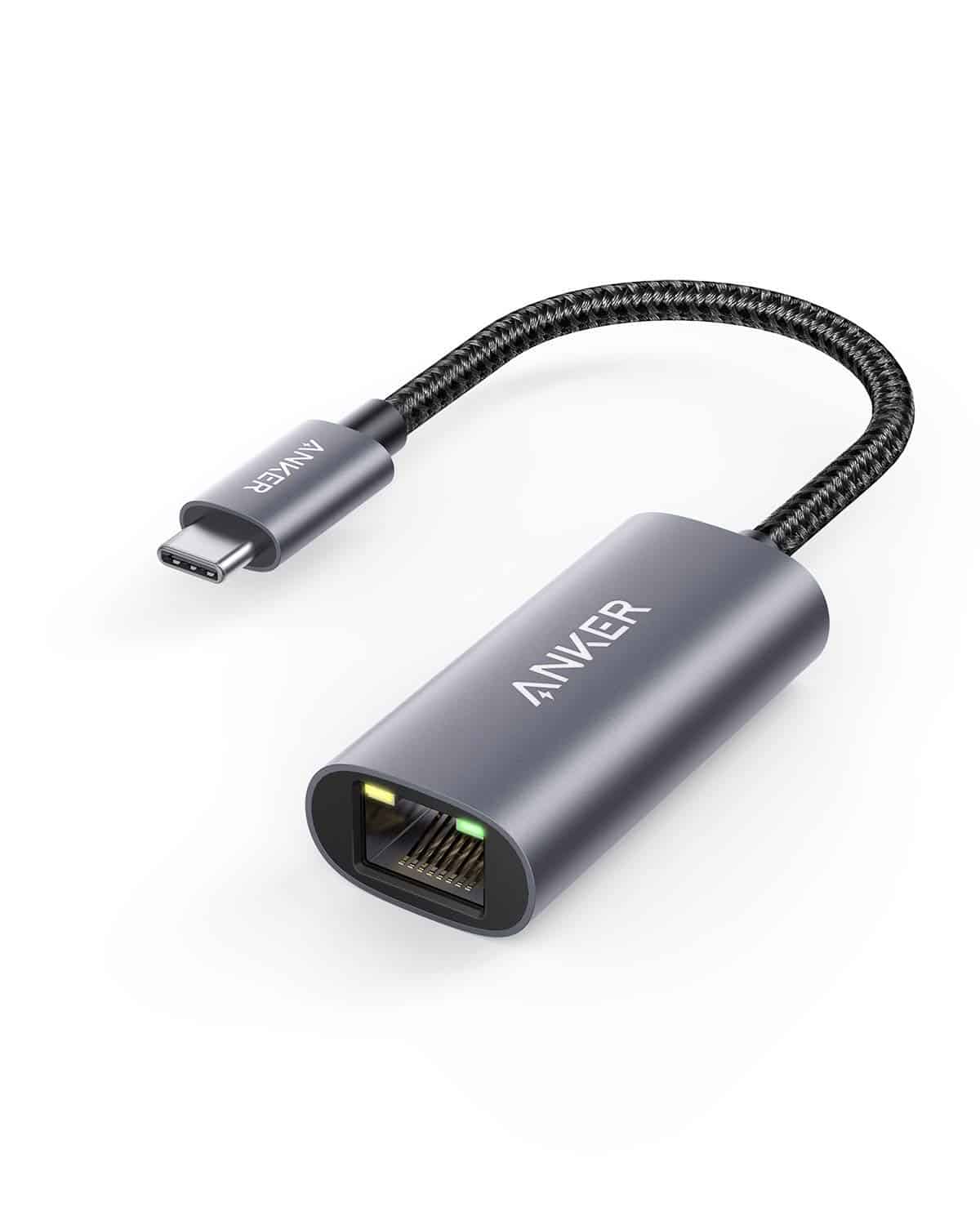
At the other end, adapters like the Anker USB-C to Ethernet adapter target users with modern laptops that lack USB-A ports. If your laptop is a recent MacBook or a thin Windows ultrabook with only USB-C ports, the UE306 is not the right product regardless of its quality. But if you have a USB-A port available, the UE306's combination of Gigabit speeds, USB 3.0 interface, compact foldable design, TP-Link brand support, and two-year warranty makes it a strong choice at its price point.
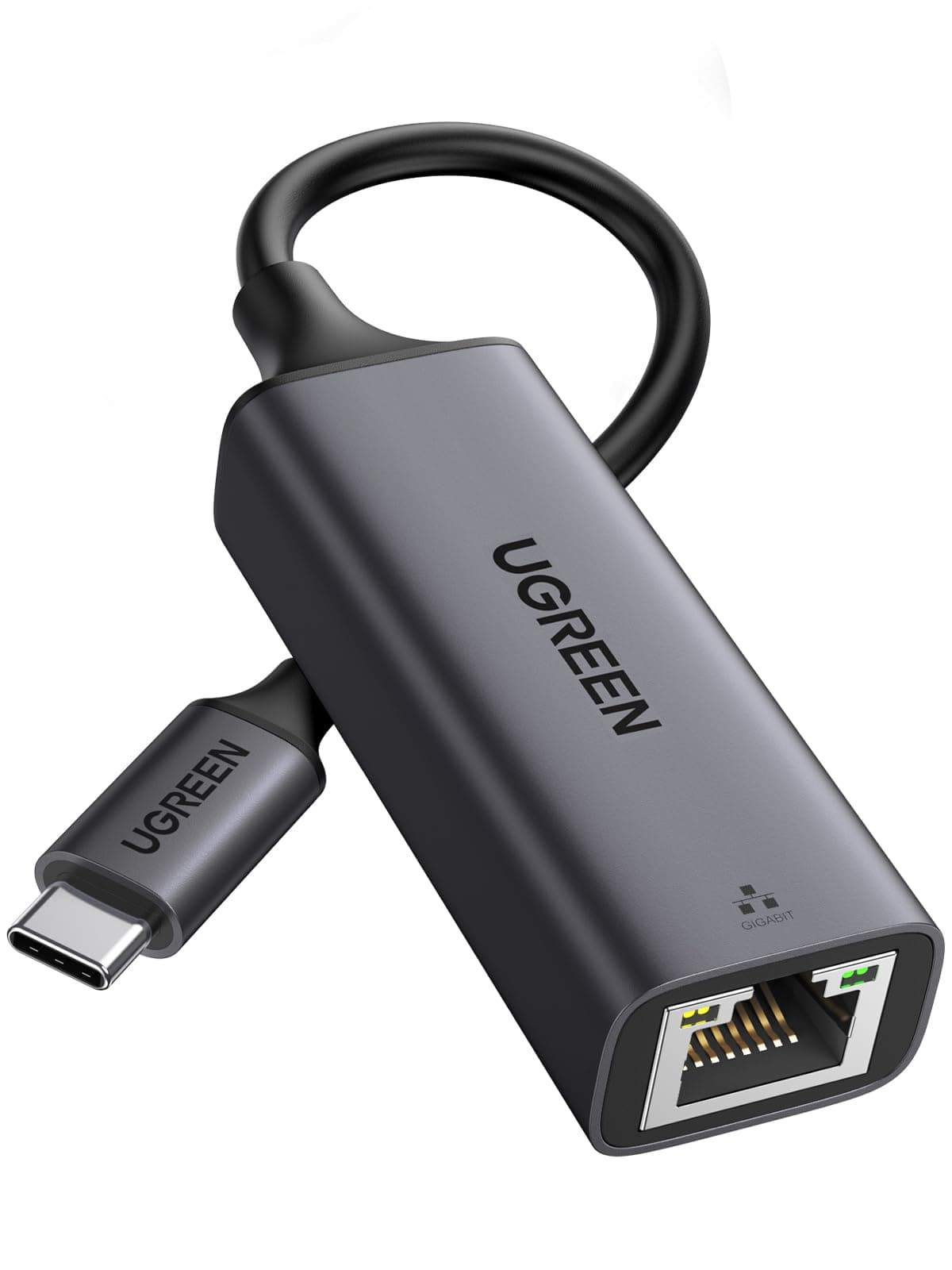
| Feature | TP-Link UE306 | Anker USB-C to Ethernet (A8342) | UGREEN USB 3.0 Ethernet Adapter |
|---|---|---|---|
| USB Interface | USB 3.0 Type-A | USB-C | USB 3.0 Type-A |
| Network Speed | Gigabit (1000 Mbps) | Gigabit (1000 Mbps) | Gigabit (1000 Mbps) |
| Nintendo Switch Compatible | Yes (verified) | Not specified | Varies by model |
| Foldable Design | Yes | No | No |
| Warranty | 2 years | 18 months | 18 months |
| Weight | 20g | ~25g | ~30g |
| Plug and Play (Win 10) | Yes | Yes | Yes |
| Price | £8.99 | Check Amazon | Check Amazon |

Final Verdict: TP-Link UE306 USB Ethernet Adapter Review UK 2025
The TP-Link UE306 is exactly what a USB Ethernet adapter should be: small, light, fast, and reliable. It does not try to be anything else. USB 3.0 to Gigabit Ethernet, Plug and Play on Windows and Linux, verified Nintendo Switch compatibility, foldable design that survives daily bag life, and a two-year warranty from a brand that actually maintains driver support. At its price point, it is hard to argue against.
The 4.5-star average across 16,149 is not a statistical anomaly. It reflects a product that consistently does what it claims, for a wide range of users and use cases. The negative reviews are mostly edge cases: unusual OS configurations, specific hardware incompatibilities, or the occasional manufacturing defect that any product at this volume will have. The broad pattern is clear: this adapter works, it keeps working, and when something goes wrong TP-Link's warranty process is functional.
Who should buy this? Anyone with a laptop, ultrabook, or desktop that lacks a built-in Ethernet port and wants a stable wired connection. Nintendo Switch owners who play online and are tired of wireless instability. Anyone working from home on a broadband connection fast enough to benefit from wired speeds. Anyone who travels and wants a reliable wired option for hotel Ethernet ports. The use cases are broad and the price is low enough that it is essentially a no-brainer if you have a USB-A port available.
Who should skip it? Anyone with a modern laptop that only has USB-C ports. Anyone who genuinely has no access to a wired Ethernet point and needs wireless coverage instead. Anyone on a multi-Gigabit broadband connection who needs to push more than 1000 Mbps to a single device, though that is a very small group right now. And anyone looking for a USB hub with Ethernet built in: this is not that product.
Score: 8.5 out of 10. It loses a point and a half only because the USB-C world is coming and the UE306 is a USB-A product, and because it is genuinely a single-function device in a world where many buyers want multi-port hubs. But as a USB-A Gigabit Ethernet adapter, it is about as good as the category gets at this price. Buy it.
What works. What doesn’t.
5 + 3What we liked5 reasons
- USB 3.0 interface provides full Gigabit bandwidth headroom with no bottleneck
- Foldable connector design survives daily bag use without breaking
- Verified Nintendo Switch dock compatibility for stable wired gaming
- Plug and Play on Windows 10/8.1 and Linux with no manual driver install
- Two-year manufacturer warranty is above average for this category
Where it falls3 reasons
- USB Type-A only: not compatible with modern USB-C-only laptops without an adapter
- Single function: no hub, no additional ports, no USB-C variant here
- Caps at 1000 Mbps, which will bottleneck multi-Gigabit broadband connections
Full specifications
4 attributes| Launch year | 2021 |
|---|---|
| Mesh capable | false |
| Ports | 1x USB 3.0, 1x 1GbE RJ45 |
| TOP speed mbps | 1000 |
If this isn’t right for you
1 options
Frequently asked
5 questions01Will the TP-Link UE306 work with my Nintendo Switch?+
Yes. TP-Link explicitly verifies Nintendo Switch dock compatibility for the UE306. You plug the adapter into the USB port on the Switch dock, connect an Ethernet cable, and the console uses the wired connection automatically. Owner reports consistently confirm this works as described, with noticeable improvements in online gaming stability compared to the Switch's built-in wireless.
02Do I need to install drivers for the TP-Link UE306?+
No, not on Windows 10, Windows 8.1, or Linux. The UE306 is Plug and Play on these operating systems, meaning the OS detects the adapter and installs drivers automatically without any user intervention. For macOS, it is worth checking TP-Link's support page for your specific macOS version, as native support varies. TP-Link does maintain a driver download page for the UE306 if manual installation is ever needed.
03Is the TP-Link UE306 worth it over cheaper no-name USB Ethernet adapters?+
For most buyers, yes. The price difference between the UE306 and the cheapest no-name alternatives is small, and what you get for it is a USB 3.0 interface that does not bottleneck Gigabit speeds, native OS driver support that survives Windows updates, verified Nintendo Switch compatibility, and a two-year manufacturer warranty. No-name adapters have a higher failure rate and are more likely to break after OS updates. The modest premium is worth it.
04Is the TP-Link UE306 easy to set up?+
About as easy as it gets. Plug it in, and on Windows 10/11 and Linux it works immediately. There is no software to install, no account to create, and no configuration required. Owner feedback across 15,000-plus reviews consistently describes setup as straightforward, with the adapter appearing as a standard network interface in the OS network settings. The most common setup question is compatibility-related rather than anything requiring technical knowledge.
05What warranty and returns apply to the TP-Link UE306?+
Amazon offers 30-day returns on most items. TP-Link provides a two-year manufacturer warranty on the UE306, which is above average for this category. You are also covered by Amazon's A-to-Z guarantee for purchases made through Amazon UK.