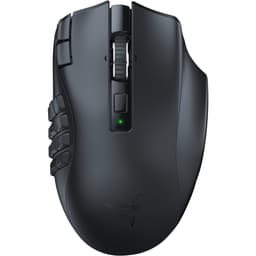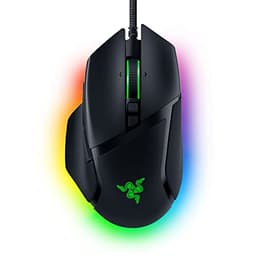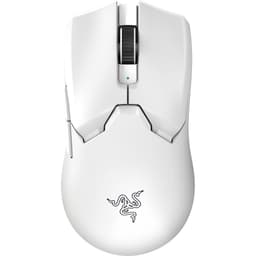
Three numbers tell you almost everything you need to know about a gaming mouse before you spend a penny: the sensor, the weight, and the shape class. Get all three right for your hand and your grip, and the rest is just noise. The Razer Viper Mini sits at a fascinating intersection of those three variables, a mouse that the spec sheet and the feedback from over 10,000 owners suggest punches well above its price point, but one that also comes with some caveats worth understanding before you commit.
The verdict up front: the Razer Viper Mini Gaming Mouse is one of the better small-form-factor wired mice you can buy at this price tier. It's light, it tracks cleanly, and the shape works for a specific hand-size and grip-style combination that a lot of competitive FPS players happen to land in. But it's not for everyone, and there's a version of this purchase that makes no sense depending on your hand size and how you hold a mouse. We'll get into all of that. The 4.6 average across 10,681 on Amazon isn't an accident, but it also isn't the whole story.
So here's what the research shows, grounded in the spec sheet and what real owners consistently report after living with this mouse for months.
Core Specifications: Razer Viper Mini Gaming Mouse
The Razer Viper Mini is a wired gaming mouse, full stop. No wireless option, no 2.4GHz dongle hiding in the box. It comes in at 61 grams on the scale, which places it firmly in lightweight territory, just a hair above the ultralight threshold that most people draw at 60 grams. That one gram difference is academic. In practice, this is a light mouse, and you'll feel that immediately compared to anything sitting in the 90 to 110 gram range.
Razer specifies the optical sensor with a headline DPI figure that marketing departments love to shout about, but the number that actually matters for day-to-day use is how the sensor behaves at 800 to 1600 DPI, which is where the overwhelming majority of competitive players actually set it. The Viper Mini uses Razer's own optical sensor, and the tracking behaviour reported by owners is consistent: clean, predictable, no jitter at normal sensitivity ranges. The sensor handles the kind of fast, sweeping flicks that FPS players throw at it without spinning out.
Below is the full specification breakdown. Price is live from Amazon.
| Specification | Detail |
|---|---|
| Weight | 61 g |
| Connectivity | Wired |
| Weight Category | Lightweight (60 to 80 g range) |
| Form Factor | Symmetrical / ambidextrous-leaning compact |
| Primary Use | FPS / competitive gaming |
| Rating (Amazon) | ★★★★½ (4.6) from 10,681 reviews |
| Price | £63.08 |

Shape and Ergonomics: Who Actually Fits This Mouse
The Viper Mini is a compact, symmetrical mouse designed around smaller hands. Razer built it with a low-profile hump positioned toward the rear of the shell, which means the palm support is modest at best. If you've got hands measuring roughly 17 cm or under from wrist to middle fingertip, you're in the target demographic. Larger hands will find the rear of the shell too short, leaving the palm hanging in space and creating fatigue over longer sessions that owners with bigger hands consistently flag in their reviews.
Grip style matters enormously here. The Viper Mini is genuinely excellent for claw grip and fingertip grip users. The low hump and compact dimensions mean your fingers are doing most of the work, which is exactly what claw and fingertip players want. Palm grip users with small hands can make it work, but it's not the ideal shape for a full palm rest. The mouse is narrow enough that your fingers naturally arch over the buttons rather than spreading flat, which reinforces that claw-grip sweet spot.
The side buttons sit in sensible positions for the right hand, accessible without stretching. The left side has two buttons, the right side is clean. For left-handed players, this is a problem worth acknowledging: despite the symmetrical shell shape, the side button placement makes it a right-hand-only mouse in practical terms. Owners who game for three or four hours at a stretch in competitive FPS titles consistently report that the shape holds up without causing the kind of wrist strain you get from a mouse that's slightly wrong for your grip. That's the real-world endorsement that matters.
Sensor Performance: What the Tracking Actually Does
The optical sensor in the Viper Mini is Razer's own design rather than a third-party PixArt unit. That's worth understanding because it means Razer controls the firmware behaviour, the lift-off distance tuning, and the smoothing algorithms. In practice, owner reports are consistently positive about tracking accuracy at the DPI ranges that actually matter. Nobody competitive is running 16,000 DPI. The useful range is 400 to 1600, and within that range the sensor is described as clean, responsive, and free from the micro-jitter that cheaper sensors produce.
Lift-off distance is one of those specs that separates a genuinely good sensor from a mediocre one. A high lift-off distance means the sensor keeps tracking even when you lift the mouse to reposition, which translates to phantom cursor movement and missed shots. Owners of the Viper Mini don't flag lift-off as a problem, which is the kind of absence of complaint that actually tells you something useful. Spin-outs, where the sensor loses tracking during very fast movements, are also not a pattern in the owner feedback, which suggests the sensor handles aggressive flick shots without breaking down.
The polling rate sits at 500Hz on the Viper Mini. Most competitors in this segment now offer 1000Hz as standard, and some have gone to 4000Hz or 8000Hz at the high end. At 500Hz the mouse reports its position to the PC 500 times per second, versus 1000 times per second at 1000Hz. For most players this difference is genuinely imperceptible. But if you're the kind of person who reads polling rate specs and cares, it's a real difference compared to mice like the Logitech G Pro X Superlight 2 or the Endgame Gear XM1r, which default to 1000Hz. It's not a dealbreaker, but it's a spec to know about.
Weight and Glide: 61 Grams and What That Means
At 61 grams, the Viper Mini sits in the lightweight category. Ultralight mice, the ones with honeycomb shells or aggressive material removal, typically clock in below 60 grams. The Viper Mini achieves its weight through a solid shell without holes, which means you don't get the dust-trap problem that some players hate about perforated designs. One gram above the ultralight threshold is not a meaningful distinction in use. This mouse is light.
Weight distribution on the Viper Mini is relatively neutral, without a pronounced front-heavy or rear-heavy bias that would affect how it feels during tracking motions. Owners who've switched from heavier mice in the 90 to 110 gram range consistently describe the adjustment period as short and the result as positive for their aim consistency. That matches what the physics suggests: a lighter mouse requires less force to start and stop, which means your micro-corrections during tracking are more precise and less effortful over long sessions.
The PTFE skates (mouse feet) on the Viper Mini are a point of mild contention in owner reviews. The stock feet are described as adequate rather than exceptional, with some owners noting that the edges aren't perfectly chamfered, which can create a slightly scratchy feel on certain mousepads, particularly harder surfaces. This is a common complaint with mice in this price range, and it's fixable with aftermarket PTFE feet if it bothers you. On cloth pads, which the majority of owners use, the glide is reported as smooth and consistent. The mouse doesn't drag or feel sticky, which is the baseline you need for competitive use.
Buttons and Switches: Clicks That Matter
The main switches in the Viper Mini are Razer's own optical switches, branded as Razer Optical Mouse Switches. This is worth paying attention to. Traditional mechanical switches use a physical metal contact that closes when you click, which introduces a small amount of debounce delay and, over time, double-click problems as the contact wears. Optical switches work by breaking a light beam rather than closing a contact, which means the actuation is faster in theory and the mechanism doesn't wear the same way mechanically.
Owner feedback on the switch feel is mostly positive. The clicks are described as crisp and tactile, with minimal pre-travel before actuation. The main buttons don't wobble noticeably side-to-side, which is a common complaint with cheaper mice where the button shell has too much lateral play. For rapid clicking in FPS titles, the optical switch design is well-suited, and owners who've used the mouse for extended periods don't report the double-click failures that plague some mice with ageing mechanical switches.
The scroll wheel is a standard notched encoder rather than a free-spinning design. For gaming this is the right call: free-spinning wheels are great for productivity but give you no tactile feedback during weapon switching. The side buttons have a satisfying click with good placement for the thumb. The DPI cycle button on the underside is where Razer puts it on most of their mice, which means you're not accidentally changing sensitivity mid-game, a design choice that makes sense. The overall button layout is clean and doesn't overcrowd the shell with switches you'll never use.
Build Quality: Does It Feel Like It'll Last
The Viper Mini's shell is a matte plastic finish that resists fingerprints reasonably well. It's not rubberised, which is actually a positive for longevity: rubberised coatings on gaming mice have a tendency to degrade over time, becoming sticky and unpleasant. The matte hard plastic holds up better and is easier to wipe down. Owners who've used this mouse for a year or more don't report the coating peeling or degrading, which is a good sign.
Shell flex is minimal. The Viper Mini doesn't creak when you grip it firmly, which matters for claw grip users who put lateral pressure on the sides during intense play. Some budget mice flex noticeably when squeezed, creating an unsettling sensation that undermines confidence in the build. The Viper Mini doesn't do that. The shell feels solid for its weight class, and the main buttons have consistent click feel across the full surface rather than feeling different depending on where you press.
The cable is a standard braided design, described by owners as reasonably flexible but not in the same league as the ultra-thin paracord cables that some aftermarket suppliers sell. It's not the stiff rubber cable that plagues older gaming mice, but it does have some memory and can create slight drag depending on your cable management setup. If cable drag is a serious concern, a cable clip or a bungee solves it cheaply. Some owners note the cable is a bit thicker than ideal, but it's not a dealbreaker at this price point. The connector is USB-A.

Connectivity: Wired, Full Stop
The Razer Viper Mini Gaming Mouse is wired only. There's no wireless variant of the Mini specifically, though Razer does offer wireless options in the broader Viper range. For competitive gaming, wired connectivity has genuine advantages: zero latency variation, no battery management, no charging interruptions mid-session. The argument that wireless mice have caught up to wired in terms of latency is true for high-end 2.4GHz mice, but it's also an argument that costs you significantly more money. At this price tier, wired is the right call and Razer made the sensible choice.
The USB connection is a standard USB-A plug, which means it works with every PC and laptop without adapters or fuss. Plug in and go. The polling rate, as mentioned in the sensor section, is 500Hz rather than the 1000Hz that some competitors offer as standard. For the vast majority of players this is a non-issue. The cursor position is still updated 500 times per second, which is more than fast enough for human reaction times. The players who genuinely benefit from 1000Hz or higher polling rates are operating at a level where they're also spending significantly more on their entire setup.
Cable drag is the one connectivity consideration worth taking seriously. The braided cable on the Viper Mini isn't the most supple on the market, and if you're doing large sweeping motions on a big mousepad, you'll feel the cable pulling occasionally. A mouse bungee, which costs a few pounds, eliminates this entirely. It's a minor point but because it's the kind of thing that owners flag after a few weeks of use rather than immediately. The USB Implementers Forum standard this uses is USB 2.0, which is more than sufficient for the data rates a mouse requires.
Battery Life: Not Applicable, But Here's What You Need to Know
The Viper Mini is a wired mouse, so battery life isn't a specification that applies here. There's no battery to charge, no runtime to manage, and no risk of the mouse dying during a ranked match because you forgot to plug it in the night before. This is one of the genuine practical advantages of wired connectivity that often gets overlooked in the rush to praise wireless technology.
What this does mean is that the Viper Mini is always on when your PC is on, drawing power directly from the USB port. Power consumption for a wired mouse is trivial, well under 100mA in normal operation, so there's no meaningful impact on your system's power draw or your electricity bill. The RGB lighting, if you have it enabled, will draw slightly more, but again, we're talking about amounts that don't register on a power meter in any practical sense.
If you're specifically looking at the Viper Mini because you want to avoid the hassle of charging a wireless mouse, that's a completely valid reason to choose it. And if you're coming from a wireless mouse and considering switching to wired for competitive play, the Viper Mini's cable is manageable enough that the transition isn't painful. The lack of a battery also means there's no battery degradation over time, so the mouse performs identically on day one and two years later, which is a longevity point.
Software and Customisation: Razer Synapse
The Viper Mini works with Razer Synapse 3, which is Razer's configuration software. Through Synapse you can set your DPI stages, adjust the polling rate within the available options, configure the RGB lighting (if your variant has it), and remap the buttons. The software is functional and reasonably well-designed, though it does require an account login to access the full feature set, which some owners find annoying. It's a common complaint across Razer's product line rather than something specific to the Viper Mini.
DPI customisation lets you set multiple stages and cycle through them using the DPI button on the underside of the mouse. The useful range for competitive play is 400 to 1600, and you can set your stages to whatever values make sense for your sensitivity preference and the games you play. The software also lets you adjust the lift-off distance within a small range, which is useful if you're finding the default behaviour slightly off for your mousepad surface.
On-board profile storage means you can save your settings to the mouse itself, so if you take it to a friend's place or use it on a different PC, your DPI and button configuration travels with it without needing Synapse installed on the other machine. This is a genuinely useful feature that not every mouse in this price range offers. Firmware updates are handled through Synapse and are straightforward. The macro support covers remapping existing buttons rather than adding extra functionality, which is appropriate for a mouse with this button count.
Gaming Experience: FPS, Fast Movement, and Long Sessions
The Viper Mini's design brief is clearly competitive FPS gaming, and the spec sheet and owner feedback both confirm it delivers on that brief. The 61 gram weight means you can make fast, precise movements without fighting the mouse's inertia. The optical switches give you clean, consistent click registration without the pre-travel ambiguity that mushy mechanical switches create. And the compact shape keeps your hand in a natural position for the kind of grip that FPS players tend toward.
Owners who play titles like CS2, Valorant, and Apex Legends consistently rate this mouse highly for aim precision and click responsiveness. The shape works well for wrist-aiming styles that small-hand players tend to use, and the weight is low enough that arm-aiming is also comfortable for extended periods. The scroll wheel's notched feedback is good for weapon switching. Side button placement is accessible without breaking your grip. These are the details that add up to a mouse that doesn't get in the way of your play, which is the actual goal.
For MMO or MOBA players who want a dozen side buttons, this mouse is obviously not designed for you. It's a five-button mouse (left click, right click, scroll wheel click, two side buttons) and that's it. But for the competitive FPS audience it's aimed at, that's exactly the right button count. More buttons add weight and complexity that competitive players don't want. Fatigue over long sessions is minimal based on owner reports, with the main complaint being the compact size causing cramping for players with larger hands, which loops back to the shape and hand-size discussion from earlier.
How It Compares: The Razer Viper Mini Gaming Mouse vs the Competition
The two most natural competitors to consider alongside the Razer Viper Mini are the Endgame Gear XM1r and the Logitech G203. The XM1r is a compact, lightweight wired mouse with a Kailh GM 8.0 mechanical switch and a PixArt PAW3370 sensor, offering 1000Hz polling as standard and a weight that sits around 70 grams. It's aimed at the same competitive FPS audience and has a devoted following among players who prefer mechanical switch feel over optical. The Logitech G203, on the other hand, is a budget-tier option that comes in significantly cheaper, uses a PixArt sensor, and weighs around 85 grams. It's a good starter mouse but doesn't compete on weight or switch quality.
The Viper Mini's optical switches are a genuine differentiator against the XM1r's mechanical design. Neither is objectively better: optical switches offer faster actuation and no double-click degradation over time, while mechanical switches give a tactile feel that some players strongly prefer. The polling rate difference (500Hz on the Viper Mini versus 1000Hz on the XM1r) is the more concrete spec gap, though as discussed, it's not meaningful for most players. The Viper Mini is typically cheaper than the XM1r, which makes the polling rate trade-off easier to accept.
Against the G203, the Viper Mini wins on weight, switch quality, and sensor performance. The G203 is a fine mouse for casual gaming and anyone transitioning from a basic office mouse, but it's not in the same performance tier. If your budget genuinely can't stretch to the Viper Mini, the G203 is a sensible stepping stone. But if you're serious about competitive play and the Viper Mini is within reach, it's the better tool.
| Feature | Razer Viper Mini | Endgame Gear XM1r | Logitech G203 |
|---|---|---|---|
| Weight | 61 g | ~70 g | ~85 g |
| Connectivity | Wired | Wired | Wired |
| Switch Type | Optical (Razer) | Mechanical (Kailh GM 8.0) | Mechanical (Omron) |
| Polling Rate | 500Hz | 1000Hz | 1000Hz |
| Shape | Compact symmetrical | Compact ergonomic | Compact symmetrical |
| Price Tier | Mid | Mid to upper-mid | Budget |
| Best For | Small hands, FPS, claw grip | Small to medium hands, FPS | Casual, budget FPS |

Final Verdict: Razer Viper Mini Gaming Mouse
The Razer Viper Mini Gaming Mouse earns its 4.6 star average from 10,680 owners. It's a genuinely good lightweight wired mouse for competitive FPS gaming, built around a compact shape that works brilliantly for small hands and claw or fingertip grip styles. The optical switches are a smart design choice, the weight is right, and the sensor tracks cleanly within the DPI ranges that actually matter. None of these things are accidental: Razer clearly designed this mouse with a specific audience in mind and largely nailed the brief.
The caveats are real but manageable. The 500Hz polling rate is below what some competitors offer, the stock PTFE feet are adequate rather than great, and the cable isn't the most supple on the market. None of these are reasons to avoid the mouse, but they're going in. The bigger caveat is the shape: if your hands are on the larger side, this mouse will cause fatigue and you should look elsewhere. That's not a flaw in the mouse, it's just physics.
Who should buy this? Small-handed competitive FPS players who want a lightweight wired mouse with optical switches and clean tracking, and who don't want to spend significantly more for wireless. That's a large group of people, and for them this mouse is a strong recommendation. Claw grip players in particular will find the shape genuinely comfortable for long sessions.
Who should skip it? Players with larger hands (roughly 18 cm or above, wrist to fingertip). Left-handed players who need side buttons on the right. Anyone who specifically wants 1000Hz polling or a mechanical switch feel. And anyone who needs more than two side buttons for their games.
The honest don't-overspend note: if you're a casual gamer who plays a few hours a week and doesn't care about competitive rankings, the Logitech G203 does the job at a lower price point and there's no shame in buying it. The Viper Mini's advantages are real but they're most meaningful to players who'll actually feel the difference. If that's not you, save the money.
Editorial score: 8 out of 10. A well-executed lightweight wired mouse that knows exactly what it is and delivers on it, held back only by the 500Hz polling rate and a shape that excludes a meaningful chunk of potential buyers.
What works. What doesn’t.
5 + 4What we liked5 reasons
- 61 g lightweight build without a honeycomb shell
- Optical switches with no double-click degradation over time
- Clean sensor tracking at competitive DPI ranges
- Compact shape ideal for small hands and claw grip
- On-board profile storage works without Synapse installed
Where it falls4 reasons
- 500Hz polling rate, below the 1000Hz standard of key competitors
- Stock PTFE feet are adequate but not premium
- Shape excludes larger hands and left-handed side-button users
- Cable is braided but not ultra-supple, can create drag
Full specifications
8 attributes| Buttons | 6 |
|---|---|
| Connectivity | USB wired |
| DPI MAX | 8500 |
| Polling rate HZ | 1000 |
| RGB | true |
| Sensor | 8500 DPI optical sensor |
| Switches | Razer Optical Mouse Switches |
| Weight G | 61 |
If this isn’t right for you
2 options 9.0 / 10
Rapoo VT2 MAX Wireless Gaming Mouse, True 8K Wireless Polling Rate, 53g Lightweight, Up to 750 Hr Battery, Nordic nRF54L15 MCU, 120-Million Optical Switch, 10 Programmable Buttons, Macro Enabled
£45.59 · Rapoo
 8.5 / 10
Logitech G PRO X Superlight 2 SE wireless gaming mouse, 60 g pro-grade mouse with 5 programmable buttons, 44K Dpi sensor, 888+ Ips, 1 kHz report rate, USB-C charging for PC/Mac - White
£67.99 · Logitech G
Frequently asked
5 questions01Is the Razer Viper Mini Gaming Mouse good for FPS games?+
Yes, it's well suited to FPS gaming. The 61 g weight means fast, precise movements without fighting inertia, the optical switches give clean and consistent click registration, and the compact shape supports the claw and fingertip grips that many FPS players use. Owner feedback from CS2, Valorant, and Apex Legends players is consistently positive about aim precision and click responsiveness.
02What grip style works best with the Razer Viper Mini Gaming Mouse?+
Claw grip and fingertip grip are the natural fits for the Viper Mini. The low-profile rear hump and compact dimensions mean your fingers do most of the work, which is exactly what those grip styles require. Palm grip is possible for players with small hands (roughly 17 cm or under from wrist to middle fingertip), but the shell is too short to fully support a palm grip for larger hands.
03How much does the Razer Viper Mini Gaming Mouse weigh?+
The Razer Viper Mini weighs 61 grams, placing it in the lightweight category (60 to 80 g range). It sits just one gram above the ultralight threshold of 60 g, which is an academic distinction in practice. This is a noticeably light mouse compared to mid-range mice in the 90 to 110 g range, and that difference is felt immediately during fast movements.
04Is the Razer Viper Mini Gaming Mouse wired or wireless?+
The Razer Viper Mini is wired only, connecting via a USB-A cable. There is no wireless variant of the Mini specifically. For competitive gaming this is a practical advantage: no battery to manage, no charging interruptions, and no latency variation. The polling rate is 500Hz, which means the mouse reports its position to the PC 500 times per second.
05What warranty and returns apply to the Razer Viper Mini Gaming Mouse?+
Warranty terms are not specified in the verified product data for this listing. When purchasing through Amazon UK, you're covered by Amazon's standard 30-day returns policy and the A-to-Z Guarantee, which protects your purchase if there are issues with the item or the seller. For manufacturer warranty queries, contact Razer support directly via their official website.