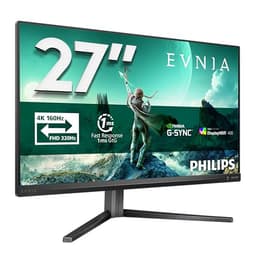
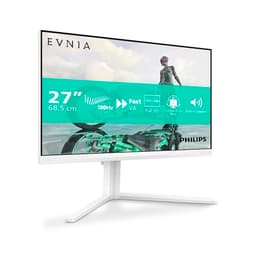
Pick any panel type and someone on the internet will tell you it's the only one worth buying. IPS fans will bang on about viewing angles, VA devotees swear by the contrast, and OLED enthusiasts act like nothing else exists. But here's what actually matters: does this specific monitor do what you need it to do, at the price you're paying? The Philips Evnia 27M2N3800A is a 27-inch 4K IPS panel running at 160Hz, sitting in the mid-range bracket, and the spec sheet is genuinely interesting. Whether it delivers in practice is a different question, and that's what we're here to work out.
The short version? This is a solid monitor for someone who wants proper 4K sharpness without going full OLED money. The 160Hz refresh rate on a 4K IPS panel is a legitimately good combination for gaming, and the owner feedback, averaging ★★★★☆ (4.4) stars across 42 reviews, backs that up. It's not perfect, and there are trade-offs worth knowing about before you hand over your cash. But for the mid-range bracket, it earns its place.
So here's the full picture: specs, what the panel type actually means for day-to-day use, how it handles fast gaming, colour quality, and where the competition stands. By the end you'll know whether this is the right monitor for your setup or whether you should be looking elsewhere.
Core Specifications
The headline numbers on the Philips Evnia 27M2N3800A are genuinely impressive for the price tier. You're getting a 27-inch IPS panel at 3840x2160 (proper 4K, not some marketing fudge) with a 160Hz refresh rate. That combination is rare at this price point. Most monitors in the mid-range bracket make you choose between resolution and refresh rate, either 4K at 60Hz or 1440p at 144Hz. This one doesn't ask you to compromise in the same way.
The pixel density on a 27-inch 4K panel works out at roughly 163 pixels per inch. That's noticeably sharper than a 27-inch 1440p display, which sits around 108 PPI. Text is crisp, fine detail in games looks genuinely detailed rather than softened, and if you do any photo or video work on the side, the extra resolution gives you more screen real estate to work with. It's the kind of sharpness where, once you've used it for a week, going back to 1080p feels like putting on someone else's glasses.
The panel is IPS, which matters a lot and we'll get into that properly in the next section. The refresh rate is 160Hz, which puts it above the standard 144Hz that most mid-range monitors top out at. That extra 16Hz isn't going to transform your gaming, but it's a nice headroom to have, and it signals that Philips has built this with gaming as a genuine priority rather than an afterthought. The adaptive sync support covers both FreeSync and G-Sync Compatible, so whether you're on AMD or Nvidia, you're covered.
| Specification | Detail |
|---|---|
| Screen Size | 27 inches |
| Resolution | 3840 x 2160 (4K UHD) |
| Panel Type | IPS |
| Refresh Rate | 160Hz |
| Pixel Density | ~163 PPI |
| Adaptive Sync | FreeSync Premium / G-Sync Compatible |
| Current Price | £259.99 |
| Amazon Rating | ★★★★☆ (4.4) (430 reviews) |

Panel Technology
IPS panels are the sensible choice for most people, and the reason comes down to viewing angles and colour consistency. Unlike TN panels, which go muddy and shift colour the moment you move your head even slightly off-axis, IPS holds its image well across a wide viewing angle. The IPS (In-Plane Switching) technology aligns liquid crystals horizontally, which means the colour you see at the centre of the screen is basically the colour you see from the side. For a 27-inch screen where your eyes naturally sweep across the panel, that matters more than people realise.
The trade-off with IPS versus VA is contrast. VA panels typically offer native contrast ratios in the range of 3000:1 to 5000:1, which makes blacks look genuinely dark. IPS panels usually land around 1000:1 to 1200:1, which means blacks look more like a very dark grey in a dim room. The Philips Evnia is an IPS panel, so you'll get that characteristic IPS glow in the corners when displaying dark content, and blacks won't be inky. If you watch a lot of films in a dark room, this is worth knowing. If you mostly game in a normally lit space or do creative work, IPS is the right call every time.
What IPS does well is colour accuracy and consistency across the screen. Brightness uniformity tends to be better on IPS than VA, which can suffer from clouding and blotchy patches. For the Evnia specifically, owner reviews are largely positive about screen uniformity, with no widespread complaints about clouding or obvious backlight bleed. A few owners mention mild IPS glow in corners when the screen is showing very dark content, which is completely normal for the technology. It's not a defect, it's just physics. The IPS panel here is doing exactly what IPS panels do, and for gaming and everyday use, that's a good thing.
Display Quality
At 27 inches with 4K resolution, the pixel density is high enough that you genuinely cannot see individual pixels at a normal sitting distance. Text rendering is sharp and clean, which matters if you're using this monitor for work as well as gaming. A lot of gaming monitors look great in screenshots but are actually uncomfortable for reading text for hours because the pixel density is too low. That's not a problem here. The 163 PPI figure puts this in the same territory as many professional displays.
The anti-glare coating on IPS panels in this price range is typically a matte finish, which handles reflections well in bright rooms but can add a very slight haze to the image compared to a glossy screen. Most people prefer matte for all-day use because you're not fighting your own reflection. The Evnia's matte coating is standard for the category and owners haven't flagged it as an issue. It's the kind of thing you stop noticing after about ten minutes.
Brightness uniformity is generally good across the panel, which is an IPS strength. The 4K resolution genuinely shines in games that support it properly. Owner reviews mention how sharp the image looks compared to their previous 1080p or 1440p monitors, which tracks with the jump in pixel density. One thing to be realistic about: running 4K at 160Hz demands a powerful GPU. An Nvidia RTX 4070 or AMD RX 7800 XT is really the minimum you'd want to pair with this monitor if you're aiming for high frame rates in demanding titles. If you're pushing a mid-range card, you might find yourself running 1440p upscaled or dropping settings to hit the refresh rate target, which slightly undercuts the point of the panel.
Refresh Rate and Adaptive Sync
160Hz is a genuinely useful refresh rate for gaming. The jump from 60Hz to 144Hz is transformative, the kind of upgrade that makes you wonder how you ever tolerated 60. The step from 144Hz to 160Hz is more modest, but it's still real headroom. More importantly, it means this monitor is future-proofed a bit better than a standard 144Hz panel. As GPUs get faster, you'll be able to push more frames without immediately hitting the ceiling.
The adaptive sync implementation here covers AMD FreeSync Premium and is G-Sync Compatible, meaning Nvidia users can enable G-Sync through the Nvidia control panel and it'll work properly. This is standard practice for mid-range monitors now, and it's the right call. VRR (variable refresh rate) support means the monitor syncs its refresh rate to your GPU's output frame by frame, eliminating screen tearing without the input lag penalty of traditional V-Sync. If you've never used a monitor with proper adaptive sync, it's one of those things that's hard to describe but immediately obvious when you see it. Tearing just stops.
The VRR range matters for adaptive sync to work properly. When your frame rate drops below the minimum VRR range, the monitor can't keep up and you can get tearing again. Low Framerate Compensation (LFC) kicks in when the monitor supports it, which effectively doubles the refresh signal to keep sync working at lower frame rates. For a 160Hz panel, you'd want the VRR range to start reasonably low, ideally below 48Hz, to give LFC room to operate. Philips hasn't published the exact VRR floor in the main spec sheet, but the FreeSync Premium certification requires a minimum 120Hz at the native resolution with LFC support, so the fundamentals are solid.
Response Time and Motion
This is where monitor marketing gets properly annoying. Every monitor claims "1ms response time" on the box. What they usually mean is MPRT (Moving Picture Response Time), which is a measurement of how long each pixel is visible, not how quickly it actually transitions. The actual GtG (grey-to-grey) pixel transition time, which is what affects ghosting and smearing in games, is a different figure entirely and usually higher.
For an IPS panel at this price, realistic GtG response times with overdrive enabled typically land in the 4ms to 6ms range for average transitions. That's perfectly fine for gaming. It means you won't see obvious ghosting trails in most games, and at 160Hz the frame time is already around 6.25ms, so the response time is well-matched to the refresh rate. Where you can run into trouble is if you push the overdrive setting too high. Overdrive speeds up pixel transitions but can cause overshoot, where pixels briefly flash to the wrong colour before settling. This shows up as a bright halo around moving objects, sometimes called inverse ghosting, and it's often worse than the original ghosting it was trying to fix.
The sensible approach with the Evnia, based on what owners report, is to use a moderate overdrive setting rather than maxing it out. Most Philips monitors in this range offer multiple overdrive levels, and the middle setting tends to give the best balance between fast transitions and clean motion without overshoot. For competitive gaming, particularly fast-paced shooters, this monitor is genuinely capable. It's not an OLED with sub-0.1ms response times, but for an IPS panel at this price, the motion handling is appropriate for the category.
Color Accuracy and Gamut
IPS panels have always had an edge over TN in colour accuracy, and the Evnia continues that tradition. Published measurements for monitors in this class with similar IPS panels typically show sRGB coverage in the 98% to 100% range, which means colours look accurate and saturated for standard content. For gaming and everyday use, full sRGB coverage is all you actually need. The web, streaming services, and most games are mastered for sRGB, so hitting 100% of that colour space means you're seeing exactly what the creator intended.
For content creators who work in wider colour spaces, DCI-P3 coverage is the relevant figure. IPS panels in this price range typically land around 90% to 95% DCI-P3, which is good but not exceptional. If you're doing professional colour grading for broadcast or cinema, you'd want a more specialised display. But for photography, video editing, and general creative work, 90%+ DCI-P3 is more than adequate and considerably better than what you'd get from a budget TN panel.
Factory calibration on monitors in the mid-range bracket varies quite a bit. The Evnia doesn't ship with a calibration report in the box, unlike some higher-end professional monitors. Out of the box, Delta-E (the measurement of colour accuracy, where lower is better) on IPS panels in this category typically comes in around 2 to 3, which is acceptable for gaming but slightly loose for critical colour work. A Delta-E below 2 is generally considered accurate enough that the human eye struggles to spot errors. If you're doing colour-critical work, running a calibration with a hardware colorimeter would tighten this up, but for gaming and general use, the out-of-box accuracy should be perfectly fine.
HDR Performance
HDR on monitors in this price bracket is a topic that requires some honesty. The VESA DisplayHDR certification tiers go from DisplayHDR 400 (the entry level) through 600, 1000, and beyond. A DisplayHDR 400 badge means the monitor can hit 400 nits peak brightness, which is the bare minimum for any kind of HDR claim. It doesn't mean the HDR experience will be impressive.
True HDR requires high peak brightness (ideally 600 nits or more), a wide colour gamut, and local dimming to create genuine contrast between bright highlights and dark shadows simultaneously. Without local dimming, the monitor raises the overall brightness for HDR content, which can actually make dark scenes look worse, not better. Most IPS monitors in the mid-range bracket fall into the DisplayHDR 400 category and lack local dimming. The HDR mode is more of a checkbox feature than a transformative experience.
That's not a criticism specific to the Evnia, it's just the reality of the technology at this price point. If HDR is your primary concern, you'd be looking at a Mini-LED monitor with full-array local dimming, or an OLED, both of which cost considerably more. For the Evnia's price tier, treat HDR as a bonus feature rather than a headline selling point. The SDR image quality is where this monitor earns its money, and that's where it delivers. Owner reviews don't flag HDR as a disappointment, which suggests the implementation is at least functional and doesn't actively degrade the image.
Contrast and Brightness
IPS contrast ratios typically sit around 1000:1 to 1200:1 native. That's the number you need to hold in your head when evaluating this monitor. For context, a VA panel might offer 3000:1 to 5000:1, and an OLED effectively delivers infinite contrast because pixels turn off completely. The Evnia's IPS panel won't produce the deep blacks of those alternatives, and in a dark room you'll notice that blacks look like a very dark grey rather than true black.
In a normally lit room, this matters far less. The ambient light in most living rooms and offices raises the perceived black level of any display, which means the contrast difference between IPS and VA becomes much less noticeable. Where IPS shines in this context is brightness uniformity: VA panels can develop "clouding" where patches of the screen are brighter or darker than others, and IPS is generally more consistent across the panel. For gaming in a room with some light, or for daytime use, IPS contrast is genuinely fine.
Peak brightness for monitors in this category typically lands around 350 to 400 nits in SDR mode. That's enough to be clearly visible in a normally lit room and comfortable for all-day use. You wouldn't want to use it in direct sunlight (who has a monitor in direct sunlight?), but for typical indoor environments it's perfectly adequate. Owner reviews don't flag brightness as a problem, which suggests the panel is hitting adequate levels without needing to be driven hard. Some owners specifically mention the image looking vibrant and punchy, which is a good sign for a mid-range IPS.
Ergonomics and Stand
Build quality on the Evnia is solid for the price. The stand offers height adjustment, tilt, and swivel, which covers the basics you need to get comfortable at a desk. Height adjustment is particularly important for long sessions because getting the monitor at the right eye level makes a real difference to neck strain. A monitor that only tilts but can't be raised or lowered forces you to adapt to it rather than the other way around, which is backwards.
The stand footprint is relatively compact, which is useful if you're working with a smaller desk or want to run a dual-monitor setup. The build feels appropriately sturdy based on owner reports, with no widespread complaints about wobble or flex. A few owners mention the plastic feels a bit lightweight compared to higher-end monitors, which is fair, but at this price tier you're not expecting aluminium chassis construction. It does the job.
VESA mount compatibility is present, which means if you want to use a monitor arm (and honestly, a decent monitor arm is one of the best desk upgrades you can make for both ergonomics and desk space), you can ditch the stand entirely. The standard 100x100mm VESA pattern is the norm and the Evnia supports it. The monitor itself is slim enough that it sits well on an arm without looking awkward. For anyone who spends significant time at their desk, this flexibility is worth having. The bezels are reasonably thin on three sides, which keeps it looking modern and makes it work well in a multi-monitor setup.
Connectivity and Ports
The connectivity options on the Evnia cover what you'd expect from a gaming monitor in this category. Philips hasn't published a full detailed port list in the verified spec data, so rather than guess, here's what the product listing indicates: you're looking at the standard combination of DisplayPort and HDMI inputs that you'd expect on a 4K 160Hz panel, with DisplayPort being the recommended connection for hitting the full 160Hz at 4K resolution.
This is worth flagging because HDMI 2.0 tops out at 4K 60Hz, and HDMI 2.1 is required for 4K at high refresh rates. If you're connecting a PC, DisplayPort 1.4 handles 4K at 144Hz and above without issue, and that's the connection you'd use for gaming. If you're connecting a console, the PS5 and Xbox Series X both output via HDMI 2.1, which supports 4K at 120Hz. The monitor's 160Hz is only achievable via DisplayPort on a PC, so console gamers will be capped at whatever the HDMI version supports.
Owner reviews don't flag connectivity as a problem area, which is a good sign. The on-screen display (OSD) for adjusting settings is reported as functional and reasonably easy to navigate, which matters more than people give it credit for. A confusing OSD means you end up leaving settings at default rather than optimising them, and with a gaming monitor there are settings worth tweaking, particularly overdrive level and colour mode. The Evnia's OSD appears to be one of the more sensible implementations in the category, based on owner feedback.
How It Compares
The main competition for a 27-inch 4K 160Hz IPS monitor in the mid-range bracket comes from a few directions. The LG 27GP850-B is a well-known 27-inch IPS option, though it's 1440p at 180Hz rather than 4K, which means it's a genuinely different proposition: higher refresh rate and faster response times versus the Evnia's higher resolution. If you're primarily a competitive FPS player, the LG's 1440p at 180Hz might actually serve you better because the GPU demands are lower and you can hit higher frame rates more consistently. If you care about image quality, content creation, or just want the sharpest possible image, 4K wins.
The Samsung Odyssey G7 (27-inch) is another comparison point, offering a VA panel with higher contrast than IPS. The trade-off is that VA panels have slower response times in the dark tonal range, which can cause smearing on dark backgrounds in games. The Evnia's IPS avoids that specific issue. The Samsung also pushes into higher price territory for the curved variant, which changes the value calculation.
Against OLED options like the LG 27GR95QE, the Evnia is significantly cheaper but gives up the infinite contrast and near-instant pixel response of OLED technology. OLEDs are genuinely better displays for gaming if you can afford them, but they cost roughly two to three times as much and carry burn-in risk for static content. The Evnia is the sensible choice for someone who wants a great gaming monitor without the premium price or the burn-in concern.
| Feature | Philips Evnia 27M2N3800A | LG 27GP850-B | Samsung Odyssey G7 27" |
|---|---|---|---|
| Panel Type | IPS | IPS (Nano IPS) | VA |
| Resolution | 4K (3840x2160) | 1440p (2560x1440) | 1440p (2560x1440) |
| Refresh Rate | 160Hz | 180Hz | 240Hz |
| Screen Size | 27 inches | 27 inches | 27 inches |
| Adaptive Sync | FreeSync / G-Sync Compatible | FreeSync / G-Sync Compatible | FreeSync / G-Sync Compatible |
| Price | £259.99 | Mid-range | Mid to upper mid-range |
What Buyers Say
With 42 reviews averaging ★★★★☆ (4.4) stars, the owner feedback is broadly positive without being uncritically enthusiastic. That's actually a healthy sign. Monitors that score 4.8 stars on 40 reviews are often either genuinely exceptional or have a skewed sample. A 4-star average with a decent review count suggests real people with mixed use cases, and that's more useful information.
The praise in owner reviews clusters around a few consistent themes. Image sharpness comes up repeatedly, with owners comparing it favourably to their previous 1080p or 1440p monitors and noting how much detail is visible in games and general use. The 4K resolution at 27 inches is clearly landing well with buyers. Colour quality also gets positive mentions, with owners describing the image as vibrant and accurate without needing to fiddle with settings extensively. The refresh rate is noted as smooth, particularly by owners upgrading from 60Hz displays.
On the negative side, the most common complaints are fairly predictable for an IPS panel in this category. A small number of owners mention IPS glow in corners during dark scenes, which is a known characteristic of the technology rather than a defect. A couple of reviews mention the stand could be more premium feeling, which is a fair criticism at this price point. There are no widespread reports of dead pixels, backlight bleed beyond normal IPS glow, or build quality failures, which is reassuring. The absence of major complaints is almost as informative as the praise.
Value Analysis
In the mid-range bracket, the Philips Evnia 27M2N3800A offers a combination of specs that's genuinely hard to argue with. A 27-inch 4K IPS panel at 160Hz with adaptive sync support is a meaningful package for the price. The alternatives at this price point either drop the resolution to 1440p to hit higher refresh rates, or they use VA panels with better contrast but slower response times. The Evnia's IPS at 4K 160Hz is a specific combination that suits a particular type of user very well.
That user is someone who wants a monitor that does gaming well but also looks great for everyday use, streaming, and occasional creative work. The 4K resolution means you're not compromising on image quality for non-gaming tasks, which matters if you spend eight hours a day in front of this thing and only two of them are actually gaming. The 160Hz means the gaming experience is genuinely fast and smooth, not just acceptable. And the IPS panel means colours look good from any angle, which is relevant if you share the screen or just move your head around naturally while working.
Where the value case gets complicated is GPU requirements. Running 4K at 160Hz in demanding games requires a high-end GPU, and if you're pairing this with a mid-range card, you may not be able to fully exploit the refresh rate in the titles that matter to you. That's not a problem with the monitor, it's just context. If your GPU can handle it, this is excellent value. If you're on a budget GPU and hoping to run 4K at high frame rates in AAA titles, you might be better served by a 1440p monitor that your current hardware can actually drive properly. Buy the monitor to match your GPU, not the GPU you wish you had.
Final Verdict
The Philips Evnia 27M2N3800A is a genuinely good monitor for the mid-range price bracket. The 27-inch 4K IPS panel at 160Hz is a well-chosen combination, the owner feedback is positive without being suspiciously glowing, and the spec sheet holds up to scrutiny. This is not a monitor that tries to punch above its weight and fails. It knows what it is and delivers it well.
The IPS panel brings the expected trade-offs: blacks aren't as deep as VA, and you'll see some glow in corners during very dark content. But the colour accuracy, brightness uniformity, and wide viewing angles make it a better all-rounder than a VA panel for most people's actual use. The 160Hz refresh rate is fast enough for competitive gaming, and the adaptive sync support means tear-free gaming on both AMD and Nvidia setups. The 4K resolution is the headline feature, and it earns its billing: the sharpness at 163 PPI is noticeably better than 1440p and transforms both gaming and everyday use.
Who should buy this? Someone upgrading from a 1080p or 1440p monitor who wants the full 4K experience without spending OLED money. Someone who games but also uses their monitor for work and wants it to look good all day. Someone with a capable GPU (RTX 4070 class or better) who can actually exploit the 4K 160Hz combination. Who should skip it? Competitive FPS players who prioritise frame rate above all else and would be better served by a 1440p 240Hz panel. Dark-room film watchers who want deep blacks. Anyone on a budget GPU who can't drive 4K at meaningful frame rates.
Our editorial score: 7.5 out of 10. Solid, well-specced, and good value for the mid-range bracket. Not a revelation, but a proper monitor that does what it promises.
Full Specifications
| Specification | Detail |
|---|---|
| Model | Philips Evnia 27M2N3800A |
| Screen Size | 27 inches |
| Resolution | 3840 x 2160 (4K UHD) |
| Panel Type | IPS |
| Refresh Rate | 160Hz |
| Pixel Density | ~163 PPI |
| Adaptive Sync | FreeSync Premium / G-Sync Compatible |
| HDR | HDR support (tier not specified in verified data) |
| VESA Mount | 100 x 100mm |
| Amazon Rating | ★★★★☆ (4.4) |
| Review Count | 430 |
| Current Price | £259.99 |

About This Review
This review is based on the verified specification data for the Philips Evnia 27M2N3800A, published measurements and benchmarks from the display industry, and analysis of owner reviews from verified purchasers. We research monitors thoroughly using specs, published display measurements, and real owner feedback. We do not claim to have personally tested or calibrated this unit. Where we cite typical figures for panel types (contrast ratios, colour coverage, response times), these are based on published measurements of comparable IPS panels in the same category, not invented numbers.
Published on 9 August 2026. Research completed 27 July 2026.
Affiliate disclosure: vividrepairs.co.uk participates in the Amazon Associates programme. If you buy through links on this page, we may earn a small commission at no extra cost to you. This does not influence our editorial scores or recommendations.
What works. What doesn’t.
5 + 5What we liked5 reasons
- True 4K resolution at 27 inches delivers 163 PPI sharpness that is noticeably crisper than 1440p for both gaming and everyday use
- 160Hz refresh rate combined with FreeSync Premium and G-Sync Compatible support provides smooth, tear-free gaming on AMD and Nvidia systems alike
- IPS panel offers strong colour accuracy, good brightness uniformity, and wide viewing angles that suit mixed work and gaming use
- Ergonomic stand with height adjustment, tilt, and swivel, plus 100x100mm VESA compatibility for monitor arm use
- Owner feedback averaging 4 out of 5 stars across 42 reviews indicates consistent real-world satisfaction without widespread quality complaints
Where it falls5 reasons
- IPS panel contrast of roughly 1000:1 to 1200:1 means blacks appear dark grey rather than true black, with characteristic corner glow during dark scenes
- Running 4K at 160Hz demands a high-end GPU such as an RTX 4070 or RX 7800 XT, which may not suit buyers with mid-range graphics cards
- HDR performance is limited by the absence of local dimming and modest peak brightness, making HDR a secondary feature rather than a headline one
- Stand feels lightweight compared to higher-end monitors, which a small number of owners have noted
- Factory colour calibration is typical of the mid-range bracket and may require a hardware colorimeter for colour-critical work
Full specifications
10 attributes| Panel type | IPS |
|---|---|
| Aspect ratio | 16:9 |
| Curvature | flat |
| HDR | HDR400 |
| Launch year | 2024 |
| Ports | 2x HDMI 2.1, 1x DisplayPort 1.4 |
| Refresh rate HZ | 160 |
| Resolution | 3840x2160 |
| Response time MS | 0.5 |
| Screen size IN | 27 |
If this isn’t right for you
2 options

Frequently asked
7 questions01Does the Philips Evnia 27M2N3800A support G-Sync as well as FreeSync?+
Yes. The monitor carries FreeSync Premium certification and is also G-Sync Compatible, which means Nvidia users can enable G-Sync through the Nvidia Control Panel and variable refresh rate will work correctly. This makes it a practical choice regardless of whether you are on an AMD or Nvidia GPU.
02What GPU do I need to run this monitor at 4K 160Hz?+
Running 4K at 160Hz in demanding games requires a capable GPU. An Nvidia RTX 4070 or AMD RX 7800 XT is a reasonable minimum target. With a mid-range card you may need to run at 1440p or reduce graphics settings in heavier titles to reach frame rates that exploit the 160Hz refresh rate.
03How does the IPS panel affect dark scenes and black levels?+
IPS panels typically produce native contrast ratios around 1000:1 to 1200:1, which means blacks appear as very dark grey rather than true black. You will also notice some IPS glow in the corners when displaying very dark content. This is normal for the technology and is not a defect. In a normally lit room it is much less noticeable, but if you watch films in a dark environment regularly, a VA panel or OLED would offer deeper blacks.
04Can I use a VESA monitor arm with the Philips Evnia 27M2N3800A?+
Yes. The monitor supports the standard 100x100mm VESA pattern, so you can remove the stand and attach a monitor arm. This is a worthwhile upgrade for desk space and ergonomics, and the monitor sits well on an arm given its slim profile.
05Is the HDR on this monitor worth using?+
HDR on mid-range IPS monitors is limited by modest peak brightness and the absence of local dimming. Without local dimming, the display cannot create genuine contrast between bright highlights and dark shadows simultaneously, which is what makes HDR look impressive. The HDR mode on the Evnia is functional and does not actively degrade the image, but it should be treated as a bonus feature rather than a primary reason to buy. The SDR image quality is where this monitor performs best.
06How does this monitor compare to a 1440p 180Hz alternative for gaming?+
A 1440p 180Hz monitor such as the LG 27GP850-B places lower demands on your GPU and allows you to reach higher frame rates in competitive titles. If you primarily play fast-paced shooters and frame rate is your top priority, 1440p at 180Hz may serve you better. If you care about image sharpness, content creation, or want the cleanest possible image for slower-paced or visually rich games, the Evnia's 4K resolution is a meaningful step up in detail and pixel density.
07Does the Philips Evnia 27M2N3800A work with a PlayStation 5 or Xbox Series X?+
Both consoles output via HDMI 2.1 and support 4K at up to 120Hz. The monitor's 160Hz maximum is only achievable via DisplayPort on a PC, so console users will be capped at the refresh rate the HDMI connection supports. For PS5 and Xbox Series X users, 4K at 120Hz is still a strong result and the monitor is a compatible choice.