Finding a genuinely capable laptop for under £300 in the UK has become far more realistic than it was even two years ago. The budget segment has been transformed by Google's ChromeOS platform, which pairs lean, cloud-friendly software with modest hardware to deliver snappy everyday performance without the overhead of Windows. For students, home workers, light content consumers and anyone who spends most of their time in a browser, a well-chosen sub-£300 machine can handle email, video calls, streaming, document editing and social media without complaint. What has changed since last year is the arrival of Intel's N-series processors, which bring a meaningful step up in efficiency and responsiveness over older Celeron silicon, and the expansion of the Chromebook Plus tier, which mandates 8 GB RAM and a 1080p screen as a minimum. This roundup covers the best options available right now in the UK, drawing only from verified, in-stock products, with honest assessments of who each machine suits and where it falls short.
Quick Verdict
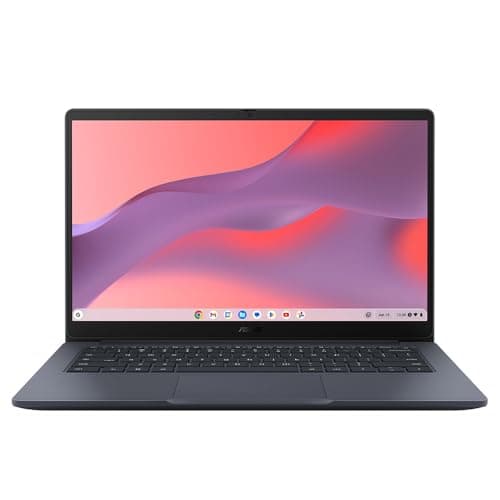
Best Overall: HP Chromebook 14 (B0F1DZBV2Y) delivers 8 GB RAM, a Full HD IPS panel and Intel N100 performance at a price that undercuts most rivals, making it the most balanced all-round pick in this budget. Best Value: ASUS Chromebook 14 CX1405CTA (B0G7227B4Y) costs even less and offers a proper Full HD IPS screen with Intel Core 3 N355 silicon, which is a genuinely impressive specification at its price point for anyone who can live with 4 GB RAM.
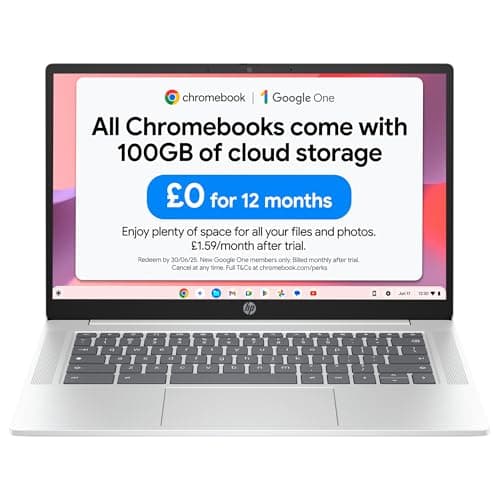
The HP Chromebook 14 with Intel N100 processor is the pick for anyone who wants the most capable everyday machine available for under £200. It targets students, home workers and light content creators who need a reliable daily driver that handles multiple browser tabs, Google Workspace, video calls and streaming without stuttering. The Intel N100 is a significant step forward from the older Celeron N4020 and N4500 chips that dominated this price bracket until recently. Built on Intel's Alder Lake-N architecture, it offers improved single-core performance and better power efficiency, which translates to snappier tab switching and more responsive app launches in ChromeOS.
The 8 GB of RAM is the headline specification here. At this price point, 8 GB is genuinely unusual and it makes a tangible difference to real-world usability. ChromeOS is already efficient with memory, but having 8 GB means you can comfortably run twenty or more browser tabs alongside a video call and a Google Docs document without the system starting to compress memory aggressively. The 128 GB of flash storage is also generous by Chromebook standards, giving you room to store offline files, Android apps downloaded from the Play Store and local media without constantly managing space.
The 14-inch screen runs at 1920x1080 with an IPS panel, which means wide viewing angles and accurate colours compared to the TN panels found on cheaper rivals. Text is sharp, images look clean and the screen is comfortable for extended use. At 14 inches it is a practical size: large enough to work on comfortably, compact enough to slip into a bag without weight becoming an issue.
Port selection is modest, with one USB-C, one USB-A and a 3.5mm audio jack. There is no HDMI port, which means connecting to an external display requires a USB-C to HDMI adapter. For most home and student users this is a minor inconvenience rather than a dealbreaker, but it is worth noting if you regularly present from your laptop. ChromeOS receives automatic updates from Google, and HP machines at this tier typically receive several years of guaranteed support, keeping the software secure and current.
Verdict: The best all-round sub-£200 Chromebook available right now, combining 8 GB RAM, a Full HD IPS screen and modern N100 silicon into a package that genuinely punches above its price.
Pros
- 8 GB RAM makes multitasking genuinely comfortable with 15+ tabs open
- Full HD IPS panel delivers sharp, wide-angle visuals at this price
- Intel N100 is noticeably faster than older Celeron N4500 in day-to-day use
- 128 GB storage is generous for a budget Chromebook
Cons
- No HDMI port means you need an adapter for external displays
- Only one USB-A port limits simultaneous peripheral connections
How We Picked
Every product in this roundup was selected from a verified catalogue of UK-available products with confirmed pricing under or. We assessed each machine against five core criteria: processor generation and real-world performance for everyday tasks, RAM capacity and its effect on multitasking, display quality including resolution and panel type, port selection and its practical implications for connectivity, and overall value relative to price. We cross-referenced manufacturer specifications with verified spec data to ensure accuracy and excluded any products where specifications could not be confirmed. Products aimed at a different use case entirely, such as laptop accessories, optical media and cases, were excluded regardless of their catalogue listing. The weighting given to each criterion reflects what UK buyers in this budget segment most commonly prioritise: daily usability, screen quality and value for money.
Buying Guide
ChromeOS vs Windows at under £300
The most important decision when buying a laptop under £300 is choosing between ChromeOS and Windows. In practice, the best options available at this price point in the UK are Chromebooks running ChromeOS, and this is not a compromise. ChromeOS is a mature, secure and well-supported operating system that handles the vast majority of everyday computing tasks: web browsing, email, video calls, streaming, document editing via Google Workspace or Microsoft 365 in a browser, and Android apps from the Google Play Store. It receives automatic updates silently in the background, requires no antivirus software and boots in seconds. For students, home users and anyone who spends most of their time in a browser, it is an excellent fit. Windows laptops under £300 do exist but they typically run on significantly slower processors with less RAM and slower storage than equivalent-priced Chromebooks, resulting in a noticeably less pleasant experience.
How much RAM do you actually need?
RAM is one of the most important specifications to check when buying a budget laptop. At 4 GB, ChromeOS is workable for light use: a handful of browser tabs, a video call and a document open simultaneously. However, if you regularly work with ten or more tabs, run multiple Android apps or participate in video calls while keeping other applications open, 4 GB will start to feel constrained. You will notice tab reloading when you switch back to older tabs, and occasional slowdown during peak multitasking. At 8 GB, these limitations largely disappear. The HP Chromebook 14 and ASUS Chromebook Plus 15 both offer 8 GB, making them the better long-term choices for heavier users.
Display quality matters more than you might expect
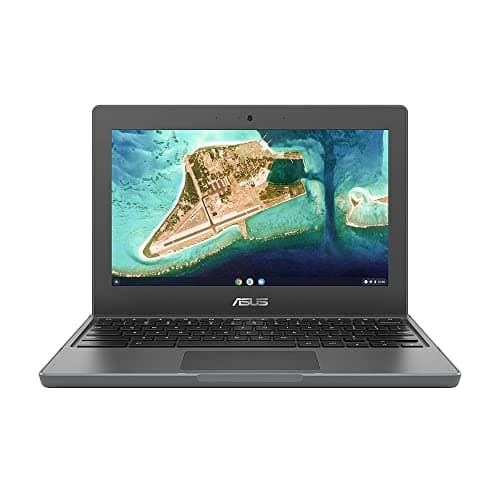
The difference between a TN panel at 1366x768 and an IPS panel at 1920x1080 is immediately visible in side-by-side use. IPS panels offer wider viewing angles, better colour accuracy and sharper text rendering. If you use your laptop for extended periods of reading, writing or watching video content, an IPS Full HD display makes a meaningful difference to comfort and visual quality. The ASUS Chromebook 11 CR1100 uses a TN panel at 768p, which is the weakest display in this roundup. Every other pick uses an IPS panel at 1080p, which is strongly preferable for adult users.
Ports and connectivity
Budget Chromebooks often compromise on ports. The HP models in this roundup have only one USB-C and one USB-A port, which means connecting a mouse, a USB drive and an external display simultaneously requires a hub. The ASUS Chromebook 14 CX1405CTA stands out for including a built-in HDMI port alongside two USB-C and one USB-A, making it the most versatile option for users who regularly connect to external displays. If you only ever use your laptop standalone, the HP's port selection is perfectly adequate.
Which brand is best for laptops under £300?
Both HP and ASUS produce strong Chromebooks at this price point. HP has a long track record of reliable build quality and strong UK customer support, and its Chromebook 14 line consistently receives positive reviews for everyday usability. ASUS brings competitive specifications, particularly in terms of port selection and processor choice, and the Chromebook Plus 15 demonstrates strong value for larger-screen buyers. Between HP and Dell, HP's Chromebook range is better represented in the sub-£300 UK market right now. Between HP and Lenovo, both brands produce capable budget Chromebooks, but the specific models available in the UK at this price point give HP a slight edge in display quality and RAM specification at the time of writing.
ChromeOS Auto Update Expiry
Every Chromebook has an Auto Update Expiry date, after which Google stops providing software and security updates. Before buying, check the AUE date for the model you are considering. Buying a model with a 2026 or later AUE date, such as the HP Chromebook 14 2026 edition, ensures you get several more years of supported use from your purchase. Older models with AUE dates in 2024 or 2025 should be avoided unless the price is exceptionally low.
Final Verdict
The overall winner in this roundup is the HP Chromebook 14 with Intel N100 (B0F1DZBV2Y). It combines 8 GB of RAM, a Full HD IPS display, 128 GB of flash storage and Intel's current-generation N100 processor at a price under £200, which represents the best balance of performance, display quality and future-proofing available in the sub-£300 UK laptop market right now. For the majority of home users, students and light workers, it will handle every everyday task comfortably and remain a capable machine for several years. The ASUS Chromebook 14 CX1405CTA earns the best value award for buyers on the tightest budgets, particularly those who need HDMI output. The ASUS Chromebook Plus 15 is the right call for anyone who prioritises screen size and Google AI features. The ASUS Chromebook 11 CR1100 remains the definitive choice for school-age users who need durability and warranty coverage above all else.