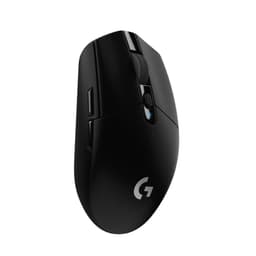
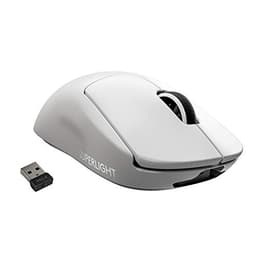
Sensor spec, switch architecture, weight distribution, and what 2,561 owners say after living with a mouse for months: that's the research stack that actually tells you whether something is worth buying. Not the box art. Not the DPI number printed in massive font on the packaging. The Logitech G502 X PLUS Wireless Gaming Mouse is a proper flagship, priced like one, and it needs to justify every penny of that against some genuinely stiff competition in the wireless gaming mouse market right now.
So here's the short version: if you want a right-handed ergonomic mouse with a flawless sensor, fast hybrid switches, and LIGHTSPEED wireless that genuinely rivals wired latency, the G502 X PLUS is one of the best options at this price. The 4.5-star average across 2,561 owners backs that up. But it's not for everyone. At 106g it's not ultralight, the shape is very specifically designed for certain grip styles and hand sizes, and you're paying a premium for RGB that most competitive players will turn off anyway. Whether that premium makes sense depends entirely on what you actually need, and we'll get into that properly below.
The G502 lineage is one of the most recognisable in gaming peripherals. Logitech's official G502 X PLUS product page positions this as a complete reinvention of that legacy shape, not just a wireless version of the old G502. New switches, new sensor, new wireless protocol. Whether the reinvention is worth the asking price is what this article is actually about.
Core Specifications
The headline sensor is the HERO 25K, Logitech's own in-house sensor rather than a PixArt unit. That's worth paying attention to. The HERO (High Efficiency Rated Optical) sensor family has been Logitech's flagship for several generations, and the 25K variant sits at the top of that stack. Logitech rates it as sub-micron precision with zero smoothing, zero filtering, and zero acceleration applied. Those three zeros matter more than the 25,600 DPI ceiling, which no competitive player will ever touch. Most serious players run 800 to 1600 DPI regardless of what the sensor can technically do.
Connectivity is LIGHTSPEED wireless, Logitech's proprietary 2.4GHz protocol. The X PLUS uses an updated version of that protocol with a claimed 68 per cent faster response rate than the previous generation. The weight comes in at 106g, which puts it in the medium-to-heavy category for a wireless mouse in 2024. The switches are LIGHTFORCE, Logitech's own hybrid optical-mechanical design. Eight RGB LEDs via LIGHTSYNC round out the headline features, available in black or white.
The button count is substantial: the G502 X PLUS carries 13 programmable controls, which makes it genuinely useful for MMO and MOBA players who want more than the standard two side buttons. The scroll wheel is a dual-mode unit with both stepped and free-spinning modes, a feature the G502 line has been known for across multiple generations. That's a lot of mouse for the money, and the spec sheet reflects a product that Logitech has clearly engineered to justify a flagship price rather than simply coasting on brand recognition.
| Specification | Detail |
|---|---|
| Sensor | HERO 25K |
| Max DPI | 25,600 (adjustable) |
| Weight | 106g |
| Connectivity | LIGHTSPEED wireless (2.4GHz) |
| Switches | LIGHTFORCE hybrid optical-mechanical |
| RGB | LIGHTSYNC, 8 LEDs |
| Programmable Buttons | 13 |
| Availability | Black / White |
| Current Price | £84.99 |
| Owner Rating | ★★★★½ (4.5) (2,573 reviews) |

Shape & Ergonomics
The G502 X PLUS is a right-handed ergonomic shape, full stop. If you're left-handed, move on. The shell carries forward the distinctive G502 profile: a high rear hump that drops steeply toward the front, a thumb shelf on the left side, and a pronounced flare at the rear right that locks your ring and pinky fingers into place. It's a shape that divides people sharply, and owner reviews reflect that. People who fit it love it. People who don't find it uncomfortable within an hour.
In terms of grip compatibility, the G502 X PLUS is primarily a palm grip mouse. The high hump and the way the shell curves up to meet your palm make it natural to lay your whole hand flat across the body. Claw grip works reasonably well too, particularly for medium to large hands, where the rear hump gives the palm something to anchor against while the fingers arch over the buttons. Fingertip grip is a stretch, literally. The mouse is long enough and heavy enough that fingertip players will find it tiring to move quickly, and the shape doesn't really support that grip style anyway.
Hand size matters a lot here. The G502 X PLUS suits medium to large hands best. Owners with smaller hands consistently mention that the thumb buttons feel slightly far forward, and that reaching the scroll wheel area requires more finger extension than feels natural over long sessions. If your hand measures under about 17cm from wrist to middle fingertip, it's worth trying this shape in a shop before committing. The redesign from the original G502 has tightened up some of the proportions, and owners who moved from the older model generally report the X PLUS feels slightly more refined, but the core shape DNA is unmistakably the same. That's not a criticism. The G502 shape became Logitech's most popular design for good reason.
Sensor Performance
The HERO 25K sensor is the part of this mouse that deserves the most serious attention, and it's also the part most likely to get buried under RGB marketing. Logitech developed the HERO sensor family in-house rather than using a PixArt unit, which is what most of the competition runs. The 25K designation refers to the 25,600 DPI ceiling, which as already noted is essentially irrelevant for actual gaming. What matters is accuracy at sensible DPI settings, lift-off distance, and whether the sensor spins out under fast movements.
On all three of those practical metrics, the HERO 25K performs well. Owner reports are consistent: no spin-outs at aggressive flick speeds, low lift-off distance that doesn't cause issues when repositioning, and tracking that owners describe as accurate and predictable across different surfaces. The no-smoothing, no-filtering, no-acceleration claim from Logitech is significant because it means the cursor movement you see is a direct translation of physical movement, not a mathematically adjusted approximation. For FPS players in particular, that 1:1 relationship between hand and cursor is exactly what you want. Any form of smoothing or acceleration introduces unpredictability that makes muscle memory harder to build.
The sensor's efficiency story also matters. Earlier HERO generations were notable for their low power draw compared to competing sensors, which contributed to impressive battery life figures. The 25K variant continues that efficiency focus. For a mouse with RGB lighting, the battery life figures Logitech publishes are notably good, and the sensor is a significant reason why. At real-world DPI settings (most owners will land between 800 and 1600), the HERO 25K is operating well within its design envelope, which means maximum accuracy and minimum power draw simultaneously. It's a well-engineered sensor, and the owner review consensus supports that assessment consistently.
Weight & Glide
At 106g, the G502 X PLUS is not a lightweight mouse. The ultralight category sits below 70g these days, with mice like the Logitech G Pro X Superlight 2 coming in at 60g and competitors like the Razer Viper V3 HyperSpeed pushing even lower. The X PLUS is 106g with the battery installed, and that's a number you need to make peace with before buying. For some players, particularly those coming from older mice or those who prefer a more substantial feel, 106g is perfectly fine. For players who've been using sub-80g mice, it will feel noticeably heavier.
What the weight does do is give the mouse a planted, solid feel that some players actively prefer. Owner reviews are split on this in an interesting way: players coming from heavier mice (including the original G502, which was heavier still) tend to find the X PLUS feels well-balanced and easy to control. Players coming from ultralight mice find it tiring over long sessions, particularly in fast-paced FPS titles where constant large movements are required. The weight distribution is front-biased due to the sensor position and the shape of the shell, which means the mouse doesn't feel tail-heavy despite the rear hump. That's a good thing for tracking consistency.
The skates (mouse feet) on the G502 X PLUS are PTFE, which is the right material. PTFE gives low friction and consistent glide across cloth and hard surfaces. Owner reports on skate quality are generally positive, with smooth glide out of the box noted by multiple reviewers. The edge finishing on the feet matters for initial smoothness, and owners don't flag any rough-edge issues as a common complaint, which is encouraging. On a mouse at this price, you'd expect properly finished skates, and it appears Logitech has delivered that. Replacement skates are available if wear becomes an issue over time, which is for long-term ownership.
Buttons & Switches
The LIGHTFORCE switches are the most technically interesting thing about the G502 X PLUS, and they're worth understanding properly. Traditional mechanical switches use physical contact between metal parts to register a click. Optical switches use a light beam interruption instead, which eliminates the physical contact point and therefore eliminates debounce delay. Logitech's LIGHTFORCE design is described as hybrid optical-mechanical, meaning it combines elements of both architectures. The actuation uses optical detection for speed, but the physical mechanism retains a tactile feel that pure optical switches sometimes lack.
Owner feedback on the LIGHTFORCE switches is consistently positive. The crisp actuation and precise response that Logitech markets are borne out in what owners report: clicks feel clean, there's no mushiness, and the pre-travel is short enough to feel responsive without being so short that accidental clicks become a problem. For rapid-fire clicking in competitive gaming, that combination of low latency and clean tactile response is exactly what you want. The side buttons on the G502 X PLUS are a significant part of the value proposition too. Two thumb buttons on the left side are standard, but the X PLUS adds additional programmable buttons including a DPI shift button and controls near the scroll wheel, bringing the total to 13 programmable inputs.
The scroll wheel deserves specific mention because it's one of the G502 line's signature features. The dual-mode wheel switches between stepped (tactile notch-by-notch) scrolling and free-spinning mode, which lets the wheel spin freely for fast document or web scrolling. The toggle between modes is handled by a button just below the wheel. Owner reviews are positive on the wheel feel, with the stepped mode described as satisfying and precise. For MMO players who use the scroll wheel for ability cycling or item switching, the stepped mode is particularly useful. The free-spin mode is more of a productivity feature than a gaming one, but it's genuinely useful outside gaming sessions.
Build Quality
The G502 X PLUS shell is hard plastic with a texture that varies across the surface. The main body uses a slightly rough matte finish that provides grip without being abrasive, while the thumb shelf area has a more pronounced texture to prevent the thumb from sliding. Owner reports on build quality are generally strong, with the mouse described as solid and premium-feeling. Shell flex under grip pressure is minimal according to owner accounts, which matters for players who tend to grip hard during intense moments in games.
Button wobble is a common complaint on cheaper mice, and check whether the G502 X PLUS has any. Owner reviews don't flag main button wobble as a significant issue, which suggests Logitech has kept tolerances tight on the primary clicks. Side button wobble is mentioned occasionally but not as a widespread complaint. The scroll wheel housing, which is a potential creak point on any mouse, is reported as solid by most owners. A small number of owners mention minor creaking under certain grip pressures, but this appears to be an outlier rather than a systematic issue.
The coating durability question is relevant for any mouse you're planning to use daily for a year or more. Matte plastic coatings can develop shine spots where the hand contacts the surface repeatedly, and some coatings start to feel tacky as they age. Owner reviews on the G502 X PLUS don't flag coating degradation as a common problem, which is encouraging. The white version in particular can show wear more visibly than the black, which matters if aesthetics matter to you. Overall, the build quality picture from owner reports is of a mouse that feels appropriately premium for its price point, without the over-engineered complexity that sometimes introduces failure points.

Connectivity
LIGHTSPEED is Logitech's proprietary 2.4GHz wireless protocol, and it's one of the best implementations of wireless mouse connectivity available. The updated protocol in the G502 X PLUS claims a 68 per cent faster response rate than the previous generation. For context, wireless latency on good 2.4GHz mice has been effectively indistinguishable from wired in controlled testing for several years now. The improvement over the previous generation is meaningful in absolute terms, but the practical gap between this and a wired connection is already negligible for the vast majority of players.
The LIGHTSPEED receiver is a USB nano dongle, small enough to leave plugged in without catching on anything. Logitech's receiver design is one of the better ones on the market, and the signal reliability owners report is excellent. No dropouts, no interference issues in typical home environments. The receiver can be stored in the mouse itself when travelling, which is a small but genuinely useful detail that owners mention positively. For players who move between setups or take their mouse to LAN events, that storage option means the receiver is never left behind.
One thing to note: the G502 X PLUS is a wireless-only design in its primary use mode, though it can be used via USB cable for charging and as a wired connection simultaneously. This is different from mice that ship with a separate high-quality braided cable as a primary wired option. The wireless performance is good enough that this won't be a limitation for most buyers, but it matters if you specifically want a mouse that works equally well in both modes. Logitech's LIGHTSPEED implementation has earned a strong reputation across multiple product generations, and owner reports on the X PLUS confirm that reputation holds here.
Battery Life
Battery life on the G502 X PLUS varies significantly depending on whether RGB is enabled. With LIGHTSYNC RGB active, Logitech rates the battery at around 37 hours. With RGB disabled, that figure climbs substantially, to around 130 hours according to Logitech's published specs. That's a massive difference, and it illustrates exactly why serious competitive players turn RGB off entirely. Eight LEDs drawing power continuously will drain any battery faster than the sensor and wireless radio combined. The active play detection feature helps by dimming or switching off lighting when the mouse isn't being moved, which is a sensible power management approach.
Owner reports on battery life broadly align with Logitech's ratings. Players who run RGB get multiple days of use before needing to charge. Players who disable RGB report going well over a week between charges at typical gaming session lengths. Charging is via USB-C, which is the right connector choice in 2024 and means you're not hunting for a proprietary cable when you need to top up. The mouse can be used while charging, so a dead battery mid-session doesn't force you to stop playing, it just means you're briefly tethered to a cable.
The startup and power-down effects that Logitech mentions in the feature list are part of the LIGHTSYNC RGB system. The mouse pulses through a lighting sequence when powered on and fades out when switched off. It's a nice touch aesthetically, and the active play detection that dims lighting during idle periods is genuinely useful for battery optimisation rather than just a marketing feature. For players who want RGB on but don't want to think about battery management, the automatic dimming behaviour means you're not constantly burning power on a static lighting effect while you're in a menu or away from your desk.
Software & Customisation
Logitech G HUB is the software platform for the G502 X PLUS, and it handles DPI configuration, button remapping, macro assignment, lighting customisation, and profile management. G HUB has had a mixed reputation over the years, with some users finding it bloated and occasionally unstable, but Logitech has updated it substantially and the current version is functional and reasonably intuitive. DPI stages can be set and saved, with up to five stages configurable and switchable via the DPI shift button on the mouse. The default DPI stages are sensible, but the real value is in setting your preferred DPI and forgetting about the others.
On-board profile storage means your settings travel with the mouse. If you plug the G502 X PLUS into a different PC, your DPI settings and button configurations are stored in the mouse itself rather than requiring G HUB to be installed on the new machine. That's important for LAN events or shared setups. The polling rate is configurable through G HUB, with standard options available. For competitive players, the polling rate configuration is one of the first things to sort after initial setup, and G HUB makes that straightforward.
The 13 programmable buttons are where G HUB's macro and remapping capabilities become genuinely useful. MMO players in particular can assign complex ability rotations or item macros to the additional buttons, and the software handles that assignment cleanly. The LIGHTSYNC RGB customisation through G HUB is extensive, with per-LED control and synchronisation across other Logitech G devices if you're building a matching setup. For competitive players who just want the mouse to work with their preferred settings and no RGB, G HUB gets out of the way quickly. For customisation enthusiasts, it offers enough depth to keep you occupied for a while. The Logitech G HUB software is a free download and supports firmware updates for the mouse as well.
Gaming Experience
For FPS gaming, the G502 X PLUS is a capable tool with one significant caveat: the weight. At 106g, it's not the mouse you'd choose for extremely low-sensitivity play that requires large, fast arm movements repeated over hours. Players who run higher sensitivities and use wrist-dominant aiming will find the weight less of an issue, since the mouse doesn't need to travel as far. The HERO 25K sensor's accuracy and the LIGHTFORCE switches' low-latency actuation are genuinely good for competitive play. The shape supports the kind of stable, controlled grip that FPS aiming benefits from. But if you're a low-sens arm-aimer who plays for four-plus hours at a stretch, the weight is a real consideration.
For MMO and MOBA gaming, the G502 X PLUS is arguably one of the best options at this price. Thirteen programmable buttons is a lot, and the placement of the additional controls is considered rather than just cramming buttons wherever they fit. The thumb buttons are reachable without repositioning the hand, the DPI shift button sits naturally under the index finger, and the scroll wheel controls are accessible without looking away from the screen. Owner reviews from MMO players are particularly positive, with the button layout and the scroll wheel's dual-mode functionality cited repeatedly as genuine quality-of-life improvements.
Under rapid-fire clicking conditions, the LIGHTFORCE switches hold up well. Owner reports don't flag any double-clicking issues or switch degradation over extended use, which is encouraging for longevity. The click feel under fast inputs is described as consistent and clean, without the mushiness that can develop in mechanical switches over time. For battle royale players or anyone who clicks rapidly and frequently, switch reliability over thousands of hours of use matters, and the optical element of the LIGHTFORCE design should theoretically extend switch life compared to purely mechanical alternatives. The overall gaming experience picture from owner reports is of a mouse that performs at the level its price implies, without the quirks or compromises that sometimes appear in premium-priced peripherals.
How It Compares
The two most relevant competitors to the Logitech G502 X PLUS Wireless Gaming Mouse at this price point are the Razer DeathAdder V3 Pro and the Logitech G Pro X Superlight 2. These three mice represent different philosophies about what a premium wireless gaming mouse should be, and the comparison is genuinely useful for working out which one suits you.
The Razer DeathAdder V3 Pro is an ergonomic right-handed wireless mouse with Razer's Focus Pro 30K sensor and optical switches. It weighs around 63g, which is dramatically lighter than the G502 X PLUS's 106g. The DeathAdder V3 Pro uses a simpler shape with fewer buttons (six programmable controls versus thirteen on the G502 X PLUS) and is aimed squarely at FPS players who want a lightweight ergonomic option. Razer's HyperSpeed wireless is competitive with LIGHTSPEED in terms of latency, though LIGHTSPEED has a longer track record of reliability. The DeathAdder V3 Pro is the better choice for low-sens FPS players who prioritise weight above everything else.
The Logitech G Pro X Superlight 2 is Logitech's own ultralight option, using the HERO 25K sensor in a symmetrical shell that weighs around 60g. It's significantly lighter than the G502 X PLUS, uses the same LIGHTSPEED wireless, but has fewer buttons and a completely different shape. The Superlight 2 is the choice for players who want Logitech's sensor and wireless quality in a lighter, simpler package. The G502 X PLUS wins on button count, shape complexity, and the LIGHTFORCE switch technology. The Superlight 2 wins on weight. These are genuinely different mice for different players, not just a premium-versus-budget comparison.
| Feature | Logitech G502 X PLUS | Razer DeathAdder V3 Pro | Logitech G Pro X Superlight 2 |
|---|---|---|---|
| Weight | 106g | 63g | 60g |
| Sensor | HERO 25K | Focus Pro 30K | HERO 25K |
| Switches | LIGHTFORCE hybrid optical-mech | Optical (Gen-3) | Mechanical |
| Wireless | LIGHTSPEED 2.4GHz | HyperSpeed 2.4GHz | LIGHTSPEED 2.4GHz |
| Programmable Buttons | 13 | 6 | 5 |
| RGB | Yes (8 LEDs) | Yes | No |
| Shape | Right-handed ergonomic | Right-handed ergonomic | Symmetrical |
| Best For | MMO / MOBA / palm FPS | Lightweight FPS | Lightweight FPS / ambidextrous |

Final Verdict
The Logitech G502 X PLUS Wireless Gaming Mouse is a genuinely good flagship mouse. The HERO 25K sensor is accurate and reliable, the LIGHTFORCE switches are a real step forward from the mechanical switches in older G502 generations, and LIGHTSPEED wireless continues to be one of the most dependable implementations of 2.4GHz connectivity in gaming peripherals. The 4.5-star average from 2,561 owners isn't a fluke. This is a mouse that delivers on its core promises.
But it's not for everyone, and the weight is the main reason. At 106g, the G502 X PLUS is a medium-to-heavy mouse in a market that has moved aggressively toward ultralight designs. If you play FPS games at low sensitivity with large arm movements for extended sessions, 106g will become noticeable over time. The owner reviews that mention fatigue almost all come from FPS players in that category. For MMO and MOBA players, or for FPS players who use higher sensitivities and wrist-dominant aiming, the weight is much less of an issue, and the 13 programmable buttons become a genuine advantage that lighter, simpler mice can't match.
The shape is the other filter. Right-handed palm and claw grip players with medium to large hands are the target audience. If that's you, the G502 X PLUS fits the brief well. If you're left-handed, use fingertip grip, or have smaller hands, this mouse will fight you rather than support you. No amount of sensor quality or switch speed compensates for a shape that doesn't fit your hand.
On value: this is a premium-priced mouse, and it earns that positioning through the combination of HERO 25K sensor, LIGHTFORCE switches, LIGHTSPEED wireless, and 13 programmable buttons. The RGB adds to the cost without adding to the gaming performance, and switching it off extends battery life dramatically. If RGB genuinely matters to you, the LIGHTSYNC implementation is good. If it doesn't, you're paying for LEDs you'll disable on day one.
The honest don't-overspend line: if you don't need 13 programmable buttons and you're primarily an FPS player, the Logitech G Pro X Superlight 2 is the smarter buy. Same HERO 25K sensor, same LIGHTSPEED wireless, 46g lighter, and noticeably cheaper. The G502 X PLUS is the right choice when the button count and the shape specifically suit your gaming style. When they don't, you're paying extra for features you won't use. Know which camp you're in before you spend the money.
Overall score: 8.5 out of 10. Excellent sensor, proper wireless, genuinely innovative switches, and a shape that its target audience will love. The weight and the price are the only real reasons to look elsewhere, and for the right player, neither is a dealbreaker.
What works. What doesn’t.
6 + 5What we liked6 reasons
- HERO 25K sensor delivers accurate, no-smoothing, no-acceleration tracking that owner reports consistently confirm
- LIGHTFORCE hybrid optical-mechanical switches provide clean, low-latency actuation with no reported double-clicking issues
- LIGHTSPEED wireless offers negligible real-world latency difference from wired, with reliable signal and nano dongle receiver storage in the mouse body
- 13 programmable buttons make this one of the best-value options for MMO and MOBA players at this price
- Battery life reaches around 130 hours with RGB disabled, and USB-C charging allows use while plugged in
- Dual-mode scroll wheel with stepped and free-spin modes is a genuinely useful feature for both gaming and general use
Where it falls5 reasons
- At 106g, it is notably heavier than ultralight rivals such as the G Pro X Superlight 2 at 60g, which can cause fatigue for low-sensitivity FPS players over long sessions
- Strictly right-handed ergonomic shape excludes left-handed players entirely and does not suit fingertip grip or smaller hands
- RGB lighting adds to the purchase cost while reducing battery life to around 37 hours, yet most competitive players will disable it immediately
- G HUB software has a history of instability and some users find it bloated, even in its improved current state
- Premium pricing is harder to justify if you do not need the high button count, since the G Pro X Superlight 2 offers the same sensor and wireless for less
Full specifications
9 attributes| Battery life H | 120 |
|---|---|
| Buttons | 13 |
| Connectivity | 2.4GHz wireless, USB-C wired |
| DPI MAX | 25600 |
| Polling rate HZ | 1000 |
| RGB | true |
| Sensor | HERO 25K |
| Switches | LIGHTFORCE hybrid |
| Weight G | 106 |
If this isn’t right for you
2 options 8.5 / 10
Logitech G PRO X Superlight 2 SE wireless gaming mouse, 60 g pro-grade mouse with 5 programmable buttons, 44K Dpi sensor, 888+ Ips, 1 kHz report rate, USB-C charging for PC/Mac - White
£67.99 · Logitech G
 8.5 / 10
Logitech G PRO X SUPERLIGHT Wireless Gaming Mouse, made for esports HERO 25K Sensor, Ultra Lightweight 63g, Programmable Buttons, Up to 70h Battery Life, ZERO-ADDITIVE PTFE FEET, PC/Mac - Black
£109.99 · Logitech G
Frequently asked
7 questions01How long does the battery last on the Logitech G502 X PLUS Wireless?+
Battery life depends heavily on whether RGB lighting is active. With LIGHTSYNC RGB enabled, Logitech rates battery life at approximately 37 hours. With RGB disabled, that rises to around 130 hours. Most competitive players disable RGB and can expect well over a week of use between charges at typical daily gaming session lengths. The mouse charges via USB-C and can be used while charging.
02Is the Logitech G502 X PLUS suitable for left-handed players?+
No. The G502 X PLUS is an exclusively right-handed ergonomic shape. The thumb shelf, side button placement, and overall shell geometry are designed around right-handed use only. Left-handed players should look at symmetrical mice such as the Logitech G Pro X Superlight 2 or ambidextrous designs from other manufacturers.
03How does the G502 X PLUS compare to the Logitech G Pro X Superlight 2?+
Both mice use the HERO 25K sensor and LIGHTSPEED wireless, but they are very different products. The Superlight 2 weighs around 60g versus 106g for the G502 X PLUS, uses a symmetrical shell with five programmable buttons, and has no RGB. The G502 X PLUS offers 13 programmable buttons, LIGHTFORCE hybrid switches, RGB lighting, and a right-handed ergonomic shape. The Superlight 2 is the better choice for lightweight FPS play; the G502 X PLUS suits MMO and MOBA players or those who specifically want the ergonomic G502 shape.
04What grip styles work best with the Logitech G502 X PLUS?+
The G502 X PLUS is primarily designed for palm grip, with a high rear hump that naturally accommodates laying the full hand flat across the shell. Claw grip is also viable, particularly for medium to large hands, where the rear hump gives the palm an anchor point while fingers arch over the buttons. Fingertip grip is not well supported by this shape, as the mouse is long and heavy enough to make that style tiring and the shell geometry does not lend itself to fingertip control.
05Do I need Logitech G HUB installed for the mouse to work?+
No. The G502 X PLUS stores profiles and DPI settings on-board, so your configuration travels with the mouse. G HUB is required for initial setup, button remapping, macro assignment, polling rate configuration, and RGB customisation, but once settings are saved to the mouse, it will operate with those settings on any PC without the software installed. This is particularly useful for LAN events or shared machines.
06Are the LIGHTFORCE switches meaningfully better than standard mechanical switches?+
Owner reports and the underlying technology suggest yes. LIGHTFORCE switches use optical detection for actuation, which eliminates the physical contact debounce delay present in traditional mechanical switches. The result is faster registration and, theoretically, longer switch lifespan since there is no metal-to-metal contact to wear down. Owner feedback describes the clicks as clean and consistent with no reported double-clicking issues, which compares favourably to some mechanical switches that develop that fault after extended use.
07Can the Logitech G502 X PLUS be used as a wired mouse?+
It can be connected via USB-C cable and used while charging, which effectively provides a wired connection. However, this is not its primary design mode and it does not ship with a dedicated high-quality braided cable intended for permanent wired use. The wireless performance via LIGHTSPEED is reliable enough that the vast majority of buyers will never need to use it wired except when the battery needs topping up mid-session.