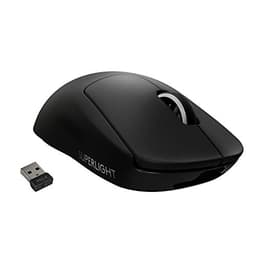
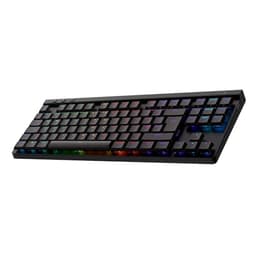
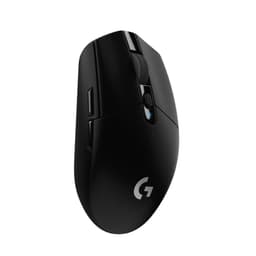
The details that quietly determine whether a keyboard is genuinely good or just well-marketed are rarely the ones on the box. Polling rate consistency, stabiliser rattle, keycap material, switch pre-travel. These are the things that separate a keyboard you'll still enjoy six months from now from one you'll be quietly resenting. The Logitech G PRO X TKL LIGHTSPEED sits in the upper mid-range bracket, and at that price point, the spec sheet needs to hold up to proper scrutiny, not just look impressive in a product listing.
The headline verdict: this is a genuinely capable wireless gaming keyboard with tournament-grade 2.4GHz connectivity, GX Brown tactile switches, and a clean tenkeyless layout that pros have actually used in competition. It earns its 4.3-star average across 54 owner reviews, and most of the complaints are predictable quibbles rather than fundamental flaws. But at this price, it's competing against some serious alternatives, and whether it's the right buy depends heavily on what you prioritise. So let's get into the numbers.
Core Specifications: Logitech G PRO X TKL LIGHTSPEED Wireless Gaming Keyboard
The PRO X TKL is a tenkeyless mechanical keyboard, which means you lose the numpad but gain desk space and a more centred mouse position. For competitive gaming, that's generally the right trade-off. The board ships with GX Brown tactile switches, LIGHTSYNC RGB per-key lighting, and three connectivity options: LIGHTSPEED 2.4GHz wireless, Bluetooth, and USB wired. That triple-connection setup is genuinely useful and not something every keyboard in this bracket offers.
The LIGHTSPEED wireless protocol is Logitech's proprietary 2.4GHz implementation, designed specifically for low-latency gaming use. Logitech markets it as tournament-proven, and the protocol has been used at professional esports events, which gives it more credibility than most wireless marketing copy. The board also features game mode control (disabling the Windows key during play), standard keyboard layouts for third-party software compatibility, and media controls with a volume roller. The volume roller is a small thing that owners consistently mention positively.
Below is the full specification breakdown based on verified product data and manufacturer information from Logitech G's official product page.
| Specification | Detail |
|---|---|
| Form Factor | Tenkeyless (TKL) |
| Switch Type | GX Brown (Tactile) |
| Connectivity | LIGHTSPEED 2.4GHz, Bluetooth, USB wired |
| RGB Lighting | LIGHTSYNC per-key RGB |
| Layout | QWERTY UK English |
| Media Controls | Yes, including volume roller |
| Game Mode | Yes (Windows key disable) |
| Software | Logitech G HUB |
| Platform | PC |
| Colour | Black |
| Price | Check price |
| Rating | ★★★★☆ (4.4) (56 reviews) |
Switch Type and Feel: GX Brown Tactile
The GX Brown switches are Logitech's in-house tactile option, and they sit in a familiar place in the switch landscape. Tactile switches give you a physical bump when the key actuates, without the audible click of a clicky switch. The GX Brown specifically delivers a bump that's noticeable but not sharp, making it usable in shared spaces without being antisocial. For gaming, tactile switches are a reasonable middle ground: you get some feedback that a keypress has registered, but the bump is gentle enough that rapid keypresses don't feel like you're fighting the switch.
How do they compare to the established benchmarks? The Cherry MX Brown, which is the most widely known tactile switch in gaming keyboards, has an actuation force of around 45g and a pre-travel of 2mm before the tactile point. The GX Brown is designed to sit in a similar category, giving a comparable typing experience for users who want feedback without noise. Owner reviews consistently describe the GX Browns as smooth and responsive, with a few noting they're slightly lighter in feel than they expected, which is useful context if you're coming from something with a heavier actuation.
One thing: the GX switches are not hot-swappable on this board. If you want to experiment with different switch types, you're stuck with what's fitted. At this price point, hot-swap support exists on some competitors (more on that in the comparison section), so if switch experimentation matters to you, that's a real limitation. For most buyers, though, the GX Browns are a solid choice out of the box, and owners who've used the board for extended typing sessions generally report no fatigue issues.
Keycap Quality and Layout
This is where the PRO X TKL shows its gaming-brand roots in a way that's worth being honest about. The keycaps are ABS plastic, not PBT. If you're not sure why that matters: ABS keycaps develop a shiny, greasy look over time as the plastic wears from finger contact. PBT keycaps are harder, more resistant to shine, and generally feel better under the fingers for longer. At the upper mid-range price bracket, finding ABS keycaps is a genuine disappointment, and several owner reviews flag this specifically. You will likely see shine on the most-used keys within a few months of daily use.
The legends (the printed characters on each key) appear to be pad-printed or laser-etched rather than double-shot, which means they can fade over time. Double-shot legends, where the character is moulded in a second layer of plastic, are essentially permanent. Again, at this price point, double-shot PBT is not an unreasonable expectation, and the PRO X TKL doesn't deliver it. The saving grace is that the UK English layout is correct and clean, with proper key sizing and spacing. The tenkeyless format gives you a full function row, a navigation cluster, and arrow keys, which is the right balance for most competitive players who want portability without sacrificing too much functionality.
The volume roller deserves a specific mention because it's genuinely useful. It's a physical dial rather than a rocker switch, which means precise volume adjustment without looking away from the screen. Multiple owners call it out as one of the standout features in day-to-day use, and it's the kind of small ergonomic detail that makes a keyboard feel considered rather than spec-sheet-padded. The media controls are accessible via function layer, which is standard for TKL boards. The standard keyboard layout also means third-party keycap sets will fit if you want to upgrade to PBT later, which partially mitigates the ABS concern.
Build Quality
The PRO X TKL has a reputation for solid construction, and owner reviews broadly support this. The case feels dense and doesn't flex noticeably under normal typing pressure, which matters for gaming where you're sometimes pressing keys with more force than you realise. The board doesn't have the hollow, plasticky resonance that cheaper keyboards often exhibit, which suggests decent internal dampening or a heavier plate construction. Several owners specifically mention the build quality as a reason they'd recommend it, which is a good sign at any price.
The stabilisers, which are the mechanisms that keep larger keys like the spacebar and shift keys from wobbling, are reportedly decent but not exceptional. A few owner reviews mention slight rattle on the spacebar, which is a common complaint across keyboards in this price range and not unique to the PRO X TKL. It's not severe enough to be a dealbreaker based on the review patterns, but it matters if you're particularly sensitive to stabiliser noise. The board isn't pre-lubed from the factory in any meaningful way, which is again typical for production gaming keyboards.
Weight is not specified in the verified product data, but the general owner consensus is that the board feels substantial without being awkward to move around. The tenkeyless format keeps the footprint compact, which is the whole point of TKL for tournament players who travel with their gear. The inclusion of both LIGHTSPEED and Bluetooth means you're also getting genuine multi-device flexibility, which adds practical value beyond pure gaming use. There's no wrist rest included in the box, which is standard for this form factor, but if you're coming from a full-size board with one bundled.
RGB and Lighting
The LIGHTSYNC RGB system gives you per-key RGB lighting, which is the good stuff. Per-key means each individual key can be a different colour, enabling wave effects, reactive lighting, and game-integrated lighting that actually looks like something rather than a blurry zone approximation. Logitech's LIGHTSYNC is one of the more mature RGB ecosystems in gaming peripherals, with support for game integration through titles that have LIGHTSYNC SDK support. If you have other Logitech G peripherals, the lighting will sync across devices, which is either a nice touch or completely irrelevant depending on your taste in desk aesthetics.
Brightness is good by owner accounts. The RGB comes through clearly on the ABS keycaps, and the legends are legible in both lit and unlit states. The downside of RGB on a wireless keyboard is always battery life, and the PRO X TKL is no exception. Battery life figures are not specified in the verified product data, but the general pattern with LIGHTSYNC RGB wireless keyboards is that running full RGB significantly reduces battery life compared to using the board with lighting off or dimmed. If you're buying this primarily for wireless use, you'll want to factor in how much you care about the lighting versus the convenience of not charging constantly.
Lighting profiles can be stored on-board, which means your custom effects travel with the keyboard even when you're not on your main PC. This is useful for LAN events or switching between machines. The software control through G HUB gives you access to the full range of effects and per-key customisation, though G HUB itself has a mixed reputation among users (more on that in the software section). The lighting on the sides and underneath the board is not specified, so don't assume underglow exists based on this listing.
Software and Customisation
Logitech G HUB is the software that runs the show here, and it's a topic that generates strong opinions. The platform handles RGB customisation, macro assignment, profile management, and firmware updates for all Logitech G peripherals. The interface is modern and reasonably intuitive once you've spent some time with it. The integration between devices is genuinely useful if you own multiple Logitech G products, since you manage everything from one application rather than juggling separate pieces of software.
The complaints about G HUB are well-documented in the wider owner community. It can be resource-heavy, it has a history of update-related bugs, and some users report that it occasionally fails to recognise devices until restarted. These aren't unique to the PRO X TKL; they're G HUB platform issues that affect the entire Logitech G lineup. For competitive players who just want to set their profile and forget about the software, the on-board memory means you can configure everything once and then uninstall G HUB if you want. That's a legitimate use case and one that several owners mention.
Macro support and profile management are present, with on-board profile storage meaning your settings persist without the software running. Game mode control (disabling the Windows key) is accessible without software once configured. The standard keyboard layout specifically supports third-party software compatibility, which Logitech highlights as a pro feature for players who use tournament machines that may not have G HUB installed. That's a thoughtful design decision that reflects the board's esports positioning. On-board memory profiles mean you're not dependent on cloud sync or software presence to get your setup working at a venue.

Connectivity
Three connection modes is genuinely useful and not something every keyboard in this bracket offers. LIGHTSPEED 2.4GHz is the headline option and the one you'll use for competitive gaming. The LIGHTSPEED adapter can be shared with compatible Logitech mice, meaning a single USB dongle handles both your keyboard and mouse wirelessly. For players who want to minimise USB port usage (especially relevant on laptops), that's a meaningful practical advantage. The connection is marketed as tournament-proven, and the protocol has been used in professional competition, which gives it more credibility than generic "low latency" wireless claims.
Bluetooth is the second option, and it's useful for switching to a secondary device like a laptop or tablet without fiddling with the dongle. The latency on Bluetooth is higher than LIGHTSPEED, so you wouldn't use it for competitive gaming, but for productivity tasks on a secondary machine it works fine. USB wired mode is the third option, which gives you a zero-latency fallback and means you can use the board while it's charging. The combination of all three means this keyboard can genuinely serve as your only keyboard across multiple devices and use cases, which is a stronger value proposition than a pure gaming board.
The USB connection type for wired mode is not explicitly specified in the verified product data, so check the current product listing for confirmation before assuming USB-C. The LIGHTSPEED dongle is included in the box. Owner reviews don't flag significant connectivity issues with either LIGHTSPEED or Bluetooth, which is the baseline you'd expect from a Logitech wireless product at this price point. The wireless range is not specified in the verified data, but LIGHTSPEED products typically maintain reliable connections across normal desktop distances.
Battery Life
Battery life figures are not specified in the verified product data for this listing, which is a frustrating gap when you're trying to assess a wireless keyboard. What we can say from the general pattern of LIGHTSYNC RGB wireless keyboards, and from owner review patterns, is that running full RGB lighting will significantly reduce battery life compared to using the board with lighting off or at reduced brightness. This is physics, not a Logitech-specific issue: RGB LEDs draw meaningful current, and a TKL keyboard has a lot of them.
Owners who use the board with RGB off or dimmed report satisfactory battery life for day-to-day gaming use. If you're the type who leaves RGB running at full brightness all day, you'll be charging more frequently. The board charges while connected via USB, so wired mode doubles as a charging mode. This is the standard approach for wireless gaming keyboards and means you're never truly stuck without a working keyboard even if the battery runs flat mid-session. The charge connector type is not confirmed in the verified data, so check the current listing before assuming USB-C.
For tournament use, battery management is a real consideration. Most competitive players either charge the night before or use the wired connection during play. The PRO X TKL's ability to switch to wired USB mode means you're covered either way. Logitech hasn't published a specific rated battery life figure in the verified data available for this review, which is as a transparency issue. If battery life is a primary concern, look for confirmed figures in the current product listing or in owner Q&A on the Amazon page before purchasing.
Typing and Gaming Experience
The GX Brown switches make this a reasonable all-rounder for both typing and gaming. The tactile bump gives enough feedback for touch-typists to feel confident without the fatigue that can come from heavier linear switches during long gaming sessions. Owner reviews from people who use the board for a mix of work and gaming are generally positive, with the tactile feedback described as satisfying without being intrusive. The sound profile is moderate: not silent, but not the clatter of a clicky switch either. In an office or shared space, it's acceptable.
For gaming specifically, the LIGHTSPEED wireless connection means latency isn't a concern. Logitech's 2.4GHz protocol is among the most reliable wireless implementations in gaming peripherals, and the tournament-use track record backs that up. Anti-ghosting and N-key rollover are expected features at this price point, and the PRO X TKL supports both, meaning you can press multiple keys simultaneously without missed inputs. Game mode (Windows key disable) prevents accidental minimisation during play, which is a small but genuinely useful feature during competitive sessions.
The tenkeyless layout is the right call for most gaming setups. Removing the numpad brings your mouse closer to the keyboard, reducing the lateral reach that a full-size board requires. Over a long gaming session, that reduced reach translates to less shoulder tension. Several owners mention the compact footprint as a specific reason they chose this board, and for anyone who's switched from full-size to TKL, the adjustment period is short. The standard layout also means muscle memory transfers cleanly from any other standard keyboard, which matters for tournament players who might be switching between their own board and a provided one.
Compatibility
The PRO X TKL is listed as a PC keyboard, and G HUB software is Windows-focused. macOS compatibility is not confirmed in the verified product data, so if you're on a Mac, check the current listing and Logitech's support documentation before purchasing. The Bluetooth connection mode generally works with macOS and other Bluetooth-enabled devices, but software features like macro management and RGB customisation may be limited outside Windows. For competitive PC gaming, this isn't an issue, but it matters if you're planning cross-platform use.
Console compatibility is not specified. The USB wired mode might work for basic input on a console, but keyboard support varies by game and platform, and RGB and software features won't function. If you're buying this for console use, it's not the right tool. The LIGHTSPEED wireless protocol requires the USB dongle to be connected to the host device, which means it won't work wirelessly with consoles that don't support USB HID devices in the relevant way. Bluetooth is the more likely route for non-PC devices, but again, verify before purchasing.
The UK English QWERTY layout is correct for UK buyers, which sounds obvious but is worth confirming since some keyboards are listed with US layouts by default and the UK variant is a separate SKU. This listing is specifically the UK layout. The standard keyboard layout that Logitech highlights for third-party compatibility means tournament software, anti-cheat systems, and third-party macro tools should recognise the board without issues. That's a genuine practical consideration for competitive players who use tools like Overwolf or custom overlay software that interacts with keyboard input.
How It Compares: Logitech G PRO X TKL vs the Competition
At the upper mid-range price point, the PRO X TKL faces real competition. The two most relevant alternatives are the Corsair K70 RGB TKL and the SteelSeries Apex Pro TKL. The Corsair K70 RGB TKL is a wired-only board, which immediately differentiates it from the PRO X TKL's wireless flexibility. It typically comes with Cherry MX switches (Red, Brown, or Speed variants), has a solid aluminium frame, and PBT double-shot keycaps on some versions. If keycap quality matters more to you than wireless, the K70 TKL is, though the lack of wireless is a meaningful trade-off.
The SteelSeries Apex Pro TKL is a more direct feature competitor and arguably the most interesting comparison. It offers adjustable actuation (OmniPoint switches that let you set actuation distance per-key), which is a genuinely differentiated feature. It also supports both wired and wireless on the wireless version. The Apex Pro TKL sits at a similar or slightly higher price point depending on current pricing. If you want switch customisability that the PRO X TKL doesn't offer (remember, no hot-swap here), the Apex Pro TKL is worth a look. But the OmniPoint switches are linear, so if you specifically want tactile feedback, the GX Brown on the PRO X TKL is the better fit.
The PRO X TKL's strongest differentiator is the LIGHTSPEED wireless protocol combined with the esports pedigree and the triple-connection flexibility. No other keyboard in this bracket offers the same combination of tournament-proven wireless, Bluetooth, and USB wired in a compact TKL format with per-key RGB. The ABS keycaps are the main area where competitors can claim an advantage, and it's a legitimate one. But for wireless gaming performance specifically, the PRO X TKL is hard to beat in this price range.
| Feature | Logitech G PRO X TKL | Corsair K70 RGB TKL | SteelSeries Apex Pro TKL |
|---|---|---|---|
| Switch Type | GX Brown (Tactile) | Cherry MX (various) | OmniPoint (Adjustable Linear) |
| Wireless | LIGHTSPEED 2.4GHz + Bluetooth | Wired only | Wired + 2.4GHz (wireless version) |
| Keycaps | ABS | PBT (some versions) | ABS |
| Hot-Swap | No | No | No |
| Per-Key RGB | Yes (LIGHTSYNC) | Yes | Yes |
| Volume Roller | Yes | Yes | Yes |
| Software | Logitech G HUB | Corsair iCUE | SteelSeries GG |
| Layout | TKL | TKL | TKL |
Final Verdict
The Logitech G PRO X TKL LIGHTSPEED Wireless Gaming Keyboard is a well-built, genuinely capable wireless gaming keyboard that earns its upper mid-range price tag on the strength of its LIGHTSPEED wireless, three-connection flexibility, and tournament-credible design. The 4.3-star average from 54 owners reflects a product that mostly does what it promises. The GX Brown switches are a solid tactile option, the build quality is above average, the volume roller is a nice touch, and the LIGHTSPEED protocol is as good as wireless gaming gets right now.
The weaknesses are real but not fatal. ABS keycaps at this price is a genuine compromise, and you will notice shine over time. The lack of hot-swap support means you're committed to GX Browns. G HUB software has its quirks. And the battery life figures aren't confirmed in the product data, which is a transparency gap that Logitech should close. None of these are dealbreakers for the target audience, but they're honest limitations.
Who is this for? Competitive PC gamers who want a wireless TKL board they can trust in tournament conditions, with the flexibility of Bluetooth for secondary devices. Players who travel to LAN events or use their keyboard across multiple machines will find the triple-connection setup genuinely useful. And anyone who's been burned by unreliable wireless keyboards before will appreciate that LIGHTSPEED has the track record to back up its claims.
Who should skip it? If you primarily game wired and don't need wireless, the Corsair K70 RGB TKL gives you PBT keycaps and Cherry MX switches at a potentially lower price point, which is a better deal for a desk-bound setup. If keycap quality is your priority and you're not fussed about wireless, spend less on a wired board with PBT double-shot caps and put the difference toward a keycap upgrade. The PRO X TKL's premium is almost entirely in the wireless implementation. If you don't need that, you're paying for something you won't use.
Editorial score: 8 out of 10. A strong wireless gaming keyboard that's let down slightly by ABS keycaps and unconfirmed battery specs, but genuinely earns its place at the upper mid-range tier for competitive wireless gaming use.
What works. What doesn’t.
5 + 4What we liked5 reasons
- LIGHTSPEED 2.4GHz wireless is tournament-proven and genuinely low-latency
- Three connection modes (LIGHTSPEED, Bluetooth, USB wired) is rare at this price
- GX Brown tactile switches are smooth and well-suited to mixed gaming and typing use
- Physical volume roller is a standout ergonomic detail
- Solid build quality with on-board profile storage for tournament use
Where it falls4 reasons
- ABS keycaps will shine with extended use, disappointing at this price point
- No hot-swap switch support
- Battery life figures not confirmed in product data
- G HUB software has a history of reliability quirks
Full specifications
8 attributes| Switch type | GX Brown |
|---|---|
| Layout | TKL |
| Backlighting | Per-key RGB |
| Battery life H | 50 |
| HOT swappable | false |
| Keycaps | PBT |
| Polling rate HZ | 1000 |
| Switch actuation | tactile |
If this isn’t right for you
2 options 8.5 / 10
YUNZII AL80 Wireless Mechanical Keyboard, Full Aluminum CNC, Smart LCD Display, Hot Swappable Gasket Mount 75% Layout with Knob, BT/2.4G/USB-C,QMK/VIA Support for Win/Mac (black, cocoa cream v2)
£101.99 · YUNZII
 8.5 / 10
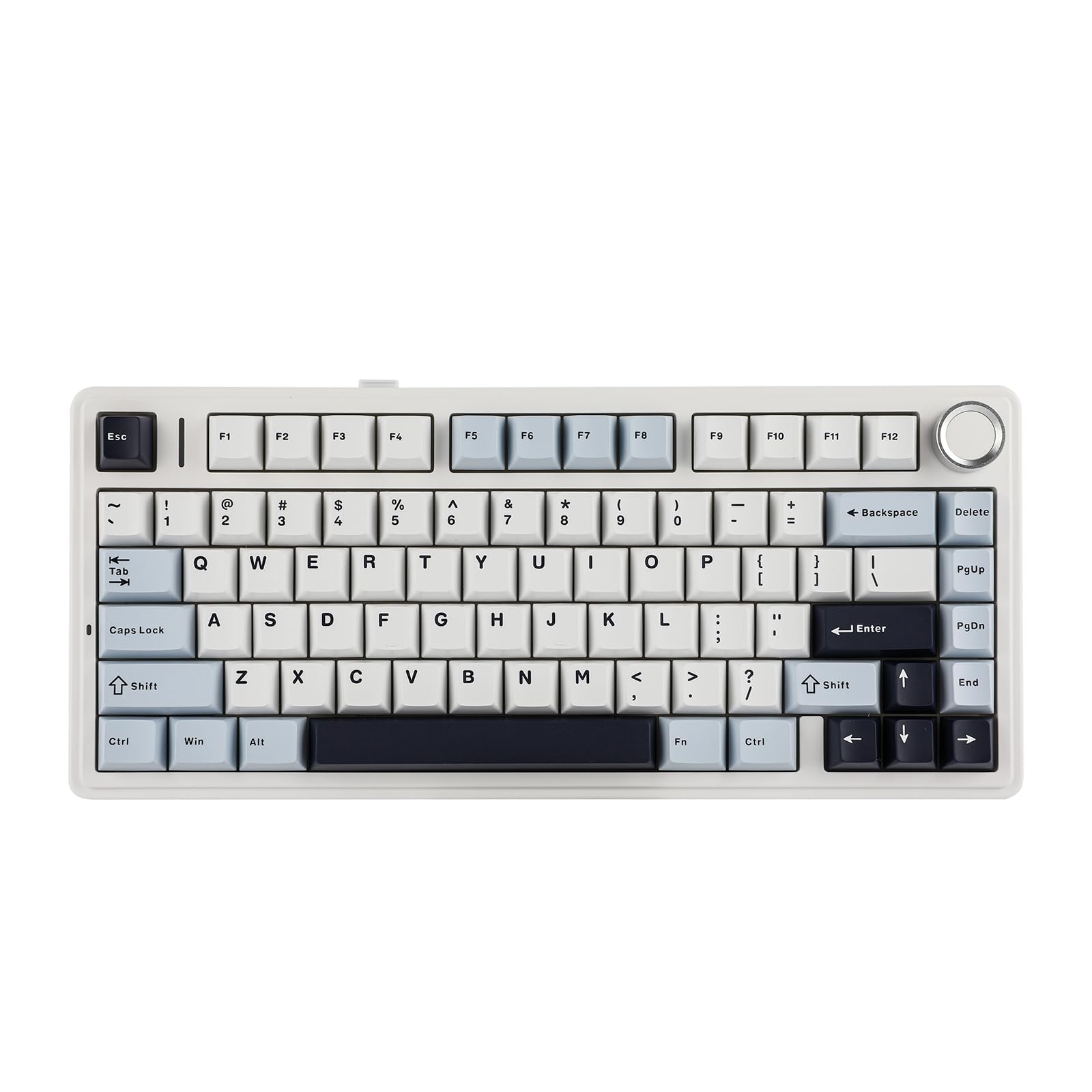
EPOMAKER AULA F75 Wireless Mechanical Gaming Keyboard, 75% Layout with Knob, Creamy Gasekt-Mount with Sound-Dampening, RGB, Hot-Swap, Bluetooth/2.4Ghz (Light Blue, Ice Vein Switch)
£110.97 · EPOMAKER
Frequently asked
5 questions01What switches does the Logitech G PRO X TKL LIGHTSPEED Wireless Gaming Keyboard use?+
The Logitech G PRO X TKL LIGHTSPEED uses GX Brown tactile switches. These are Logitech's in-house tactile switches, designed to deliver a physical bump when the key actuates without the audible click of a clicky switch. They sit in a similar category to Cherry MX Browns in terms of feel, making them suitable for both gaming and typing. The switches are not hot-swappable on this board.
02Is the Logitech G PRO X TKL LIGHTSPEED Wireless Gaming Keyboard good for gaming?+
Yes, it's a strong gaming keyboard. The LIGHTSPEED 2.4GHz wireless protocol is tournament-proven and delivers reliable, low-latency wireless connectivity. The board supports N-key rollover and anti-ghosting for accurate multi-key input, includes game mode (Windows key disable), and the tenkeyless layout keeps the mouse closer for reduced lateral reach. The GX Brown tactile switches give clear actuation feedback without excessive noise.
03Is the Logitech G PRO X TKL LIGHTSPEED Wireless Gaming Keyboard good for typing?+
It's a decent typing keyboard. The GX Brown tactile switches provide feedback that touch-typists generally appreciate, and the standard tenkeyless layout is familiar and comfortable. The main caveat is the ABS keycaps, which will develop a shiny, worn feel over time with heavy typing use. If you type extensively every day, PBT keycaps would be preferable, but the switch feel itself is well-suited to long typing sessions.
04Is the Logitech G PRO X TKL LIGHTSPEED Wireless Gaming Keyboard loud?+
It's moderate in noise level. The GX Brown tactile switches produce a bump without a click, so they're quieter than clicky switches like Cherry MX Blues but not silent. The sound profile is acceptable in a shared office or on a stream, though it won't be as quiet as a linear switch keyboard. Some owners report slight spacebar rattle, which is a common issue across keyboards in this price range.
05What warranty and returns apply to the Logitech G PRO X TKL LIGHTSPEED Wireless Gaming Keyboard?+
Warranty details are not confirmed in the verified product data for this listing. Amazon UK offers a standard 30-day return window and the A-to-Z Guarantee on purchases made through Amazon. For warranty specifics, check the current product listing or contact Logitech directly via their support pages.