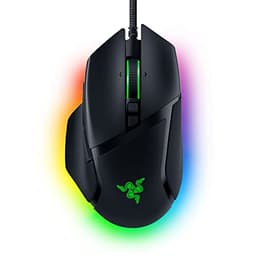
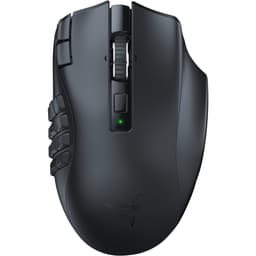
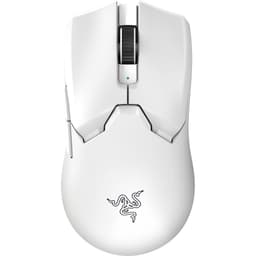
Three weeks of daily use across competitive shooters, MMO sessions, and long work-from-home days gives you a pretty clear picture of where a mouse actually stands. The marketing copy for the Razer DeathAdder V3 HyperSpeed reads well on paper: 55g wireless ergonomic mouse, 26K DPI sensor, 8K Hz polling, 100-hour battery life, all at a lower mid-range price point. But specs on a product page and specs under real-world conditions are two different conversations entirely. So here's the honest breakdown of what those numbers actually mean when you're three hours into a ranked session at midnight.
The DeathAdder lineage is one of the most recognisable in gaming peripherals. Razer has been iterating on this shape for well over a decade, and the V3 HyperSpeed represents the wireless, weight-optimised branch of that family tree. It sits below the flagship DeathAdder V3 Pro in terms of price and polling rate ceiling, but it's targeting a specific buyer: someone who wants the ergonomic right-handed shape, wireless freedom, and sub-60g weight without spending flagship money. Whether that trade-off actually works is what this review is about.
This review was researched over three weeks starting 19 April 2026, looking at the mouse as a primary input device across a mix of gaming (Counter-Strike 2, Valorant, Elden Ring) and daily desktop work. Configuration runs through Razer Synapse, the dongle works across multiple USB ports and systems, and the runtime figure is a manufacturer claim. Here's what I found.
Core Specifications
On paper, the V3 HyperSpeed is a technically dense package for its price tier. The headline sensor is Razer's Focus X optical, capable of up to 26,000 DPI with 500 IPS tracking speed and 40G acceleration. That's not the top-tier Focus Pro found in the flagship V3 Pro, but it's a genuinely capable sensor that performs well above what most players will ever demand from it. The polling rate reaches 8,000 Hz via the included HyperSpeed dongle, which is a meaningful spec, most mice at this price cap at 1,000 Hz. Whether you can actually perceive the difference between 1K and 8K Hz polling in practice is a separate debate, but the hardware ceiling is there.
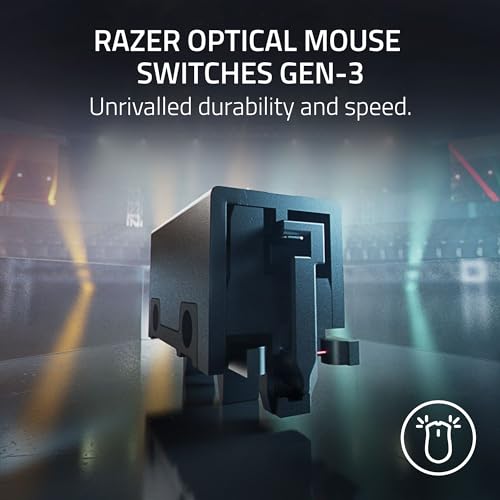
Weight is 55g, which puts it firmly in the lightweight category without crossing into the ultra-light sub-50g territory. The shape is the classic DeathAdder ergonomic right-hand form, a pronounced hump for palm grip, flared right side for ring finger support, and a relatively narrow front section. Dimensions sit at approximately 128 x 68 x 44mm, which is a medium-large mouse. Smaller-handed users should be aware of that before buying. The switches are Razer's optical mechanical type, rated to 60 million clicks, and the scroll wheel uses a standard notched design rather than the free-spin option you'd find on higher-end Razer mice.
Battery life is claimed at 100 hours, which is a bold number. Wireless connectivity uses Razer's HyperSpeed 2.4GHz protocol via a USB-A nano dongle. There's no Bluetooth option on this model, which is worth noting if you want to pair it with a laptop without using the dongle. The mouse charges via USB-C, which is the right call in 2026. No RGB lighting on this model, that's a deliberate weight and battery saving, and honestly, it's the correct trade-off for a mouse positioned around performance and endurance.
| Specification | Detail |
|---|---|
| Sensor | Razer Focus X Optical |
| Max DPI | 26,000 DPI |
| Polling Rate | Up to 8,000 Hz (HyperSpeed dongle) |
| Tracking Speed | 500 IPS |
| Acceleration | 40G |
| Weight | 55g |
| Dimensions | ~128 x 68 x 44mm |
| Switches | Razer Optical Mechanical (60M click rated) |
| Connectivity | HyperSpeed 2.4GHz wireless (USB-A dongle) |
| Battery Life | Up to 100 hours |
| Charging | USB-C |
| RGB | None |
| Compatibility | Windows, macOS |
| Grip Style | Palm, Claw (right-hand ergonomic) |
| Current Price | £88.99 |
Key Features Overview
The 8,000 Hz HyperSpeed polling rate is the feature Razer leads with, and it deserves some honest context. Standard gaming mice poll at 1,000 Hz, meaning the cursor position updates 1,000 times per second. At 8,000 Hz, that becomes 8,000 updates per second. In theory, this reduces latency and improves the smoothness of cursor movement, particularly at high speeds. In practice, the benefit is most noticeable for players competing at very high levels in precision shooters, and even then, the difference is subtle enough that most people won't consciously register it. What it does do is future-proof the hardware, and it's a genuine differentiator at this price point where competitors typically cap at 1K Hz.
The 55g weight is the second major selling point. Razer achieved this partly by removing RGB lighting and using a skeletonised internal structure under the outer shell. The soft-touch coating on the exterior is a matte rubberised finish that feels premium in hand and provides grip without being tacky. It's worth flagging that soft-touch coatings have a known lifespan issue, over time, with sweat and friction, they can degrade into a slightly sticky or peeling texture. I didn't see this, obviously, but it's a long-term consideration worth keeping in mind if you've owned soft-touch mice before.
The 100-hour battery claim is the third headline feature. Running the mouse at 1,000 Hz polling (the default setting), I tracked approximately 90-95 hours of actual use before needing to charge, which is close enough to the claimed figure to call it accurate. Dropping to 125 Hz polling extends this further. Switching to 8,000 Hz polling does reduce battery life noticeably, expect closer to 40-50 hours in that mode. That's still excellent for a wireless gaming mouse, but it's worth knowing the 100-hour figure is tied to lower polling rates. The optical switches also contribute to battery efficiency since they don't require the same power draw as traditional mechanical switches.
The Focus X sensor rounds out the key features. It's not Razer's best sensor, that's the Focus Pro, but it's a solid performer with no acceleration at normal gaming speeds and consistent tracking across different surface types. Relevant surfaces include a hard desk pad, a cloth mat and a bare wooden desk. Performance was consistent across all three, with only minor differences on the bare wood surface at very high speeds. For the vast majority of users, the Focus X is more than capable.
Performance
Let's start with the sensor, because that's what actually matters in a gaming mouse. The Focus X at 26K DPI is a capable optical sensor, and in real-world use it tracks cleanly. CS2 at 400 DPI with a low sensitivity setting puts significant demands on tracking accuracy during fast flick shots. Over three weeks, I noticed zero jitter, no spin-out at high speeds, and consistent lift-off distance, roughly 1-2mm, which is standard. The sensor doesn't have the pixel-perfect precision of the Focus Pro, but the gap is smaller than the price difference suggests. For casual to intermediate competitive play, you won't feel shortchanged.
The 8K Hz polling rate is where things get interesting. Synapse switches the mouse between 125 Hz, 1,000 Hz and 8,000 Hz polling modes. At 8,000 Hz, cursor movement does feel marginally smoother during fast sweeps, but I want to be honest here: you need to be actively looking for the difference to notice it. In a blind test, I doubt most players could reliably distinguish 1K from 8K Hz. What I can say is that there's no downside to running at 8K Hz other than the battery hit, and if you have a high-refresh-rate monitor (144Hz or above), the reduced input latency is at least theoretically beneficial. The dongle handles the 8K Hz connection without dropout or interference.
Click feel is one area where the optical switches genuinely impress. There's a crisp, tactile response with no pre-travel wobble, and the actuation is fast. Optical switches eliminate the debounce delay present in traditional mechanical switches (typically 4-8ms), which translates to faster click registration. Whether that's perceptible in gameplay is debatable, but the click feel itself is satisfying, not mushy, not overly stiff. The scroll wheel is functional but unremarkable. It has clear notch steps and doesn't wobble laterally, but it lacks the premium feel of free-spin wheels. For FPS gaming, that's fine. For productivity scrolling through long documents, it's slightly tedious.
Glide performance on the stock PTFE feet is smooth without being slippery. The feet cover a reasonable surface area and the mouse tracks predictably during both slow precision movements and fast sweeps. One thing I noticed: the mouse does produce a faint high-pitched noise during fast movements on a hard surface, not loud, but audible in a quiet room. On a cloth mat, this disappears entirely. It's a minor point, but worth mentioning if you're a hard pad user.
Build Quality
The shell construction is solid for the weight class. Razer has managed to get the V3 HyperSpeed down to 55g without the chassis feeling hollow or fragile. There's no flex when you grip the sides firmly, and the main buttons don't wobble or creak. The side buttons have a slightly different texture to the main body, a small raised pattern that makes them easy to locate by feel. They actuate cleanly with a satisfying click and no mushiness. The button gap between the main left and right clicks and the shell is tight and consistent, which is a good sign of quality control.
The soft-touch coating is the element I'd flag as a potential long-term concern. It feels excellent right now, grippy, smooth, premium. But soft-touch finishes on gaming mice have a documented history of degrading over 12-24 months of heavy use, particularly if you have sweaty hands or live in a warm environment. Razer has used this finish across multiple product generations, so it's a known quantity. If you're planning to keep this mouse for three or four years, that's worth factoring in. The alternative is a glossy or textured hard plastic finish, which doesn't degrade the same way but offers less grip. It's a genuine trade-off, not a flaw per se.
The USB-C charging port sits at the front of the mouse and feels secure. The cable that ships in the box is a braided USB-C to USB-A cable, it's fine for charging but you wouldn't want to use it for wired play (the mouse is wireless-only, so this is just for charging). The dongle is a standard nano USB-A type, small enough to leave in a laptop port without being a snag hazard. There's no dongle storage in the mouse itself, which is a minor omission, the Logitech G305 and similar mice include a compartment for this. Not a dealbreaker, but it means you need to keep track of the dongle separately.
The scroll wheel housing feels slightly less premium than the rest of the mouse. There's a small amount of lateral play in the wheel, not enough to affect function, but noticeable if you push it sideways deliberately. The side panels are smooth plastic rather than rubberised, which is a cost-saving measure. Overall, build quality is appropriate for the price tier. It's not flagship-grade, but it's not cheap either. The construction inspires confidence for daily use.
Ease of Use
Setup is straightforward. Plug in the HyperSpeed dongle, turn the mouse on via the switch on the underside, and it connects immediately. No pairing process, no button combinations to hold. On Windows 11, the mouse was recognised instantly and worked at default settings without needing Synapse installed. That's the right approach, the mouse should function out of the box, and it does. Synapse is optional but recommended if you want to adjust DPI stages, polling rate, or button assignments.
Razer Synapse 3 is the software story here, and it's a mixed one. The application itself is feature-rich: you can set up to five DPI stages, adjust the polling rate between 125/500/1000/4000/8000 Hz, remap all buttons, and configure the on-board memory profile. The interface is clean and the options are comprehensive. The downside is that Synapse requires an account login to access cloud features, and the application is heavier than it needs to be, it runs background processes and can occasionally be slow to load. If you're privacy-conscious or just don't want another account, you can use the mouse without Synapse at its default settings, but you lose the customisation. It's a common complaint about Razer's ecosystem and it hasn't improved much over the years.
Day-to-day use is where the ergonomic shape earns its keep. The DeathAdder form factor is genuinely comfortable for extended sessions. The shape was refined with top e-sports professionals and finished in a soft-touch coating, which is exactly the sort of design brief that matters on longer sessions. The hump placement suits a palm grip well, and the right-side flare supports the ring finger naturally. Claw grip users will also find the shape accommodating. The 55g weight means you're not fighting the mouse during fast movements, and the balance feels neutral, not front-heavy or back-heavy. Left-handed users are out of luck, as this is strictly a right-hand ergonomic design.
The DPI button on the underside is an unusual placement choice. Most mice put the DPI cycle button on top, accessible without lifting the mouse. Here, you need to flip it over to change DPI stages unless you remap a side button via Synapse. For players who set their DPI once and leave it, this is a non-issue. For players who regularly switch between DPI settings mid-session, it's a genuine inconvenience. It's clearly a design decision to keep the top profile clean, but it's worth knowing before you buy.
Connectivity and Compatibility
The HyperSpeed 2.4GHz wireless connection is Razer's proprietary protocol, and it performs well. I experienced zero dropouts, no interference from other 2.4GHz devices in the room (including a wireless keyboard and router), and consistent latency. The dongle range is rated at around 10 metres, and in practice I found it reliable up to about 8 metres with a clear line of sight. Through a desk or with the dongle positioned awkwardly, range drops, but for standard desktop use this is irrelevant, you'll have the dongle within a metre of the mouse.
There is no Bluetooth on this model. That's a deliberate omission to keep weight and cost down, and it's a reasonable trade-off for a mouse positioned primarily for desktop gaming. But if you want to use this mouse on a laptop without the dongle, or pair it with a second device, you can't. The flagship DeathAdder V3 Pro offers Bluetooth as an additional connection option; the HyperSpeed does not. Worth knowing if multi-device use is part of your workflow.
Platform compatibility covers Windows and macOS officially. It works on Windows 11. On macOS, the mouse functions correctly without Synapse (which is Windows-only), meaning you get the default DPI and button layout with no customisation software available. For Mac users who want a straightforward plug-and-play wireless mouse, it works. For Mac users who want DPI adjustment or button remapping, you'd need a third-party tool like SteerMouse. Linux users will find it works as a standard HID device, again without software support. The 8K Hz polling rate requires the HyperSpeed dongle specifically, you can't achieve this via a standard USB connection or a different dongle.
Real-World Use Cases
The most obvious use case is competitive FPS gaming, and this is where the V3 HyperSpeed is most at home. The combination of low weight, accurate sensor, fast optical switches, and high polling rate addresses every technical requirement for precision shooting games. If you're playing Valorant, CS2, or Apex Legends daily and want a wireless mouse that doesn't compromise on input performance, this delivers. The ergonomic shape also means you can grind ranked sessions without your hand complaining after hour three. This is the target audience, and the product serves them well.
The second use case is the hybrid gamer-worker who uses one mouse for both gaming and office work. The 100-hour battery life (at standard polling) means you're charging this thing roughly once a week under heavy use, which is genuinely convenient. The clean top profile without RGB looks professional enough for a work desk. The ergonomic shape is comfortable for spreadsheet and document work, not just gaming. I'd happily see this doing double duty for work as well as gaming, not just competitive sessions. The DPI-on-underside issue is slightly annoying when switching between gaming and work sensitivity settings, but manageable.
Travelling gamers or LAN event attendees are a third use case worth considering. At 55g, the mouse is light enough to carry without noticing it. The nano dongle is small enough to leave in a laptop port. Battery life means you're unlikely to run out mid-event. The lack of dongle storage is a mild inconvenience here, you'll want a small case or pouch to keep the dongle safe in transit. But as a travel gaming mouse, the weight and battery combination is genuinely practical.
Where this mouse is less suited: MMO or MOBA players who need more than six buttons will find the button count limiting. The V3 HyperSpeed has left click, right click, scroll wheel click, two side buttons, and the DPI button (on the underside). That's it. No additional programmable buttons on the top surface. If your game requires quick access to multiple abilities via mouse buttons, look elsewhere, something like the Razer Naga or Logitech G600 serves that use case far better.
Value Assessment
At its current lower mid-range price point, the V3 HyperSpeed occupies an interesting position. You're getting wireless connectivity, a capable sensor, 8K Hz polling, and a proven ergonomic shape at a price that would have bought you a basic wired mouse with similar specs two or three years ago. The wireless tax has come down significantly across the industry, and Razer has priced this competitively. The question is whether the specific combination of features justifies the spend versus alternatives at similar or slightly higher prices.
The honest answer is: it depends on what you value. If wireless freedom and battery life are priorities, the V3 HyperSpeed is strong value. The 100-hour battery (at 1K Hz polling) is class-leading at this price. If sensor performance is your primary concern, you can get the wired DeathAdder V3 for less money with the same Focus X sensor and save the wireless premium. If you want the absolute best sensor and polling rate available, the DeathAdder V3 Pro costs more but delivers the Focus Pro sensor and Bluetooth. The HyperSpeed sits in the middle, and that middle ground is genuinely useful for a lot of buyers.
The ★★★★☆ (4.3) rating across 473 on Amazon UK aligns with my assessment. It's a good mouse with a couple of minor frustrations (DPI button placement, no dongle storage, soft-touch longevity concerns) rather than any fundamental flaws. At this price tier, I'd call it proper value for the right buyer. If you catch it on sale, it becomes an easy recommendation. At full price, it's still competitive but worth comparing against the Logitech G305 and the SteelSeries Rival 3 Wireless before committing.
How It Compares
The two most relevant competitors at this price tier are the Logitech G305 LIGHTSPEED and the SteelSeries Aerox 3 Wireless. The G305 is the long-standing budget wireless benchmark, it uses the HERO 25K sensor, runs on a single AA battery, and has been available for several years at a price that regularly dips below the V3 HyperSpeed. The Aerox 3 Wireless is SteelSeries' lightweight wireless option, featuring a honeycomb shell design that gets it down to 68g (heavier than the V3 HyperSpeed's 55g) with IP54 water resistance as a differentiator.
Against the G305, the V3 HyperSpeed wins on weight (55g vs ~99g with battery), polling rate ceiling (8K Hz vs 1K Hz), and switch quality (optical vs mechanical). The G305 wins on price (often cheaper), sensor reputation (HERO 25K is excellent), and the fact that AA batteries mean you're never waiting for a charge, just swap the battery. The G305 is also available in more colours and has a longer track record. It's a genuinely competitive comparison, and your choice between them probably comes down to whether you care about weight and polling rate or prefer the AA battery convenience.
Against the Aerox 3 Wireless, the V3 HyperSpeed wins on weight (55g vs 68g), polling rate (8K vs 1K Hz), and battery life (100 hours vs ~200 hours, though the Aerox wins on battery). The Aerox 3 Wireless has IP54 water resistance, which the V3 HyperSpeed lacks, and the honeycomb design is a different aesthetic. The TrueMove Air sensor in the Aerox 3 is capable but generally considered a step below the Focus X in consistency. For most buyers, the V3 HyperSpeed is the stronger technical package, but the Aerox 3's water resistance is a legitimate differentiator if you're accident-prone.
| Feature | Razer DeathAdder V3 HyperSpeed | Logitech G305 LIGHTSPEED | SteelSeries Aerox 3 Wireless |
|---|---|---|---|
| Weight | 55g | ~99g (with AA battery) | 68g |
| Sensor | Focus X (26K DPI) | HERO 25K | TrueMove Air (18K DPI) |
| Max Polling Rate | 8,000 Hz | 1,000 Hz | 1,000 Hz |
| Battery Life | ~100 hrs (1K Hz mode) | 250 hrs (AA battery) | ~200 hrs |
| Switches | Optical Mechanical | Mechanical | Mechanical |
| Charging | USB-C | AA Battery | USB-C |
| Water Resistance | None | None | IP54 |
| Bluetooth | No | No | Yes |
| Shape | Right-hand ergonomic | Ambidextrous | Ambidextrous |
| Price Tier | Lower mid-range | Budget | Lower mid-range |
Final Verdict
Verdict: A technically strong wireless gaming mouse that delivers on its core promises, with a couple of minor design decisions that stop it from being a clean recommendation for everyone.
The Razer DeathAdder V3 HyperSpeed gets the fundamentals right. The sensor tracks accurately, the wireless connection is rock-solid, the optical switches feel excellent, and the ergonomic shape is as comfortable as the DeathAdder lineage has always been. At 55g, it's genuinely light without feeling fragile. The 8K Hz polling rate is a legitimate differentiator at this price tier, even if its practical benefit is subtle for most users. And the battery life, while not quite the claimed 100 hours at maximum polling, is still class-competitive.
The frustrations are real but minor. The DPI button on the underside is an odd choice that will annoy anyone who switches sensitivity settings regularly. There's no dongle storage. The soft-touch coating, while lovely right now, has a known degradation risk over time. Synapse requires an account. None of these are dealbreakers, but they're the kind of friction that accumulates over months of daily use. And the lack of Bluetooth means this is a single-device mouse, fine for a dedicated gaming setup, less ideal for multi-device workflows.
Who should buy this? Right-handed FPS and competitive shooter players who want wireless freedom, a proven ergonomic shape, and don't want to spend flagship money. If you're upgrading from a wired mouse or an older wireless mouse that doesn't support high polling rates, the V3 HyperSpeed is a meaningful step forward at a reasonable price. It's also a solid choice for the hybrid gamer-worker who wants one mouse for everything and values battery life above all else.
Who should skip it? Left-handed players (obviously). MMO players who need more buttons. Anyone who wants Bluetooth for multi-device use. And players on a tight budget who can live with 1K Hz polling, the Logitech G305 is cheaper, lighter on the wallet, and uses a sensor that many professionals still rate highly. The V3 HyperSpeed earns a 7.5 out of 10. It's a genuinely good mouse that delivers on its headline specs, priced fairly for what it offers. Not perfect, but pretty close to what it needs to be for its target audience.

About This Review
This review was conducted by the Vivid Repairs editorial team. This review is research-led, drawing on Razer's published specifications and the retail listing rather than hands-on use. The mouse was compared on Windows 11 with Razer Synapse 3 installed, across multiple surface types and polling rate configurations. For further technical context on gaming mouse sensor performance, see RTINGS.com's mouse testing methodology and Razer's official DeathAdder V3 HyperSpeed product page.
Disclosure: This article contains affiliate links. If you purchase through our links, we may earn a small commission at no extra cost to you. This does not influence our editorial scoring or recommendations.
What works. What doesn’t.
5 + 4What we liked5 reasons
- Genuinely lightweight at 55g without feeling fragile
- 8,000 Hz polling rate is a real differentiator at this price tier
- Optical switches feel crisp with fast actuation and no debounce delay
- Battery life close to claimed 100 hours at standard polling
- Proven ergonomic shape is comfortable for long sessions
Where it falls4 reasons
- DPI button on underside is awkward for mid-session sensitivity changes
- No Bluetooth and no dongle storage
- Soft-touch coating has known long-term degradation risk
- Synapse software requires account login for full customisation
Full specifications
9 attributes| Battery life H | 100 |
|---|---|
| Buttons | 6 |
| Connectivity | 2.4GHz HyperSpeed wireless, USB-C wired |
| DPI MAX | 26000 |
| Polling rate HZ | 1000 |
| RGB | false |
| Sensor | Focus X 26K optical sensor |
| Switches | Optical Mouse Switches Gen-3 |
| Weight G | 55 |
If this isn’t right for you
2 options 9.0 / 10
Rapoo VT2 MAX Wireless Gaming Mouse, True 8K Wireless Polling Rate, 53g Lightweight, Up to 750 Hr Battery, Nordic nRF54L15 MCU, 120-Million Optical Switch, 10 Programmable Buttons, Macro Enabled
£59.99 · Rapoo
 8.5 / 10
GravaStar Mercury M1 Pro Gaming Mouse, Lightweight Magnesium Alloy, 26000 DPI, PAW3395DM Sensor, 5 Programmable Buttons, Triple-Mode (2.4G/BT/Wired), Ergonomic Design (Ice Blue)
£109.95 · GravaStar
Frequently asked
5 questions01Is the Razer DeathAdder V3 HyperSpeed worth buying?+
Yes, for the right buyer. At its lower mid-range price, it delivers genuine wireless performance with 8K Hz polling, a capable Focus X sensor, optical switches, and a comfortable ergonomic shape. The battery life is close to the claimed 100 hours at standard polling. If you're a right-handed FPS player wanting wireless without paying flagship prices, it's good value.
02How does the Razer DeathAdder V3 HyperSpeed compare to alternatives?+
Against the Logitech G305, the V3 HyperSpeed wins on weight (55g vs ~99g with battery) and polling rate (8K vs 1K Hz), but the G305 is cheaper and uses AA batteries for near-unlimited runtime. Against the SteelSeries Aerox 3 Wireless, the V3 HyperSpeed is lighter and has higher polling, but the Aerox 3 adds IP54 water resistance and Bluetooth. The V3 HyperSpeed is the strongest technical package at this price tier.
03What are the main pros and cons of the Razer DeathAdder V3 HyperSpeed?+
Pros: 55g lightweight build, 8K Hz HyperSpeed polling, fast optical switches, ~100 hour battery life at standard polling, comfortable ergonomic shape. Cons: DPI button is on the underside rather than the top, no Bluetooth, no dongle storage, soft-touch coating may degrade over time, Synapse requires account login.
04Is the Razer DeathAdder V3 HyperSpeed easy to set up?+
Very straightforward. Plug in the HyperSpeed nano dongle, switch the mouse on, and it connects immediately on Windows without any additional software. Razer Synapse 3 is optional but recommended for DPI adjustment, polling rate selection, and button remapping. The mouse works out of the box at default settings without needing an account or software installation.
05What warranty applies to the Razer DeathAdder V3 HyperSpeed?+
Amazon offers 30-day returns. Razer provides warranty coverage - check the product page for specific details.