You know how laptop manufacturers love to throw around battery life numbers that sound brilliant? HP's figure for the 14s is up to 8 hours, and like every maker's figure it comes from a standard benchmark rather than a real working day of coffee shops, trains and the kitchen table. What follows is built on HP's own spec sheet for this model: what it gets right, where it falls short and who it suits. And as with any laptop that lives on shared Wi-Fi, it's worth pairing with a good VPN.
The HP 14s sits in the mid-range, where you're not paying for premium frills you might not need. It's aimed squarely at people who need a proper workhorse laptop without spending over a grand. Students, remote workers, small business owners - that's the target here.
What You're Actually Getting
Let's start with what HP is selling you here. This is the 14s-dq5007sa (HP part A2WB3EA), and it comes with a 12th Gen Intel Core i7-1255U processor, which is proper mid-range silicon from Intel's 2022 lineup. It's not Intel's latest, but for most people doing office work, web browsing, and light creative tasks, it's more than enough.
You get 16GB of DDR4-3200 RAM, fitted as two 8GB modules running in dual channel (16GB is also HP's stated maximum), and a 512GB NVMe SSD. Storage is fine for most users, though content creators might find themselves running out of space. The integrated Intel Iris Xe graphics handle basic photo editing and older games at low settings, but don't expect miracles.

The Screen Situation
HP calls it a 'micro-edge display', which is marketing speak for 'we've made the bezels reasonably thin'. The 14-inch Full HD (1920x1080) panel is fine. It's not offensive, but it won't wow you either.
Brightness peaks at 250 nits, which is adequate indoors but struggles in direct sunlight. In bright conditions, you'll need to angle the screen away from the light to see anything properly. HP quotes 45% NTSC colour coverage, which is fine for watching Netflix or working on documents, but if you're doing serious colour work, you'll want an external monitor.
Display Analysis
This is a functional work display, not a visual treat. Text is sharp, colours are acceptable, but don't expect vibrant content creation work or outdoor usability. The anti-glare coating helps a bit, but that low brightness really holds it back in bright environments.
Performance
The 12th Gen i7-1255U is a hybrid chip with 2 performance cores and 8 efficiency cores, which is a design built for multitasking: the efficiency cores handle background tasks whilst the performance cores kick in when you need them.
The memory helps here too. Because the 16GB is fitted as two modules, it runs in dual channel, and Intel only lets its graphics run as Iris Xe when the system has dual-channel memory (otherwise they're branded Intel UHD Graphics). For the things most students and office workers actually do, such as Word, a browser full of research tabs, PDFs and a Teams call at the same time, this is a comfortable amount of machine.
Gaming? Well, this isn't a gaming laptop, but the Iris Xe graphics can handle lighter and older titles like Stardew Valley or Hollow Knight. Forget about anything demanding like Cyberpunk 2077 or even Fortnite at decent settings.
Battery Life: HP's Claim
HP says the 14s lasts up to 8 hours, measured with the MobileMark 18 benchmark, and up to 10.25 hours of continuous Full HD video playback at 150 nits brightness. Real work with a brighter screen, browser tabs and video calls will usually come in under those figures.
One annoying thing: there's no USB-C charging. You're stuck with HP's proprietary barrel plug charger. In 2026, when most decent laptops support USB-C Power Delivery, this feels dated. You can't just borrow someone's phone charger in a pinch or use a universal USB-C adapter when travelling.
Build Quality and Design
HP lists a painted finish on the lid and base, in natural silver. It's understated rather than eye-catching, and it looks professional enough for client meetings.
Portability Assessment
This is where the HP 14s really shines. At 1.46kg and 17.9mm at its thinnest, it's properly portable, and a 45W charger is a small thing to carry. Perfect for students moving between lectures.

Keyboard and Trackpad Experience
The keyboard is serviceable: full-size, without a number pad.
Keyboard & Trackpad
The trackpad is HP's Imagepad with multi-touch gesture support, so the usual gestures, such as two-finger scrolling and pinch to zoom, are there.
Ports and Connectivity
Port selection is reasonable but not generous. You get two USB-A ports (USB 3.2 Gen 1, so 5Gbps transfer speeds), one USB-C port (also USB 3.2 Gen 1, not Thunderbolt), HDMI 1.4, a headphone jack, an SD card reader and that proprietary charging port.
Ports & Connectivity
The port selection is functional but dated. No Thunderbolt means no high-speed external storage or eGPU options. And again, that lack of USB-C charging is frustrating. Wireless is Wi-Fi 5 (802.11ac) with Bluetooth 4.2, both older standards, though the SD card reader is a welcome extra for photographers.
Webcam and Audio Quality
The webcam is a 720p HP TrueVision HD camera, which is disappointing when many laptops have moved to 1080p. It'll do for everyday calls in good light, but it's not a camera you'd choose for client presentations.
Webcam & Audio
As with most thin laptops, you'll want headphones for music or proper film watching.

The Specs in Full
The HP 14s delivers solid mid-range value. You're getting a 12th Gen i7 processor and 16GB RAM. The compromises are typical for this price bracket: an 8-hour battery claim, a 250-nit display and no USB-C charging. It's not exceptional value, but it's fair.
What works. What doesn’t.
6 + 6What we liked6 reasons
- Thin and light at 1.46kg - excellent portability
- 12th Gen i7 processor handles multitasking well
- 16GB of dual-channel DDR4-3200 RAM as standard
- Built-in SD card reader
- HP Fast Charge gets you to 50% in 45 minutes (laptop shut down)
- HP Imagepad trackpad with multi-touch gesture support
Where it falls6 reasons
- HP rates the battery at up to 8 hours, short of a full day away from a plug
- Display is dim at 250 nits, struggles outdoors
- No USB-C charging, stuck with proprietary barrel plug
- 720p webcam looks dated in 2026
- RAM is already at HP's 16GB maximum, so there's no memory upgrade path
- Wi-Fi 5 and Bluetooth 4.2 rather than the newest standards
Full specifications
12 attributes| Screen size | 14 |
|---|---|
| CPU brand | Intel |
| GPU type | integrated |
| RAM | 16GB |
| Storage type | PCIe NVMe M.2 SSD |
| Battery life H | 8 |
| Battery WH | 41 |
| Bluetooth | 4.2 |
| CPU | Intel Core i7-1255U |
| Display resolution | 1920x1080 |
| Display size IN | 14 |
| GPU | Intel Iris Xe Graphics |
If this isn’t right for you
2 options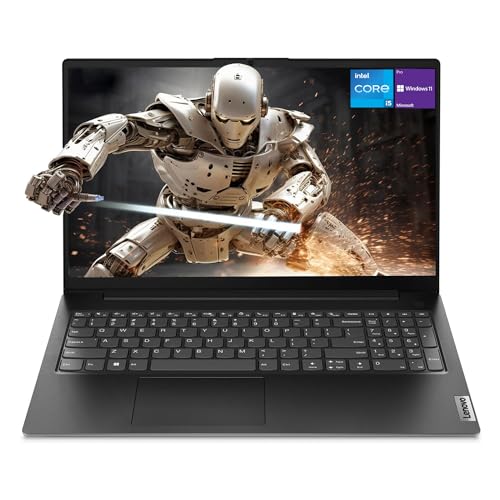 7.5 / 10
Lenovo Newest V15 Gen 4 Business Laptop, 15.6" FHD Display, Intel Core i5-13420H (Beat i7-1355U), 16GB RAM, 512GB SSD, HDMI, RJ45, Webcam, Numeric Keypad, Wi-Fi, Windows 11
£628.50 · Lenovo
 7.5 / 10
ASUS Vivobook 16 X1605VA Laptop | 16.0" WUXGA 16:10 Screen | Intel Core 7-150U | 16GB RAM | 1TB PCIe SSD | Windows 11 | Silver
£789.99 · ASUS
Frequently asked
5 questions01Is the HP 14s Laptop UK good for gaming?+
The HP 14s can handle light, older games and indie titles like Stardew Valley. However, the Intel Iris Xe integrated graphics aren't suitable for modern AAA gaming. If gaming is a priority, look for a laptop with dedicated graphics like an NVIDIA GTX or RTX card.
02How long does the HP 14s Laptop UK battery actually last?+
HP rates the 14s at up to 8 hours (measured with the MobileMark 18 benchmark) and up to 10.25 hours of continuous Full HD video playback at 150 nits. Real work with a brighter screen, browser tabs and video calls will usually come in under that, so for a full day of classes or meetings you'll want the charger with you.
03Can I upgrade the RAM or storage in the HP 14s?+
The 16GB of RAM is fitted as two 8GB modules, and 16GB is HP's stated maximum, so there's no RAM upgrade to make. The 512GB SSD is an M.2 NVMe drive; HP doesn't publish upgrade guidance for it, so check HP's service documentation before planning a swap.
04Is the HP 14s Laptop UK suitable for students?+
Yes, the HP 14s is well-suited for students. At 1.46kg, it's light enough to carry between lectures without strain. The 12th Gen i7 processor is comfortably capable of multiple tabs, document work, research and video calls. The main limitation is battery life - HP claims up to 8 hours, so you'll likely need to charge it during a full day of classes.
05What warranty comes with the HP 14s Laptop UK?+
HP provides a 1-year limited warranty covering parts and labour, with no on-site repair. When purchased through Amazon UK, Amazon's returns policy and A-to-z Guarantee also apply.