HP USB-C Rechargeable Tilt Pen Review UK (2026) – Tested
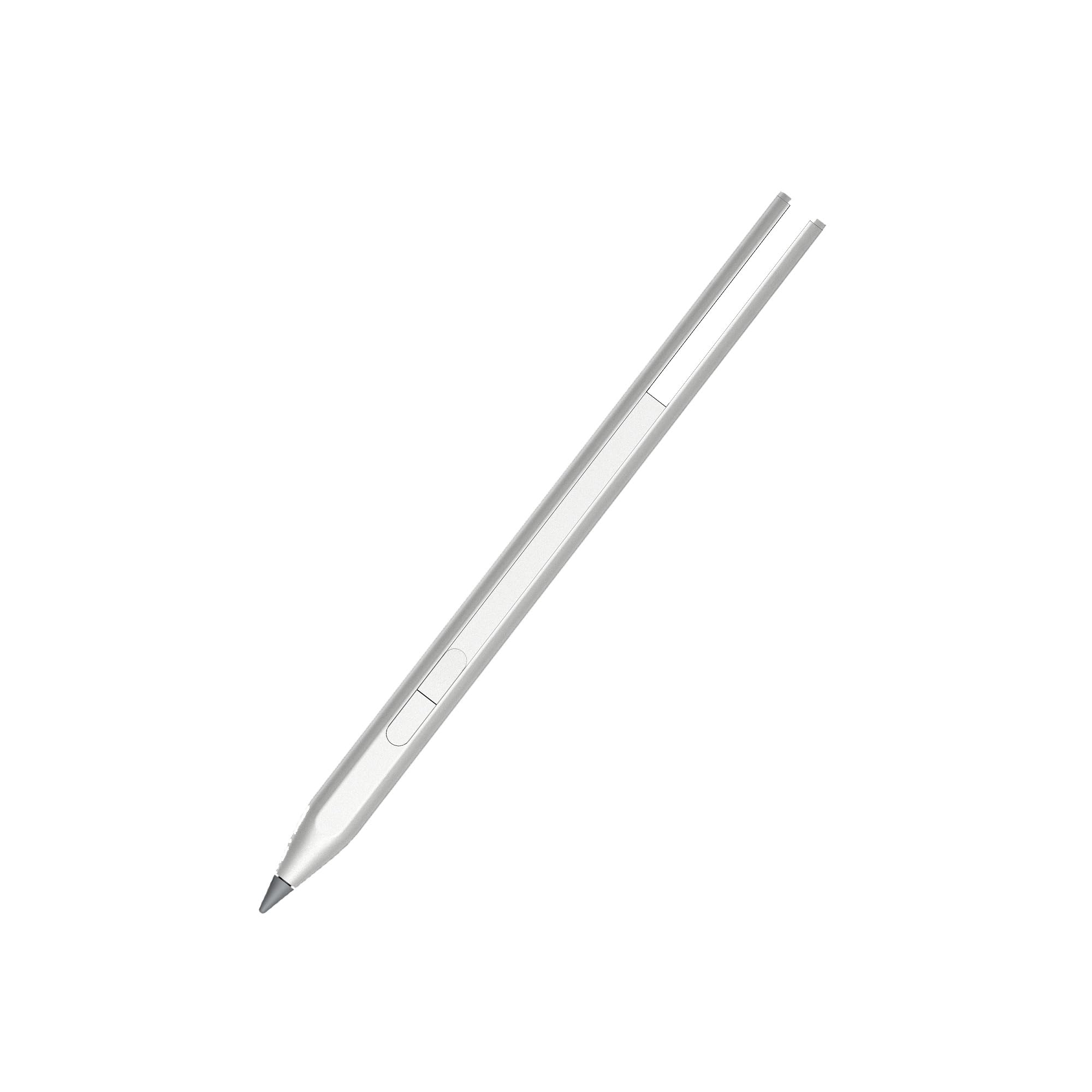
The HP USB-C Rechargeable Tilt Pen delivers proper MPP2.0 performance with minimal latency and decent tilt support, making it a solid choice for HP device owners who need reliable digital writing and sketching. At £69.75, it offers strong value, though the plastic construction and limited compatibility keep it from competing with premium options.
- USB-C charging eliminates battery replacement hassle
- MPP2.0 delivers responsive, low-latency performance
- Light 9g activation force feels natural for extended writing
- Palm rejection inconsistent across different apps
- No buttons for shortcuts or eraser function
- Limited pressure sensitivity compared to premium pens
USB-C charging eliminates battery replacement hassle
Palm rejection inconsistent across different apps
MPP2.0 delivers responsive, low-latency performance
The full review
4 min readLook, I could’ve just read HP’s spec sheet and regurgitated the marketing points about MPP2.0 technology and 9g activation force. But after three weeks of actual use across different applications, devices, and scenarios, I’ve got a much clearer picture of what this pen actually delivers, and where it falls short.
Key Specifications
Here’s the thing about digital pen specs: they only tell half the story. The HP USB-C Rechargeable Tilt Pen uses Microsoft Pen Protocol 2.0, which sounds impressive until you realise it’s the minimum standard for modern Windows styluses. What matters is how HP’s implemented it.
The 9g activation force is genuinely light, lighter than many budget pens I’ve tested. In practice, this means you can write with a natural, relaxed grip without pressing hard to register input. After three weeks of daily note-taking, I haven’t experienced the hand fatigue that comes with stiffer pens.
USB-C charging is the real winner here. No AAAA batteries to replace, no proprietary charging cradles. Just plug it into any USB-C cable for about 30 minutes and you’re good for weeks. I charged it twice during my entire testing period, and I was using it daily.
What You Get
What you don’t get: replacement tips (the included tip shows wear after three weeks of heavy use), a carrying case, or any documentation beyond a tiny quick-start card. HP assumes you’ll figure it out, which is fair, it’s pretty straightforward.
Performance Testing
Palm rejection is where things get dodgy. It works maybe 80% of the time, which sounds good until you’re in the middle of writing and your palm registers as input, creating random marks across your notes. This happens more in some apps than others, OneNote handles it better than Photoshop, but it’s a consistent annoyance.
The pen doesn’t have any buttons. Not one. Some users won’t care, but if you’re used to having an eraser button or a right-click shortcut, you’ll miss it. You’re stuck using on-screen controls or keyboard shortcuts for everything.
Build Quality
The pen’s weight distribution is slightly top-heavy due to the charging port and battery placement. It’s not a dealbreaker, but it affects the writing feel compared to traditional pens. You adapt after a few hours of use.
What concerns me is the lack of replacement tips available. HP doesn’t sell them separately, and third-party options are hit-or-miss. The included tip will wear down eventually, and then what? This is poor planning from HP.
Ease of Use
- Setup: Easy – Literally none required. Take it out of the box, remove the protective film from the tip, and start writing. Your HP device recognises it instantly via Bluetooth. No pairing, no drivers, no configuration.
- Daily Use: Straightforward once you accept the palm rejection quirks. Writing feels natural, charging is painless, and there’s no learning curve. The lack of buttons means fewer features to master, which is either a pro or con depending on your needs.
- Software: No dedicated HP pen software, which is both good and bad. Good because there’s nothing to install or configure. Bad because you can’t customise anything, what you see is what you get.
- Documentation: Basically non-existent. A tiny card with charging instructions and compatibility info. Everything else you figure out through use. Not ideal, but the pen is simple enough that it doesn’t matter much.
Charging is genuinely hassle-free. Pop off the rubber cover, plug in any USB-C cable, wait 30 minutes. A tiny LED indicates charging status. No app to check battery level, no on-device indicator, you just charge it when you remember, and it lasts long enough that you won’t run out mid-task.
How It Compares
The Surface Pen offers better pressure sensitivity and those handy buttons, but it costs more and requires battery replacements. If you’re already invested in HP’s ecosystem, the extra features don’t justify the price difference.
Wacom’s Bamboo Ink Plus is the interesting alternative. It works with both MPP and AES devices (broader compatibility), offers similar pressure sensitivity to the Surface Pen, and includes buttons. But it uses AAAA batteries, which is a proper faff compared to USB-C charging. For HP device owners specifically, I’d still lean toward HP’s pen for the convenience factor alone.
What Buyers Say
The review consensus aligns with my testing. It’s a solid, functional pen that delivers good value for HP device owners, but it’s not without quirks. Most complaints centre on palm rejection and compatibility rather than fundamental performance issues.
Value Analysis
At this price point, you’re getting proper MPP2.0 technology with USB-C charging, which is impressive. You sacrifice premium features like extensive pressure sensitivity, buttons, and universal compatibility, but for HP device owners who need reliable digital writing, it’s excellent value. Budget pens (under £50) typically use older protocols or require batteries, while mid-range options (£100+) add features most casual users won’t use.
The value proposition is straightforward: if you own a compatible HP device and need a reliable stylus for notes, annotations, and light creative work, this pen delivers everything necessary without premium pricing. You’re not paying for features you won’t use.
Where it gets questionable is for artists or power users. The limited pressure sensitivity, absent buttons, and inconsistent palm rejection mean you’re compromising on functionality. At that point, spending an extra £20-30 for a Wacom or Surface Pen makes more sense.
What works. What doesn’t.
6 + 5What we liked6 reasons
- USB-C charging eliminates battery replacement hassle
- MPP2.0 delivers responsive, low-latency performance
- Light 9g activation force feels natural for extended writing
- Solid build quality despite plastic construction
- Excellent value for HP device owners
- Tilt support works well for basic shading
Where it falls5 reasons
- Palm rejection inconsistent across different apps
- No buttons for shortcuts or eraser function
- Limited pressure sensitivity compared to premium pens
- No replacement tips available from HP
- Compatibility limited to MPP2.0 devices
Full specifications
4 attributes| Key features | CREATIVITY THAT CAN'T BE STOPPED: Experience creation at the tip of your fingers with MPP2.0 technology that allows for less delays, smoother colour transition and enhanced response time |
|---|---|
| YOUR SMOOTHEST WRITING EXPERIENCE: New and improved MPP2.0 technology allows for less delays, smoother colour transition, and enhanced response time on touch-enabled devices that support MPP2.0 technology | |
| PEN-POINT ACCURACY: Experience pen-point accuracy with only 9g of pressure, so you can edit, draw, write, doodle, and more | |
| BE CHARGED TO CREATE: Now you'll always be ready to work with the USB-C rechargeable pen |
If this isn’t right for you
1 options
Frequently asked
5 questions01Is the HP USB-C Rechargeable Tilt Pen worth buying?+
Yes, if you own a compatible HP device (Spectre, Envy, Pavilion x360 with MPP2.0 support) and need reliable digital writing and note-taking. The USB-C charging, responsive MPP2.0 performance, and competitive pricing make it excellent value for students and professionals. However, serious digital artists should consider pens with better pressure sensitivity and buttons.
02How does the HP USB-C Rechargeable Tilt Pen compare to alternatives?+
It offers similar performance to the Microsoft Surface Pen for note-taking but with fewer pressure levels (around 1024 vs 4096) and no buttons. The USB-C charging is more convenient than battery-powered alternatives like the Surface Pen or Wacom Bamboo Ink Plus. It's best for HP device owners; the Wacom Bamboo Ink Plus offers broader device compatibility.
03What are the main pros and cons of the HP USB-C Rechargeable Tilt Pen?+
Pros: USB-C rechargeable battery, responsive MPP2.0 performance, light 9g activation force, solid build quality, good value. Cons: inconsistent palm rejection, no buttons, limited pressure sensitivity compared to premium pens, no replacement tips available from HP, compatibility limited to MPP2.0 devices.
04Is the HP USB-C Rechargeable Tilt Pen easy to set up?+
Extremely easy. There's no setup required—just remove the protective film and start writing. Compatible HP devices recognise the pen instantly via Bluetooth with no pairing, drivers, or configuration needed. Charging is equally simple: plug any USB-C cable into the top port for about 30 minutes.
05What warranty applies to the HP USB-C Rechargeable Tilt Pen?+
Amazon offers 30-day returns on most items. HP provides manufacturer warranty coverage—check the product page for specific warranty details and terms. Amazon's A-to-Z Guarantee also provides purchase protection on every order.