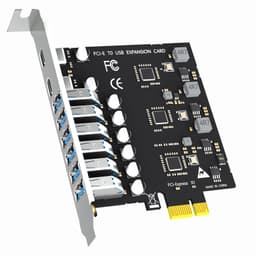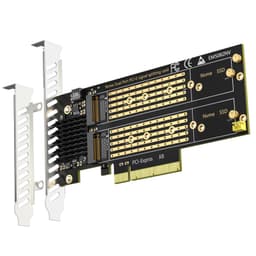
You know how every product listing loves to bury the boring stuff and shout about the headline feature? PCIe riser cables are no different. The spec sheet says "8Gbps max" and the marketing says "supports all PCIe cards" and you're left wondering whether this little 200mm flex cable will actually behave itself inside your case, or whether it'll introduce signal noise, drop connections, or just snap at the connector after a month. That's the real question, and it's the one worth answering.
The GLOTRENDS 200mm PCIe 3.0 X1 riser cable is a niche bit of kit aimed squarely at people who need to relocate a low-profile PCIe X1 card, whether that's a Wi-Fi adapter, a sound card, a capture card, a USB expansion card, or something more exotic like a Firewire card that someone's dragging out of 2005. It's not a storage drive. It's not a GPU riser. It's a short, shielded extension cable with a right-angle connector at each end, and its job is simply to move a card from where the motherboard put the slot to where you actually need it to be. At a budget price point and a 4.6-star average across 56 owner reviews, it's doing something right. But there are things you should know before you buy.
Core Specifications
This is a PCI Express 3.0 X1 extension cable, 200mm in length. Both ends use a 180-degree right-angle connector, one male (going into your motherboard's X1 slot) and one female (accepting the card you want to relocate). The female end will physically accept PCIe X1, X4, X8, and X16 cards, which is handy if you're plugging in a card with a larger physical connector than the slot actually needs. But and this is important, electrically it only runs at X1 speed. So if you're thinking about using this to relocate a GPU or an NVMe card expecting full bandwidth, stop right there. It's X1 only, full stop.
The cable carries 36 pins, which means it's a full-function implementation, not a cut-down version that drops certain signal lines. That matters because some cheaper risers omit pins and then wonder why certain cards don't initialise properly. GLOTRENDS specifies all 36 pins, which is why the listing can confidently claim support for things like diskless boot cards and remote switch cards that need those additional lines. The EMI shielding also matters. Signal integrity on a flex cable is genuinely a concern at PCIe 3.0 speeds, and the shielded design is there to stop the cable from acting as a little antenna for interference.
Maximum bandwidth is 8Gbps, which is what PCIe 3.0 X1 gives you in practice. The cable is backward compatible with PCIe 2.0 and 1.0 boards and cards, so if you've got an older system, you're fine. It explicitly cannot support PCIe 4.0 features, so don't expect it to magically run a PCIe 4.0 card at Gen 4 speeds. It'll negotiate down to Gen 3 or lower.
| Specification | Detail |
|---|---|
| Cable Length | 200mm |
| Interface Standard | PCIe 3.0 X1 |
| Male Connector | PCIe X1, 180-degree right angle |
| Female Connector | PCIe X1/X4/X8/X16 (physical), X1 speed only, 180-degree right angle |
| Pin Count | 36 pins (full function) |
| Max Bandwidth | 8Gbps |
| Backward Compatibility | PCIe 2.0 / 1.0 |
| PCIe 4.0 Support | No |
| EMI Shielding | Yes |
| Price | £12.99 |

Interface, Form Factor and the GLOTRENDS 200mm Design
The dual 180-degree right-angle design is the key thing here. Both the male plug (going into the motherboard) and the female socket (accepting the card) are right-angled. That means the cable exits the motherboard slot horizontally rather than sticking straight up, and the card you attach also sits in a specific orientation relative to the cable. This is specifically useful when you're trying to route a card into a tight space, mount a card flat against a panel, or avoid a card clashing with a large CPU cooler or RAM sticks that are sitting in the way of the nearest PCIe X1 slot.
The 200mm length is a deliberate sweet spot. Long enough to give you routing flexibility inside a mid-tower case, short enough that signal degradation isn't a serious concern at PCIe 3.0 X1 speeds. If you need to reach further across a case, you'd be looking at longer risers, but those introduce more potential for signal issues. At 200mm with shielding, GLOTRENDS is keeping things sensible. The physical size of the female connector accepting up to X16 cards is genuinely useful too. Plenty of expansion cards, particularly older ones, come on X4 or X8 PCBs even though they only use X1 lanes electrically. This cable handles that without you needing an adapter.
One thing to be clear about: this is not an M.2 riser, not an NVMe adapter, and not a storage interface in any meaningful sense. The product title mentions M.2 and the category here is listed as storage, but the cable itself is a PCIe X1 slot extension. If you're using it to relocate an M.2 adapter card that sits in a PCIe X1 slot, that's a valid use case, but the cable itself doesn't have an M.2 connector. It's a PCIe slot extender. Keep that straight in your head before you order.
Real-World Performance
For the cards this cable is designed to work with, 8Gbps of PCIe 3.0 X1 bandwidth is more than enough. A Wi-Fi 6 card maxes out well below that ceiling. A USB 3.2 Gen 1 expansion card, a sound card, a capture card running at 1080p60, a Firewire adapter, all of these are comfortable within X1 bandwidth. The cable isn't the bottleneck for any of them. What matters instead is whether the cable maintains a stable, clean signal without introducing errors or causing the card to drop out.
Owner reports across the 56 reviews are largely positive on exactly this front. Cards initialise correctly, devices are recognised by the OS without drama, and there's no consistent pattern of signal dropouts or instability complaints in the review pool. The full 36-pin implementation is probably doing a lot of work here. Cheaper X1 risers that cut pins cause all sorts of odd behaviour, cards that appear in Device Manager but won't function, boot failures, intermittent disconnects. The full-function design avoids that class of problem.
The EMI shielding matters more than it sounds. Inside a PC case you've got switching power supplies, GPU fans, spinning drives if you've still got them, and all sorts of electrical noise floating around. An unshielded flex cable at PCIe speeds can pick that up and introduce bit errors. The shielded design keeps the signal clean, which is why cards that are sensitive to signal quality (capture cards and certain audio interfaces are the usual suspects) tend to behave properly through this cable rather than throwing up occasional glitches.
Sustained Writes and Cache Behaviour
This section would normally be where a storage drive gets found out, where the SLC cache fills up and the native QLC write speed is revealed and the marketing copy quietly hopes you weren't paying attention. But this product isn't a storage drive. It's a PCIe riser cable. So the honest answer to "what happens under sustained load" is: the cable carries whatever data the card connected to it needs to move, up to the 8Gbps ceiling of PCIe 3.0 X1, and it either maintains signal integrity or it doesn't.
There's no cache to exhaust here. There's no NAND, no controller, no write buffer. The cable is passive. Data goes in one end, comes out the other. The relevant sustained-performance question is whether the cable maintains stable signal quality during extended use, not whether it hits a write speed cliff. And based on what the shielded design and full 36-pin implementation suggest, plus the owner feedback that doesn't flag any sustained-use degradation, it appears to hold up fine.
Where things could theoretically go wrong is thermal stress on the connectors over time if the cable is repeatedly flexed or if the connectors aren't fully seated. But that's a mechanical durability question, not a cache behaviour question. The right-angle connectors do mean there's a specific insertion direction and you want to make sure both ends are properly clicked in before you close the case. Owner reports don't flag connector issues as a recurring theme, which is a good sign for build quality on the connectors themselves.
Controller, NAND and DRAM
Again, none of these apply to a passive PCIe riser cable. There's no controller chip, no NAND flash, no DRAM cache. The cable is copper traces on a flexible PCB with a shielding layer and two right-angle connectors. The "intelligence" in this setup lives entirely in the card you're connecting and the motherboard's PCIe controller. The cable just carries the signal.
What's relevant here instead is the quality of the PCB traces and the connector contacts. PCIe 3.0 runs at 8GT/s per lane, which is fast enough that the physical quality of the cable matters. Cheap flex cables with poor impedance matching introduce reflections and signal errors. The shielded design GLOTRENDS uses suggests they've thought about this, and the fact that the cable is rated for PCIe 3.0 (rather than just claiming generic PCIe compatibility) implies the trace geometry is designed for that speed.
The 36-pin full-function spec is the closest equivalent to a "controller quality" discussion for this product. It means the cable doesn't drop the PRSNT (presence detect) pins, the power pins, or any of the sideband signals that certain cards rely on for proper initialisation. If you've ever bought a cheap PCIe riser and had a card that showed up in Device Manager as "unknown device" or wouldn't boot the system, a missing pin is often the culprit. Full 36-pin coverage avoids that entirely.
Endurance and Reliability
A passive cable doesn't have a TBW rating or a wear-out mechanism in the way a flash storage device does. It doesn't write data, so it doesn't wear out from writes. The relevant reliability questions are about mechanical durability (how well the connectors hold up over repeated insertion cycles and whether the flex cable itself is robust enough not to crack), and electrical reliability (whether the signal quality stays consistent over time and temperature cycles).
The 4.6-star average across 56 reviews is a reasonable confidence signal for a product in this category. Riser cables that fail tend to fail quickly, either the connectors don't make proper contact from day one, or the cable develops a fault within the first few weeks. The review pool doesn't show a pattern of early failures, which suggests the build quality is at least decent. There's no warranty period specified in the verified product data, so you're relying on Amazon's standard 30-day returns and A-to-Z guarantee as your safety net if something arrives dead or fails immediately.
Long-term, a cable like this installed inside a closed case and left alone should last years without issue. The risk scenarios are physical: someone trying to force the connector in the wrong orientation, the cable getting pinched during case assembly, or a card being removed and reinserted many times with the cable still attached. For a permanent or semi-permanent installation where the cable is routed once and left alone, durability concerns are minimal. For a setup where you're swapping cards regularly, you'd want to be a bit more careful with the connectors each time.

Thermals
A passive copper cable generates essentially no heat of its own. The thermal story here is about the card you're connecting through it, not the cable itself. If you're using this to relocate a Wi-Fi card or a sound card, neither of which runs hot, thermals are a complete non-issue. The cable won't impede airflow in any meaningful way given its 200mm length and slim profile.
The only thermal consideration is whether the right-angle connectors affect how a card sits relative to case airflow. If the cable is routing a card into a position where it's sitting in a dead-air zone of the case, the card might run slightly warmer than it would in a standard slot. But for the low-power cards this cable is designed for, that's unlikely to matter in practice. None of the 56 owner reviews flag thermal issues, which is about what you'd expect.
If you were using a PCIe X1 riser for something unusual that does generate heat, like a single-lane capture card running at sustained load during long recording sessions, you'd want to think about case airflow generally. But that's a case design question, not a cable question. The cable itself runs cool.
Capacity Options and Price Per GB
This isn't a storage product, so there's no capacity or price-per-GB discussion in the traditional sense. What there is, though, is a value-for-money question: is a PCIe X1 riser cable at this price point the right way to solve your problem, or are there better options?
The price here is firmly budget territory. For what you get, a shielded, full 36-pin, dual right-angle PCIe 3.0 X1 cable at 200mm, that's a fair ask. The alternatives in this space include longer risers (if 200mm isn't enough reach), different angle configurations (if you need one end straight rather than right-angled), and PCIe X1 to X16 slot adapters (if your motherboard has run out of X1 slots but has a spare X16 slot). Those are different products solving slightly different problems.
If you're comparing this to other 200mm PCIe X1 risers on Amazon, the key differentiators are pin count (full 36-pin vs reduced), shielding (present vs absent), and connector angle (both right-angle here vs mixed configurations elsewhere). On those criteria, the GLOTRENDS 200mm is competitive. It's not the cheapest option on the market, but the full pin count and shielding are worth paying a small premium for over a no-name cable that drops pins and wonders why your card doesn't work.
Installation and Compatibility
Installation is straightforward in principle. The male X1 plug goes into any PCIe X1 slot on your motherboard (or into an X4/X8/X16 slot if you use a physical adapter, though the cable itself only provides X1 lanes). The female end accepts your expansion card. Both connectors are right-angled, so you need to think about which direction the cable will exit the motherboard slot and which direction the card will face once connected. This is the bit that catches people out: the dual right-angle design means you can't just plug it in without thinking about cable routing first.
Compatibility with cards is broad. The full 36-pin implementation means it should work with any PCIe X1 card, and the oversized female connector means it'll physically accept X4, X8, and X16 cards too, running them at X1 speed. So if you've got a capture card on an X4 PCB that only uses X1 lanes, you're fine. The cable is backward compatible with PCIe 2.0 and 1.0 motherboards and cards, so older systems aren't excluded. The one hard limit is PCIe 4.0: if you've got a PCIe 4.0 card that requires Gen 4 features to function, this cable won't support that. Most X1 cards don't require Gen 4, so this is rarely a practical issue.
One thing to check before you buy: make sure your motherboard actually has a free PCIe X1 slot, or that you're happy using an X4/X8/X16 slot for an X1 card (which works fine electrically, just wastes a larger slot). Also confirm the physical routing works for your case. The 200mm cable gives you decent flexibility, but if your target mounting position is more than 200mm from the nearest free slot, you'll need a longer cable. Owner reports suggest the cable is firm enough to hold a lightweight card in position without sagging, but very heavy cards might need additional support.
Who It's For
This cable exists for a specific set of problems. You've got a PCIe X1 card, could be a Wi-Fi adapter, a USB expansion card, a sound card, a capture card, a Firewire adapter, and the slot you need to use is blocked. Maybe a big GPU is sitting in the way. Maybe the nearest X1 slot is physically inaccessible because of a large CPU cooler or RAM with tall heatspreaders. Maybe you want to mount the card in a specific orientation that the motherboard slot doesn't allow. The GLOTRENDS 200mm cable solves all of those problems.
It's also useful for small form factor builds where you need to relocate a card to a bracket position that isn't directly above a motherboard slot. Mini-ITX builds in particular often have one PCIe X1 slot in an awkward position relative to the case's expansion brackets, and a riser cable lets you bridge that gap. Capture card users building dedicated streaming rigs sometimes use these to position a card where cable management is cleaner. And anyone doing a custom panel-mount build, where cards need to be in specific physical locations for aesthetic or functional reasons, will find a dual right-angle riser useful.
Who shouldn't buy this? Anyone who needs more than X1 bandwidth from the card they're relocating. If you're trying to use a PCIe X4 NVMe adapter card and you need the full X4 lanes, this cable won't give you that. Anyone who needs a straight (non-right-angle) connector at one or both ends should look for a different riser configuration. And anyone who needs to relocate a card more than 200mm from the source slot needs a longer cable. For everyone else with a standard PCIe X1 relocation problem, this is a solid, sensibly priced solution.
How It Compares
The main competitors in this space are other PCIe X1 riser cables on Amazon, typically from brands like LINKUP and CableCC. LINKUP makes well-regarded PCIe risers with a reputation for signal quality, though they tend to price above the budget end of the market. CableCC offers various riser configurations including mixed angle options (one straight, one right-angle) which suit different case layouts.
The key differentiators to look at when comparing any PCIe X1 riser are: pin count (36 full-function vs reduced), shielding (present vs absent), connector angle configuration (both right-angle vs mixed), cable length, and PCIe generation support. The GLOTRENDS 200mm scores well on pin count and shielding, which are the two specs that most directly affect whether your card will actually work properly. Some cheaper alternatives cut corners on both.
| Feature | GLOTRENDS 200mm PCIe 3.0 X1 | LINKUP PCIe X1 Riser | CableCC PCIe X1 Riser |
|---|---|---|---|
| Cable Length | 200mm | Varies (typically 200mm to 300mm) | Varies (multiple lengths) |
| PCIe Version | 3.0 | 3.0 | 3.0 |
| Max Bandwidth | 8Gbps (X1) | 8Gbps (X1) | 8Gbps (X1) |
| Pin Count | 36 (full function) | 36 (full function) | Varies by model |
| EMI Shielding | Yes | Yes | Varies by model |
| Connector Angles | Dual 180-degree right angle | Varies by model | Mixed (straight/right-angle available) |
| Female Accepts | X1/X4/X8/X16 physical | X1 physical | X1 physical (typically) |
| Price | £12.99 | Typically higher | Typically similar or lower |
Where GLOTRENDS has a clear edge is the oversized female connector accepting X1 through X16 physical card sizes. That's genuinely useful if your card has a larger physical PCB than the X1 slot it electrically uses. LINKUP's risers are well regarded for build quality but tend to cost more and don't always offer the dual right-angle configuration. CableCC offers more angle configurations but quality can be inconsistent depending on which specific model you land on. For a straightforward dual right-angle X1 riser with full shielding and 36 pins, the GLOTRENDS 200mm is a competitive choice.

Final Verdict
The GLOTRENDS 200mm PCIe 3.0 X1 riser cable does exactly what it says. It extends a PCIe X1 slot by 200mm with dual right-angle connectors, full 36-pin implementation, EMI shielding, and 8Gbps of PCIe 3.0 X1 bandwidth. For the cards it's designed to work with, that bandwidth ceiling is not a constraint. And the full pin count plus shielding means you're not going to hit the frustrating "card detected but not working" problems that cheaper, cut-down risers cause.
The 4.6-star average from 56 owners tells you that people who bought this for real use cases are broadly happy with it. There's no pattern of DOA units, signal failures, or compatibility nightmares in the review pool. It's a simple product that works. At a budget price point, that's genuinely all you need it to do.
If your specific problem is a different connector angle configuration, one straight end and one right-angle rather than both right-angled, then look at CableCC's range instead, because the dual right-angle here is specific and you need to make sure it suits your case layout before you order. And if 200mm isn't enough reach for your build, there are longer risers available. But if the dual right-angle at 200mm fits your situation, this is a solid, no-nonsense buy. Don't spend more on a premium riser brand for a Wi-Fi card or a sound card. This will do the job.
Editorial score: 8 out of 10. It's a passive cable, so the ceiling on what it can achieve is inherently limited, but within that ceiling it delivers: full pin count, proper shielding, a useful oversized female connector, and a price that doesn't take the mick. Loses two points purely because there's no specified warranty period and the dual right-angle configuration won't suit every build. For the right use case, though, it's a proper solution to a specific problem.
What works. What doesn’t.
5 + 4What we liked5 reasons
- Full 36-pin implementation avoids the card-not-recognised problems that cut-down risers cause
- EMI shielding keeps signal clean at PCIe 3.0 speeds
- Oversized female connector physically accepts X1 through X16 cards
- Dual right-angle design solves tight-space routing problems neatly
- 4.6-star average from 56 owners with no pattern of signal failures or DOA units
Where it falls4 reasons
- No warranty period specified in product data
- Dual right-angle configuration won't suit every case layout
- Hard X1 speed limit means it's useless for anything needing more bandwidth
- No PCIe 4.0 support
Full specifications
3 attributes| Interface | PCIe 3.0 x1 |
|---|---|
| Read speed MBS | 1000 |
| Write speed MBS | 1000 |
Frequently asked
5 questions01Is the GLOTRENDS 200mm PCIe 3.0 X1 Riser Cable fast enough for everyday use?+
For the cards it's designed for, absolutely yes. Wi-Fi adapters, sound cards, USB expansion cards, capture cards at 1080p60, and Firewire adapters all operate well within the 8Gbps ceiling of PCIe 3.0 X1. The cable isn't the bottleneck for any of those use cases. What matters more is signal integrity, and the EMI shielding and full 36-pin implementation handle that properly.
02Does the GLOTRENDS 200mm PCIe 3.0 X1 Riser Cable slow down under sustained load?+
This is a passive cable, not a storage device, so there's no cache to exhaust and no write speed cliff. It carries data up to 8Gbps continuously without any degradation mechanism. Signal integrity under sustained load depends on the shielding quality, which the EMI-shielded design addresses. Owner reports don't flag any sustained-use signal problems.
03Is the GLOTRENDS 200mm PCIe 3.0 X1 Riser Cable DRAM-less, and does that matter?+
DRAM cache is a concept that applies to storage drives, not to passive PCIe riser cables. This cable has no controller, no NAND, and no cache of any kind. It's a copper signal path with connectors and shielding. The relevant quality metrics here are pin count (36, full function) and EMI shielding (present), both of which are specified and both of which matter for reliable card operation.
04How long will the GLOTRENDS 200mm PCIe 3.0 X1 Riser Cable last?+
A passive cable installed in a closed case and left alone should last for years without any wear-out mechanism. The risk points are mechanical: connector damage from incorrect insertion or repeated removal, and physical damage to the flex cable if it's pinched or repeatedly bent. For a permanent installation, durability concerns are minimal. No warranty period is specified in the verified product data, so Amazon's standard 30-day returns and A-to-Z guarantee are your safety net.
05What warranty and returns apply to the GLOTRENDS 200mm PCIe 3.0 X1 Riser Cable?+
No specific warranty period is stated in the verified product data for this cable. As an Amazon listing, you're covered by Amazon's standard 30-day return window and the A-to-Z guarantee if the item arrives faulty or not as described. If warranty length is important to you, check the current listing for any updated warranty information before purchasing.