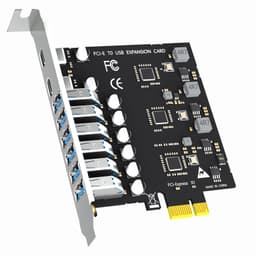
PCIe adapters are one of those categories where the marketing loves to get abstract and the buyer ends up confused. You've got a motherboard with a spare PCIe slot, you want to run two NVMe drives, and you need something that actually works without costing a fortune. The GLOTRENDS PA21 Dual M.2 NVMe to PCIe 4.0 X8 adapter is the answer to that specific question, and it's a genuinely solid one, provided you understand exactly what it is and what it isn't. This is not a magic wand. It's a passive adapter that takes two M.2 NVMe SSDs and presents them to your system through a PCIe 4.0 x8 slot, splitting that bandwidth between the two drives. Done properly, it works brilliantly. Done without reading the small print first, it'll drive you absolutely mental.
The verdict up front: for the right buyer, this is a proper bargain. If you've got a modern Intel or AMD system with a motherboard that supports PCIe bifurcation, and you want to run two NVMe drives without burning a second M.2 slot, the PA21 does exactly what it promises at a price that makes you wonder why you'd spend more. The 4.2-star average from 544 owners backs that up. But there's a non-trivial catch baked into the product name itself, the bifurcation requirement, and if you skip that bit you'll end up with an adapter that only sees one of your two drives. So yes, it's good. But you need to do your homework first.
Core Specifications
The PA21 is a PCIe 4.0 x8 adapter card that accepts two M.2 NVMe SSDs simultaneously. It supports M.2 form factors 22110, 2280, 2260, 2242, and 2230, which covers pretty much every NVMe stick you're likely to own. The card itself occupies a single PCIe x8 slot and splits that bandwidth between the two drives, giving each one a PCIe 4.0 x4 connection when the slot and motherboard are configured correctly. That's 64 Gbps per drive at full PCIe 4.0 speeds, which is the theoretical ceiling for current-generation consumer NVMe SSDs.
On the RAID side, the PA21 supports soft RAID through your operating system's tools on Intel and AMD platforms. It does not support Mac Pro 5.1. If you want Intel's RAID-on-CPU (VROC), that's a separate licence you'll need to purchase yourself. The card also supports bifurcation modes X4X4X4X4, X4X4X8, and Hyper M.2 x16, but it cannot support X8X4X4 mode. That's not a quirk, it's a hard limitation, so check your motherboard's bifurcation options before you click buy. OS compatibility covers Windows 11, 10, 8, Linux, and Mac OS, with plug-and-play operation. Windows 7 is not supported. New NVMe drives installed via this adapter will need to be initialised and formatted before the system recognises them.
OS booting is supported, so you can reinstall your operating system and boot from an NVMe drive seated in this adapter. The caveat is that some older motherboards won't support this, in which case the drives work as storage only. PCIe 4.0 full speed requires a PCIe 4.0-capable CPU, motherboard slot, and SSD simultaneously. Intel users below the 11th generation are limited to PCIe 3.0 speeds regardless of what the adapter is rated for.
| Specification | Detail |
|---|---|
| Interface (host) | PCIe 4.0 x8 |
| Drive slots | 2x M.2 NVMe |
| Supported M.2 sizes | 22110, 2280, 2260, 2242, 2230 |
| Bandwidth per drive (PCIe 4.0) | Up to 64 Gbps (x4) |
| RAID support | Soft RAID via OS (Intel/AMD); VROC requires separate licence |
| Bifurcation modes supported | X4X4X4X4, X4X4X8, Hyper M.2 x16 (NOT X8X4X4) |
| Platform support | Intel and AMD (not Mac Pro 5.1) |
| OS support | Windows 11/10/8, Linux, Mac OS (not Windows 7) |
| OS booting | Supported (subject to motherboard compatibility) |
| PCIe bifurcation required | Yes, motherboard must support it |
| Price | £19.99 |

Interface, Form Factor and the GLOTRENDS PA21 Dual M.2 Bifurcation Question
The PA21 plugs into a PCIe x8 slot on your motherboard and presents two M.2 NVMe slots to your system. The PCIe interface here is doing something specific: it's bifurcating a single x8 electrical connection into two x4 lanes, one for each drive. This is how you get two full-speed NVMe drives from one slot. The problem is that bifurcation has to be enabled at the motherboard level, in BIOS, and not every board supports it on every slot. The PA21 itself does not contain any onboard bifurcation logic. It relies entirely on the motherboard to split those lanes correctly.
This is the part that trips people up. The product listing is pretty clear about it, honestly more transparent than most adapters in this category, but it's easy to skim past. If your motherboard doesn't support PCIe bifurcation on the slot you're using, only the first NVMe drive (NVMe-1) will be recognised. The second slot effectively goes dark. So before anything else, pull up your motherboard manual and check the PCIe expansion slot section. Look for bifurcation settings in the BIOS, often listed under something like PCIe slot configuration or lane bifurcation. If you can't find it, GLOTRENDS says you can contact them directly, which is a decent touch.
In terms of physical form factor, the card is a standard PCIe add-in card that drops into any x8 or wider slot. The M.2 slots accept drives from the compact 2230 (used in devices like the Steam Deck) up to the full-length 22110, covering every mainstream consumer NVMe size. That's genuinely useful flexibility. You could seat two different-sized drives without any adapter plates or bodging. For anyone building a high-capacity NVMe array in a desktop, or wanting to run a fast NVMe boot drive alongside a second large NVMe storage drive without consuming two motherboard M.2 slots, this is a tidy solution.
Real-World Performance
Here's where you have to be clear about what the PA21 actually is. It's a passive adapter. It has no controller of its own, no DRAM, no cache logic. The performance you get out of it is entirely determined by the NVMe drives you install. The adapter's job is to give those drives a clean PCIe 4.0 x4 connection each, and at that job it succeeds. Owner reports consistently describe both drives being recognised and running at full rated speeds once bifurcation is correctly configured. That's the expected outcome and, based on the 4.2-star average across 540, it's what most buyers actually get.
What this means in practice: if you slot in two PCIe 4.0 NVMe drives, each one gets up to 64 Gbps of bandwidth. Sequential reads and writes will hit whatever the individual drives are rated for. Random I/O, which is what actually determines how fast your system feels day to day (boot times, application launches, file indexing, database queries), will again be entirely a function of the drives themselves. The adapter adds no latency overhead that published community benchmarks have flagged as meaningful. It's essentially transparent to the drives.
For real-world use, think about what this enables. Two fast NVMe drives running simultaneously through a single PCIe slot means you can run a RAID 0 array for maximum throughput on a creative workstation, a RAID 1 mirror for redundancy on a machine where data loss would be catastrophic, or simply two independent drives for more storage without consuming your motherboard's onboard M.2 slots. Owner reports flag that the setup process is straightforward once bifurcation is sorted, and that both drives show up correctly in Windows Disk Management and Linux. A small number of negative reviews trace back to bifurcation not being enabled, which isn't a fault with the card.
Sustained Writes and Cache Behaviour
This section matters a lot for NVMe drives but is almost irrelevant for the PA21 itself, because the adapter has no cache of its own. The sustained write behaviour you'll experience is entirely down to the NVMe SSDs you choose to install. That said, it's worth being direct about what this means for buyers planning to run RAID configurations, because the interaction between RAID mode and cache behaviour can catch people out.
If you're running two NVMe drives in RAID 0 via the OS's soft RAID tools, the effective write speed is the sum of both drives' sustained write speeds. That sounds great on paper, and for large sequential workloads it genuinely is. But if your chosen drives are QLC-based (which plenty of budget NVMe SSDs are), their SLC cache will exhaust under sustained writes and you'll see speeds drop sharply to native QLC write rates, which can be as low as 200 to 400 MB/s depending on the drive. Striping two QLC drives in RAID 0 doubles the peak speed but also doubles the rate at which you burn through that cache. So the cliff arrives just as fast, and when it does, you're writing at native QLC speed across both drives simultaneously.
The practical advice here is simple: pair this adapter with TLC-based NVMe drives rather than QLC. TLC drives handle sustained writes significantly better, and their native write speeds after cache exhaustion are far less painful. If you're using this adapter for a creative workstation scratch disk, a video editing array, or any workload that involves writing large files regularly, TLC is not optional. It's what separates a fast array from one that looks fast in a benchmark and then staggers under real use. The PA21 itself won't limit you. Your drive choice will.
Controller, NAND and DRAM
Because the PA21 is a passive adapter rather than a drive, the usual controller and NAND discussion applies to the drives you install, not the card itself. The adapter contains no flash memory, no controller chip, and no DRAM cache. It's a PCB with M.2 slots, trace routing, and a PCIe x8 edge connector. The intelligence lives in the drives. This is actually a feature, not a limitation: it means the adapter is compatible with any NVMe drive from any manufacturer, regardless of which controller or NAND generation that drive uses.
What you should care about when choosing drives to pair with the PA21 is exactly what you'd care about when buying any NVMe drive. Controller matters because it determines how the drive handles mixed workloads, thermal management, and sustained performance. Phison controllers (the E18 for PCIe 4.0, the E26 for PCIe 5.0) are well-regarded in the enthusiast community. Samsung's in-house controllers have a long track record of reliability. DRAM cache matters because a DRAM-less drive using Host Memory Buffer is fine for a boot drive but starts to show its limitations under sustained random I/O workloads. If you're building a serious array for creative work, choose drives with onboard DRAM.
NAND type is the other big one. TLC (triple-level cell) NAND is the sweet spot for performance and endurance in current consumer drives. QLC (quad-level cell) offers more storage per wafer at lower cost but at the price of lower endurance and worse sustained write performance. The PA21 doesn't care which you use, but your workload does. For most buyers running two drives in a desktop, TLC drives from established brands are the sensible choice. The adapter is agnostic. The drives are not.
Endurance and Reliability
The PA21 adapter itself is a passive component. It has no moving parts, no flash cells to wear out, and no controller to fail. The endurance question for this product is therefore really about the longevity of the card as a piece of hardware, and on that front, passive PCIe adapters are about as reliable as components get. There's nothing to wear out. Owner reports across 540 don't flag any pattern of hardware failures on the card itself. The negative reviews that exist are almost entirely about bifurcation configuration issues, not dead cards.
Reliability in the context of this adapter is more about the system-level question: what happens if one of the two drives fails? If you're running RAID 0 (striped), a failure of either drive means you lose the entire array. That's the trade-off with striping: you get the combined speed of both drives but zero redundancy. If you're running RAID 1 (mirrored), you can lose one drive and still have all your data intact. For anyone using this adapter in a setup where data loss would be a problem, RAID 1 via the OS soft RAID tools is worth the setup time. The PA21 supports both configurations through the operating system's RAID tools on Intel and AMD platforms.
The warranty situation for the adapter itself isn't specified in the product data, so the practical fallback is Amazon's standard 30-day return window and the A-to-Z Guarantee. For a passive adapter at this price point, that's reasonable. The drives you install will each carry their own manufacturer warranty, typically three to five years depending on brand and model. Those warranties are what really matter for long-term data safety. Back up regardless. RAID is not a backup strategy, it's a redundancy strategy, and there's a meaningful difference.

Thermals
Thermal management on the PA21 is worth thinking about, though perhaps not in the way you'd approach a standalone NVMe drive. The adapter itself generates negligible heat. It's passive copper traces on a PCB. But the two NVMe drives you install will generate heat, and in a slot configuration where they're sitting close together on the same card, airflow becomes more important than it would be for drives seated in dedicated motherboard M.2 slots.
Modern PCIe 4.0 NVMe drives can get warm under sustained load. Some of the faster ones will throttle if they can't shed heat effectively. With two drives on a single card, you're concentrating that heat source. If your case has decent airflow past the PCIe area, this is unlikely to be an issue for typical use. But if you're planning to run sustained workloads, large file copies, RAID rebuilds, or video editing scratch disk operations, it's worth making sure there's active airflow in that area of the case. A case fan blowing across the PCIe slots is a sensible precaution.
Owner reports don't flag thermal throttling as a widespread issue with the PA21 specifically, which suggests that in typical desktop cases with reasonable airflow, the drives run fine. Some higher-end NVMe drives come with their own heatsinks, and those will still fit in the M.2 slots on this adapter as long as the heatsink profile isn't so tall it physically clashes with the adjacent slot. the heatsink dimensions against the slot spacing on the card if you're running two heatsink-equipped drives simultaneously. For PCIe 5.0 drives, which run significantly hotter than Gen 4, this thermal proximity question would be more pressing, but the PA21 is a PCIe 4.0 card, so you're not dealing with Gen 5 heat levels here.
Capacity Options and Price Per GB
The PA21 itself doesn't have capacity options in the traditional sense because it's an adapter, not a drive. The capacity of your storage array is entirely determined by the NVMe drives you install. Two 1TB drives give you 2TB total (or 1TB mirrored in RAID 1). Two 2TB drives give you 4TB total. The adapter supports up to the 22110 form factor, which is the longest consumer M.2 size and used by some higher-capacity drives. So if you want to seat two 4TB NVMe drives, the PA21 can physically accommodate them.
In terms of the adapter's own price, it sits at a level where it's genuinely competitive with similar products. Comparable dual M.2 to PCIe adapters from other brands often cost more, and some of those more expensive options include onboard bifurcation chips (which remove the motherboard requirement), so there is a trade-off. If your motherboard supports bifurcation, the PA21 is excellent value. If it doesn't, you'll need to spend more on an adapter with its own bifurcation logic, such as the Asus Hyper M.2 x16 card or similar products from GLOTRENDS' own range that include a PLX or ASMedia bifurcation chip.
The price per GB calculation for the complete storage solution depends on your drive choices. Two 1TB PCIe 4.0 TLC drives plus the PA21 adapter will come in at a competitive cost per gigabyte compared to a single 2TB premium drive. Two 2TB drives plus the adapter can undercut some single 4TB NVMe options significantly. That's the real value proposition here: the adapter lets you scale storage cost-effectively by combining two drives in a single slot rather than needing a board with multiple M.2 slots or paying the premium for a single high-capacity drive.
Installation and Compatibility
Installation of the PA21 is physically straightforward. It's a standard PCIe card. You slot it into a free x8 or x16 PCIe slot, screw it in, seat your NVMe drives in the M.2 slots on the card, and power on. The drives are held by M.2 screws, which the card should include (check the listing or owner reports for confirmation). The OS will handle the rest once bifurcation is configured. On Windows, new drives appear in Disk Management and need to be initialised and formatted before use, which the product listing explicitly flags.
The bifurcation setup is the step that requires attention. You need to enter your motherboard's BIOS, find the PCIe slot configuration section, and set the relevant slot to bifurcate its lanes appropriately. The PA21 supports X4X4X4X4, X4X4X8, and Hyper M.2 x16 modes. It does not support X8X4X4. The exact menu path varies by motherboard manufacturer and BIOS version, so checking your manual before starting is genuinely necessary, not just a suggestion. GLOTRENDS explicitly recommends checking the PCIe expansion slot section of your motherboard manual or contacting them directly if you're unsure. That's practical advice and worth following.
Compatibility notes: this adapter works in Intel and AMD desktop platforms. It does not work in Mac Pro 5.1. PCIe 4.0 full speeds require an 11th-generation or newer Intel CPU, or a Ryzen 3000 series or newer AMD CPU, along with a PCIe 4.0-capable motherboard slot. Older systems will run at PCIe 3.0 speeds, which is still perfectly fast for most workloads. OS booting from drives installed in this adapter is supported, though some older motherboards may not support it, in which case the drives function as storage only. The adapter is plug-and-play on Windows 11, 10, 8, Linux, and Mac OS. Windows 7 is not supported.
Who It's For
The PA21 is squarely aimed at desktop builders who want to run two NVMe drives but either don't have two available M.2 slots on their motherboard or want to consolidate their NVMe storage into a single PCIe slot. That's a genuinely common situation, especially on mid-range motherboards that offer one or two M.2 slots but where both are already occupied or where one is limited to PCIe 3.0 speeds. The adapter solves that problem cleanly.
Creative professionals who want a fast RAID 0 scratch disk for video editing or 3D rendering will find this useful, provided they pair it with TLC drives and have adequate case airflow. The combined bandwidth of two PCIe 4.0 x4 drives in RAID 0 is substantial and genuinely useful for workloads that can saturate a single drive. Enthusiasts who want a RAID 1 mirror for redundancy without buying a dedicated RAID controller will also find the soft RAID approach via Windows or Linux tools sufficient for most use cases.
Who should look elsewhere? Anyone whose motherboard doesn't support PCIe bifurcation on the slot they want to use. Full stop. You'd be spending money on an adapter that only sees one of the two drives. Also, anyone who wants hardware RAID with a dedicated controller rather than OS-managed soft RAID. And anyone on a Mac Pro 5.1, which is explicitly not supported. If you're in any of those categories, look at adapters with onboard bifurcation chips, such as the ASUS Hyper M.2 x16 Gen 4 card, which handles bifurcation itself and doesn't require motherboard support.
How It Compares
The two most relevant competitors in this space are the ASUS Hyper M.2 x16 Gen 4 Card and the Sabrent M.2 NVMe PCIe Adapter. Both offer dual M.2 NVMe slots via a PCIe adapter, but with different approaches to bifurcation. The ASUS card includes onboard bifurcation logic, meaning it doesn't require motherboard bifurcation support. That's a significant convenience advantage, and it's reflected in the price. The Sabrent adapter sits closer to the PA21 in approach and pricing but generally supports fewer M.2 form factors.
The PA21's advantage is price and form factor flexibility. Supporting everything from 2230 up to 22110 in a single card is genuinely broader than some competitors. The soft RAID support via OS tools is standard across this category. The bifurcation requirement is the meaningful trade-off against the ASUS card. If your motherboard supports bifurcation (and most modern AMD and Intel boards do on at least one slot), the PA21 saves you money for identical functional results. If it doesn't, pay the premium for the ASUS.
| Feature | GLOTRENDS PA21 | ASUS Hyper M.2 x16 Gen 4 | Sabrent M.2 NVMe PCIe Adapter |
|---|---|---|---|
| PCIe interface | PCIe 4.0 x8 | PCIe 4.0 x16 | PCIe 3.0/4.0 x4 |
| Drive slots | 2x M.2 NVMe | 4x M.2 NVMe | 1x M.2 NVMe |
| Onboard bifurcation chip | No (motherboard required) | Yes | No |
| Supported M.2 sizes | 22110, 2280, 2260, 2242, 2230 | 2280, 22110 | 2280, 2260, 2242 |
| Soft RAID support | Yes (Intel/AMD) | Yes | N/A (single drive) |
| VROC support | Licence required | Yes (with key) | No |
| Price | £19.99 | Higher (check Amazon) | Lower (single drive only) |

Final Verdict
The GLOTRENDS PA21 Dual M.2 NVMe to PCIe 4.0 x8 adapter does exactly what it says it does, at a price that's hard to argue with, as long as your motherboard cooperates. That bifurcation requirement is real and non-negotiable. Check your board first. If it supports bifurcation on the slot you're planning to use, this card is a clean, well-supported solution for running two NVMe drives from a single PCIe slot. The broad M.2 form factor support (22110 down to 2230), the plug-and-play OS compatibility, and the OS booting support all add up to a product that's been thought through properly. The 4.2-star average from 544 owners, the majority of whom seem to have done their homework, reflects that.
The NVMe performance ceiling is entirely determined by your drives, not the adapter. Pair it with good TLC drives from reputable brands, make sure your case has airflow past the PCIe slots, configure bifurcation in BIOS, and you'll have a fast, flexible dual-drive setup for less than many single-drive solutions cost. For a creative workstation scratch disk, a RAID 1 redundancy setup, or simply expanding storage in a machine with limited M.2 slots, this is the right tool.
The honest don't-overspend line: if you only need one NVMe drive and your board already has a free M.2 slot, a simple M.2 to PCIe adapter costs considerably less and does the job without any bifurcation complexity. The PA21 earns its place only when you genuinely need two drives from one slot. And if your motherboard doesn't support bifurcation at all, the ASUS Hyper M.2 x16 Gen 4 is the smarter buy despite the higher price. Know your board, buy accordingly.
Editorial score: 7.5 out of 10. A well-priced, capable adapter for the right system. The bifurcation requirement keeps it from being a universal recommendation, but for compatible builds it's genuinely excellent value. The NVMe community has a solid understanding of how these adapters work, and the PA21 fits neatly into that established picture. Pair it with quality TLC drives, check your BIOS settings, and it'll serve you well.
What works. What doesn’t.
5 + 4What we liked5 reasons
- Broad M.2 form factor support from 2230 up to 22110
- Full PCIe 4.0 x4 bandwidth per drive when bifurcation is correctly configured
- Soft RAID support via OS tools on Intel and AMD platforms
- OS booting supported on compatible motherboards
- Competitive price for a dual-slot PCIe 4.0 adapter
Where it falls4 reasons
- Requires motherboard PCIe bifurcation support; without it only one drive is recognised
- No onboard bifurcation chip means extra BIOS setup is mandatory
- X8X4X4 bifurcation mode not supported
- No Mac Pro 5.1 or Windows 7 support
Full specifications
3 attributes| Form factor | M.2 |
|---|---|
| Interface | PCIe 4.0 x8 |
| Type | NVMe SSD |
Frequently asked
5 questions01Is the GLOTRENDS PA21 Dual M.2 NVMe to PCIe 4.0 X8 Adapter Without PCIe Bifurcation, Setup Soft M.2 NVMe RAID via OS Tool (Support 22110/2280 Size), (PCIe Bifurcation Motherboard is Required) fast enough for everyday use?+
Yes, provided you pair it with decent NVMe drives. The adapter itself is transparent to performance, giving each installed drive a full PCIe 4.0 x4 connection (up to 64 Gbps) when configured correctly. Boot times, application launches, and game loads will be as fast as the drives you install allow. For everyday desktop use, the bottleneck will never be the adapter.
02Does the GLOTRENDS PA21 Dual M.2 NVMe to PCIe 4.0 X8 Adapter Without PCIe Bifurcation, Setup Soft M.2 NVMe RAID via OS Tool (Support 22110/2280 Size), (PCIe Bifurcation Motherboard is Required) slow down once the cache fills?+
The adapter itself has no cache, so cache behaviour is entirely down to the NVMe drives you install. QLC-based drives will drop to native QLC write speeds (often 200 to 400 MB/s) once their SLC cache exhausts. In a RAID 0 array, this cliff arrives just as quickly because both drives burn through cache simultaneously. For sustained write workloads, pair this adapter with TLC-based NVMe drives to avoid the cache exhaustion problem.
03Is the GLOTRENDS PA21 Dual M.2 NVMe to PCIe 4.0 X8 Adapter Without PCIe Bifurcation, Setup Soft M.2 NVMe RAID via OS Tool (Support 22110/2280 Size), (PCIe Bifurcation Motherboard is Required) DRAM-less, and does that matter?+
The adapter itself contains no DRAM, no controller, and no cache of any kind. It's a passive routing card. Whether your setup has DRAM depends entirely on the NVMe drives you install. For a boot drive or light storage use, DRAM-less drives with Host Memory Buffer are fine. For sustained random I/O workloads or a creative scratch disk, drives with onboard DRAM are the better choice.
04How long will the GLOTRENDS PA21 Dual M.2 NVMe to PCIe 4.0 X8 Adapter Without PCIe Bifurcation, Setup Soft M.2 NVMe RAID via OS Tool (Support 22110/2280 Size), (PCIe Bifurcation Motherboard is Required) last?+
As a passive PCIe adapter with no flash memory or moving parts, the card itself should last indefinitely under normal use. There are no cells to wear out and no controller to fail. Longevity of your storage setup depends on the NVMe drives you install, each of which carries its own manufacturer warranty (typically three to five years). The adapter's warranty period is not specified in the product data, so Amazon's standard 30-day return window and A-to-Z Guarantee apply as the baseline.
05What warranty and returns apply to the GLOTRENDS PA21 Dual M.2 NVMe to PCIe 4.0 X8 Adapter Without PCIe Bifurcation, Setup Soft M.2 NVMe RAID via OS Tool (Support 22110/2280 Size), (PCIe Bifurcation Motherboard is Required)?+
The product data does not specify a manufacturer warranty period for the PA21 adapter. The practical safety net is Amazon's standard 30-day return window and the A-to-Z Guarantee, which covers purchases made through Amazon UK. For any warranty queries beyond that, contacting GLOTRENDS directly is the recommended route.