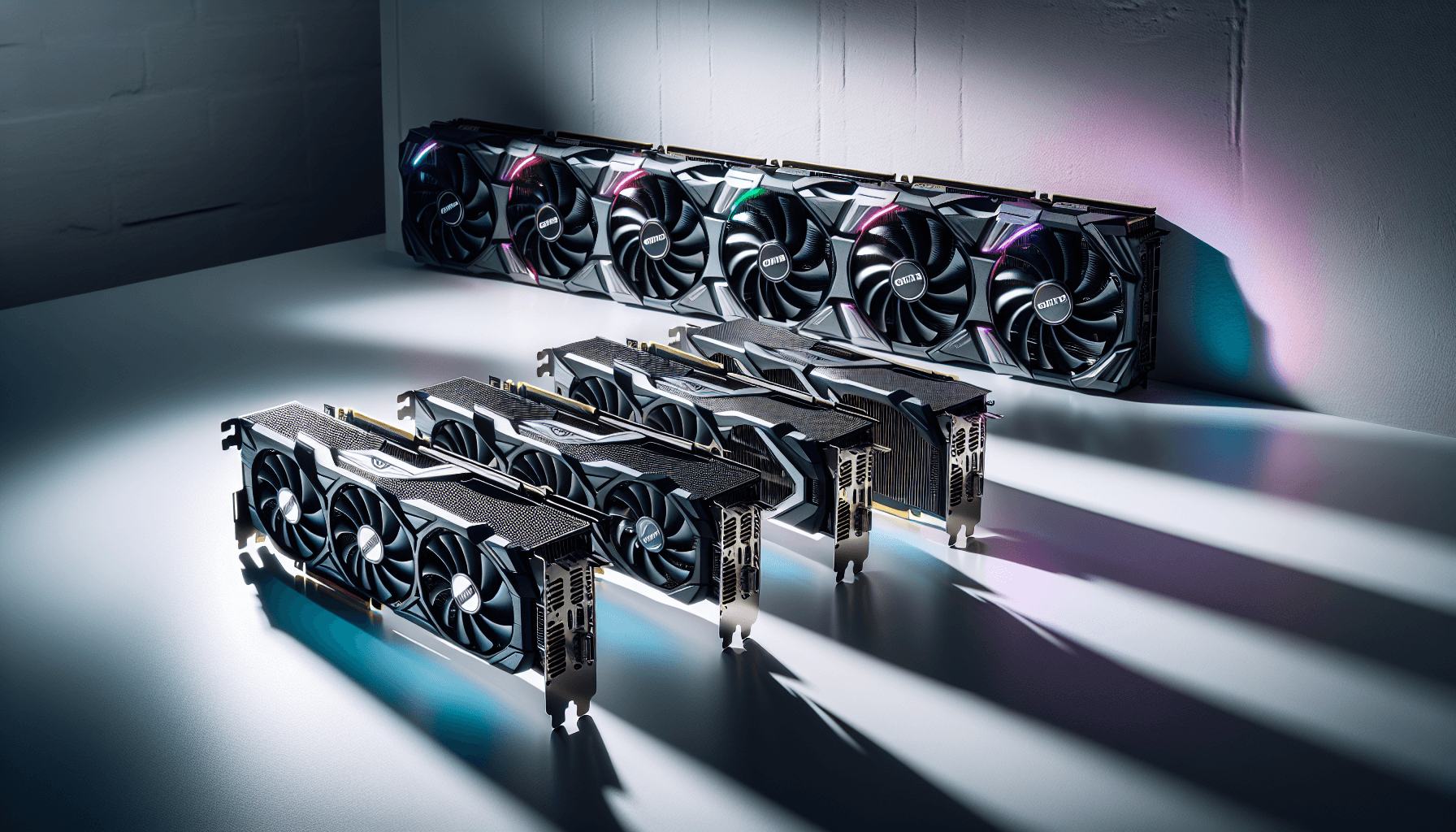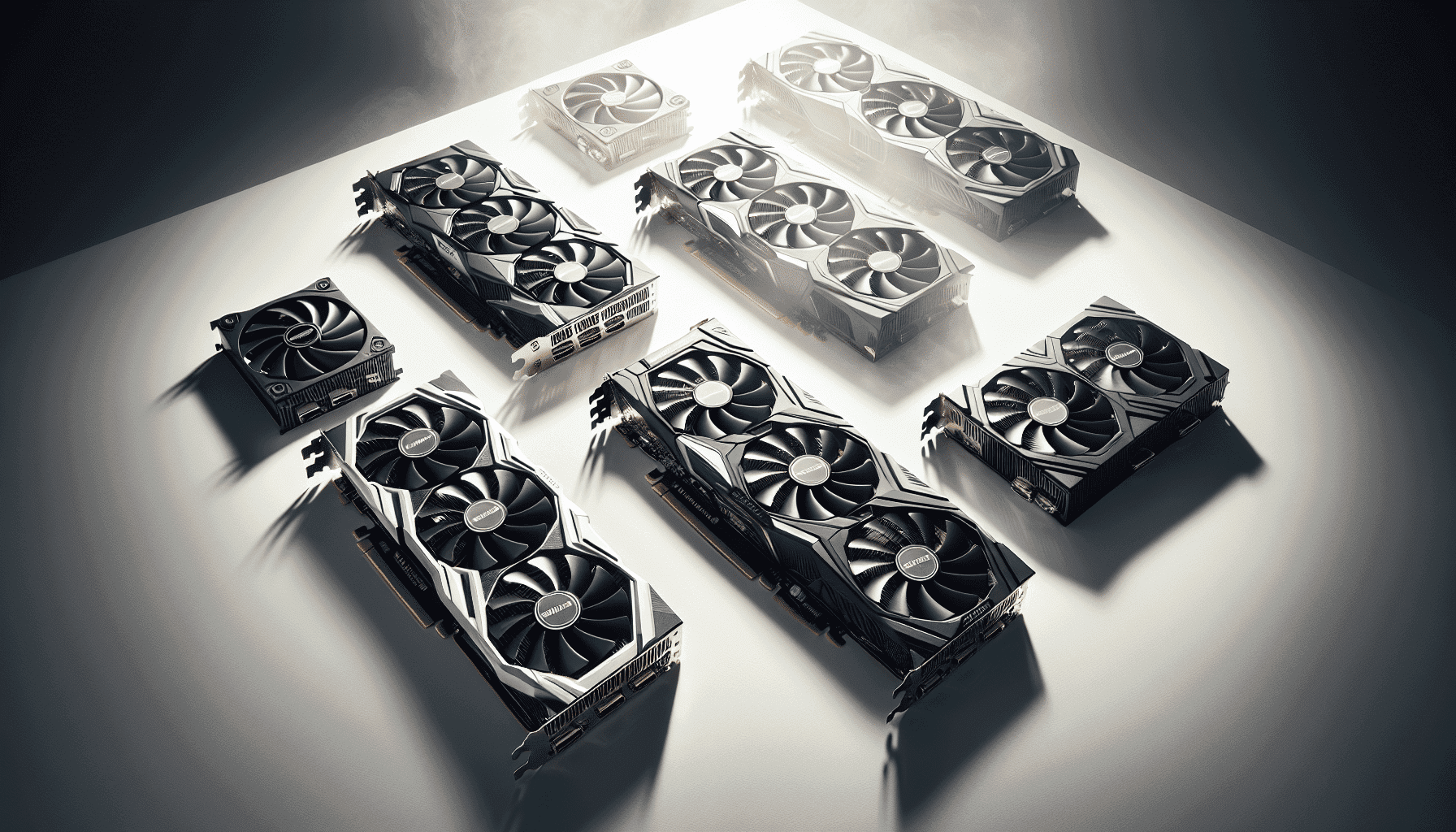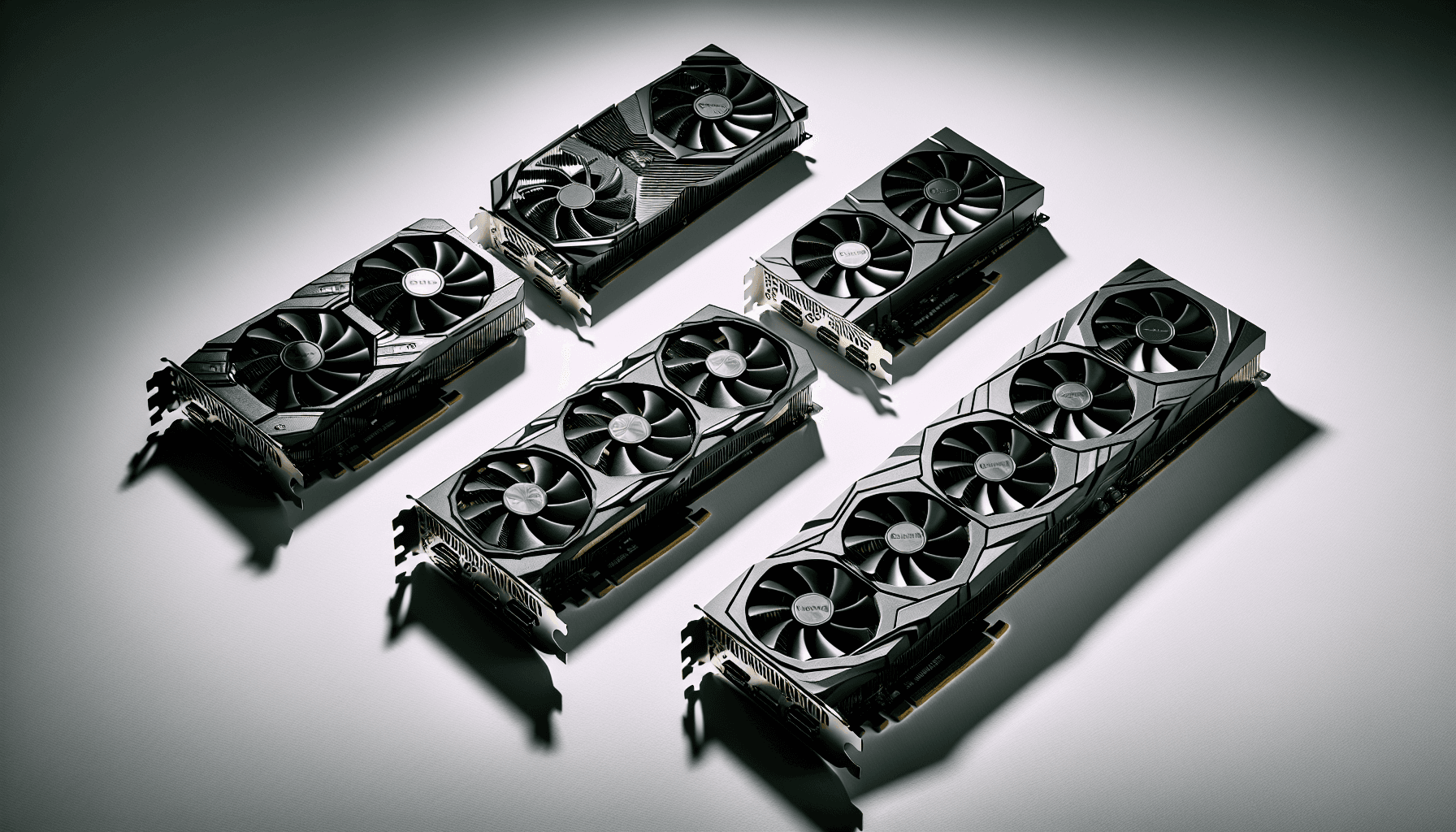
Picking a GPU in the budget bracket is genuinely stressful. Go too cheap and you're squinting at potato graphics in games that should look stunning. Overspend and you've blown your whole build budget on frames your monitor can't even display. The sweet spot is narrow, and the market is absolutely littered with cards that promise the world and deliver a slightly disappointing Tuesday. So where does the Gigabyte NVIDIA GeForce RTX 3050 WINDFORCE OC V2 6G sit in all this?
Honestly? It's complicated. The RTX 3050 architecture has been around long enough that we know exactly what it can and can't do, and this 6GB version is a newer, slightly cut-down variant that changes the calculus in ways that aren't entirely flattering. The WINDFORCE OC V2 cooler is Gigabyte doing what Gigabyte does reasonably well, and 121 owners have given it 4.5 stars, which is a decent signal. But there are some real questions here about VRAM, bus width, and whether this card makes sense at this price point when alternatives exist. The verdict? Useful for a specific type of buyer, but not for everyone. Read on.
Gigabyte NVIDIA GeForce RTX 3050 WINDFORCE OC V2 6G: Core Specifications
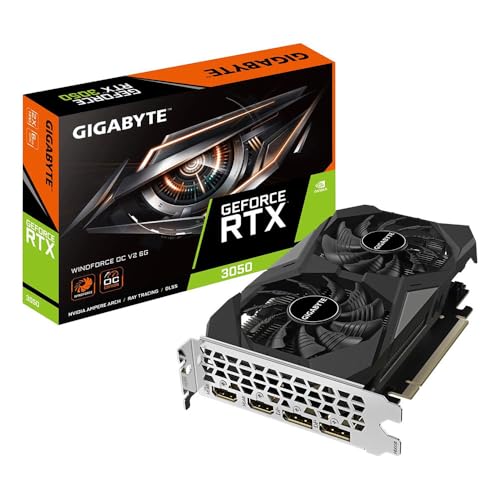
The headline numbers here are straightforward enough. You're getting an NVIDIA GeForce RTX 3050 GPU built on NVIDIA's Ampere architecture, with 6GB of GDDR6 memory running across a 96-bit memory bus. That 96-bit figure is the one that makes experienced GPU buyers wince a little, and we'll get into why in the VRAM section. The card runs a 1477MHz core clock out of the box, which is the factory overclock Gigabyte has applied over the reference spec.
On the connectivity side, you get two DisplayPort 1.4 outputs and two HDMI 2.1 outputs, so four display outputs total. That's actually a decent spread for a budget card. HDMI 2.1 supports 4K at 120Hz and 8K at 60Hz in terms of bandwidth, which is more than this GPU will ever realistically push, but it's nice to have for future monitor upgrades or connecting to a TV. The card uses a PCI-E 4.0 interface, so it'll slot into any modern motherboard without issue, and it's backwards compatible with PCIe 3.0 boards too.
The WINDFORCE OC V2 cooler uses Gigabyte's dual-fan setup with their alternate-spinning fan design, which they claim reduces turbulence. Whether that translates to meaningfully quieter operation in practice is something owner reviews shed light on, and we'll cover that. For now, here's the full spec rundown:
| Specification | Detail |
|---|---|
| GPU | NVIDIA GeForce RTX 3050 |
| Architecture | NVIDIA Ampere |
| VRAM | 6GB GDDR6 |
| Memory Bus | 96-bit |
| Core Clock (OC Mode) | 1477MHz |
| RT Cores | 2nd Generation |
| Tensor Cores | 3rd Generation |
| Interface | PCI-E 4.0 |
| Display Outputs | 2x DisplayPort 1.4, 2x HDMI 2.1 |
| Model Number | GV-N3050WF2OCV2-6GD |
| Current Price | £236.53 |
| Owner Rating | ★★★★½ (4.5) (122 reviews) |
Architecture and Cores
The Gigabyte NVIDIA GeForce RTX 3050 WINDFORCE OC V2 6G is built on NVIDIA's Ampere architecture, which uses Samsung's 8nm fabrication process. Ampere was NVIDIA's big generational leap when it launched, bringing significant improvements in shader efficiency, ray tracing capability, and AI-accelerated upscaling over the previous Turing generation. In 2026, Ampere is a mature, well-understood architecture. That's both reassuring (driver support is excellent, quirks are known) and a bit sobering (it's not new, and newer architectures have moved the goalposts).
The card features 2nd Generation RT Cores and 3rd Generation Tensor Cores, per the verified product data. The RT cores handle ray tracing workloads in hardware rather than shaders, which is important because software ray tracing absolutely destroys frame rates. The 2nd gen RT cores in Ampere are roughly twice as fast at ray tracing as the original Turing RT cores, though they still lag behind Ada Lovelace (RTX 40 series) in this department. The 3rd gen Tensor cores are what power DLSS, NVIDIA's AI upscaling technology, and they're genuinely important for getting usable frame rates with ray tracing enabled on a card at this performance level.
The Ampere Streaming Multiprocessors are the core compute units that handle your game's rendering workload. This 6GB variant of the RTX 3050 is a trimmed-down configuration compared to the 8GB version that launched earlier, with a narrower memory bus to match the reduced VRAM. It's worth understanding that this isn't just a memory downgrade in isolation. The 96-bit bus fundamentally affects memory bandwidth, which in turn affects how the GPU feeds its shaders with data. For lighter workloads and lower resolutions, this matters less. Push the card harder and the narrower pipe starts to show.
Clock Speeds and Boost
Gigabyte lists a 1477MHz core clock for the OC mode on this card. That's the factory overclock figure, sitting above the reference RTX 3050 spec. In practice, modern NVIDIA GPUs use GPU Boost technology to dynamically adjust clock speeds based on temperature and power headroom, so the card will often run above its rated boost clock in cooler conditions and throttle back when thermals get tight.
For a card in this bracket, the factory OC from Gigabyte is modest rather than aggressive. You're not going to see wild gains over a reference-clocked RTX 3050, but it's a free bump that costs you nothing extra. The WINDFORCE OC V2 cooler is designed to keep the GPU cool enough that the Boost algorithm has room to run, and Gigabyte's coolers at this tier generally do a decent job of that. The practical upshot is that the card should sustain its boost clocks reasonably well under typical gaming loads rather than immediately thermal throttling back to base.
If you're the sort of person who wants to push further, Gigabyte's own AORUS Engine software lets you manually overclock and adjust fan curves. The Ampere architecture has reasonable overclocking headroom on air cooling, though at this end of the market the gains are incremental rather than transformative. Getting an extra 50 to 100MHz on the core isn't going to rescue you from a GPU that's fundamentally limited by its memory bandwidth or shader count. It's a nice-to-have, not a solution to the card's inherent constraints.
VRAM Analysis
Right, this is the section that matters most in 2026, and the news here is genuinely mixed. Six gigabytes of GDDR6 sounds fine on paper. A few years ago it would have been perfectly adequate for 1080p gaming. But the 96-bit memory bus is the real issue, not just the capacity. Memory bandwidth on this card is significantly lower than the 8GB RTX 3050, which used a 128-bit bus. You're looking at a meaningful reduction in how fast data moves between the framebuffer and the GPU's compute units.
At 1080p with medium to high texture settings, 6GB is generally enough capacity for most titles in 2026. The bandwidth limitation is more likely to bite you before you run out of raw VRAM capacity. But push to 1440p, crank texture quality up, or play games with aggressive VRAM usage (and there are plenty of those now), and you'll start to see the card struggle. Some modern titles at 1080p with maxed textures are already touching 6GB of VRAM usage, which leaves zero headroom for anything else the system needs to store in GPU memory.
Future-proofing is where this gets uncomfortable. The honest answer is that 6GB on a 96-bit bus is a constraint that will become more limiting over time, not less. Games are not getting less VRAM hungry. If you're buying this card expecting it to handle whatever comes out in 2027 and 2028 at anything above minimum settings, you're probably being optimistic. For 1080p gaming right now, in titles that aren't VRAM monsters, it's workable. But if you can stretch your budget to a card with 8GB on a wider bus, that's the smarter long-term play. The JEDEC GDDR6 specification supports the bandwidth the chip is capable of, but the 96-bit bus is the limiting factor here, not the memory type itself.
Ray Tracing and Upscaling
The 2nd Generation RT Cores mean ray tracing is hardware-accelerated rather than a shader-only nightmare, but let's be realistic about what that means on a card at this performance level. Ray tracing in demanding titles like Cyberpunk 2077 or Alan Wake 2 will tank frame rates to unplayable levels without DLSS helping out. With ray tracing enabled and DLSS set to Performance mode, you can get back to something approaching playable, but you're not going to be running Ultra RT settings and enjoying a smooth experience. Ray tracing is more of a "turn on one or two effects and see how it looks" situation than a full RT showcase on this card.
DLSS is where Ampere genuinely earns its keep at this price point. The 3rd Generation Tensor Cores power DLSS 2 (and DLSS 3 for frame generation, though that requires Ada Lovelace, so DLSS 3 Frame Generation is not available here). DLSS 2 upscaling, however, works well and is supported in a large and growing library of games. At Quality mode, the image quality hit is minimal and the performance gain is meaningful. At Performance mode, you're essentially running the game at half resolution and letting the AI reconstruct it, which is more aggressive but still often looks better than native TAA at equivalent frame rates. For a budget card that needs every frame it can get, DLSS support is a genuine asset.
AMD's FSR 3 is also because it works on any GPU, including this one. So even if a game doesn't support DLSS, you've got FSR as a fallback. FSR at Quality mode is decent, though most comparisons show DLSS 2 Quality producing slightly sharper, more stable results. Having both options available means you're rarely stuck without an upscaling lifeline, which matters a lot when the native performance of this card starts to run out of headroom.
Video Encoding
Ampere brought a significant upgrade to NVENC, NVIDIA's hardware video encoder. The NVENC on this card supports AV1 encoding and decoding, which is the modern codec standard that offers substantially better quality at lower bitrates compared to H.264 or H.265. For streaming, this means you can push a better-looking stream to platforms that support AV1 (YouTube does, Twitch is getting there) without hammering your CPU. The encoder runs independently of the shader cores, so streaming while gaming doesn't cost you meaningful frame rate performance.
For content creators doing light video editing or encoding work, the AV1 hardware acceleration is a genuine time-saver. Exporting a video through a software encoder on your CPU takes considerably longer than offloading it to NVENC. That said, if you're doing serious content creation work, a card with more VRAM and more compute throughput would serve you better. This card is primarily a gaming GPU that happens to have a capable encoder, not a workstation card with gaming capability bolted on.
Streaming at 1080p60 while gaming at 1080p is a realistic use case for this card. The NVENC handles the encoding, the GPU handles the game rendering, and a modern mid-range CPU handles the rest. Streaming at 1440p or doing anything more intensive starts to expose the card's limitations. But for a budget streamer who plays games at 1080p and wants to share that without a dedicated capture card or a streaming PC, this setup is perfectly functional. It's one of the areas where the RTX platform genuinely earns its premium over comparable AMD cards at similar prices.

Power Consumption
One of the RTX 3050's most appealing characteristics has always been its power efficiency. The Ampere architecture at this performance tier is relatively frugal, and the 6GB variant is no different. You're not looking at a card that needs a beefy PSU or exotic power connectors. A decent 450W power supply is more than enough for a typical system built around this GPU, and even a 400W unit should be fine in a modest build with a mid-range CPU.
The card uses a standard 8-pin power connector, none of the 12VHPWR drama that the RTX 4090 crowd had to deal with. That's a relief for anyone upgrading an older system where the PSU might predate the newer connector standards. Plug it in, fire it up, no adapters needed. For a budget build where the PSU might be a hand-me-down from a previous system, this kind of compatibility is actually quite useful.
The low power draw also means less heat generated, which feeds into the thermal and acoustic story. A card that's not trying to push 300 watts through a dual-fan cooler has a much easier time staying cool and quiet. This is one area where the RTX 3050 family has always been sensible. You're not going to open your electricity bill and have a minor heart attack because you've been gaming a lot. In an era of increasingly power-hungry flagship GPUs, there's something genuinely appealing about a card that doesn't demand its own dedicated circuit.
Thermal Performance
The WINDFORCE OC V2 cooler uses Gigabyte's dual-fan design with composite heat pipes making direct contact with the GPU die. The alternate-spinning fan setup is meant to reduce air turbulence between the fans, which Gigabyte claims improves airflow efficiency. It's a real feature rather than pure marketing, though how much practical difference it makes depends on the specific airflow dynamics of your case.
Owner reviews for this card are broadly positive about thermals. The 4.5-star average across 122 suggests most buyers aren't having thermal meltdowns, and the comments that mention temperatures are generally satisfied. Given the RTX 3050's relatively modest power draw, the WINDFORCE cooler isn't working particularly hard here. A card that generates less heat is always easier to keep cool, and Gigabyte's cooler is more than adequate for the thermal load this GPU produces under gaming conditions.
Gigabyte includes a semi-passive mode on the WINDFORCE cooler, where the fans stop entirely at low loads and temperatures. This is great for desktop use and light tasks where the card isn't being pushed. Under gaming loads the fans spin up, but they're dealing with a manageable thermal envelope. Cases with decent airflow will help the card run even cooler, as always. If you're building in a cramped mini-ITX case with poor ventilation, any GPU will run warmer, but this one has less heat to dissipate than a high-end card, which works in its favour.
Acoustic Performance
The dual-fan WINDFORCE setup on this card is generally well-regarded for noise levels. The semi-passive mode means complete silence at idle and light loads, which is genuinely pleasant if your PC lives in the same room you're in. When gaming kicks the fans into active mode, the noise character from owner reports is described as a low hum rather than the aggressive whine you get from smaller, faster-spinning fans on more compact coolers.
Gigabyte's alternate-spinning fan design is specifically aimed at reducing the high-frequency noise that comes from turbulent airflow between adjacent fans spinning in the same direction. Whether you'd notice the difference in a blind test is debatable, but the overall acoustic signature of this cooler class is inoffensive. It's not going to drown out your game audio or disturb anyone in the next room. For a budget card, that's all you really need it to be.
The comparison point here is cheaper, smaller cards with single-fan or blower-style coolers, which can be noticeably louder under load. The WINDFORCE's dual-fan setup moves more air at lower RPM to achieve the same cooling result, and lower RPM generally means quieter operation. Owner reviews don't flag noise as a complaint, which in GPU review terms is basically a green light. The cards that are genuinely loud tend to generate complaints very quickly, and 122 without a noise chorus suggests this one is fine.
Gaming Performance
At 1080p, the RTX 3050 6GB is a capable card for less demanding titles and a serviceable one for more demanding games with settings adjusted. In esports titles like Valorant, Fortnite, or CS2, you'll have no trouble hitting high frame rates that justify a 144Hz monitor. These games are not VRAM-limited and are not particularly shader-heavy, so the card's limitations don't really show. For this type of gaming, it's actually a solid choice and the 6GB VRAM constraint is essentially irrelevant.
In more demanding titles, the picture is more nuanced. Games like Elden Ring, Hogwarts Legacy, or Cyberpunk 2077 at 1080p with high settings will require some compromise. With DLSS set to Quality mode, you can get smooth, playable frame rates in most of these titles at 1080p. Without DLSS, you're looking at medium settings to maintain comfortable frame rates in the more demanding ones. The 96-bit memory bus does create a ceiling that shows up in bandwidth-hungry scenarios, particularly with high-resolution textures loaded. Published benchmark data for the RTX 3050 class consistently shows this card delivering solid 1080p gaming with settings tuned appropriately.
At 1440p, this card starts to struggle without DLSS. Native 1440p in demanding titles will push you toward medium settings to maintain playable frame rates, and the VRAM situation becomes tighter. With DLSS Quality mode at 1440p, you're actually rendering at something closer to 1080p internally and upscaling, which brings the performance back to a manageable level but somewhat defeats the purpose of a 1440p display. This is really a 1080p card. If you've got a 1440p monitor, you can make it work with DLSS, but you're not getting the full benefit of that resolution. And 4K? Not really. Even with aggressive DLSS, the underlying performance isn't there for a comfortable 4K experience in modern titles.
How It Compares
The two most relevant comparisons for this card are the AMD Radeon RX 6600 and the NVIDIA RTX 3050 8GB (the older, wider-bus version). The RX 6600 sits in a similar price bracket and offers 8GB of GDDR6 on a 128-bit bus, which gives it a meaningful memory bandwidth advantage over this 6GB card. AMD's rasterisation performance in this class is competitive with NVIDIA, and while DLSS is better than FSR at equivalent quality presets, FSR is good enough that it's not a dealbreaker. The RX 6600 doesn't have AV1 encode support on older versions, which matters if you stream. But for pure gaming, it's a strong alternative.
The RTX 3050 8GB is the more direct comparison. It has the same Ampere architecture, the same RT and Tensor core generations, but 8GB of GDDR6 on a 128-bit bus. That wider bus delivers substantially more memory bandwidth, which translates to better performance in memory-bandwidth-sensitive scenarios. If you can find the 8GB version at a similar or only slightly higher price, it's the better buy. The 6GB variant exists primarily as a lower-cost option, and the savings need to be real to justify accepting the narrower bus.
| Feature | Gigabyte RTX 3050 WINDFORCE OC V2 6G | AMD Radeon RX 6600 | NVIDIA RTX 3050 8GB |
|---|---|---|---|
| Architecture | NVIDIA Ampere | AMD RDNA 2 | NVIDIA Ampere |
| VRAM | 6GB GDDR6 | 8GB GDDR6 | 8GB GDDR6 |
| Memory Bus | 96-bit | 128-bit | 128-bit |
| RT Cores | 2nd Gen (NVIDIA) | 1st Gen (AMD) | 2nd Gen (NVIDIA) |
| DLSS Support | Yes (DLSS 2) | No (FSR only) | Yes (DLSS 2) |
| AV1 Encode | Yes (NVENC) | Depends on version | Yes (NVENC) |
| Display Outputs | 2x DP 1.4, 2x HDMI 2.1 | 2x DP 1.4, 2x HDMI 2.1 | Varies by AIB partner |
| PCIe Interface | PCIe 4.0 | PCIe 4.0 | PCIe 4.0 |
| Target Resolution | 1080p | 1080p | 1080p / light 1440p |
The RX 6600 is a genuinely compelling alternative if you're not fussed about DLSS or NVENC. It has more VRAM on a wider bus, and AMD's RDNA 2 architecture is efficient and well-optimised. The RTX 3050 8GB is the better NVIDIA option if the price gap isn't significant. The 6GB card here occupies a specific niche: it's for buyers who specifically want the NVIDIA ecosystem benefits (DLSS, NVENC, CUDA for specific applications) at the lowest possible entry price.

Final Verdict
The Gigabyte NVIDIA GeForce RTX 3050 WINDFORCE OC V2 6G is a card that makes sense for a narrow but real group of buyers. If you need NVIDIA specifically, whether that's for DLSS support in your favourite games, NVENC for streaming, or CUDA for a specific application, and you're working with a tight budget, this card gets you into the RTX ecosystem at the lowest price point. The WINDFORCE OC V2 cooler is good, thermals and acoustics are not a concern, and the four display outputs including HDMI 2.1 are a genuine bonus. Owner satisfaction at 4.5 stars from 122 backs up the idea that most people buying this card are getting what they expected.
But the 6GB VRAM on a 96-bit bus is a real constraint that you need to go in with eyes open about. This is a 1080p card, full stop. It will struggle at 1440p without DLSS, and some modern titles are already pushing its VRAM limits at 1080p with high texture settings. In 2026, buying a card with this memory configuration is a short-term solution rather than a multi-year investment. If your gaming library is esports titles and older games, you'll be fine for longer. If you play every major release at launch with textures cranked up, the timeline gets shorter.
The smarter buy, if you can stretch the budget even a little, is the RTX 3050 8GB. The wider 128-bit memory bus and extra 2GB of VRAM make a meaningful difference in real-world gaming scenarios, and the performance gap compounds over time as games get more demanding. If the 8GB version is significantly more expensive where you're shopping, the 6GB card becomes a more reasonable option by default. But don't buy the 6GB version thinking you're getting most of the 8GB card for less money. The memory subsystem difference is real and it matters.
At £236.53, this sits at the budget end of the GPU market. It earns a score of 6.5 out of 10. Not because it's a bad card, but because the VRAM situation in 2026 is genuinely limiting, and the competition at similar prices offers more memory bandwidth. For the right buyer, it's a reasonable choice. For most people, a little more budget spent on a wider-bus alternative will pay dividends over the life of the card.
What works. What doesn’t.
5 + 3What we liked5 reasons
- Runs cool and quiet thanks to the WINDFORCE OC V2 dual-fan cooler
- DLSS 2 support gives meaningful performance headroom in supported titles
- NVENC AV1 encoding is genuinely useful for budget streamers
- Four display outputs including HDMI 2.1 is a strong connectivity package
- Low power draw means a 450W PSU is more than sufficient
Where it falls3 reasons
- 6GB VRAM on a 96-bit bus is a real constraint in 2026
- Strictly a 1080p card; 1440p requires DLSS to be comfortable
- The RTX 3050 8GB offers a meaningfully better memory subsystem for not much more
Full specifications
12 attributes| Vram GB | 6 |
|---|---|
| Boost clock MHZ | 1477 |
| Chipset | RTX 3050 |
| Cooler type | dual-fan |
| Core clock MHZ | 1477 |
| Generation | RTX 30 Series |
| Interface | PCIe 4.0 |
| Length MM | 191 |
| Memory BUS BIT | 96 |
| Memory type | GDDR6 |
| Power connectors | None (powered via PCIe slot) |
| Slot width | 2 |
If this isn’t right for you
2 options 7.5 / 10
SAPLOS Radeon RX 550 Low Profile Graphics Card 4GB, GDDR5, 128-bit, VGA DVI-D HDMI, Video Card for PC Gaming, 4K Support, Gaming Computer GPU, DirectX 12
£219.98 · SAPLOS
 7.0 / 10
PNY Quadro P4000 Professional Graphic Card 8GB GDDR5 PCI Express 3.0 x16, Dual Slot, 4x DisplayPort, 5K Support, Ultra-quiet active fan
£205.00 · PNY
Frequently asked
5 questions01Is the Gigabyte NVIDIA GeForce RTX 3050 WINDFORCE OC V2 6G Graphics Card - 6GB GDDR6, 96-bit, PCI-E 4.0, 1477MHz Core Clock, 2x DP 1.4, 2 x HDMI 2.1, GV-N3050WF2OCV2-6GD good for 1440p gaming?+
It can run games at 1440p, but it's not really a 1440p card. Without DLSS enabled, demanding modern titles will require medium settings to maintain comfortable frame rates at 1440p, and the 6GB VRAM on a 96-bit bus gets tight. With DLSS Quality mode, you can get better results, but the card is rendering internally at closer to 1080p and upscaling. If 1440p is your target resolution, a card with 8GB on a 128-bit bus will serve you considerably better.
02What PSU do I need for the Gigabyte NVIDIA GeForce RTX 3050 WINDFORCE OC V2 6G Graphics Card - 6GB GDDR6, 96-bit, PCI-E 4.0, 1477MHz Core Clock, 2x DP 1.4, 2 x HDMI 2.1, GV-N3050WF2OCV2-6GD?+
A 450W power supply is comfortably sufficient for a typical gaming build using this card. Even a 400W unit should be fine with a mid-range CPU. The card uses a standard 8-pin power connector, so no adapters or newer connector types are needed. If you're upgrading an older system with a decent PSU already installed, you almost certainly don't need to replace it for this card.
03Is 6GB VRAM enough in 2026?+
Honestly, it's tight. At 1080p with medium to high settings in most titles, 6GB is workable. But some modern games are already pushing 6GB of VRAM at 1080p with maximum texture settings, and the trend is going in the wrong direction. The 96-bit memory bus compounds the issue by limiting bandwidth even when you haven't hit the capacity ceiling. For esports titles and older games, 6GB is fine. For every major release at launch with textures maxed out, you'll start to feel the constraint sooner than you'd like.
04How does the Gigabyte NVIDIA GeForce RTX 3050 WINDFORCE OC V2 6G Graphics Card - 6GB GDDR6, 96-bit, PCI-E 4.0, 1477MHz Core Clock, 2x DP 1.4, 2 x HDMI 2.1, GV-N3050WF2OCV2-6GD compare to AMD alternatives?+
The AMD RX 6600 is the most direct competitor and it offers 8GB of GDDR6 on a 128-bit bus, which gives it a meaningful memory bandwidth advantage. AMD's rasterisation performance is competitive at this tier. The RTX 3050 6GB has the edge in DLSS support (better than FSR at equivalent quality presets) and NVENC AV1 encoding for streaming. If you don't need DLSS or NVENC specifically, the RX 6600 is a strong alternative that offers more VRAM headroom for a similar outlay.
05What warranty and returns apply to the Gigabyte NVIDIA GeForce RTX 3050 WINDFORCE OC V2 6G Graphics Card - 6GB GDDR6, 96-bit, PCI-E 4.0, 1477MHz Core Clock, 2x DP 1.4, 2 x HDMI 2.1, GV-N3050WF2OCV2-6GD?+
Specific manufacturer warranty terms are not listed in the verified product data for this listing. When purchasing through Amazon UK, you're covered by Amazon's standard 30-day return window and the A-to-Z Guarantee, which provides protection if the item arrives faulty or not as described. For manufacturer warranty details, it's Gigabyte's official support pages or contacting the seller directly before purchasing.