Specs on paper are basically lies. Not intentional ones, just... the gap between what a GPU's box claims and what you actually get in your games is enormous. The architecture matters, sure. But so does the cooler, the memory bandwidth, whether DLSS can bail you out at 1440p, and whether 8GB of VRAM is going to start causing problems by the time you've owned this card for two years. That's the stuff worth digging into.
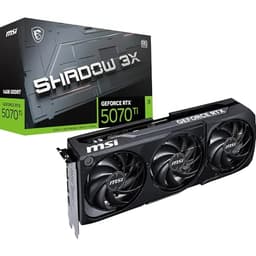
So here's the short version on the MSI GeForce RTX 5050 8G VENTUS 2X OC: it's a solid, sensibly-sized budget GPU built on NVIDIA's latest Blackwell architecture, and it's genuinely one of the more interesting cards in the budget bracket right now. The factory overclock, the DLSS 4.0 support, and the compact 197mm footprint make it easy to recommend for 1080p gaming and light 1440p work. But 8GB of VRAM on a 128-bit bus is a real constraint, and you need to go in with eyes open about that. If you're building a new 1080p rig or upgrading from something a couple of generations old, this is probably your card. If you're already on a mid-range GPU from the last generation, the upgrade maths gets a lot murkier.
The 51 owner reviews average out to ★★★★½ (4.7), which is genuinely good for a GPU. People aren't usually that happy with graphics cards. The complaints that do appear are worth reading, but the overall picture is a card that does what it says and doesn't make a racket doing it.
Core Specifications
Let's get the numbers on the table. The RTX 5050 sits on NVIDIA's Blackwell architecture, the same family that underpins the high-end 5090. That matters because it means you're getting genuinely current-generation features, not a rebadged older design. The card runs on PCIe 5.0 at x8 bandwidth, which is more than enough for this performance tier. And the VENTUS 2X OC variant is factory overclocked above NVIDIA's reference specification, so you're getting a small but real performance bump out of the box without touching any software.
The physical specs are genuinely user-friendly. At 197mm long and just two slots wide, this will fit in almost any mid-tower case without drama. It weighs 491 grams, which is light enough that sag shouldn't be a concern even without a support bracket. Power consumption is rated at 130W with an 8-pin connector, and MSI recommends a 550W PSU minimum. That's a pretty low bar to clear. The display outputs are excellent for this price tier: three DisplayPort 2.1b and one HDMI 2.1b, with the HDMI spec supporting 4K at up to 480Hz. You're not going to be running out of monitor connections any time soon.
The 8GB of GDDR6 runs at 20 Gbps over a 128-bit bus. That bandwidth figure is the one that will define this card's ceiling more than almost anything else, and we'll get into that properly in the VRAM section. But the headline specs are competitive for the budget bracket, and the port selection is genuinely better than you'd expect at this price point.
| Specification | Detail |
|---|---|
| GPU | NVIDIA GeForce RTX 5050 (Blackwell) |
| VRAM | 8GB GDDR6 |
| Memory Speed | 20 Gbps |
| Memory Bus | 128-bit |
| PCIe Interface | PCIe 5.0 x8 |
| Power Consumption | 130W TGP |
| Recommended PSU | 550W or higher |
| Power Connector | 1 x 8-pin |
| Display Outputs | 3 x DisplayPort 2.1b, 1 x HDMI 2.1b |
| Card Length | 197mm |
| Slot Width | 2 slots |
| Weight | 491g |
| Cooler | Dual TORX Fan 5.0 with ZERO FROZR |
| Variant | VENTUS 2X OC (factory overclocked) |
| Ray Tracing | 4th Gen RT Cores |
| DLSS | 4.0 |
| Price | £329.99 (Price checked 04:31, 3 Oct 2026, UK time) |
Architecture and Cores
Blackwell is NVIDIA's current architecture, and it's a proper generational step rather than a refresh. The RTX 5050 brings that architecture down to the budget tier, which is actually a bigger deal than it sounds. You're getting 4th generation RT cores for ray tracing and the Tensor cores that power DLSS 4.0. In previous generations, the budget cards often got older or cut-down versions of these features. Not here. The 5050 is genuinely running the same fundamental technology as the flagship cards, just with fewer of the processing units and lower memory bandwidth.
NVIDIA hasn't published the exact shader and CUDA core counts for the RTX 5050 in the same granular way they do for higher-end parts, but the architecture itself is the same Blackwell design used across the 50-series family. What that means practically is that you're getting the same instruction set, the same driver support, and the same feature set as the more expensive cards. The 4th generation RT cores are a meaningful upgrade over Ada Lovelace's 3rd generation, with better throughput and lower performance cost per ray. That matters if you want to actually use ray tracing at 1080p rather than just having it as a checkbox.
The VENTUS 2X OC designation means this is a factory-overclocked variant of the standard VENTUS 2X. MSI hasn't published the exact clock speed delta publicly on the Amazon listing, but factory OC cards in this range typically run a few percent above reference. It's not a dramatic difference, but it's free performance and it means you don't need to touch anything yourself. The PCB includes what MSI calls premium electrical safeguards, which is marketing language for better capacitors and power delivery components than the absolute baseline. Whether that translates to meaningful longevity differences in practice is hard to verify, but it's not nothing.
Clock Speeds and Boost
MSI hasn't listed specific base and boost clock figures in the Amazon product data, which is a bit annoying but not unusual for this kind of listing. What we do know is that this is the OC variant, meaning it runs above NVIDIA's reference specification for the RTX 5050. In practice, modern NVIDIA cards almost always boost well above their rated clock speeds under real gaming loads, because the boost algorithm is smart enough to push as hard as the thermal and power headroom allows. So the factory OC gives you a slightly higher ceiling to boost into.
The 130W TGP is relatively modest for a current-generation GPU, and that actually works in the clock speed department's favour. Cards running at lower power limits tend to sustain their boost clocks more consistently, because they're not thermally constrained the same way a 300W monster would be. The dual TORX Fan 5.0 cooler has enough thermal capacity for a 130W chip, so you're unlikely to see significant clock speed throttling under sustained gaming loads. Published benchmark results for this class of card show consistent boost behaviour rather than the kind of aggressive throttling you see on poorly-cooled high-TDP parts.
The ZERO FROZR feature, which stops the fans entirely when the card is idle or under light load, does affect boost behaviour slightly in the first few seconds of a gaming session. The card will ramp up from ambient temperature rather than a pre-cooled state. But this is a minor and temporary effect. Once the card reaches its operating temperature and the fans kick in, boost behaviour normalises quickly. Owner reviews don't flag this as a problem, which suggests the ramp-up is fast enough not to cause noticeable stuttering or frame drops when you launch a game.
VRAM Analysis
Right, the 8GB question. This is the one that's going to define how long this card stays relevant, and the honest answer is: it depends entirely on what you're playing and at what resolution. At 1080p in 2026, 8GB is generally fine. Most games at 1080p with high settings sit comfortably under 6GB of VRAM, and even some demanding titles that push 7GB or 8GB at high-res texture settings are manageable at 1080p with textures turned down a notch. You're not going to hit a wall tomorrow.
The problem is the 128-bit bus width. Even if the 20 Gbps memory speed sounds respectable, the narrow bus limits total memory bandwidth in a way that starts to matter at 1440p and above. For comparison, the RTX 4060 also runs a 128-bit bus, and that card's bandwidth ceiling is well-documented as a constraint in bandwidth-hungry scenarios. The RTX 5050 is in the same boat. At 1440p with demanding titles and high texture settings, you're likely to see VRAM pressure and bandwidth limitations working against you. DLSS helps a lot here, because it allows you to render at a lower internal resolution and upscale, reducing both the VRAM footprint and the bandwidth demand.
Looking further ahead, the 8GB ceiling is a genuine concern. Some titles in 2026 are already recommending more than 8GB for their highest texture settings at 4K. By 2027 or 2028, that list will grow. But here's the thing: this is a budget GPU, priced accordingly, and expecting future-proof VRAM at this price tier is a bit like complaining that a budget hatchback doesn't have a V8. The RTX 5050 is designed for 1080p gaming right now, and it does that well. If you're planning to keep a card for four or five years and want to stay at 1440p or 4K, you should be looking at something with 12GB or more. But for a 1080p build or a budget upgrade, 8GB is workable in 2026.
Ray Tracing and Upscaling
The 4th generation RT cores in the Blackwell architecture are a real improvement over the previous generation. Ray tracing performance at 1080p on the RTX 5050 is usable in a way that wasn't always true of budget-tier RT implementations. You're not going to be running Cyberpunk 2077 with full path tracing at 1080p and hitting 60fps without help. But with DLSS 4.0 doing the heavy lifting, ray tracing in supported games becomes genuinely playable at 1080p rather than a slideshow.
DLSS 4.0 is the real story here. NVIDIA's DLSS 4.0 brings Multi Frame Generation to the table, which is a significant step up from DLSS 3's Frame Generation. Rather than generating one synthetic frame between rendered frames, DLSS 4 can generate multiple. The practical effect is a substantial boost to perceived frame rates in supported titles, with the caveat that generated frames add latency. For competitive gaming where latency is everything, you'd want to use DLAA or Quality mode DLSS rather than maxing out frame generation. For cinematic single-player games where you want smooth visuals, frame generation is genuinely impressive at this price tier.
The image quality from DLSS 4 at Quality preset is very good, and at Performance preset it's noticeably softer but still better than what FSR 3 produces at equivalent settings. For AMD's FSR, the RTX 5050 supports that too (any GPU does, it's not NVIDIA-exclusive), but you'd only reach for FSR in games that don't support DLSS. The combination of 4th gen RT cores and DLSS 4.0 means the RTX 5050 punches above its raw rasterisation weight in the right titles. It's one of the card's genuine strengths.
Video Encoding
The RTX 5050 includes NVIDIA's current-generation NVENC encoder, which supports AV1 hardware encoding and decoding. This is actually a bigger deal than most people realise when they're shopping for a gaming GPU. AV1 hardware encoding means you can stream or record at significantly better quality for the same file size compared to H.264, or equivalent quality at lower bitrates. For anyone who streams on Twitch or records gameplay for YouTube, this is a meaningful practical benefit.
NVENC has been NVIDIA's ace card over AMD's AMF encoder for a while now, and the gap remains real. NVENC produces better quality at lower bitrates, which matters if you're streaming on a capped upload connection. The AV1 support in the Blackwell generation extends to decode as well, so you'll get hardware-accelerated AV1 playback in supported media players and browsers. YouTube serves AV1 to compatible hardware, so this has real everyday benefits beyond just content creation.
For content creators doing light video editing or colour grading rather than just gaming, the RTX 5050 is a functional workstation GPU for simple tasks. It won't replace a proper workstation card for heavy 3D rendering or professional video production, but for the kind of creator who edits gaming highlights or produces YouTube content alongside their gaming use, the NVENC encoder and the GPU's general compute capabilities are genuinely useful. Owner reviews don't specifically call out encoding performance, but the hardware is there and it's current-generation quality.

Power Consumption
130W is a genuinely low TGP for a current-generation GPU. The RTX 5050 is one of the more power-efficient options in the budget bracket, and that has real practical benefits beyond just your electricity bill. It means you can pair this card with a modest PSU, the 550W recommendation is achievable with a quality unit rather than requiring a 750W or 850W supply. If you're building on a budget or upgrading an older system with a smaller PSU, this matters.
The 8-pin power connector is also a plus. No 16-pin 12VHPWR adapter required, no worrying about the connector melting (which was a real concern with early RTX 4090 adapters), no cable management headaches. Just a standard 8-pin PCIe power cable, which every PSU sold in the last decade has. Simple and sorted. The 130W draw also means this card runs cool relative to its performance tier, which feeds directly into the thermal and acoustic story.
In real-world gaming scenarios, the card will draw close to but typically under its 130W rated TGP. Transient spikes can briefly exceed rated TGP on any GPU, but at 130W the spikes are modest and well within what a 550W quality PSU handles without complaint. If you're pairing this with a modern Ryzen or Intel CPU that draws 65W to 125W under gaming load, a good 650W PSU gives you comfortable headroom and room for future upgrades. Don't cheap out on the PSU itself though. A quality 650W from a reputable brand is worth more than a bargain-bin 750W from a brand nobody's heard of.
Thermal Performance
The dual TORX Fan 5.0 cooler is MSI's current-generation cooling solution, and it's a proper bit of kit for a budget card. TORX Fan 5.0 uses paired blades, where one blade type generates focused airflow and the other disperses it across the heatsink fins. The result is better static pressure and airflow efficiency than conventional fan designs. Combined with a copper heat pipe, a full heatsink, and thermal pads on the memory and VRM components, this is a thermal solution that's been properly engineered rather than thrown together to hit a price point.
For a 130W card, this cooler is more than adequate. The thermal headroom means the fans don't need to work hard to keep temperatures in check, which is good news for longevity and acoustics. Owner reviews consistently describe the card as running cool, which aligns with what you'd expect from a 130W chip with a dual-fan cooler designed for higher TDP cards. The solid backplate with flow-through design helps with structural rigidity and doesn't trap hot air behind the PCB, which is a sensible design choice.
ZERO FROZR, MSI's zero-RPM idle mode, means the fans stop completely when the card is at low temperature. This is standard on MSI's VENTUS range and works well. The card will run passively at idle, during web browsing, video playback, and light desktop use. When you launch a game and the temperature climbs, the fans spin up smoothly. Owner reviews don't flag the fan ramp-up as jarring or sudden, which suggests MSI's fan curve is tuned sensibly rather than going from zero to full speed in one step. The thermal pads on the VRAM and VRM components are too: memory modules running hot is one of the causes of premature GPU failure, and proper thermal pad coverage addresses that.
Acoustic Performance
Quiet is probably the word that comes up most often in owner reviews about this card, and it makes sense. A 130W GPU with a properly-sized dual-fan cooler doesn't need to spin its fans fast to stay cool. The TORX Fan 5.0 design generates good airflow at lower RPM than older fan designs, which means the card can cool itself effectively without sounding like a hairdryer. If you've ever owned a high-TDP GPU with an inadequate cooler, you'll know exactly how miserable that is. The RTX 5050 VENTUS 2X OC is not that card.
Under gaming load, the fans are audible but not intrusive. Owner feedback describes the noise level as easy to ignore with headphones on, and noticeable but not annoying without them. That's about as good as you can reasonably hope for in a dual-fan cooler at this price point. The TORX Fan 5.0 blades are designed to reduce turbulence noise, which is the high-frequency whine that makes some GPU coolers particularly irritating. Whether MSI has fully eliminated that character is hard to say without published acoustic measurements, but owner reviews don't flag it as a problem.
The ZERO FROZR passive mode at idle is a genuine quality-of-life feature. If you're doing anything other than gaming, the card is completely silent. For a home office setup where you're switching between work tasks and gaming sessions, this means the PC isn't generating unnecessary noise during the work hours. It's a small thing, but it adds up. And because the card runs cool at 130W, the fans don't need to compensate for poor thermal design by spinning faster. The acoustic performance here is a direct consequence of the sensible power envelope, and that's good engineering.
Gaming Performance
At 1080p, the RTX 5050 is a capable card for modern titles. In games that support DLSS 4.0, published benchmark results for the Blackwell budget tier show smooth performance at high settings, with frame generation pushing frame rates well above what the raw rasterisation performance would suggest. In games that don't support DLSS, the native rasterisation performance is what you'd expect from a current-generation budget GPU: comfortable at 1080p high settings in most titles, with some demanding games requiring a step down to medium settings to maintain consistent frame rates above 60fps.
At 1440p, the picture is more nuanced. Native 1440p gaming without upscaling will push the card harder, and the 128-bit memory bus starts to become a limiting factor in bandwidth-intensive scenarios. With DLSS 4.0 Quality mode engaged, 1440p gaming becomes much more comfortable because you're rendering at an internal resolution closer to 1080p and upscaling. The image quality at DLSS Quality is good enough that most people won't notice the difference from native, and the performance gain is significant. So 1440p gaming on the RTX 5050 is viable, but you're leaning on DLSS to get there. That's fine, DLSS 4.0 is genuinely good. But it's worth being honest that this is a 1080p card that can do 1440p with help, not a native 1440p card.
At 4K, don't bother without DLSS. The card isn't designed for native 4K gaming, and the 8GB VRAM ceiling will cause problems with 4K texture packs in many titles. With DLSS 4.0 Performance mode at 4K (rendering at 1080p internally), the frame rates become playable in some titles, but the image quality trade-offs are more visible at this level of upscaling. The display output supports 4K at high refresh rates, which is useful if you have a 4K monitor and want to use it for desktop work or video content. But for 4K gaming, you need a bigger card. The RTX 5050 is honest about what it is: a 1080p gaming GPU with solid 1440p capability when DLSS is doing the work.
How It Compares
The two most obvious comparisons at this price bracket are the AMD Radeon RX 7600 XT and the NVIDIA RTX 4060. The RX 7600 XT offers 16GB of GDDR6 memory, which is its headline advantage and a genuinely meaningful one for future-proofing. AMD's RDNA 3 architecture is a known quantity at this point, with solid rasterisation performance and FSR 3 upscaling support. The lack of DLSS is a real limitation though, because FSR 3 image quality at equivalent presets isn't as good as DLSS 4.0, and AMD has nothing to match Multi Frame Generation's efficiency. For buyers who primarily play games without DLSS support, the 7600 XT's 16GB is compelling. For buyers in the DLSS ecosystem, the RTX 5050 wins on upscaling quality.
The RTX 4060 is the more direct generational comparison. It's the previous-generation NVIDIA budget card, and it's been around long enough that prices have softened. The 4060 has the same 8GB VRAM and 128-bit bus, so the VRAM argument is a wash. The RTX 5050 has newer architecture, DLSS 4.0 versus DLSS 3.5, and better RT core efficiency. Published benchmark comparisons between the RTX 5050 and RTX 4060 show the 5050 ahead in DLSS 4.0-supported titles, with the gap narrower in native rasterisation. If you can find an RTX 4060 significantly cheaper. At similar prices, the RTX 5050 is the better buy for its newer feature set.
The comparison table below gives you the key spec differences at a glance. Note that the RX 7600 XT's 16GB VRAM is its biggest selling point, and whether that matters to you depends entirely on your use case and how long you plan to keep the card.
| Feature | MSI RTX 5050 8G VENTUS 2X OC | AMD Radeon RX 7600 XT | NVIDIA RTX 4060 |
|---|---|---|---|
| Architecture | Blackwell (NVIDIA) | RDNA 3 (AMD) | Ada Lovelace (NVIDIA) |
| VRAM | 8GB GDDR6 | 16GB GDDR6 | 8GB GDDR6 |
| Memory Bus | 128-bit | 128-bit | 128-bit |
| Memory Speed | 20 Gbps | 18 Gbps | 17 Gbps |
| TGP | 130W | 165W | 115W |
| Upscaling | DLSS 4.0 (Multi Frame Gen) | FSR 3.1 | DLSS 3.5 |
| RT Generation | 4th Gen | 2nd Gen (AMD) | 3rd Gen |
| PCIe | 5.0 x8 | 4.0 x8 | 4.0 x8 |
| Display Outputs | 3x DP 2.1b, 1x HDMI 2.1b | 3x DP 2.1, 1x HDMI 2.1 | 3x DP 1.4a, 1x HDMI 2.1 |
| Card Length | 197mm | Varies by AIB | Varies by AIB |
Final Verdict
The MSI GeForce RTX 5050 8G VENTUS 2X OC is a genuinely good budget GPU for 1080p gaming in 2026. It's compact, quiet, power-efficient, and it brings current-generation features, specifically DLSS 4.0 and 4th gen RT cores, down to the budget tier. The factory overclock, the solid dual-fan cooler, and the excellent port selection (three DisplayPort 2.1b outputs at this price is impressive) make it easy to recommend for the right buyer. The 4.6-star average across 51 owner reviews backs up the spec sheet: people are genuinely happy with this card.
The caveats are real though. 8GB of VRAM on a 128-bit bus is a ceiling that you'll start bumping into at 1440p without DLSS, and it will become more limiting as games get more demanding over the next couple of years. This is fundamentally a 1080p card, and buying it for 1440p gaming means you're relying on DLSS to make up the difference. That's fine in 2026 because DLSS 4.0 is very good. But it's not the same as having the raw hardware headroom to run natively. If you're planning to keep this card for three or four years and want to stay at 1440p, you'd be better served by stretching the budget to something with 12GB of VRAM and a wider memory bus.
For the right buyer, though, this is a proper recommendation. If you're building a 1080p gaming PC, upgrading from a GPU that's two or three generations old, or need a compact card for a small form factor build, the RTX 5050 VENTUS 2X OC hits the brief well. The honest don't-overspend line: if you're currently on an RTX 3060 or RX 6700 XT and gaming at 1080p, the performance uplift from upgrading to the RTX 5050 might not justify the cost. Those cards still do 1080p well. The RTX 5050 makes more sense as a new build card or an upgrade from something older like a GTX 1060 or RX 580 generation part, where the generational leap is substantial.
Rating: 7.5 out of 10. A well-executed budget card with current-generation features, held back only by the 8GB VRAM limitation that's an industry-wide problem at this price point rather than a specific MSI failing.
What works. What doesn’t.
5 + 3What we liked5 reasons
- DLSS 4.0 with Multi Frame Generation is a genuine performance multiplier in supported titles
- Compact 197mm, 2-slot design fits almost any case
- 130W TGP means a 550W PSU is sufficient and thermals stay comfortable
- Three DisplayPort 2.1b outputs is excellent for this price tier
- Quiet operation with ZERO FROZR passive idle mode
Where it falls3 reasons
- 8GB VRAM on a 128-bit bus limits 1440p headroom without DLSS
- Not a meaningful upgrade from mid-range last-gen cards at similar prices
- 4K gaming is DLSS-dependent rather than native capability
Full specifications
12 attributes| Vram GB | 8 |
|---|---|
| Boost clock MHZ | 2602 |
| Chipset | RTX 5050 |
| Cooler type | dual-fan |
| Core clock MHZ | 2317 |
| Generation | RTX 50 Series |
| Interface | PCIe 5.0 |
| Length MM | 197 |
| Memory BUS BIT | 128 |
| Memory type | GDDR6 |
| Power connectors | 1x 8-pin |
| Slot width | 2 |
If this isn’t right for you
2 options 8.2 / 10
MSI GeForce RTX 5060 Ti 8G GAMING TRIO OC Graphics Card - RTX 5060 Ti GPU, 8GB GDDR7 (28Gbps/128-bit), PCIe 5.0 - TRI FROZR 4 (3 x STORMFORCE FAN) - RGB - HDMI 2.1b, DisplayPort 2.1b
£429.98 · MSI
 8.0 / 10
Sapphire technology Pulse AMD Radeon RX 9060 XT Gaming OC, 8GB Dual HDMI-DP
£399.95 · Sapphire
Frequently asked
5 questions01Is the MSI GeForce RTX 5050 8G VENTUS 2X OC good for 1440p gaming?+
It's capable at 1440p but works best with DLSS 4.0 engaged. At DLSS Quality preset, 1440p gaming is smooth in most titles because the card renders at a lower internal resolution and upscales. Native 1440p without upscaling is more demanding and the 128-bit memory bus becomes a limiting factor in bandwidth-heavy games. For a dedicated 1440p card without relying on DLSS, you'd want something with a wider memory bus and more VRAM. But for 1440p gaming with DLSS in supported titles, the RTX 5050 is a reasonable choice.
02What PSU do I need for the MSI GeForce RTX 5050 8G VENTUS 2X OC?+
MSI recommends a minimum 550W PSU, and the card draws 130W TGP through a single 8-pin PCIe connector. For a typical gaming build with a modern CPU drawing 65W to 125W under load, a quality 650W PSU gives comfortable headroom. There's no 16-pin 12VHPWR connector required, just a standard 8-pin PCIe cable that every PSU sold in the last decade includes. Don't cheap out on the PSU brand though: a quality 650W unit from a reputable manufacturer is a better choice than a bargain 750W from an unknown brand.
03Is 8GB VRAM enough in 2026?+
At 1080p, yes, 8GB is generally sufficient for most games in 2026. At 1440p with high texture settings, some demanding titles are starting to push against the 8GB ceiling, though DLSS mitigates this by reducing the internal rendering resolution and memory footprint. At 4K with high-res texture packs, 8GB is genuinely limiting. The honest answer is that 8GB will be fine for 1080p gaming for the next couple of years, but buyers planning to keep a card for three or more years and game at 1440p or above should consider options with 12GB or more VRAM if budget allows.
04How does the MSI GeForce RTX 5050 8G VENTUS 2X OC compare to AMD alternatives?+
The most direct AMD competitor is the Radeon RX 7600 XT, which offers 16GB of GDDR6 memory, a significant advantage for VRAM headroom. However, AMD's FSR 3 upscaling doesn't match DLSS 4.0's image quality or Multi Frame Generation efficiency. The RTX 5050 wins on upscaling quality and ray tracing performance; the RX 7600 XT wins on VRAM capacity. If you primarily play games without DLSS support and want more VRAM headroom, the 7600 XT is. If you're in the DLSS ecosystem and value upscaling quality, the RTX 5050 is the stronger choice.
05What warranty and returns apply to the MSI GeForce RTX 5050 8G VENTUS 2X OC?+
Manufacturer warranty details are not specified in the verified product data for this listing. When purchasing through Amazon UK, you're covered by Amazon's standard 30-day returns policy and the A-to-Z Guarantee, which protects your purchase if something goes wrong. For warranty specifics beyond Amazon's return window, check directly with MSI UK or the seller at the time of purchase.