Best Overall
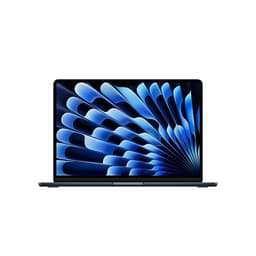
Two things decide whether a laptop works for a teenager: does it last the day, and does it survive the bag. The MacBook Neo answers both. It's completely fanless, so there's no whirring during a video call or a presentation, and the recycled aluminium chassis has no keyboard flex and a firm hinge that shrugs off years of being shoved into a rucksack. Owners rate it 4.8 stars from 95 ratings, and our research puts it at 8 out of 10.
Battery is where it earns its place at the top. Owners consistently report 10 to 14 hours of mixed productivity use, which for a teen means school, the bus home and an evening of homework on one charge. The A18 Pro chip is a genuine step up over the older M3, with strong single-core speed and roughly 20 percent faster integrated graphics, so browsers with thirty tabs, video editing for a media project and light photo work all move along nicely. MagSafe 3 charging returns alongside USB-C power delivery, so if the magnetic cable gets yanked (and it will), the laptop pops off the cable instead of hitting the floor.
Now the honest bits. The 8GB of unified memory is a real ceiling. Our research found memory pressure warnings surfacing under heavy creative or developer workloads, so a teen doing serious video editing or coding should look at the 16GB configuration or the MacBook Air M4 below. Ports are minimal too: two Thunderbolt 4 and MagSafe, no USB-A and no SD slot, so a USB-C hub becomes a day-one buy for anyone plugging in a camera or an old memory stick. The Blush finish also shows fingerprints more than silver would.
Against the MacBook Air M4 further down this list, the Neo is the cheaper way into macOS with the newer A18 Pro silicon, and it saves you a good chunk. The Air answers back with 16GB RAM and a brighter screen. For most teens who mainly browse, write and stream, the Neo's memory won't bite, and the silence, battery and build make it the one we'd hand over first.
Pros
- MagSafe magnetic charging means a yanked cable doesn't drag the laptop off the desk
- Three-microphone beamforming array is among the best in this size for online lessons
- Touch ID login saves fiddling with passwords every morning
- Fanless, so nothing to clog with dust over years of use
Cons
- 60Hz display only, no ProMotion, so fast scrolling looks less smooth
- 500 nits struggles in direct sunlight for outdoor revision
- No USB-A or SD slot without a hub
- 8GB memory is fixed at purchase, no upgrade path
Check availabilityRead full review
Best Battery Life
If your teen wants Windows but you loved the MacBook Neo's endurance, this is the closest match. The Snapdragon X Plus is an ARM chip built for efficiency, and our research found it outpaces most Intel rivals at this price for battery, backing up the 20-hour claim with credible all-day figures. That's a full school day plus an evening with charge left. Owners rate it 4.4 stars from 38 ratings, and our research scores it 8 out of 10.
The 2560x1600 IPS panel at 214 ppi is genuinely sharp, which matters for a teen reading text all day, and the 1TB PCIe Gen 4 SSD is a lot of room for a media library, game saves and school files. Port selection is generous: two USB 4 Type-C, two USB-A 3.2 and a full-size HDMI 2.1, so unlike the MacBook Neo above there's no dongle needed to plug into a school projector or a monitor at home.
The compromise is software. Arm-based Windows still carries occasional compatibility risks for legacy or niche x86 apps, so if your teen's school insists on a specific older program, check it runs first. The Adreno GPU also rules out anything beyond light or older games. RAM is soldered, so 16GB is the permanent ceiling. And there's no SD card slot for camera cards. Against the ROG Strix further down, this is the opposite philosophy: quiet, light and all-day rather than fast and plugged-in.
Pros
- Backlit UK-layout keyboard, useful for late homework in a dim room
- Sustained performance holds up better than typical x86 thin-and-lights due to lower throttling
- Near-silent under light and moderate loads
- 1TB SSD is double what most rivals here offer
Cons
- Soldered RAM, no upgrade path beyond 16GB
- No SD card slot for camera or phone cards
- ARM emulation may trip up niche school software
- Not for gaming beyond older or light titles
Check availabilityRead full review
Best Big Screen
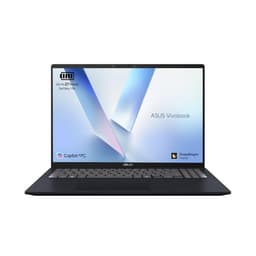
A 16-inch 16:10 screen is the pitch here, and it's a good one for a teen who splits their day between essays and video. That taller aspect ratio gives more vertical room than a standard 16:9 laptop, so more of a document or web page fits on screen without scrolling. The Intel Core 5-120U is a 10-core chip that handles heavy multitasking comfortably, and 16GB RAM keeps a busy browser honest. Owners rate it 4.4 stars from 199 ratings, the largest sample among the ASUS models here, and our research scores it 8 out of 10.
The catches are practical. Battery life sits around five to seven hours under mixed use, well short of the Snapdragon Vivobook above, so this is a laptop that wants a charger nearby rather than an all-day companion. Brightness is limited to roughly 250 to 300 nits, so outdoor revision in summer is uncomfortable, and there's no keyboard backlight for dim rooms. The chassis is entirely plastic.
Against the smaller ASUS Vivobook S 14, this trades battery and a sharper screen for a bigger canvas and a more familiar Intel chip that runs every x86 school app without question. For a teen who works at a desk and wants the biggest usable display for the money, it's the pick. For one who works on the move, the Snapdragon model wins.
Pros
- Wi-Fi 6E is rare at this price and helps on a busy home network
- Fast charge reaches 60 percent in around 49 minutes, softening the modest battery
- Owners praise the keyboard comfort for long sessions
- Standard Intel platform runs all x86 school software
Cons
- No keyboard backlight
- Proprietary DC-in charging, so no USB-C or power-bank top-ups
- Underside gets warm under sustained heavy loads
- Not colour-accurate enough for serious photo or design work
Check availabilityRead full review
Best for Homework Muscle
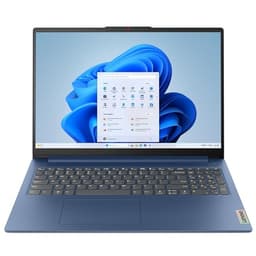
The i5-12450H is the reason to look here. It's an H-series chip, the more powerful variant usually found in bigger machines, and it gives this Lenovo genuine multi-core grunt for the price. For a teen editing a school video, running code or juggling heavy multitasking, that's more headroom than the U-series chips in most rivals here. Paired with 16GB RAM, it stays comfortable well into a busy workload. Owners rate it 4.4 stars from 147 ratings and our research scores it 7.5 out of 10.
Two weak points to know. The 720p webcam looks dated for a teen doing regular video calls or online tutoring, noticeably behind the Envy x360's 5MP camera further down. And display brightness sits around 250 nits, which struggles near a bright window. Under sustained heavy CPU loads it also throttles, the trade for cramming an H-series chip into a slim 15-inch shell.
USB-C charging is supported alongside the barrel connector, so a power-bank top-up is possible, something the Vivobook 16 X1605VA above can't do. Against that ASUS, the Lenovo gives up screen size for a stronger processor and USB-C charging flexibility.
Pros
- NVMe SSD with strong sequential read and write speeds
- Quiet fan behaviour during everyday tasks
- USB-C charging alongside the barrel port for flexible top-ups
- H-series CPU outmuscles the U-series chips elsewhere on this list
Cons
- 720p webcam is dated for regular video calls
- No Thunderbolt 4
- Throttles under sustained heavy CPU loads
- Dim screen near bright windows
Check availabilityRead full review
Best Premium Pick
This is the money-no-object choice for a teen, and it earns our highest research score on the page at 9 out of 10. Owners rate it 4.7 stars from 806 ratings, by far the largest sample here. The M4 chip runs fanless with zero thermal throttling, so it stays silent no matter what a teen throws at it, and at 1.24kg it disappears into a school bag. Battery is genuinely 12 to 14 hours of mixed use, so it comfortably beats the MacBook Neo at the top of this list.
The two things that separate it from that Neo are 16GB unified memory as standard and a brighter 500-nit display, both worth having for a teen who edits, codes or works near windows. The 12MP Center Stage camera keeps them framed during video lessons. And the trackpad and keyboard are best-in-class for long essay sessions.
The price is the obvious barrier, well above every Windows machine here. You're also limited to two Thunderbolt ports, so a hub is likely, and the base 256GB storage fills fast with large files, half what the MacBook Neo offers. RAM and storage are fixed at purchase. For a family already in the Apple ecosystem who can stretch the budget, it's the best-built, longest-lasting option on this list.
Pros
- 16GB RAM as standard, unlike the 8GB MacBook Neo
- 500-nit display copes better with bright rooms
- 12MP Center Stage camera keeps a teen framed on calls
- 1.24kg, one of the lightest here
Cons
- Base 256GB storage fills quickly with video and photos
- Only two Thunderbolt ports, a hub is likely
- 60Hz display when some rivals offer 90 to 120Hz
- RAM and storage not upgradeable
Check availabilityRead full review
Best for Long Days
Take the big-screen ASUS Vivobook 16 from earlier, swap the Intel chip for an efficient Snapdragon X1, and you get this. The trade is deliberate: you lose some raw multitasking punch, you gain endurance. Our research found real-world battery of 10 to 13 hours under mixed use, which genuinely outperforms most Intel budget rivals. For a teen who forgets to charge things, that margin matters. Owners rate it 4.3 stars from 169 ratings, and our research scores it 7.5 out of 10.
The 16-inch WUXGA 16:10 panel gives the same extra vertical working space as its Intel sibling, 16GB LPDDR5 keeps it capable for years, and Copilot+ certification via the onboard NPU adds live captions and noise suppression that budget rivals can't match, handy for online lessons in a noisy house. There's a full-size keyboard with number pad and backlit keys.
The ARM catch applies again: some older 32-bit or niche apps may not run under emulation, so check any school-specified software. The 720p webcam is only adequate, and 300 nits limits sunlight use. Against the Intel Vivobook 16 X1605VA, this one is quieter and lasts far longer, but the Intel model runs every x86 app without a second thought.
Pros
- Onboard NPU adds live captions and noise suppression for lessons
- Backlit full-size keyboard with number pad
- Near-silent in libraries and shared rooms
- 16GB LPDDR5 keeps it relevant for years
Cons
- ARM emulation may block older 32-bit or niche apps
- USB-C Power Delivery and DisplayPort support not fully confirmed
- 720p webcam disappoints in poor light
- Plastic chassis lacks the rigidity of aluminium rivals
Buy on Amazon£542.99Read full review
Best Value
The lowest price on this list, and it still gets the fundamentals right. The Ryzen 3 7320U sits on a 4nm process, so it runs cool and quiet during everyday tasks, and there's a proper PCIe SSD rather than the slow eMMC storage you often find at this price. For a teen doing school work, browsing and streaming, our research found it handles everyday multitasking smoothly. Owners rate it 4.4 stars from 100 ratings and our research scores it 7.5 out of 10.
Port selection is a quiet highlight for a teen: an SD card reader (useful for a camera or a Switch card), two USB-A 3.2 ports and HDMI, all without a dongle. Real-world battery of seven to nine hours covers a school day. But the limits are real. Only four CPU threads means heavy work like rendering hits a ceiling fast, 8GB RAM is soldered so there's no upgrade later, and 256GB fills quickly once Windows is installed. The USB-C port is data only, so no single-cable charging, and there's no keyboard backlight.
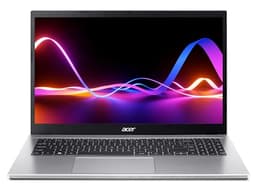
Against the Acer Aspire 3 below at a similar money, the HP has the newer chip and the SD reader, while the Acer counters with 16GB RAM and USB-C charging. For pure value on a tight budget, the HP is the one.
Pros
- SD card reader on board, handy for cameras and console cards
- IPS anti-glare panel with DC Dimming is easy on the eyes
- HP Fast Charge reaches 50 percent in around 45 minutes when off
- Runs cool and quiet on 4nm silicon
Cons
- 8GB soldered RAM, no upgrade path
- Only four CPU threads caps heavier tasks
- USB-C is data only, no charging or display output
- No keyboard backlight
Buy on Amazon£364.58Read full review
Best for Gaming
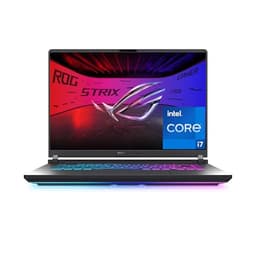
For the teen who games seriously, this is the machine. The RTX 5060 Blackwell GPU delivers strong 1080p and 1440p performance with DLSS 4, the 165Hz 16:10 panel keeps fast games smooth, and owner feedback backs up cooling that holds performance without major throttling. Owners rate it 4.5 stars from 563 ratings and our research scores it 8 out of 10. Just know the trade-offs: over 3kg with the chunky 240W charger, one to two hours of battery under gaming load, loud fans that demand headphones, and a 720p webcam. It's a gaming rig first, a school laptop second.
Pros
- Spare M.2 slot for adding a second SSD later
- Wi-Fi 6E and HDMI 2.1 well chosen for gaming
- Good key travel for essays between gaming sessions
Cons
- Over 3kg carry weight with the charger
- One to two hours battery under gaming load
- No Thunderbolt 4 for high-bandwidth docks
Buy on Amazon£1499.00Read full review
Best Simple Daily Driver
A no-drama everyday machine. The Ryzen 5 5500U is an older Zen 3 chip, so newer alternatives are more efficient, but paired with 16GB RAM and a 512GB SSD it covers school work and browsing without fuss. Its edge over the cheaper HP above is that USB-C port: it charges the laptop and drives a 4K external display, so a teen can dock it at a desk with one cable. Owners rate it 4.3 stars from 121 ratings and our research scores it 7.5 out of 10. Plastic build with some lid flex, and battery that's decent rather than all-day, are the compromises.
Pros
- USB-C charges the laptop and outputs 4K to a monitor
- 16GB RAM as standard future-proofs everyday use
- IPS panel with good colour and wide angles for the price
Cons
- Older Zen 3 chip, less efficient than newer rivals
- Plastic build with lid flex under pressure
- Battery not all-day without a charger
Check availabilityRead full review
Best Convertible
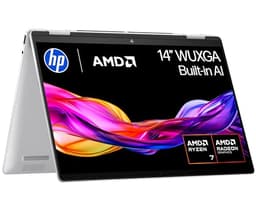
The flexible one. A 360-degree hinge lets a teen fold it into a tablet for reading or note-taking, and the Ryzen 7 8840HS delivers strong multi-threaded CPU power, outpacing most Intel Core Ultra 5 rivals. The 5MP IR webcam is above average here, better than the Lenovo's 720p, and 1TB SSD leaves room to grow. Owners rate it 4.3 stars from 59 ratings and our research scores it 8 out of 10. Real-world battery lands at seven to ten hours rather than the marketed figure, RAM is soldered at 16GB, and the slim chassis throttles under sustained load.
Pros
- 360-degree hinge for tablet, tent and laptop modes
- 5MP IR webcam clearly beats the 720p cameras elsewhere
- USB-C charging with Power Delivery, no proprietary brick
Cons
- Soldered 16GB RAM, no upgrade path
- Hinge needs two hands to open from flat
- Throttles and gets noisy under sustained heavy loads
Buy on Amazon£859.99Read full review