Best Overall Value
Rating: ★★★★★ (5.0)
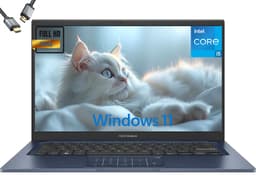
Here is the thing: when you are looking at the best laptops for elderly users, a brilliant screen matters more than almost anything else. The Morostron delivers a 3K (3000x2000) IPS panel on a 13.5-inch chassis, and the pixel density is genuinely impressive. Text is sharp and clear, which means seniors can read emails, news articles, and video call interfaces without squinting or cranking the font size up to 24pt. The 3:2 aspect ratio also gives more vertical space than a standard 16:9 screen, so less scrolling is needed when reading web pages.
The touchscreen is a proper win for older users. Many seniors find trackpads fiddly and frustrating. Being able to tap directly on the screen, just like a tablet or smartphone, removes a lot of that friction. Paired with fingerprint unlocking, logging in becomes as simple as pressing one finger on a sensor. No more forgotten passwords or confusing PIN screens.
Under the hood, the Celeron N95 is not a powerhouse, but it handles everyday tasks without complaint. Browsing, video calls on Zoom or Teams, streaming BBC iPlayer, writing emails in Outlook, all fine. Windows 11 Pro is included, which means full access to familiar software. The 16GB RAM is generous for this price bracket and keeps things running smoothly even with multiple tabs open. The 512GB SSD is plenty for photos, documents, and downloaded films.
The backlit keyboard is a thoughtful touch for elderly users who might be typing in lower light conditions. Battery life is decent rather than spectacular, so it is not one to take on a long trip without a charger. But as a home laptop for a senior who wants a proper Windows machine with a gorgeous screen and easy login, this is our top pick.
Pros
- Stunning 3K IPS touchscreen, great for ageing eyes
- Fingerprint login removes password hassle
- 16GB RAM keeps multitasking smooth
- Backlit keyboard useful in low light
- Full Windows 11 Pro included
Cons
- Celeron N95 is not fast for demanding tasks
- Battery life is average, not all-day
- Relatively new brand, less established track record
Check availability
Best Value
Price: £279.99 | Rating: ★★★★½ (4.5)
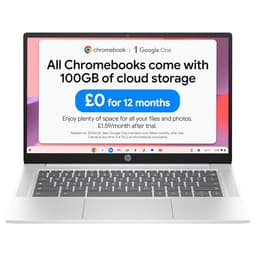
For many elderly users, this HP Chromebook is genuinely the best laptop they could own. Not because it is the most powerful, but because Chrome OS is brilliantly suited to how most seniors actually use a laptop. Browsing the internet, video calling family on Google Meet or Duo, checking emails, watching YouTube or catch-up TV. Chrome OS handles all of that without fuss, without virus warnings, without Windows Update interrupting everything at the worst possible moment.
The 14-inch Full HD screen is a comfortable size, not too small to read, not too heavy to carry around the house. The Intel N100 processor is a step up from older Celeron chips and keeps Chrome OS feeling snappy. Eight gigabytes of RAM is proper decent for a Chromebook at this price, meaning multiple tabs stay open without slowdown. The 128GB flash storage is more than enough since most Chromebook users store things in Google Drive anyway.
Battery life is where this really shines for elderly users. Up to 12.25 hours means it can sit on a coffee table all day without needing to be plugged in. That is a real quality-of-life benefit for anyone who does not want to think about charging. The dual speakers are clear enough for video calls and streaming, and the Glacier Silver finish looks smart without being flashy.
The honest limitation is that Chrome OS cannot run traditional Windows software. If your relative needs Microsoft Word (the full desktop version), a specific Windows program, or anything beyond web-based tools, this is not the right choice. But for the majority of elderly users? This is sorted.
Pros
- Chrome OS is simple, secure, and low-maintenance
- Over 12 hours battery life
- 8GB RAM is generous for a budget Chromebook
- 14-inch FHD screen is comfortable for reading
- Excellent value for money
Cons
- Cannot run Windows software
- 128GB storage fills up if you download lots of files locally
- No touchscreen
Buy on Amazon£279.99
Best Build Quality
Price: £979.00 | Rating: ★★★½☆ (3.7)
Right, let us be upfront: this is an expensive laptop. For most elderly users, it is overkill. But if you are buying for a senior who is used to quality, who wants the best, or who genuinely benefits from a 2-in-1 design that converts into a tablet, the Samsung Galaxy Book4 Pro 360 is exceptional.
The 16-inch AMOLED display is one of the best screens you will find on any laptop at any price. Colours are vivid, text is razor-sharp, and brightness is excellent even in a sunny conservatory. For elderly users with any degree of visual difficulty, a screen this good makes a real difference. The 360-degree hinge means it folds flat into tablet mode, which some seniors find more comfortable for reading or video calling when propped up on a stand.
The Intel Core Ultra 7 processor is far more power than any elderly user needs for everyday tasks, but it does mean this laptop will feel fast and responsive for many years to come. Future-proofing matters when you are buying a laptop for someone who does not want to think about upgrading. Build quality is superb, the chassis feels premium, and the keyboard is one of the nicest to type on in this roundup.
The price is the obvious sticking point. And at this level, you are paying for the brand and the display as much as the performance. But if budget is not a concern and you want the best laptops for elderly users in terms of sheer quality, this is it.
Pros
- Stunning 16-inch AMOLED display
- 360-degree hinge for tablet mode
- Premium build quality that will last years
- Powerful enough to never feel slow
Cons
- Very expensive, hard to justify for basic use
- Heavy for a laptop elderly users might carry around
- Overkill processing power for typical senior tasks
Buy on Amazon£979.00
Best Under £300
Price: £307.50 | Rating: ★★★★½ (4.8)
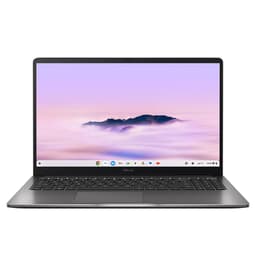
Screen size matters a lot when choosing the best laptops for elderly users, and the ASUS Chromebook Plus 15 delivers a proper 15-inch display at a price that does not require a second mortgage. Bigger screens mean bigger text, bigger icons, and less eye strain. For seniors who find themselves constantly zooming in on smaller laptops, moving up to 15 inches can be a revelation.
Chrome OS keeps things simple. There is no antivirus to worry about, no confusing Windows updates, and the system boots in seconds. The Chromebook Plus designation means this model has slightly better specs than standard Chromebooks, with enough processing grunt to handle Google Meet video calls, YouTube streaming, and multiple browser tabs without grinding to a halt.
At around £295, it sits in a sweet spot between the budget HP Chromebook and the pricier Windows machines. It is not the most powerful device here, and the storage is limited (as with most Chromebooks), but for an elderly user whose world revolves around a browser, it is a genuinely solid choice. The larger chassis also means a bigger keyboard, which is easier to type on for those with less dexterity.
Pros
- Large 15-inch screen, great for elderly eyes
- Simple Chrome OS, very low maintenance
- Bigger keyboard easier to type on
- Reasonable price for the screen size
Cons
- Limited local storage, relies on cloud
- No Windows software compatibility
- Bulkier and heavier than smaller Chromebooks
Buy on Amazon
Best for Beginners
Price: £299.99 | Rating: ★★★★½ (4.6)
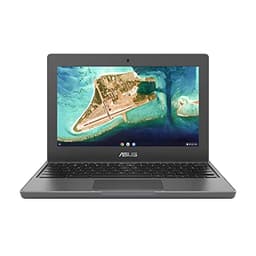
The three-year warranty is the headline feature here, and for elderly users (or the family members who support them), that is genuinely valuable. If something goes wrong, you are covered without any argument. ASUS builds this Chromebook to be tough, with a reinforced chassis designed to handle the odd bump or drop. That kind of durability matters when a laptop is being used by someone who might not be as careful with technology as a younger person.
Chrome OS on this little machine is as simple as it gets. Turn it on, log in with a Google account, and you are browsing the internet within seconds. For a complete beginner who has never owned a laptop before, this is about as approachable as it gets. The 11.6-inch screen is the main compromise. It is on the small side for elderly users, and text will need to be enlarged in the browser settings. But the compact size does make it light and easy to carry from room to room.
The Celeron N4500 and 4GB RAM are modest, but Chrome OS is light enough that everyday tasks feel fine. Streaming, emailing, and video calling all work without issue. The 64GB storage is tight, but again, Chromebooks are designed around cloud storage rather than local files.
Pros
- Three-year warranty provides real peace of mind
- Tough, durable build
- Chrome OS is ideal for complete beginners
- Light and portable
Cons
- 11.6-inch screen is small for elderly users
- 4GB RAM and 64GB storage are very basic
- HD (not Full HD) screen looks softer than rivals
Buy on Amazon£299.99
Best Battery Life
Rating: ★★★★☆ (4.4)
Twenty hours of battery life. That is the number that stands out here, and for elderly users who do not want to think about charging, it is a compelling argument. Plug it in overnight, use it all day, and you will almost certainly not need to find the charger until bedtime. That kind of freedom is genuinely useful for seniors who move around the house or visit family.
The 2.8K screen is sharp and bright, making text and images easy to see. At 14 inches it is a comfortable size, not too big to carry, not too small to read. The Qualcomm Snapdragon X Plus processor is efficient and capable, handling Windows 11 tasks without breaking a sweat. The 16GB RAM and 1TB SSD are generous specs that mean this laptop will not feel slow or run out of space for years.
The backlit UK keyboard is a nice touch for elderly users typing in lower light. The CoPilot+ PC designation means it has AI features built in, though most seniors will never use them. The honest caveat is the price:, this is a significant investment. But if battery life is the priority and you want a proper Windows machine with a beautiful screen, it earns its place among the best laptops for elderly users.
Pros
- Exceptional 20-hour battery life
- Sharp 2.8K display
- Generous 1TB SSD storage
- Backlit UK keyboard
Cons
- Pricier than most elderly users need
- Snapdragon X Plus has some app compatibility quirks on Windows
- AI features largely irrelevant for typical senior use
Buy on Amazon
Best Mid-Range Windows
Price: £699.99 | Rating: ★★★★☆ (4.3)
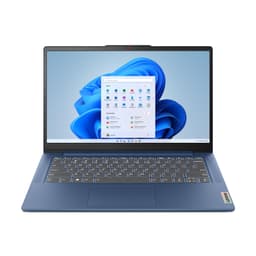
Lenovo's IdeaPad Slim 3 range has a solid reputation for reliable, no-nonsense Windows laptops, and this 14-inch model lives up to that. The Core i5-12450H is a proper processor, noticeably faster than the budget Celeron chips found in cheaper machines. For elderly users who want Windows 11 and need it to feel responsive, this is a meaningful step up.
The 14-inch Full HD display is clear and comfortable for reading. It is not the sharpest screen in this roundup, but it is perfectly adequate for everyday use. The 16GB RAM and 512GB SSD combination means the laptop will handle anything a typical senior throws at it, from Zoom calls and email to photo viewing and light document editing, without any slowdown.
Lenovo keyboards are generally well-regarded, and this one is no exception. The key travel is decent and the layout is sensible. The Abyss Blue colour is understated and smart. Battery life is reasonable but not class-leading, so it is worth keeping the charger nearby for longer sessions. At this price it is not cheap, but you are getting a reliable, well-built Windows laptop that should last several years without trouble.
Pros
- Core i5 processor feels genuinely fast
- 16GB RAM handles multitasking well
- Reliable Lenovo build quality
- Good keyboard for comfortable typing
Cons
- Battery life is average
- No touchscreen
- Price is on the higher side for elderly basic use
Buy on Amazon
Best Large Screen Budget
Rating: ★★★★½ (4.6)
If you want a Windows laptop with a large screen at a sensible price, this 15-inch Lenovo IdeaPad Slim 3 is worth a look. The bigger display is a genuine advantage for elderly users, making text and icons easier to see without needing to adjust accessibility settings constantly. Full HD resolution keeps things looking sharp.
The Core i3-N305 is a modest processor, fine for everyday tasks but not one to push hard. Eight gigabytes of RAM is adequate for light Windows use, though you might notice some slowdown if lots of browser tabs are open simultaneously. The 128GB UFS storage is the main limitation here. It fills up faster than you might expect on Windows, so an external drive or cloud storage is worth considering from the start.
Windows 11 Home in S mode ships by default, which restricts app installs to the Microsoft Store only. This is actually not a bad thing for elderly users as it keeps the system cleaner and safer, but it is easy to switch out of S mode for free if needed. At £329, this is a reasonable price for a 15-inch Windows laptop, making it one of the more accessible options among the best laptops for elderly users who want a bigger screen without a big price tag.
Pros
- Large 15-inch screen at an affordable price
- S mode keeps the system simple and secure
- Lenovo reliability
- Full HD display is clear and sharp
Cons
- 128GB storage is very tight for Windows
- Core i3 can feel sluggish under load
- Battery life is not impressive
Check availability
Best Storage Capacity
Price: £1,256.08 | Rating: ★★★★½ (4.6)
Twenty-four gigabytes of RAM and a 2TB SSD. Those are genuinely impressive numbers, and if an elderly user has a large photo collection, lots of downloaded films, or simply does not want to think about storage ever again, this ASUS Vivobook 14 ticks that box thoroughly. The privacy camera shutter is a thoughtful feature too. Seniors who are cautious about online privacy (and rightly so) can physically block the webcam when it is not in use.
The 14-inch Full HD screen is clear and comfortable. The Intel Core i5-1334U handles Windows 11 tasks without any drama. HDMI output means it can be connected to a larger TV or monitor, which is a useful option for elderly users who find even a 14-inch screen a bit small. Bluetooth 5.1 means wireless headphones or a wireless mouse can be paired easily.
The honest issue is the price. At over £1,300, this configuration is expensive for what the processor offers. You are essentially paying a premium for the RAM and storage upgrade. For most elderly users, 16GB RAM and 512GB SSD is more than enough. But if storage capacity is the priority and price is less of a concern, this is the most future-proofed option in the Windows category.
Pros
- Enormous 2TB SSD, never run out of space
- 24GB RAM is very generous
- Privacy camera shutter for peace of mind
- HDMI out for connecting to a TV
Cons
- Very expensive for the processor on offer
- Core i5-1334U is not cutting-edge
- Most elderly users will not need this much RAM or storage
Buy on Amazon£1256.08
Best Entry Chromebook
Price: £205.00 | Rating: ★★★★½ (4.6)
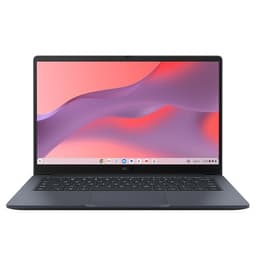
At around £205, this ASUS Chromebook 14 is one of the more affordable entry points in this roundup. The 14-inch Full HD screen is a proper step up from the smaller Chromebook 11, and the larger display makes it much more comfortable for elderly users to read text and navigate the interface. Chrome OS keeps everything simple and secure.
The Celeron N50 and 4GB RAM are the limiting factors. Chrome OS runs acceptably on this hardware for basic tasks, but if you open many tabs or run a video call alongside other things, you might notice it struggling. The 64GB eMMC storage is tight, though as with all Chromebooks, Google Drive is the intended home for most files.
For an elderly user who mainly wants to browse the internet, check emails, and make the occasional video call, this does the job. It is not as capable as the HP Chromebook 14, which doubles the RAM to 8GB, so if you can stretch the budget, the HP is the better buy. But as an entry-level option, this ASUS is perfectly functional.
Pros
- Affordable price
- 14-inch Full HD screen is comfortable for elderly users
- Chrome OS is simple and secure
- Lightweight and portable
Cons
- 4GB RAM can feel sluggish with multiple tasks
- 64GB storage is very limited
- HP Chromebook 14 has better specs if you can spend more
Buy on Amazon£205.00
Best Premium Compact
Rating: ★★★★½ (4.7)
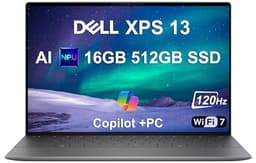
Twenty-seven hours of battery life. That is the Dell XPS 13's headline claim, and while real-world figures are always lower than manufacturer estimates, even at 70% of that you are looking at a laptop that genuinely lasts all day and then some. For an elderly user who travels to visit family or simply does not want to worry about charging, that is a compelling feature.
The 13.4-inch FHD+ 120Hz display is crisp and smooth. The IR webcam handles face recognition login, which alongside the fingerprint sensor means elderly users have multiple easy ways to get into their laptop without typing a password. Wi-Fi 7 is future-proofed networking, though most home routers will not support it yet.
The honest problem is the price. At over £2,100, this is a very expensive laptop for someone who mainly wants to browse the internet and video call the grandchildren. The premium is for the engineering, the thinness, and the brand. For elderly users, that premium is hard to justify unless they specifically want the lightest, most portable option available and cost is no object. Most people in this roundup will be better served by something cheaper.
Pros
- Extraordinary battery life
- Face recognition and fingerprint login
- Exceptionally thin and light
- Sharp 120Hz FHD+ display
Cons
- Very expensive, hard to justify for typical elderly use
- 13.4-inch screen is on the smaller side
- Snapdragon X Plus has occasional Windows app compatibility issues
Check availability
Not Recommended for Elderly
Rating: ★★★★½ (4.8)
Look, we have to be honest here. The MSI Raider is a spectacular piece of gaming hardware. It is also completely, utterly wrong for elderly users. At over £7,000, it costs more than many people's annual pension. It weighs a substantial amount, runs hot, sounds like a jet engine under load, and has an RGB keyboard that flashes in 24 zones. None of those are selling points for someone who wants to check their emails and watch Coronation Street on catch-up.
The RTX 5090 GPU and Core Ultra 9 processor are designed for 4K gaming and professional video rendering. An elderly user doing a Zoom call with their grandchildren is using approximately 0.1% of this machine's capability. The 18-inch QHD+ 240Hz display is genuinely impressive, but it is optimised for gaming, not comfortable reading.
We have included it for completeness, and because it technically is a laptop. But if you are buying this for an elderly relative, please reconsider. Save yourself several thousand pounds and get the Morostron or the HP Chromebook instead. They will be far happier with either of those.
Pros
- Extraordinary gaming performance
- Large 18-inch display
- Massive storage capacity
Cons
- Wildly expensive and completely unnecessary for elderly use
- Heavy and bulky
- Loud fans and high heat output
- RGB lighting is distracting and unnecessary
- Poor battery life due to power-hungry components
Check availability