Twitch streaming from a 2-in-1 laptop is no longer a compromise. Whether you are casting from a desk, a sofa, or a convention floor, the right convertible gives you the flexibility to switch between clamshell productivity and tablet-style interaction with your audience, all without carrying a separate device. Since last year, Intel's Core Ultra series has pushed integrated graphics performance considerably further, making software encoding via OBS or Streamlabs genuinely viable on mid-range machines, while OLED and AMOLED panels have become more accessible at sub-£1,500 price points. This roundup focuses on machines that balance encoding headroom, display quality for monitoring your stream, battery life for on-the-go broadcasts, and the port selection needed to connect capture cards, microphones, and monitors. Whether you are a part-time streamer on a tight budget or a full-time creator who needs professional-grade output, there is a machine here for you.
Quick Verdict
Best Overall: Samsung Galaxy Book4 Pro 360 (2024), the Dynamic AMOLED 2X panel, Thunderbolt 4 connectivity, and Intel Core Ultra 7 performance make it the most complete streaming convertible at a realistic price point.
Best Value: Acer Aspire Spin 14, an OLED screen, Thunderbolt 4 ports, and Intel Core Ultra 5 processing for under £800 is genuinely impressive, and it handles OBS encoding without breaking a sweat.
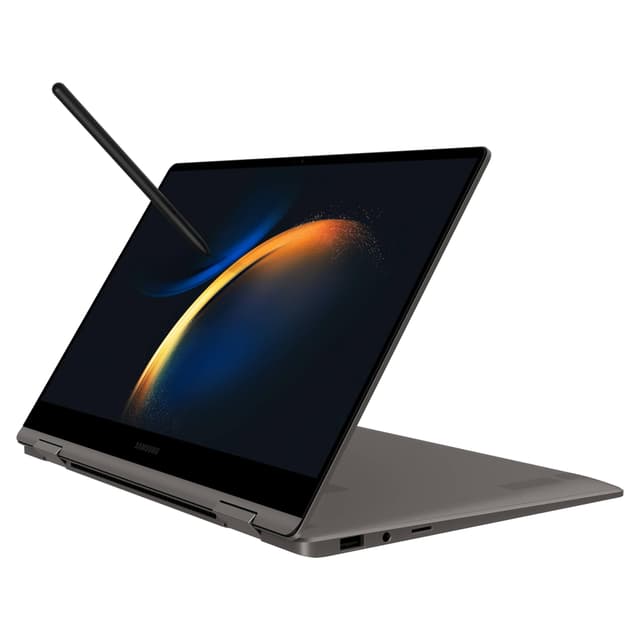
The Samsung Galaxy Book4 Pro 360 is the machine that most Twitch streamers will want if they can stretch to the budget. It is built around Intel's Core Ultra 7 155H processor, which brings Intel Arc integrated graphics and a neural processing unit into a slim, 360-degree convertible chassis. For streamers, that combination matters enormously: the Arc GPU accelerates AV1 encoding in OBS via hardware, meaning your CPU is freed up to handle game logic, chat overlays, and browser sources simultaneously without stuttering. The 16-inch Dynamic AMOLED 2X panel at 2880x1800 is one of the best displays you will find on any laptop at this price, delivering vivid, accurate colour reproduction that makes monitoring your stream preview genuinely useful rather than a guessing game.
The port selection is well thought out for a creator workflow. Two Thunderbolt 4 ports mean you can connect a Thunderbolt dock to expand your setup at a desk, while the HDMI output lets you plug directly into a capture card or external monitor without an adapter. The microSD slot is a bonus for content creators who shoot supplementary footage on a camera. With 16GB of RAM and a 512GB SSD, day-to-day streaming tasks, VOD editing in DaVinci Resolve, and running Discord alongside OBS are all handled without complaint. The LPDDR5 memory is soldered, so what you buy is what you keep, but 16GB is sufficient for most streaming workloads.
The 360-degree hinge opens up some genuinely useful streaming scenarios. In tent mode, the keyboard folds away and the screen faces your audience, handy for IRL streams or panel discussions at events. Tablet mode with the optional S Pen (sold separately) lets you annotate stream graphics or sketch overlay designs directly on that gorgeous AMOLED screen. Battery life is solid for a 16-inch machine, and the thin profile means it travels well to LAN events or streaming conventions. Intel Arc's driver maturity has improved considerably since launch, and OBS compatibility is now reliable. This is the best all-round 2-in-1 for Twitch streamers who want a single machine to do everything.
Verdict: The best overall 2-in-1 for Twitch streamers, combining a world-class AMOLED display, hardware AV1 encoding, and versatile connectivity in a genuinely portable package.
Pros
- Dynamic AMOLED 2X panel delivers exceptional colour accuracy for stream monitoring
- Intel Arc GPU enables hardware AV1 encoding in OBS, reducing CPU load
- Two Thunderbolt 4 ports support docks, external GPUs, and high-speed storage
Cons
- 16GB RAM is soldered and cannot be upgraded later
- Intel Arc integrated graphics cannot handle GPU-intensive game streaming natively
Buying Guide
Processor: the foundation of your stream
For Twitch streaming, the CPU is the single most important component. OBS Studio's software encoder (x264) is CPU-intensive, and even with hardware encoding available, the processor still handles game logic, browser sources, alert overlays, and scene transitions simultaneously. For reliable 1080p streaming at 6,000 kbps, you want at minimum an Intel Core i5 H-series or Core Ultra 5 chip. Efficiency-focused U-series or N-series processors can manage lighter streaming tasks, but they will thermal throttle under sustained load. If you plan to stream demanding games, aim for a Core Ultra 5 or Core Ultra 7 with a TDP above 28W.
RAM: more is better, up to a point
16GB of RAM is the practical minimum for a comfortable streaming setup on a 2-in-1 laptop. Running OBS, a game, a browser for chat monitoring, and Discord simultaneously will consume 10-14GB on a typical Windows 11 installation. Machines with 8GB will struggle and may produce dropped frames or stuttering during peak load. 32GB is ideal if you also edit VODs on the same machine, but 16GB covers most streaming workflows adequately. Pay attention to whether RAM is soldered or upgradeable, as many slim convertibles fix RAM at the factory.
Display: what you see is what your viewers get
A good display is not just about aesthetics. When you monitor your stream preview in OBS, the accuracy of your panel determines whether you can correctly judge colour grading, overlay contrast, and scene composition. OLED and AMOLED panels offer superior contrast and colour volume compared to standard IPS screens. For streaming, a resolution of at least 1920x1080 is necessary, and 2560x1600 or higher is preferable for running OBS at full resolution while keeping other windows visible. High refresh rates matter less for streaming than for gaming, but 120Hz or above makes the overall experience more fluid.
Ports: connectivity for your streaming rig
Streamers typically need to connect more peripherals than the average laptop user. A USB microphone or audio interface, a capture card for console streaming, an external monitor or HDMI output, and external storage for VODs all require ports. Thunderbolt 4 or USB4 ports are particularly valuable because they support high-bandwidth docks that can expand a single port into a full desktop setup. At minimum, look for two USB-A ports, one USB-C, and an HDMI output. An SD card reader is a bonus for camera-based supplementary content.
Battery life and thermals
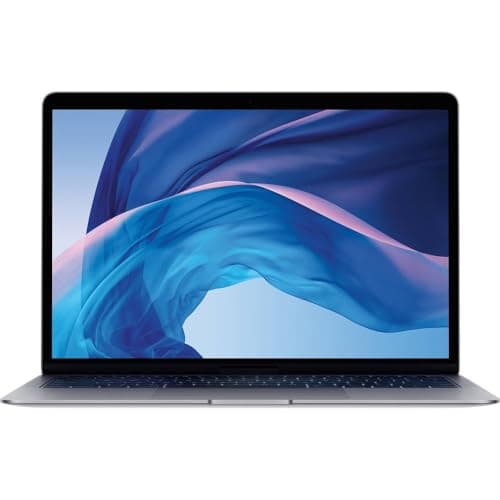
Streaming is a sustained workload that generates consistent heat and power draw. A machine that throttles after 20 minutes of encoding will produce inconsistent stream quality. Check reviews for sustained performance benchmarks rather than peak burst figures. For portable streaming away from a socket, aim for a machine rated at six hours or more of real-world use under moderate load. Fanless designs like the MacBook Air run silently but may throttle sooner under heavy sustained encoding compared to actively cooled machines.
Operating system and software compatibility
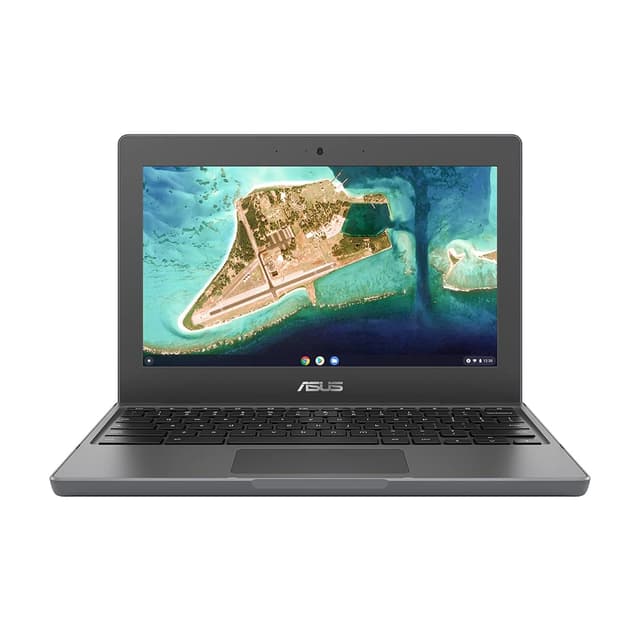
Windows 11 offers the broadest compatibility with streaming tools, including OBS Studio, Streamlabs, XSplit, and the full range of alert and overlay plugins. macOS supports OBS and Streamlabs but has more limited plugin support. ChromeOS is not suitable for Twitch streaming via OBS, as OBS does not run natively on ChromeOS. If you are considering a Chromebook, be aware that streaming options are limited to browser-based tools, which offer significantly less control over encoding settings and scene management.
The Samsung Galaxy Book4 Pro 360 (2024) is the overall winner for Twitch streamers seeking a 2-in-1 laptop. Its Dynamic AMOLED 2X display is genuinely class-leading for stream monitoring, the Intel Core Ultra 7 155H delivers reliable sustained encoding performance, and the dual Thunderbolt 4 ports provide the connectivity flexibility that a growing streaming setup demands. The 360-degree hinge adds real versatility for IRL streaming and event appearances, and Intel Arc's hardware AV1 encoding keeps CPU headroom available for demanding multi-source scenes. For those who cannot stretch to the Samsung's price, the Acer Aspire Spin 14 is an outstanding alternative that sacrifices very little in terms of encoding capability or display quality, and its OLED screen and Thunderbolt 4 ports make it a serious machine at a genuinely accessible price. The Lenovo IdeaPad Slim 3 14-inch rounds out the budget tier with solid H-series processing and 16GB of RAM. The MSI Raider 18 is the choice for professional streamers with no budget constraints, while the MacBook Air M1 serves the niche of silent, battery-efficient streaming for macOS users. Match your pick to your budget, your streaming ambitions, and the peripherals you already own.