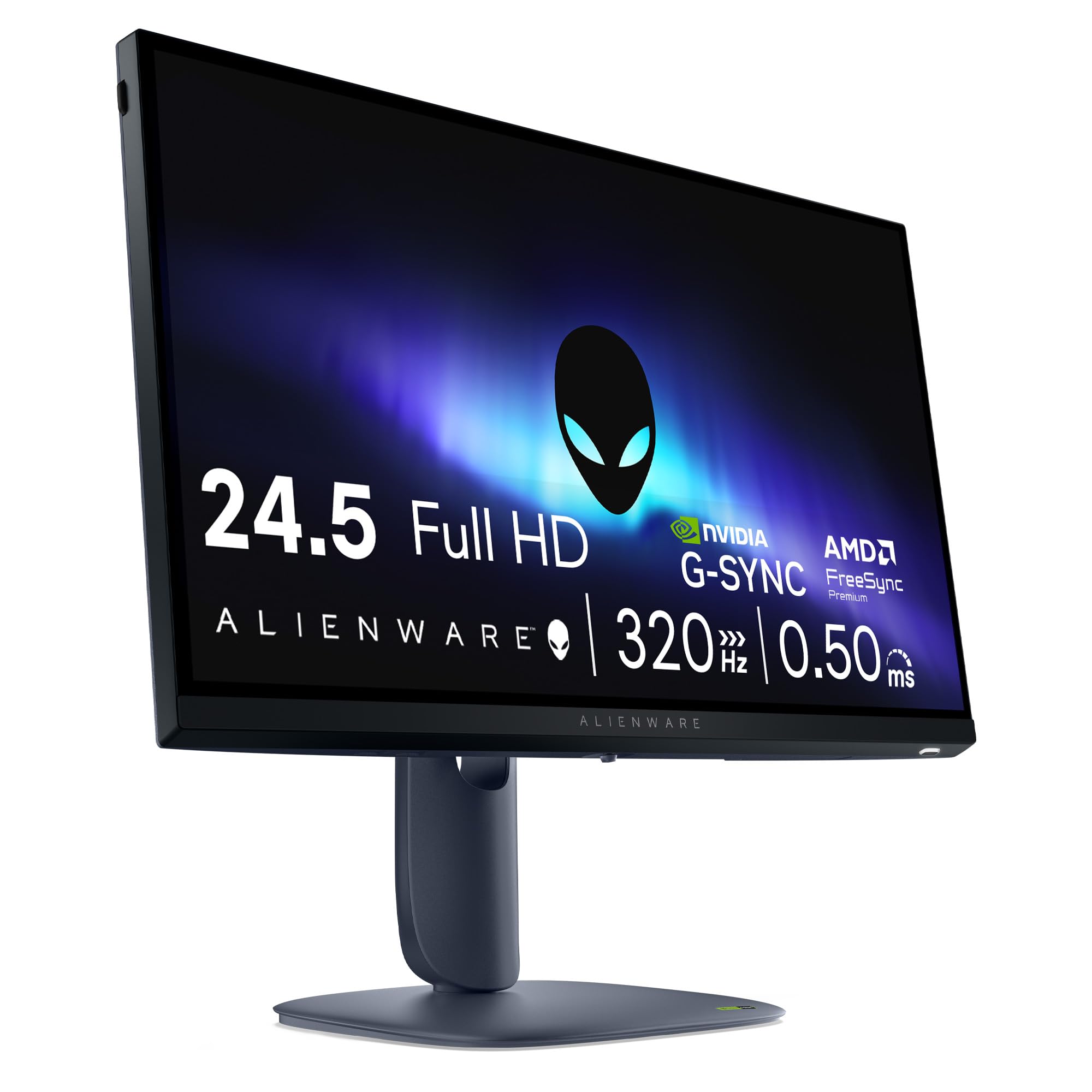
Here's the thing about high refresh rate monitors: the number on the box is only half the story. 320Hz sounds incredible, and it genuinely is, but only if the panel can actually keep up. Smearing, overshoot, inverse ghosting, these are the things that make a fast monitor feel slow in practice. So when Alienware slaps 320Hz and 0.5ms on a 25-inch Full HD panel, the obvious question isn't "is that fast?" It's "does it actually deliver?"
Short answer: yes, mostly. The Alienware AW2525HM is a proper esports monitor built for people who want every competitive advantage a display can offer. The positive overall rating across hundreds of owner reviews backs that up, and the spec sheet is genuinely impressive for the mid-range price bracket. But there are trade-offs about before you hand over your money, and this isn't the right monitor for everyone. If you want the full picture, read on.
This is a monitor aimed squarely at competitive gamers. CS2, Valorant, Apex Legends, the kind of titles where 60fps players genuinely get outgunned by 144fps players, let alone 320fps players. If that's your world, this makes a lot of sense. If you're more into single-player RPGs and want gorgeous visuals over raw speed, you might want to look elsewhere.
Core Specifications
The AW2525HM is a 25-inch Full HD monitor running at 1920x1080. That resolution on a 25-inch screen gives you a pixel density of around 88 PPI, which is on the lower side by today's standards but entirely intentional. Lower resolution means your GPU has fewer pixels to push, which is exactly how you get to 320Hz without needing a flagship graphics card. It's a deliberate trade-off, and for competitive gaming it's the right one.
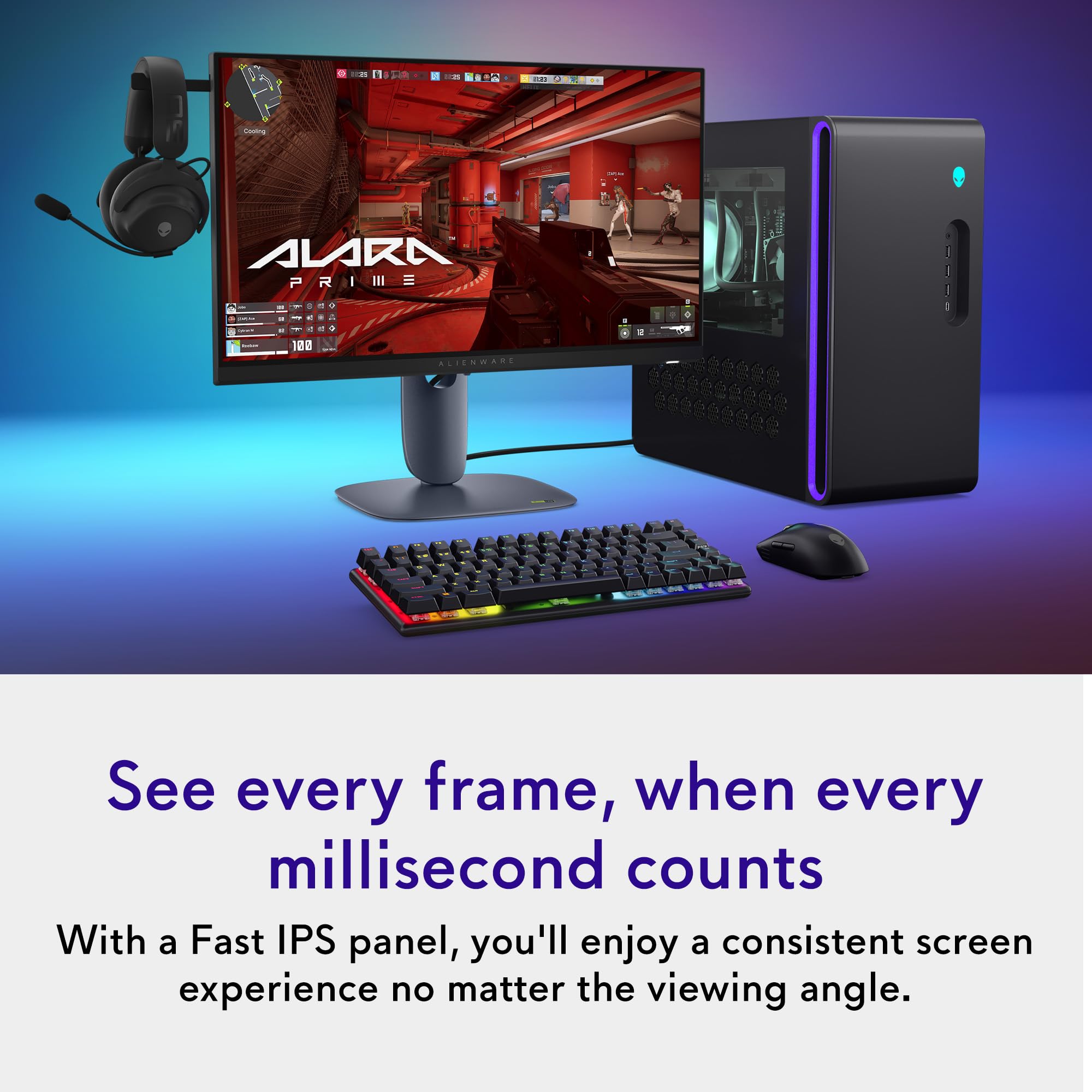
The panel is Fast IPS, which is the technology du jour for high-refresh gaming displays. It combines the wide viewing angles and colour accuracy of traditional IPS with pixel response times fast enough to handle triple-digit refresh rates without turning everything into a blur. The manufacturer rates response time at 0.5ms GtG, which is an aggressive claim even for Fast IPS. We'll get into whether that holds up in the response time section, but the short version is: Fast IPS at this refresh rate is the correct panel choice for this use case.
Connectivity covers the basics well. You get one DisplayPort and two HDMI ports, plus three USB ports for peripherals. Adaptive sync covers both NVIDIA G-Sync Compatible and AMD FreeSync Premium, so whatever GPU you're running, you're sorted. The three-year warranty is a genuine differentiator at this price point and worth factoring into the value calculation.
| Specification | Detail |
|---|---|
| Screen Size | 25 inches |
| Resolution | 1920x1080 (Full HD) |
| Panel Type | Fast IPS |
| Refresh Rate | 320Hz |
| Response Time | 0.5ms GtG |
| Adaptive Sync | NVIDIA G-Sync Compatible, AMD FreeSync Premium |
| Ports | 1x DisplayPort, 2x HDMI, 3x USB |
| Warranty | 3 Years |
| Current Price | £204.00 · Details |
| Rating | ★★★★½ (4.7) (418 reviews) |
Panel Technology
Fast IPS is worth understanding properly, because the marketing around it is a bit muddled. Standard IPS panels have always been the go-to for colour accuracy and wide viewing angles, but they traditionally struggled with response times compared to TN panels. Fast IPS addresses that by reducing pixel transition times significantly, allowing manufacturers to hit the kind of GtG figures you need for 240Hz and above displays. IPS technology has evolved considerably over the past decade, and the Fast IPS variant used here represents the current state of the art for gaming panels that also need to look decent.
The viewing angle story is solid. IPS panels maintain colour and contrast consistency across wide angles, typically rated at 178 degrees horizontally and vertically, and Fast IPS doesn't compromise that. If you sit slightly off-centre, or someone else is watching you game, the image holds up well. This is a meaningful advantage over TN panels, which shift colour dramatically when viewed off-axis. VA panels offer better native contrast but tend to suffer from corner glow and slower pixel response in dark scenes, which makes them a poor fit for a 320Hz gaming monitor anyway.
The elephant in the room with any IPS panel is black levels and contrast. IPS panels have relatively low native contrast ratios, typically in the 1000:1 range, which means dark scenes never look truly deep. You'll see IPS glow in dark corners, particularly noticeable when you're in a dim room. This is a known characteristic of the technology, not a defect specific to this monitor. If you want inky blacks, you'd need an OLED, and those cost considerably more. For the price bracket the AW2525HM sits in, Fast IPS is absolutely the right call for a gaming-focused display, and the trade-off is worth it for the motion performance you get in return.
Display Quality
Full HD on a 25-inch screen is a combination that's been around long enough to be familiar, and opinions on it are divided. At normal desktop viewing distances, around 60 to 80cm, 1080p on a 25-inch panel is perfectly usable. You're not going to be counting individual pixels. But if you sit close, or you're used to a 1440p or 4K display, the step down is noticeable. Text rendering is slightly softer, fine detail in textures is less defined, and the overall image just doesn't have the crispness of higher-resolution panels.
That said, the Fast IPS panel brings genuine strengths to display quality beyond the resolution question. Colour reproduction on Fast IPS panels is generally good out of the box, with consistent brightness across the panel and minimal colour shift at off-axis angles. The anti-glare coating on this monitor handles reflections without adding too much haze to the image, which is the right balance for a gaming display you might use in a room with windows. Some cheaper anti-glare coatings add a sparkle effect that makes text look grainy; well-implemented coatings avoid this.
Owner reviews consistently praise the image quality for gaming, with many noting that the smoothness of motion at 320Hz compensates for the lower pixel density in ways that are hard to describe until you've experienced it. When everything is moving this fluidly, the brain processes the image differently. Fast-moving scenes in particular look cleaner than they do on a 1440p 144Hz display, even though the latter has more pixels on paper. It's not a universal trade-off everyone will accept, but for competitive gaming it's a rational one.
Refresh Rate and Adaptive Sync
320Hz is the headline number, and it genuinely matters if your GPU can reach it. At 320 frames per second, each frame is displayed for just over 3 milliseconds. The difference between 144Hz and 320Hz is larger than the difference between 60Hz and 144Hz in terms of perceived smoothness, at least for people who are sensitive to motion. Esports professionals have been pushing for higher refresh rates for years, and 320Hz represents the current practical ceiling for non-OLED panels. VESA's adaptive sync standards continue to evolve alongside these refresh rate increases, and this monitor sits right at the cutting edge of what's currently achievable.
The adaptive sync implementation covers both NVIDIA G-Sync Compatible and AMD FreeSync Premium. FreeSync Premium requires a minimum 120Hz refresh rate and Low Framerate Compensation (LFC) support, which means that even when your frame rate drops below the VRR range, the monitor can multiply frames to maintain tear-free output. This is a meaningful quality-of-life feature. G-Sync Compatible certification means NVIDIA has validated the monitor's VRR implementation, so you're not relying on a generic FreeSync panel that happens to work with NVIDIA cards. It's been properly tested and approved.
In practice, the combination of 320Hz and proper adaptive sync means you get tear-free, stutter-free gameplay across a wide frame rate range. Even when your GPU can't sustain 320fps, the VRR range keeps things smooth. For competitive titles where frame rates can fluctuate significantly depending on what's happening on screen, this matters more than the peak refresh rate number. The monitor's ability to stay tear-free at 180fps or 240fps is arguably more important day-to-day than the 320Hz ceiling.
Response Time and Motion
The 0.5ms GtG claim is where things get interesting. GtG (grey-to-grey) response time measures how quickly a pixel can transition between two mid-tone grey values, and 0.5ms is an extremely aggressive number even for Fast IPS. To put it in context, many Fast IPS panels measure around 1ms to 3ms GtG in independent testing, depending on the overdrive setting used. Manufacturers typically quote the fastest measurable transition, often achieved with an overdrive setting that introduces overshoot artefacts.
Overshoot, sometimes called inverse ghosting, is when a pixel transitions too quickly and overshoots its target value, creating a bright halo around moving objects. It's arguably more visually distracting than regular ghosting because the artefact appears in front of the moving object rather than behind it. The balance between minimising ghosting and avoiding overshoot is the key challenge in tuning a high-refresh panel's overdrive settings. Alienware typically offers multiple overdrive presets, letting you dial in the setting that works best for your content. Owner reviews suggest the default settings are well-tuned and don't exhibit significant overshoot at normal overdrive levels.
What the 320Hz refresh rate does for motion clarity goes beyond the response time number. Even with a response time of 2ms or 3ms, a 320Hz display presents new frames so frequently that motion looks dramatically cleaner than a 144Hz display with the same response time. The perceived motion clarity is a function of both refresh rate and response time together, and at 320Hz the refresh rate contribution is doing a lot of heavy lifting. For fast-paced titles like Counter-Strike 2 or Valorant, where tracking moving targets is the core skill, this combination is genuinely useful and not just a marketing exercise.
Color Accuracy and Gamut
Colour accuracy on gaming monitors is often an afterthought, and for pure esports use that's arguably fine. But the AW2525HM's Fast IPS panel brings better colour performance than you'd get from a TN panel, and that matters if you use your monitor for anything beyond fragging. Fast IPS panels typically cover the full sRGB colour space well, and many cover a significant portion of DCI-P3 too. DCI-P3 is the wide colour gamut standard used in cinema and increasingly in consumer displays, and coverage above 90% starts to look genuinely vibrant for games and media with HDR colour grading.
Factory calibration on gaming monitors at this price point is usually adequate rather than excellent. You'd typically expect a Delta-E average (a measure of colour accuracy, where lower is better) somewhere in the 2 to 4 range out of the box, which is fine for gaming and media consumption but not ideal for colour-critical work like photo editing or video grading. If you need accurate colours for professional creative work, a dedicated colour-accurate monitor with factory calibration data is a better choice. For gaming and general use, the colour performance here is perfectly good.
Owner reviews don't flag colour accuracy as a concern, which is about what you'd expect. The colours look vivid and punchy for gaming, which is what most buyers want. The IPS panel's consistency across viewing angles means the colours you see at the centre of the screen match what you see at the edges, which is more than you can say for TN panels. If you're coming from an old TN monitor, the colour step-up will be immediately obvious and very welcome.
HDR Performance
HDR on monitors in this price bracket deserves an honest conversation. The AW2525HM's HDR capability is not specified in the verified product data, so we're not going to invent a certification tier for it. What we can say is that Fast IPS panels at this price point typically fall into the DisplayHDR 400 category at best, which means a peak brightness around 400 nits and no local dimming. That's technically HDR-capable, but the real-world HDR experience is modest.
True HDR requires high peak brightness (1000 nits or more), a wide colour gamut, and ideally local dimming to control contrast on a zone-by-zone basis. Monitors that deliver all three typically cost significantly more than the mid-range bracket this monitor sits in. DisplayHDR 400 certification, if applicable, means the monitor can accept an HDR signal and display it with slightly more brightness headroom than SDR, but it won't produce the dramatic highlight pop and shadow depth you see on OLED or Mini-LED displays with full-array local dimming.
For a monitor positioned as a competitive gaming display, this is not a serious criticism. Esports players typically game with HDR disabled anyway, because the tone mapping can affect visibility in dark areas of the image and introduce processing latency. The AW2525HM's strengths are in SDR gaming performance, and that's where it should be judged. If HDR is a priority, you're looking at a different category of monitor entirely, probably an OLED, and a different budget.
Contrast and Brightness
IPS panels have a characteristic contrast ratio that sits around 1000:1 natively. This is lower than VA panels, which can reach 3000:1 to 5000:1, and dramatically lower than OLED displays, which achieve effectively infinite contrast. In practice, 1000:1 contrast means dark scenes look slightly washed out compared to what you'd see on a VA or OLED panel. The black level isn't true black; it's a very dark grey. In a bright room this is barely noticeable, but in a dark room with the monitor as your main light source, you'll see it.
Peak brightness for Fast IPS panels in this category typically lands between 300 and 400 nits in SDR mode, which is enough to combat moderate ambient light. In a well-lit office or gaming setup with some background lighting, the image holds up well. In direct sunlight or a very bright room, you might find yourself pushing the brightness higher than ideal. The anti-glare coating helps manage reflections without sacrificing too much image clarity, which is the right approach for a gaming monitor that might be used in varied lighting conditions.
For competitive gaming, brightness uniformity across the panel matters more than peak brightness. Bright spots or dark patches across the panel can affect visibility in games where spotting enemies in peripheral vision is important. Fast IPS panels generally perform well for uniformity, and owner reviews for the AW2525HM don't flag significant uniformity issues, which is encouraging. Some variation is normal and expected on any LCD panel; the question is whether it's noticeable in normal use, and the owner feedback suggests it isn't.
Ergonomics and Stand
Alienware monitors have a reputation for solid build quality and good ergonomics, and the AW2525HM continues that tradition. The stand offers tilt, swivel, pivot, and height adjustment, which is the full set of adjustments you want on a gaming monitor. Height adjustment in particular is often omitted on cheaper monitors, forcing you to stack books under the display like it's 2003. Having proper height adjustment means you can get the panel at exactly eye level, which matters for long gaming sessions.
The pivot function, which lets you rotate the display 90 degrees into portrait orientation, is more useful than it sounds. For coding, reading long documents, or even some vertical-scrolling games, portrait mode is genuinely handy. It's not a feature most people use daily, but having it available without needing a separate VESA arm is a nice touch. Speaking of VESA, the monitor should support standard VESA mounting if you want to use a monitor arm, giving you even more flexibility in positioning.
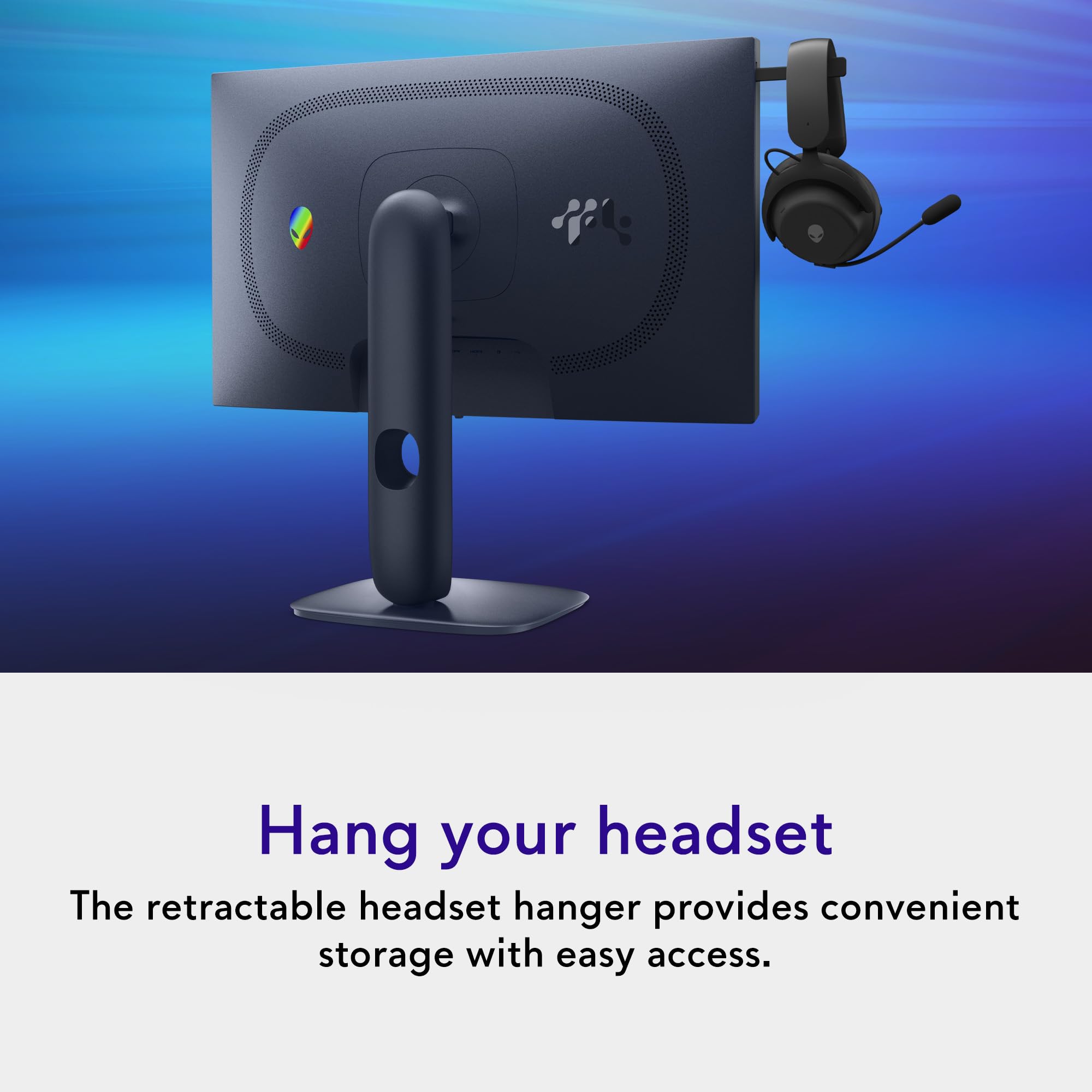
Build quality from owner reviews is generally positive, with the chassis feeling solid and the stand stable enough that it doesn't wobble when you're typing aggressively or accidentally knock the desk. The Alienware aesthetic is distinctive and divisive. The angular design with RGB accents is clearly aimed at gaming setups rather than clean minimalist desks. If you want something that looks at home in a professional environment, this probably isn't it. If you want your setup to look like a spaceship, you're in the right place. The AlienFX RGB lighting on the back is controllable via Alienware's software, so you can dial it back or sync it with other Alienware peripherals if you're in that ecosystem.
Connectivity and Ports
The port selection on the AW2525HM is practical without being extravagant. You get one DisplayPort and two HDMI ports for video input, plus three USB ports for connecting peripherals. For a single-monitor gaming setup, this is plenty. The DisplayPort connection is what you'll want to use for 320Hz gaming, as DisplayPort has the bandwidth headroom to handle 1080p at 320Hz without issue. HDMI 2.1 can also handle high refresh rates at 1080p, so both connections are viable for gaming.
The three USB ports make the monitor function as a basic USB hub, which is genuinely useful. Plugging your keyboard, mouse, and headset into the monitor rather than routing cables all the way to your PC tower keeps the desk tidier and makes it easier to swap peripherals between systems. It's a small quality-of-life feature that adds real value in daily use. Many monitors in this price range skip the USB hub entirely, so notably, as a differentiator.
What's not listed in the verified product data is USB-C with Power Delivery, which is increasingly common on premium monitors. If you want to connect a laptop with a single cable that handles both video and charging, you'll want to check the full spec sheet before assuming that's available here. The port selection as confirmed covers the core gaming use case well, and for a desktop gaming monitor the absence of USB-C is unlikely to be a dealbreaker. Most desktop gaming PCs don't output video over USB-C anyway.
How It Compares
The AW2525HM's main competition in the high-refresh 1080p space comes from ASUS and LG. The ASUS ROG Swift Pro PG248QP is a direct rival, offering 540Hz at 1080p on a TN panel. That's a higher refresh rate, but TN panels have significantly worse colour reproduction and viewing angles than Fast IPS. For most people, the AW2525HM's better image quality at 320Hz is the smarter trade-off. The ROG Swift Pro also typically costs more, which makes the Alienware look even better value.
The LG 25GR75FG is another 240Hz 1080p option in the same space, using an IPS panel and coming in at a lower price point. If 240Hz is enough for your needs (and honestly, for most people it is), the LG offers similar panel technology at a lower cost. The jump from 240Hz to 320Hz is real but smaller than the jump from 144Hz to 240Hz. If you're on a tight budget, the LG is. But if you want the best competitive gaming experience available in this panel size and resolution, the Alienware's 320Hz advantage is genuine.
It's also worth comparing the AW2525HM against moving up to 1440p. The Alienware AW2725DF offers 1440p at 360Hz on an OLED panel, which is a dramatically better display in almost every metric except price. If your budget stretches to premium territory, that's where the real magic is. But if you're in the mid-range bracket and want the best competitive gaming monitor available at that price, the AW2525HM makes a strong case.
| Feature | Alienware AW2525HM | ASUS ROG Swift Pro PG248QP | LG 25GR75FG |
|---|---|---|---|
| Resolution | 1920x1080 | 1920x1080 | 1920x1080 |
| Refresh Rate | 320Hz | 540Hz | 240Hz |
| Panel Type | Fast IPS | TN | IPS |
| Response Time | 0.5ms GtG | 0.2ms GtG | 1ms GtG |
| Adaptive Sync | G-Sync Compatible + FreeSync Premium | G-Sync | FreeSync Premium |
| Viewing Angles | Wide (IPS) | Narrow (TN) | Wide (IPS) |
| Warranty | 3 Years | 3 Years | 3 Years |
| Price | £204.00 · Details | Higher | Lower |

Final Verdict
The Alienware 25 Gaming Monitor AW2525HM is a focused, well-executed competitive gaming monitor that does exactly what it says on the tin. The 320Hz Fast IPS panel is the right combination of technology for this use case. You get IPS colour quality and viewing angles without sacrificing the motion performance that makes high refresh rates worthwhile. The adaptive sync covers both major GPU vendors properly. The build quality and ergonomics are Alienware-level solid. And the three-year warranty is a genuine differentiator that adds real value over the ownership period.
The trade-offs are real but predictable. Full HD on a 25-inch screen is a deliberate choice for competitive gaming, not a compromise forced by cost. If you want sharp textures and detailed environments in single-player games, this isn't the monitor for you. The IPS contrast limitations mean dark scenes won't look as dramatic as they would on a VA or OLED panel. And HDR, whatever tier it supports, is not this monitor's strong suit. These aren't criticisms of the AW2525HM specifically; they're characteristics of the category it belongs to.
The positive overall rating from hundreds of owners tells you that people who bought this monitor for the right reasons are very happy with it. The reviews consistently mention smoothness, responsiveness, and build quality as highlights. The complaints, where they exist, tend to come from buyers who wanted a general-purpose monitor and got a specialist esports display instead. Know what you're buying and you won't be disappointed.
Who should buy this? Competitive FPS players who can push frame rates above 200fps and want every advantage a display can offer. People upgrading from a 144Hz or 240Hz monitor who want to feel the difference. Alienware ecosystem users who want matching aesthetics and software integration. Anyone who values the three-year warranty and Alienware's support reputation.
Who should skip it? Casual gamers who play a mix of single-player and multiplayer titles at moderate frame rates. Anyone who prioritises image quality over motion performance. People who want 1440p sharpness. Budget-conscious buyers who don't need 320Hz specifically: the LG 25GR75FG at 240Hz costs less and covers the vast majority of competitive gaming use cases. If you're not regularly hitting 240fps or above in your games, save the money and put it toward a better GPU instead. That's the honest advice.
Overall score: 8.5 out of 10. Excellent at what it's designed to do, with clear limitations that are inherent to the category rather than failures of execution. If 320Hz competitive gaming is your goal, this is a very strong option at the mid-range price point.
What works. What doesn’t.
5 + 4What we liked5 reasons
- 320Hz Fast IPS delivers genuinely smooth competitive gaming performance
- Dual adaptive sync covers both NVIDIA and AMD GPUs properly
- Full ergonomic adjustment including tilt, swivel, pivot, and height
- Three-year warranty is a real differentiator at this price point
- Built-in USB hub keeps peripheral cabling tidy
Where it falls4 reasons
- Full HD 1080p looks soft compared to 1440p panels at this screen size
- IPS contrast limitations mean dark scenes look washed out in dim rooms
- HDR capability is modest at best for this panel category
- Alienware aesthetic won't suit minimalist or professional setups
Full specifications
12 attributes| Refresh rate | 180 |
|---|---|
| Screen size | 27 |
| Panel type | IPS |
| Adaptive sync | Both |
| Aspect ratio | 16:9 |
| Curvature | flat |
| HDR | HDR400 |
| Launch year | 2024 |
| Ports | 2x HDMI, 1x DisplayPort, 3x USB |
| Refresh rate HZ | 180 |
| Resolution | 2560x1440 |
| Response time | 1ms |
If this isn’t right for you
2 options 8.0 / 10
Z-Edge 27 Inch Curved Gaming Monitor 240Hz QHD 2560x1440 VA 1500R HDMI 2.1
£179.99 · Z Z-Edge · Details

Frequently asked
5 questions01Is the Alienware 25 Gaming Monitor AW2525HM good for gaming?+
Yes, particularly for competitive multiplayer gaming. The 320Hz refresh rate and 0.5ms GtG response time make it one of the fastest panels available at this price point. For esports titles like CS2, Valorant, and Apex Legends where frame rate and motion clarity directly affect performance, it's an excellent choice. For single-player games where image quality matters more than raw speed, a 1440p monitor might serve you better.
02Does the Alienware 25 Gaming Monitor AW2525HM have good HDR?+
HDR performance is modest. Fast IPS panels at this price point typically fall into the DisplayHDR 400 tier at best, which means limited peak brightness and no local dimming. The HDR experience won't match what you'd see on an OLED or Mini-LED display. For competitive gaming this doesn't matter much, as most esports players disable HDR anyway to avoid tone mapping affecting visibility. If HDR quality is a priority, you'd need to budget for an OLED monitor.
03Is the Alienware 25 Gaming Monitor AW2525HM good for content creation?+
It's adequate for casual content consumption but not ideal for professional colour work. Fast IPS panels typically cover the sRGB colour space well and offer good colour consistency across viewing angles, which is better than TN alternatives. However, if you need accurate, calibrated colour for photo editing or video grading, a dedicated colour-accurate monitor with factory calibration data and Delta-E measurements would be a better fit.
04What graphics card do I need for the Alienware 25 Gaming Monitor AW2525HM?+
To actually reach 320fps at 1080p in modern games, you'll need a high-end GPU. An NVIDIA RTX 4070 or above, or AMD RX 7800 XT or above, is the realistic starting point for hitting triple-digit frame rates consistently in demanding titles. In less demanding esports titles like CS2 or Valorant, even mid-range cards can push very high frame rates. The monitor supports both NVIDIA G-Sync Compatible and AMD FreeSync Premium, so either GPU brand works.
05What warranty applies to the Alienware 25 Gaming Monitor AW2525HM?+
The AW2525HM comes with a 3-year warranty, which is confirmed in the product listing and is a genuine advantage over many competitors that offer only one or two years. In addition to the manufacturer warranty, Amazon's standard 30-day return window and A-to-Z guarantee apply when purchased through Amazon UK.