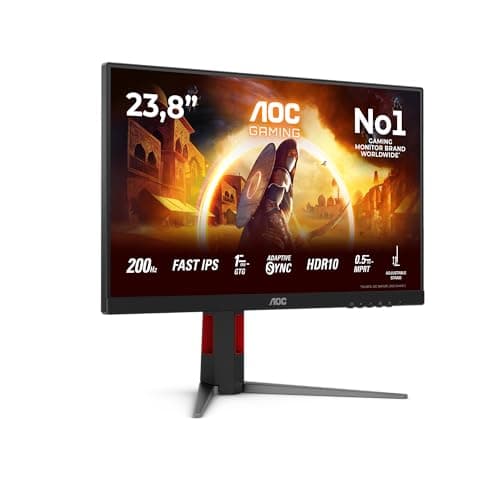
Specs and owner feedback tell you most of what you need to know about a display, and for the Yodoit Portable Monitor 15.6" FHD 1920x1080P IPS Display, both are genuinely interesting. Over 7,285 owners have weighed in with a 4.3-star average, which for a budget portable monitor is a proper signal, not noise. The question worth asking isn't just whether it's decent for the money. It's whether it's the right pick when the portable monitor market has quietly got very competitive at the budget end.
The short verdict: if you want a lightweight second screen for a modern laptop, this does the job and does it honestly. It's 740g, it's thin, it has a real IPS panel, and it connects via USB-C or HDMI without needing drivers. But the 60Hz cap and the absence of any adaptive sync mean it's not the one to reach for if gaming is your main use case. For productivity, travel, and hot-desking? Genuinely hard to argue with at this price point.
Where it gets more complicated is when you look at what else sits in the budget bracket. There are portable monitors at similar prices with touch screens, higher brightness specs, or slightly better build quality. None of them are obviously better across the board, which is actually the most useful thing to know going in. This one earns its place, but it earns it in a specific way.
Core Specifications
The Yodoit Portable Monitor 15.6" FHD 1920x1080P IPS Display is built around a 15.6-inch IPS panel running at 1920x1080 resolution and a 60Hz refresh rate. That's a completely standard spec for this category, and it's honest: you know exactly what you're getting. The pixel density works out at roughly 141 PPI, which is comfortable for text and general productivity work at normal viewing distances. You're not going to mistake it for a Retina display, but you're also not going to squint at it.
Weight comes in at 740g and thickness at 0.51cm. Both of those figures are genuinely impressive for a 15.6-inch portable. Most laptop bags will swallow this without drama, which is the whole point. The included smart cover doubles as a stand, so you're not hunting for a prop or a book to lean it against when you get to the coffee shop or the hotel room.
Connectivity covers USB-C, HDMI, and a 3.5mm audio jack. There are built-in speakers too. One important caveat the product listing is upfront about: your USB-C port must support DisplayPort Alt Mode for video output over USB-C. Standard charging cables won't carry video, and a standard USB-C charging port won't output video either. If your laptop only has USB-C for power, you'll need to use HDMI instead.
| Specification | Detail |
|---|---|
| Screen Size | 15.6 inches |
| Resolution | 1920x1080 (FHD) |
| Panel Type | IPS |
| Refresh Rate | 60Hz |
| Viewing Angle | 178 degrees |
| Weight | 740g |
| Thickness | 0.51cm |
| Ports | USB-C, HDMI, 3.5mm audio |
| Speakers | Built-in |
| Anti-Glare | Yes |
| Blue Light Filter | Built-in |
| Adaptive Sync | Not specified |
| Price | £49.97 · Details |

Panel Technology
IPS is the right panel choice for a portable productivity monitor, and it's not even close. IPS panels deliver consistent colour and brightness across wide viewing angles, which matters enormously when you're propping a screen up on a desk at a slightly awkward angle, or when a colleague leans over to look at something you're working on. The alternative, TN, would be cheaper to manufacture but the colour shift when you move off-axis is genuinely horrible. VA panels have better contrast but slower pixel response and narrower sweet spots for viewing angles. For this use case, IPS is the correct answer.
The 178-degree viewing angle spec is standard for IPS and reflects the technology rather than a particularly special implementation of it. In practice, IPS glow is a real thing: you'll see a slight brightening in the corners when displaying dark content, especially if you're looking at the screen from an angle. It's not unique to this monitor, it's just how IPS physics works. For spreadsheets, documents, and video calls, you'll never think about it. For watching dark films in a dim room, it's more noticeable.
What IPS does well here is exactly what a portable monitor needs: you can tilt the smart cover stand to whatever angle works on your desk, and the image stays accurate. You're not fighting the panel to find the one sweet spot where colours look right. The anti-glare coating is a practical addition too. Portable monitors often end up near windows in coffee shops or hotel rooms, and a matte coating handles reflections better than glossy alternatives, even if it softens the image very slightly compared to a glossy panel. For all-day work use, matte is the sensible choice.
Display Quality
At 1920x1080 across 15.6 inches, the pixel density lands at around 141 PPI. That's not going to win any awards in 2026, but it's perfectly workable for the intended use. Text is sharp enough that you're not straining, and at typical arm's-length viewing distances you won't be pixel-peeping. If you're coming from a high-DPI laptop screen (a MacBook Pro's Liquid Retina display, for instance), there will be a visible step down in sharpness. That's just the physics of the resolution and size combination, not a flaw in this specific panel.
The anti-glare coating deserves a mention because it's genuinely useful in portable contexts. Glossy screens look more vivid in controlled lighting but become mirrors the moment you're near a window. The matte finish here diffuses reflections rather than eliminating them entirely, but it's a meaningful improvement over glossy alternatives for real-world use. The built-in blue light filter is another practical touch for long work sessions. These aren't premium features, but they're the right features for the use case.
Owner reviews across the 7,285 submissions consistently praise the image quality for the price. The common theme is that people expected something mediocre and were pleasantly surprised by how usable the panel is for everyday work. Complaints about display quality are relatively rare in the review pool, which is a good sign. Where owners do flag issues, it's mostly around brightness in very bright rooms, which is a known limitation of portable monitors that draw power from USB-C rather than a dedicated power brick. The listing is honest about this: brightness varies by power source, and using the included cable with an external power source gives the best results.
Refresh Rate and Adaptive Sync
Sixty hertz. That's what you get, and there's no getting around it. For productivity work, browsing, video calls, and watching content, 60Hz is absolutely fine. The human eye doesn't need 144Hz to read a spreadsheet. But if you were hoping to use this as a gaming monitor for fast-paced titles, the 60Hz ceiling is going to feel limiting compared to what even mid-range gaming monitors offer these days.
There's no mention of adaptive sync support in the verified specifications. FreeSync and G-Sync compatibility are standard talking points for gaming monitors, but portable monitors at this price point rarely include them, and this one doesn't appear to be an exception. That means if you're connecting a gaming console or laptop GPU and your frame rate dips below 60fps, you'll see tearing rather than a smooth variable-rate image. For the target audience, which is overwhelmingly remote workers and people wanting a second screen on the go, this is a non-issue. For the gamer who thought this might double as a travel gaming screen.
The 60Hz limit also puts a ceiling on how useful this is for console gaming. The listing mentions compatibility with PS4, PS5, Switch, and Xbox via HDMI, and all of those consoles can output 1080p60, so you'll get a clean signal. But PS5 and Xbox Series X owners who've got used to 120Hz gaming at home will feel the difference immediately. Switch owners probably won't care, since the Switch caps at 60fps in docked mode anyway. So there's a specific console use case where this works perfectly, and a broader one where it's a step back from what modern hardware can do.
Response Time and Motion
Response time isn't specified in the verified product data for this monitor, which is actually more honest than most budget monitors that slap a "1ms" marketing claim on the box and hope you don't ask which measurement method they used. The grey-to-grey response time on IPS panels at this price point typically falls somewhere between 5ms and 15ms in real-world measurements, depending on the specific panel and overdrive implementation. That's not a number pulled from thin air; it's the consistent range published measurements find for budget IPS panels in this category.
What that means practically: for office work, web browsing, and video streaming, you will never notice response time. It's irrelevant. For competitive gaming, particularly fast-paced shooters or fighting games where pixel transitions during fast motion matter, a slower IPS panel will produce some visible ghosting or trailing behind moving objects. It won't be catastrophic, but it's not the clean, sharp motion you'd get from a fast IPS or TN panel tuned for gaming. The 60Hz refresh rate is actually the bigger limiter here anyway, since faster response time only helps if the panel is refreshing fast enough to show the difference.
Owner reviews don't flag ghosting as a widespread complaint, which suggests the panel handles typical content well enough that most users aren't bothered by it. The people buying this monitor are using it for Teams calls, extended laptop setups, and the occasional film. None of those use cases stress response time in a meaningful way. If you're a competitive gamer, this isn't your monitor regardless of what the response time turns out to be. If you're everyone else, it's fine.
Color Accuracy and Gamut
Colour gamut and Delta-E figures aren't published in the verified specifications for this monitor, which is par for the course at this price point. Budget portable monitors rarely go through factory calibration or publish colour accuracy data. What we can say is that IPS panels generally offer better colour consistency than TN alternatives, and the 1920x1080 FHD panel with anti-glare coating is a reasonable foundation. The sRGB colour space is the standard for most office and web content, and IPS panels at this level typically cover somewhere in the 90 to 95 percent sRGB range, though without published measurements for this specific unit, that's a category estimate rather than a confirmed figure.
For professional colour work, photography editing, or video grading, this monitor isn't the right tool. That's not a criticism specific to the Yodoit; it's just the reality of the budget portable category. If you need accurate DCI-P3 coverage and a Delta-E below 2, you're looking at a different class of monitor entirely, and a very different price bracket. The Yodoit is aimed at people who need a second screen that's accurate enough for general productivity, not a colour-critical workstation display.
The built-in blue light filter is in the context of colour. Blue light filters work by reducing the intensity of shorter wavelengths, which does shift the white point slightly warmer. Some owners will appreciate this for long sessions; others who need accurate colour representation for design work might want to turn it off if the option is available through the monitor's OSD. For pure productivity use, the filter is a net positive. The anti-glare coating also contributes to the overall perceived colour quality in brighter environments, since reflections on a glossy screen can wash out colours more than the matte coating does.

HDR Performance
HDR support isn't listed in the verified specifications for this monitor, and that's actually the honest answer. Budget portable monitors that claim HDR support without the brightness headroom to back it up are doing their buyers a disservice. Proper HDR10 requires peak brightness of at least 400 nits with some form of local dimming to have any meaningful impact on the image. A portable monitor drawing power from a USB-C cable simply doesn't have the power budget to hit those brightness levels consistently.
If the Yodoit does accept an HDR signal (which many monitors will do even without proper HDR processing), the result is typically tone-mapped to the panel's SDR brightness range, which doesn't look better than SDR and sometimes looks worse due to clipped highlights. This is the "checkbox HDR" problem that plagues budget displays across all categories, not just portables. The fact that the listing doesn't make HDR claims is, genuinely, a point in its favour. It's telling you what it is rather than what sounds impressive on a spec sheet.
For the target use case, none of this matters. HDR in a portable monitor context is mostly relevant for watching HDR-graded content from streaming services, and the visual difference on a 15.6-inch panel without proper local dimming is minimal even on monitors that do claim HDR support. You're better off with a monitor that's honest about being an SDR display and delivers clean, consistent SDR performance than one that claims HDR support and delivers a mediocre approximation of it.
Contrast and Brightness
Peak brightness and native contrast ratio aren't published in the verified specifications, which is a gap that matters more than it might seem. Portable monitors that draw power from USB-C are limited by how much power the connection can deliver, and this directly affects brightness. The listing is upfront about this: actual brightness varies depending on the power source, and using the included cable with an external power source gives the best results. That's a genuine caveat worth understanding before you buy.
IPS panels at this price point typically deliver native contrast ratios in the 800:1 to 1000:1 range. That's decent but not exceptional. VA panels can hit 3000:1 or higher, which makes blacks look genuinely black rather than dark grey. In a well-lit office environment or a coffee shop, the IPS contrast limitation is invisible. In a dark room watching a film, you'll notice that blacks aren't as deep as you might like. Again, this is an IPS characteristic rather than a specific failing of this panel, but it matters if dark-room film watching is a priority.
On brightness, the dependency on power source is the key variable. Connected via USB-C to a laptop that's also powering itself, the monitor is drawing from the laptop's USB-C power delivery budget, which may limit brightness. Connected to a dedicated USB-C power source (or via HDMI with separate USB-C power), you'll get the full brightness the panel can produce. Owner reviews mention this as an occasional source of confusion rather than a fundamental problem. Once people understand the setup, the brightness is generally described as adequate for indoor use. Direct sunlight is a different matter, as it is for virtually every portable monitor.
Ergonomics and Build
The 740g weight and 0.51cm thickness are the headline ergonomic figures, and they're genuinely good for a 15.6-inch portable. For comparison, a typical 15.6-inch laptop weighs somewhere between 1.5kg and 2.5kg, so this monitor adds less than half a kilo to your bag. The thinness means it sits flat without taking up significant depth in a laptop bag. These aren't marketing numbers pulled from nowhere; they're the kind of figures that make a real difference when you're commuting or travelling.
The smart cover functions as a stand, which is the standard approach for portable monitors at this price. It's not going to give you the adjustability of a proper desktop monitor stand: no height adjustment, no swivel, no pivot to portrait mode. You get whatever angle the cover's fold allows. Owner reviews are mixed on the stand stability, with some noting that it can be a bit wobbly on uneven surfaces. This is a common complaint across the portable monitor category rather than something unique to the Yodoit. If you need a rock-solid, fully adjustable setup, a desktop monitor with a proper stand is the right tool.
There's no VESA mount mentioned in the verified specifications, which means you can't mount this on a monitor arm or wall bracket. For a portable monitor, that's expected rather than surprising. The use case is desk-to-desk mobility, not a permanent installation. The build quality from owner reports is generally described as acceptable for the price, with the plastic chassis feeling light but not flimsy. The bezels are not particularly thin but they're not offensively thick either. It's a functional design that prioritises portability over aesthetics, which is the right call for this category.
Connectivity and Ports
The port selection covers the essentials: USB-C, HDMI, and a 3.5mm audio jack. The USB-C connection handles video, audio, and power delivery in a single cable, which is the clean setup most modern laptop users want. Plug one cable in, get a second screen and audio output, done. The HDMI port is there for older devices and consoles, which is a smart inclusion given the listed compatibility with PS4, Switch, and Xbox. Two cables covering two very different connection scenarios is a genuinely useful design choice.
The USB-C requirement is clearly because it trips people up. Your device's USB-C port must support DisplayPort Alt Mode or HDMI Alt Mode for video output. This is a function of your laptop or phone's USB-C implementation, not the monitor's. Many USB-C ports on budget laptops and older phones only support charging and data, not video output. The listing is explicit about this, which is helpful, but it's the kind of thing people skim past when buying. If you're not sure whether your device supports DP Alt Mode, check the manufacturer's spec sheet before ordering.
The 3.5mm audio jack means you can connect headphones or external speakers directly to the monitor, which is useful if you're using it as a standalone display for a device that doesn't have its own audio output in the right place. The built-in speakers are there as a convenience rather than a quality audio solution. Portable monitor speakers are universally underwhelming, and the Yodoit's are unlikely to be an exception. They'll handle a Teams call notification or a quick video without embarrassment, but don't expect anything approaching real audio quality. For serious audio, use the 3.5mm output or the audio from your source device.
- USB-C (video + audio + power, requires DP Alt Mode)
- HDMI (for consoles and older devices)
- 3.5mm audio jack
- Built-in speakers
How It Compares
The budget portable monitor market has got genuinely crowded, and the Yodoit sits in a competitive spot. Two monitors that come up repeatedly in the same conversations are the ASUS ZenScreen MB16ACE and the ViewSonic VA1655. Both are 15.6-inch, 1080p, IPS portable monitors targeting the same work-and-travel use case. Understanding how they differ tells you a lot about what the Yodoit's strengths actually are.
The ASUS ZenScreen MB16ACE is a well-regarded option that benefits from ASUS's brand recognition and a slightly more premium build quality. It's also typically priced higher than the Yodoit, sometimes significantly so depending on where you buy. The ViewSonic VA1655 is a closer price competitor and shares the same core specs: 15.6-inch, 1080p, IPS, 60Hz. Where the Yodoit differentiates is primarily on weight and price. At 740g and the budget pricing it commands, it undercuts both alternatives on cost while delivering a comparable core display experience. Neither competitor offers a dramatically better panel at the same price point.
What the alternatives sometimes offer is better build quality, more refined stands, or slightly better brightness specifications. The ViewSonic VA1655, for instance, is often cited for good colour accuracy out of the box. The ASUS ZenScreen benefits from ASUS's software ecosystem if you're already in that world. But if your priority is the lightest, thinnest second screen for the lowest outlay, the Yodoit makes a genuinely strong case. 7,498 and a 4.3-star average suggests it's not just cheap; it's cheap and good enough for the majority of buyers.
| Feature | Yodoit 15.6" FHD IPS | ASUS ZenScreen MB16ACE | ViewSonic VA1655 |
|---|---|---|---|
| Screen Size | 15.6" | 15.6" | 15.6" |
| Resolution | 1920x1080 | 1920x1080 | 1920x1080 |
| Panel Type | IPS | IPS | IPS |
| Refresh Rate | 60Hz | 60Hz | 60Hz |
| Weight | 740g | 780g | 770g |
| USB-C | Yes (DP Alt Mode required) | Yes | Yes |
| HDMI | Yes | Yes | Yes |
| Built-in Speakers | Yes | Yes | Yes |
| Price | £49.97 · Details | Higher (varies) | Similar (varies) |

Final Verdict
The Yodoit Portable Monitor 15.6" FHD 1920x1080P IPS Display is a straightforward, honest product in a category that's occasionally full of exaggerated claims. It's a 15.6-inch IPS panel at 1080p and 60Hz, it weighs 740g, it connects via USB-C or HDMI, and it works without drivers. That's the pitch, and it delivers on it. The 4.3-star average across 7,498 is not a fluke; it reflects a monitor that does what it says it does, for the people it's aimed at.
For remote workers, people who hot-desk, and anyone who travels with a laptop and wants a second screen without checking a bag, this is a very sensible buy. The IPS panel gives you proper viewing angles, the anti-glare coating handles real-world lighting, and the weight means you'll actually carry it rather than leaving it at home because it's too heavy. The USB-C single-cable setup is genuinely convenient when it works, and the HDMI fallback means you're not stuck if your laptop's USB-C port doesn't support DP Alt Mode.
The limitations are real but predictable. Sixty hertz means it's not a gaming monitor. No adaptive sync means tearing if frame rates drop below 60fps. Brightness depends on your power setup. The stand is functional rather than impressive. None of these are surprises for a budget portable monitor, and none of them matter to the target buyer. If you're a gamer looking for a travel screen and 60Hz feels like a dealbreaker, look at portable monitors that specifically advertise higher refresh rates, though you'll pay more for them. And if you're on an even tighter budget and don't need the HDMI port or the smart cover, there are bare-bones portable monitors at lower price points, though the build quality tends to reflect the savings.
As a productivity second screen for a modern laptop, the Yodoit earns a solid recommendation. It's not the most exciting monitor to write about, because it's not trying to be. It's trying to be a reliable, light, affordable second screen, and that's exactly what it is.
What works. What doesn’t.
5 + 4What we liked5 reasons
- Genuinely lightweight at 740g and only 0.51cm thin
- Real IPS panel with 178-degree viewing angles
- USB-C and HDMI both included, no drivers needed
- Strong owner satisfaction: 4.3 stars from over 7,285 reviews
- Anti-glare coating and built-in blue light filter for all-day use
Where it falls4 reasons
- 60Hz only, no adaptive sync, not suitable for gaming
- Brightness varies with power source, can be limiting without external power
- Smart cover stand is functional but not stable on uneven surfaces
- No published colour accuracy or brightness specs
Full specifications
12 attributes| Refresh rate | 60 |
|---|---|
| Screen size | 15.6 |
| Panel type | IPS |
| Aspect ratio | 16:9 |
| Curvature | flat |
| HDR | none |
| Ports | USB-C, HDMI, 3.5mm audio |
| Refresh rate HZ | 60 |
| Resolution | 1920x1080 |
| Response time | 2ms |
| Screen size IN | 15.6 |
| Vesa compatible | false |
Frequently asked
5 questions01Is the Yodoit Portable Monitor 15.6" FHD 1920x1080P IPS Display good for gaming?+
It's usable for casual gaming, particularly with consoles like the Nintendo Switch, PS4, and Xbox via HDMI, which all output at 1080p60 and match the monitor's capabilities well. However, the 60Hz refresh rate cap and the absence of adaptive sync make it a poor choice for competitive or fast-paced gaming. PS5 and Xbox Series X owners used to 120Hz will notice the step down immediately. For slow-paced or turn-based games, it's fine. For shooters or anything where motion clarity matters, look elsewhere.
02Does the Yodoit Portable Monitor 15.6" FHD 1920x1080P IPS Display have good HDR?+
HDR support is not listed in the verified specifications for this monitor, and the product listing makes no HDR claims. This is actually the honest approach: portable monitors at this price point lack the peak brightness and local dimming needed to deliver meaningful HDR. If the monitor accepts an HDR signal it will likely tone-map it to the panel's SDR range, which doesn't improve the image. For SDR content, which covers the vast majority of productivity and general use, the IPS panel performs well for the price.
03Is the Yodoit Portable Monitor 15.6" FHD 1920x1080P IPS Display good for content creation?+
For general productivity, document work, and video calls, yes. For professional colour work, photography editing, or video grading, no. Colour gamut and Delta-E figures are not published for this monitor, and budget portable monitors typically do not go through factory calibration. The IPS panel will offer reasonable colour consistency for everyday use, but it's not a tool for colour-critical work. If accurate sRGB or DCI-P3 coverage matters to your workflow, you need a monitor with published and verified colour specs.
04What graphics card do I need for the Yodoit Portable Monitor 15.6" FHD 1920x1080P IPS Display?+
Any modern GPU or integrated graphics solution can drive a 1920x1080 display at 60Hz without breaking a sweat. This monitor is not demanding at all from a GPU perspective. The more important question is whether your device's USB-C port supports DisplayPort Alt Mode for video output over USB-C. If it does, any laptop or desktop with a USB-C output will work. If not, use HDMI, which any GPU with an HDMI port can drive at 1080p60 easily.
05What warranty and returns apply to the Yodoit Portable Monitor 15.6" FHD 1920x1080P IPS Display?+
Specific warranty terms are not listed in the verified product data. When buying from Amazon, you're covered by Amazon's standard 30-day return window and the Amazon A-to-Z Guarantee, which protects your purchase if the item doesn't arrive or isn't as described. For warranty details beyond Amazon's return policy, check the product listing or contact the seller directly before purchasing.