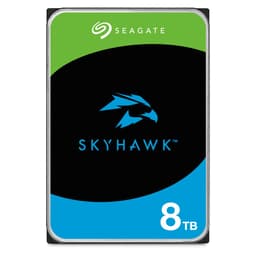
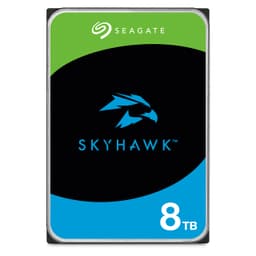
Pull apart the spec sheet, cross-reference it with what nearly nine thousand owners have reported, and the Seagate IronWolf 8TB tells you exactly what it is: a purpose-built NAS drive that doesn't pretend to be anything else. It's not the fastest thing spinning. It's not trying to compete with an SSD. What it is doing is offering a serious chunk of CMR storage, a 256MB cache buffer, and a suite of NAS-specific features at a capacity that makes genuine sense for multi-bay home and small-business setups. Whether that's worth your money depends almost entirely on what you're actually building.
The short version: if you're running a Synology, QNAP, or similar up-to-8-bay NAS and you need reliable, high-capacity storage that won't shake itself to death or fall over under sustained multi-user load, the Seagate IronWolf 8TB is a solid, well-regarded choice. The longer version is a bit more nuanced, and that's what we're here for.
Core Specifications: Seagate IronWolf 8TB
The IronWolf 8TB (model ST8000VNZ02) is a 3.5-inch spinning hard drive. It connects via SATA at 6Gb/s, spins at 5,400 RPM, and carries a 256MB cache buffer. It uses Conventional Magnetic Recording (CMR), which is the traditional, reliable recording method rather than the more contentious SMR approach that some budget drives use. CMR matters for NAS use because SMR drives can struggle badly under sustained random writes, which is exactly the kind of load a multi-user NAS sees regularly.
Seagate rates this drive for NAS enclosures up to 8 bays, and it supports IronWolf Health Management (IHM), which integrates with compatible NAS software to actively monitor drive health rather than just waiting for SMART alerts to fire. The drive ships with a three-year limited warranty and three years of Rescue Data Recovery Services included, which is a meaningful addition. Data recovery is eye-wateringly expensive if you need it, so having it bundled is genuinely useful rather than just a marketing line.
The MTBF rating sits at 1 million hours, which is the standard target for NAS-class drives. The drive is rated for 180TB per year of workload, which is significantly higher than desktop drives (typically 55TB/year). That workload rating tells you something about how Seagate has spec'd the internals for sustained use rather than occasional weekend file copies.
| Specification | Detail |
|---|---|
| Capacity | 8TB |
| Form Factor | 3.5 inch |
| Interface | SATA 6Gb/s |
| Recording Technology | CMR |
| Spindle Speed | 5,400 RPM |
| Cache | 256MB |
| MTBF | 1,000,000 hours |
| Workload Rate | 180TB/year |
| NAS Bays Supported | Up to 8 |
| Warranty | 3 years limited |
| Data Recovery | 3 years Rescue Data Recovery included |
| Health Management | IronWolf Health Management (IHM) |
| Max Capacity (range) | Up to 16TB in the IronWolf lineup |
| Price | £335.04 |
| Rating | ★★★★½ (4.6) (8,465 reviews) |

Interface and Form Factor
SATA 6Gb/s is the interface here, and that's entirely appropriate for a spinning hard drive. There's no meaningful argument for anything faster: a 5,400 RPM mechanical drive will never saturate even the older SATA 3Gb/s spec in real-world sequential transfers, let alone 6Gb/s. If you're expecting SSD-level throughput from any spinning drive, you're going to be disappointed regardless of what's printed on the label. The 3.5-inch form factor means it slots into standard NAS enclosures, desktop cases with 3.5-inch bays, and external docks without any adapters.
The CMR recording method deserves more attention than it gets in product listings. Shingled Magnetic Recording (SMR) drives, which overlap tracks to squeeze more data onto a platter, are cheaper to manufacture but perform poorly under the kind of mixed random read/write workload a NAS sees when multiple users are hitting it simultaneously. CMR writes tracks independently, so there's no read-modify-write penalty on random writes. For a NAS drive, CMR isn't a nice-to-have, it's basically a requirement if you want consistent performance across a RAID array or a multi-user shared storage setup.
The 3.5-inch, SATA form factor also means this drive is universally compatible with NAS hardware from Synology, QNAP, Asustor, TerraMaster, and others. You don't need to worry about PCIe slot availability, M.2 compatibility, or any of that. It's a standard drive that goes in a standard bay. Straightforward.
Real-World Performance
Let's be clear about what real-world performance means for a NAS drive, because it's different from what it means for a boot drive or a gaming SSD. Nobody is booting Windows from this. Nobody is loading game assets from it. The relevant performance metrics are sequential throughput for large file transfers (backups, video streams, bulk copies), sustained write speed under multi-user load, and how consistently it delivers across hours of continuous operation rather than a brief benchmark burst.
At 5,400 RPM, sequential read and write speeds are in the region of 180 to 210 MB/s, which is typical for drives in this class. Published benchmark results from independent storage reviewers consistently show IronWolf drives delivering steady, predictable throughput in NAS environments rather than the spiky, inconsistent behaviour you sometimes see from SMR drives caught in a read-modify-write cycle. Owner reports across the nearly nine thousand reviews back this up: the consistent complaint from the small minority of negative reviews is noise (more on that shortly) rather than performance dropouts or data corruption.
For a home NAS serving a handful of users, 180 to 210 MB/s sequential throughput is more than sufficient. A single Gigabit Ethernet connection maxes out at roughly 125 MB/s anyway, so even a single IronWolf 8TB can saturate a standard home network connection without breaking a sweat. Multi-bay RAID setups will aggregate performance across drives, but the bottleneck in most home NAS scenarios is the network, not the drives. The IronWolf isn't going to be the weak link.
Sustained Writes and Cache Behaviour
This section is where a lot of drive reviews get vague, so here's the honest version. The 256MB DRAM cache on the IronWolf is a write buffer, not an SLC cache in the NAND flash sense you'd see on an SSD. Hard drives don't use flash NAND at all, so the cache cliff discussion that matters for SSDs (where a drive posts a fast "up to" number until the SLC cache fills and then drops to native TLC or QLC write speed) doesn't apply here in the same way.
What does apply is how the drive handles sustained random writes under load, and this is where CMR versus SMR becomes critical. An SMR drive writing randomly will eventually need to reorganise overlapping tracks, causing write speeds to crater to single-digit MB/s for periods that can last minutes. CMR doesn't have this problem. Tracks are independent, writes are predictable, and sustained random write performance stays consistent. Published NAS-focused benchmarks consistently show IronWolf drives maintaining steady write throughput under mixed workloads where SMR alternatives struggle badly.
The 256MB cache buffer helps smooth out write bursts, absorbing short spikes before committing to platters. Under heavy sustained load (think a full NAS backup job running for hours), the cache doesn't change the fundamental throughput ceiling, but it does help with burst handling and reduces unnecessary head seeks during mixed operations. For a NAS doing overnight backups or continuous surveillance recording, this is meaningful. The drive isn't going to suddenly stall mid-job the way an SMR drive can.
Controller, NAND and DRAM
Hard drives don't have NAND, controllers in the SSD sense, or the TLC/QLC distinction that matters so much for solid-state storage. So this section is about the equivalent decisions Seagate made: the recording technology, the cache architecture, and the firmware tuning. These are the factors that separate a NAS-optimised drive from a repurposed desktop drive with a different sticker.
The CMR recording technology has already been covered, but the firmware is equally important. IronWolf drives are tuned specifically for NAS environments, which means the error recovery timing is adjusted to prevent a NAS RAID controller from dropping a drive during a lengthy read retry. Desktop drives use TLER (Time-Limited Error Recovery) settings that can cause a NAS to mark a drive as failed during a normal error correction cycle. IronWolf drives are configured to work within NAS RAID controller expectations, which is a real, practical difference that prevents unnecessary drive failures in RAID arrays.
The IronWolf Health Management system integrates with compatible NAS software (Synology's DSM and QNAP's QTS both support it) to provide proactive health monitoring. Rather than waiting for a SMART attribute to cross a threshold and trigger an alert, IHM analyses drive behaviour patterns and flags potential issues earlier. Whether this translates to meaningfully earlier warnings in practice is debatable, but the integration with NAS management software is a genuine convenience rather than a marketing feature. Owner reports mention it working as described in Synology environments specifically.
Endurance and Reliability
The three-year limited warranty is the baseline signal here. It's not the longest in the market (some enterprise drives carry five years), but it matches the WD Red Plus, the most direct competitor, and it's significantly better than the one-year warranty you get on some budget desktop drives repurposed for NAS use. Warranty length is a manufacturer's bet on their own product, and three years is a reasonable bet for a drive in this class.
The 1 million hour MTBF figure is a statistical measure of fleet reliability rather than a prediction that your specific drive will run for 114 years. What it tells you is that Seagate has designed this drive to a reliability standard appropriate for always-on NAS operation, where the drive is spinning 24 hours a day, 365 days a year, rather than the intermittent use of a desktop drive. The 180TB/year workload rating is the more practical number: it means the drive is rated for roughly 500GB of data written per day, which is well above what most home NAS setups actually generate.
The three-year Rescue Data Recovery service matters. If the drive fails within three years, Seagate will attempt to recover your data. Professional data recovery typically costs hundreds to thousands of pounds, so having this included is genuinely valuable insurance. The catch is that it doesn't replace a proper backup strategy: RAID is not a backup, and no data recovery service can guarantee success on a physically damaged drive. But as a safety net, it's better than nothing, and it's included at no extra cost.
Owner review patterns across nearly nine thousand reviews average 4.6 out of five. The negative reviews cluster around two themes: drives that arrived dead on arrival (a small minority, and Amazon's returns process handles this), and noise levels that some owners found higher than expected. The latter is worth discussing separately.

Thermals
Spinning hard drives generate heat differently from SSDs. There's no flash NAND throttling at temperature thresholds, no Gen 5 NVMe drive running hot enough to blister your fingers. The IronWolf 8TB runs warm under sustained load, as any 3.5-inch spinning drive does, and in a properly ventilated NAS enclosure this isn't a problem. Most NAS units have active cooling built in, and the IronWolf is designed to operate in that environment.
Noise is the more relevant concern for this drive, and it's where the owner review patterns show some variation. Some owners report the drive as noticeably quiet, others report audible seek noise during heavy random access. This isn't unusual for a 3.5-inch NAS drive: the seek noise during random I/O is inherent to the mechanical design, and 5,400 RPM drives are generally quieter than their 7,200 RPM equivalents. If the NAS is in a home office or bedroom, seek noise during a backup job running at 2am is worth thinking about. Most NAS software lets you schedule intensive jobs for times when noise doesn't matter.
Vibration is also a consideration in multi-drive NAS enclosures. Seagate's IronWolf drives include vibration compensation features designed to reduce the impact of adjacent drive vibration in multi-bay setups. This is relevant in 4-bay and 8-bay enclosures where drives are mounted close together. Owner reports from multi-bay NAS users don't flag vibration as a significant issue, which suggests the compensation is doing its job in typical home NAS configurations.
Capacity Options and Price Per GB
The IronWolf lineup runs from 1TB up to 16TB, so there's a wide range to choose from. The 8TB sits in a practical sweet spot for home NAS use: large enough to hold a meaningful media library or backup archive, not so large that a single drive failure represents a catastrophic data loss before you've had a chance to react and restore from backup. The price per GB at 8TB is competitive within the NAS drive category, though it's naturally more expensive per gigabyte than desktop drives that don't carry the NAS-specific features and warranty.
Comparing price per GB across the IronWolf range, the larger capacities (12TB and above) generally offer better value per gigabyte, as is typical with hard drives. But the 8TB is often the most practical choice for a first NAS build or a single-drive expansion where you're not yet committing to maximum capacity. It's also that the IronWolf Pro lineup exists for more demanding use cases (up to 24 bays, longer warranty, higher workload rating), but for home and small-office NAS use, the standard IronWolf is the right tier.
Against desktop drives at the same capacity, the IronWolf costs more. That premium buys you the CMR recording, the NAS-specific firmware (TLER settings, vibration compensation), the IHM health monitoring, the higher workload rating, and the included data recovery service. If you're genuinely running a NAS, that premium is justified. If you're just using a drive in a single desktop PC for bulk storage, a desktop drive at lower cost makes more sense. The IronWolf isn't overpriced for what it is; it's just not the right tool for every job.
Installation and Compatibility
Installation is as straightforward as hard drive installation gets. The 3.5-inch SATA form factor means it fits standard NAS bays, desktop cases, and external docking stations. No drivers are required: the drive is detected by any SATA controller and any NAS operating system. Synology DSM, QNAP QTS, Asustor ADM, and TrueNAS all support IronWolf drives, and Synology and QNAP both enable the IHM health monitoring integration natively.
For desktop use (as a secondary storage drive rather than a boot drive), the IronWolf works fine. It's a SATA drive, it shows up in Windows, macOS, or Linux without any special configuration. The NAS-specific features like IHM won't be active in a desktop environment, but the drive functions normally. The TLER settings and vibration compensation are baked into the firmware regardless of where the drive is installed.
One practical note from owner reports: a small number of owners have reported drives arriving with packaging damage, which occasionally results in DOA units. This isn't specific to IronWolf, it's a risk with any large hard drive shipped via courier. Amazon's returns process handles this without issue, but it's worth inspecting the packaging on arrival and running a quick health check (CrystalDiskInfo on Windows, or the NAS's built-in drive test) before loading data onto a new drive. That's good practice regardless of brand.
Who It's For
The Seagate IronWolf 8TB is for anyone building or expanding a NAS. Specifically: home users running a Synology or QNAP NAS for media storage, Time Machine backups, or Plex libraries; small offices using a NAS for shared file storage across a handful of users; and anyone running a surveillance NAS with multiple camera streams recording continuously. The CMR recording, the NAS firmware tuning, and the workload rating all make sense in these contexts.
It's also a reasonable choice for a desktop secondary storage drive if you want the peace of mind of the three-year warranty and the included data recovery service. But you'd be paying a premium for features you won't fully use. For a desktop bulk storage drive, a desktop-class Seagate BarraCuda or WD Blue at the same capacity costs less and does the same job in that context.
Who should look elsewhere? Anyone who needs speed. If you're thinking about using this as a scratch disk for video editing, a game library drive, or anything where you care about access times, you want an SSD. The IronWolf is a capacity and reliability play, not a performance play. And if you're building a NAS with more than 8 bays or running a more intensive workload (small business with heavy multi-user access), the IronWolf Pro series is the better fit, with a longer warranty and higher workload rating.
How It Compares
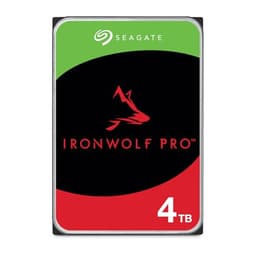
The two most obvious alternatives at 8TB in the NAS drive category are the WD Red Plus 8TB and the Seagate IronWolf Pro 8TB. The WD Red Plus is the most direct competitor: same capacity, same CMR recording, same 3.5-inch SATA form factor, similar pricing. The IronWolf Pro steps up to a five-year warranty and a higher workload rating, but costs more and is overkill for most home NAS use.
The WD Red Plus versus IronWolf 8TB comparison is genuinely close. Both use CMR, both carry three-year warranties, both are rated for NAS use. The IronWolf edges ahead with the included data recovery service and the IHM health monitoring integration. The WD Red Plus has its own NASware firmware tuning. In practice, both are solid drives and either will serve a home NAS well. The data recovery service bundled with the IronWolf is a meaningful differentiator if you're not running a separate backup service.
| Feature | Seagate IronWolf 8TB | WD Red Plus 8TB | Seagate IronWolf Pro 8TB |
|---|---|---|---|
| Capacity | 8TB | 8TB | 8TB |
| Recording | CMR | CMR | CMR |
| Spindle Speed | 5,400 RPM | 5,640 RPM | 7,200 RPM |
| Cache | 256MB | 256MB | 256MB |
| Warranty | 3 years | 3 years | 5 years |
| Data Recovery | 3 years included | Not included | 3 years included |
| Health Management | IronWolf Health Management | WD NASware | IronWolf Health Management |
| Max NAS Bays | Up to 8 | Up to 8 | Up to 24 |
| Workload Rating | 180TB/year | 180TB/year | 300TB/year |
| Price | £335.04 | Check Amazon | Check Amazon |

Final Verdict
The Seagate IronWolf 8TB is a proper NAS drive. Not a desktop drive with a different label, not a compromise. CMR recording, NAS-tuned firmware, 256MB cache, a 180TB/year workload rating, and three years of warranty plus data recovery services bundled in. For a home NAS running up to 8 bays, it's one of the most sensible choices at this capacity. The 4.6-star average across nearly nine thousand reviews reflects a drive that does what it says on the tin for the vast majority of buyers.
The noise and vibration complaints in the negative reviews are real but minority. Seek noise during heavy random access is inherent to spinning drives, and the IronWolf is no worse than comparable drives in this class. If noise is a genuine concern, position the NAS away from your workspace or schedule intensive jobs overnight. That's not a drive problem, it's a setup decision.
Is it worth the premium over a desktop drive? Yes, if you're actually running a NAS. No, if you're just using it as a secondary drive in a desktop PC where the NAS-specific features go unused. For desktop bulk storage, the Seagate BarraCuda at the same capacity costs noticeably less and does the same job in that context. Don't spend NAS money on a desktop use case.
For NAS builders, though, this is a well-specified, well-supported drive with a meaningful warranty and a genuine data recovery safety net. The IronWolf 8TB earns a solid recommendation for its intended purpose. Score: 8 out of 10.
What works. What doesn’t.
5 + 3What we liked5 reasons
- CMR recording means consistent performance under multi-user NAS load
- Three-year Rescue Data Recovery service included at no extra cost
- IronWolf Health Management integrates with Synology DSM and QNAP QTS
- 180TB/year workload rating and 1M hour MTBF appropriate for always-on NAS use
- 4.6-star average across nearly 9,000 owner reviews reflects genuine reliability
Where it falls3 reasons
- Audible seek noise during heavy random access reported by a minority of owners
- Premium over desktop drives only justified if you're actually running a NAS
- Three-year warranty is shorter than IronWolf Pro's five-year coverage
Full specifications
8 attributes| Capacity GB | 8000 |
|---|---|
| Dram cache | false |
| Form factor | 3.5" |
| Interface | SATA III |
| Read speed MBS | 210 |
| Type | HDD |
| Warranty years | 5 |
| Write speed MBS | 210 |
Frequently asked
5 questions01Is the Seagate IronWolf 8TB, Internal NAS HDD, CMR, 3.5 Inch, SATA, 6GB/s, 5.400 RPM, 256MB Cache, Data Rescue Services, (ST8000VNZ02) fast enough for everyday use?+
For NAS use, yes. Sequential throughput sits in the 180 to 210 MB/s range, which is more than enough to saturate a standard Gigabit Ethernet home network connection (which caps at roughly 125 MB/s). Multiple users accessing files simultaneously, Plex streaming, or backup jobs running overnight are all well within what this drive can handle. It is not an SSD and should not be used as a boot drive or game library drive where access times matter. For bulk NAS storage, it does exactly what it needs to do.
02Does the Seagate IronWolf 8TB, Internal NAS HDD, CMR, 3.5 Inch, SATA, 6GB/s, 5.400 RPM, 256MB Cache, Data Rescue Services, (ST8000VNZ02) slow down once the cache fills?+
This is a spinning hard drive, not an SSD, so the SLC cache cliff that affects NAND-based drives does not apply. The 256MB DRAM cache acts as a write buffer to smooth out short bursts. What matters more for sustained performance is the CMR recording technology: unlike SMR drives, which can crater to single-digit MB/s write speeds during read-modify-write cycles under sustained random load, CMR writes tracks independently and maintains consistent throughput. Published NAS benchmark results show IronWolf drives sustaining steady write speeds under prolonged mixed workloads where SMR alternatives struggle.
03Is the Seagate IronWolf 8TB, Internal NAS HDD, CMR, 3.5 Inch, SATA, 6GB/s, 5.400 RPM, 256MB Cache, Data Rescue Services, (ST8000VNZ02) DRAM-less, and does that matter?+
This is a hard drive, not an SSD, so the DRAM versus DRAM-less distinction that applies to solid-state drives does not apply here. The drive has a 256MB DRAM cache buffer, which is standard for NAS-class hard drives and serves as a write buffer and read cache for frequently accessed data. There is no Host Memory Buffer (HMB) architecture involved. For the NAS storage use case this drive is designed for, the cache configuration is appropriate and well matched to the workload.
04How long will the Seagate IronWolf 8TB, Internal NAS HDD, CMR, 3.5 Inch, SATA, 6GB/s, 5.400 RPM, 256MB Cache, Data Rescue Services, (ST8000VNZ02) last?+
Seagate rates the drive at 1 million hours MTBF and a 180TB/year workload, meaning it is designed for always-on NAS operation writing up to roughly 500GB per day. The three-year limited warranty is Seagate's formal commitment. Most home NAS setups write nowhere near 180TB per year, so the drive is unlikely to hit its rated workload limit within the warranty period. Owner review patterns show the majority of buyers report reliable long-term operation, with DOA units being the main failure mode rather than early wear-out failures.
05What warranty and returns apply to the Seagate IronWolf 8TB, Internal NAS HDD, CMR, 3.5 Inch, SATA, 6GB/s, 5.400 RPM, 256MB Cache, Data Rescue Services, (ST8000VNZ02)?+
The drive includes a three-year limited warranty from Seagate, plus three years of Rescue Data Recovery Services. The data recovery service covers professional recovery attempts if the drive fails within three years, which is a meaningful benefit given how expensive professional data recovery typically is. For returns, Amazon's standard 30-day returns policy and A-to-Z guarantee apply when purchased through Amazon UK. Always run a health check on a new drive before loading data, and maintain a separate backup regardless of the warranty coverage.