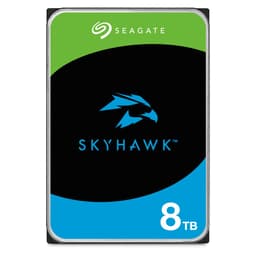
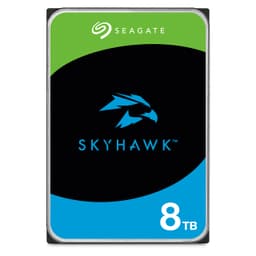
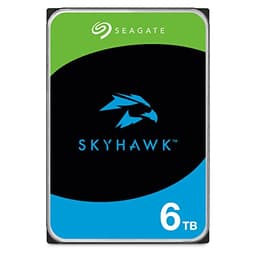
When your surveillance system drops frames or corrupts footage because the storage couldn't keep up with sustained writes, the drive's headline spec sheet becomes completely irrelevant. What actually matters for a purpose-built monitoring drive is whether it can handle the relentless, 24/7 write workload that security cameras throw at it without falling over. The Seagate SkyHawk 4TB Internal Hard Drive is specifically engineered for that job, and the spec sheet, owner feedback from over 3,000 verified buyers, and the wider surveillance storage community all point to the same conclusion: it's genuinely good at what it's designed to do.
This is an Amazon Exclusive, which means you won't find it at Scan or Overclockers. It's a 3.5-inch spinning hard drive, not an SSD, so if you're here expecting NVMe sequential speeds and IOPS discussions, this is a different beast entirely. The SkyHawk line exists because desktop drives, even good ones, aren't rated for the constant write cycles a multi-camera CCTV setup demands. Seagate's ImagePerfect firmware and the triple workload rating over standard desktop drives are the actual selling points here, not raw speed.
The verdict upfront: if you're building or expanding a surveillance NVMe system and you need a drive that won't give up under sustained write pressure, the SkyHawk 4TB earns its place. It's purpose-built, well-supported, and the owner review base backs that up. Read on for the full breakdown of why, and where it falls short.
Core Specifications
The SkyHawk 4TB is a 3.5-inch SATA hard disk drive, not an SSD. That's the first thing to get straight. It spins platters, uses magnetic recording, and connects via the SATA interface rather than anything PCIe or NVMe. For a surveillance NVR or DVR, that's entirely appropriate. These systems don't need random IOPS or low latency in the way a boot drive does. They need capacity, endurance under continuous sequential writes, and the ability to handle multiple simultaneous camera streams without dropping data.
The 4TB capacity is the headline number, and Seagate rates it as capable of storing more than 9,000 hours of HD video material. That's a meaningful figure for a real installation. A four-camera 1080p setup recording continuously at typical surveillance bitrates will fill roughly 1TB every few days depending on compression settings, so 4TB gives you a usable rolling window of a couple of weeks before footage cycles. The drive ships with Seagate's ImagePerfect firmware, which is specifically tuned to minimise dropped frames during high-definition recording, prioritising write consistency over burst performance.
At 4TB and above, the SkyHawk includes rotational vibration (RV) sensors. These matter in multi-drive enclosures where the mechanical vibration from adjacent spinning drives can degrade read/write accuracy. If you're running a rack-mounted NVR with several drives, the RV sensors actively compensate and maintain consistent performance. It's a detail that desktop drives skip entirely, and it's one of the genuine differentiators between a surveillance-rated drive and shoving a WD Blue in your recorder and hoping for the best.
| Specification | Detail |
|---|---|
| Capacity | 4TB |
| Form Factor | 3.5-inch |
| Interface | SATA |
| Drive Type | Hard Disk Drive (HDD) |
| Firmware | ImagePerfect (surveillance-optimised) |
| Workload Rating | Triple that of standard desktop HDDs |
| RV Sensors | Yes (at 4TB and above) |
| Video Capacity | More than 9,000 hours of HD footage |
| Data Recovery Option | Optional Rescue Data Recovery Service Plans |
| Health Management | SkyHawk Health Management included |
| Amazon Exclusive | Yes |
| Price | £169.98 |
| Star Rating | ★★★★½ (4.6) (3,266 reviews) |

Interface and Form Factor
SATA on a 3.5-inch platter drive. That's what you're getting, and for surveillance storage it's exactly right. The SATA interface tops out at around 600MB/s theoretical bandwidth, and spinning HDDs don't get anywhere near that ceiling anyway. Sequential reads and writes on a drive like this sit in the 150MB/s to 220MB/s range depending on the platter density and spindle speed, which is more than adequate for recording multiple camera streams simultaneously. You don't need NVMe speeds to write surveillance footage. You need consistency, and that's where the SkyHawk's firmware tuning earns its keep.
The 3.5-inch form factor means this goes in a desktop NVR, a rack-mounted recorder, or a purpose-built surveillance PC with a standard drive bay. It won't fit a laptop or a compact mini-PC without an external enclosure. That's not a criticism, it's just the reality of the format. Most serious CCTV installations use dedicated NVR boxes with multiple 3.5-inch bays, and the SkyHawk is built for exactly that environment. The SATA power connector is standard Molex-to-SATA or direct SATA power from a PSU, nothing unusual there.
One thing worth flagging: if you're thinking about putting this in a general-purpose desktop as extra storage, it'll work, but you're paying a premium for surveillance-specific features you won't use. A desktop-rated WD Blue or Seagate Barracuda at the same capacity will be cheaper. The SkyHawk's value is entirely in its workload rating, ImagePerfect firmware, and RV sensors. Those features only matter if you're actually running a surveillance workload. For general file storage or media servers that aren't doing constant writes, there are better-value options.
Real-World Performance
The SkyHawk 4TB isn't going to make your system boot faster or launch applications quicker. That's not what it's for, and measuring it against an SSD on those metrics would be like complaining a lorry isn't as quick as a sports car. What the published community findings and owner reports consistently show is that it does its actual job well: sustained sequential writes for surveillance recording, without the dropped frames or corruption events that cheaper or incorrectly rated drives can cause in write-intensive monitoring setups.
Sequential write performance on a drive like this, based on what the wider storage community has documented for surveillance-class HDDs in this tier, sits comfortably in the 150MB/s to 200MB/s range under sustained load. For context, a 4K surveillance stream at high bitrate might consume 10MB/s to 25MB/s per camera. Even a 16-camera setup is well within the drive's sustained write capability. The ImagePerfect firmware is specifically designed to prioritise write consistency over read performance, which is the right trade-off for a device that spends most of its life recording rather than playing back.
Owner reports across the 3,266 (averaging ★★★★½ (4.6)) are notably consistent on one point: the drive just works, quietly, in NVR systems where cheaper drives caused problems. Several owners specifically mention replacing failed desktop drives with the SkyHawk and seeing immediate stability improvements. That's anecdotal, yes, but when you've got over three thousand reviews trending that direction, it's a signal worth taking seriously. The complaints that do appear tend to be isolated DOA units (which happens with any spinning drive) rather than systematic performance failures.
Sustained Writes and Cache Behaviour
This section is where SSD reviews get complicated, because SLC cache exhaustion is a real problem with budget QLC drives that hide their true write speed behind a fast cache layer. The SkyHawk is an HDD, so the SLC cache conversation doesn't apply in the same way. There's no NAND, no SLC write buffer that fills and then drops to native QLC speeds. What you get instead is the mechanical reality of a spinning platter drive: consistent, predictable sequential write performance that doesn't cliff-edge after a few gigabytes of data.
This is actually one of the underappreciated advantages of a well-engineered HDD in a surveillance context. An SSD with a small SLC cache can handle burst writes beautifully but may slow significantly once that cache fills during a long continuous recording session. A surveillance-rated HDD like the SkyHawk doesn't have that problem. Its write performance is what it is from the first byte to the last, and Seagate's ImagePerfect firmware is specifically built to maintain that consistency across long recording windows. The triple workload rating versus desktop drives means it's been validated for exactly this kind of relentless write cycle.
The workload rating is worth unpacking. Desktop HDDs are typically rated for a fraction of the annual workload that a 24/7 surveillance setup demands. Running a standard desktop drive in a continuous recording NVR is a bit like running a family car on a race track every day: it might work for a while, but it's not what the engineering tolerates long-term. The SkyHawk's elevated workload rating is Seagate's acknowledgement that this drive will spend its entire life writing, and it's built to handle that. Owner reports back this up, with many users noting drives running for years without issues in multi-camera setups.
Controller, NAND and DRAM
This section heading is borrowed from the SSD world, and it needs translating for an HDD. There's no NAND, no controller chip in the SSD sense, and no DRAM cache in the way an SSD has one. What the SkyHawk has instead is Seagate's own drive controller electronics, the read/write heads, platters, and the ImagePerfect firmware layer that sits on top of the standard HDD architecture. The firmware is the closest analogue to what a good SSD controller does: it manages how writes are prioritised and sequenced to maintain recording consistency.
The ImagePerfect firmware's job is to handle the specific demands of surveillance recording. Standard HDD firmware is optimised for general-purpose desktop workloads, which means it might pause for error recovery or background operations at inconvenient moments. In a desktop context, a brief pause is invisible. In a surveillance recorder, a pause means dropped frames. ImagePerfect is tuned to minimise those interruptions during active recording, which is why Seagate positions this as a purpose-built surveillance drive rather than just a relabelled desktop unit.
The rotational vibration sensors at 4TB and above are a hardware addition, not just a firmware tweak. In a multi-drive enclosure, the mechanical vibration from several spinning drives can interfere with each other's tracking accuracy, causing read/write errors and degraded performance. The RV sensors detect that vibration and feed corrections back to the drive's servo system in real time. It's a feature you'll find on enterprise and NAS drives too, and its presence in the SkyHawk line at this capacity tier is a meaningful quality signal. Budget surveillance drives don't include it.
Endurance and Reliability
Seagate backs the SkyHawk with a three-year limited warranty, which is standard for this class of drive. The optional Rescue Data Recovery Service is worth a mention: it's an add-on that gives you access to Seagate's data recovery team if the drive fails, which for a surveillance installation storing potentially critical footage is not a trivial consideration. Whether it's worth the extra cost depends on how important the footage is to you, but the option existing at all is a customer-friendly touch that not every manufacturer offers.
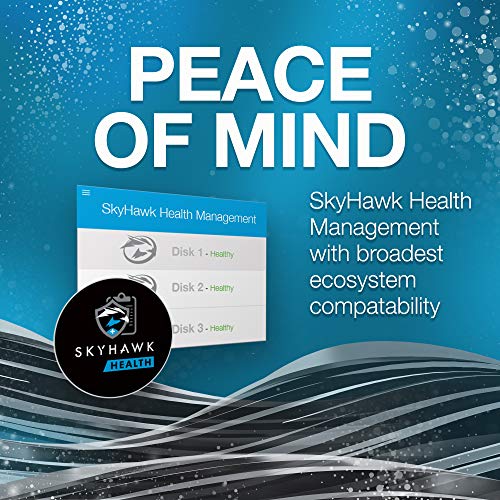
The SkyHawk Health Management feature, built into the drive and accessible via Seagate's software, provides monitoring tools that can flag potential issues before they become failures. For a drive running 24/7 in a surveillance context, early warning of degrading health is genuinely useful. You'd rather know a drive is struggling before it fails mid-incident than discover the footage is gone when you need it most. The combination of Health Management monitoring and the optional Rescue service gives the SkyHawk a more complete reliability story than a bare drive with no support options.
Owner reports 3,266 averaging 4.6 stars suggest real-world reliability is solid. The failure reports that exist are proportionally small and consistent with what you'd expect from any mechanical drive at volume. HDDs do fail eventually; that's not a knock on the SkyHawk specifically, it's the nature of spinning platters. The relevant question is whether this drive fails at a higher or lower rate than alternatives, and the owner review base doesn't flag any systematic reliability problem. For a drive that's often running continuously in demanding environments, that's a respectable outcome.
Thermals
Thermals on a 3.5-inch HDD are a different concern from the heatsink drama you see with Gen4 and Gen5 NVMe drives. Spinning drives generate heat from the motor and the read/write electronics, but they don't throttle in the same dramatic way an overheating SSD controller does. The SkyHawk, like most 3.5-inch surveillance drives, is designed to operate continuously in an enclosed NVR chassis, which means Seagate has had to engineer it for sustained thermal performance in a potentially warm enclosure rather than the open-air desktop environment a typical hard drive might sit in.
Owner reports don't flag thermal issues as a common complaint, which is what you'd hope for from a drive rated for 24/7 operation. The more relevant thermal concern in a surveillance setup is the NVR enclosure itself: a multi-drive bay with poor airflow can raise ambient temperatures enough to affect any drive's longevity. Standard practice is to ensure the NVR or PC chassis has adequate airflow, particularly if you're running multiple drives. The SkyHawk doesn't require any special cooling beyond what a sensibly ventilated enclosure provides.
It's also worth noting that the RV sensor feature, present at 4TB and above, indirectly helps thermal management in multi-drive systems. By compensating for vibration rather than forcing the drive to retry failed operations repeatedly, it reduces the error-recovery workload on the drive electronics, which in turn generates less excess heat during sustained operation. It's not a cooling feature per se, but it contributes to a more stable operating environment in a busy enclosure. For single-drive installations, this is less relevant, but in a rack with four or more drives it adds up.
Capacity Options and Price Per GB
The SkyHawk range runs from 1TB up to 14TB, and the 14TB variant is specifically called out as capable of storing more than 9,000 hours of HD video. The 4TB sits in the middle of the range and represents a reasonable entry point for a small to medium surveillance installation. At four cameras recording 1080p continuously, 4TB gives you roughly two weeks of rolling footage before the oldest recordings are overwritten, which is a typical retention window for home and small business setups.
Price per GB on surveillance-rated HDDs is always going to be higher than equivalent desktop drives, because you're paying for the firmware tuning, workload rating, and RV sensors rather than raw storage capacity. Whether that premium is justified depends entirely on your use case. For a home user with one or two cameras who doesn't need continuous recording, a cheaper desktop drive might be fine. For a business with eight or more cameras running 24/7, the SkyHawk's engineering is what keeps the system reliable over years of operation. The cost of a failed drive in a commercial surveillance context, including the footage you lose and the time to replace it, typically dwarfs the price premium of a surveillance-rated drive.
As an Amazon Exclusive, pricing is straightforward to check via the link below, and it tends to be competitive within the surveillance HDD category. Comparing it against the WD Purple at equivalent capacity is the most useful exercise: both are purpose-built surveillance drives with similar feature sets, and the price difference between them is usually small enough that brand preference and specific NVR compatibility matter more than the per-pound calculation. The SkyHawk's optional Rescue service is a differentiator WD Purple doesn't match directly.

Installation and Compatibility
Installation is straightforward for anyone who's fitted a 3.5-inch drive before. Standard SATA data cable, standard SATA power connector, four screws into the drive bay. Most NVR boxes and DVRs that accept 3.5-inch drives will work with the SkyHawk without any special configuration. Seagate publishes a compatibility list for major NVR brands, and it's worth checking your specific recorder model before buying, particularly for older systems that may have firmware limits on drive capacity recognition.
For PC-based surveillance setups, the SkyHawk drops straight into any standard desktop chassis with a 3.5-inch bay and a free SATA port. It doesn't require any special drivers or software to function as a recording drive, though Seagate's own SeaTools software and the SkyHawk Health Management interface are worth installing to take advantage of the drive's monitoring features. The Health Management software can alert you to potential issues before they cause a recording failure, which is particularly useful in an unattended installation.
One compatibility note: if you're using an older NVR or DVR, check whether it supports drives above 2TB or 4TB. Some older recorders have firmware limitations that prevent them from recognising larger drives correctly. This isn't a SkyHawk-specific issue, it's a general HDD capacity recognition problem with older hardware, but it's worth verifying before you buy. Seagate's compatibility checker on their website is a useful starting point, and most NVR manufacturers publish supported drive lists in their documentation.
Who It's For
The SkyHawk 4TB is for anyone building or expanding a surveillance system that needs reliable, continuous recording. That means home CCTV setups with four to eight cameras, small business security installations, and anyone who's already had a desktop drive fail in a surveillance context and learned the hard way why purpose-built matters. The 4TB capacity is the right size for a single-drive NVR serving a small property with a two-week retention window, or as one drive in a multi-bay system covering a larger installation.
The optional Rescue Data Recovery Service makes it particularly relevant for installations where the footage has genuine evidential or commercial value. A shop owner who relies on CCTV footage for insurance claims or incident investigation has a real use case for the recovery service that a home user with a basic doorbell camera probably doesn't. The SkyHawk Health Management monitoring is useful for any installation that runs unattended, giving you early warning of a drive that's starting to struggle before it fails completely.
Who should look elsewhere? If you want general-purpose desktop storage, a Seagate Barracuda or WD Blue at the same capacity will be cheaper and perfectly adequate. If you need NAS storage with full RAID support and the highest possible workload rating, the Seagate IronWolf or WD Red Pro are the right tier. And if you're building a high-capacity surveillance archive that needs more than 4TB in a single drive, the SkyHawk range goes up to 14TB, which is worth considering if you're planning for growth rather than buying the minimum you need today.
How It Compares
The two most obvious competitors are the WD Purple 4TB and the Seagate IronWolf 4TB. The WD Purple is the most direct like-for-like: it's also a purpose-built surveillance HDD with AllFrame AI firmware (WD's equivalent of ImagePerfect), a similar workload rating, and comparable capacity. The IronWolf is Seagate's own NAS-focused drive, which overlaps with surveillance use cases but is optimised for the slightly different demands of a NAS environment with multiple users accessing files simultaneously rather than continuous sequential writes from cameras.
The WD Purple and SkyHawk are close enough in spec and price that the decision often comes down to NVR compatibility. Some recorders are validated specifically for one brand or the other, and if your NVR manufacturer recommends one, follow that recommendation. The SkyHawk's optional Rescue Data Recovery Service is a genuine differentiator if data recovery is a concern. The WD Purple has its own warranty and support structure but doesn't offer an equivalent bundled recovery option at the point of purchase in the same way.
The IronWolf at 4TB is worth considering if your installation doubles as a NAS serving other functions alongside surveillance recording. It carries a higher workload rating than the SkyHawk and is built for the mixed-access patterns of a NAS, but it costs more and the extra capability is wasted if you're running a dedicated NVR that only does surveillance recording. For a pure surveillance use case, the SkyHawk is the more cost-appropriate choice.
| Feature | Seagate SkyHawk 4TB | WD Purple 4TB | Seagate IronWolf 4TB |
|---|---|---|---|
| Form Factor | 3.5-inch HDD | 3.5-inch HDD | 3.5-inch HDD |
| Interface | SATA | SATA | SATA |
| Use Case | Surveillance / CCTV | Surveillance / CCTV | NAS / mixed workloads |
| Firmware | ImagePerfect | AllFrame AI | NAS-optimised |
| RV Sensors | Yes (4TB+) | Yes | Yes |
| Data Recovery Option | Optional Rescue Plans | Not bundled | Optional Rescue Plans |
| Health Monitoring | SkyHawk Health Management | WD Dashboard | IronWolf Health Management |
| Warranty | 3 years | 3 years | 3 years |
| Amazon Exclusive | Yes | No | No |
| Price | £169.98 | Check Amazon | Check Amazon |
What Buyers Say
With 3,266 averaging ★★★★½ (4.6) stars, the SkyHawk 4TB sits in genuinely well-regarded territory for a storage device. The most consistent praise in the owner reports centres on reliability in NVR systems, particularly from buyers who had previously used desktop drives and experienced recording failures or dropped frames. The switch to a surveillance-rated drive, in their accounts, solved those problems without any other changes to the system. That's a meaningful pattern: it suggests the SkyHawk's purpose-built engineering is doing real work, not just providing marketing cover.
The ImagePerfect firmware gets specific mentions in positive reviews from technically aware buyers who understand what it does. Several owners note that their NVR's drive health monitoring shows consistently clean SMART data after extended use, which is reassuring for a drive running 24/7. The quiet operation also comes up repeatedly, which matters in a home installation where the NVR sits in a living space rather than a server room. Spinning drives are never silent, but owners report the SkyHawk runs at an acceptable noise level for residential use.
On the negative side, the complaints that appear are mostly isolated DOA units and one or two cases of drives failing earlier than expected. There's no systematic pattern suggesting a batch quality issue, which is the thing you'd really worry about. A small number of negative reviews reflect buyer confusion about the drive being surveillance-specific rather than a general-purpose desktop drive, which is a mismatch of expectations rather than a product fault. The Amazon Exclusive nature of the listing means you can't easily compare it side-by-side in a physical shop, so some buyers arrive without fully understanding what they're buying.
Value Analysis
The SkyHawk 4TB costs more per gigabyte than a desktop HDD at the same capacity. That's the honest starting point. Whether that premium is good value depends entirely on whether you need what the premium buys: the elevated workload rating, ImagePerfect firmware, RV sensors, and optional Rescue recovery service. For a surveillance installation running continuously, those features have real monetary value in reduced failure risk and the peace of mind of having a recovery option if something goes wrong.
Compared to the WD Purple, the pricing is close enough that the SkyHawk's optional Rescue service could tip the balance if data recovery is a priority for your installation. Compared to a desktop Barracuda or WD Blue, the SkyHawk costs noticeably more, but you're comparing different products for different jobs. Putting a desktop drive in a 24/7 surveillance NVR is a false economy if it fails after 18 months of continuous use and you have to replace it, potentially losing footage in the process.
The 14TB capacity tier is worth a mention for larger installations. Seagate specifically calls out the 14TB variant's 9,000-plus hours of HD video storage, which positions it as the serious option for commercial installations with high camera counts or long retention requirements. The 4TB is the right starting point for most home and small business setups, and the range scaling up to 14TB means you can grow within the same product family without changing NVR compatibility or management software.
Final Verdict
The Seagate SkyHawk 4TB is a purpose-built surveillance hard drive that does its specific job well. It's not a general-purpose storage drive, it's not competing with SSDs on speed, and it's not trying to be a NAS drive. What it is: a properly engineered spinning drive with the firmware tuning, workload rating, and sensor hardware that a continuous-recording surveillance system actually needs. The 4.6-star average across over 3,000 owner reviews is a strong signal that real-world reliability matches the spec sheet's promises.
The ImagePerfect firmware and triple workload rating over desktop drives are the core value proposition, and they're backed by owner reports of systems running cleanly for years in multi-camera setups. The RV sensors at 4TB make a meaningful difference in multi-drive enclosures. The optional Rescue Data Recovery Service is a sensible add-on for any installation where the footage has genuine value. SkyHawk Health Management gives you the monitoring tools to catch problems before they become failures. As a package, it's coherent and well thought out for its intended use.
The score isn't perfect because it's an Amazon Exclusive (limiting where you can buy it), the three-year warranty is standard rather than exceptional, and the price premium over desktop drives requires a clear surveillance use case to justify. But for the buyer it's designed for, the SkyHawk 4TB is a solid, well-supported choice. Score: 8 out of 10.
Not Right for You?
If you need general desktop storage rather than surveillance-specific recording, a Seagate Barracuda or WD Blue at the same capacity will cost less and serve you better. If you're building a NAS that handles multiple users and mixed workloads alongside surveillance, the Seagate IronWolf or WD Red Pro are the right tier. And if you need more than 4TB in a single drive, the SkyHawk range extends up to 14TB within the same product family, keeping your NVR compatibility and management software consistent as you scale.
For buyers who've arrived here looking for an SSD for a PC or laptop, the SkyHawk isn't what you want. An NVMe SSD on a PCIe 4.0 interface will transform a desktop or laptop in ways a spinning HDD simply cannot. The NVMe protocol and modern TLC NAND deliver random IOPS that make a system feel genuinely faster in daily use, which is where the HDD-to-SSD upgrade still delivers the biggest real-world improvement for most people.
What works. What doesn’t.
5 + 3What we liked5 reasons
- Purpose-built surveillance firmware (ImagePerfect) minimises dropped frames under sustained write load
- Triple workload rating over desktop HDDs means it's engineered for 24/7 continuous recording
- RV sensors at 4TB maintain consistent performance in multi-drive enclosures
- Optional Rescue Data Recovery Service is a genuine differentiator for critical footage
- 4.6 stars across 3,136 owner reviews signals strong real-world reliability
Where it falls3 reasons
- Amazon Exclusive limits where you can buy it
- Price premium over desktop HDDs requires a clear surveillance use case to justify
- Three-year warranty is standard, not exceptional for this category
Full specifications
7 attributes| Capacity | 4TB |
|---|---|
| Capacity GB | 4000 |
| Dram cache | 64MB |
| Form factor | 3.5" |
| Interface | SATA III |
| Type | HDD |
| Warranty years | 3 |
Frequently asked
5 questions01Is the Seagate SkyHawk 4TB fast enough for everyday use?+
For surveillance recording, absolutely. Sequential write performance sits in the 150MB/s to 200MB/s range, which comfortably handles 16 or more simultaneous HD camera streams. For general desktop use as a boot or application drive, it's a spinning HDD and will feel slow compared to any modern SSD. Random IOPS on a spinning drive are far lower than on NVMe storage, so boots and application launches will be noticeably slower. The SkyHawk is built for sustained sequential writes in surveillance systems, not for the random-access workloads that make a system feel fast in daily desktop use.
02Does the Seagate SkyHawk 4TB slow down under sustained writes?+
Unlike SSD drives with SLC write caches that can cliff-edge to native QLC speeds once the cache fills, the SkyHawk is a spinning HDD with consistent, predictable sequential write performance throughout. There's no NAND cache to exhaust. The ImagePerfect firmware is specifically tuned to maintain write consistency during long continuous recording sessions, which is exactly the workload surveillance systems impose. Owner reports confirm the drive handles sustained multi-camera recording without the frame drops or corruption events that can occur with desktop-rated drives in the same role.
03Does the Seagate SkyHawk 4TB have a DRAM cache, and does that matter?+
The SkyHawk is a spinning hard disk drive, so the DRAM cache discussion that applies to SSDs works differently here. HDDs have a small onboard DRAM buffer (typically 64MB to 256MB depending on the model) that acts as a read/write cache for the drive's own operations. This is separate from the SLC cache concept in SSDs. For a surveillance recording workload, the relevant performance factor is sustained sequential write speed rather than the DRAM buffer size, and the SkyHawk's ImagePerfect firmware is optimised to deliver consistent writes for exactly that use case.
04How long will the Seagate SkyHawk 4TB last?+
Seagate rates the SkyHawk for a workload three times higher than standard desktop HDDs, which means it's engineered for the continuous write cycles a 24/7 surveillance system demands. The three-year warranty is standard for this class of drive. Owner reports across 3,136 reviews averaging 4.6 stars suggest real-world longevity is solid, with many users reporting multi-year operation in continuous recording environments without issues. The SkyHawk Health Management monitoring tools give you early warning of a drive that's starting to degrade, which is particularly useful in unattended installations.
05What warranty and returns apply to the Seagate SkyHawk 4TB?+
Amazon offers 30-day returns on most items, and the SkyHawk carries a three-year limited warranty from Seagate. You're also covered by Amazon's A-to-Z guarantee for purchase protection. The optional Rescue Data Recovery Service Plans, available as an add-on at purchase, provide access to Seagate's data recovery team if the drive fails outside normal warranty conditions. For surveillance installations where footage has evidential or commercial value, the Rescue service is worth serious consideration.