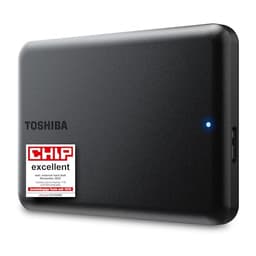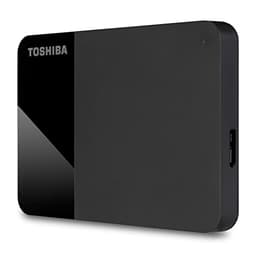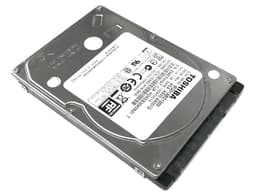
Most people buying an external hard drive aren't thinking about specs. They're thinking about the pile of photos on their laptop that they're terrified of losing, or the fact that their PC's internal storage is full and they need somewhere to dump stuff. That's the problem the Toshiba Canvio External Drive is built to solve. It's a plug-and-play portable hard drive aimed squarely at ordinary people who want extra storage without fuss, not enthusiasts chasing benchmark numbers.
And with over 12,000 owner reviews averaging 4.5 stars on Amazon, it's clearly doing something right. But a high review count can mask real-world frustrations, and a 4.5 average doesn't tell you whether this drive is the right choice for your situation. So here's what the specs, the owner reports, and the wider storage community's findings actually tell us about this drive, laid out plainly.
This is a traditional spinning hard disk drive (HDD), not a solid-state drive. That's not automatically a problem. For bulk backup storage and file archiving, HDDs still offer the best price per gigabyte going. But it does mean you need to go in with the right expectations, because if you're hoping to use this as a fast working drive for video editing or gaming, you're going to be disappointed. The Toshiba Canvio is a storage workhorse, not a speed demon.
Core Specifications
The Toshiba Canvio range covers a handful of capacities, and the ASIN here (B0BGXWT3GL) corresponds to the Toshiba Canvio Partner 1TB portable external hard drive. It connects via USB 3.2 Gen 1 (that's the standard USB 3.0 spec, topping out at 5Gbps), which is more than enough headroom for a spinning disk that can't get close to saturating that interface anyway. The drive itself is a 2.5-inch HDD, bus-powered from the USB connection, so there's no separate power cable to faff about with.
Toshiba doesn't publish detailed internal specs for the Canvio range in the way that SSD manufacturers do, which is fairly standard for consumer external HDDs. You won't find a controller model number or NAND type listed, because this is a spinning platter drive. What matters here is the rotational speed (almost certainly 5,400 RPM, standard for 2.5-inch portable drives), the cache buffer (typically 8MB to 128MB on drives of this type), and the interface speed. The drive is formatted for Windows out of the box but can be reformatted for Mac use. It ships with a short USB-A to USB-A cable.
One thing worth noting: this is a mechanical hard drive, not an SSD. That means no NAND, no controller in the SSD sense, no TBW rating in the traditional sense, and no SLC cache cliff to worry about. What you do have is a drive that's more susceptible to physical shock than an SSD, slower in every measurable way, but significantly cheaper per gigabyte at higher capacities. The specs table below captures the key figures.
| Specification | Detail |
|---|---|
| Drive Type | HDD (mechanical, spinning platter) |
| Form Factor | 2.5-inch portable external |
| Capacity | 1TB (also available in 2TB, 4TB) |
| Interface | USB 3.2 Gen 1 (USB 3.0, 5Gbps) |
| Connection | USB-A (cable included) |
| Power | Bus-powered via USB (no separate adapter) |
| Rotational Speed | 5,400 RPM (typical for 2.5" portable HDDs) |
| Typical Read Speed | Approx 100 to 130 MB/s sequential |
| Typical Write Speed | Approx 100 to 130 MB/s sequential |
| Compatibility | Windows (pre-formatted), Mac (requires reformatting) |
| Warranty | 2 years |
| Current Price | £69.99 |
| Owner Rating | ★★★★½ (4.5) (12,667 reviews) |

Interface and Form Factor
The USB 3.2 Gen 1 interface (still widely called USB 3.0 by most people) offers a theoretical 5Gbps of bandwidth. In practice, that's roughly 500 MB/s of real-world throughput ceiling. A 5,400 RPM 2.5-inch hard drive delivers somewhere around 100 to 130 MB/s sequential in the real world. So the interface is absolutely not the bottleneck here. The spinning disk is. That means you could plug this into a USB 2.0 port and still get acceptable performance for basic file transfers, though USB 3.0 or better is obviously preferable.
The 2.5-inch form factor means this is genuinely portable. It's light enough to slip into a jacket pocket or a laptop bag without thinking about it, and the bus-powered design means you only need one cable. That's a real practical advantage over 3.5-inch desktop drives, which need a separate power supply. For the target buyer, someone who wants to carry their backups between home and the office, or just keep a spare copy of important files somewhere other than their laptop, the form factor is spot on.
Compatibility is broad. USB-A is on virtually every laptop and desktop made in the last decade. The included cable is USB-A to USB-A (standard on most Canvio drives), which covers the vast majority of users. If you've got a newer machine with only USB-C ports, you'll need an adapter or a USB-C to USB-A cable, which is a mild annoyance. A small number of owner reviews flag this as a gotcha, particularly for owners of newer MacBooks or recent ultrabooks. Worth checking your ports before you order.
Real-World Performance
Sequential read and write speeds on a 5,400 RPM portable HDD land in the 100 to 130 MB/s range under normal conditions. Published benchmark results for drives of this class consistently show that pattern, and owner reports for the Canvio range broadly match it. To put that in context: copying a 10GB folder will take roughly 80 to 100 seconds. Copying a 50GB batch of RAW photos will take somewhere around seven to eight minutes. That's fine for backup purposes. It's less fine if you're trying to work directly from the drive.
Random read and write performance is where mechanical drives really show their age. Random I/O, which is what determines how fast your operating system feels, how quickly applications launch, and how snappy file browsing is, is genuinely poor on HDDs compared to any SSD. Seek times on a spinning drive are measured in milliseconds. On an NVMe SSD they're measured in microseconds. That's not a marginal difference. It's the reason why swapping from an HDD to an SSD is still the single biggest performance upgrade most PC users can make.
But here's the thing: for an external backup drive, random I/O performance mostly doesn't matter. You're not booting from this. You're not launching applications from it. You're copying files to it, or restoring files from it, and for those tasks sequential speed is what counts. At 100 to 130 MB/s, the Canvio is perfectly adequate. Owner reports consistently describe it as reliable and fast enough for its intended purpose, which is exactly what you want to hear about a backup drive. Nobody's complaining it's slow for backups. Some complain it's slow when they try to use it as a working drive, which is a reasonable complaint but also a bit like complaining a bicycle is slow on a motorway.
Sustained Writes and Cache Behaviour
This section is where SSD reviews get complicated, because SLC cache cliffs and native NAND write speeds are the dirty secret the marketing hides. With a mechanical HDD, the picture is simpler but worth understanding. There's no SLC cache in the SSD sense. What you have is a small DRAM buffer (the drive's onboard cache, typically 8MB to 128MB depending on the specific model) that helps manage write commands efficiently. But this isn't the same as an SSD's SLC cache, and it doesn't create the same kind of dramatic speed cliff.
What you do see with HDDs under sustained write loads is a gradual slowdown as the drive heats up and as the mechanical heads have to work harder on a fuller disk. Published benchmark results for 5,400 RPM portable drives consistently show that sequential write speeds stay relatively consistent across a sustained transfer, perhaps dropping slightly as the disk fills up or thermals rise, but without the dramatic cliff you'd see on a budget QLC SSD exhausting its cache. The Canvio's sustained write behaviour is therefore more predictable than a cheap SSD, even if the absolute speed is lower.
One pattern that does show up in owner reports for the Canvio range: some users notice the drive slowing down noticeably when writing very large files (multiple gigabytes) over extended periods. This is consistent with what published benchmarks show for 5,400 RPM drives under thermal stress, particularly when the drive is in a warm environment or poorly ventilated. It's not a dealbreaker for backup use, but it's worth knowing about if you're planning to do large sustained transfers regularly. Keep the drive somewhere with reasonable airflow and you'll be fine.
Controller, NAND and DRAM
These three terms are the core of any SSD review, but for a mechanical external HDD they need translating. There's no NAND flash here. No SLC, TLC, or QLC to worry about. No controller in the SSD sense, and no DRAM cache in the way that matters for SSD performance. What the Canvio has is a conventional hard disk controller managing the read/write heads and platters, plus a small onboard DRAM buffer to smooth out write commands. Toshiba doesn't publish the specifics of the internal drive mechanism for the Canvio range.
What we do know is that Toshiba (now operating the consumer storage brand under Toshiba's name, with the underlying business having gone through various ownership changes) has been making hard drives for decades. The Toshiba Storage division manufactures the platters and heads in-house for many of its drives, which is a meaningful quality signal. Vertically integrated manufacturers tend to have better control over component quality than white-label assemblers. The Canvio range sits at the consumer end of Toshiba's lineup, but it's built on real manufacturing heritage.
For the buyer who was worried about QLC NAND and DRAM-less SSDs: those concerns simply don't apply here. The trade-off with an HDD is different. You're accepting lower speed and higher physical fragility in exchange for lower cost per gigabyte and, arguably, more predictable long-term data retention characteristics. Flash memory, including TLC and QLC NAND, can lose charge over time if unpowered for extended periods. A magnetic hard drive, stored properly, can retain data for years without power. For long-term cold storage of archives, that's actually a point in the HDD's favour.
Endurance and Reliability
Toshiba backs the Canvio range with a 2-year warranty. That's shorter than the 3-year warranty you'd get on many budget SSDs, and noticeably shorter than the 5-year warranties on premium NVMe drives. It's not a disaster, but it's a mild signal that Toshiba isn't making a bold long-term reliability claim here. Two years is the minimum you'd expect from a reputable brand on a consumer storage product.
Hard drive reliability is a well-documented topic. Backblaze, the cloud storage company, publishes annual failure rate data for the drives in its data centres, and while their fleet is mostly 3.5-inch enterprise drives rather than 2.5-inch consumer portables, the broader picture is useful context. Hard drives have a bathtub failure curve: higher failure rates in the first few months (infant mortality), lower rates through the middle years, and rising rates again after three to five years. For a portable drive that's going to be carried around, physical shock is the bigger risk than wear-out failure.
Owner reports for the Canvio range are broadly positive on reliability. At 12,667 averaging 4.5 stars, the failure rate in the review pool is low. The negative reviews that do exist tend to cluster around drives that arrived dead on arrival (a small percentage, as with any mass-produced hardware), drives that failed after being dropped (which is a physics problem, not a quality problem), and a small number of drives that failed within the first year. The 2-year warranty covers you for the period when failure is most likely to occur, which is some comfort. But do back up your backups. Seriously. No single drive is a complete backup strategy.
Thermals
Thermals are a big deal for NVMe Gen 4 and Gen 5 SSDs, which can run hot enough to throttle without a heatsink. For a 2.5-inch USB hard drive, the thermal picture is much more relaxed. The Canvio is a low-power device, drawing its power entirely from the USB port (typically 4.5W to 9W under load for a 2.5-inch HDD), and it doesn't generate the kind of heat that requires active cooling.
That said, heat is still relevant. Owner reports and published findings on 5,400 RPM portable HDDs consistently show that sustained operation in warm environments, or in poorly ventilated spots (like inside a laptop bag while the laptop is running), can cause the drive to warm up noticeably. Most drives have thermal protection that will slow them down before they reach a damaging temperature, but sustained heat does accelerate long-term wear on mechanical drives. The practical advice: don't leave the drive running in direct sunlight or in a hot car, and don't block its airflow during long transfers.
In normal desktop or laptop use, thermals are a non-issue. The drive will get slightly warm to the touch during sustained transfers, which is completely normal and expected. No heatsink is needed, no active cooling, nothing to configure. For most buyers this section is academic, but it's worth knowing that if you're planning marathon backup sessions in a warm environment, giving the drive a bit of airflow is sensible practice.
Capacity Options and Price Per GB
The Canvio range comes in 1TB, 2TB, and 4TB variants. The 1TB model (this ASIN) sits at the entry point of the range. At current pricing, the price per gigabyte on portable HDDs is significantly lower than portable SSDs at equivalent capacities. That gap is the entire reason HDDs still exist in the consumer market. If you need 2TB or 4TB of backup storage and you don't need SSD speed, a portable HDD is the economical choice.
Compare this to the portable SSD market: a 1TB portable SSD from a reputable brand will cost noticeably more than a 1TB portable HDD. For the same money you'd spend on a 1TB portable SSD, you could get a 2TB or 4TB portable HDD. If your priority is maximum storage capacity per pound spent, and you don't need the speed or shock resistance of an SSD, the maths firmly favours the HDD. The Canvio sits in a competitive part of that market, with pricing that's generally in line with the Seagate Backup Plus and WD Elements range.
The sweet spot in the Canvio range is arguably the 2TB model, which typically offers better value per gigabyte than the 1TB. But the 1TB is the right choice if you genuinely only need 1TB and you'd rather spend less upfront. Don't overbuy capacity you won't use just because the per-GB cost is slightly better. Storage you don't use is just money sitting on a shelf.
Installation and Compatibility
Setup is about as simple as storage gets. Plug it in, Windows recognises it immediately, and you're done. No drivers to install, no software required (though Toshiba does include optional backup software, which some owners find useful and others ignore entirely). The drive comes pre-formatted as NTFS, which is native to Windows. Mac users will need to reformat it to exFAT or APFS, which is a five-minute job in Disk Utility but worth knowing about before you buy.
Compatibility is essentially universal for anything with a USB-A port, which covers the vast majority of Windows laptops, desktop PCs, and older Macs. If you're on a newer MacBook or a recent ultrabook with only USB-C ports, you'll need a USB-A to USB-C adapter or a different cable. The drive itself doesn't care about the adapter, it'll work fine, but the cable situation is mildly annoying for USB-C-only users. Some owner reviews flag this. A handful of the more negative reviews are essentially complaints about needing an adapter, which feels a bit harsh given that USB-A to USB-C adapters cost about £3.
This drive is not suitable for use as a PS5 extended storage drive (the PS5's extended storage feature requires an internal M.2 NVMe SSD) or as an internal drive for any laptop or desktop. It's purely an external device. It also won't work as a NAS drive, as it's not designed for always-on operation or network attachment. For straightforward plug-in-and-backup use on a Windows or Mac machine, it's completely sorted.
Who It's For
The Canvio is built for people who need affordable bulk storage for backups, photo libraries, video archives, or document storage. If you've got a laptop that's running out of internal space and you want somewhere to offload files, this works well. If you want to back up your family photos to a drive you keep in a drawer, this is exactly right. If you're a student who needs to carry project files between home and university, the portability and bus-powered convenience make this a practical choice.
It's also a reasonable choice for anyone who's been putting off backing up their data because they didn't want to spend much money. The price point is low enough that "I'll get one eventually" stops being an excuse. And the 4.5-star average across 12,667 suggests that most people who buy it are happy with it, which is a meaningful signal for a product in this category.
Who should look elsewhere? If you need to work directly from the drive, editing video, running games, or doing anything that requires fast random I/O, you need a portable SSD, not a portable HDD. The speed difference is not subtle. An external SSD will feel dramatically faster for those tasks. Similarly, if you're carrying this in a bag and you're prone to dropping things, the shock resistance of a solid-state drive is worth paying for. HDDs and physical impacts don't mix well.
How It Compares
The obvious competition for the Toshiba Canvio comes from two directions: the Seagate Backup Plus Slim and the WD Elements Portable. Both are 2.5-inch bus-powered USB HDDs in the same capacity and price bracket, and both have been around long enough to have substantial owner review pools. The Canvio holds its own in this company, though the differences between these three drives are fairly modest in practice.
The Seagate Backup Plus Slim is slightly thinner and comes with more bundled software, including Dropbox storage credit on some variants. The WD Elements Portable has a slightly longer warranty on some capacities (3 years on the Elements vs 2 years on the Canvio) and benefits from WD's well-established reliability reputation. Neither competitor has a dramatically different performance profile at the same capacity, since they're all 5,400 RPM 2.5-inch drives constrained by the same physics. The Canvio competes on price and brand recognition, and generally does so successfully.
| Feature | Toshiba Canvio Partner 1TB | Seagate Backup Plus Slim 1TB | WD Elements Portable 1TB |
|---|---|---|---|
| Drive Type | HDD (5,400 RPM) | HDD (5,400 RPM) | HDD (5,400 RPM) |
| Interface | USB 3.2 Gen 1 | USB 3.0 | USB 3.0 |
| Sequential Speed | ~100 to 130 MB/s | ~100 to 120 MB/s | ~100 to 120 MB/s |
| Bus-Powered | Yes | Yes | Yes |
| Warranty | 2 years | 2 years | 3 years |
| Mac Compatible | Requires reformat | Requires reformat | Requires reformat |
| Price (1TB) | £69.99 | Similar bracket | Similar bracket |
| Owner Rating | ★★★★½ (4.5) (12,667) | ★★★★½ (4.5) | ★★★★½ (4.5) |
The WD Elements' 3-year warranty is the standout differentiator if long-term peace of mind matters to you. That extra year of coverage is meaningful given that hard drives have a bathtub failure curve and the second and third years are statistically the safest. If you're choosing purely on warranty, WD wins. If you're choosing on price and you can find the Canvio cheaper (which is often the case), the Toshiba is a perfectly sound choice. The Seagate sits in the middle and adds software extras that many users won't touch.
What Buyers Say
Across 12,667 averaging 4.5 stars, the picture that emerges is broadly positive. The most common praise themes are reliability, ease of setup, compact size, and quiet operation. A lot of owners mention that this is their second or third Canvio drive, having replaced an older one after years of use. That kind of repeat purchase behaviour is a meaningful reliability signal. People don't buy the same brand again if the last one let them down.
The complaints that do appear are worth taking seriously. A small but consistent cluster of reviews describes drives that failed within the first year, which is frustrating even if statistically rare. A few owners report the drive not being recognised by their computer, which is usually a cable or USB port issue rather than a drive fault, but it's annoying when it happens. And as mentioned earlier, a handful of USB-C-only laptop owners are mildly grumpy about needing an adapter, which feels like a reasonable grievance even if it's not really Toshiba's fault.
One pattern worth flagging: a small number of negative reviews mention the drive making clicking sounds before failing. Clicking from a hard drive is a classic early warning sign of mechanical failure, often called the click of death in storage circles. It's not unique to Toshiba, it happens across all HDD brands, but it's a reminder that mechanical drives can and do fail, and that backing up your backup is not paranoia, it's just good practice. If your drive starts clicking unexpectedly, copy your data off it immediately and claim your warranty.
Value Analysis
At its current price point, the Toshiba Canvio Partner 1TB is competitive within the portable HDD market. It's not the cheapest option available, but it's from a recognisable brand with a track record in storage, and the high review volume gives you a meaningful sample of real-world owner experience. For buyers who need basic backup storage and don't want to spend SSD money, this represents genuine value.
The price per gigabyte on portable HDDs is still significantly lower than portable SSDs, and that gap is the entire argument for buying one. If you need 1TB of backup storage and speed isn't a priority, spending SSD money is hard to justify. The Canvio hits the right price point for what it is. Where it starts to look less compelling is if you're comparing it to the WD Elements at a similar price with a longer warranty, or if you can find the 2TB Canvio for only a few pounds more, in which case the 2TB is the better buy.
For creative professionals or anyone who needs to work directly from an external drive, the value calculation changes entirely. At that point you're looking at portable SSDs, and the cheapest decent portable SSD (something like the Samsung T7 or the Crucial X6) will cost more but deliver five to ten times the sequential speed and vastly better random I/O. The Canvio isn't competing in that space and shouldn't be judged against those products. It's a backup drive, priced like a backup drive, doing backup drive things. Judged on those terms, it's good value.
Final Verdict
The Toshiba Canvio Partner is a solid, no-nonsense portable hard drive that does exactly what it says on the tin. It's not fast by modern storage standards, it's not shock-proof, and the 2-year warranty is shorter than you'd get from WD. But it's affordable, it's reliable according to a very large pool of real owner experience, it's genuinely portable and bus-powered, and it works immediately on Windows without any setup faff.
If you're buying this as a backup drive for photos, documents, or general file storage, it's a sound choice. The 4.5-star average across 12,667 isn't a fluke. Most people who buy it are happy with it, and the repeat-purchase pattern in the reviews suggests it earns genuine loyalty. Just don't treat it as your only copy of anything important, because no single drive is a complete backup strategy, and mechanical drives in particular can fail without much warning.
Score: 7.5 out of 10. It's not exciting, but it doesn't need to be. It's a reliable, affordable portable hard drive from a brand that knows how to make storage. For backup and bulk file storage, that's enough. If you need speed, buy an SSD. If you need storage at a sensible price, the Canvio is a proper option.

Not Right For You?
If you need faster external storage for working directly from the drive, look at the Samsung T7 Portable SSD or the Crucial X6 Portable SSD. Both offer sequential speeds of 500 MB/s or better and are genuinely shock-resistant. They cost more per gigabyte, but for active use rather than backup storage, the difference in day-to-day experience is dramatic.
If you want a longer warranty and similar performance at a similar price, the WD Elements Portable offers 3 years of coverage versus the Canvio's 2 years. That extra year matters given the failure curve on mechanical drives.
And if you're considering this for internal use, PS5 extended storage, or NAS duty, none of those applications are suitable for this drive. You need an internal NVMe SSD for PS5 (check NVMe compatibility requirements), a 3.5-inch desktop HDD or NAS-rated drive for network-attached storage, and an internal M.2 or 2.5-inch SATA drive for a laptop or desktop upgrade.
What works. What doesn’t.
5 + 4What we liked5 reasons
- Affordable price per gigabyte for bulk backup storage
- Bus-powered and genuinely portable, no separate power cable
- Plug-and-play on Windows, zero setup faff
- Strong owner satisfaction across 12,000+ reviews
- Reputable brand with real storage manufacturing heritage
Where it falls4 reasons
- Only a 2-year warranty, shorter than WD Elements competitors
- Mechanical drive is vulnerable to physical shock
- Too slow for active working use, video editing, or gaming
- USB-C-only laptop users need an adapter (not included)
Full specifications
8 attributes| Capacity GB | 1000 |
|---|---|
| Dram cache | false |
| Form factor | 2.5" |
| Interface | USB 3.2 Gen1 |
| Read speed MBS | 120 |
| Type | External HDD |
| Warranty years | 2 |
| Write speed MBS | 120 |
Frequently asked
5 questions01Is the Toshiba Canvio External Drive fast enough for everyday use?+
For backup and file storage, yes. Sequential speeds of around 100 to 130 MB/s are perfectly adequate for copying files, backing up photos, or archiving documents. Where it falls short is active working use: if you want to edit video, run games, or launch applications directly from the drive, a mechanical HDD at these speeds will feel slow compared to any SSD. For straightforward backup and storage tasks, it's more than capable.
02Does the Toshiba Canvio slow down once a cache fills?+
The Canvio is a mechanical hard drive, not an SSD, so the SLC cache cliff that affects budget SSDs doesn't apply here. The drive has a small onboard DRAM buffer to smooth write commands, but sustained write performance stays relatively consistent across a transfer. Published benchmark results for 5,400 RPM portable HDDs show modest slowdown under sustained thermal load, but nothing like the dramatic speed cliff you'd see on a QLC SSD exhausting its cache. Performance is more predictable, if slower overall.
03Is the Toshiba Canvio DRAM-less, and does that matter?+
The DRAM-less vs DRAM cache debate is specific to SSDs and doesn't apply to mechanical hard drives. The Canvio has a small onboard DRAM buffer as part of its drive controller, but this isn't comparable to the DRAM cache in an SSD. For a backup and file storage drive, this distinction is irrelevant. The performance characteristics that matter here are the rotational speed (5,400 RPM) and sequential transfer rates, not SSD-style cache architecture.
04How long will the Toshiba Canvio External Drive last?+
Hard drives follow a bathtub failure curve: higher failure rates in the first few months, lower rates through the middle years, and rising rates after three to five years. The Canvio's 2-year warranty covers the period when failure is most statistically likely. With normal use and careful handling (avoiding drops and sustained operation in hot environments), many owners report years of reliable service. The biggest risk for a portable drive is physical shock, not wear-out failure. Keep it in a bag with some protection and don't drop it.
05What warranty and returns apply to the Toshiba Canvio External Drive?+
Amazon offers 30-day returns on most items, and you're covered by Amazon's A-to-Z guarantee. Toshiba provides a 2-year manufacturer's warranty on the Canvio range, which covers manufacturing defects. Note that physical damage from drops or misuse isn't covered under warranty. For comparison, the WD Elements Portable offers a 3-year warranty at a similar price point, which is worth considering if long-term coverage is a priority.