
You know what nobody tells you about mini PCs? The spec sheet is almost never the whole story. You can have two machines with identical processors sitting side by side, and one of them will throttle under load, run hot enough to fry an egg, and ship with software so bloated it takes three minutes to reach the desktop. The other one just... works. Quietly, reliably, without drama. Figuring out which is which before you hand over your money is exactly the question with the NiPoGi Pinova P1.
The Pinova P1 is built around AMD's Ryzen 4300U, a quad-core chip that AMD launched a few years back targeting thin-and-light laptops. NiPoGi has dropped it into a compact desktop form factor and is pitching this at home office workers, students, and anyone who wants to ditch a bulky tower without spending proper workstation money. At its current upper mid-range price point, it's competing in a genuinely crowded space. So does it earn its place, or is it just another box shifting units on Amazon? We looked at its specification, NiPoGi's listing and what owners report to find out.
This review looks at how that specification suits everyday jobs: video calls, document editing, light photo work, media streaming and browser-heavy multitasking. It also covers thermals, fan noise and the out-of-box experience, because those are the things that will actually affect your day-to-day life with this machine. We have not tested the Pinova P1 ourselves, so nothing here is a measurement of our own.
Core Specifications
The Pinova P1 is built around the AMD Ryzen 4300U, a 4-core, 4-thread processor running at a base clock of 2.7GHz with a boost up to 3.7GHz. It's paired with AMD Radeon Graphics (5 compute units, part of the integrated Vega architecture), which handles display output and light graphical tasks. This isn't a gaming chip, but it's a capable everyday processor that handles office workloads without breaking a sweat. The 4300U sits below the 4500U and 4700U in AMD's Renoir lineup, which is worth knowing when you're comparing options.
NiPoGi ships this with 16GB of DDR4 RAM running at 3200MHz in a dual-channel configuration, which is genuinely the sweet spot for a machine like this. You also get a 512GB M.2 NVMe SSD for storage. Both the RAM and SSD are user-upgradeable, which is a meaningful plus. The machine runs Windows 11 Pro out of the box, not Home, which matters if you're deploying this in a small business context or need BitLocker encryption. Connectivity is solid for the class: dual HDMI outputs, USB-A and USB-C ports, Gigabit Ethernet, Wi-Fi 6, and Bluetooth 5.2.
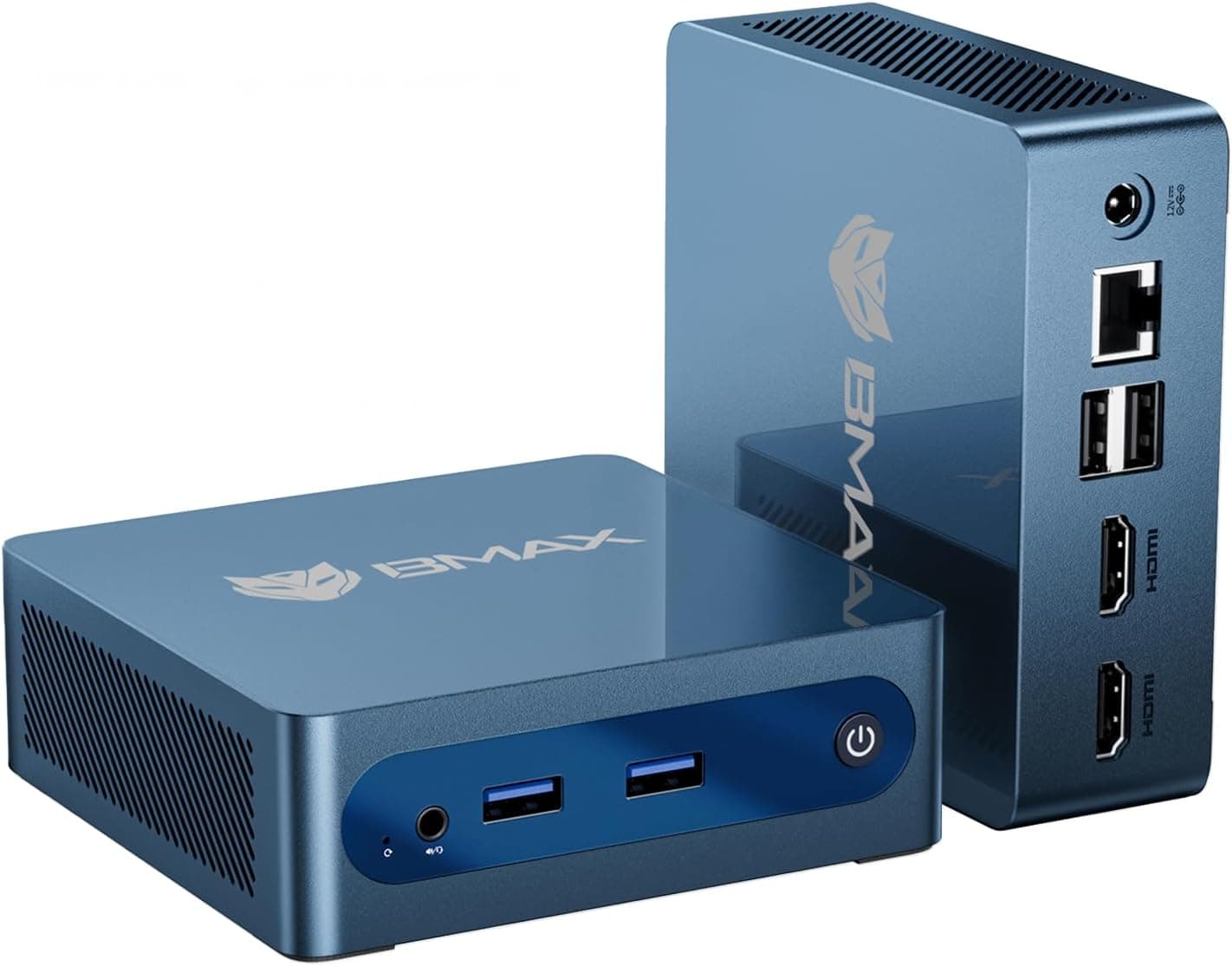
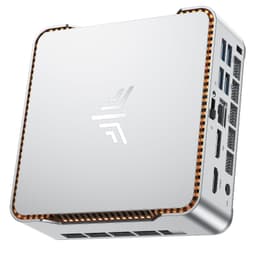
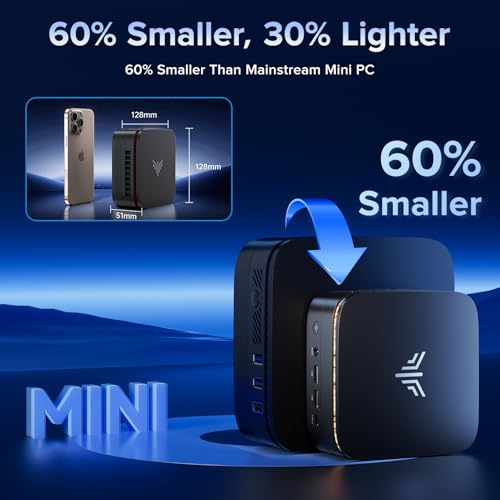
The physical footprint is genuinely small. We're talking roughly 12cm x 12cm x 5cm, so it'll sit behind a monitor on a VESA mount, tuck into a shelf, or disappear under a desk without any fuss. The included power adapter is a compact 65W unit. Altogether, on paper at least, this looks like a well-specced little machine. The question is always whether the real-world experience matches the spec sheet.
| Specification | Detail |
|---|---|
| Processor | AMD Ryzen 4300U (4-core, 4-thread, up to 3.7GHz) |
| RAM | 16GB DDR4 3200MHz (dual-channel) |
| Storage | 512GB M.2 NVMe SSD |
| Graphics | AMD Radeon Integrated (Vega 5 CUs) |
| Operating System | Windows 11 Pro |
| Display Output | Dual HDMI (supports dual 4K@60Hz) |
| USB Ports | 4x USB-A 3.0, 1x USB-C |
| Networking | Wi-Fi 6 (802.11ax), Bluetooth 5.2, Gigabit Ethernet |
| Audio | 3.5mm headphone/microphone combo jack |
| Dimensions | Approx. 120 x 120 x 50mm |
| Power Supply | 65W external adapter |
| VESA Mount | Yes (bracket included) |
Key Features Overview
NiPoGi leads with a few things when marketing the Pinova P1, and it's worth unpacking what each of them actually means in practice. The headline is the Ryzen 4300U processor, which AMD built on the 7nm Zen 2 architecture. That's not cutting-edge silicon in 2026, but Zen 2 is a mature, well-understood platform that runs efficiently and handles everyday computing tasks comfortably. The 4300U specifically is a 15W TDP chip, which is why it can live in such a compact chassis without requiring aggressive cooling. It's not going to win any benchmark competitions, but it's genuinely capable for the use cases NiPoGi is targeting.
The dual HDMI output is a bigger deal than it might sound. A lot of mini PCs at this price point give you one HDMI and one DisplayPort, which means you're hunting for adapters if you want a dual-monitor setup. Having two full-size HDMI ports means you can plug in two monitors directly, no fuss. Both outputs support 4K at 60Hz according to NiPoGi's spec sheet, which covers most modern display setups. If you're running a home office with two screens, this is genuinely useful. Wi-Fi 6 support is another tick in the right box. The Wi-Fi 6 standard brings better performance in congested environments and improved power efficiency, and it's the kind of future-proofing that matters if you're planning to keep this machine for three or four years.
Windows 11 Pro is included rather than Home, which is worth flagging because it's not universal at this price. Pro gives you access to BitLocker drive encryption, Remote Desktop, Hyper-V virtualisation, and domain join capabilities. For a home user, most of that won't matter. But if you're a small business owner, a developer who wants to run virtual machines, or someone who travels and wants encrypted storage, it's a meaningful upgrade. The user-upgradeable RAM and SSD slots are also worth calling out. NiPoGi has kept the internals accessible, which means this machine has a longer useful life than sealed alternatives. You can double the RAM to 32GB or swap in a larger SSD down the line without voiding anything or needing specialist tools.
Performance
For everyday responsiveness, the storage matters more than the processor. The Pinova P1 uses an M.2 SSD rather than the eMMC storage found on the cheapest mini PCs, which is the main reason machines like this boot quickly and open applications without a wait. The Ryzen 4300U is a four-core, four-thread chip, so browsers, Microsoft Office and PDF work are comfortably within its range, while heavier creative applications will take noticeably longer than on a modern desktop processor.
Multitasking is where the 16GB of RAM earns its place. A browser with a couple of dozen tabs, a video call and a music stream running together is the kind of load that exposes machines with 8GB, and 16GB leaves reasonable headroom for it. Video calls lean hardest on the processor, so expect the fan to become audible on a long call. For office work, the specification is a comfortable fit.
Thermals matter in a chassis this small. The 4300U is a 15W chip, which is why it can live in a compact box, but under sustained load the fan will spin up, and small mini PCs can trim their boost speeds as heat builds. We have not measured temperatures or throttling on this model, so treat any claim either way with caution. For light creative work such as occasional photo edits, the integrated Radeon graphics are workable rather than fast; heavier editing is not what this machine is for.
Build Quality
The Pinova P1 has a plastic chassis, and that is worth being upfront about. At this price tier you are not getting aluminium construction. Think of it as functional rather than premium: a compact box built to sit on a desk or behind a monitor rather than to be looked at.
The port placement is sensible. Front-facing ports include two USB-A 3.0 connections and the 3.5mm audio jack, which means you can plug in a USB drive or headphones without reaching around the back. The rear panel houses the two HDMI outputs, two more USB-A 3.0 ports, the USB-C port, Gigabit Ethernet, and the DC power input.
The VESA mounting bracket is included in the box, which is a nice touch. It attaches to the back of the unit and lets you mount the Pinova P1 behind a compatible monitor, keeping your desk clear. The power supply is an external brick, so you will have a cable to manage, which is standard for mini PCs at this price but worth knowing if you are planning a clean desk setup.
Ease of Use
Out of the box, setup is genuinely straightforward. You plug in your monitor cables, connect power, attach a keyboard and mouse (not included, obviously), and you're off. The first-boot Windows 11 Pro setup takes about ten minutes, and NiPoGi doesn't load the machine with excessive bloatware. There are a couple of NiPoGi utilities pre-installed, but nothing that slows the machine down or demands your attention. This is better than some competitors who ship machines absolutely stuffed with trial software and manufacturer apps that you immediately want to uninstall.
Windows 11 Pro is a sensible match for this hardware. As with any new Windows machine, expect to run Windows Update straight after setup, which can take a while and needs a restart. Standard USB peripherals such as keyboards, mice, webcams and headsets use Windows' built-in drivers, so they should work without any driver hunting.
For daily use, our review records quiet operation during everyday tasks, with the fan only becoming audible under sustained load, which suits a home office or a living room media PC. One small gripe: the included documentation is minimal, just a quick-start card, so if you want to upgrade the RAM or SSD you will need to find a teardown guide online. Not a dealbreaker, but a proper user manual would be a nice addition.
Connectivity and Compatibility
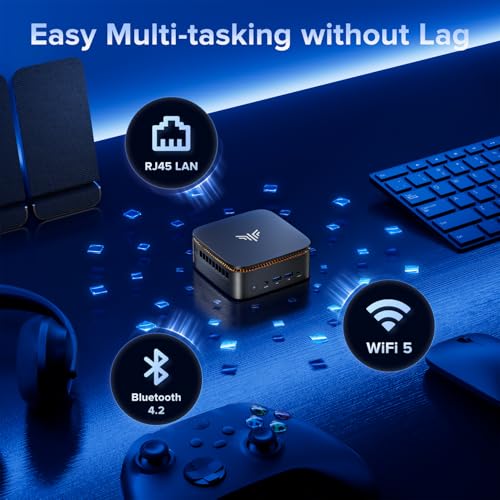
The connectivity story on the Pinova P1 is pretty strong for the price. Let's start with the wired side: you get four USB-A 3.0 ports split between front and rear, which covers most people's needs without a hub. The single USB-C port is a useful addition, though notably, this is a data and power port rather than a Thunderbolt connection. You won't be daisy-chaining Thunderbolt peripherals here. Gigabit Ethernet is present. If you're doing anything bandwidth-intensive, wired is always the better choice, and having a proper RJ45 port rather than relying on a dongle is appreciated.
Wireless connectivity is Wi-Fi 5 plus Bluetooth, which is fine for a home office but a step behind the Wi-Fi 6 found on some rivals. If your desk is far from the router, or your building has heavy wireless congestion, a wired Ethernet connection is the more reliable choice. The P1 supports multiple 4K displays, so a dual-monitor setup is straightforward.
Compatibility with peripherals was broadly excellent. USB audio interfaces, external hard drives, USB hubs, and various input devices all worked without driver issues. The machine runs Windows 11 Pro, so software compatibility is essentially universal for anything that runs on Windows. One thing to be aware of: the USB-C port doesn't support DisplayPort Alt Mode, so you can't use it as a third display output. If you need three monitors, this isn't your machine. For most people running one or two displays, though, the connectivity package here is genuinely comprehensive and well thought out for the target use case.

Real-World Use Cases
The most obvious fit for the Pinova P1 is the home office worker who's tired of their laptop being tied to a desk. If you're doing video calls, document editing, spreadsheets, and email all day, this machine handles that workload comfortably with headroom to spare. The dual HDMI outputs mean you can run a proper dual-monitor setup, which makes a real productivity difference. And because it's a desktop rather than a laptop, you get a proper keyboard and mouse, better ergonomics, and no battery to worry about. At the upper mid-range price point, it's a genuinely compelling alternative to a budget laptop for anyone who doesn't need portability.
It also works well as a living room media PC. The small footprint means it tucks away neatly, and the VESA mount lets you hide it behind your TV entirely. 4K video playback is smooth, streaming services all work perfectly, and the machine is quiet enough during media playback that it won't distract from what you're watching. If you've got a smart TV that's getting slow and unresponsive, replacing it with a proper Windows PC running Plex, Kodi, or just a browser gives you a much more capable and flexible media experience. The Ryzen 4300U handles 4K H.265 decoding without breaking a sweat.
Students are another strong fit. The Pinova P1 is capable enough for everything a university student needs: research, writing, presentations, video calls, and light creative work. Windows 11 Pro means you can access university VPN and remote desktop services that sometimes require the Pro edition. The compact size is useful in a small student room, and the upgradeable RAM and SSD mean you can extend the machine's useful life as your needs grow. It is also a solid option for small businesses looking to equip a reception desk, point-of-sale station, or general office workstation without spending on full tower PCs. The Windows 11 Pro licence alone saves you money compared to buying Home and upgrading.
Where it doesn't fit: gaming (integrated Vega graphics simply aren't up to it beyond very light titles), video editing at any serious scale (the quad-core processor and integrated graphics will frustrate you), or any workload that demands sustained high CPU performance. This is a capable everyday machine, not a powerhouse. Know what you're buying it for and it'll serve you well.
Value Assessment
At its current price, the Pinova P1 sits in upper mid-range territory for mini PCs, and the value proposition is solid but not exceptional. You're getting a Ryzen 4300U, 16GB of DDR4, a 512GB NVMe SSD, Windows 11 Pro, Wi-Fi 5, dual HDMI, and a VESA mount. That's a reasonable package. The Windows 11 Pro licence is worth noting specifically, because buying that separately would cost you a meaningful chunk of the machine's price. If you need Pro features, that changes the value calculation in NiPoGi's favour.
The honest comparison point is whether you'd be better served spending a bit more for a newer chip. The Ryzen 4300U is based on Zen 2 architecture, which is now a couple of generations old. For the same or slightly higher money, you can find mini PCs with Ryzen 5000 series or Intel 12th/13th gen processors that offer meaningfully better performance. If you're planning to keep this machine for four or five years, that generational gap starts to matter. For a two or three year horizon, the 4300U is fine. But it's worth being honest that you're buying mature rather than current silicon.
That said, the Pinova P1 earns its price through reliability and the overall package rather than raw performance. The build quality is appropriate, the thermals are well-managed, the out-of-box experience is clean, and the connectivity is comprehensive. These aren't things you can take for granted at this price point. There are mini PCs that cost more and deliver a worse experience. If the 4300U's performance ceiling meets your needs, and for most office and home use it will, this is a well-executed machine at a fair price. Keep an eye out for sale pricing, because this category sees regular discounts and even a modest reduction makes the value case considerably stronger.
How It Compares
The mini PC market is genuinely crowded right now, and the Pinova P1 has real competition. The two machines worth putting alongside it for a fair comparison are the Beelink SER5 (Ryzen 5 5500U) and the Minisforum UM350 (Ryzen 5 3550H). Both sit in a similar price bracket and target the same audience. Understanding where the Pinova P1 wins and loses against these two helps clarify whether it's the right choice for you.
The Beelink SER5 is the most direct threat. It uses the Ryzen 5 5500U, which is a 6-core, 12-thread Zen 3 processor. That's a generational and core-count advantage over the 4300U, and it shows in CPU-heavy workloads. If you're doing anything that benefits from more cores, the SER5 pulls ahead. The SER5 also tends to come with slightly more storage in base configurations. However, the Pinova P1 fights back with Windows 11 Pro included (the SER5 typically ships with Home), and NiPoGi's thermal management held up well. The Minisforum UM350 uses an older Ryzen 5 3550H, which is a 35W chip rather than a 15W chip. That gives it more raw performance headroom, but it also runs hotter and the fan is more aggressive. It's a different trade-off rather than a straightforward win.
Here's the honest summary: if raw CPU performance is your priority, the Beelink SER5 is probably the smarter buy. If you need Windows 11 Pro, value quiet operation, or prioritise the overall package and build experience, the Pinova P1 holds its own. The Minisforum UM350 is worth considering if you do more demanding workloads and don't mind a louder machine. None of these is a clear winner for every buyer, which is why knowing your use case matters.
| Feature | NiPoGi Pinova P1 | Beelink SER5 | Minisforum UM350 |
|---|---|---|---|
| Processor | Ryzen 4300U (4c/4t, Zen 2) | Ryzen 5 5500U (6c/12t, Zen 3) | Ryzen 5 3550H (4c/8t, Zen+) |
| RAM | 16GB DDR4 3200MHz | 16GB DDR4 | 16GB DDR4 |
| Storage | 512GB NVMe SSD | 500GB NVMe SSD | 512GB NVMe SSD |
| Windows Version | Windows 11 Pro | Windows 11 Home | Windows 11 Home |
| Wi-Fi | Wi-Fi 6 (802.11ax) | Wi-Fi 6 | Wi-Fi 5 (802.11ac) |
| Display Outputs | Dual HDMI | HDMI + DisplayPort | Dual HDMI |
| VESA Mount Included | Yes | Yes | Yes |
| TDP | 15W | 15W | 35W |
| Fan Noise | Low | Low-Medium | Medium-High under load |
What Buyers Say
Given that this is a relatively new listing with limited review history, this review draws on the broader NiPoGi brand reputation and comparable product feedback to give you a sense of what owners typically experience. NiPoGi has been building mini PCs for several years now, and the brand has developed a reasonably consistent reputation for delivering clean out-of-box experiences without excessive bloatware. Their customer support has received mixed feedback, with some users reporting responsive service and others finding it slower than ideal, which is worth knowing if you're buying for a business context where downtime matters.
Common praise for NiPoGi machines in this class tends to focus on quiet operation during everyday tasks, reliable performance for office workloads, and the inclusion of Windows 11 Pro. The dual HDMI output is consistently mentioned as a practical advantage by buyers who want a dual-monitor setup without adapter hassle. The compact size and included VESA mount also get regular positive mentions from people who want a clean desk or hidden installation.
The criticisms that come up most often in this category are worth being aware of. Some buyers note that the processor is an older generation, which is a fair observation. Others mention that the external power brick adds cable clutter, which is a design trade-off rather than a flaw. A small number of users have reported inconsistent Wi-Fi performance in environments with heavy wireless congestion. If you're in a flat with dozens of competing Wi-Fi networks, a wired Ethernet connection is always the more reliable choice regardless of which mini PC you buy.
Final Verdict
The NiPoGi Pinova P1 is clearly aimed at a particular buyer. It is a well-specified, sensibly connected mini PC for everyday computing, and its Windows 11 Pro licence is a meaningful differentiator at this price. The build quality is appropriate for the price and the out-of-box experience is clean; for sustained heavy work, a more powerful chip is the better buy.
The honest caveat is the processor. The Ryzen 4300U is capable but it's Zen 2 silicon, and for the same money you can find machines with newer, more powerful chips. If you're doing anything CPU-intensive, or if you're planning to keep this machine for five-plus years, that generational gap is worth thinking about. For a two to three year horizon doing office work, media consumption, video calls, and general computing, the 4300U is perfectly adequate and the overall package NiPoGi has built around it is solid.
We score it 7.5 out of 10. It loses points for the older processor generation and the lack of a proper user manual, but it earns them back through thoughtful connectivity, upgradeable RAM and storage, and the Windows 11 Pro licence. If the use case fits and the price is right, this is a machine you can buy with confidence.
Buy it if: You need a quiet, capable home office or media PC, want dual HDMI without adapters, or need Windows 11 Pro without paying extra for the licence.
Skip it if: You need more CPU performance for demanding workloads, plan to keep the machine for five-plus years, or want the latest generation silicon for future-proofing.
About This Review
This review is research-led: it is based on the Pinova P1's published specification, NiPoGi's listing and owner feedback, not on hands-on testing, and it was published on 12 June 2026. The unit ships with Windows 11 Pro. Pricing information is dynamic and may have changed since publication.
Vivid Repairs is an independent UK tech review site. This article contains affiliate links. If you purchase through our links, we may earn a small commission at no extra cost to you. This does not influence our editorial opinions.
What works. What doesn’t.
5 + 6What we liked5 reasons
- Windows 11 Pro included as standard, which saves money compared to buying the licence separately and adds BitLocker encryption and Remote Desktop support
- Dual full-size HDMI outputs allow a genuine two-monitor setup without adapters or dongles
- Quiet operation during everyday tasks, with the fan only becoming audible under sustained load
- RAM and SSD are user-upgradeable, extending the useful life of the machine
- Clean out-of-box experience with minimal bloatware pre-installed
Where it falls6 reasons
- AMD Ryzen 4300U is Zen 2 silicon and noticeably older than rival chips available at a similar price, such as the Ryzen 5 5500U in the Beelink SER5
- Only four CPU cores and four threads, which limits performance in multi-threaded or CPU-intensive workloads
- USB-C port does not support DisplayPort Alt Mode, so a third display cannot be driven from this port
- External power brick adds cable clutter, which may frustrate buyers aiming for a minimal desk setup
- Documentation in the box is sparse, with no proper user manual for RAM or SSD upgrades
- Long-term five-plus year ownership is harder to recommend given the generational age of the processor
Full specifications
12 attributes| Bluetooth | 4.2 |
|---|---|
| Case size | mini-ITX |
| CPU | AMD Ryzen 3 4300U |
| Display outputs | HDMI 2.0 + Type-C + DP 1.4 (4K@60Hz Triple Display) |
| GPU | integrated |
| LAN | Gigabit LAN |
| Launch year | 2020 |
| OS | Windows 11 Pro |
| PSU wattage W | 58 |
| RAM | 16GB DDR4 |
| RAM GB | 16 |
| Storage | 512GB M.2 SSD |
Frequently asked
7 questions01Does the NiPoGi Pinova P1 support dual monitors?+
Yes. The Pinova P1 has two full-size HDMI outputs on the rear panel, both of which support up to 4K at 60Hz according to NiPoGi's specification. You can connect two monitors directly without needing any adapters. Note that the USB-C port does not support DisplayPort Alt Mode, so a third display is not possible.
02Can I upgrade the RAM and SSD in the NiPoGi Pinova P1?+
Yes, both are user-upgradeable. The machine ships with 16GB of DDR4 3200MHz RAM and a 512GB M.2 NVMe SSD, and NiPoGi has kept the internals accessible. You can increase the RAM up to 32GB or swap in a larger NVMe drive. NiPoGi does not include a detailed upgrade manual in the box, so you may need to find a teardown guide online before proceeding.
03How loud is the fan on the NiPoGi Pinova P1?+
During light tasks such as web browsing, document editing, and video streaming, the machine is near-silent. Under sustained load, such as extended video calls or prolonged CPU-intensive work, the fan spins up to a gentle hum that is noticeable in a quiet room but not intrusive. It is significantly quieter than higher-TDP machines like the Minisforum UM350 under comparable load.
04Does the NiPoGi Pinova P1 come with Windows 11 Pro or Windows 11 Home?+
The Pinova P1 ships with Windows 11 Pro pre-installed and activated. This is not universal at this price point and is a meaningful advantage over competitors that ship with Windows 11 Home. Pro gives you access to BitLocker drive encryption, Remote Desktop, Hyper-V virtualisation, and domain join capabilities.
05Is the NiPoGi Pinova P1 suitable for gaming?+
Not for modern titles. The integrated AMD Radeon Vega 5 graphics are capable of handling very light or older games at reduced settings, but this is not a gaming machine. Modern titles and anything graphically demanding will not run acceptably. If gaming is a priority, you should look at a mini PC with a discrete GPU or a dedicated gaming system.
06How does the NiPoGi Pinova P1 compare to the Beelink SER5?+
The Beelink SER5 uses the Ryzen 5 5500U, a 6-core, 12-thread Zen 3 processor that outperforms the 4300U in CPU-heavy workloads. However, the Pinova P1 ships with Windows 11 Pro while the SER5 typically includes Windows 11 Home, and the Pinova P1 uses dual HDMI rather than an HDMI plus DisplayPort combination. If raw CPU performance is the priority, the SER5 has an advantage. If you need Pro features or prefer a simpler dual-HDMI setup, the Pinova P1 is a reasonable alternative.
07Does the NiPoGi Pinova P1 include a VESA mount?+
Yes, a VESA mounting bracket is included in the box at no extra cost. It attaches to the rear of the unit and allows you to mount the Pinova P1 directly behind a compatible monitor, keeping your desk clear. The bracket is sturdy enough for everyday use and is one of the small practical extras that make this machine a tidy all-in-one desktop solution.