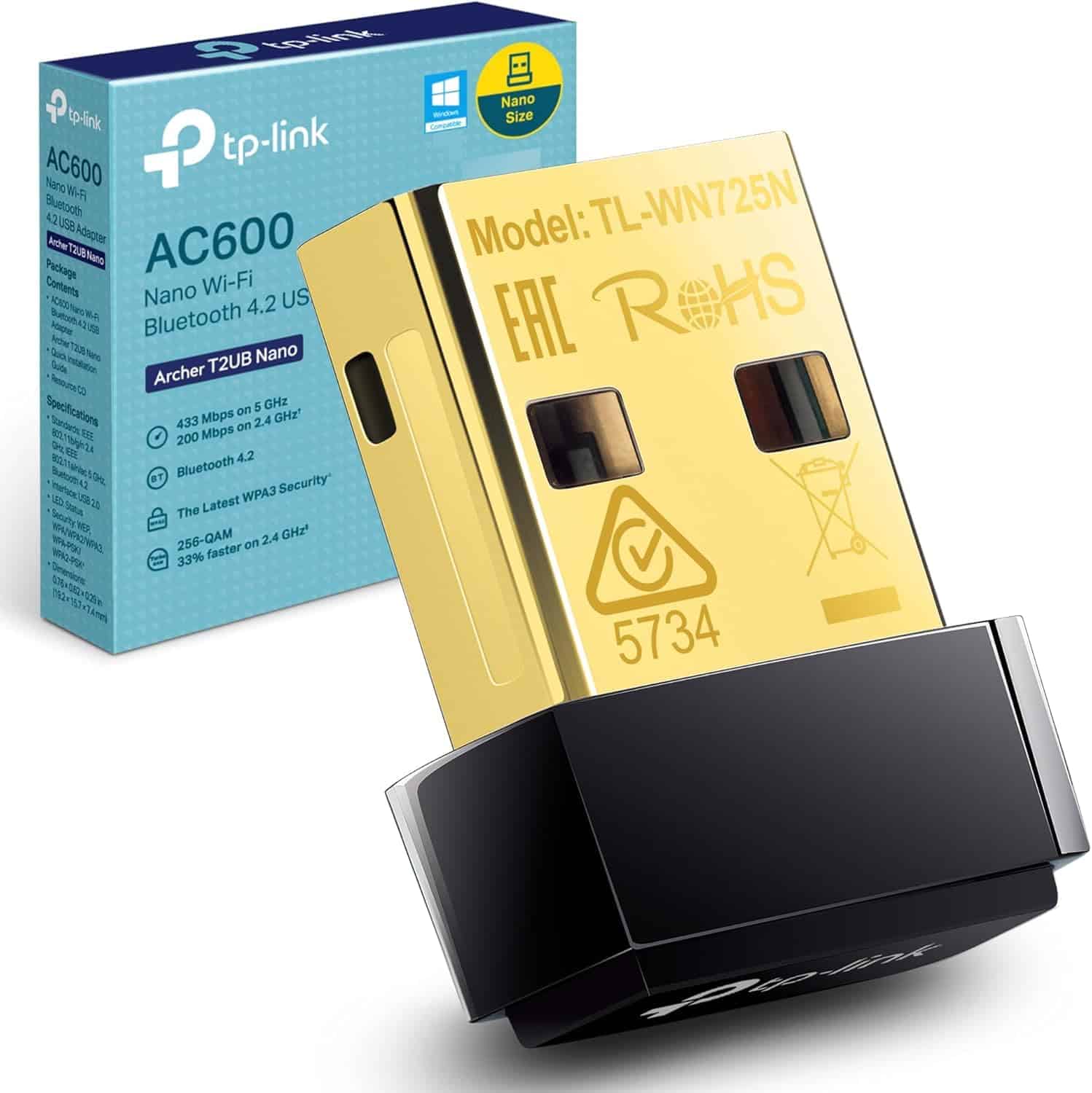
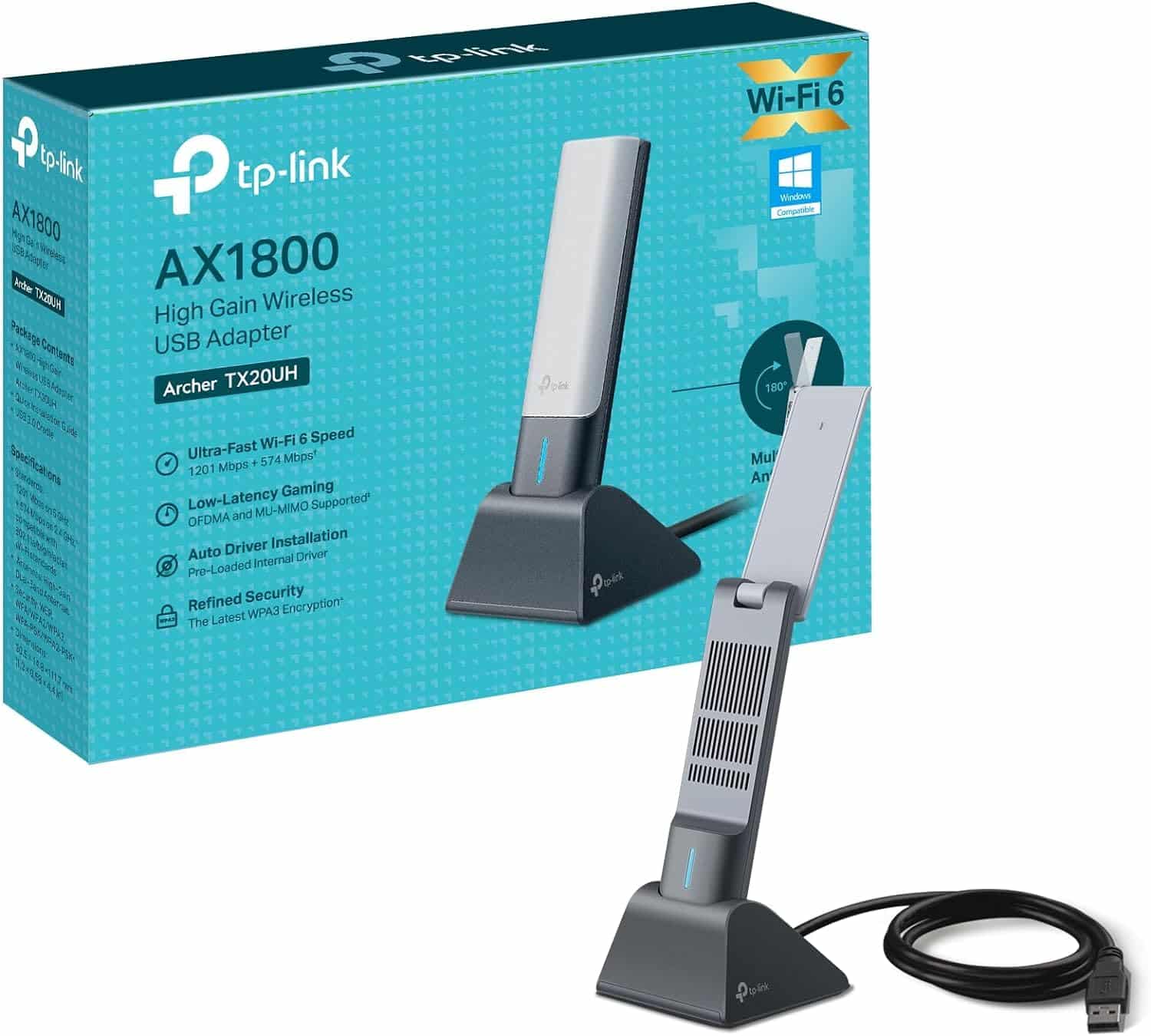
Dead zones don't fix themselves, and the ISP-supplied router sitting in your hallway isn't going to start performing miracles. If your desktop or laptop is stuck on a wired connection because the Wi-Fi signal is too weak where you actually sit, a USB Wi-Fi adapter is often the most cost-effective fix available. The Mercusys MA32H is pitched squarely at that problem: a dual-band 802.11ac (Wi-Fi 5) adapter with two external antennas, USB 3.0, MU-MIMO, and WPA3 security, all at a budget price point. The question isn't whether it looks good on a spec sheet. The question is whether it actually moves the needle for the person whose PC can't reach the router properly.
The short verdict: for most people buying in this category, the MA32H is a well-specified option that punches above what you'd expect at this price. The dual-band layout, external antennas, USB 3.0 interface, and WPA3 security together make a genuinely stronger case than the single-antenna, USB 2.0 dongles that dominate the budget end of this market. With 2,519 owner reviews averaging ★★★★☆ (4.4), the crowd largely agrees. But there are real caveats around Windows-only support and the inherent ceiling of Wi-Fi 5, and if you're on a platform it doesn't support, it's a non-starter. Read on for the full picture.
Core Specifications: MERCUSYS MA32H TP-Link AC1300 3.0 USB WiFi Dongle for PC
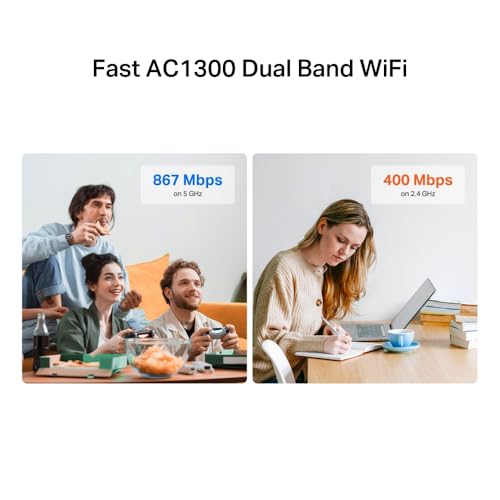
The MA32H is an AC1300 adapter, which means its theoretical combined throughput across both bands is 1,300 Mbps. That number is the sum of 867 Mbps on the 5 GHz band and 400 Mbps on the 2.4 GHz band. Neither figure represents what any real device will see in practice, but the band split tells you something useful: the 5 GHz allocation is generous for this price tier, and the 2.4 GHz side is stronger than the 300 Mbps you get on cheaper AC1200 adapters. The underlying Wi-Fi standard is 802.11ac, with full backward compatibility across 802.11a/b/g/n.
The physical design centres on two high-gain external antennas, which is the single most important hardware decision Mercusys made here. Single-antenna dongles are fine for light use at short range, but the dual-antenna setup enables spatial multiplexing and gives the adapter a meaningful advantage in real-world signal conditions, particularly through walls. The USB 3.0 interface matters too. USB 2.0 has a theoretical ceiling of 480 Mbps, which can actually become a bottleneck when you're running a fast 5 GHz connection. USB 3.0 removes that constraint entirely, with headroom well beyond what 802.11ac can deliver.
MU-MIMO (Multi-User, Multiple Input, Multiple Output) support is listed as a feature, providing two simultaneous data streams when paired with a compatible router. This improves network efficiency in a busy home rather than just boosting the adapter's own peak speed. WPA3 security is the current industry standard for Wi-Fi encryption, offering significantly better protection against brute-force attacks than the older WPA2. The plug-and-play setup relies on built-in Windows drivers, meaning no disc or manual driver installation is needed on Windows 10 or 11. That's the full supported OS list: Windows 10 and 11 only.
| Specification | Detail |
|---|---|
| Wi-Fi Standard | 802.11ac (Wi-Fi 5), backward compatible with 802.11a/b/g/n |
| Bands | Dual-band: 5 GHz + 2.4 GHz |
| Max Speed (5 GHz) | 867 Mbps (theoretical) |
| Max Speed (2.4 GHz) | 400 Mbps (theoretical) |
| Combined Throughput Rating | AC1300 |
| Antennas | Two high-gain external antennas |
| USB Interface | USB 3.0 (backward compatible with USB 2.0) |
| MU-MIMO | Yes, two simultaneous data streams |
| Security | WPA3, WPA2 |
| Setup | Plug and play, built-in Windows drivers |
| OS Support | Windows 10, Windows 11 |
| Price | £8.99 |

Real-World Coverage
Coverage for a USB adapter is a slightly different conversation than it is for a router. The MA32H doesn't extend your network's reach on its own: it improves how well your PC can receive the signal your router is already broadcasting. The two high-gain external antennas are the key spec here. A single internal antenna, like you'd find on cheaper dongles, has limited ability to pick up a weak signal or maintain a stable connection through walls and floors. Two external antennas with directional precision, as Mercusys describes them, give the adapter better ability to lock onto the router's signal from a distance and maintain that lock when there's interference or physical obstruction in the way.
What owners consistently report is that the MA32H picks up signals that smaller, cheaper adapters struggle with. The pattern in the reviews is clear: people who were getting poor or intermittent Wi-Fi on their desktop PC, often because the machine was in a back room or upstairs from the router, found a meaningful improvement after fitting the MA32H. That's not surprising given the antenna configuration. The 5 GHz band, where the adapter does its best work, is faster but shorter-range than 2.4 GHz. If you're sitting close enough to the router for a strong 5 GHz signal, you'll get the best throughput. Further away, or through more walls, the 2.4 GHz band becomes more relevant and the adapter will use it. The dual-band design means the adapter can make that choice automatically rather than being locked into one frequency.
It's worth being direct about what the box coverage figures mean in practice: nothing. Mercusys doesn't publish a coverage area figure for the MA32H, and even if they did, it would be measured in line-of-sight conditions that don't represent a real home with plasterboard walls, furniture, and a microwave running in the kitchen. What the spec supports is better-than-average reception for a budget USB adapter, and owner reports back that up. If your router is on a different floor or more than a couple of rooms away, you may still find the signal isn't strong enough for a reliable 5 GHz connection. In that case, the real fix is moving the router or adding a mesh node, not a better adapter.
Sustained Speed Under Load
The AC1300 headline is the theoretical combined speed across both bands simultaneously. Your PC will only ever connect to one band at a time, so the real ceiling is 867 Mbps on 5 GHz or 400 Mbps on 2.4 GHz. And those are still theoretical maximums measured under ideal conditions. Real-world throughput on 5 GHz will typically land somewhere between 300 and 500 Mbps on a good connection, depending on signal strength, router capability, channel congestion, and what else is happening on the network. That's still more than enough for HD streaming, 4K streaming, online gaming, and large file transfers, which are the use cases Mercusys specifically calls out.
The USB 3.0 interface is genuinely important for sustained throughput. USB 2.0's 480 Mbps theoretical ceiling means that on a strong 5 GHz connection, the USB interface itself can become the limiting factor before the Wi-Fi does. USB 3.0 removes that ceiling, so the adapter's Wi-Fi performance isn't being throttled by the port it's plugged into. In practice, this matters most for large file transfers and sustained download speeds. For streaming and gaming, where the bottleneck is usually your broadband connection rather than the local network, the difference is less critical but still present.
MU-MIMO with two streams means the adapter can handle two simultaneous data flows with a compatible router, which improves efficiency rather than raw peak speed. In a home where multiple devices are active at once, this reduces the queuing effect where each device has to wait its turn. It won't transform a congested network, but it's a meaningful step up from single-stream adapters. Owners don't typically report speed problems with the MA32H under normal household loads, which suggests the hardware is doing its job without obvious bottlenecks. The caveat is that your broadband connection and your router's own capabilities will always be the primary limits on what you actually experience.
Coverage Extension: What This Adapter Does and Doesn't Do
The MA32H is a USB Wi-Fi adapter, not a router, extender, or mesh node. It doesn't extend your network's coverage to other parts of your home. What it does is give one specific device, the PC it's plugged into, a better Wi-Fi connection than that device would otherwise have. So the mesh and backhaul conversation doesn't apply in the traditional sense. But it's worth understanding where this product sits in the broader picture of fixing Wi-Fi problems, because a lot of buyers are choosing between a USB adapter and other solutions.
If your problem is that one desktop PC can't get a decent Wi-Fi signal, a USB adapter like the MA32H is the right, cost-effective fix. If your problem is that multiple devices across your home are getting poor Wi-Fi, a USB adapter helps exactly one of them. For whole-home coverage problems, the better solutions are a mesh Wi-Fi system or a range extender. A mesh system with a dedicated backhaul band keeps the inter-node communication on a separate frequency, so it doesn't eat into the bandwidth available to your devices. A shared-backhaul mesh or a traditional range extender will typically halve your usable throughput at the extended node because it uses the same radio to talk to the router and to your devices. That's a real trade-off worth understanding before you spend more money on the wrong solution.
For the MA32H's actual use case, there's no backhaul to worry about. The adapter connects directly to your router via Wi-Fi, just like any other device. The quality of that connection depends on your router's output power and antenna configuration, the physical distance and obstructions between the router and the adapter, and the channel conditions in your area. The MA32H's dual antennas and 5 GHz support give it the best possible starting position for a budget adapter, but it can't overcome a fundamentally weak router signal or a very long, obstructed path. If you need to reach a device that's genuinely too far from the router, a powerline adapter or a proper mesh node placed closer to the device will outperform any USB Wi-Fi adapter regardless of spec.
Device Capacity
This is a single-device adapter, so device capacity in the traditional router sense doesn't apply. The MA32H connects one PC to your Wi-Fi network. What does matter is how the adapter behaves when the rest of your home network is busy, because that's where MU-MIMO and the USB 3.0 interface become relevant. On a network with thirty-plus active devices, which is increasingly normal in a family home with smart TVs, phones, tablets, consoles, smart speakers, and various IoT bits, the router is constantly juggling traffic. An adapter that supports MU-MIMO can participate in the router's multi-user scheduling rather than waiting in a longer queue.
The MA32H's two-stream MU-MIMO support means it can receive two simultaneous data streams from a compatible router. This is the entry level of MU-MIMO rather than the four-stream or eight-stream implementations you'd find on higher-end adapters and routers, but it's a meaningful step up from no MU-MIMO at all. In practical terms, on a busy network, the MA32H should maintain more consistent throughput than a single-stream adapter because it's not waiting as long for its turn. Owners don't report significant performance degradation under household load, which is the right outcome for this use case.
The one thing to be aware of is that MU-MIMO only works when both the adapter and the router support it. If your router is an older model without MU-MIMO, the adapter will still work fine, it just won't get the multi-stream efficiency benefit. The adapter is also limited to Wi-Fi 5 (802.11ac), so it won't take advantage of the OFDMA scheduling that Wi-Fi 6 routers offer for better multi-device efficiency. OFDMA, which allows a Wi-Fi 6 router to serve multiple devices simultaneously within a single transmission, is a bigger deal for congested networks than MU-MIMO alone. If your router is Wi-Fi 6 and your network is genuinely busy, a Wi-Fi 6 adapter would be the more future-proof choice. But for most people with a standard ISP router and a modest number of devices, the MA32H's MU-MIMO implementation is perfectly adequate.
MERCUSYS MA32H TP-Link AC1300 3.0 USB WiFi Dongle for PC: Wi-Fi Standard and Future-Proofing
The MA32H runs on Wi-Fi 5 (802.11ac), which was the mainstream standard before Wi-Fi 6 arrived. Wi-Fi 5 is not obsolete. It's still what the majority of home routers and devices use, and for a single-device connection to a typical ISP router, it's more than capable. The 867 Mbps theoretical ceiling on the 5 GHz band is well above what most UK broadband connections can actually deliver, so in practice the limiting factor is your broadband speed, not the adapter's Wi-Fi standard. For streaming, gaming, and general browsing, Wi-Fi 5 at close-to-medium range is perfectly fine.
Where Wi-Fi 6 would genuinely help is in congested multi-device environments, specifically because of OFDMA and better MU-MIMO implementation. Wi-Fi 6 allows a router to serve multiple devices simultaneously within a single channel, which reduces latency and improves efficiency when many devices are active at once. For a single desktop PC connecting to a home network, this advantage is less pronounced. And Wi-Fi 6E and Wi-Fi 7, which add the 6 GHz band and multi-link operation respectively, are even further beyond what a budget adapter in this category needs to address. Most people asking whether they need Wi-Fi 7 don't. Most ISP-supplied routers in the UK don't even support Wi-Fi 6 yet.
So the honest future-proofing answer is this: if you're connecting a desktop PC to a standard home network and your broadband is under 500 Mbps, Wi-Fi 5 won't be your bottleneck. If you upgrade to a Wi-Fi 6 router in the future, the MA32H will still work with it via backward compatibility, just without the Wi-Fi 6 efficiency features. If you're planning to upgrade your router to Wi-Fi 6 and you want to take full advantage of OFDMA, you'd eventually want a Wi-Fi 6 adapter too. But for the price the MA32H sits at, expecting Wi-Fi 6 support would be unrealistic, and for most buyers right now, Wi-Fi 5 is the right answer.

Features and Security
The MA32H is a USB adapter rather than a router, so there's no QoS, parental controls, guest network management, or VPN configuration on the adapter itself. Those features live in your router's firmware. What the adapter does bring is WPA3 security support, which is genuinely because a lot of budget adapters are still stuck on WPA2. WPA3 uses Simultaneous Authentication of Equals (SAE) to replace the older Pre-Shared Key handshake, making it significantly harder for an attacker to crack your Wi-Fi password through offline dictionary attacks. If your router supports WPA3, the MA32H will connect using it. If not, it falls back to WPA2. Either way, that only secures the local link, so if you care about privacy it's worth pairing your connection with a good VPN, which adds an encryption layer on top of your home network and keeps you protected on public Wi-Fi when you're away from it.
The plug-and-play setup via built-in Windows drivers is a proper feature rather than a marketing point. Driver installation used to be a genuine pain point for USB adapters, requiring a disc or a manual download, and the process often went wrong on machines that weren't straightforward. Built-in Windows 10 and 11 drivers mean you plug it in and it works. That's the right way to do it, and owners confirm that setup is genuinely simple. No disc, no downloaded installer, no moment where the driver installation hangs and you're wondering whether to restart.
The backward compatibility with 802.11a/b/g/n means the MA32H will connect to essentially any Wi-Fi network you're likely to encounter, including older routers that only support 2.4 GHz. The dual-band design means it will automatically use 5 GHz when available and fall back to 2.4 GHz when the 5 GHz signal is too weak or unavailable. There's no manual band steering on the adapter itself; that's handled by your router's settings or by the adapter's own connection logic. Most owners don't need to think about this at all, the adapter just connects to whichever band gives the best signal.
Firmware, App and Security Updates
USB adapters don't typically have firmware that you manage through an app in the way a router does. The MA32H's driver support is handled through Windows Update on Windows 10 and 11, and Mercusys publishes drivers on their support pages. Mercusys is a TP-Link sub-brand, which is relevant because TP-Link has a reasonable track record for maintaining driver support on networking products over time. The fact that the MA32H uses built-in Windows drivers rather than a proprietary installer is actually an advantage here: it means the adapter is less dependent on Mercusys publishing updates and more dependent on Microsoft's driver infrastructure, which tends to be more reliably maintained.
There's no companion app for the MA32H. This is fine. A USB adapter doesn't need one. The Windows network settings handle everything you'd want to do: selecting a network, entering a password, switching between bands if your router broadcasts them as separate SSIDs. The absence of a proprietary app means there's nothing to go wrong with the software side, no app that stops being updated, no login required, no cloud dependency. It's a refreshingly simple product in that respect.
Security update cadence is less of a concern for an adapter than for a router, because the adapter isn't running a web server or exposing management interfaces to the network. The WPA3 support is the primary security feature, and that's baked into the hardware and driver stack rather than something that needs ongoing firmware patches. The main vulnerability scenario for a USB adapter is a compromised driver, which is mitigated by using the built-in Windows driver infrastructure rather than a third-party installer. Owners don't report any security concerns in the review pool, and there's nothing in the product's architecture that would flag a particular risk.
Setup and Management
Setup is about as simple as it gets. Plug the MA32H into a USB 3.0 port on your PC, wait a few seconds for Windows to recognise it, and then connect to your Wi-Fi network through the standard Windows network settings. The built-in driver means Windows handles the adapter without any additional software. Owners consistently report that this works exactly as described, with the adapter recognised immediately on Windows 10 and 11 machines. There are no reports of the setup process requiring technical knowledge or causing confusion for non-technical users.
The two external antennas do mean the adapter is physically larger than a compact nano dongle. You'll want to think about where you're plugging it in. On a desktop tower, a rear USB port is often partially blocked by the case position or nearby cables, and the antennas need some clearance to work properly. A front USB port or a short USB extension cable gives the adapter better positioning and typically better signal reception. Some owners specifically mention using an extension cable to position the adapter away from the PC case, which can reduce interference from the metal chassis. This isn't a flaw so much as a practical consideration for a dual-antenna design.
Ongoing management is minimal. Once it's connected to your network, the MA32H just works. Windows handles reconnection after sleep or restart automatically. There's nothing to configure, no firmware to update manually, and no app to maintain. If you need to switch networks or check your connection status, you use the standard Windows network icon in the taskbar. For a non-technical buyer, this is genuinely the right product architecture: it does one thing and it does it without requiring any ongoing attention.
Ports and Connectivity
The MA32H connects to your PC via a single USB 3.0 port. That's the only physical connection it makes. USB 3.0 transfers data at up to 5 Gbps theoretical maximum, which is more than ten times the throughput of USB 2.0's 480 Mbps ceiling. In the context of a Wi-Fi adapter, this matters because USB 2.0 can become a bottleneck on a fast 5 GHz connection. The MA32H's 867 Mbps theoretical 5 GHz speed sits comfortably within USB 3.0's headroom, so the interface won't limit the adapter's Wi-Fi performance. The adapter is also backward compatible with USB 2.0 ports, so it will work on older machines, just with the USB 2.0 bandwidth ceiling applying.
The USB 3.0 standard, now formally designated USB 3.2 Gen 1 by the USB Implementers Forum, is the right interface choice for a Wi-Fi 5 adapter. It's widely available on desktop PCs and laptops made in the last decade, typically identified by a blue-coloured port. If you're plugging the MA32H into a USB 2.0 port (usually black or white), it will still function, but you're reducing the interface's headroom. For most broadband speeds and typical home network use, this won't matter in practice. But if you're specifically buying the MA32H for its USB 3.0 advantage, use a USB 3.0 port.
There are no other ports or connectivity options on the MA32H. It's a USB adapter, not a router or hub, so there's no Ethernet port, no WAN port, and no USB passthrough. The adapter's entire interface with your PC is through that single USB connection, which handles both data transfer and power. No external power supply is required. This simplicity is appropriate for the product category and the price point. If you need Ethernet connectivity, that's a different product entirely, and a USB-to-Ethernet adapter is the right answer for that use case.
How It Compares
The main competition for the MA32H at this price point comes from two directions: cheaper single-antenna USB 2.0 adapters, and similarly-priced alternatives from brands like TP-Link's own Archer series. The TP-Link Archer T3U Plus is the most direct comparison, offering AC1300 dual-band Wi-Fi 5 with three external antennas and USB 3.0. It's a more aggressive antenna configuration and typically sits at a similar or slightly higher price. The ASUS USB-AC53 Nano is a more compact option at a comparable price, offering AC1200 speeds with a nano form factor but no external antennas, which trades signal reach for portability.
The MA32H's advantage over the ASUS nano is clear: two external antennas versus none means meaningfully better range and signal stability, particularly through walls. The trade-off is size. If you need something that stays permanently plugged in without sticking out, the nano form factor wins. But if you're fixing a genuine coverage problem on a desktop PC, the antennas are doing real work and you shouldn't sacrifice them for compactness. Against the TP-Link Archer T3U Plus, the MA32H is competitive on specs. The T3U Plus has three antennas to the MA32H's two, which gives it a potential edge in signal reach, but both are Wi-Fi 5 USB 3.0 adapters with MU-MIMO and WPA3, and the real-world difference between two and three antennas at this price level is marginal for most users.
The broader point is that the MA32H sits in a well-defined category where the meaningful spec decisions are dual-band vs single-band, USB 3.0 vs USB 2.0, and external antennas vs no external antennas. On all three counts, the MA32H makes the right choices for a device that's meant to solve a real coverage problem rather than just add a Wi-Fi connection at minimum cost. The 4.4-star average across 2,563 suggests that real owners are getting the outcome they expected, which is the most reliable signal available at this price point.
| Feature | Mercusys MA32H | TP-Link Archer T3U Plus | ASUS USB-AC53 Nano |
|---|---|---|---|
| Wi-Fi Standard | Wi-Fi 5 (802.11ac) | Wi-Fi 5 (802.11ac) | Wi-Fi 5 (802.11ac) |
| Speed Rating | AC1300 | AC1300 | AC1200 |
| Antennas | 2 external high-gain | 3 external | Internal (nano) |
| USB Interface | USB 3.0 | USB 3.0 | USB 3.0 |
| MU-MIMO | Yes (2 streams) | Yes | Yes |
| WPA3 | Yes | Yes | Not specified |
| OS Support | Windows 10/11 | Windows 10/11 | Windows, macOS |
| Form Factor | Standard with antennas | Standard with antennas | Nano (compact) |
| Price | £8.99 | Check Amazon | Check Amazon |
Final Verdict
The Mercusys MA32H is a well-specified budget USB Wi-Fi adapter that makes the right hardware decisions for its price point. Dual-band Wi-Fi 5, two external high-gain antennas, USB 3.0, MU-MIMO, and WPA3 security together make a stronger package than the majority of adapters competing at this price. The plug-and-play Windows driver setup is genuinely simple, and 2,519 owner reviews at 4.4 stars confirm that the real-world experience matches the spec sheet. For a Windows 10 or 11 desktop PC that's struggling to reach the router, this is a sensible, cost-effective fix.
The limitations are clear and worth stating plainly. Windows only: if you're on macOS, Linux, or anything else, this adapter doesn't support you. Wi-Fi 5 only: if you've invested in a Wi-Fi 6 router and want to take full advantage of OFDMA and Wi-Fi 6's multi-device efficiency, you'd want a Wi-Fi 6 adapter. And it's an adapter, not a network fix: if your problem is that multiple devices across your home are getting poor Wi-Fi, a USB adapter helps exactly one of them. For whole-home coverage, a mesh system is the right answer, not this.
If you're a Windows user with a single desktop PC that needs better Wi-Fi, and you want a proper dual-antenna, USB 3.0 adapter with current security standards at a budget price, the MA32H is a solid buy. If you need cross-platform support or Wi-Fi 6 efficiency, look at alternatives. And if your budget is genuinely tight and you only need basic connectivity at close range, even a cheaper USB 2.0 single-band adapter might be sufficient. The MA32H earns its place in the market by being properly specified rather than just cheap. That's enough for a solid recommendation in its category.
What works. What doesn’t.
5 + 3What we liked5 reasons
- Two external high-gain antennas deliver noticeably better range than single-antenna budget adapters
- USB 3.0 interface removes the bandwidth bottleneck present on USB 2.0 adapters
- WPA3 security is current standard, not common at this price point
- Genuine plug-and-play via built-in Windows drivers, no disc or installer needed
- Strong owner satisfaction: 4.4 stars across 2,519 reviews
Where it falls3 reasons
- Windows 10 and 11 only, no macOS or Linux support
- Wi-Fi 5 (802.11ac) only, no Wi-Fi 6 or OFDMA efficiency for busy networks
- Physical size with two antennas requires clearance, may need a USB extension cable for best positioning
Full specifications
10 attributes| Antennas | 2 high-gain |
|---|---|
| Device type | usb-adapter |
| Ethernet ports | 0 |
| Frequency bands | dual-band |
| HAS bluetooth | none |
| MAX speed | 1300 |
| Ports | USB 3.0 |
| Security protocols | WPA3 |
| Speed | 867 Mbps (5 GHz) + 400 Mbps (2.4 GHz) |
| Wifi standard | IEEE 802.11a/n/ac (5 GHz), IEEE 802.11b/g/n (2.4 GHz) |
If this isn’t right for you
2 options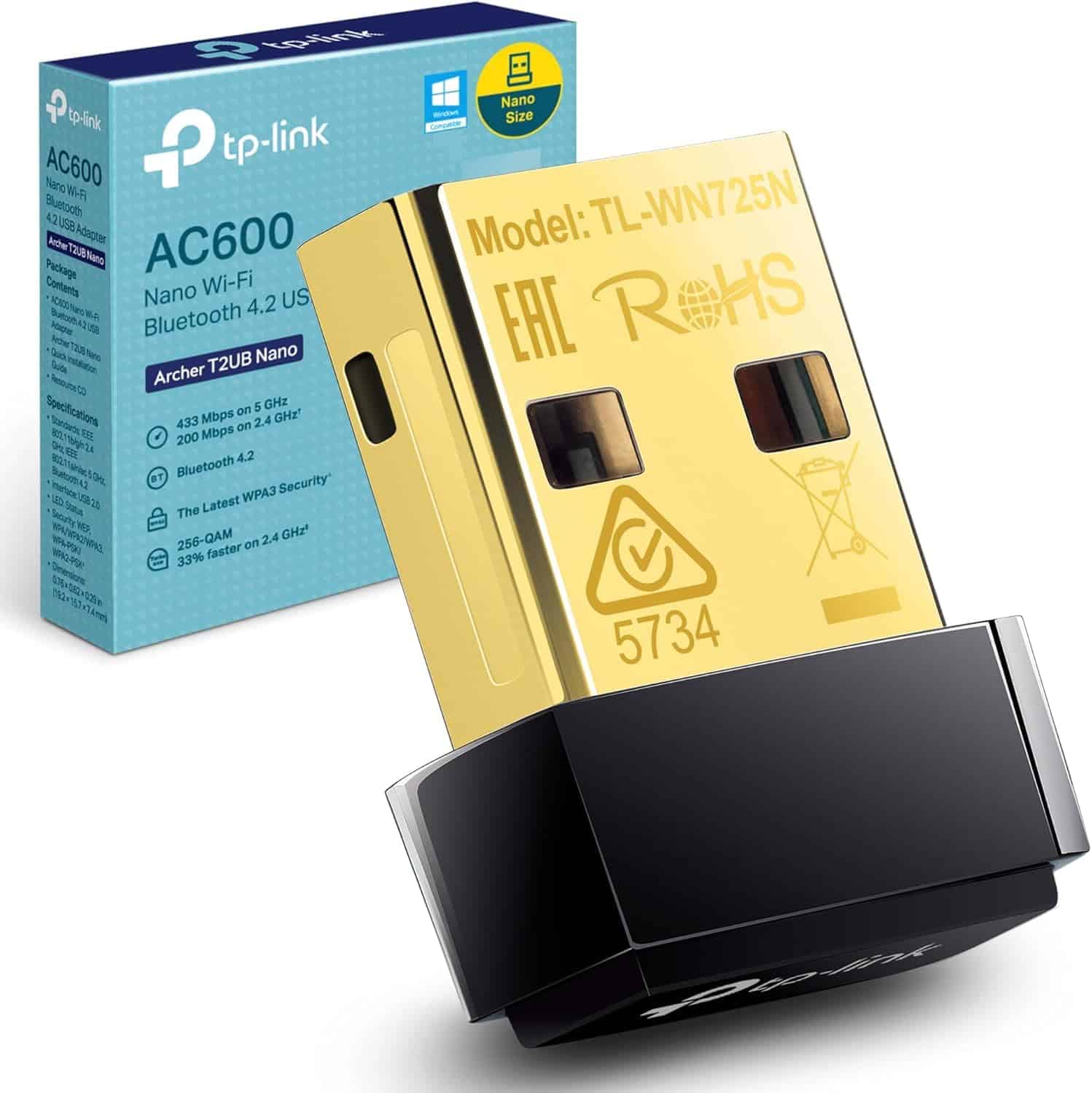
Frequently asked
5 questions01Will the MERCUSYS MA32H TP-Link AC1300 3.0 USB WiFi Dongle for PC, Dual-Band USB WiFi Adapter for PC, Two High Gain Antennas, Win10/11, MU-MIMO, Plug&Play, WPA3 Security, Broader Coverage, Lower Latency cover my whole house?+
The MA32H is a USB adapter for a single PC, not a coverage extender or mesh node. It improves how well one specific PC receives your router's existing Wi-Fi signal. The two external high-gain antennas give it better reception than cheaper single-antenna adapters, and owners consistently report improved connectivity on PCs that were previously struggling to reach the router. But if your problem is that multiple devices across your home have poor Wi-Fi, a USB adapter fixes exactly one of them. For whole-home coverage, a mesh Wi-Fi system or a properly positioned range extender is the right solution.
02Do I really need Wi-Fi 6E or Wi-Fi 7 for the MERCUSYS MA32H TP-Link AC1300 3.0 USB WiFi Dongle for PC, Dual-Band USB WiFi Adapter for PC, Two High Gain Antennas, Win10/11, MU-MIMO, Plug&Play, WPA3 Security, Broader Coverage, Lower Latency?+
No. The MA32H runs on Wi-Fi 5 (802.11ac), which is more than adequate for a single PC connecting to a typical home network. Wi-Fi 6 adds OFDMA and better multi-device efficiency, which matters most in very busy networks with many simultaneous devices. Wi-Fi 6E and Wi-Fi 7 add the 6 GHz band and multi-link operation, which most home routers and most UK broadband connections don't support or benefit from yet. If your broadband is under 500 Mbps and you're connecting one PC, Wi-Fi 5 won't be your bottleneck.
03Is the MERCUSYS MA32H TP-Link AC1300 3.0 USB WiFi Dongle for PC, Dual-Band USB WiFi Adapter for PC, Two High Gain Antennas, Win10/11, MU-MIMO, Plug&Play, WPA3 Security, Broader Coverage, Lower Latency mesh worth it over a single router or extender?+
The MA32H is not a mesh node or extender, so this comparison doesn't directly apply. As a USB adapter, it connects one PC to your existing network. If you're weighing up whether to buy a USB adapter or a mesh system, the answer depends on your problem: one PC with weak Wi-Fi needs an adapter, multiple devices across the home with poor coverage need a mesh system. A mesh system with a dedicated backhaul band is the best whole-home solution but costs significantly more. A USB adapter is the right, cost-effective fix for a single-device problem.
04Is the MERCUSYS MA32H TP-Link AC1300 3.0 USB WiFi Dongle for PC, Dual-Band USB WiFi Adapter for PC, Two High Gain Antennas, Win10/11, MU-MIMO, Plug&Play, WPA3 Security, Broader Coverage, Lower Latency easy to set up and reliable?+
Setup is straightforward. The MA32H uses built-in Windows drivers, so on Windows 10 or 11 you plug it in and Windows recognises it automatically without any additional software or disc. Owners consistently confirm this works as described. Reliability reports from the owner review pool are positive, with no widespread pattern of dropouts, disconnections, or hardware failures. There's no ongoing firmware management required. The main practical consideration is positioning: the two external antennas need some clearance, and a USB extension cable to move the adapter away from the PC case can improve signal reception.
05What warranty and returns apply to the MERCUSYS MA32H TP-Link AC1300 3.0 USB WiFi Dongle for PC, Dual-Band USB WiFi Adapter for PC, Two High Gain Antennas, Win10/11, MU-MIMO, Plug&Play, WPA3 Security, Broader Coverage, Lower Latency?+
Warranty terms are not specified in the verified product data. When buying through Amazon UK, you're covered by Amazon's standard 30-day return policy and the Amazon A-to-Z Guarantee, which protects your purchase if there's a problem. For specific warranty information beyond Amazon's standard terms, check the Mercusys product page or contact the seller directly before purchasing.