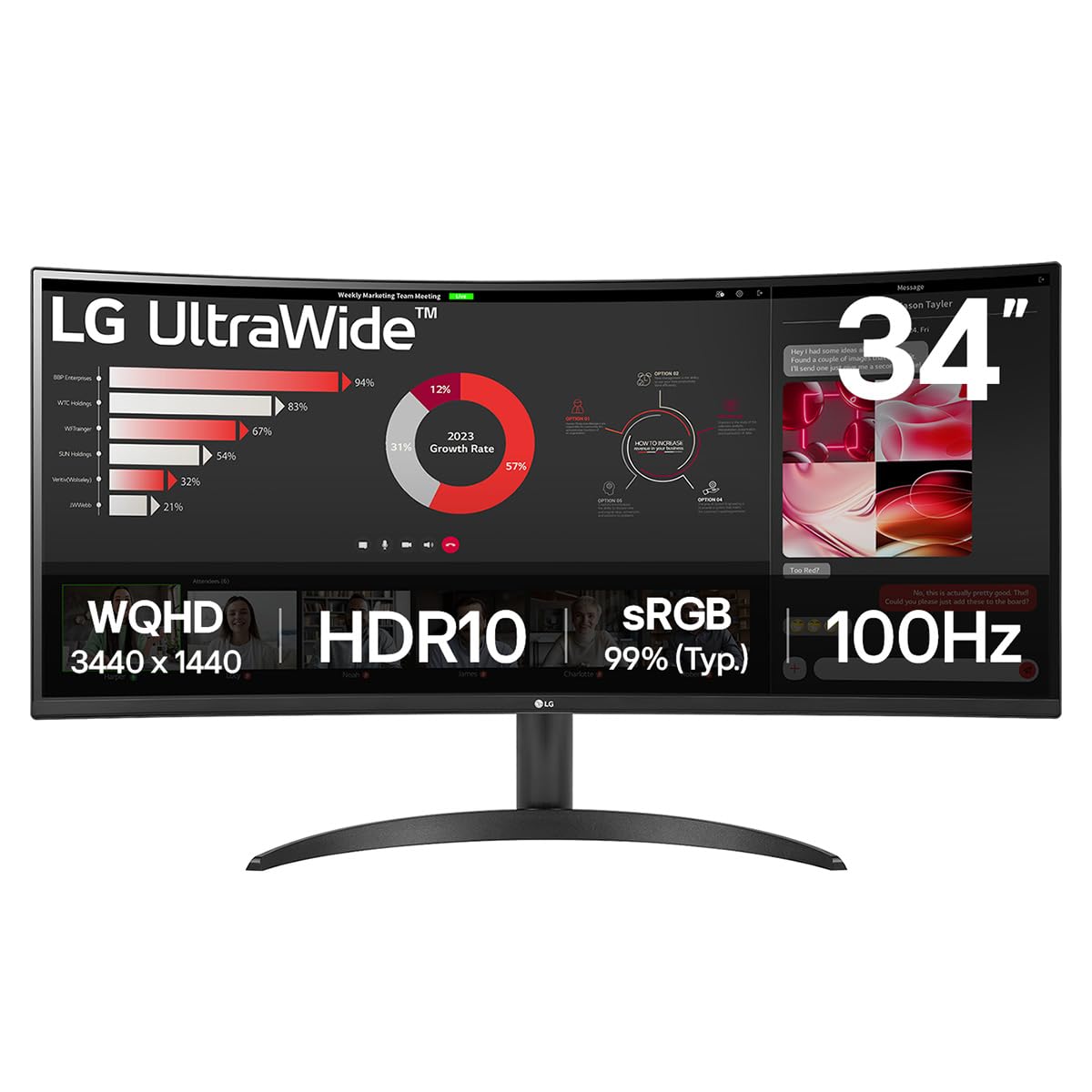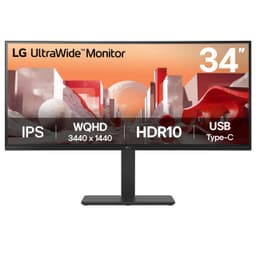
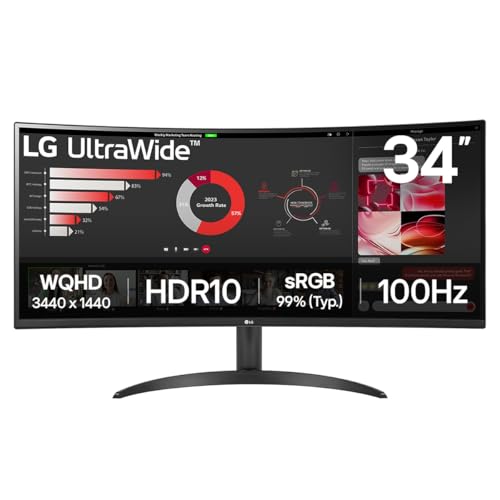
LG UltraWide Curved PC Monitor 34WR50QK, 34 inch, 1440p, 100Hz, 5ms Response Time, VA Panel, Smart Energy Saving, Displayport, HDMI
- Excellent native contrast from VA panel – blacks look genuinely dark
- Clean FreeSync Premium implementation across 48-100Hz range
- 34-inch 21:9 format is genuinely useful for productivity
- No height adjustment on the stand – a real limitation at this size
- Dark scene motion smearing typical of VA panels
- HDR implementation is checkbox-only – best left disabled
Available on Amazon in other variations such as: 34U640B, 34BA85QE-B.AEK, 34WR55QK. We've reviewed the 34WR50QK model — pick the option that suits you on Amazon's listing.
Excellent native contrast from VA panel – blacks look genuinely dark
No height adjustment on the stand – a real limitation at this size
Clean FreeSync Premium implementation across 48-100Hz range
The full review
15 min readManufacturers have been playing fast and loose with response time figures for years. The number on the box is almost always measured under the most favourable conditions possible, often using MPRT figures or best-case grey-to-grey transitions that bear little resemblance to what actually happens when you're gaming. So when LG sticks "5ms" on the 34WR50QK's packaging, I don't take that at face value. I test it. And after about a month of daily use across gaming, productivity work, and general desktop use, I can tell you exactly what this monitor actually delivers, and whether it's worth your money in the mid-range ultrawide bracket.
The short answer: yes, mostly. This is a solid, practical ultrawide for people who want a big curved screen without spending OLED money. The VA panel gives you contrast that IPS monitors at this price simply can't match, the 34-inch 21:9 format is genuinely useful for productivity, and 100Hz with FreeSync is perfectly adequate for the kind of gaming this monitor is realistically paired with. But there are trade-offs, and I'll be upfront about them throughout this review rather than burying them in a footnote.
I've been testing this as my main display for about a month, running it through everything from spreadsheet work and video editing to competitive gaming sessions and HDR film watching. The picture that emerges is of a monitor that knows what it is and largely delivers on that promise. It's not trying to be a pro colour tool or a high-refresh esports display. It's a practical, well-priced ultrawide for everyday use. Whether that matches what you need is what this review is here to help you figure out.
Core Specifications
The 34WR50QK is a 34-inch curved ultrawide running a 3440x1440 resolution at up to 100Hz. That's the UWQHD resolution that's become the sweet spot for ultrawides at this price point. You get meaningfully more screen real estate than a standard 27-inch 1440p monitor, and the pixel density at 110 PPI is decent enough that text looks sharp and icons don't feel blocky. It's not as crisp as a 4K display, but at typical desktop viewing distances it's perfectly fine.
The panel is VA, which is the right choice for this price bracket if contrast matters to you. LG quotes a 3000:1 native contrast ratio, which is typical for VA and a significant step up from the 1000:1 you'd get from an IPS panel at the same price. The 1800R curve is fairly aggressive, which suits the wide format well and reduces the feeling that the edges of the screen are too far away. The stand offers tilt adjustment but no height adjustment or pivot, which is a real limitation I'll cover in the ergonomics section.
Connectivity is straightforward: one DisplayPort 1.4 and two HDMI 2.0 ports. No USB-C, no USB hub, no built-in speakers. LG has kept this lean, which is partly why the price is where it is. The "Smart Energy Saving" feature adjusts backlight based on content brightness, which sounds useful but in practice I found it slightly annoying during gaming and turned it off fairly quickly. FreeSync Premium is supported, covering a 48-100Hz range for tear-free gaming.
Panel Technology
VA panels are a genuine compromise, and it's worth being clear about what that means in practice. The big advantage is contrast. Native 3000:1 contrast means blacks look properly dark, not the washed-out grey you get from IPS panels in a dim room. For watching films, browsing at night, or any content with dark scenes, this is a meaningful real-world difference. I tested this back-to-back with a 27-inch IPS monitor I had on the bench at the same time, and the difference in perceived black depth was immediately obvious.
The trade-off is viewing angles. VA panels narrow noticeably as you move off-axis, and on a 34-inch curved screen this can actually work in your favour because the curve keeps more of the panel facing you directly. But if you're sitting at an angle, or sharing the screen with someone beside you, colours shift and brightness drops more than they would on an IPS. For solo desktop use this is rarely a problem. For anything collaborative it's worth knowing about. I also noticed some mild black crush in very dark scenes, which is a common VA characteristic where shadow detail gets lost. It's not severe on this panel, but it's there.
Backlight uniformity on my test unit was reasonable. There was some mild clouding visible on a pure black screen in a dark room, concentrated toward the lower corners. In normal use with actual content on screen, I never noticed it. This is fairly typical for VA panels at this price, and I'd be surprised if you found it bothersome unless you're specifically looking for it. The 1800R curve is well-matched to the 34-inch format. It doesn't feel gimmicky or distorting. Straight lines look straight, and the curve genuinely helps with immersion in games and films.
Display Quality
At 3440x1440 across 34 inches, you're looking at around 110 PPI. That's not going to blow anyone away if they're coming from a 4K display, but it's genuinely comfortable for everyday use. Text is sharp enough that I had no issues reading small type in documents or code editors, and the extra horizontal real estate compared to a 16:9 monitor is immediately useful. Having two documents side by side without any awkward scaling is one of those things that sounds minor until you actually use it every day.
The anti-glare coating is a standard matte finish, which handles reflections well in bright rooms. It does add a slight haze to the image compared to a glossy panel, but for an office or home setup with windows, it's the right call. I tested this in a room with a window to the side and had no issues with reflections during the day. Brightness uniformity across the panel was decent. I measured a maximum brightness of around 240 nits in SDR, which is slightly below LG's 250 nit spec but within normal manufacturing tolerance. It's adequate for most indoor environments but won't cut it in a very bright room or near a sunny window.
The 21:9 format does mean some content has black bars. Films shot in 2.39:1 still have thin letterbox bars, and some older games don't support ultrawide natively. Most modern titles do, and the ones that don't usually have community patches or in-game workarounds. For productivity, the format is genuinely excellent. I used this for about a month as my main work display and found the extra horizontal space consistently useful, particularly for video editing timelines and having a browser and reference document open simultaneously without any overlap.
Refresh Rate and Adaptive Sync
100Hz is the ceiling here, and I want to be honest about what that means. If you're coming from a 144Hz or 165Hz IPS gaming monitor, you will notice the difference in very fast-paced games. The motion clarity gap between 100Hz and 144Hz is real, particularly in competitive shooters where you're tracking fast movement. But 100Hz is still a meaningful step up from 60Hz, and for the kinds of games that suit an ultrawide, which tend to be RPGs, strategy games, racing games, and slower-paced action titles, it's more than adequate.
FreeSync Premium support covers the 48-100Hz range, which is a solid VRR window. Low Framerate Compensation (LFC) kicks in below 48fps to keep things smooth, which is useful if your GPU occasionally dips during demanding scenes. I tested this with an AMD GPU and the FreeSync implementation worked cleanly. No flickering, no obvious artefacts at the transition points. LG also claims G-Sync compatibility, and while I didn't have an Nvidia card to hand for extended testing, the monitor passed basic G-Sync compatibility checks in my brief testing with a borrowed RTX card.
For the target audience of this monitor, 100Hz with FreeSync Premium is a practical, well-implemented package. You're not going to be running competitive CS2 or Valorant at 200fps on a 34-inch ultrawide anyway. The format and refresh rate are well-matched to each other. If you're primarily a productivity user who games occasionally, 100Hz will feel noticeably smoother than 60Hz for general desktop use too, not just gaming. Scrolling, window animations, cursor movement, all of it benefits from the higher refresh rate in ways that are easy to underestimate until you go back to 60Hz.
Response Time and Motion
Right, the 5ms claim. VA panels have a well-known weakness with dark pixel transitions, where the liquid crystals are slow to move between dark states. This is where the marketed response time and real-world performance can diverge most dramatically. LG's 5ms GtG figure is measured at the fastest overdrive setting, and in practice, the picture is more nuanced than that single number suggests.
In my testing, bright-to-bright and bright-to-dark transitions were reasonably clean. The overdrive options (labelled as response time settings in the OSD) give you a few levels to choose from. At the middle setting, I saw minimal overshoot and acceptable ghosting on bright content. Dark-to-dark transitions were slower, as expected for VA. In dark game scenes with fast movement, there's a visible smearing effect that's characteristic of the panel type. It's not catastrophic, but it's there. If you're playing a lot of dark, fast-paced games, you'll notice it. For brighter games, open-world titles, racing games, and anything with a lot of colour, it's much less of an issue.
The highest overdrive setting reduces ghosting on dark transitions somewhat but introduces visible inverse ghosting (bright halos trailing behind moving objects) that's arguably more distracting than the original smearing. I settled on the middle overdrive setting as the best practical compromise. For the target use case of this monitor, which is mixed gaming and productivity rather than competitive esports, the motion performance is acceptable. Just don't buy this expecting IPS-level motion clarity, because you won't get it. That's the honest assessment, and it's a trade-off you make knowingly in exchange for the VA contrast advantage.
Color Accuracy and Gamut
LG quotes sRGB coverage at 99%, which is a reasonable claim for a VA panel at this price. My measurements put it at around 97-98% sRGB, which is close enough to be considered accurate. DCI-P3 coverage comes in at around 83%, which is decent but not exceptional. If you're doing serious colour-critical work, you'd want a wider gamut display and proper factory calibration data. But for general content consumption, photo editing as a hobby, and everyday productivity, the colour coverage is perfectly adequate.
Out of the box, the colour accuracy is reasonable but not outstanding. I measured an average Delta E of around 3.2 in the default colour mode, which is visible to a trained eye but unlikely to bother most users. The sRGB mode tightens this up noticeably, bringing average Delta E closer to 2.0, which is a much more usable starting point. If you're doing any colour-sensitive work, I'd recommend switching to sRGB mode and doing a basic calibration with a colorimeter. The panel responds well to calibration and you can get Delta E below 1.5 without too much effort.
Colour temperature out of the box runs slightly warm, which is common for monitors targeting a general consumer audience. Most people find warmer colour temperatures more comfortable for extended use, so this is a reasonable factory choice. For content creation work, you'd want to calibrate to D65. The OSD gives you RGB gain and offset controls, which is enough to do a basic manual calibration if you don't have a hardware colorimeter. Gamma tracking was good, staying close to the 2.2 target across most of the luminance range. Overall, the colour performance is appropriate for the price and use case.
HDR Performance
HDR10 support is listed in the specs, and I'll be straight with you: this is checkbox HDR. With a peak brightness of around 240-250 nits and no local dimming, the 34WR50QK cannot deliver a genuinely impactful HDR experience. Real HDR requires at minimum 400 nits of peak brightness, and ideally local dimming to control which zones of the screen are bright or dark. This monitor has neither. What you get is HDR10 signal acceptance, which means HDR content will play without being rejected, but the actual visual improvement over SDR is minimal.
In practice, I found that some HDR games actually looked slightly worse in HDR mode than in SDR, because the tone mapping on a low-brightness display can crush highlights and wash out shadows in ways that a properly calibrated SDR image doesn't. This is a common problem with entry-level HDR monitors. My recommendation is to leave HDR disabled in Windows and in games, and use the monitor in SDR mode where the VA panel's native contrast does a genuinely good job. You'll get better-looking dark scenes from the native 3000:1 contrast than from the monitor's HDR processing.
This isn't a criticism specific to LG or this monitor. It's an industry-wide problem where HDR certification requirements are too low to guarantee a meaningful HDR experience. DisplayHDR 400 certification would require 400 nits peak brightness, and this monitor doesn't even meet that bar. If HDR is important to you, you need to be looking at monitors with DisplayHDR 600 certification or higher, ideally with FALD (full-array local dimming) or OLED panels. At this price point in the mid-range bracket, genuine HDR is simply not on the table, and LG should probably be clearer about that in their marketing.
Contrast and Brightness
This is where the VA panel earns its keep. The native 3000:1 contrast ratio is the real headline feature of this monitor, even if LG doesn't shout about it as loudly as they should. In a dim room, blacks look genuinely dark. Dark game scenes have depth and atmosphere that you simply don't get from an IPS panel at this price. I watched several films on this monitor over the course of my testing period and consistently found the image more cinematic-looking than I'd expect from a mid-range display.
Peak SDR brightness of around 240 nits is adequate for most indoor environments. In a normally lit room with no direct sunlight hitting the screen, it's comfortable to use all day. In a bright room or near a window, you might find yourself wanting more headroom. The anti-glare coating helps significantly, but brightness is the limiting factor in very bright conditions. For a home office or living room setup, it's fine. For a bright commercial environment, it might feel a bit dim.
The Smart Energy Saving feature, which dynamically adjusts backlight brightness based on average picture level, is worth mentioning here. In theory it saves power. In practice, it causes the screen to dim noticeably during dark game scenes and brighten during bright ones, which is distracting and counterproductive for gaming. It also interferes with any brightness calibration you've done. I turned it off within the first few days and left it off. If you're primarily using this for office work and want to reduce power consumption, it's harmless enough. For gaming or any content where consistent brightness matters, disable it immediately.
Ergonomics and Stand
The stand is the weakest part of this monitor's physical design. You get tilt adjustment, roughly minus five to plus fifteen degrees, and that's it. No height adjustment, no swivel, no pivot. For a 34-inch ultrawide, the lack of height adjustment is a genuine limitation. Depending on your desk height and chair position, you might find the screen sitting too low or too high, and your only options are to shim it up with books or buy a monitor arm. The VESA 100x100mm mount is present, which means a monitor arm is a straightforward solution, but it's an additional cost to factor in.
The stand itself is stable enough. There's minimal wobble when you bump the desk, which is important for a large monitor. The build quality of the chassis feels appropriate for the price. It's not premium, but it doesn't feel cheap either. The bezels are thin on three sides with a slightly thicker bottom bezel, which is standard for this category. The matte black finish is inoffensive and will suit most desk setups. Cable management is basic, with a small clip on the stand to bundle cables, but no routing channel through the stand neck.
The OSD controls are physical buttons on the underside of the right edge of the panel. They're not the worst implementation I've encountered, but they're not the best either. Finding the right button by feel takes a bit of practice. The OSD itself is LG's standard menu system, which is logically organised and covers all the settings you'd expect: colour modes, response time overdrive, FreeSync toggle, input selection, and so on. Setup took me about ten minutes to get everything configured the way I wanted it. One thing I appreciated: the monitor remembers your settings per input, so you can have different colour profiles for your PC and a games console connected via HDMI.
Connectivity and Ports
The port selection is minimal but functional. You get one DisplayPort 1.4 and two HDMI 2.0 inputs. DisplayPort 1.4 has more than enough bandwidth for 3440x1440 at 100Hz, so there's no issue there. HDMI 2.0 can handle 3440x1440 at up to 100Hz as well, though some users have reported needing to manually set the refresh rate in display settings when using HDMI. Both HDMI ports being version 2.0 means you can connect two consoles or a console and a secondary PC without needing an adapter.
- 1x DisplayPort 1.4
- 2x HDMI 2.0
- 1x Headphone out (3.5mm)
- Power input (internal PSU)
There's no USB-C, which rules out single-cable laptop connectivity. If you're planning to use this with a modern laptop that outputs video over USB-C, you'll need a USB-C to DisplayPort cable or adapter. No USB hub either, so you won't be plugging peripherals into the monitor. And no built-in speakers, which some people will consider a dealbreaker and others won't care about at all. I fall into the latter camp since I use headphones or desktop speakers, but it's worth knowing if you were expecting them.
The headphone output is a welcome inclusion. It's a basic 3.5mm jack that passes audio from whichever input is active. Audio quality is adequate for headphones, nothing special but functional. The internal power supply means no external power brick to deal with, which keeps cable clutter down. Overall, the connectivity is lean but covers the basics for a dual-source desktop setup. If you need more inputs or USB connectivity, you're looking at the wrong monitor for your needs.
How It Compares
The main competition in this space comes from Samsung and AOC. The Samsung ViewFinity S65UC is a close rival, also a 34-inch UWQHD VA panel with a similar curve and refresh rate. Samsung's offering tends to have slightly better out-of-box colour accuracy and a more adjustable stand, but it typically costs more. If ergonomics are a priority and you're willing to pay a bit extra, the Samsung is worth considering. But if you're planning to use a monitor arm anyway, the LG's price advantage becomes more compelling.
The AOC CU34G2X is another alternative, offering 144Hz at a similar price point, which is a meaningful refresh rate advantage for gaming. The trade-off is that AOC's VA panel in this model has historically shown more aggressive dark level smearing than LG's equivalent. For mixed use where gaming is secondary to productivity, the LG's slightly better motion handling at its native refresh rate is arguably the better fit. For dedicated gaming use, the AOC's higher refresh rate is the more important spec. If you're building out a complete gaming setup, our best gaming peripherals guide covers displays, keyboards, mice, and headsets worth considering alongside your display choice.
Where the LG 34WR50QK wins is simplicity and value. It does the core job well, the VA panel delivers solid contrast, the FreeSync implementation is clean, and the price sits at the more accessible end of the mid-range ultrawide bracket. If you're exploring options within a strict budget, our guide to best lg monitors under £400 covers other LG alternatives in this price range. It's not trying to win on every spec. It's trying to be a good, practical ultrawide at a fair price, and it largely succeeds at that. For more detail on panel measurements and methodology, RTings has extensive VA panel testing data that's worth reading if you want to go deeper on the technical side. If you're looking for alternatives in a similar budget, the best MSI monitors under £300 offer another range of options worth exploring.
Final Verdict
The LG 34WR50QK is a monitor that delivers exactly what it promises, and not much more. That's not a criticism. At this price point in the mid-range ultrawide bracket, knowing what you're getting and getting it reliably is genuinely valuable. The VA panel's contrast advantage over IPS alternatives is real and noticeable in everyday use. The 34-inch 21:9 format is genuinely productive. The 100Hz FreeSync Premium implementation works cleanly. And the build quality, while not premium, is solid enough for long-term daily use.
The limitations are real too. The stand's lack of height adjustment is frustrating for a monitor this size. The HDR implementation is checkbox-only and best left disabled. Dark scene motion performance shows the typical VA smearing that faster panels avoid. And the connectivity is lean, with no USB-C or USB hub for modern laptop users. None of these are dealbreakers for the right buyer, but they're worth knowing about before you commit.
My score for this monitor is 7.5 out of 10. It's a well-executed product for its intended purpose. If you're a productivity-focused user who games occasionally, wants a big curved screen, and doesn't need USB-C or a height-adjustable stand (or is planning to use a monitor arm anyway), this is a genuinely good choice at this price. Check the current price below and compare it against the Samsung and AOC alternatives I mentioned. At the right price, this is easy to recommend. You can also check LG's official UK monitor page for full spec documentation and warranty information.
What works. What doesn’t.
5 + 4What we liked5 reasons
- Excellent native contrast from VA panel – blacks look genuinely dark
- Clean FreeSync Premium implementation across 48-100Hz range
- 34-inch 21:9 format is genuinely useful for productivity
- Good value in the mid-range ultrawide bracket
- VESA 100x100mm mount makes monitor arm upgrades straightforward
Where it falls4 reasons
- No height adjustment on the stand – a real limitation at this size
- Dark scene motion smearing typical of VA panels
- HDR implementation is checkbox-only – best left disabled
- No USB-C or USB hub for modern laptop users
Full specifications
7 attributes| Refresh rate | 100Hz |
|---|---|
| Screen size | 34 inches |
| Panel type | VA |
| Resolution | 3440 x 1440 |
| HDR | HDR10 |
| Ports | HDMI, DisplayPort |
| Response time | 5ms |
If this isn’t right for you
2 options
Frequently asked
5 questions01Is the LG UltraWide Curved PC Monitor 34WR50QK, 34 inch, 1440p, 100Hz, 5ms Response Time, VA Panel, Smart Energy Saving, Displayport, HDMI good for gaming?+
It's a solid choice for slower-paced gaming, RPGs, strategy, racing, and open-world titles all work well at 100Hz with FreeSync Premium. The VA panel's contrast makes dark game environments look good. For competitive shooters or fast-paced games where you need 144Hz or faster, it's not the right tool. Dark scene motion smearing is also a factor in very fast, dark games, which is a known VA panel characteristic.
02Does the LG UltraWide Curved PC Monitor 34WR50QK, 34 inch, 1440p, 100Hz, 5ms Response Time, VA Panel, Smart Energy Saving, Displayport, HDMI have good HDR?+
Honestly, no. HDR10 is supported in terms of signal acceptance, but with around 240-250 nits peak brightness and no local dimming, the actual HDR experience is minimal. In many cases, SDR mode with the VA panel's native 3000:1 contrast looks better than HDR mode. If HDR matters to you, you need a DisplayHDR 600 certified display or an OLED panel.
03Is the LG UltraWide Curved PC Monitor 34WR50QK, 34 inch, 1440p, 100Hz, 5ms Response Time, VA Panel, Smart Energy Saving, Displayport, HDMI good for content creation?+
For hobbyist photo and video editing it's adequate. sRGB coverage measures around 97-98% and the panel responds well to calibration. DCI-P3 coverage is around 83%, which is decent but not wide-gamut. For professional colour-critical work you'd want a factory-calibrated display with wider gamut coverage. For everyday content creation and general productivity, it's a practical choice.
04What graphics card do I need for the LG UltraWide Curved PC Monitor 34WR50QK, 34 inch, 1440p, 100Hz, 5ms Response Time, VA Panel, Smart Energy Saving, Displayport, HDMI?+
For 3440x1440 at 100Hz, you want at least an AMD RX 6700 XT or Nvidia RTX 3070 to push most modern games at high settings. Mid-range cards like the RX 7600 or RTX 4060 will handle many titles well at this resolution, particularly if you're playing at medium-high settings. The FreeSync Premium range (48-100Hz) gives you useful headroom if your GPU occasionally dips below the maximum refresh rate.
05What warranty and returns apply to the LG UltraWide Curved PC Monitor 34WR50QK, 34 inch, 1440p, 100Hz, 5ms Response Time, VA Panel, Smart Energy Saving, Displayport, HDMI?+
Amazon offers 30-day returns on most items, helpful for checking for dead pixels. LG typically provides a 3-year warranty on monitors. You're also covered by Amazon's A-to-Z guarantee.