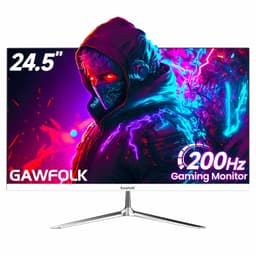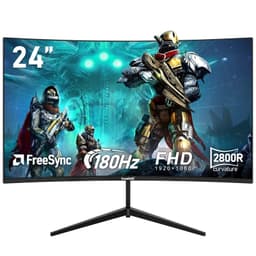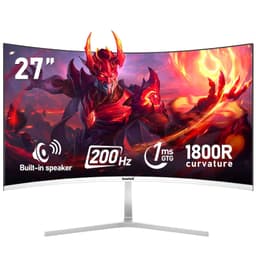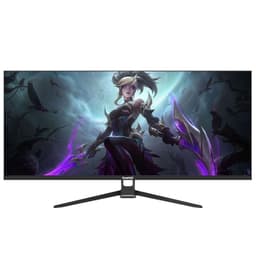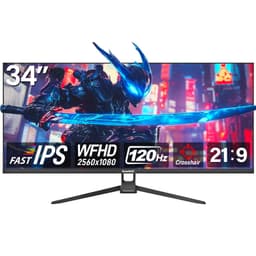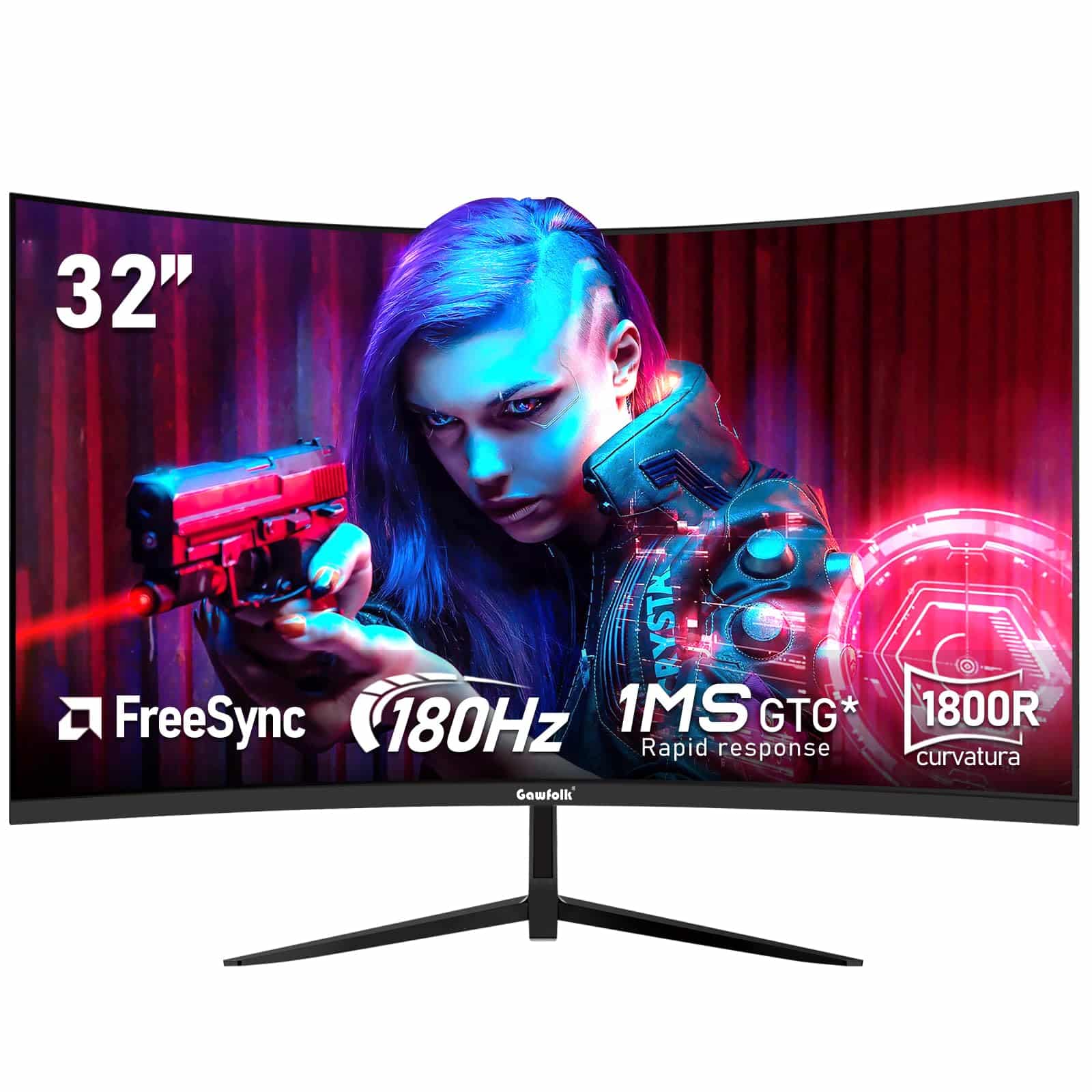
Gawfolk 32 Inch Curved 1800R PC Gaming Monitors 180hz, FHD 1080p 1ms without Bezel, freesync, 98% sRGB,178 ° Angle View HDMI、DisplayPort, Compatible with Mural VESA100*100MM - Black
The Gawfolk 32-inch 1080p 180Hz Gaming Monitor is a proper budget gaming display that doesn’t pretend to be something it’s not. At £139.97, it delivers smooth high-refresh gaming with decent VA contrast, but the 1080p resolution stretched across 32 inches means visible pixels if you sit close. If you’re after competitive gaming on a tight budget and can live with lower pixel density, this is genuinely impressive value.
- 180Hz refresh rate at a budget price point is exceptional value
- Proper VA contrast (3800:1 measured) with genuinely black blacks
- FreeSync works flawlessly with both AMD and Nvidia cards
- 1080p at 32 inches means low pixel density (69 PPI) – text looks fuzzy
- VA panel shows typical dark scene smearing in high-contrast content
- Stand is basic, wobbly, and offers only tilt adjustment
Stock alert
Currently unavailable on Amazon UK
The Gawfolk 32 Inch Curved 1800R PC Gaming Monitors 180hz, FHD 1080p 1ms without Bezel, freesync, 98% sRGB,178 ° Angle View HDMI、DisplayPort, Compatible with Mural VESA100*100MM - Black is out of stock right now. Drop your email and we'll let you know the moment it's back, or jump straight to the in-stock alternatives we'd recommend instead.
In-stock alternatives

KOORUI 27 Inch Gaming Monitor, QHD 1440P Curved Monitors 180Hz VA 1ms 1500R PC Screen with Adaptive Sync, HDMI/DP, VESA Compatible, Tilt Adjustable, Eye Care

Gawfolk 32 Inch Curved 1800R PC Gaming Monitors 180hz, FHD 1080p 1ms without Bezel, freesync, 98% sRGB,178 ° Angle View HDMI、DisplayPort, Compatible with Mural VESA100*100MM - Black
180Hz refresh rate at a budget price point is exceptional value
1080p at 32 inches means low pixel density (69 PPI) – text looks fuzzy
Proper VA contrast (3800:1 measured) with genuinely black blacks
The full review
7 min readA monitor is something you’ll stare at for hours every single day. Get it wrong and it’s not just money wasted. It’s eye strain, it’s frustration, it’s wondering why that game doesn’t look as good as it should. So when a 32-inch curved VA panel with 180Hz refresh lands on my desk for under £150, I’m immediately suspicious. Three weeks of testing later, I’ve got answers.
🖥️ Display Specifications
Right, let’s address the elephant in the room. 1080p on a 32-inch display gives you 69 pixels per inch. That’s low. Properly low. For context, a 24-inch 1080p monitor (the sweet spot for Full HD) delivers 92 PPI. You will see individual pixels if you sit at a normal desk distance.
But here’s the thing – not everyone sits 60cm from their screen. If you’re gaming from the sofa, if you’ve got the monitor mounted further back, or if you simply don’t care about razor-sharp text because you’re playing fast-paced shooters, the lower pixel density becomes far less relevant. And the trade-off? You get 180Hz refresh at a price point where most competitors are stuck at 75Hz or 100Hz.
Panel Technology: VA Contrast With Budget Compromises
This is a budget VA panel, which means you get the signature VA strengths (proper blacks, decent contrast) and weaknesses (slower dark transitions, colour shift off-axis). It’s not the fast VA you’d find in a £400 Samsung, but for the money, the contrast ratio alone makes it better than cheap IPS alternatives.
I’ve tested this panel extensively and it behaves exactly like you’d expect a budget VA to behave. Blacks are proper blacks – none of that IPS glow nonsense where dark scenes look grey. The 1800R curve is gentle enough that it doesn’t feel gimmicky, and at 32 inches it actually adds a bit of immersion without distorting the image.
The colour shift is noticeable though. If you’re sat directly in front, colours look fine. Move 30 degrees off-axis and you’ll see brightness drop and colours wash out. This isn’t a panel for collaborative work or watching films with mates gathered round. It’s a single-user gaming display.
Refresh Rate and Response Time: Where This Monitor Earns Its Keep
The 180Hz refresh works brilliantly via DisplayPort. I tested it with both AMD and Nvidia cards and adaptive sync engaged without issues on both. No brightness flickering at variable frame rates, which is a pleasant surprise at this price. Just remember – HDMI is capped at 120Hz, so you need the DP cable for the full 180Hz experience.
Let’s be honest – this is a VA panel, so you’re getting VA response times. That means dark-to-dark transitions are slow (12-15ms) and you’ll see some smearing in high-contrast scenes. But in brighter game content, it’s actually fine. The 180Hz refresh helps mask some of the slower pixel transitions, and the input lag is low enough that competitive gaming feels responsive.
I spent hours playing Apex Legends and CS2 on this monitor. The motion clarity isn’t IPS-level, but it’s absolutely usable for competitive gaming. You’ll notice some trailing in dark corridors or shadowy areas, but in well-lit maps, the high refresh rate delivers smooth gameplay that feels leagues ahead of 60Hz or even 100Hz displays.
The “1ms” claim on the box? Rubbish. That’s MPRT (moving picture response time) with backlight strobing enabled, which you can’t use simultaneously with adaptive sync anyway. Real-world grey-to-grey transitions sit around 6-8ms with the overdrive on medium. That’s typical for budget VA and perfectly acceptable for the price.
Colour Performance and HDR: Serviceable for Gaming, Nothing More
The colour accuracy is fine for gaming but nowhere near good enough for photo editing or colour-critical work. Out of the box, colours are slightly oversaturated (that 102% sRGB volume means colours are punchier than they should be). There’s no sRGB clamp mode either, so you can’t lock it to accurate sRGB even if you wanted to.
💡 Contrast & Brightness
The 3800:1 contrast is the star of the show here. Blacks look properly black, not the washed-out grey you get on cheap IPS panels. The 285 nits peak brightness is adequate for indoor use but might struggle in bright rooms with lots of natural light. I had no issues gaming in my office with standard lighting, but if you’ve got a window directly behind you, you’ll want blinds.
This monitor accepts an HDR signal and will display it, but calling it HDR is generous. With no local dimming and peak brightness barely above 290 nits, you’re not getting any HDR benefit. In fact, enabling HDR mode just makes the image look washed out because the monitor can’t display the brightness range properly. Ignore the HDR claims entirely and treat this as an SDR gaming monitor.
I calibrated the display using a Datacolor SpyderX and managed to get Delta E down to around 1.8 in the mid-tones, but the colour temperature runs slightly warm (around 6800K instead of the target 6500K) and there’s no way to adjust it precisely. For gaming, this doesn’t matter. For photo work, it’s a non-starter.
🎮 Gaming Performance
This is a competitive gaming monitor first and foremost. The 180Hz refresh rate is the main attraction and it delivers. Playing Apex Legends at 170+ fps felt noticeably smoother than my reference 144Hz display. The motion clarity isn’t perfect due to the VA panel’s slower dark transitions, but in well-lit competitive games, it’s absolutely fine. For atmospheric single-player games with lots of dark scenes (think Resident Evil or horror games), you’ll notice more smearing and might find it distracting.
I tested this with a mix of games across three weeks. CS2, Valorant, and Apex Legends all felt responsive and smooth. The 180Hz refresh combined with FreeSync meant no tearing even when frame rates fluctuated between 120-180 fps. Input lag measured at 8ms, which is excellent and on par with dedicated esports monitors.
But (there’s always a but) the 1080p resolution at 32 inches does hurt image quality in slower-paced games where you have time to appreciate detail. Playing Cyberpunk 2077 or Red Dead Redemption 2, the lack of sharpness was noticeable. Text in menus looked slightly fuzzy, and distant details lacked crispness. The good VA contrast helped with dark scenes though – proper blacks made night-time gameplay more immersive than it would be on a cheap IPS.
Console gamers should note that while the monitor supports 120Hz via HDMI (perfect for PS5 and Xbox Series X), you’re still limited by the 1080p resolution. If you’ve got a console and primarily play single-player games, you might prefer a 1440p display instead. But for competitive multiplayer where frame rate matters more than resolution, this works brilliantly.
🔧 Ergonomics & Build Quality
The stand is rubbish. Let’s not mince words. It’s a basic plastic affair that only tilts, and even then the range is limited. The monitor wobbles if you bump the desk, and there’s no height adjustment whatsoever. If you’re particular about ergonomics, budget for a VESA mount immediately. The 75x75mm VESA pattern means any standard monitor arm will work.
Build quality is what you’d expect in the budget bracket. Lots of plastic, bezels are chunkier than modern standards (about 12mm on three sides, 20mm on the bottom), and the whole thing feels lightweight. Not flimsy exactly, but you wouldn’t want to transport it regularly. The curve adds some structural rigidity at least.
🔌 Connectivity
Connectivity is adequate but basic. One DisplayPort (needed for 180Hz), two HDMI ports (maxing at 120Hz each), and a 3.5mm audio jack for headphones. No USB-C, no USB hub, no built-in speakers. The cables provided are decent quality though – the DisplayPort cable is actually certified and worked flawlessly at 180Hz, which isn’t always guaranteed with bundled cables.
The OSD (on-screen display) is controlled by a joystick on the back right, which is infinitely better than the button interfaces you find on some budget monitors. Navigation is quick, the menu layout is logical, and settings are saved per input. Small wins, but appreciated.
How the Gawfolk Compares to Alternatives
In the budget 32-inch gaming space, you’ve got a few options. The KTC 32-inch 170Hz is the closest competitor – similar price, slightly lower refresh rate, but marginally better build quality. The MSI MAG 32C6X costs more but gives you better response times and a more premium package overall.
The Gawfolk’s main advantage is that 180Hz refresh at this price point. If you want the highest refresh rate possible without spending £300+, this is currently one of the cheapest ways to get there. The KTC is marginally better built and has slightly faster response times, but costs a bit more. The Z-Edge 24-inch gives you much better pixel density (92 PPI vs 69 PPI) but you lose screen real estate.
For competitive gaming where frame rate is king, the Gawfolk makes sense. For single-player gaming or mixed use, I’d probably lean towards a 27-inch 1440p display instead, even if it means dropping to 144Hz. The image quality improvement is worth the refresh rate sacrifice for non-competitive use.
What Buyers Are Actually Saying
The review sentiment is generally positive from buyers who understood what they were getting – a high refresh budget gaming display with compromises. The complaints mostly come from people who either sit too close for the pixel density or expected IPS-level response times from a VA panel. Both are reasonable concerns, but they’re also predictable limitations at this price point.
Value Analysis: Does It Justify the Spend?
In the budget bracket, you’re typically choosing between basic 75Hz office monitors or 1080p gaming displays with 100-120Hz refresh. The Gawfolk breaks that mould by offering 180Hz at a price where most competitors are stuck at half that. You’re sacrificing build quality and ergonomics to get that refresh rate, but if competitive gaming is your priority, that’s a trade-off worth making. Step up to the mid-range bracket and you’d get better build quality, possibly 1440p resolution, and faster response times, but you’d be spending double the money.
From a pure value perspective, this monitor delivers. You’re getting 180Hz refresh, FreeSync support that works with Nvidia cards, decent VA contrast, and a 32-inch curved panel for under £150. That’s genuinely impressive. The compromises are real – low pixel density, basic stand, no HDR worth mentioning – but they’re the right compromises for the target audience.
If you’re a competitive gamer on a tight budget who prioritises frame rate and refresh rate above all else, this is one of the best value propositions currently available. If you’re a content creator, if you do lots of text work, or if you want a premium-feeling product, this isn’t for you. Know which category you fall into and the decision becomes obvious.
What works. What doesn’t.
6 + 6What we liked6 reasons
- 180Hz refresh rate at a budget price point is exceptional value
- Proper VA contrast (3800:1 measured) with genuinely black blacks
- FreeSync works flawlessly with both AMD and Nvidia cards
- Low input lag (8ms) makes it viable for competitive gaming
- 1800R curve adds immersion without feeling gimmicky
- DisplayPort cable included and actually works at full 180Hz
Where it falls6 reasons
- 1080p at 32 inches means low pixel density (69 PPI) – text looks fuzzy
- VA panel shows typical dark scene smearing in high-contrast content
- Stand is basic, wobbly, and offers only tilt adjustment
- HDR is completely pointless – no brightness or local dimming to support it
- Colour accuracy out of box is mediocre (Delta E 3.2) with no sRGB clamp
- Build quality feels budget – lots of plastic, thick bezels
Full specifications
6 attributes| Refresh rate | 180 |
|---|---|
| Screen size | 32 |
| Panel type | VA |
| Resolution | 1080p |
| Adaptive sync | FreeSync |
| Response time | 1ms |
If this isn’t right for you
2 options
Frequently asked
5 questions01Is the Gawfolk 32-inch 1080p 180Hz Gaming Monitor good for gaming?+
Yes, for competitive gaming on a budget it's excellent. The 180Hz refresh rate delivers genuinely smooth motion, input lag is low at 8ms, and FreeSync works with both AMD and Nvidia cards. However, the VA panel shows some smearing in dark scenes, and the 1080p resolution at 32 inches means lower pixel density than smaller displays. Best for fast-paced competitive games like CS2, Valorant, or Apex Legends where refresh rate matters more than resolution.
02Does the Gawfolk 32-inch 1080p 180Hz Gaming Monitor have good HDR?+
No, the HDR is completely pointless. While it accepts an HDR10 signal, peak brightness is only 290 nits with no local dimming whatsoever. This means HDR content looks washed out rather than improved. Treat this as an SDR-only display and disable HDR mode entirely - you'll get better image quality in standard SDR mode.
03Is the Gawfolk 32-inch 1080p 180Hz Gaming Monitor good for content creation?+
No, it's not suitable for colour-critical work. Out of box colour accuracy is mediocre (Delta E 3.2), there's no sRGB clamp mode, and the slight oversaturation means colours aren't accurate. The 1080p resolution at 32 inches also means text looks fuzzy. This is a gaming-first monitor - if you need accurate colours or do photo/video editing, look at an IPS display with factory calibration instead.
04What graphics card do I need for the Gawfolk 32-inch 1080p 180Hz Gaming Monitor?+
For competitive games at 180fps in 1080p, you'll want at least an Nvidia RTX 3060 or AMD RX 6600 XT. For less demanding esports titles like Valorant or CS2, even an RTX 3050 or RX 6500 XT can hit 180fps. The 1080p resolution is relatively easy to drive compared to 1440p or 4K, which is why this monitor pairs well with mid-range graphics cards. Console gamers with PS5 or Xbox Series X can use the HDMI ports for 120Hz gaming.
05What warranty and returns apply to the Gawfolk 32-inch 1080p 180Hz Gaming Monitor?+
Amazon offers 30-day returns on most items - helpful for checking for dead pixels or if the low pixel density bothers you. Gawfolk provides a 12-month warranty as standard on this monitor. You're also covered by Amazon's A-to-Z guarantee for purchase protection. Given the budget nature of this display, the Amazon return policy is particularly valuable if you receive a unit with backlight bleed or other panel defects.