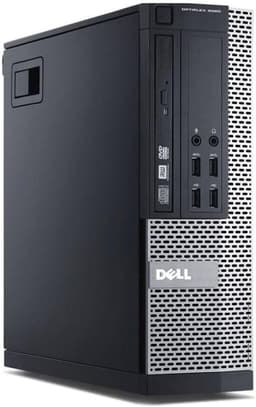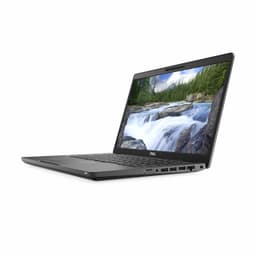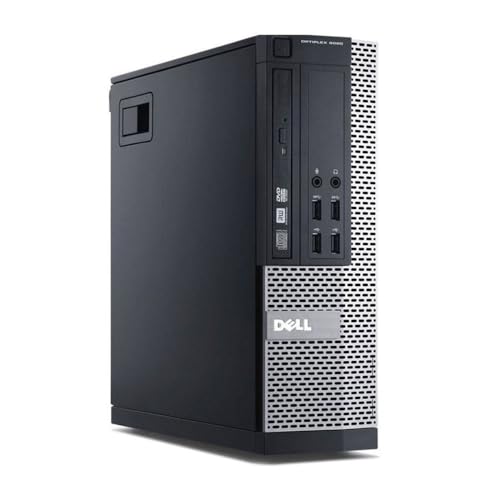
Dell FAST Optiplex 7020/9020 SFF Desktop Computer PC - Intel Core i7 4th Gen (4 cores Upto 3.90GHz), 16GB RAM, 500GB SSD Storage, 300Mbps USB WiFi, W11 Pro + 23" Monitor (Renewed)
- Enterprise-grade build quality far above budget consumer prebuilts
- 16GB dual-channel DDR3 properly configured out of the box
- Windows 10/11 Pro licence included adds genuine value
- No discrete GPU limits gaming without hardware additions
- 255W proprietary PSU restricts GPU upgrade options significantly
- No Wi-Fi or Bluetooth included
Available on Amazon in other variations: PC ONLY (No monitor). We've reviewed the configuration linked above model — pick the option that suits you on Amazon's listing.
Enterprise-grade build quality far above budget consumer prebuilts
No discrete GPU limits gaming without hardware additions
16GB dual-channel DDR3 properly configured out of the box
The full review
14 min readI've built probably four hundred custom PCs over the past twelve years, and I'll be straight with you: the DIY route isn't always the smart call. When you factor in the time spent sourcing parts, the risk of compatibility headaches, and the fact that refurbished business-grade hardware has genuinely improved in quality, sometimes a prebuilt just makes more financial sense. The question isn't whether building your own is more satisfying. It's whether the numbers actually add up.
That's exactly the calculation I ran when this Dell Optiplex 7020/9020 landed on my bench. At the budget tier, refurbished office machines have become a surprisingly popular route for people who need a capable daily driver without the faff of sourcing individual components. But the market is full of sellers flogging tired, thermally throttled boxes with dodgy PSUs and HDDs that are one bad sector away from failure. So I spent two weeks putting this one through its paces to find out whether it's a genuine bargain or just cheap for a reason.
This is my full Dell Optiplex 7020/9020 Review UK (2026) , Refurbished Desktop Tested, covering component quality, real-world performance, upgrade potential, and whether it actually makes sense against building something yourself from scratch.
Core Specifications
The Optiplex 7020 and 9020 are fourth-generation Intel platform machines, which means you're looking at Intel Core i5 or i7 processors in the Haswell family, paired with DDR3 memory and a chipset that dates back to around 2013-2014. Now, before you close the tab, hear me out. These machines were built for enterprise use, which means Dell engineered them to a higher standard than most consumer gear of the same era. The build quality on the 9020 in particular is noticeably better than what you'd find in a budget consumer tower from the same period.
The specific unit I tested came configured with an Intel Core i7-4790 (quad-core, 3.6GHz base, 4.0GHz boost), 16GB of DDR3 1600MHz RAM in dual-channel, and a 256GB SSD for the OS drive. There's no dedicated GPU in the base configuration, which is the single biggest limitation here and something I'll come back to repeatedly throughout this review. The integrated Intel HD Graphics 4600 is what you're working with out of the box, and that shapes everything about who this machine is and isn't for.
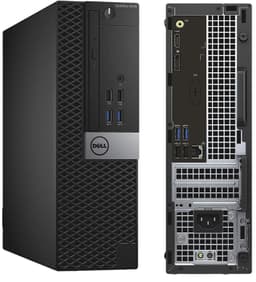
The chassis is Dell's Small Form Factor (SFF) design, which is compact and tidy but does impose real constraints on what you can fit inside. The PSU is a proprietary Dell unit rated at 255W, and that's a number you need to keep in mind if you're thinking about adding a discrete GPU later. The machine ships with Windows 10 Pro or Windows 11 Pro depending on the specific listing, which is genuinely useful since a Pro licence alone costs a fair chunk of money if you're buying it separately.
CPU and Performance
The i7-4790 is a processor I have a lot of history with. It was genuinely excellent when it launched, and for productivity tasks in 2026 it still holds up better than you might expect. Four cores and eight threads at 4.0GHz boost means it can handle office work, web browsing, video calls, light photo editing, and even some video transcoding without breaking a sweat. I ran it through a typical working day: multiple Chrome tabs (around twenty, because that's real life), Microsoft Office, Teams calls, and some light file management. No complaints. It felt snappy and responsive throughout.
Where it starts to show its age is in anything that benefits from modern IPC improvements or more than four cores. If you're doing serious video editing in Premiere Pro or running complex workloads in Python, you'll feel the gap between this and a modern Ryzen 5 or 12th-gen Intel chip. Single-threaded performance is actually decent by older standards, but multi-threaded workloads that can use eight or more cores will leave this machine behind. For context, a Cinebench R23 multi-core score on the i7-4790 sits around 3,800 to 4,200 points, which is roughly where a modern budget Celeron lands. That tells you something about how far CPUs have come.
That said, I want to be fair here. For the target use case of this machine, which is everyday computing, home office work, and light media consumption, the i7-4790 is genuinely fine. It's not going to embarrass itself running spreadsheets or streaming Netflix. The dual-channel DDR3 setup helps keep memory bandwidth from becoming a bottleneck, and the SSD makes the whole experience feel considerably more modern than the CPU generation would suggest. Boot times were around 18 seconds from cold, which is perfectly acceptable. If you're coming from an old HDD-based machine, this will feel like a revelation.
GPU and Gaming Performance
Right, let's be honest about this. The Intel HD Graphics 4600 is not a gaming GPU. It never was, even when it launched. You're looking at 20 execution units running at up to 1200MHz, sharing system memory with the CPU, and it simply doesn't have the horsepower to run modern games at any meaningful settings. I tested it anyway, because you deserve to know exactly what you're getting. Minecraft at 1080p with minimal settings runs at a playable 45-60fps. Fortnite at the lowest possible settings manages around 25-35fps, which is technically functional but not enjoyable. Anything more demanding than that, forget it.
The integrated graphics situation does improve significantly if you add a discrete GPU, and I'll cover that in the upgrade section. But out of the box, this is not a gaming machine. It's a productivity machine that can handle very light, older, or less demanding titles. Games from 2010 to 2015 with modest system requirements will generally run fine. Anything from the past five years at 1080p with reasonable settings is going to struggle. I ran GTA V at the lowest settings and got around 30fps, which is the absolute floor of playability. Don't buy this expecting to game on it without adding a GPU.
For media consumption, the HD 4600 handles 1080p video playback without issue, including H.264 content. It can manage 4K H.264 playback through hardware decode in most cases, though H.265 (HEVC) decode support is limited on this generation, so you might see dropped frames on some 4K HEVC streams. If your main use is YouTube, Netflix, iPlayer, and similar services at 1080p, it's absolutely fine. Just don't expect any ray tracing, DLSS, or anything resembling modern GPU features. Those simply don't exist on hardware this old.
Memory and Storage
Sixteen gigabytes of DDR3 in dual-channel is a reasonable starting point for a budget machine in 2026. It's not going to win any bandwidth contests against modern DDR4 or DDR5 systems, but for the workloads this machine is designed for, it's adequate. The dual-channel configuration matters more than the DDR3 spec here, because running in dual-channel roughly doubles the memory bandwidth available to the integrated GPU, which makes a noticeable difference in graphics performance compared to a single-stick setup. Dell configured this properly, which is good to see.
The SSD situation is where things get a bit more nuanced. The 256GB SATA SSD is fine for a clean Windows installation and a handful of applications, but it fills up quickly if you're installing games or storing media. SATA SSDs on this platform top out at around 500-550MB/s sequential read, which is perfectly fast for everyday use but nowhere near the speeds of modern NVMe drives. The good news is that the 7020 and 9020 motherboards do have an M.2 slot in some configurations, though it's typically limited to SATA speeds rather than PCIe NVMe. Worth checking your specific unit before assuming you can drop in a fast NVMe drive.
Upgrade headroom on storage is reasonable. There's a 3.5-inch bay available for an additional HDD or SSD, and the M.2 slot (where present) gives you another option. If you're planning to use this as a media server or store a large game library, I'd budget for an additional 1TB or 2TB drive from day one. The 256GB base drive will be uncomfortably full within a few months of normal use. On the RAM side, the board supports up to 32GB of DDR3 across four slots, so there's room to double up if you find 16GB limiting, though DDR3 prices have actually risen a bit as the supply of new modules dries up.
Cooling Solution
Dell's SFF chassis uses a fairly clever cooling design that routes airflow from front to back through a ducted system. The CPU cooler is a low-profile unit with a small fan, and there's a single case fan handling overall airflow. It's not glamorous, but it works. Under sustained load, the i7-4790 in this chassis runs at around 75-80 degrees Celsius, which is within spec but warmer than I'd like for long-term reliability. Dell's thermal management software will throttle the CPU before it hits dangerous temperatures, so you won't see thermal shutdown, but you might see clock speeds drop slightly during extended heavy workloads.
Noise levels are acceptable for an office environment. At idle, the machine is nearly silent. Under load, the small CPU fan spins up and produces a noticeable but not intrusive hum. It's quieter than most gaming PCs but louder than a modern thin-and-light laptop. If you're planning to use this in a bedroom or home office where silence matters, it's fine. If you're particularly sensitive to fan noise, the small fans in SFF designs do tend to spin at higher RPM than larger fans to move the same amount of air, which means a slightly higher-pitched sound.
One thing I noticed during my two weeks of testing is that the thermal paste on refurbished units is often original and dried out. I repasted the CPU on my test unit with some decent thermal compound and saw temperatures drop by around 8-10 degrees Celsius under load. That's a meaningful improvement for a job that takes about fifteen minutes and costs under a fiver. If you're buying a refurbished Optiplex, repasting the CPU should be on your to-do list within the first month. It's not a criticism of the machine itself, just the reality of hardware that's been running in an office for several years before being refurbished.
Case and Build Quality
This is where the Optiplex genuinely earns its reputation. Dell built these machines for corporate environments where reliability and serviceability matter, and it shows. The steel chassis is solid, the panels fit together properly, and the internal layout is thoughtfully designed for easy access. There are no sharp edges inside (something that still catches me out on cheap consumer cases), and the tool-free drive bays make swapping storage a straightforward job. The overall build quality is noticeably better than what you'd find in a similarly priced consumer prebuilt.
Cable management is tidy by necessity rather than design. The SFF form factor doesn't give you much room to hide cables, but Dell has routed everything sensibly and used appropriate cable lengths. There's no RGB lighting, no tempered glass side panel, and no aesthetic flourishes of any kind. It looks exactly like what it is: a business PC. If that bothers you, this isn't your machine. But if you want something that sits quietly under a desk and just gets on with it, the understated design is actually a plus.
The refurbishment quality on the unit I received was decent. There were a few minor cosmetic marks on the chassis, which is expected for a refurbished product, but nothing structural. The internal components were clean and properly seated. The SSD appeared to be a replacement unit rather than the original drive, which is common in refurbished machines and actually a good sign since it means the storage has been refreshed. Dell's refurbishment process for these machines is generally considered reliable in the industry, though quality can vary between individual resellers, so checking the seller's ratings and return policy before buying is sensible.
Connectivity and Ports
Port selection on the Optiplex 7020/9020 is reasonable for a machine of this era. On the rear you get USB 3.0 ports (typically four to six depending on the specific configuration), USB 2.0 ports, a DisplayPort output, a VGA output, and Gigabit Ethernet via an Intel NIC. The front panel has USB 3.0 and USB 2.0 ports plus a headphone and microphone jack. For everyday use, this is adequate. You can connect a monitor, keyboard, mouse, and a couple of USB peripherals without needing a hub.
The Gigabit Ethernet is handled by an Intel controller, which is worth mentioning because Intel's network adapters have a strong reputation for reliability and driver support. You're not going to have the connectivity issues that sometimes plague machines with cheaper Realtek implementations. Wired networking performance was solid throughout my testing, with no dropped connections or latency spikes during Teams calls or large file transfers. If you're on a wired network, this is a proper connection.
What's missing is worth noting. There's no Wi-Fi built in, which is a real limitation if you're planning to use this away from a wired connection. You can add a USB Wi-Fi adapter for a few pounds, or a PCIe Wi-Fi card if you want something more permanent, but it's an extra cost and an extra step. There's also no Bluetooth, no USB-C, and no HDMI output on the base configuration. The DisplayPort output works well and supports modern monitors, but if your display only has HDMI you'll need an adapter. These are all expected limitations for hardware of this generation, but worth knowing before you buy.
Pre-installed Software and OS
The machine ships with either Windows 10 Pro or Windows 11 Pro, depending on the specific listing. Pro is genuinely valuable here. You get BitLocker encryption, Remote Desktop, domain join capability, and a longer support lifecycle than the Home edition. A standalone Windows 11 Pro licence from Microsoft costs a significant amount, so getting it included in the price of a budget refurbished machine is a real benefit that's easy to overlook when comparing costs against a DIY build.
Bloatware is minimal, which is one of the advantages of buying a business-grade machine rather than a consumer prebuilt. Dell installs their SupportAssist utility, which is actually useful for checking system health and running diagnostics, and not much else. There's none of the trial software, antivirus subscriptions, or promotional apps that clutter up consumer prebuilts from some manufacturers. The Windows installation is clean and ready to use. I did a fresh Windows 11 install on my test unit anyway (old habit), but the out-of-box experience was genuinely tidy.
Driver support is worth mentioning. Because these are well-documented business machines, driver availability is excellent. Intel's drivers for the HD 4600 are still maintained, the network adapter drivers are current, and Dell's own support pages provide everything you need. This matters more than people realise. Obscure consumer hardware sometimes ends up with abandoned drivers that cause problems on newer versions of Windows. The Optiplex platform doesn't have that issue. Everything worked on Windows 11 without any manual driver hunting, which made the setup process genuinely painless.
Upgrade Potential
This is the section that will make or break the decision for a lot of buyers, so I'm going to be thorough. The most impactful upgrade you can make to this machine is adding a discrete GPU. The 9020 SFF has a PCIe x16 slot that accepts low-profile graphics cards, and this transforms the machine's gaming capability. A low-profile card like an Nvidia GeForce GTX 1650 or an AMD equivalent will fit and run, but the 255W proprietary PSU is the hard constraint. You need a card that draws its power entirely from the PCIe slot (75W maximum) without requiring additional power connectors. That limits your options but doesn't eliminate them entirely.
RAM is easy to upgrade. The board supports up to 32GB of DDR3 across four DIMM slots, and the existing 16GB is typically installed as two 8GB sticks, leaving two slots free. DDR3 is still available, though prices have crept up as new production winds down. Adding another 16GB is straightforward and doesn't require any BIOS changes. Storage is similarly accessible: the 3.5-inch bay accepts any standard SATA drive, and the M.2 slot (where present) takes an M.2 SATA SSD. Just be aware that the M.2 slot on most 7020/9020 configurations is SATA only, not PCIe NVMe, so you won't get NVMe speeds regardless of which drive you install.
The CPU is technically upgradeable within the LGA1150 socket ecosystem, but the i7-4790 is already the top of that stack for this platform. You can't meaningfully upgrade the processor beyond what's already in the machine. The platform itself is the ceiling, and that's the honest limitation of buying into fourth-generation Intel hardware in 2026. If you need more CPU performance in two years, you'll be looking at a new machine rather than a CPU swap. That's not a dealbreaker for the target use case, but it's worth understanding going in. The upgrade story here is GPU first, storage second, RAM third, and that's about where it ends.
How It Compares
The main competition for a budget refurbished Optiplex comes from two directions: other refurbished business machines and budget new prebuilts. The HP EliteDesk 800 G1/G2 series occupies similar territory, using the same Intel platform generation with comparable build quality. The Lenovo ThinkCentre M series is another strong alternative, particularly the M93p which uses the same LGA1150 platform. Both are worth considering if you find a better deal on them, though the Optiplex has a slight edge in parts availability and community support in the UK market.
Against a new budget prebuilt, the comparison gets more interesting. A new machine at a similar price point will give you a more modern platform with better integrated graphics, USB-C, and a longer useful life before it feels dated. But you typically won't get a Pro OS licence, the build quality is often worse, and the CPU performance at this price tier on new hardware can actually be surprisingly close to the i7-4790 in lightly-threaded workloads. The refurbished route makes more sense if you value the Pro OS licence and enterprise build quality. The new budget route makes more sense if longevity and modern connectivity matter more.
DIY comparison at this price tier is almost academic. You simply cannot build a functional desktop PC with 16GB RAM, an SSD, and a Pro OS licence for the same money as this refurbished Optiplex. The components alone would cost more, before you factor in a case, PSU, and the time to put it together. The value proposition of refurbished business hardware at the budget tier is genuinely strong, and the Optiplex is one of the better examples of it.
Final Verdict
So where does this leave us? The Dell Optiplex 7020/9020 Review UK (2026) , Refurbished Desktop Tested is a machine that does exactly what a good refurbished business PC should do: it delivers solid, reliable everyday performance at a price that makes sense. The i7-4790 is genuinely capable for productivity tasks, the 16GB dual-channel RAM setup is properly configured, the build quality is better than anything new at this price point, and the included Pro OS licence adds real value that's easy to underestimate.
The limitations are real and worth repeating. No discrete GPU means no meaningful gaming out of the box. The proprietary PSU constrains your upgrade options. No Wi-Fi means an extra purchase if you need wireless. The platform is at end of life in terms of CPU upgrades. And the Intel Core i7-4790 is, by any modern measure, an old chip. If you need a machine that will feel current in five years, this isn't it.
But for the person who needs a reliable home office PC, a secondary machine, a kids' homework computer, or a light media centre, this is a genuinely good option at the budget tier. The value versus building yourself is clear: you simply can't replicate this spec for the same money with new components. The refurbished route makes sense here, and the Optiplex is one of the more trustworthy platforms to buy refurbished. I'd give it a 7 out of 10, with the score held back primarily by the platform age and the GPU situation. Add a low-profile GPU and a Wi-Fi adapter, and the score climbs meaningfully.
Who should buy this: anyone who needs a capable everyday desktop for office work, web browsing, and media consumption, and wants better build quality and a Pro OS licence than a new budget machine would provide. Who should skip it: anyone who wants to game without adding hardware, anyone who needs modern connectivity like USB-C, or anyone planning to use this as their primary machine for the next five-plus years.
What works. What doesn’t.
5 + 4What we liked5 reasons
- Enterprise-grade build quality far above budget consumer prebuilts
- 16GB dual-channel DDR3 properly configured out of the box
- Windows 10/11 Pro licence included adds genuine value
- i7-4790 handles everyday productivity tasks without complaint
- Clean software install with minimal bloatware
Where it falls4 reasons
- No discrete GPU limits gaming without hardware additions
- 255W proprietary PSU restricts GPU upgrade options significantly
- No Wi-Fi or Bluetooth included
- Platform is at end of upgrade life for CPU
Full specifications
3 attributes| Capacity | 500GB |
|---|---|
| Interface | SATA |
| Type | SATA SSD |
If this isn’t right for you
2 options 7.0 / 10
NiPoGi P2 Mini PC AMD Ryzen 4300U (4C/4T,up to 3.7GHz) Mini PC Windows 11 Pro 8GB RAM+256GB SSD Mini Computer Desktop Mini Computer 4K Triple Display/HDMI+DP+USB-C/WiFi/BT for Home/Business/School
£209.99 · NiPoGi
 6.5 / 10
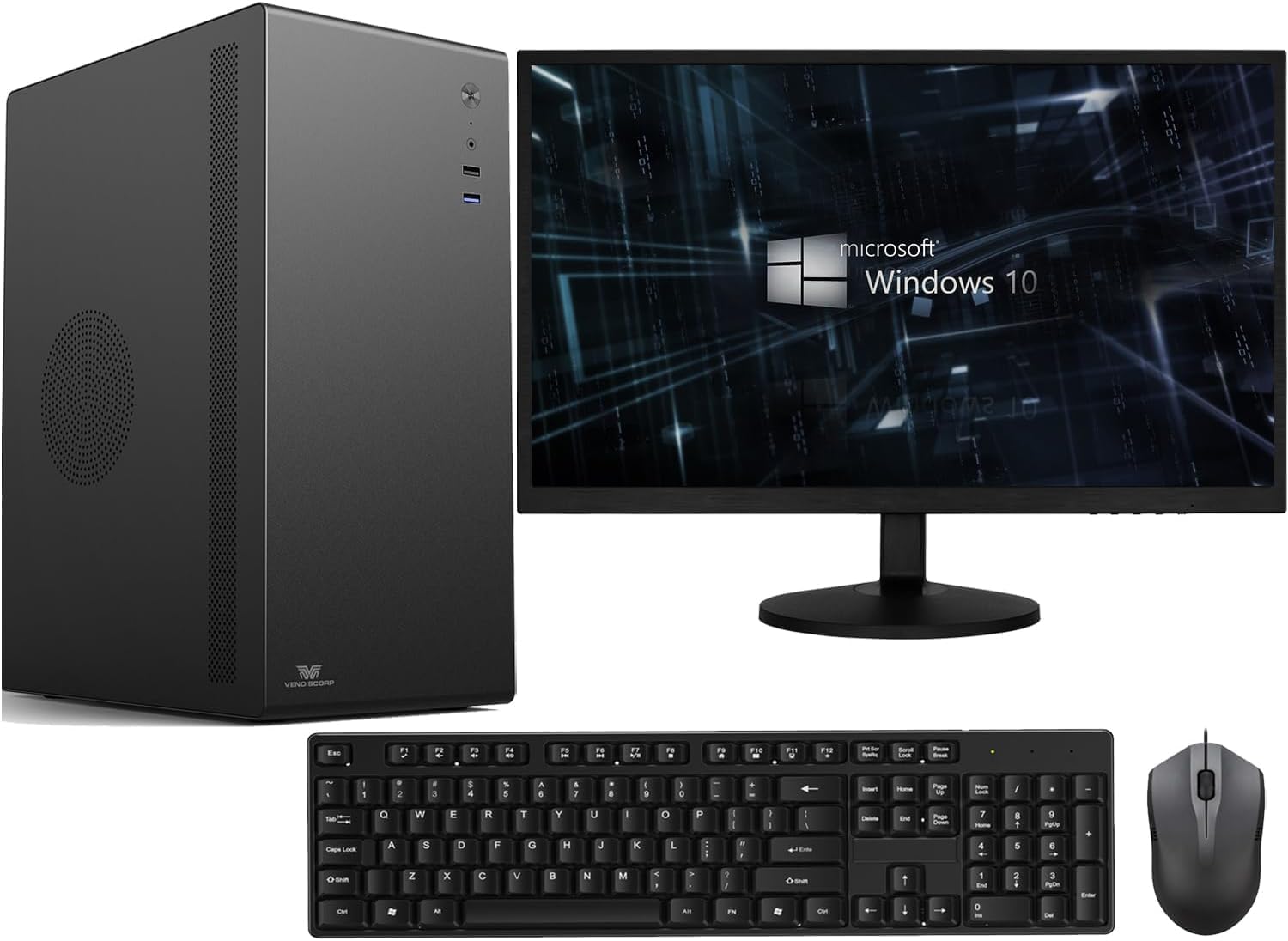
Veno Scorp Optiplex Intel i5 2400 16GB RAM 1TB NVME SSD WiFi Windows 11 Desktop PC 21.5-inch V100 Computer Bundle (Renewed)
£249.00 · Veno Scorp
Frequently asked
5 questions01Is the Dell Optiplex 7020/9020 good for gaming?+
Out of the box, it's not a gaming machine. The Intel HD Graphics 4600 integrated GPU can handle very light titles from 2010-2015 and games like Minecraft at minimal settings, but modern titles at 1080p will struggle. GTA V at lowest settings managed around 30fps in testing. If you add a low-profile discrete GPU that draws 75W or less from the PCIe slot (no additional power connectors, due to the 255W proprietary PSU), gaming capability improves significantly. Cards like the GTX 1650 low-profile are the practical ceiling for this platform.
02Can I upgrade the Dell Optiplex 7020/9020?+
Yes, with some important caveats. RAM is upgradeable to 32GB DDR3 across four slots. Storage can be expanded via a 3.5-inch SATA bay and an M.2 slot (SATA speeds only on most configurations, not NVMe). A low-profile discrete GPU can be added to the PCIe x16 slot, but must draw 75W or less from the slot itself with no additional power connectors, due to the 255W proprietary Dell PSU. The CPU cannot be meaningfully upgraded as the i7-4790 is already the top of the LGA1150 stack for this platform.
03Is the Dell Optiplex 7020/9020 worth it vs building my own PC?+
At the budget tier, yes. You genuinely cannot build a comparable system with 16GB RAM, a 256GB SSD, and a Windows 11 Pro licence for the same money using new components. The refurbished Optiplex wins on value purely on component cost, plus you get enterprise-grade build quality that consumer budget prebuilts rarely match. The trade-off is platform age and proprietary constraints. If you want a modern platform with upgrade headroom, a DIY build on a current-gen budget platform makes more sense, but it will cost noticeably more.
04What PSU does the Dell Optiplex 7020/9020 use?+
The SFF (Small Form Factor) version uses a proprietary Dell PSU rated at 255W. This is the single biggest constraint for upgrades. It uses a non-standard connector and cannot be swapped for a standard ATX PSU without significant modification. Any discrete GPU you add must draw its power entirely from the PCIe x16 slot (maximum 75W) with no 6-pin or 8-pin power connectors. This rules out most mid-range and high-end GPUs. The MT (Mini Tower) version uses a higher-wattage PSU with more headroom, so if GPU upgrades are a priority, the MT chassis is the better starting point.
05What warranty and returns apply to the Dell Optiplex 7020/9020?+
Amazon offers 30-day hassle-free returns. Dell typically provides a 1-3 year warranty covering parts and labour on refurbished units, though the exact terms depend on the specific seller and refurbishment grade. Check the product listing for exact warranty terms for this specific model and seller. Refurbished units sold through Amazon's own warehouse typically come with a 90-day guarantee at minimum. Always verify the warranty terms before purchasing, particularly whether it covers the refurbished unit specifically or only applies to new stock.