The MHz number on the box is bait. Two sticks of DDR5 can share the same headline speed and deliver meaningfully different real-world latency, because true latency is a function of both clock speed and CAS latency together. Divide the CAS latency by half the clock speed (in GHz) and you get nanoseconds of actual delay. That calculation is the honest measure of a RAM kit, not the big number printed on the packaging.
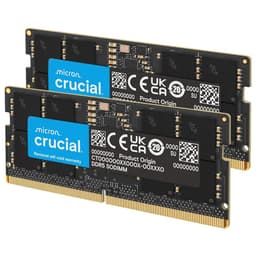
So where does the Crucial CT8G48C40S5 land? It's a single 8GB stick of DDR5 SODIMM running at 4800MHz with a CAS latency of 40. That works out to roughly 16.67 nanoseconds of true latency. Not tight. Not particularly fast. But here's the thing: this stick isn't trying to be fast. It's JEDEC-spec DDR5 at the base standard, priced as an upgrade option for laptop and mini PC owners who need more RAM and not a speed trophy. With 1,041 owner reviews averaging ★★★★½ (4.8), it clearly does the job it promises. Whether that job is the one you need is the actual question.
The verdict up front: this is a perfectly decent, no-drama capacity upgrade for compatible laptops and mini PCs. It's not for anyone chasing performance. It's for anyone who opened Task Manager, saw 90% memory usage, and wants that sorted without overthinking it. If you need speed, look elsewhere. If you need more RAM in a machine that takes DDR5 SODIMM, this is a reliable, well-reviewed option at a sensible price point.
Core Specifications: B09S2QT75C in Detail
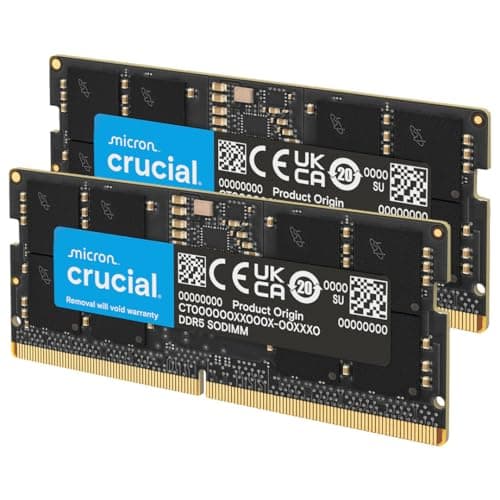
The CT8G48C40S5 is a single 8GB DDR5 SODIMM stick. It runs at 4800MHz (PC5-38400 in JEDEC terms, though the Amazon listing quotes PC5-44800, which corresponds to 5600MHz spec on a different variant). The form factor is SODIMM with a 262-pin interface, which is the standard for laptops and small form factor machines. Voltage sits at 1.1V, which is the JEDEC DDR5 baseline. The configuration is 2Rx8, meaning it's a dual-rank stick with x8 organisation on the ICs. That dual-rank configuration is actually a mild plus for bandwidth over single-rank equivalents.
CAS latency is CL40. For a 4800MHz stick, that's standard. There's nothing exotic here, no XMP or EXPO profile to enable, no overclocking headroom being marketed. This is JEDEC-compliant DDR5 at its base specification. The verified product data also notes that 5600MHz variants of Crucial DDR5 will downclock to 5200MHz or 4800MHz depending on what the system's memory controller supports, which tells you something important: this 4800MHz stick is essentially what you'll get in most laptops anyway, just without the downclocking drama.
The ECC type is non-ECC, which is standard for consumer memory. No server workloads here. The form factor, pin count, and voltage all match what you'd expect from a mainstream laptop DDR5 upgrade. There's nothing surprising in the spec sheet, and that's genuinely fine for the target use case.
| Specification | Detail |
|---|---|
| Part Number | CT8G48C40S5 (B09S2QT75C) |
| Capacity | 8GB (single stick) |
| DDR Generation | DDR5 |
| Speed | 4800MHz |
| PC Speed Rating | PC5-44800 (per listing) |
| CAS Latency | CL40 |
| Voltage | 1.1V |
| Form Factor | SODIMM |
| Pin Count | 262-pin |
| Rank / Configuration | 2Rx8 (dual rank) |
| ECC | Non-ECC |
| XMP / EXPO Profile | None (JEDEC spec) |
| Compatible Platforms | 12th and 13th Gen Intel Core, AMD Ryzen 6000 Series laptops |
| Price | £228.16 |
| Owner Rating | ★★★★½ (4.8) (1,042 reviews) |

Speed, Timings and Real Latency: B09S2QT75C Examined
Right, the maths. True memory latency in nanoseconds is calculated as: (CAS latency / (speed in MHz / 2)) multiplied by 1000. For this stick: 40 / (4800 / 2) x 1000 = 40 / 2400 x 1000 = 16.67ns. Compare that to a 6000MHz CL30 desktop kit, which works out to 10ns. Or even a 5600MHz CL46 stick, which comes in at around 16.43ns. The point is that two sticks with very different MHz numbers can land almost identically in real latency terms, and two sticks with the same MHz number can feel noticeably different depending on the CAS figure. This is why the headline number is only half the story.
At 4800MHz CL40, this Crucial stick is sitting at JEDEC baseline for DDR5. That's not a criticism, it's a description. JEDEC sets the standard that all DDR5 must meet, and 4800MHz CL40 at 1.1V is exactly that standard. What it means in practice is that this stick will run at rated spec in any DDR5 SODIMM slot without needing any BIOS intervention. No XMP to enable, no EXPO profile to load, no risk of a failed memory training loop at boot. It just runs at 4800MHz, full stop.
Where this matters most is in the comparison to faster SODIMM options. You can find 5600MHz DDR5 SODIMM sticks, and Crucial themselves make them. A 5600MHz CL46 stick works out to roughly 16.43ns, barely any different from this one's 16.67ns. A 5600MHz CL40 would be around 14.29ns, which is meaningfully quicker. But here's the practical reality for laptop users: many Intel 12th and 13th Gen and Ryzen 6000 Series platforms cap their memory controller at 4800MHz anyway. Paying for 5600MHz and having the system downclock it to 4800MHz is money wasted. This stick gives you exactly what those systems can use, at a price that reflects it.
XMP and EXPO Stability and Compatibility
There's no XMP or EXPO profile on this stick. That sounds like a limitation but for a SODIMM upgrade it's largely irrelevant. Laptop memory controllers don't typically support XMP in the same way desktop motherboards do, and the JEDEC 4800MHz spec is what most of these platforms run natively. You slot this in, the system detects 4800MHz DDR5, and that's what you get. No BIOS fiddling, no memory training failures, no mysterious no-post situations at 3am when you just want to play something.
The 1,042 averaging 4.8 stars tell a consistent story: this stick works, first time, in the machines it's designed for. Owner reports don't flag widespread compatibility issues, which is genuinely reassuring for a product that gets dropped into dozens of different laptop models. The verified compatibility list covers 12th and 13th Gen Intel Core laptops and AMD Ryzen 6000 Series laptops. Crucial also provides a memory compatibility tool on their website where you can check your specific model before buying, which is worth doing.
One thing: the verified product data notes that Crucial's 5600MHz DDR5 variants will downclock to match the system's memory controller, whether that's 5200MHz or 4800MHz. This 4800MHz stick sidesteps that entirely. It runs at 4800MHz because that's its rated speed, and if your system supports 4800MHz, that's exactly what you'll get. No downclocking, no uncertainty. For laptop upgrades where you just want it to work, that simplicity is genuinely useful.
Capacity and Use Case: Is 8GB Actually Enough?
This is the honest conversation most product listings avoid. A single 8GB stick is not enough RAM for comfortable modern computing on its own. Windows 11 with a browser open and a few background processes will cheerfully eat 6 to 8GB. Add a game, a video call, or a handful of tabs and you're swapping to the SSD, which is slow and wears out the drive. If your laptop came with 8GB soldered and you're adding this as a second stick to reach 16GB total, that makes complete sense. If you're replacing a 16GB stick with this 8GB stick, that's a step backwards.
The sweet spot for most people in 2026 is 16GB for general use and light gaming. That covers browsing, productivity, casual gaming, and most streaming workflows without breaking a sweat. 32GB starts making sense if you're running virtual machines, doing serious photo or video editing, or keeping dozens of browser tabs open alongside a game. 64GB is genuinely a workstation-tier requirement: think Lightroom catalogues, DaVinci Resolve with 4K timelines, or running multiple VMs simultaneously. For the typical laptop user this stick is aimed at, 16GB is the target and this 8GB stick is the upgrade that gets you there from 8GB.
The 2Rx8 configuration (dual rank) is worth a mention. Dual-rank memory gives the memory controller more to work with in terms of interleaving, which can provide a small bandwidth improvement over single-rank sticks at the same speed. It's not transformative, but it's a mild plus. In a dual-channel configuration (two sticks installed), you'll also unlock the bandwidth benefits of running both channels simultaneously, which matters more than rank configuration in most real-world workloads. If your laptop has two SODIMM slots and you're currently running a single 8GB stick, adding a second identical 8GB stick to reach 16GB in dual channel is a better upgrade than going straight to a single 16GB stick, all else being equal.
DDR5 vs DDR4 Value: Does the Generation Premium Make Sense?
DDR5 costs more than DDR4 at equivalent capacity. That gap has narrowed considerably since DDR5 launched, but it's still real. The question is whether DDR5 is worth it for your specific situation, and the answer depends almost entirely on what platform you're upgrading. If your laptop takes DDR5, it takes DDR5, and the DDR4 vs DDR5 debate is moot. You don't get to choose the generation; the platform chose it for you. This stick is for people whose machines require DDR5 SODIMM, full stop.
For gaming specifically, the real-world performance difference between DDR4 and DDR5 at equivalent latency is marginal. Not zero, but not worth losing sleep over either. The frame rate gains from moving between memory generations in gaming workloads are typically in the low single digits percentage-wise. What matters far more is having enough capacity (no swapping), running in dual channel (bandwidth), and having a fast enough GPU and CPU to actually use the headroom. Anyone telling you that DDR5 will transform your gaming experience is selling something.
Where DDR5 genuinely earns its keep is in bandwidth-hungry workloads: video encoding, large dataset processing, memory-intensive applications that can actually saturate DDR4's bandwidth ceiling. For those use cases, DDR5's higher theoretical bandwidth is a real advantage. But for the target user of this stick, someone upgrading a laptop for better multitasking and productivity, the generation question is already answered by the hardware. You need DDR5 SODIMM, this is DDR5 SODIMM, sorted.
Build Quality and Physical Design
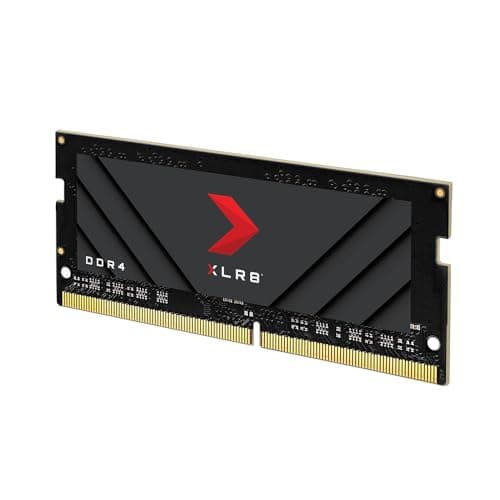
SODIMM sticks don't have heatspreaders. That's not an oversight; it's by design. Laptop memory slots are tight, and adding a heatspreader would either prevent the stick from fitting or require the laptop chassis to accommodate extra height. Crucial ships this as a bare PCB with the ICs exposed, which is standard for every SODIMM on the market. The thermal management is handled by the laptop's chassis and airflow, not by anything attached to the stick itself.
The PCB quality on Crucial sticks has a solid reputation. Crucial is Micron's consumer brand, and Micron manufactures its own NAND and DRAM at its own fabs. That vertical integration means the ICs on this stick are Micron-sourced, which is about as reputable as it gets in the DRAM world. The 2Rx8 configuration tells you the stick uses eight chips per side in a dual-rank arrangement. That's a standard, well-understood configuration with no exotic binning or unusual IC choices.
Owner reports don't flag physical defects or build quality issues at any meaningful rate. At 4.8 stars across over a thousand reviews, the dead-on-arrival rate appears low. The occasional one-star review follows the usual pattern: incompatible system, user error in installation, or a genuine dead stick that Crucial's warranty process then handles. Nothing in the review corpus suggests a systematic quality problem with the PCB or ICs themselves.
RGB and Aesthetics
There is no RGB on this stick. None. It's a bare DDR5 SODIMM; the idea of RGB lighting on laptop memory is slightly absurd given that you'd never see it through the chassis. This is not a criticism. It's a feature. You're not paying an RGB tax, you're not dealing with iCUE or Armory Crate or any other RGB management software that consumes RAM to control the RAM. The stick goes in, does its job, and is completely invisible inside the machine.
Aesthetics are genuinely irrelevant for SODIMM memory. Unlike desktop DIMMs that sit visible behind a glass panel, laptop RAM lives under a service hatch or beneath the keyboard. The only aesthetic consideration is whether the stick physically fits, and at standard SODIMM dimensions it will fit any DDR5 SODIMM slot. There's no heatspreader to worry about clearance for, no RGB header to connect, nothing to configure in software.
If you're coming from the desktop RAM world where RGB kits command a meaningful premium and the lighting is at least visible, the SODIMM market is refreshingly free of that nonsense. Every SODIMM is essentially the same shape and size, with competition happening on speed, capacity, price, and reliability rather than aesthetics. For once, the spec sheet is the whole story.
Reliability and Warranty
Crucial's reputation for reliability is well-earned. The brand has been shipping consumer DRAM for decades and the Micron manufacturing pedigree means you're not dealing with mystery-bin ICs from a third-party supplier. The 4.8-star average across 1,042 is a strong signal: at that review volume, a systematic reliability problem would show up clearly in the score distribution. It doesn't appear to be there.
Owner reviews are largely positive about long-term stability. The stick runs at JEDEC spec, which means it's not being pushed anywhere near its limits. Overclocked memory running at marginal voltages and tight timings is where reliability starts to become a concern. This stick at 4800MHz CL40 and 1.1V is operating well within comfortable parameters, which bodes well for longevity. Thermal stress is also minimal given the JEDEC voltage and the laptop's thermal management.
The warranty situation for Crucial products is typically a limited lifetime warranty on the RAM itself. The verified product data doesn't explicitly state the warranty terms for this specific ASIN, so if that's important to you, check Crucial's support pages directly before buying. Amazon's standard 30-day return window and A-to-Z guarantee provide a backstop for dead-on-arrival units regardless. In practice, if a stick is going to fail, it usually does so early (infant mortality), and Amazon's return window covers that scenario adequately.
Value and Price Per GB
The price-per-GB calculation is the most honest way to assess RAM value, and it's where context matters. DDR5 SODIMM at 8GB is at the bottom of the capacity ladder for this generation. The price-per-GB on a single 8GB stick is almost always worse than buying a 16GB or 32GB stick, because fixed costs (packaging, shipping, the PCB itself) are spread across fewer gigabytes. If you need 16GB and your laptop has two SODIMM slots, two 8GB sticks is often a better value proposition than one 16GB stick, because you also get dual-channel operation. If you have one slot and need 16GB, a single 16GB stick is the obvious answer.
This kit sits in what the market would call the entry-level DDR5 SODIMM tier. It's not a premium binned product, it's not targeting enthusiasts, and it's priced accordingly. The value proposition is straightforward: if you need 8GB of DDR5 SODIMM and want a reliable brand, this is a sensible choice. If you need more capacity, the price-per-GB arithmetic generally favours buying a higher-capacity stick rather than two of these.
The honest smarter-buy note: if your laptop has a single SODIMM slot and you currently have 8GB, you'd get more value from a single 16GB DDR5 SODIMM than from this 8GB stick. Double the capacity for typically not double the price, and you don't have to visit the laptop's internals twice. Check Crucial's own 16GB DDR5 SODIMM options before committing to 8GB if capacity is your primary concern.
Platform Compatibility
The verified product data is clear: this stick is compatible with 12th and 13th Gen Intel Core laptops and AMD Ryzen 6000 Series laptops. Those platforms use DDR5 SODIMM natively, and 4800MHz is within the supported memory controller speed for both. Intel's 12th Gen (Alder Lake) and 13th Gen (Raptor Lake) mobile platforms officially support DDR5 at 4800MHz. AMD's Ryzen 6000 Series (Rembrandt) also supports DDR5 SODIMM, with 4800MHz being a standard operating point.
What this stick does not support is DDR4 systems. DDR5 and DDR4 are physically incompatible at the slot level; the key notch is in a different position, so you can't accidentally install the wrong generation. If your laptop takes DDR4, you need a DDR4 SODIMM. If you're unsure which generation your laptop uses, Crucial's own compatibility checker at crucial.com will tell you based on your laptop model. That's worth doing before purchasing any RAM.
A note on mixing kits: if your laptop already has a stick installed and you're adding a second, matching the speed and capacity of the existing stick is the safest approach. Mixing different speeds will result in both sticks running at the slower speed. Mixing different capacities is usually fine but may affect whether dual-channel operates across the full capacity. And mixing brands is generally fine at JEDEC spec, though if you're adding to an existing stick, buying the same model eliminates any potential compatibility variables entirely.
How It Compares to the Competition
The DDR5 SODIMM market at 8GB capacity is fairly competitive. The main alternatives to this Crucial stick come from Kingston (ValueRAM and Impact lines) and Samsung (their OEM-style B-die sticks). At 4800MHz CL40, these are all effectively JEDEC-spec products with very similar real-world performance. The differentiation comes down to brand trust, price, and warranty support rather than any meaningful performance difference.
Kingston's ValueRAM KVR48S40BS6-8 is a direct competitor: 8GB DDR5 SODIMM at 4800MHz CL40, 1.1V, JEDEC spec. Virtually identical on paper. Kingston has a solid reliability reputation and competitive pricing. Samsung's DDR5 SODIMM sticks are often found in OEM laptops from the factory, which speaks to their reliability, but they're less commonly sold as retail upgrade sticks and can be harder to source at competitive prices. The Crucial stick's advantage is the combination of brand recognition, easy Amazon availability, and that 4.8-star review score at meaningful volume.
If you're considering stepping up to a faster option, Crucial's own 5600MHz DDR5 SODIMM is worth comparing. But as discussed, if your platform caps at 4800MHz, the 5600MHz stick will just downclock and you'll have paid more for nothing. Verify your platform's maximum supported speed before deciding whether the speed upgrade is worth it.
| Feature | Crucial CT8G48C40S5 (B09S2QT75C) | Kingston ValueRAM KVR48S40BS6-8 | Corsair Vengeance SODIMM 8GB DDR5 4800MHz |
|---|---|---|---|
| Capacity | 8GB | 8GB | 8GB |
| Speed | 4800MHz | 4800MHz | 4800MHz |
| CAS Latency | CL40 | CL40 | CL40 |
| True Latency | 16.67ns | 16.67ns | 16.67ns |
| Voltage | 1.1V | 1.1V | 1.1V |
| Rank Config | 2Rx8 | 1Rx16 (typical) | Not specified |
| XMP / EXPO | None (JEDEC) | None (JEDEC) | None (JEDEC) |
| Brand / IC Source | Crucial / Micron | Kingston / Various | Corsair / Various |
| Owner Rating | 4.8 (1,042) | Varies by listing | Varies by listing |

Final Verdict
The Crucial CT8G48C40S5 is exactly what it says it is: a straightforward, reliable 8GB DDR5 SODIMM running at JEDEC-standard 4800MHz CL40. True latency of 16.67ns puts it at the baseline for DDR5, not fast, not slow, just standard. And for the use case it's designed for, that's completely fine. Laptop and mini PC owners upgrading from 8GB to 16GB, or topping up a system that shipped with a single stick, will find this does the job without drama. The 4.8-star average from over a thousand real owners is hard to argue with.
The 2Rx8 dual-rank configuration is a mild plus over single-rank alternatives at the same speed. The Micron IC pedigree (Crucial is Micron's consumer brand) gives you confidence in the silicon quality. And the absence of XMP or EXPO means there's nothing to misconfigure; it runs at 4800MHz on any compatible platform, first boot, every time. For laptop RAM, that simplicity is a genuine virtue.
Who should buy this: anyone with a 12th or 13th Gen Intel Core laptop or an AMD Ryzen 6000 Series machine that needs more RAM and currently has a free SODIMM slot or an 8GB stick to replace. If you're hitting memory pressure in daily use, this sorts it cleanly and cheaply. The honest don't-overspend note: if you need 16GB total and have a single SODIMM slot, skip this and buy a single 16GB DDR5 SODIMM instead. Better price-per-GB, same slot used, done. This 8GB stick makes most sense as the second stick in a dual-channel pair, or as a top-up in a system with two slots where one is already occupied.
Editorial score: 7.5 out of 10. Solid, reliable, does exactly what it promises. Loses points only because 8GB is a tight capacity in 2026 and the price-per-GB arithmetic often favours going straight to 16GB. But as a targeted upgrade for the right machine, it's hard to fault.
What works. What doesn’t.
5 + 3What we liked5 reasons
- JEDEC-standard 4800MHz means no XMP fiddling, just plug in and boot
- 2Rx8 dual-rank configuration offers a mild bandwidth advantage over single-rank alternatives
- Micron-sourced ICs from Crucial's own fabs, solid reliability pedigree
- 4.8-star average from over 1,000 real owners with no systematic quality issues reported
- Straightforward compatibility with 12th/13th Gen Intel and Ryzen 6000 Series laptops
Where it falls3 reasons
- 8GB is a tight capacity for modern workloads; 16GB is the sensible minimum for most users
- CL40 at 4800MHz gives 16.67ns true latency, which is baseline DDR5, not impressive
- Price-per-GB is worse than higher-capacity sticks; a single 16GB stick is often better value
Full specifications
7 attributes| Capacity | 8GB |
|---|---|
| KIT config | 1x8GB |
| Latency | CL40 |
| RAM | 8GB DDR5 4800MHz CL40 SODIMM |
| RGB | no |
| Speed | 4800 |
| Type | DDR5 |
If this isn’t right for you
1 options
Frequently asked
5 questions01How much RAM do I actually need for the Crucial DDR5 RAM 8GB 4800MHz SODIMM, Laptop Computer Memory, Mini PC, CL40 - CT8G48C40S5's use case?+
For most laptop users in 2026, 16GB is the practical minimum for comfortable daily use including browsing, productivity apps, and light gaming. A single 8GB stick like this one makes most sense as the second stick in a dual-channel pair, bringing a machine from 8GB to 16GB total. If you only have one SODIMM slot and need 16GB, a single 16GB DDR5 SODIMM is a better buy. 32GB starts making sense for video editing, virtual machines, or heavy multitasking. 64GB is workstation territory and not relevant for the typical laptop upgrade.
02Will the Crucial DDR5 RAM 8GB 4800MHz SODIMM, Laptop Computer Memory, Mini PC, CL40 - CT8G48C40S5 run at its rated speed with XMP or EXPO?+
This stick has no XMP or EXPO profile; it runs at JEDEC-standard 4800MHz CL40 automatically on any compatible DDR5 SODIMM platform. There's nothing to enable in the BIOS and no memory training issues to worry about. It simply boots at 4800MHz on 12th and 13th Gen Intel Core and AMD Ryzen 6000 Series laptops that support DDR5. This makes it one of the lowest-drama RAM upgrades available.
03Is the Crucial DDR5 RAM 8GB 4800MHz SODIMM, Laptop Computer Memory, Mini PC, CL40 - CT8G48C40S5 compatible with my motherboard?+
This is a DDR5 SODIMM, so it's designed for laptops and mini PCs, not desktop motherboards. It's compatible with 12th and 13th Gen Intel Core laptops and AMD Ryzen 6000 Series laptops that use DDR5 SODIMM memory. It is not compatible with DDR4 systems; the physical notch position is different so you cannot accidentally install it in the wrong slot. Use Crucial's online compatibility checker with your specific laptop model before purchasing to confirm fit.
04Does faster RAM like the Crucial DDR5 RAM 8GB 4800MHz SODIMM, Laptop Computer Memory, Mini PC, CL40 - CT8G48C40S5 actually improve gaming performance?+
Honestly, not much. Gaming frame rate gains from RAM speed are marginal, typically low single-digit percentages between different speed tiers. What matters far more is having enough capacity (so the system isn't swapping to the SSD), running in dual channel (two sticks rather than one), and having a capable GPU and CPU. This 4800MHz CL40 stick is baseline DDR5 speed, and the real-world gaming difference between this and a faster 5600MHz stick is negligible for most games. Capacity and dual-channel configuration will have a far bigger practical impact than chasing higher MHz.
05What warranty and returns apply to the Crucial DDR5 RAM 8GB 4800MHz SODIMM, Laptop Computer Memory, Mini PC, CL40 - CT8G48C40S5?+
The verified product data does not specify the warranty terms for this ASIN. Crucial typically offers a limited lifetime warranty on their consumer memory products, so it's Crucial's support pages directly for the exact terms. Regardless, Amazon's standard 30-day return window and A-to-Z guarantee provide a solid backstop for dead-on-arrival units, which covers the most common failure scenario (early infant mortality) adequately.